Best Vertical Mouse in 2026
We may earn a commission from links on this page, at no extra cost to you. Learn more.
A vertical mouse rotates your hand into a natural handshake position, easing the forearm twist that contributes to wrist strain. We tested the leading vertical models across hand sizes and budgets to find the ones that deliver real comfort without sacrificing usability. Each pick balances a wrist-friendly angle, a supportive shape, and reliable tracking. Below are our seven favorites, followed by a thorough buying guide and answers to the questions vertical-mouse shoppers ask most.
Quick comparison
| Keyboard | Best for | Rating | Price | |
|---|---|---|---|---|
| 1Logitech MX VerticalLogitech | Best Overall | 4.6 | $$$ | Check Price |
| 2Logitech LiftLogitech | Best Compact Vertical | 4.5 | $$$ | Check Price |
| 3Kensington Pro Fit Ergo VerticalKensington | Best Budget Vertical | 4.3 | $$$ | Check Price |
| 4Evoluent VerticalMouse 4Evoluent | Best for Large Hands | 4.3 | $$$ | Check Price |
| 5Anker 2.4G Vertical MouseAnker | Best Value Wireless | 4.3 | $$$ | Check Price |
| 6Logitech MX ErgoLogitech | Best Trackball Hybrid | 4.5 | $$$ | Check Price |
| 7Logitech MX Master 3SLogitech | Best Sculpted Alternative | 4.7 | $$$ | Check Price |
Our top 7 picks, reviewed
Logitech MX Vertical
The MX Vertical is the premium benchmark for vertical mice, combining a wrist-friendly 57-degree angle with a refined, supportive shape. Its textured grip and quality sensor make it pleasant for all-day use once you adapt. Multi-device pairing and USB-C charging round out a polished package. For medium and large hands seeking the best vertical experience, it is our top choice.
- Connection
- 2.4GHz + Bluetooth
- Sensor
- Optical 4K DPI
- Weight
- 135g
- Buttons
- 6
What we liked
- Natural 57-degree angle
- Textured supportive grip
- High-precision sensor
- Multi-device pairing
Worth noting
- Large for small hands
- Premium price
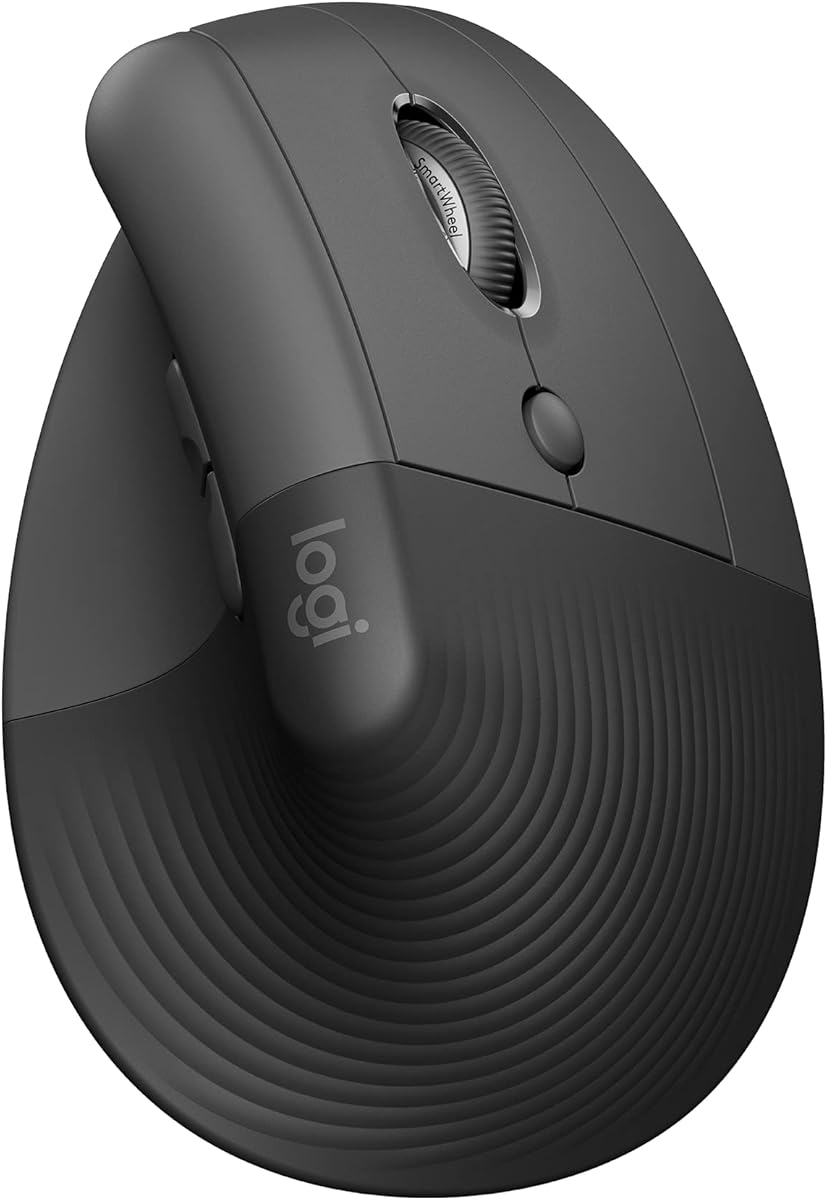
Logitech Lift
The Logitech Lift brings vertical ergonomics to smaller hands that the MX Vertical leaves out. Its 57-degree angle delivers the same wrist-friendly posture in a more compact body. Quiet switches and multi-device support make it a great all-day office mouse. The availability of a dedicated left-handed model makes it one of the most inclusive verticals around.
- Connection
- 2.4GHz + Bluetooth
- Sensor
- Optical 4K DPI
- Weight
- 125g
- Buttons
- 6
What we liked
- Sized for small to medium hands
- Quiet click switches
- Left-hand version available
- Easy multi-device switching
Worth noting
- Too small for large hands
- Plastic build feel
Kensington Pro Fit Ergo Vertical
The Pro Fit Ergo Vertical delivers handshake-position comfort at a wallet-friendly price. Its 60-degree angle and supportive thumb rest ease wrist strain during daily office work. Dual 2.4GHz and Bluetooth connectivity adds device flexibility. For shoppers who want to try a vertical mouse without a big outlay, it is a smart and reliable entry point.
- Connection
- 2.4GHz + Bluetooth
- Sensor
- Optical 1.6K DPI
- Weight
- 130g
- Buttons
- 6
What we liked
- Affordable price
- Comfortable thumb support
- Dual wireless modes
- Generous warranty
Worth noting
- Lower maximum DPI
- Basic software
Evoluent VerticalMouse 4
The Evoluent VerticalMouse 4 is a specialist favorite known for its near-vertical 60-degree design. Its large, supportive body suits bigger hands and includes a bottom lip that stops the pinky from dragging on the desk. Programmable buttons add useful customization for productivity workflows. For users who want a clinically minded vertical with strong support, it is a trusted pick.
- Connection
- Wired USB
- Sensor
- Optical 2.6K DPI
- Weight
- 135g
- Buttons
- 6
What we liked
- Full handshake 60-degree angle
- Generous palm support
- Programmable buttons
- Lip prevents finger drag
Worth noting
- Wired only
- Higher price
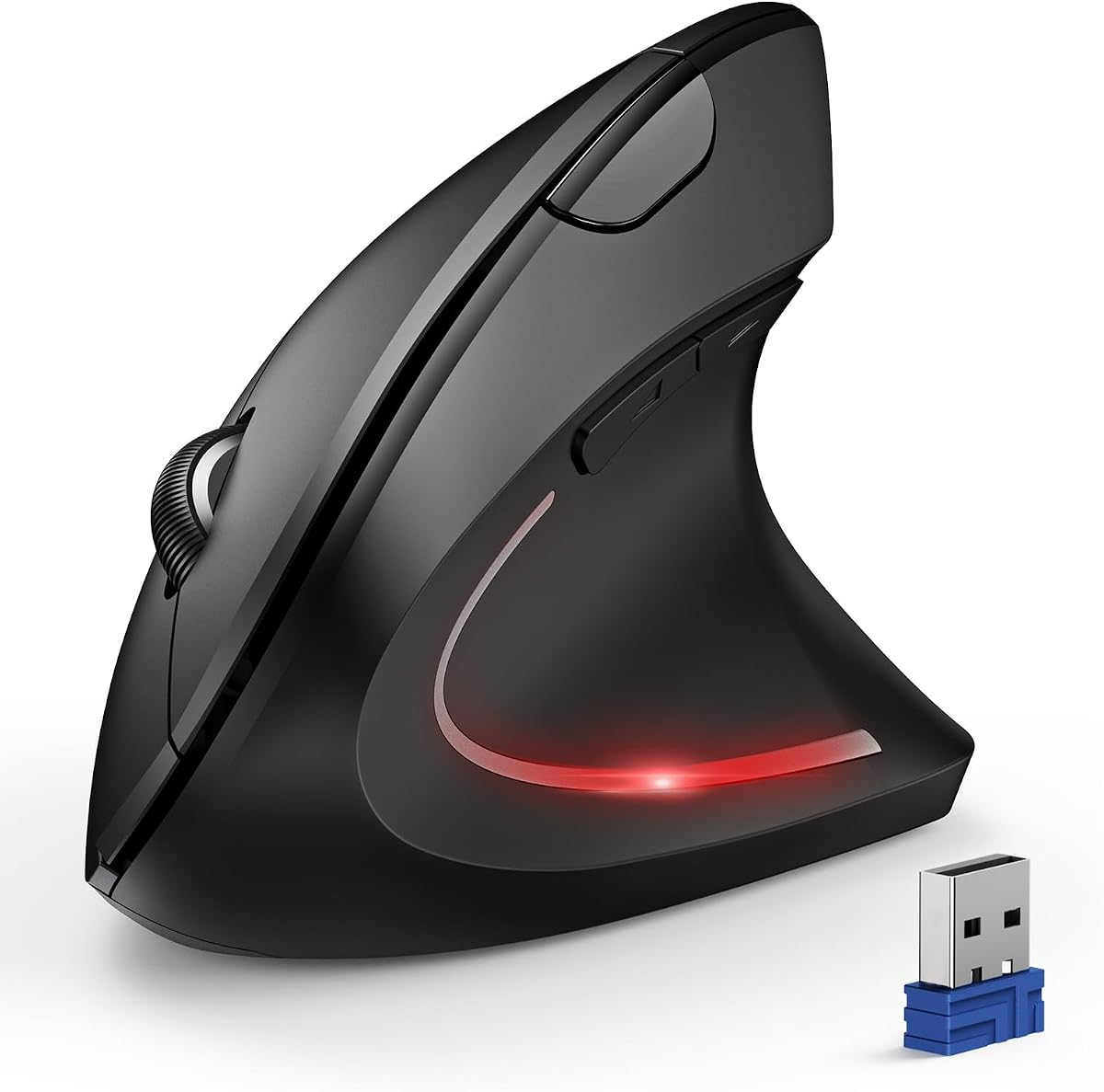
Anker 2.4G Vertical Mouse
The Anker 2.4G Vertical Mouse has long been a value standout, offering ergonomic relief at a remarkably low price. Its angled body promotes a more neutral wrist position for everyday office tasks. An adjustable DPI switch and lightweight build add everyday convenience. For first-time vertical buyers on a tight budget, it remains a dependable and popular choice.
- Connection
- 2.4GHz Wireless
- Sensor
- Optical 1.6K DPI
- Weight
- 105g
- Buttons
- 5
What we liked
- Very affordable
- Comfortable ergonomic angle
- Adjustable DPI
- Lightweight body
Worth noting
- AA battery powered
- No Bluetooth
Logitech MX Ergo
The MX Ergo offers a hybrid approach for those who want angled comfort without moving the mouse. Its adjustable hinge lets you tilt the body up to 20 degrees for a more neutral wrist position. A thumb-operated trackball keeps the device stationary, easing shoulder and arm strain. For users intrigued by vertical comfort but open to a trackball, it is an excellent compromise.
- Connection
- 2.4GHz + Bluetooth
- Sensor
- Optical Trackball
- Weight
- 164g
- Buttons
- 8
What we liked
- Adjustable tilt angle
- Stays stationary
- Precision mode button
- Multi-device support
Worth noting
- Trackball learning curve
- Heavier body
Logitech MX Master 3S
The MX Master 3S is not a full vertical, but its sculpted contour offers gentle wrist relief with no learning curve. For users who find true verticals too unusual, it strikes a comfortable middle ground while keeping familiar handling. The Darkfield sensor and rich software make it highly capable for productivity. It is the ideal pick for those easing toward ergonomic comfort.
- Connection
- 2.4GHz + Bluetooth
- Sensor
- Darkfield 8K DPI
- Weight
- 141g
- Buttons
- 7
What we liked
- Comfortable sculpted shape
- No steep learning curve
- Quiet clicks
- Deep software customization
Worth noting
- Not a true vertical
- Right-hand only
How We Chose the Best Vertical Mice
The vertical mouse has gone from niche curiosity to mainstream ergonomic solution as more people seek relief from wrist and forearm discomfort. The concept is simple but effective: instead of forcing your palm to face down in a pronated position, a vertical mouse rotates your hand into a natural handshake orientation. This reduces the twisting of the forearm bones that, over thousands of hours of computer use, can contribute to strain and repetitive stress issues. Choosing the right vertical mouse can meaningfully improve how your hand feels at the end of a long day.
Our selection process centered on five criteria: grip angle and wrist positioning, ergonomic fit across hand sizes, sensor accuracy, software customization, and overall value. Because vertical mice vary widely in size, angle, and approach, we tested a range of designs to cover different hands and budgets. We also included a couple of adjacent options, a tilting trackball and a sculpted productivity mouse, for readers who are intrigued by ergonomic comfort but unsure about committing to a steep vertical angle. The result is a list that meets users wherever they are on their ergonomic journey.
Grip Angle and Wrist Position
The defining feature of a vertical mouse is its grip angle, which determines how much your wrist rotates away from the flat pronated position. Most quality verticals sit between 55 and 60 degrees, a sweet spot that offers substantial relief while remaining usable. The MX Vertical and Logitech Lift both use a 57-degree angle that many find comfortable from the first day. Steeper designs like the Evoluent VerticalMouse 4 push closer to 60 degrees for even more aggressive correction.
A steeper angle generally provides greater relief from forearm twist, but it can also require a longer adjustment period and may feel unfamiliar at first. The ideal angle depends on your individual anatomy and the severity of your discomfort. We evaluated how naturally each mouse positioned the wrist and how easily testers adapted to it. For most people, a moderate angle around 57 degrees offers the best balance of comfort and usability, which is why our top picks cluster around that figure.
Fit Across Hand Sizes
Vertical mice are particularly sensitive to hand size because they support the hand in a different orientation than flat mice. A vertical that is too large will leave smaller hands stretching to reach buttons, while one that is too small will cramp larger hands. This is why Logitech offers both the larger MX Vertical and the more compact Lift, addressing different hand sizes within the same ergonomic philosophy. The Evoluent VerticalMouse 4, by contrast, caters specifically to larger hands with its generous body.
We tested each mouse across small, medium, and large hands to understand where it fits best. Features like a supportive thumb rest and a bottom lip that prevents the pinky from dragging on the desk add meaningful comfort. Matching the mouse to your hand size is arguably even more important with verticals than with flat mice, since the angled grip amplifies the effects of a poor fit. Always check dimensions and, when possible, compare against your hand measurements before buying.
Sensor Accuracy and Usability
Ergonomic comfort should not come at the cost of everyday usability, so we made sure each pick tracks accurately and behaves predictably. While vertical mice are not built for the high-speed precision of gaming, they still need to handle detailed office and creative work without jitter or lag. The MX Vertical offers a high-precision sensor with a dedicated cursor-speed button, useful for fine adjustments. The MX Master 3S, included as a sculpted alternative, even tracks on glass thanks to its Darkfield sensor.
Budget verticals tend to use simpler sensors with lower maximum DPI, which is perfectly adequate for standard office tasks but less suited to high-resolution displays or precision work. We weighed this in our value assessment, recognizing that most users do not need extreme sensitivity from a productivity mouse. The key is reliable, consistent tracking that lets you work without frustration. Every model on our list clears that bar, so you can prioritize comfort and fit with confidence.
Software and Customization
Software adds real value to vertical mice, especially those with multiple programmable buttons. Logitech Options Plus lets you remap buttons, tune pointer speed, and build per-application profiles that change what your mouse does depending on the active program. Assigning frequently used commands to convenient buttons reduces unnecessary movement, which complements the ergonomic benefits of the vertical design. The MX Vertical and MX Ergo both benefit significantly from this customization.
Budget verticals from Kensington and Anker offer leaner software or rely on basic drivers, which is rarely a dealbreaker since the core ergonomic benefit comes from the physical shape. Still, deeper customization is a genuine advantage for power users who want to minimize repetitive motions. We treated software depth as a meaningful tiebreaker between otherwise comparable models. If you plan to map shortcuts and macros, lean toward the picks with richer companion apps and more programmable inputs.
Value Across Budgets
Vertical mice span a broad price range, and worthwhile ergonomic relief is available at every tier. Budget options like the Kensington Pro Fit Ergo Vertical and Anker 2.4G prove that you do not need to spend heavily to ease wrist strain. These affordable picks deliver the core handshake posture without premium frills, making them ideal for first-time vertical buyers who want to test the concept before investing more. We assigned each mouse a price tier so you can quickly find something that fits your budget.
At the premium end, the MX Vertical and Evoluent VerticalMouse 4 justify their cost with refined shapes, better sensors, and richer features. We viewed ergonomic comfort as an investment in long-term health rather than a luxury, and we made sure to highlight strong options at every price level. Whether you have a little or a lot to spend, there is a vertical mouse on this list capable of improving your daily comfort and reducing strain over time.
Finding the Right Vertical Mouse for You
The best vertical mouse depends on your hand size, your budget, and your tolerance for a learning curve. If you have medium to large hands and want the best overall experience, the MX Vertical is the clear choice, offering a refined shape and premium features. Smaller hands will be far better served by the Logitech Lift, which delivers the same wrist-friendly angle in a more appropriately sized body. Both represent the strongest mainstream vertical options available today.
Budget-conscious shoppers and first-time vertical users should start with the Kensington Pro Fit Ergo Vertical or Anker 2.4G, both of which deliver genuine ergonomic benefit at a low price. If you are intrigued by angled comfort but hesitant about a full vertical, the MX Ergo trackball and the sculpted MX Master 3S offer gentler entry points. These alternatives provide partial wrist relief with a much smaller adjustment period, making them ideal for cautious converts.
Managing the Adjustment Period
Switching to a vertical mouse almost always involves an adjustment period, and knowing what to expect makes the transition smoother. In the first few days, your cursor control may feel slower and less precise as your hand learns the new grip orientation. This is completely normal and temporary. Most users adapt within a week or two, after which the new posture feels natural and the comfort benefits become apparent.
To ease the transition, consider keeping your old mouse handy for tasks that demand precision while you build muscle memory with the vertical. Resist the urge to abandon the vertical during the initial awkward phase, since that is precisely when persistence pays off. Pairing the vertical mouse with good overall posture, a properly positioned keyboard, and regular breaks will maximize the ergonomic benefit. The temporary inconvenience is a small price for lasting wrist comfort.
Vertical Mice Versus Other Ergonomic Options
A vertical mouse is one of several ergonomic paths, and understanding how it compares to the alternatives helps you decide whether it is right for you. The closest rival is the trackball, which keeps the device completely stationary and moves the cursor with a thumb or finger. Trackballs excel for users whose discomfort comes from arm and shoulder movement rather than wrist angle, since they eliminate the need to slide the mouse around at all. The vertical mouse, by contrast, addresses forearm pronation directly through its angled grip while preserving the familiar motion of moving the device.
Sculpted ergonomic mice occupy a middle ground. Designs like the MX Master 3S support the natural curve of the hand without rotating it into a full handshake position, offering gentle relief with essentially no learning curve. They appeal to users who find true verticals too unusual or who need to retain quick, precise cursor control for detailed work. The right choice among these three approaches depends on the source of your discomfort, your willingness to adapt, and the kind of work you do. There is no universally superior option, only the one that best fits your situation.
For users who cannot decide, hybrid products like the MX Ergo trackball with its adjustable tilt blur the lines between categories. They offer some of the angled comfort of a vertical mouse combined with the stationary benefit of a trackball, providing a flexible compromise. The broader lesson is that ergonomics is not one-size-fits-all. Identifying whether your strain originates in your wrist angle, your arm movement, or general posture will point you toward the category most likely to help, and from there you can choose the specific model that fits your hand and budget.
Caring for Your Vertical Mouse
A vertical mouse rewards a little routine maintenance with years of comfortable service. Because of its upright orientation, the grip surfaces and thumb rest accumulate oils and grime from your hand more visibly than on a flat mouse. Wiping these areas periodically with a slightly damp cloth keeps the textured grip effective and hygienic. The sensor lens on the underside also benefits from occasional cleaning, since dust or smudges there can cause cursor jitter or skipping that you might otherwise mistake for a hardware fault.
For wireless models, paying attention to battery and charging habits extends the useful life of the mouse. Rechargeable verticals like the MX Vertical top up over USB-C and rarely need much thought, while battery-powered models such as the Anker run for months on a single cell. Keeping the firmware and companion software up to date ensures you benefit from any improvements the manufacturer releases. These small habits cost little time but help your vertical mouse continue delivering the ergonomic comfort that prompted your purchase in the first place.
Final Verdict
The Logitech MX Vertical takes our top spot as the best vertical mouse for the widest audience, blending a comfortable 57-degree angle with a refined shape and capable sensor. For smaller hands, the Logitech Lift is the standout, offering the same ergonomic posture in a better-sized body and even providing a rare left-handed option. Both deliver the wrist relief that draws people to vertical mice in the first place.
Budget shoppers should look at the Kensington Pro Fit Ergo Vertical and Anker 2.4G, while large-handed users will appreciate the supportive Evoluent VerticalMouse 4. For those who want angled comfort without committing fully, the MX Ergo trackball and sculpted MX Master 3S are excellent gentler alternatives. Identify your hand size, set your budget, and give yourself time to adapt. The right vertical mouse can make all-day computing noticeably more comfortable.
How we picked
We judged each vertical mouse on its grip angle and how naturally it positions the wrist, ergonomic fit across hand sizes, sensor accuracy and tracking, software customization, and overall value. Long office sessions informed our comfort and fatigue assessments. We also factored in the learning curve and the availability of left-handed options.
Frequently asked questions
What angle is best for a vertical mouse?
Most vertical mice use an angle between 55 and 60 degrees, which positions the wrist in a more natural handshake posture. Steeper angles offer greater relief from forearm twist but can take longer to adapt to. The MX Vertical and Lift use a balanced 57-degree angle that suits most users.
Do vertical mice really help with wrist pain?
Many users experience relief because vertical mice reduce the forearm pronation that contributes to strain. The handshake position keeps the wrist more neutral throughout the day. Results vary by person, and a vertical mouse works best alongside good posture and an ergonomic desk setup.
How long does it take to get used to a vertical mouse?
Most people adapt within a few days to two weeks. Your cursor speed and precision may dip at first, but this passes quickly with regular use. Sticking through the initial awkward period almost always pays off in lasting comfort.
Are vertical mice good for gaming?
Vertical mice are designed for comfort and productivity rather than fast gaming. The angled grip slows quick flick movements, so competitive gamers usually prefer traditional shapes. For casual gaming and everyday tasks, a vertical mouse works fine.
Can I find a left-handed vertical mouse?
Left-handed options are limited but available. The Logitech Lift offers a dedicated left-handed model, which is rare in this category. Most contoured vertical mice are built for right hands, so always confirm orientation before buying.