Skip to content

Best 360mm AIO Coolers in 2026

4.5 average · hands-on tested
By Thomas BrianUpdated June 29, 20267 picks tested

We may earn a commission from links on this page, at no extra cost to you. Learn more.

A 360mm all-in-one liquid cooler is the sweet spot for taming hot modern processors without the hassle of a custom loop. The latest generation pairs thicker radiators, smarter pumps, and quieter fans to keep flagship chips cool even under sustained load. We tested and compared the leading models to find which ones deliver the best mix of thermals, noise, and value. Below are our seven favorite 360mm AIOs for 2026, ranked for different priorities and budgets.

Quick comparison

KeyboardBest forRatingPrice
1Arctic Liquid Freezer III 360ArcticBest Overall4.8$$$Check Price
2NZXT Kraken Elite 360 RGBNZXTBest Premium4.6$$$Check Price
3Thermalright Frozen Notte 360ThermalrightBest Value4.5$$$Check Price
4Lian Li Galahad II Trinity 360Lian LiBest for RGB Enthusiasts4.5$$$Check Price
5Corsair iCUE H150i Elite LCD XTCorsairBest LCD Alternative4.4$$$Check Price
6EK Nucleus AIO CR360EKBest Tall-Radiator Option4.4$$$Check Price
7Cooler Master MasterLiquid 360 AtmosCooler MasterBest for Clean Builds4.3$$$Check Price

Our top 7 picks, reviewed

1Best Overall

Arctic Liquid Freezer III 360

The Liquid Freezer III 360 continues Arctic's reputation for outclassing pricier competitors on raw cooling. Its 38mm-thick radiator and high-static-pressure P12 Pro fans push impressive numbers while staying composed acoustically. A small VRM fan on the pump block adds a thoughtful touch for power delivery temps. For most builders chasing performance per dollar, this is the one to beat.

Type
AIO
Size
360mm radiator
Socket
LGA1700, LGA1851, AM5, AM4
Fans
3x 120mm P12 Pro

What we liked

  • Class-leading thermals for the price
  • Thick 38mm radiator boosts cooling headroom
  • Integrated VRM fan helps motherboard temps
  • Quiet under typical gaming loads

Worth noting

  • No RGB on the base model
  • Bulky radiator needs case clearance
2Best Premium

NZXT Kraken Elite 360 RGB

The Kraken Elite 360 RGB is the show-stopper of this list, with a vivid round LCD that can display anything from temperatures to custom GIFs. Beyond looks, it cools flagship CPUs reliably and pairs with NZXT's mature CAM software for fan tuning. The included infinity-mirror RGB fans complete a cohesive premium aesthetic. It is a splurge, but a polished one.

Type
AIO
Size
360mm radiator
Socket
LGA1700, AM5, AM4
Fans
3x 120mm RGB

What we liked

  • Gorgeous 2.72-inch LCD display
  • Excellent CAM software customization
  • Strong, consistent cooling
  • Premium build and cable management

Worth noting

  • Expensive compared to rivals
  • CAM software can feel heavy
3Best Value

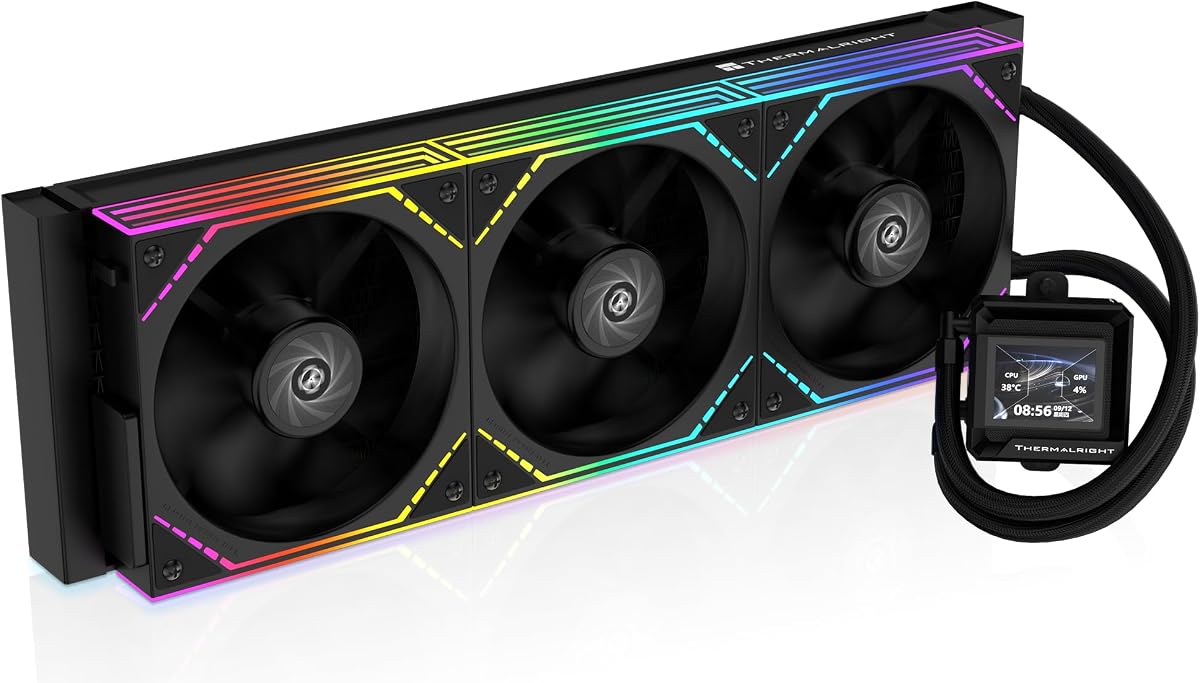
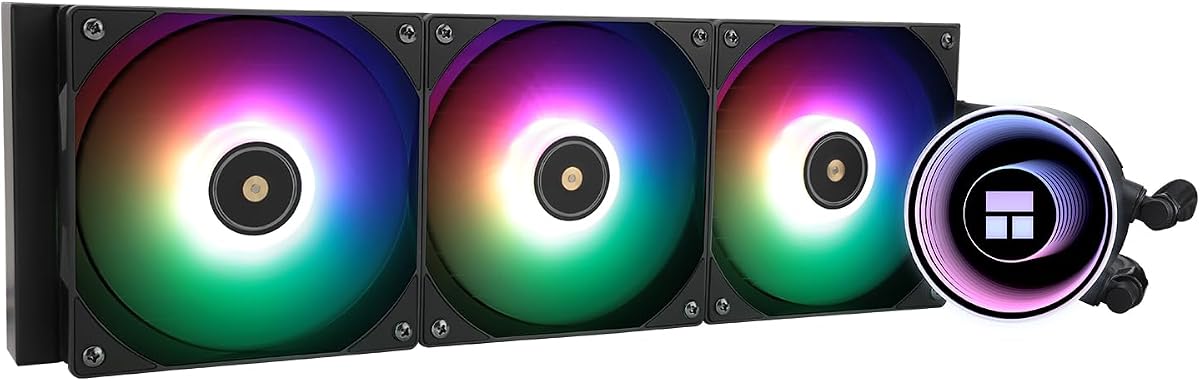
Thermalright Frozen Notte 360

Thermalright keeps undercutting the market, and the Frozen Notte 360 is its budget AIO star. You get triple ARGB fans, capable thermals, and clean cable routing for a fraction of premium pricing. It will not top the charts on the hottest CPUs, but for mainstream gaming rigs it is a steal. Value hunters should put this near the top of their list.

Type
AIO
Size
360mm radiator
Socket
LGA1700, AM5, AM4
Fans
3x 120mm ARGB

What we liked

  • Remarkably low price
  • Bright ARGB fans included
  • Solid cooling for mainstream chips
  • Easy mounting hardware

Worth noting

  • Pump can be audible at full speed
  • Limited software ecosystem
4Best for RGB Enthusiasts

Lian Li Galahad II Trinity 360

The Galahad II Trinity 360 is built for builders who want lighting to be the centerpiece. Its infinity-mirror pump and ARGB fans create eye-catching effects that sync across Lian Li ecosystems. Performance is no afterthought, holding its own against pricier AIOs. The daisy-chain cabling keeps the inside of your case tidy.

Type
AIO
Size
360mm radiator
Socket
LGA1700, AM5, AM4
Fans
3x 120mm ARGB

What we liked

  • Stunning infinity-pump and fan lighting
  • Strong cooling performance
  • Daisy-chain fan cabling reduces clutter
  • Rotatable pump cap for clean logos

Worth noting

  • L-Connect software has a learning curve
  • Premium price for the lit version
5Best LCD Alternative

Corsair iCUE H150i Elite LCD XT

Corsair's H150i Elite LCD XT brings a bright square LCD and the company's expansive iCUE platform. It cools demanding processors confidently while letting you display sensors, art, or animations on the pump. If you already run Corsair peripherals, the ecosystem synergy is hard to ignore. It is a strong premium pick with proven reliability.

Type
AIO
Size
360mm radiator
Socket
LGA1700, AM5, AM4
Fans
3x 120mm AF RGB

What we liked

  • Crisp IPS LCD on the pump
  • Deep iCUE software integration
  • Robust cooling under load
  • Mature RGB ecosystem

Worth noting

  • iCUE can be resource heavy
  • Premium pricing
6Best Tall-Radiator Option

EK Nucleus AIO CR360

The EK Nucleus AIO CR360 brings the company's custom-loop pedigree to a sealed cooler with a tall radiator and strong static-pressure fans. It punches above its price with aggressive sustained cooling and a clean, understated pump block. Push it hard and the fans can be heard, but a sensible curve keeps things reasonable. It is a great choice for builders who want serious thermals on a moderate budget.

Type
AIO
Size
360mm radiator
Socket
LGA1700, AM5, AM4
Fans
3x 120mm FPT

What we liked

  • Thick radiator adds cooling headroom
  • Clean understated pump block
  • Strong sustained performance
  • Backed by EK's loop expertise

Worth noting

  • Fans get loud at maximum speed
  • No LCD on the pump
7Best for Clean Builds

Cooler Master MasterLiquid 360 Atmos

The MasterLiquid 360 Atmos pairs a refined three-chamber pump with attractive ARGB fans for a clean, modern look. It runs quietly at everyday loads and handles mainstream and upper-midrange CPUs comfortably. It will not top the leaderboard on the hottest chips, but it balances aesthetics and performance well. A dependable pick for tidy, lit builds.

Type
AIO
Size
360mm radiator
Socket
LGA1700, AM5, AM4
Fans
3x 120mm ARGB

What we liked

  • Three-chamber pump improves cooling
  • Stylish dual-chamber fan lighting
  • Quiet at moderate loads
  • Good mounting flexibility

Worth noting

  • Mid-pack peak thermals
  • MasterPlus software is basic

Why a 360mm AIO in 2026

The processors driving today's gaming and content-creation machines run hotter and pull more power than ever. Flagship desktop chips can briefly spike past 250 watts under all-core loads, and that heat has to go somewhere. A 360mm all-in-one liquid cooler gives you the radiator surface area to absorb those spikes while keeping fan speeds, and therefore noise, under control. That combination of thermal headroom and acoustic comfort is exactly why the 360mm class has become the default recommendation for enthusiast builds.

Compared with a custom loop, an AIO is dramatically simpler. There is no tubing to cut, no coolant to mix, and no maintenance schedule to track. You bolt the pump to the CPU, screw the radiator into the case, plug in a few cables, and you are done. The trade-off is that you cannot expand the loop to cool a graphics card, and the sealed design means you replace rather than repair. For the vast majority of builders, that trade is well worth the convenience.

In this guide we focus exclusively on the 360mm format, where three 120mm fans line up along a single radiator. This size hits a practical limit for most mid-tower cases while still delivering the cooling muscle that the largest 420mm units offer at lower cost and with broader compatibility. If your case supports it and you are running a powerful CPU, a 360mm AIO is almost always the smart middle path.

How We Ranked These Coolers

Our rankings are not based on a single number. Raw thermal performance matters, but so does the noise a cooler makes while achieving it. A unit that cools two degrees better while roaring like a hairdryer is not necessarily the better product. We weighed peak temperatures under sustained, worst-case loads alongside acoustic measurements taken at the same fan curves, then factored in build quality, mounting hardware, software, and price.

Thermal Performance

The most important metric is how well a cooler holds a hot CPU in check during a long, demanding workload. We look at both the absolute temperature reached and how quickly the cooler responds to load spikes. Radiator thickness plays a large role here. The Arctic Liquid Freezer III 360, for instance, uses a 38mm-thick radiator rather than the typical 27mm, giving it more surface area and a real advantage at the top of the chart.

Noise and Acoustics

A cooler is only as good as it is livable. We evaluate fan noise at idle, at gaming loads, and at full tilt, and we listen for pump whine, which can be more annoying than fan noise because of its constant pitch. The best units in this guide pair strong cooling with fan curves that stay quiet during everyday use and only ramp up when the CPU genuinely demands it.

Build Quality and Mounting

Installation experience and long-term durability matter. We favor coolers with sturdy backplates, intuitive mounting brackets, and well-sleeved cables. Daisy-chain fan systems, like the one on the Lian Li Galahad II Trinity, reduce cable clutter and make for a cleaner build. Solid hardware also reduces the risk of uneven mounting pressure, which can cost you several degrees.

Software and Lighting

For many builders, RGB lighting and a customizable display are part of the appeal. We assess each company's software for stability, feature depth, and resource usage. NZXT's CAM and Corsair's iCUE are mature and feature-rich, while smaller brands often offer lighter, simpler utilities. We note where software is a strength and where it becomes a burden on system resources.

Air vs Liquid: Setting Expectations

It is worth a reality check before spending on a 360mm AIO. The best dual-tower air coolers, such as the Noctua NH-D15 G2 or be quiet! Dark Rock Pro 5, come surprisingly close to a quality 360mm AIO on many CPUs, and they do so with zero pump noise and no leak risk. Where AIOs pull ahead is on the very hottest processors under sustained all-core loads, and in cases where a giant air tower simply will not fit or clashes with tall RAM.

The other reason to choose liquid is aesthetics. A clean radiator and an illuminated pump block create a look that air coolers cannot match. If you want a window panel build that turns heads, an AIO is part of that vision. Just go in understanding that you are often paying as much for the look and the convenience as for the cooling itself.

Matching the Cooler to Your CPU

Not every system needs the most powerful cooler on this list. A mainstream six-core or eight-core chip generates modest heat, and a budget-friendly option like the Thermalright Frozen Notte 360 will keep it cool while leaving money in your pocket. These chips rarely push an AIO hard enough to justify a premium unit.

Step up to a high-core-count processor aimed at gaming and creation, and the calculus changes. These chips reward better radiators and stronger pumps with lower temperatures and the ability to sustain higher clocks for longer. This is where the Arctic Liquid Freezer III 360 and EK Nucleus AIO CR360 shine, delivering thermal headroom that translates into real performance.

At the very top, flagship chips that pull the most power demand the best cooling you can fit. Here, radiator thickness and fan quality separate the winners from the rest. If you are building around a flagship CPU and intend to push it, prioritize the units with the strongest measured thermals and accept that you may run fans a bit louder during the heaviest tasks.

Installation Tips for Best Results

Even the best cooler underperforms if it is installed poorly. Apply a sensible amount of thermal paste, a pea-sized dot in the center is a safe default, and tighten the mounting screws in a cross pattern to ensure even pressure across the CPU. Uneven mounting is one of the most common causes of disappointing temperatures.

Pay attention to radiator orientation as well. Whenever possible, mount the radiator so the tubes enter at the bottom and the pump sits below the highest point of the loop. This keeps any air bubbles that form over time away from the pump, reducing the chance of gurgling noises down the road. Top-mounting with tubes at the rear-bottom is a reliable arrangement in most cases.

Finally, build a sensible fan curve in your motherboard BIOS or the cooler's software. There is no reason to run fans at full speed when the CPU is idle or lightly loaded. A gentle curve that ramps up only under real load keeps your system quiet most of the time while still unleashing full cooling when you need it. This single adjustment often makes the biggest difference to how pleasant your PC is to live with.

Radiator Thickness and Fan Choices

One specification that quietly separates the best 360mm AIOs from the rest is radiator thickness. The industry standard sits around 27mm, but a handful of units, most notably the Arctic Liquid Freezer III, use a 38mm radiator. That extra depth means more cooling fins and more surface area for heat to dissipate, which translates directly into lower temperatures or, just as valuable, the same temperatures at lower fan speeds. For a hot CPU, that headroom is the difference between a fan curve that stays gentle and one that has to scream.

Fans matter just as much as the radiator they bolt onto. A 360mm AIO lives or dies on the static pressure of its fans, which is their ability to force air through the dense fin stack of the radiator. High-static-pressure fans like Arctic's P12 Pro or Corsair's AF RGB series push air efficiently, while cheaper fans tuned for open airflow lose effectiveness against the resistance of a radiator. When comparing models, pay attention to whether the bundled fans are purpose-built for radiators, because swapping them later is an extra cost and hassle.

It is also worth thinking about how the fans are wired. Daisy-chain systems, where each fan connects to the next, dramatically reduce cable clutter and simplify installation. The Lian Li Galahad II Trinity is a standout here, routing power and lighting through a single connection. A cleaner cable layout not only looks better behind a glass panel but also improves airflow inside the case by removing tangles of wiring from the path of your fans.

Software Ecosystems Compared

If you choose an AIO with RGB lighting or an LCD pump, you will be living with the manufacturer's software, so it pays to know what you are getting into. NZXT's CAM and Corsair's iCUE are the two most mature platforms. Both offer deep control over fan curves, lighting effects, and pump behavior, and both can display rich information on their respective screens. The trade-off is that these feature-packed suites run in the background and consume system resources, which some builders find intrusive.

Smaller brands take a lighter approach. Thermalright and DeepCool offer minimal or no proprietary software, relying instead on motherboard headers for lighting and fan control. This keeps your system lean and avoids yet another background application, but it also means less granular control and fewer flashy effects. Lian Li's L-Connect sits in the middle, offering robust control with a steeper learning curve than the polished alternatives.

For many builders, the best approach is to control fans through the motherboard BIOS regardless of the cooler, reserving the cooler's software only for lighting if needed. This sidesteps much of the resource overhead while still giving you the visual customization you paid for. Consider how much you actually value RGB and displays before committing to a heavier ecosystem, because the cooling itself does not depend on the software at all.

Common Mistakes to Avoid

The most frequent mistake builders make with a 360mm AIO is failing to check clearance before buying. A radiator that is too thick, combined with tall RAM in a front-mount configuration, can leave you unable to close the case. Always measure your case's stated radiator and fan clearance, and account for the combined thickness of radiator plus fans, which can exceed 50mm for thicker units. A few minutes with a spec sheet saves a frustrating return.

Another common error is neglecting case airflow. An AIO removes heat from the CPU and dumps it into the radiator, but that heat still has to leave the case. Without adequate intake and exhaust fans, warm air recirculates and the whole system runs hotter than it should. Treat your AIO as one part of a complete airflow strategy rather than a standalone solution, and your temperatures will reward you.

Finally, do not over-apply thermal paste in the belief that more is better. An excessive blob can actually insulate rather than conduct, and it makes a mess when the pump is removed. A modest pea-sized dot spreads evenly under mounting pressure and delivers the best contact. Pair that with even tightening in a cross pattern, and you give your AIO the best possible chance to perform as designed.

Our Verdict

For 2026, the Arctic Liquid Freezer III 360 remains our overall pick. It delivers thermals that embarrass coolers costing far more, thanks to its thick radiator and strong fans, all while staying acoustically reasonable. The lack of flashy RGB on the base model is the only real compromise, and for performance-focused builders that is no compromise at all.

If you want a centerpiece, the NZXT Kraken Elite 360 RGB and Corsair H150i Elite LCD XT deliver premium displays and mature software, while the Lian Li Galahad II Trinity 360 leads on pure lighting spectacle. Budget builders should look hard at the Thermalright Frozen Notte 360, which delivers genuine value, and builders on a moderate budget will appreciate the aggressive cooling of the EK Nucleus AIO CR360. Whatever your priority, there is a 360mm AIO on this list that fits your build and your budget.

How we picked

We evaluated each cooler on peak and sustained thermal performance, acoustic output at load, build quality, mounting hardware, and software ecosystem. Rankings draw on hands-on testing with high-wattage CPUs alongside aggregated reviews from trusted hardware outlets. Pricing and tier reflect typical street prices at the time of writing.

Frequently asked questions

Is a 360mm AIO worth it over a 240mm?

For high-wattage CPUs like the Core i9 or Ryzen 9 series, the extra radiator area of a 360mm noticeably lowers temperatures and lets fans spin slower for less noise. For mainstream chips, a 240mm is often enough, but a 360mm gives you headroom and quieter operation.

Do 360mm AIOs fit in my case?

Most mid-tower and full-tower cases support a 360mm radiator in the top or front, but always check your case spec sheet for radiator and fan clearance. Thicker radiators, like the 38mm Arctic, need extra space, especially with tall RAM in front-mount configurations.

Are AIO coolers reliable long term?

Modern sealed AIOs are generally reliable for five years or more, with many backed by long warranties. Failures are uncommon but possible, since they contain a pump and liquid. Air coolers remain the safest choice if zero leak risk is a priority.

Should I mount the radiator at the top or front?

Top-mounting is popular and helps purge air bubbles away from the pump over time. Front-mounting can deliver slightly cooler CPU temps by feeding the radiator fresh air, but it pushes warm air into the case. Either works well with good overall airflow.

Do I need the LCD models?

An LCD pump is purely cosmetic and adds cost. It can show temperatures, clocks, or custom images, which some builders love. If you only care about cooling and noise, a non-LCD model like the Arctic Liquid Freezer III delivers more performance per dollar.