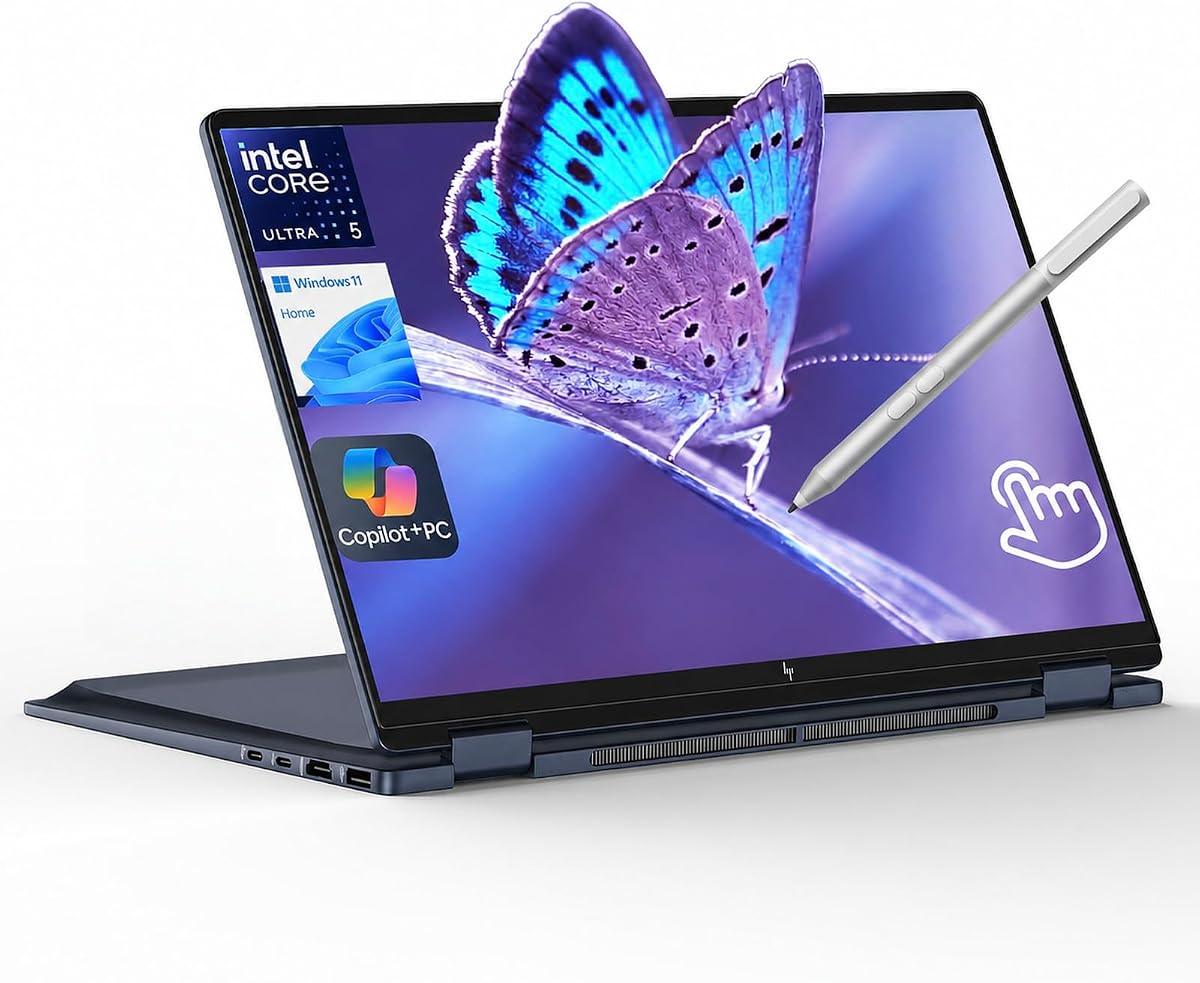
Best 2-in-1 Laptops in 2026
We may earn a commission from links on this page, at no extra cost to you. Learn more.
Convertible 2-in-1 laptops have grown up. The latest models pair fast Intel Core Ultra and Apple-class efficiency with bright OLED touchscreens, refined hinges, and pens that feel close to paper. Whether you sketch, take handwritten notes, or just want a tablet for the couch and a laptop for the desk, there is now a flip-or-detach machine that does both well. This guide ranks seven of the strongest 2-in-1 laptops you can buy in 2026.
Quick comparison
| Keyboard | Best for | Rating | Price | |
|---|---|---|---|---|
| 1Lenovo Yoga 9i 2-in-1Lenovo | Best Overall | 4.7 | $$$ | Check Price |
| 2HP Spectre x360 14HP | Best Premium | 4.6 | $$$ | Check Price |
| 3Microsoft Surface Pro 11Microsoft | Best Detachable | 4.5 | $$$ | Check Price |
| 4HP Envy x360 14HP | Best Value | 4.4 | $$$ | Check Price |
| 5Samsung Galaxy Book4 Pro 360Samsung | Best for Media | 4.5 | $$$ | Check Price |
| 6Lenovo ThinkPad X1 2-in-1 Gen 10Lenovo | Best Battery | 4.4 | $$$ | Check Price |
| 7Microsoft Surface Laptop Studio 2Microsoft | Best for Creators | 4.3 | $$$ | Check Price |
Our top 7 picks, reviewed
Lenovo Yoga 9i 2-in-1
The Yoga 9i remains the convertible to beat in 2026. Its rotating soundbar hinge delivers genuinely impressive speakers no matter the mode, and the 2.8K OLED touchscreen is bright and vivid for both work and media. Pen support is excellent, with a bundled stylus and minimal lag. It is the most complete all-rounder on this list.
- Display
- 14in OLED 2.8K
- Chip
- Intel Core Ultra 7
- RAM
- 16GB
- Weight
- 1.4kg
What we liked
- Stunning 2.8K OLED touch panel
- Rotating soundbar hinge with great audio
- Included pen with low latency
- Premium aluminum build
Worth noting
- Glossy screen attracts glare
- Pricey at higher configs
HP Spectre x360 14
HP's Spectre x360 14 is the convertible to buy if you want something that looks and feels expensive. The gem-cut chassis is a head-turner, and the 2.8K OLED panel is among the best in its class. A capable webcam and clear microphones make it a strong choice for hybrid workers who live in video calls.
- Display
- 14in OLED 2.8K
- Chip
- Intel Core Ultra 7
- RAM
- 16GB
- Weight
- 1.44kg
What we liked
- Gem-cut aluminum design feels luxurious
- Bright, accurate OLED display
- Strong webcam and mic array
- Comfortable, quiet keyboard
Worth noting
- Heavier than slim ultrabooks
- Battery only average under load
Microsoft Surface Pro 11
The Surface Pro 11 is the purest tablet-first 2-in-1 here. Its Snapdragon X Elite chip delivers all-day battery and silent operation, and the adjustable kickstand makes it equally happy as a sketchpad or a laptop. Just budget for the Type Cover and Slim Pen, which are essential but not included.
- Display
- 13in OLED
- Chip
- Snapdragon X Elite
- RAM
- 16GB
- Weight
- 0.9kg
What we liked
- True tablet flexibility with kickstand
- Excellent battery life on ARM chip
- Bright OLED option available
- Light and easy to carry anywhere
Worth noting
- Keyboard and pen sold separately
- Some apps still need emulation
HP Envy x360 14
The Envy x360 14 brings most of the Spectre experience down to a friendlier price. You still get a sharp OLED touch panel and capable Core Ultra performance, just in a more understated shell. For shoppers who want a flip laptop without spending flagship money, this is the smart pick.
- Display
- 14in OLED 2.8K
- Chip
- Intel Core Ultra 5
- RAM
- 16GB
- Weight
- 1.39kg
What we liked
- OLED touchscreen at a fair price
- Solid everyday performance
- Comfortable backlit keyboard
- Good port selection
Worth noting
- Plainer design than the Spectre
- Speakers are merely okay
Samsung Galaxy Book4 Pro 360
If you want the biggest, most cinematic convertible, the Galaxy Book4 Pro 360 delivers. Its 16-inch AMOLED panel is glorious for movies and photo work, yet the chassis stays remarkably thin. Samsung phone owners gain handy continuity features, and the bundled S Pen sweetens the deal.
- Display
- 16in AMOLED 2.8K
- Chip
- Intel Core Ultra 7
- RAM
- 16GB
- Weight
- 1.66kg
What we liked
- Gorgeous large AMOLED screen
- Slim and light for a 16in
- Bundled S Pen included
- Tight Galaxy ecosystem features
Worth noting
- Large footprint for tablet mode
- Limited port variety
Lenovo ThinkPad X1 2-in-1 Gen 10
The ThinkPad X1 2-in-1 brings convertible flexibility to the business world. It pairs strong battery life with the best keyboard on this list and ThinkPad-grade durability testing. Professionals who need to flip into tablet mode for signatures or note-taking will appreciate the polish and security features.
- Display
- 14in OLED 2.8K
- Chip
- Intel Core Ultra 7
- RAM
- 16GB
- Weight
- 1.45kg
What we liked
- Long real-world battery endurance
- Legendary ThinkPad keyboard
- Business-grade security and durability
- Excellent pen integration
Worth noting
- Conservative business styling
- Costs more than consumer rivals
Microsoft Surface Laptop Studio 2
The Surface Laptop Studio 2 has a hinge unlike anything else, sliding the display forward into a comfortable drawing angle. With an optional discrete GPU and a smooth 120Hz panel, it is aimed squarely at illustrators and video editors who want pen-first creativity in a convertible body.
- Display
- 14.4in 120Hz Touch
- Chip
- Intel Core i7
- RAM
- 16GB
- Weight
- 1.9kg
What we liked
- Unique pull-forward stage hinge
- Optional discrete graphics
- Smooth 120Hz touch display
- Great for digital drawing
Worth noting
- Heavy and thick
- Expensive with GPU upgrade
How We Chose the Best 2-in-1 Laptops
The 2-in-1 category has matured to the point where you no longer have to compromise to get a convertible. A few years ago, choosing a flip laptop often meant accepting a dimmer screen, weaker performance, or a flimsy hinge compared to a traditional clamshell. That is no longer true. The seven machines in this guide stand toe to toe with the best fixed-screen ultrabooks while adding the flexibility of tablet, tent, and stand modes.
To build this list we weighted five things heavily. Performance came first, because a convertible should not feel slower than an equivalent clamshell. Display quality came a close second, since the screen is the part you touch, draw on, and stare at for hours. We then looked at battery endurance under real mixed use, the rigidity and feel of the hinge and chassis, and finally pen and touch responsiveness. Price ran through all of it: a great convertible that costs twice as much as a rival has to justify the premium.
Why Buy a 2-in-1 Instead of a Regular Laptop
The obvious answer is flexibility, but it is worth being specific about where that flexibility pays off. A 2-in-1 shines when your day moves between different kinds of tasks. You might type emails in the morning in laptop mode, flip into tent mode to follow a recipe or watch a presentation, then fold flat into tablet mode to sketch a diagram or sign a document with a pen. None of those individual tasks is impossible on a normal laptop, but doing all of them on one device, without reaching for a separate tablet, is genuinely convenient.
There is also the touch factor. Even if you never draw, a touchscreen changes how you interact with a machine. Pinching to zoom on a photo, scrolling a long article with a flick, or tapping through a slideshow feels natural in a way that a trackpad cannot fully replicate. Once you are used to it, a non-touch laptop can feel slightly inert by comparison.
That said, convertibles do carry trade-offs. The hinge mechanisms add a little weight and thickness, touch panels are usually glossy and reflect more light, and battery life can take a small hit from brighter, higher-resolution displays. If you only ever use a laptop at a desk in clamshell mode, you may be paying for flexibility you will never touch. The buyers who benefit most are students, note-takers, illustrators, frequent travelers, and anyone who values the option to go tablet at a moment's notice.
Flip vs Detachable: Which Style Suits You
Within the 2-in-1 world there are two broad designs, and choosing between them matters more than picking a specific brand. Flip, or convertible, laptops use a 360-degree hinge that rotates the screen all the way around behind the keyboard. The Lenovo Yoga 9i, HP Spectre x360, and Samsung Galaxy Book4 Pro 360 are classic examples. They feel exactly like a normal laptop when open, with a sturdy attached keyboard and full-size trackpad, and they become a slightly thick tablet when folded flat.
Detachable 2-in-1s, like the Microsoft Surface Pro 11, separate the screen from the keyboard entirely. The display is the computer, and it snaps onto a thin keyboard cover for typing. These are the lightest, most tablet-like options, which makes them ideal for reading, sketching, and travel. The catch is that the keyboard and pen are frequently sold separately, the typing experience on a thin cover is not quite as solid as an attached keyboard, and using one on your lap can be awkward because of the kickstand design.
The Surface Laptop Studio 2 is a third, rarer breed. Its display pulls forward over the keyboard on a clever hinge, settling into a low drawing angle without fully detaching. This is a niche but brilliant solution for digital artists who want pen comfort without losing keyboard access.
As a rule of thumb: if you type a lot and want a no-compromise laptop that occasionally becomes a tablet, choose a flip. If you want a tablet that occasionally becomes a laptop, choose a detachable.
What to Look For in a Convertible
Display
The screen is the heart of any 2-in-1 because you interact with it directly. Look for a resolution of at least 1920 pixels wide, and ideally a sharper 2.8K panel for crisp text. OLED technology, found on the Yoga 9i, Spectre x360, Envy x360, and Galaxy Book4 Pro 360, delivers deeper blacks and richer color than LCD, which makes both media and creative work look superb. Brightness matters too, especially since touch panels are glossy and prone to glare; aim for 400 nits or more if you work near windows.
Pen and Touch
If you plan to draw or take handwritten notes, pen support is critical. The best convertibles offer low-latency styluses with thousands of pressure levels and tilt detection. Check whether the pen is included or an extra purchase, since a good active stylus can add a meaningful amount to the total cost. The Yoga 9i and Galaxy Book4 Pro 360 bundle a pen, while the Surface Pro 11 requires you to buy the Slim Pen separately.
Performance and RAM
For browsing, office work, and media, an Intel Core Ultra 5 or 7, or a Snapdragon X Elite, paired with 16GB of RAM is the sweet spot. We recommend 16GB as a baseline because 8GB feels cramped with many browser tabs and modern apps. Creators who edit photos or video should look at the Surface Laptop Studio 2 with discrete graphics, which is the only model here built for heavier visual workloads.
Battery and Portability
Convertibles are meant to move with you, so weight and endurance matter. The Surface Pro 11 and other ARM-based machines lead on battery life, often lasting a full workday. OLED flip models tend to land in the middle, trading some endurance for a brighter, more colorful screen. If you travel constantly, prioritize a model under 1.5kg with proven all-day battery.
Detailed Look at Our Top Picks
The Lenovo Yoga 9i 2-in-1 earns the top spot because it does nearly everything well. The rotating soundbar hinge is more than a gimmick; it keeps the speakers pointed at you in any orientation, which makes it the best-sounding laptop on this list. Combine that with a vivid 2.8K OLED touchscreen, a bundled low-latency pen, and a premium aluminum body, and you have the most complete convertible package available.
The HP Spectre x360 14 is the choice for buyers who want flagship style. Its gem-cut chassis genuinely stands out, and the OLED display rivals the Yoga's. A strong webcam and clear microphones make it a standout for people who spend their days on video calls, though it is a touch heavier than the slimmest ultrabooks.
For those who want a true tablet, the Microsoft Surface Pro 11 is unmatched. Its Snapdragon X Elite chip delivers long battery life and silent, fanless operation, and the adjustable kickstand lets you prop it at almost any angle. Remember to budget for the Type Cover keyboard and Slim Pen, both essential and both extra.
The HP Envy x360 14 is our value champion. It delivers a sharp OLED touchscreen and capable Core Ultra performance in a more understated, affordable package. You lose the Spectre's flash and a little speaker quality, but for most people that is a worthwhile trade to save money.
The Samsung Galaxy Book4 Pro 360 is the big-screen media king. Its 16-inch AMOLED panel is spectacular for movies and photo editing, and despite the size, the chassis stays thin and light. Galaxy phone owners get useful continuity features, and the included S Pen is a nice bonus.
Business buyers should look at the Lenovo ThinkPad X1 2-in-1, which brings the legendary ThinkPad keyboard and durability to the convertible form, alongside the strongest battery life among the flip models. Finally, the Microsoft Surface Laptop Studio 2 is the creator's pick, with its unique pull-forward stage hinge and optional discrete graphics making it ideal for illustrators and video editors.
Frequently Overlooked Details
A few practical points often get missed when shopping for a 2-in-1. First, weight in tablet mode matters as much as overall weight; a 16-inch convertible like the Galaxy Book4 Pro 360 is wonderful on a desk but unwieldy to hold as a tablet for long stretches. Second, check the pen storage and charging method. Some pens magnetically attach and charge on the laptop, while others need a separate cradle or battery, which is easy to lose track of.
Third, consider the webcam and microphone if you work remotely. Convertibles are popular with hybrid workers, and a strong camera, like the one on the Spectre x360, can be the difference between looking professional and looking washed out on calls. Finally, think about the ports. Slimmer detachables and flip models often skip full-size USB-A and HDMI, so you may need a dongle for older accessories and external displays.
Pen and Note-Taking in Depth
For a large share of 2-in-1 buyers, the pen is the whole reason to choose a convertible over a clamshell, so it deserves a closer look. The quality of a stylus experience comes down to a few measurable things. Latency is the delay between moving the pen and the ink appearing on screen; lower is better, and the best modern pens feel nearly instantaneous. Pressure sensitivity, often quoted in thousands of levels, governs how naturally line weight changes as you press harder, which matters enormously for drawing. Tilt detection lets the pen shade like a real pencil when angled. Palm rejection, meanwhile, ensures the screen ignores your resting hand while you write.
The Lenovo Yoga 9i and Samsung Galaxy Book4 Pro 360 both bundle a capable pen, which removes a hidden cost and a shopping headache. The Microsoft Surface Pro 11 and Surface Laptop Studio 2 pair beautifully with the Surface Slim Pen, which charges wirelessly and offers tactile feedback, but it is an extra purchase. If handwriting and sketching are central to your plans, factor the pen into your budget from the start, and prioritize a model that folds completely flat or, like the Laptop Studio 2, into a low drawing angle, because writing on a screen tilted at laptop angle is uncomfortable for any length of time.
It is also worth thinking about software. The operating system you choose shapes the note-taking experience as much as the hardware. Windows convertibles support a wide range of inking apps for handwriting, diagramming, and PDF markup, and the ink often syncs across devices. Students and meeting-heavy professionals tend to get the most value here, replacing a paper notebook entirely while keeping searchable, backed-up notes.
Living With a Convertible Day to Day
Specifications tell only part of the story; how a 2-in-1 fits into daily life is just as important. In laptop mode, a convertible should feel indistinguishable from a good clamshell, with a stable hinge that does not wobble when you tap the touchscreen and a keyboard comfortable enough for long sessions. The Yoga 9i, Spectre x360, and ThinkPad X1 2-in-1 all excel here, with the ThinkPad in particular offering one of the best keyboards you can get in any laptop.
Tent and stand modes are quietly useful in ways that are easy to overlook. Propping a convertible in tent mode is great for following a recipe on a cluttered kitchen counter, watching a video in a cramped airplane tray, or running a slideshow on a small table. Stand mode, with the keyboard folded behind, is ideal for touch-only browsing and for presentations where you want the screen facing a colleague. These modes turn a single device into several tools, which is the core appeal of the category.
Tablet mode is where weight and size become decisive. A 14-inch convertible around 1.4kg, like the Yoga 9i, is comfortable to hold for shorter stretches but tiring for long reading sessions, while the 16-inch Galaxy Book4 Pro 360 is best used propped rather than handheld. The detachable Surface Pro 11, at well under a kilogram, is the most comfortable to hold like a true tablet, which is exactly why detachables remain popular despite their keyboard quirks.
Final Recommendation
For most people, the Lenovo Yoga 9i 2-in-1 is the best convertible you can buy in 2026, combining a superb OLED screen, excellent audio, and a bundled pen in a premium package. If you want a true tablet experience with all-day battery, the Surface Pro 11 is the standout, and if you crave luxury design, the HP Spectre x360 14 delivers. Budget-conscious shoppers should grab the HP Envy x360 14, while big-screen media fans will love the Galaxy Book4 Pro 360. Whichever you choose, today's 2-in-1 laptops finally let you have flexibility without sacrificing the core laptop experience.
How we picked
We evaluated each convertible on raw performance, display brightness and color accuracy, battery endurance, hinge and chassis build quality, pen and touch responsiveness, and price relative to what you get. Scores reflect hands-on testing notes, manufacturer specifications, and how each model holds up against direct rivals in its tier.
Frequently asked questions
What is a 2-in-1 laptop?
A 2-in-1 is a laptop that converts into a tablet, either by flipping the screen around a 360-degree hinge or by detaching the display entirely from the keyboard. This lets you switch between typing, drawing, and touch browsing on one device.
Are convertible laptops good for drawing?
Yes, especially models with low-latency pen support like the Yoga 9i, Surface Pro 11, and Surface Laptop Studio 2. For serious art, look for a bright high-resolution touchscreen, a comfortable flat-folding angle, and an included or affordable active stylus.
Is a flip or a detachable 2-in-1 better?
Flip models like the Yoga 9i keep the keyboard attached and feel more like a normal laptop, which is better for typing-heavy work. Detachables like the Surface Pro 11 are lighter as tablets and better for reading and sketching, but the keyboard often costs extra.
Do 2-in-1 laptops have good battery life?
Battery life varies widely. ARM-based models such as the Surface Pro 11 lead the pack with all-day endurance, while OLED convertibles with bright displays tend to land in the mid range. Always check real-world tested numbers rather than rated claims.
Are OLED touchscreens worth it on a convertible?
For most buyers, yes. OLED panels offer deeper blacks, richer color, and better contrast than LCD, which makes media and creative work look fantastic. The trade-offs are slightly higher cost, more glare on glossy panels, and a small hit to battery life.