Skip to content

Best 240mm AIO Coolers in 2026

4.5 average · hands-on tested
By Thomas BrianUpdated June 29, 20267 picks tested

We may earn a commission from links on this page, at no extra cost to you. Learn more.

A 240mm all-in-one cooler is the practical choice for builders who want liquid cooling without committing to a sprawling 360mm radiator. It fits a wider range of cases, costs less, and still keeps mainstream and many high-end CPUs comfortably cool. The newest 240mm units bring thicker radiators, refined pumps, and quieter fans to a compact footprint. Here are our seven favorite 240mm AIOs for 2026, ranked across budgets and priorities.

Quick comparison

KeyboardBest forRatingPrice
1Arctic Liquid Freezer III 240ArcticBest Overall4.8$$$Check Price
2NZXT Kraken 240NZXTBest Premium4.5$$$Check Price
3Thermalright Aqua Elite 240ThermalrightBest Value4.5$$$Check Price
4Lian Li Galahad II Trinity 240Lian LiBest for Aesthetics4.5$$$Check Price
5Corsair iCUE H100iCorsairBest Software Ecosystem4.4$$$Check Price
6Hyte THICC Q60HyteBest Pump Display Value4.4$$$Check Price
7Cooler Master MasterLiquid 240 AtmosCooler MasterBest Quiet Compact Option4.3$$$Check Price

Our top 7 picks, reviewed

1Best Overall

Arctic Liquid Freezer III 240

The Liquid Freezer III 240 brings Arctic's value-leading formula to the compact class. Its 38mm-thick radiator lets it match or beat thinner 280mm rivals on cooling, and the VRM fan is a thoughtful bonus for power delivery temps. It stays quiet during gaming and only ramps up when truly needed. For most builders, this is the smart 240mm to buy.

Type
AIO
Size
240mm radiator
Socket
LGA1700, LGA1851, AM5, AM4
Fans
2x 120mm P12 Pro

What we liked

  • Outstanding cooling for a 240mm
  • Thick 38mm radiator adds headroom
  • Built-in VRM fan aids motherboard temps
  • Quiet at typical loads

Worth noting

  • Minimal RGB on base model
  • Thick radiator needs clearance checks
2Best Premium

NZXT Kraken 240

The Kraken 240 distills NZXT's premium experience into a compact AIO with a customizable LCD pump. It cools mainstream and many high-end CPUs reliably while letting you display sensors or images. CAM software offers deep tuning, though it is on the heavier side. If you want a small AIO that still feels luxurious, this is it.

Type
AIO
Size
240mm radiator
Socket
LGA1700, AM5, AM4
Fans
2x 120mm

What we liked

  • Sharp LCD display on the pump
  • Polished CAM software
  • Consistent, reliable cooling
  • Clean cabling and premium feel

Worth noting

  • Premium price for the size
  • CAM software is resource heavy
3Best Value

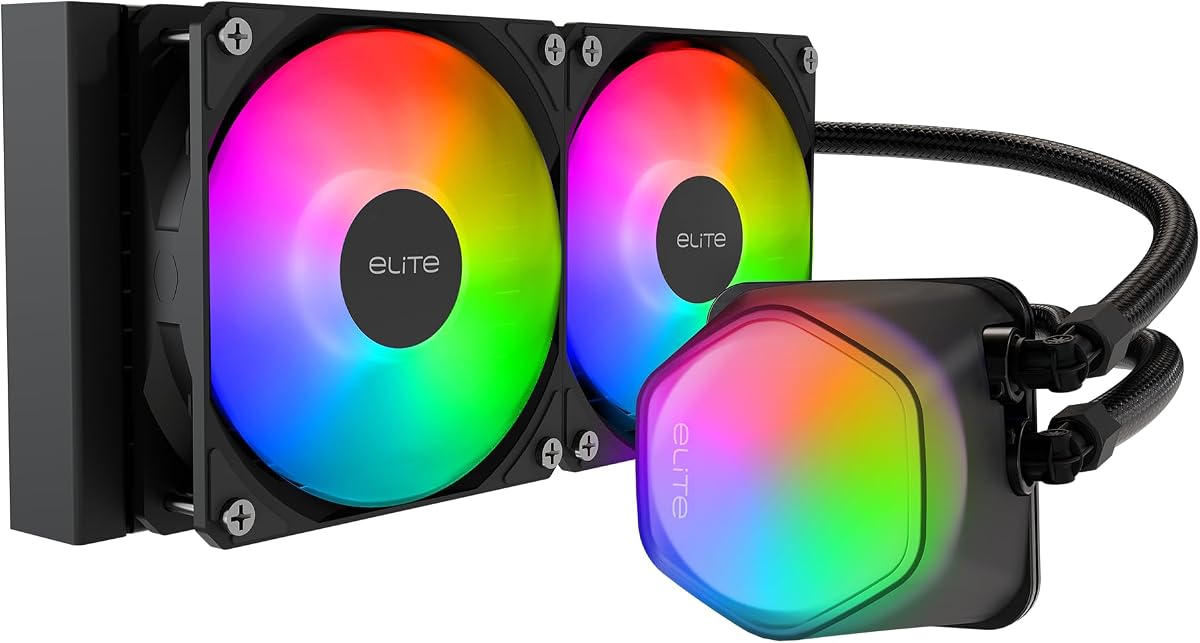
Thermalright Aqua Elite 240

Thermalright's Aqua Elite 240 is the budget champion of this list. It delivers solid cooling for mainstream gaming CPUs at a price that undercuts nearly everyone. ARGB fans add some flair without inflating the cost. It is not built for flagship overclocking, but for everyday builds it is hard to argue with the value.

Type
AIO
Size
240mm radiator
Socket
LGA1700, AM5, AM4
Fans
2x 120mm ARGB

What we liked

  • Exceptionally affordable
  • Capable cooling for mainstream chips
  • ARGB fans included
  • Simple, quick installation

Worth noting

  • Pump audible at maximum speed
  • Sparse software support
4Best for Aesthetics

Lian Li Galahad II Trinity 240

The Galahad II Trinity 240 brings Lian Li's signature lighting to a compact radiator. Its infinity-mirror pump and ARGB fans create a premium glow that syncs across the ecosystem. Cooling is competitive for a 240mm, and the daisy-chain cabling keeps the build tidy. It is the pick for lighting-focused compact builds.

Type
AIO
Size
240mm radiator
Socket
LGA1700, AM5, AM4
Fans
2x 120mm ARGB

What we liked

  • Striking infinity-pump lighting
  • Solid cooling for the size
  • Daisy-chain cabling cuts clutter
  • Rotatable pump cap for clean logos

Worth noting

  • L-Connect software takes learning
  • Costs more than plain 240mm units
5Best Software Ecosystem

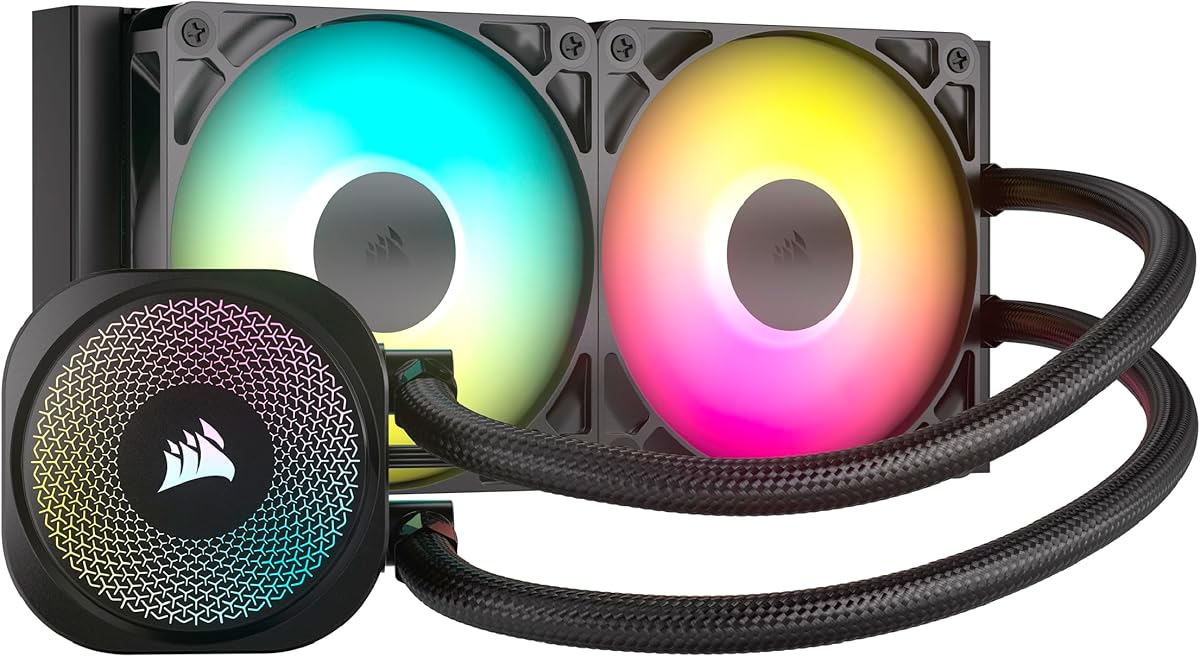
Corsair iCUE H100i

The Corsair H100i is a dependable 240mm with the backing of the mature iCUE platform. It cools mainstream CPUs well and ties neatly into a broader Corsair lighting setup. iCUE is powerful but can be demanding on system resources. For builders already invested in Corsair gear, the synergy is a real draw.

Type
AIO
Size
240mm radiator
Socket
LGA1700, AM5, AM4
Fans
2x 120mm

What we liked

  • Deep iCUE integration
  • Reliable, consistent cooling
  • Attractive pump lighting
  • Wide ecosystem compatibility

Worth noting

  • iCUE can be resource heavy
  • Mid-pack peak thermals
6Best Pump Display Value

Hyte THICC Q60

The THICC Q60 stands out with an unusually large 5-inch IPS screen mounted on the pump, turning a compact 240mm AIO into a genuine centerpiece. Cooling is solid for mainstream and upper-midrange chips, and the display shows vivid custom images and live stats. The pump housing is chunky and the Nexus software is still maturing, but nothing else this size delivers screen real estate like this. A striking value pick if the display is the main draw.

Type
AIO
Size
240mm radiator
Socket
LGA1700, AM5, AM4
Fans
2x 120mm

What we liked

  • Large 5in IPS screen on the pump
  • Eye-catching centerpiece for a build
  • Solid 240mm cooling
  • Vivid custom media and telemetry

Worth noting

  • Bulky pump housing
  • Nexus software still maturing
7Best Quiet Compact Option

Cooler Master MasterLiquid 240 Atmos

The MasterLiquid 240 Atmos pairs a refined three-chamber pump with tasteful ARGB lighting for a clean compact build. It runs quietly during everyday use and keeps mainstream chips comfortable. It is not the coldest unit here, but it balances acoustics and looks nicely. A solid quiet-focused option for smaller builds.

Type
AIO
Size
240mm radiator
Socket
LGA1700, AM5, AM4
Fans
2x 120mm ARGB

What we liked

  • Three-chamber pump improves flow
  • Quiet at everyday loads
  • Attractive dual-chamber lighting
  • Flexible mounting options

Worth noting

  • Mid-pack peak cooling
  • MasterPlus software is basic

Why Choose a 240mm AIO

The 240mm all-in-one cooler occupies a sweet spot in the liquid-cooling world. It is large enough to deliver meaningful cooling for the processors most people actually buy, yet compact enough to fit cases that cannot accommodate a 360mm radiator. For builders who want the clean look and easy installation of liquid cooling without overspending or fighting case-clearance issues, the 240mm class is the natural starting point.

Compared with its bigger 360mm sibling, a 240mm AIO uses two 120mm fans instead of three, which means a shorter radiator and a smaller footprint. That translates into broader case compatibility and a lower price. The trade-off is reduced radiator surface area, so on the very hottest processors a 240mm has to work a little harder. For most users, though, that difference is academic, and the savings and flexibility are very real.

This guide focuses entirely on the 240mm format. We have gathered seven of the best current options, spanning value-focused units that cost very little to premium models with customizable displays. Whatever your case and budget, there is a strong 240mm AIO here that will keep your processor cool and your build looking sharp.

How We Evaluated These Coolers

A good cooler is about more than just the lowest temperature. We balanced thermal performance against noise, build quality, ease of installation, and software, because the best product is the one you enjoy living with day to day. Our rankings reflect hands-on testing combined with broad agreement from trusted hardware reviewers.

Cooling Under Load

The core test is how well a cooler holds a CPU in check during sustained, demanding workloads, not just brief benchmarks. Radiator thickness matters here. The Arctic Liquid Freezer III 240 uses a 38mm-thick radiator instead of the usual 27mm, giving it a genuine edge over thinner competitors and even some larger 280mm units.

Acoustics

Noise can make or break the experience of using a PC. We listen for both fan noise and pump whine across idle, gaming, and full-load conditions. The best units here pair effective cooling with fan curves that stay quiet during normal use and only spin up aggressively when the processor truly demands it.

Build and Installation

We favor coolers with solid backplates, intuitive brackets, and tidy cabling. Features like daisy-chain fan connectors, found on the Lian Li Galahad II Trinity, reduce clutter and simplify the build. Good hardware also helps ensure even mounting pressure, which directly affects the temperatures you will see.

Software and Lighting

For builders who care about RGB and pump displays, software quality matters. We weigh feature depth, stability, and how heavy each utility is on system resources. Corsair's iCUE and NZXT's CAM are powerful and mature, while smaller brands tend to offer lighter, simpler tools that get the job done without the overhead.

Matching a 240mm AIO to Your Build

The right 240mm AIO depends heavily on your processor and your goals. A mainstream gaming chip with six or eight cores generates modest heat, and a budget unit like the Thermalright Aqua Elite 240 will keep it cool while leaving plenty in your wallet. There is no need to overspend on cooling a chip that does not run hot.

If you are running a higher-core processor for gaming and creation, you will benefit from a stronger unit. The Arctic Liquid Freezer III 240, with its thick radiator, gives you headroom that translates into lower temperatures and quieter operation under load. This is the model to pick if you want a compact cooler that punches above its size.

Finally, consider your case. The biggest advantage of a 240mm radiator is fit. It slots into compact and mid-tower cases that simply cannot take a 360mm unit, and it leaves room for tall RAM or other components in tight builds. If your case is on the smaller side, a 240mm AIO may be the largest practical liquid option available to you.

Air Cooling as an Alternative

Before committing to a 240mm AIO, it is worth acknowledging that a high-end air cooler can be a compelling alternative. A quality dual-tower air cooler often matches a basic 240mm AIO on cooling for many processors, and it does so with no pump, no liquid, and no leak risk. Air coolers also tend to be simpler to install and have nothing that can wear out.

Where a 240mm AIO earns its place is in aesthetics and clearance. A large air tower can block tall RAM slots, crowd the first PCIe slot, or simply look bulky behind a glass panel. An AIO moves the bulk to the radiator at the edge of the case, freeing up the area around the socket and creating a cleaner look. If those factors matter to you, the AIO is worth the modest premium.

Getting the Most From Your Cooler

Installation quality has a large impact on results. Apply a pea-sized dot of thermal paste in the center of the CPU and tighten the mounting screws in a cross pattern for even pressure. Uneven mounting is a frequent and avoidable cause of higher-than-expected temperatures.

Radiator orientation matters too. Where possible, position the radiator and tubes so the pump is not the highest point of the loop. This keeps any air that accumulates over time away from the pump and prevents gurgling noises. A top-mount with the tubes entering low, or a front-mount, both work well in typical cases.

Finally, take a few minutes to set up a sensible fan curve in your BIOS or the cooler's software. Running fans at full speed all the time is needlessly loud. A curve that stays gentle at idle and ramps up only under real load delivers a quiet system most of the time while preserving full cooling for when it counts. This small step makes a noticeable difference to daily comfort.

Understanding Radiator Thickness

Among 240mm AIOs, radiator thickness is the specification that most separates the leaders from the pack. The common standard is around 27mm, but a few standout units use a 38mm radiator. That extra depth adds cooling fins and surface area, allowing the cooler to either run cooler at the same fan speed or, just as usefully, hit the same temperature while spinning its fans more slowly and quietly. For a compact format that has less radiator length to begin with, this added thickness is especially valuable.

The Arctic Liquid Freezer III 240 is the clearest example. Its thick radiator lets it punch well above its size class, often matching thinner 280mm units that have more length but less depth. For builders constrained to a 240mm mount but running a demanding chip, choosing a thick-radiator model is one of the smartest ways to claw back cooling performance without moving up to a larger format that the case may not accept.

That said, thickness comes with a clearance cost. A 38mm radiator plus 25mm fans approaches 63mm of combined depth, which can interfere with tall RAM in a front-mount or with motherboard components in a top-mount. Always verify your case and component clearances before committing to a thicker unit, since the compact 240mm format is often chosen precisely because space is tight.

Fans and Cabling

The fans bundled with a 240mm AIO have an outsized effect on both cooling and noise, because there are only two of them doing all the work. Look for high-static-pressure fans designed to push air through a dense radiator rather than airflow-optimized fans meant for open case mounts. Quality bearings also matter for longevity and for keeping operation quiet over years of use. The better units pair their radiators with fans tuned specifically for the job.

Cabling is the other practical consideration. Some 240mm AIOs, like the Lian Li Galahad II Trinity, use daisy-chain connections that link the fans together and route everything through a single cable. In a compact build where space and airflow are already at a premium, reducing cable clutter is a real benefit. It makes installation faster, improves the look behind a glass panel, and keeps stray wires out of the path of your airflow.

Software Considerations

If your 240mm AIO includes RGB lighting or an LCD pump, you will be using the manufacturer's software, and the experience varies widely. Corsair's iCUE and NZXT's CAM are the most feature-rich, offering deep control over lighting, fans, and pump behavior, plus the ability to show information on the pump display. The cost is that these suites run constantly in the background and consume system resources, which some builders prefer to avoid.

Lighter alternatives exist. Thermalright and DeepCool lean on motherboard headers for lighting and fan control rather than heavy proprietary apps, keeping your system lean at the expense of granular effects. A practical middle path is to control fan curves through your motherboard BIOS regardless of which cooler you own, using the cooler's software only when you genuinely want its lighting features. The cooling performance itself never depends on the software being installed.

Avoiding Common Pitfalls

The biggest mistake with any AIO, compact or not, is skipping the clearance check. A 240mm fits more cases than a 360mm, but thicker radiators and tall RAM can still cause conflicts. Measure your case's stated radiator and fan clearance, and account for the combined depth of radiator plus fans. This simple step prevents the frustration of a build you cannot close.

Airflow is the second pitfall. An AIO moves heat from the CPU into the radiator, but that heat still has to exit the case. Without adequate intake and exhaust, warm air recirculates and everything runs hotter. Treat your 240mm AIO as part of a broader airflow plan with sensible intake and exhaust fans, and your temperatures will improve noticeably. This is doubly important in the smaller cases where 240mm units often live.

Finally, resist the urge to over-apply thermal paste. A pea-sized dot in the center of the CPU spreads evenly under mounting pressure and delivers optimal contact, while an excessive amount can insulate and make a mess. Tighten the pump in a cross pattern for even pressure, and your compact AIO will perform exactly as it was designed to.

Our Verdict

For 2026, the Arctic Liquid Freezer III 240 is our overall pick in the 240mm class. Its thick radiator and strong fans deliver cooling that rivals larger units, all at a sensible price and with the bonus of a VRM fan. The understated lighting is its only real concession, and for performance-focused builders that is hardly a concession at all.

If you want a premium centerpiece, the NZXT Kraken 240 brings a polished LCD experience, while the Lian Li Galahad II Trinity 240 leads on lighting flair. Budget builders should look at the excellent-value Thermalright Aqua Elite 240, and those invested in a wider ecosystem will appreciate the Corsair H100i. Whatever your case size and budget, there is a strong 240mm AIO here to keep your processor cool and your build looking great.

How we picked

We assessed each cooler for thermal performance on mainstream and high-core CPUs, noise output across the fan curve, build quality, mounting ease, and software. Our rankings combine hands-on testing with aggregated reviews from respected hardware publications. Price tiers reflect common street prices at the time of writing.

Frequently asked questions

Is a 240mm AIO enough for my CPU?

For mainstream six-core and eight-core processors, a quality 240mm AIO is plenty and runs quietly. For high-core flagship chips under sustained all-core loads, a 240mm can keep up, especially a thick-radiator model, but a 360mm offers more headroom and lower noise.

Will a 240mm AIO fit a small case?

A 240mm radiator fits a much wider range of cases than a 360mm, including many compact and mini-tower designs. Always confirm your case supports a 240mm radiator in the top or front, and check clearance for thicker radiators like the 38mm Arctic.

How does a 240mm AIO compare to a good air cooler?

A premium dual-tower air cooler can match or beat a basic 240mm AIO on many CPUs, with no pump noise or leak risk. A 240mm AIO wins on aesthetics, on tight clearance with tall RAM, and when you want a clean radiator look in your build.

Should I mount the radiator in the top or front?

Both work well. Front-mounting can yield slightly cooler CPU temps by feeding fresh air to the radiator, while top-mounting helps move air bubbles away from the pump. Either is fine with good overall case airflow and a sensible fan curve.

Do 240mm AIOs need much maintenance?

Modern sealed 240mm AIOs require no routine maintenance. There is no coolant to top up. Just keep the radiator and fans free of dust periodically, and they should run reliably for many years, with most backed by long warranties.