Best Quiet CPU Coolers in 2026
We may earn a commission from links on this page, at no extra cost to you. Learn more.
A quiet PC is a joy to use, and the CPU cooler is often the single biggest source of noise in a build. The best quiet coolers cool effectively while staying so subtle you forget they are running, even under load. We focused on models that pair near-silent operation with the cooling muscle to handle demanding processors. Here are our seven favorite quiet CPU coolers for 2026, ranked for different builds and budgets.
Quick comparison
| Keyboard | Best for | Rating | Price | |
|---|---|---|---|---|
| 1Noctua NH-D15 G2Noctua | Best Overall Quiet Cooler | 4.8 | $$$ | Check Price |
| 2be quiet! Dark Rock Pro 5be quiet! | Best Premium Air | 4.7 | $$$ | Check Price |
| 3Thermalright Phantom Spirit 120 SEThermalright | Best Value Quiet Air | 4.6 | $$$ | Check Price |
| 4Arctic Liquid Freezer III 360Arctic | Best Quiet AIO | 4.7 | $$$ | Check Price |
| 5be quiet! Dark Rock Elitebe quiet! | Best High-End Quiet Air | 4.6 | $$$ | Check Price |
| 6Thermalright Peerless Assassin 120 SEThermalright | Best Compact Quiet Air | 4.6 | $$$ | Check Price |
| 7Noctua NH-U12ANoctua | Best Quiet Single-Tower | 4.6 | $$$ | Check Price |
Our top 7 picks, reviewed
Noctua NH-D15 G2
The NH-D15 G2 is the gold standard for quiet cooling, pairing Noctua's superb next-generation fans with a massive dual-tower heatsink. It cools nearly as well as a quality 360mm AIO while staying remarkably quiet, even when the CPU is working hard. With no pump, there is nothing to whine and nothing to leak. For silence-focused builders, it is simply the best.
- Type
- Air
- Size
- 168mm height
- Socket
- LGA1700, LGA1851, AM5, AM4
- Fans
- 2x 140mm NF-A14x25 G2
What we liked
- Whisper-quiet even under heavy load
- Cooling that rivals a 360mm AIO
- Outstanding next-generation fans
- No pump noise or leak risk
Worth noting
- Premium price
- Tall size can crowd tall RAM
be quiet! Dark Rock Pro 5
The Dark Rock Pro 5 lives up to its maker's name with near-silent Silent Wings fans and a striking black heatsink. It handles high-end processors confidently while keeping noise impressively low. The redesigned mounting system makes installation easier than past generations. For builders who want quiet cooling that also looks the part, it is a top choice.
- Type
- Air
- Size
- 168mm height
- Socket
- LGA1700, LGA1851, AM5, AM4
- Fans
- 2x Silent Wings
What we liked
- Exceptionally quiet Silent Wings fans
- Sleek all-black design
- Strong cooling for high-end chips
- Improved easy-mount system
Worth noting
- Large footprint
- Premium pricing
Thermalright Phantom Spirit 120 SE
The Phantom Spirit 120 SE has become a legend for delivering near-flagship air cooling at a budget price. It runs quietly when paired with a sensible fan curve and fits more cases than the tallest towers. The bundled fans are not quite as refined as Noctua's, but the value is extraordinary. For quiet cooling on a budget, this is the one to buy.
- Type
- Air
- Size
- 154mm height
- Socket
- LGA1700, AM5, AM4
- Fans
- 2x 120mm
What we liked
- Incredible cooling for the low price
- Quiet at sensible fan speeds
- Compact dual-tower design
- Easy to install
Worth noting
- Bundled fans less refined than premium rivals
- No RGB on base version
Arctic Liquid Freezer III 360
If you prefer liquid cooling but still want quiet, the Arctic Liquid Freezer III 360 is the pick. Its thick radiator gives so much cooling headroom that the fans can spin slowly and quietly while still keeping the CPU cool. It only ramps up under genuinely heavy load. The pump is faint but present, the one caveat for true silent builds.
- Type
- AIO
- Size
- 360mm radiator
- Socket
- LGA1700, LGA1851, AM5, AM4
- Fans
- 3x 120mm P12 Pro
What we liked
- Strong cooling lets fans stay slow and quiet
- Thick 38mm radiator adds headroom
- Low noise at typical loads
- Excellent value for a 360mm
Worth noting
- Pump can be faintly audible in silent builds
- Bulky radiator needs clearance checks
be quiet! Dark Rock Elite
The Dark Rock Elite sits at the top of be quiet!'s air lineup, with premium Silent Wings 4 fans and a refined heatsink that handle flagship CPUs while staying very quiet. Tool-free fan mounting and a clean black finish make it a pleasure to build with. It is expensive, but it delivers a near-silent, high-performance experience. A worthy choice for premium quiet builds.
- Type
- Air
- Size
- 168mm height
- Socket
- LGA1700, LGA1851, AM5, AM4
- Fans
- 2x Silent Wings 4
What we liked
- Premium Silent Wings 4 fans run very quiet
- Tool-free fan mounting
- Excellent cooling for flagship chips
- Refined, understated design
Worth noting
- High price
- Large size needs clearance
Thermalright Peerless Assassin 120 SE
The Peerless Assassin 120 SE remains a budget icon, delivering cooling that embarrasses pricier units at a tiny price. With a sensible fan curve it runs quietly, and its compact dual-tower design fits a wide range of cases. The bundled fans are functional rather than fancy, but the value is unmatched. A superb quiet cooler for cost-conscious builders.
- Type
- Air
- Size
- 155mm height
- Socket
- LGA1700, AM5, AM4
- Fans
- 2x 120mm
What we liked
- Outstanding value
- Quiet with a tuned fan curve
- Compact dual-tower fits most cases
- Strong cooling for the price
Worth noting
- Bundled fans less premium
- No RGB on base model
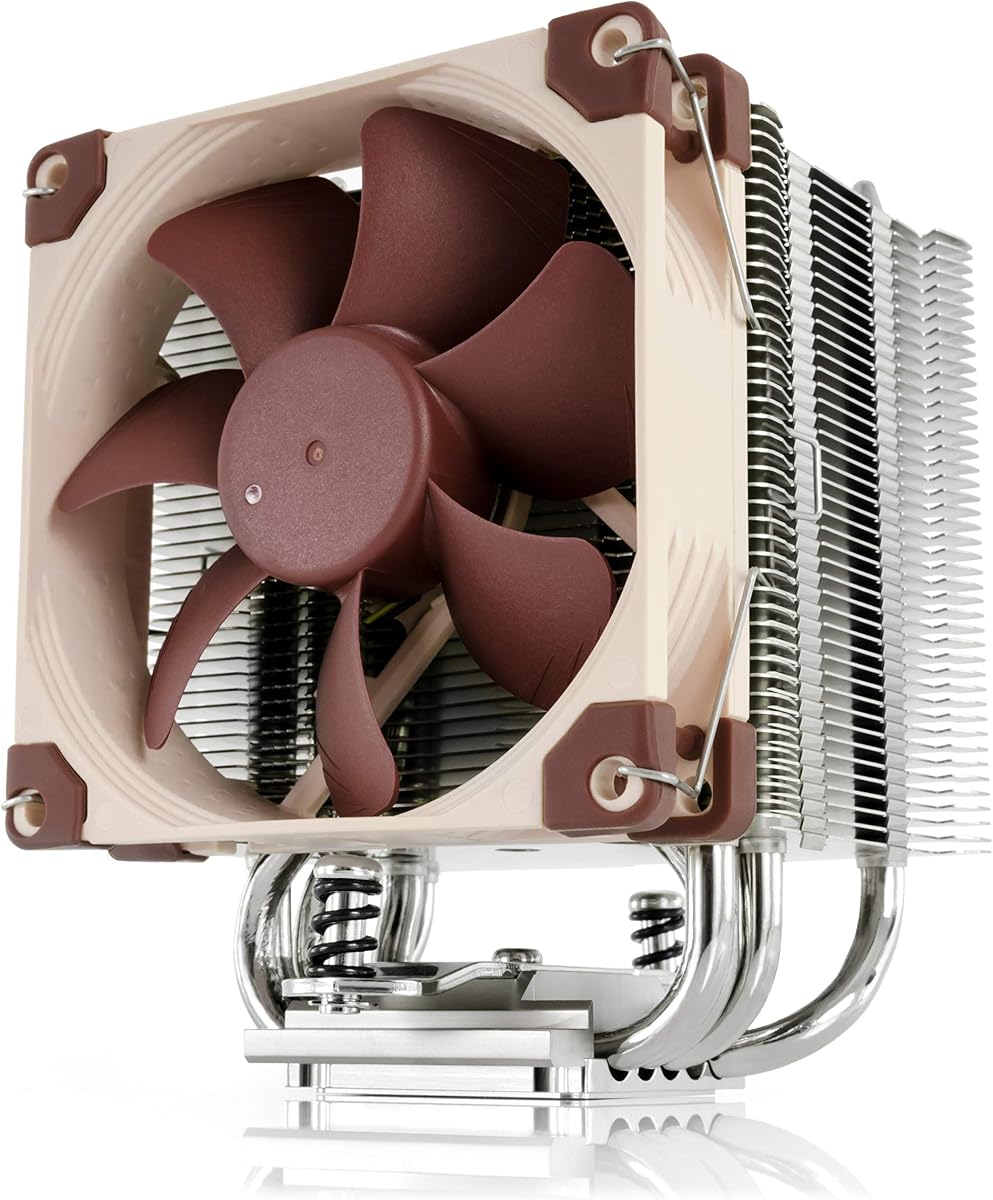
Noctua NH-U12A
The NH-U12A packs Noctua's renowned fans and build quality into a compact single-tower form. It cools remarkably well for its size while staying very quiet, and it fits cases where taller dual-towers will not. The mounting hardware is among the best available. For builders who want Noctua quiet in a smaller package, it is the obvious choice.
- Type
- Air
- Size
- 158mm height
- Socket
- LGA1700, LGA1851, AM5, AM4
- Fans
- 2x 120mm NF-A12x25
What we liked
- Very quiet premium fans
- Compact single-tower fits more cases
- Excellent cooling for its size
- Best-in-class mounting hardware
Worth noting
- Premium price for a single tower
- Outpaced by dual-towers on hottest chips
Why Quiet Cooling Is Worth It
There is a particular satisfaction in using a powerful PC that you cannot hear. No droning fans during a quiet evening, no sudden whoosh when you open a demanding application, just smooth, silent computing. For many builders, acoustic comfort ranks alongside raw performance, and the CPU cooler is the component with the largest influence on how quiet a system is. Get the cooler right and the rest of the build tends to fall into line.
The challenge is that quiet and powerful can seem to pull in opposite directions. A small cooler has to spin its fans fast to keep up with a hot CPU, and fast fans are loud. The solution is counterintuitive but simple: buy a bigger cooler than you strictly need. A large heatsink or radiator absorbs heat so effectively that its fans can turn slowly and quietly while still keeping the processor cool. That is the principle behind every cooler on this list.
In this guide we focus on coolers that deliver genuine silence without sacrificing the ability to handle demanding chips. We include both air and liquid options, because each has a place. Air coolers avoid pump noise entirely, while a well-chosen AIO can run nearly as quietly thanks to its cooling headroom. Whatever your preference, there is a near-silent option here for you.
How We Ranked for Silence
Ranking quiet coolers means putting acoustics first, but not in isolation. A cooler that is silent because it cannot cool is no good. We measured noise at idle, during gaming, and at full sustained load, then weighed that against cooling capacity, build quality, and value to find coolers that are quiet and capable at the same time.
Acoustic Performance
This is the headline metric. We listen for fan noise across the load range and, crucially, for pump whine on liquid coolers, which can be more irritating than fan noise because of its constant pitch. The best coolers here stay subtle even when the CPU is working hard, and they avoid the tonal noises that draw attention.
Cooling Headroom
Quiet cooling depends on having more cooling capacity than the CPU strictly requires, so the fans never have to spin fast. We favor large dual-tower air coolers and thick-radiator AIOs that provide this headroom. The more thermal margin a cooler has, the quieter it can run at any given CPU temperature.
Fan Quality
The fans themselves make an enormous difference. Premium fans from Noctua and be quiet! use refined bearings and carefully designed blades that move air with minimal turbulence and noise. Budget coolers often cool just as well but use less polished fans, which is the main acoustic gap between value and premium options, and one that can be closed with a fan upgrade.
Build and Installation
A quiet cooler should also be solid and easy to install. We assess mounting hardware, backplates, and overall construction. Good mounting ensures even contact pressure, which both improves cooling and lets the cooler run quieter for the same temperature. Tool-free fan clips and refined brackets, found on the be quiet! and Noctua models, make the build experience pleasant.
Air or Liquid for a Quiet Build
For pure silence, air cooling has a structural advantage: there is no pump. A pump runs constantly and can produce a faint whine that, while quiet, never stops, and some people find that more distracting than the rise and fall of fan noise. A premium air cooler like the Noctua NH-D15 G2 or be quiet! Dark Rock Elite can run its fans slowly enough to be effectively inaudible in normal use, with nothing else to make noise.
That said, a carefully chosen AIO can come very close. The Arctic Liquid Freezer III 360 has so much cooling headroom from its thick radiator that its fans barely need to spin during everyday use. The pump is the only constant source of noise, and it is faint. If you prefer the look of liquid cooling or have clearance issues with a tall air tower, a quiet AIO is a perfectly valid path to a quiet build.
The Role of Fan Curves
No matter which cooler you choose, the fan curve is the most powerful tool you have for silence, and it costs nothing. Out of the box, many systems run fans more aggressively than necessary. By setting a custom curve in your BIOS or the cooler's software, you can keep fans slow and quiet at idle and light loads, allowing them to ramp up only when the CPU genuinely demands more cooling.
The key is to take advantage of the cooler's headroom. A large cooler can tolerate a gentle fan curve because it does not heat up quickly, so you can keep fans at low speeds across a wide range of loads without risking high temperatures. Spend a few minutes tuning this and you will transform how quiet your system feels, often more than any hardware change. It is the single best habit for anyone chasing silence.
Setting Realistic Expectations
A quiet build is achievable, but total silence under a sustained, maximum all-core load on a flagship chip is difficult for any cooler. When you push the hottest processors to their limits for extended periods, even the best coolers must spin their fans up to keep temperatures in check. The goal is not absolute silence at all times but a system that stays quiet during the vast majority of real use, which is gaming, browsing, and everyday tasks.
The coolers on this list deliver exactly that. During normal use they are effectively inaudible, and only the heaviest sustained workloads push them to make noticeable noise. For most people, that is the perfect balance: a PC that is silent when it matters and capable when it counts. If your workloads are lighter, you may never hear them at all.
Understanding What You Actually Hear
Not all noise is created equal, and understanding the difference helps you build a quieter PC. Broadband fan noise, the gentle rush of air, is relatively easy for the human ear to ignore. Tonal noise, on the other hand, like the steady whine of a pump or the buzz of a cheap fan bearing, stands out against background sound and draws attention even at low volume. This is why a pump that measures quietly on a meter can still feel annoying in a silent room.
This distinction explains why premium air coolers feel so calm. With no pump, they eliminate the most common source of tonal noise entirely, leaving only the soft rush of air that the ear readily tunes out. Quality fans from Noctua and be quiet! are also engineered to minimize bearing noise and blade turbulence, so even their broadband sound is smooth and unobtrusive. When evaluating quietness, pay as much attention to the character of the noise as to its raw volume.
It also helps to consider your environment. In a noisy room with air conditioning or street sound, a slightly louder cooler may be perfectly inaudible. In a silent home office at night, even faint tonal noise becomes noticeable. Match your cooler choice and fan tuning to where the PC actually lives, because the quietest possible cooler matters far more in a quiet room than in a busy one.
Fan Upgrades and the Budget Gap
The main acoustic difference between budget and premium coolers usually comes down to the fans rather than the heatsink. Thermalright's excellent Phantom Spirit and Peerless Assassin cool nearly as well as far pricier units, but their bundled fans, while perfectly good, are not quite as refined as the premium offerings from Noctua and be quiet!. Under close listening, premium fans run a touch smoother and quieter at the same airflow.
This creates an appealing upgrade path. You can buy a budget heatsink for its excellent cooling and value, then swap in a pair of premium fans later if you want to chase the last bit of silence. The heatsink does the heavy lifting on cooling, while the fans determine how quietly that cooling is delivered. For many builders, however, the bundled fans on a good budget cooler are quiet enough that no upgrade is ever needed, especially with a sensible fan curve.
When choosing replacement fans, look for models specifically praised for low-noise operation, and match the size to your heatsink. A 140mm fan moves the same air as a 120mm fan at a lower speed, which generally means less noise, so larger fans can be quieter where the cooler and case support them. This is part of why 140mm-equipped towers like the NH-D15 G2 are so quiet under load.
Building a Quiet System Around the Cooler
A quiet cooler is only as effective as the system around it. Even the best CPU cooler cannot save a build full of loud case fans or a screaming graphics card, so think about acoustics holistically. Choose case fans known for quiet operation, set them to sensible curves, and ensure your case has enough airflow that nothing has to work hard. A cooler running in a well-ventilated case stays quieter because it does not have to fight stagnant, heat-soaked air.
Vibration is another overlooked source of noise. Fans and pumps can transmit subtle vibrations into the case panels, which then act as sound boards and amplify the noise. Rubber mounting grommets, which many quality coolers and cases include, decouple components from the chassis and absorb these vibrations. Ensuring everything is mounted snugly but with proper isolation goes a long way toward a truly silent machine.
Finally, consider the whole thermal picture. A cooler dumping heat into a cramped case raises the temperature of every other component, forcing their fans to spin faster and undoing your efforts at silence. Good airflow, tidy cabling that does not obstruct fans, and a sensible overall fan strategy let every component, including your quiet cooler, operate at its calmest. Silence is a system property, not just a cooler property.
Our Verdict
For 2026, the Noctua NH-D15 G2 is our overall pick for quiet cooling. It pairs Noctua's best-ever fans with a massive heatsink to deliver near-AIO cooling in near-total silence, with no pump to whine and nothing to leak. It is expensive and large, but for silence-focused builders it is unmatched.
If you want a quieter budget option, the Thermalright Phantom Spirit 120 SE and Peerless Assassin 120 SE deliver remarkable value, while the be quiet! Dark Rock Pro 5 and Dark Rock Elite offer premium near-silent air cooling with style. Liquid-cooling fans should look at the Arctic Liquid Freezer III 360, which stays impressively quiet thanks to its cooling headroom. Whatever your preference, there is a near-silent cooler here for your build.
How we picked
We prioritized acoustic performance, measuring noise at idle, gaming, and full load, then balanced it against cooling capacity, build quality, and value. Rankings combine hands-on testing with aggregated reviews from trusted hardware outlets. Price tiers reflect typical street prices at the time of writing.
Frequently asked questions
Are air coolers quieter than AIOs?
Generally yes, because air coolers have no pump, which can produce a constant whine that some people find more bothersome than fan noise. A premium air cooler with a strong heatsink can run its fans slowly and quietly. The Arctic AIO is an exception that stays quiet thanks to its cooling headroom.
What makes a cooler quiet?
Quiet cooling comes from a large heatsink or radiator that absorbs heat so the fans can spin slowly, plus high-quality fans with smooth bearings and optimized blades. A sensible fan curve matters too, since running fans at full speed all the time is needlessly loud regardless of the cooler.
Will a quiet cooler keep my CPU safe?
Yes. The coolers in this guide combine low noise with strong cooling, so they keep demanding processors well within safe temperatures. Quiet does not mean weak. The key is a large cooler that does not need to spin its fans fast to do its job.
Do I need to adjust fan curves for silence?
Tuning the fan curve in your BIOS or software is the single most effective way to make any cooler quieter. Set fans to stay slow at idle and light loads, ramping up only under real demand. This keeps your system near-silent most of the time while preserving full cooling when needed.
Are budget coolers like the Peerless Assassin actually quiet?
They can be very quiet with a tuned fan curve, though their bundled fans are slightly less refined than premium options from Noctua or be quiet!. For most users the difference is minor, and the value is exceptional. Swapping in premium fans later can close the gap if desired.