Best Overall
Samsung T9 Portable SSD 2TB
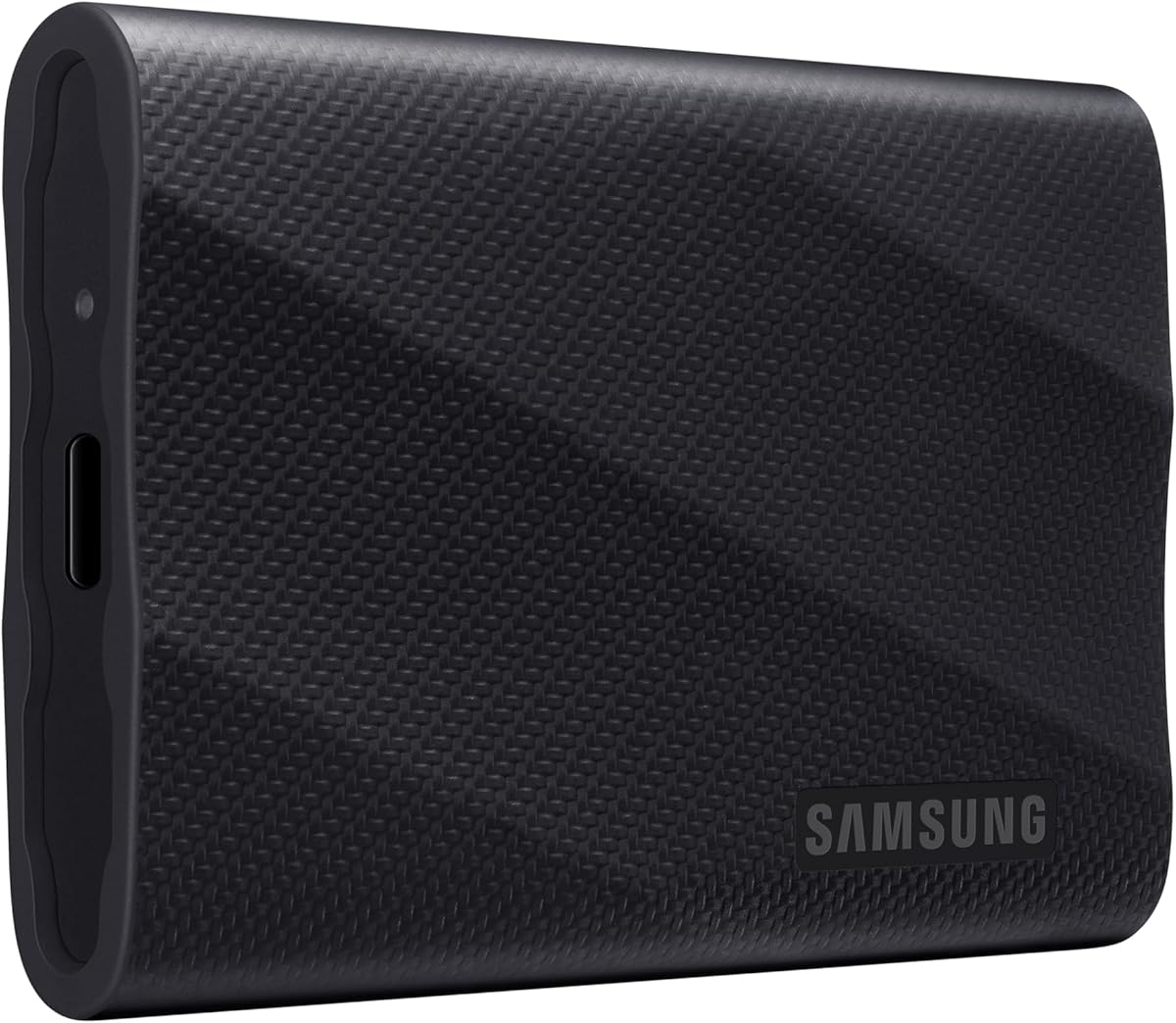
- Up to 2000 MB/s sustained reads and writes over USB 3.2 Gen 2x2
- 2TB capacity with Dynamic Thermal Guard for long edit sessions
- Magician software, broad device support, and iPhone ProRes workflows
Expert Review & Guide
Portable SSDs have replaced spinning external hard drives for anyone who moves large files between laptops, cameras, consoles, and phones. In 2026 the category splits cleanly into three speed tiers: roughly 800 MB/s budget sticks, the mainstream 1050 MB/s USB 3.2 Gen 2 class that most creators and gamers should target, and the newer 2000 MB/s Gen 2x2 drives that reward a proper USB-C port on a modern PC or Mac. This guide ranks every product in our best-portable-ssds pack—Samsung T9 and T7, SanDisk Extreme and Portable lines, Crucial X9, and SSK—so you can match capacity, toughness, and real-world bandwidth to how you actually travel and work.
Two buying traps still catch people. First, advertised sequential speeds assume a capable host port and cable; plug a fast NVMe stick into a tired hub or a USB 2.0 adapter and every drive here will feel ordinary. Second, SanDisk Extreme listings that say old model are not broken—they are the prior generation at up to 1050 MB/s with IP65 armor, while the new model Extreme advertises up to 2000 MB/s in a similar pocket shell. We keep those generations separate so you do not pay for speed you cannot use or miss rugged protection you needed on location.
Start with our three top picks if you want a clear default: the Samsung T9 2TB for peak creator throughput and thermal headroom, the Samsung T7 2TB for the best balanced daily driver at 1050 MB/s class speeds, and the new SanDisk Extreme 1TB for pocket rugged storage when you need 2000 MB/s transfers and IP65 sealing. Scan the comparison table for a quick read on every capacity tier, then dive into individual reviews for honest pros, cons, and who each drive fits best. We omit dollar prices because flash deals move weekly, and all links retain tag=reviewconsens-20.


As an Amazon Associate we earn from qualifying purchases. We may earn a commission at no additional cost to you.
Every drive below comes from our portable SSD product pack. Compare sequential speed class, capacity tier, and weather or drop protection before you commit—whether you need a console expansion stick, a field backup for a camera kit, or a desk vault for a growing media library. Check live retail pages for current availability; we intentionally skip street pricing.
The Samsung T9 Portable SSD 2TB sits at the top of our portable SSD rankings because it combines Gen 2x2 bandwidth with thermal engineering that creators actually feel during long sessions. Advertised sequential reads and writes up to 2000 MB/s place it in a different league from the 1050 MB/s T7 generation, assuming your host machine exposes a proper 20 Gbps USB-C port and you use a capable cable. For video editors shuttling ProRes or BRAW between a field laptop and a studio workstation, photographers dumping a full day of RAW files before a client review, or gamers moving a modern AAA title without waiting on lunch, that extra lane budget translates into minutes saved every week.
Thermal throttling kills the advantage of fast externals when a drive cooks inside a plastic shell. Samsung addresses that with Dynamic Thermal Guard, which actively manages heat so sustained transfers stay closer to peak rates even when the enclosure warms up during a multi-hundred-gigabyte clone. That matters when you are elbow-deep in a passion project and cannot babysit the copy queue. The T9’s solid construction and Samsung’s in-house NAND and firmware pipeline also feed into longevity—this is a drive meant to survive heavy rotation, not a disposable shuttle you replace every year.
Software support separates Samsung from many competitors. Magician provides firmware updates, encryption options, and continual health monitoring so you catch wear or connection issues before a deadline. If you already live inside Samsung’s storage ecosystem on internal NVMe drives, the T9 feels like a natural extension rather than a random third-party stick. Setup is straightforward on Windows and macOS: format for your workflow, enable encryption if client data demands it, and keep Magician installed for occasional check-ins.
Compatibility spans desktops, laptops, cameras, and phones, with explicit support for iPhone 15 Pro Res 4K at 60fps recording directly to the drive when using Samsung’s recommended cable. Console owners can expand game libraries on supported platforms, and the 2TB capacity tier holds a substantial Steam or Xbox slice alongside work files. You still need to verify your specific console or phone supports external recording or storage apps—USB storage rules vary by device and firmware version.
Honest limitations keep the T9 from being a universal recommendation. Without Gen 2x2 hardware you will still see fast speeds, but not the headline 2000 MB/s figure that justifies the premium over a T7. The enclosure is tough but not IP65 sealed like SanDisk Extreme models, so dusty desert shoots or open-boat workflows deserve a case or a rugged alternative. If your daily carry is mostly PDFs, spreadsheets, and occasional zip archives, the T9 is excellent but economically hard to defend against the T7 2TB.
Who should buy it? Freelance video editors, photographers, 3D artists, and power users who own modern USB-C ports and routinely move hundreds of gigabytes per session. Who should skip it? Travelers who prioritize weather sealing over peak sequential speed, budget shoppers who will never saturate Gen 2, and anyone who needs 4TB in one rugged shell—look at the SanDisk Extreme 4TB old model instead.
Creative professionals with Gen 2x2 laptops or desktops who ingest large media daily.
Gamers and streamers moving libraries between machines without re-downloading.
Samsung ecosystem users who want Magician monitoring on internal and external storage alike.
Plug directly into a marked 20 Gbps USB-C port, not a bus-powered hub shared with monitors.
Use the included Samsung cable for phone recording workflows called out in the spec sheet.
Format exFAT for cross-platform handoffs or APFS if the drive stays Mac-only.
We may earn a commission at no additional cost to you.
Samsung T7 Portable SSD 2TB Titan Gray
If you want one portable SSD that feels native beside a laptop without chasing absolute peak benchmarks, the Samsung T7 Portable SSD 2TB Titan Gray is the balanced pick we keep recommending in 2026. USB 3.2 Gen 2 with reads up to 1050 MB/s and writes up to 1000 MB/s is enough for most Final Cut media caches, Lightroom catalogs parked beside a project folder, Logic session backups, and fast game library moves. The Titan Gray aluminum unibody sits flatter in a sleeve pocket than chunky rugged shells, and the drive stays quiet under long copies—useful when you are on a call or editing in a coffee shop.
Two terabytes is the sweet spot for users who bought base-storage laptops and rely on externals for the real library. A semester of school work, a season of client projects, or a mirrored photo archive fits comfortably without immediately hunting a second drive. Samsung positions the T7 for makers—video editing empires, photograph filing, blog backups—and that language maps cleanly onto creative apps on both Windows and macOS. You still need a quality USB-C cable and a host port that can sustain Gen 2 bandwidth; a tired hub or USB 2.0 adapter will make any NVMe stick feel ordinary.
Durability is respectable even without an IP rating. Shock resistance up to about six feet and solid metal construction handle desk drops and backpack commuting better than bare plastic budget drives. The T7 is not the drive we would clip to a carabiner in a rainstorm—that is SanDisk Extreme territory—but for office-to-cafe-to-studio travel it has earned its reputation. The 4.7-star aggregate rating across thousands of buyers reflects fewer surprise failures and smoother compatibility than many no-name 1050 MB/s sticks.
Cross-device flexibility is a quiet strength. The T7 supports high-resolution video recording directly from supported cameras and phones, including iPhone ProRes workflows when cables and iOS versions align. PC gamers use it for Steam libraries; PlayStation and Xbox owners expand storage where platform policies allow USB game installs. Students carry VMs and CAD projects. Because Gen 2 ports are everywhere in 2026, you are far more likely to actually see advertised speeds than with Gen 2x2-only flagships.
Tradeoffs are straightforward. Creators who ingest multiple terabytes per day and own Gen 2x2 hardware should step up to the T9 or new SanDisk Extreme. Outdoor photographers who need IP65 sealing should choose Extreme or Crucial X9 instead. Within the 1050 MB/s class, the T7 costs more than SSK alternatives—but you are paying for Samsung NAND, firmware maturity, and that higher rating.
Bottom line: the T7 2TB is the portable SSD we would hand to a friend who asks for one recommendation and owns a normal modern laptop. It is fast enough, capacious enough, and trusted enough to be boring in the best way.
Choose T7 2TB when your ports are Gen 2-only or you want maximum compatibility per dollar of speed.
Choose T9 2TB when you own 20 Gbps USB-C and regularly move hundreds of gigabytes in single sessions.
Both share Samsung build quality; the T9 adds thermal management and double the interface bandwidth.
Students and professionals needing a slim 2TB daily driver.
Gamers expanding libraries on PC or supported consoles.
Travelers who want metal build quality without rugged rubber bulk.
We may earn a commission at no additional cost to you.
SANDISK 1TB Extreme Portable SSD (New Model) - up to 2000MB/s Transfer speeds
SanDisk’s new-generation Extreme Portable SSD 1TB targets shooters and travelers who refuse to choose between speed and weather sealing. Advertised transfers up to 2000 MB/s—nearly double the prior 1050 MB/s Extreme generation—put it in the same performance conversation as the Samsung T9, but wrapped in IP65 water and dust resistance with up to 3-meter drop protection. That combination matters when the drive lives on a carabiner, rides in a dusty festival media pit, or survives knocks in a courier bag between hotel rooms.
The pocket-sized form factor is deliberate. SanDisk markets space for high-res clips and AI-generated content downloads, reflecting how 2026 creators accumulate larger individual files even when total library size fits 1TB. For a wedding weekend, a documentary B-roll run, or a mobile podcast tour, 1TB of fast rugged storage is often enough—especially if you offload to a NAS or desktop vault nightly. If you routinely keep entire seasons on one stick, step up to the 2TB T7 or 4TB old-model Extreme instead.
Encryption is hardware-based with 256-bit AES and password protection, a meaningful upgrade over software-only schemes that leak keys on shared machines. Combined with IP65 sealing, the drive suits journalists, researchers, and freelancers handling sensitive material outside a locked office. Setup remains standard USB-C: format for your OS workflow, enable password protection through SanDisk utilities where available, and avoid leaving the drive plugged into untrusted public charging ports without encryption enabled.
Speed realism applies here as with every Gen 2x2 product. You need a 20 Gbps-capable USB-C port and a quality cable to approach 2000 MB/s; otherwise the drive still performs well but closer to the 1050 MB/s class you might get from older extremes at lower cost per terabyte. Compare live listings between new and old Extreme generations if your hardware tops out at Gen 2—you may prefer more capacity and IP65 at 1050 MB/s over less capacity at speeds your laptop cannot fully use.
Build and brand trust carry weight. SanDisk has long been the field backup choice for photographers, and the Extreme line’s rubberized shell and loop integrate into camera bags better than flat metal slabs that slide around. Firmware updates and SanDisk’s professional reputation reduce the anxiety of betting a shoot day on one external.
Who should buy: location photographers, outdoor content creators, and travel editors with Gen 2x2 hardware who prioritize ruggedness and peak speed in a 1TB package. Who should skip: archive-focused users who need 4TB on one drive, budget buyers who never leave a climate-controlled office, and anyone without ports that can use 20 Gbps bandwidth.
New model: up to 2000 MB/s, black pocket design, same IP65 and drop class.
Old model: up to 1050 MB/s, often better capacity per dollar at 2TB and 4TB tiers.
Both are valid; match generation to your port speed and capacity needs.
Clip the loop to a bag strap but still use a padded pouch in heavy rain—IP65 handles splashes, not submersion.
Offload nightly to a second destination; one rugged stick is not a backup strategy alone.
We may earn a commission at no additional cost to you.

SANDISK 4TB Extreme Portable SSD (Old Model) - Up to 1050MB/s
When the problem is capacity without sacrificing toughness, the SanDisk 4TB Extreme Portable SSD old model is the high-capacity answer in this pack. Four terabytes in a single IP65-rated, drop-resistant shell means wedding photographers, indie filmmakers, and backup-focused travelers can carry one drive instead of two. Sequential performance stays in the proven 1050 MB/s read and 1000 MB/s write class over USB 3.2 Gen 2, which actually helps compatibility—you are far more likely to saturate the drive on real laptops and consoles than with Gen 2x2 flagships limited by port availability.
The old-model label is not a warning label—it distinguishes this generation from the newer 2000 MB/s Extreme. You still get NVMe-class responsiveness, updated firmware messaging in the listing, and the higher drop and ingress protection specs SanDisk qualified after earlier IP55 and 2-meter ratings. For many professionals, 1050 MB/s is already faster than their ingest bottleneck (card readers, camera media, or Wi-Fi offloads), so paying for 2000 MB/s while needing 4TB in one rugged unit is the wrong optimization.
Hardware encryption with 256-bit AES matters more as capacity grows because the financial and reputational cost of losing a single 4TB archive rises. Enable password protection before the drive leaves your desk. The Memory Zone app, where supported, helps automate backups and space management—useful when the drive rotates between field capture and studio consolidation.
Physical design follows the familiar Extreme formula: rubberized exterior, carabiner loop, pocketable brick that survives backpack abuse better than slim aluminum drives. It is not featherweight—4TB of NAND has mass—but still far lighter than four terabytes of spinning metal in a padded case. Console gamers treating USB storage as extended library space will appreciate fitting a large slice of titles on one device, subject to platform formatting rules.
Tradeoffs: if you need maximum sequential speed and only 1–2TB, the new Extreme or Samsung T9 is a better fit. If you need 4TB cheap and never leave a desk, non-rugged options may save money—but you lose IP65 and drop tolerance. Within rugged 4TB portable SSDs, this listing remains a credible field vault.
Ideal buyer: working pros who ingest large shoots weekly and want one sealed brick for travel. Skip if: you own Gen 2x2 everywhere and prioritize speed over capacity, or you want the smallest possible pocket drive.
Multi-day event photography with RAW bursts kept on one drive until studio ingest.
Indie film projects storing B-roll and audio alongside project files.
Long-term travel backup for laptops with small internal SSDs.
Listing explicitly says Old Model—expect 1050 MB/s, not 2000 MB/s.
Firmware updates may still arrive; check SanDisk support for this SKU.
Image matches 2TB variant; enclosure design is shared across capacities.
We may earn a commission at no additional cost to you.

Crucial’s X9 2TB Portable SSD occupies the value-rugged middle ground: faster than budget 800 MB/s sticks, tough enough for travel with IP55 water and dust resistance and drop protection up to about 7.5 feet (2 meters), and broadly compatible across the devices people actually own in 2026. Up to 1050 MB/s accelerates game installs, large zip transfers, and backup jobs compared with spinning disks or old SATA externals, while the 2TB capacity tier fits students, casual gamers, and hybrid workers who need one drive for everything.
Compatibility is a headline strength. The listing explicitly covers Windows, Mac, iPad Pro, Chromebooks, Android, Linux, PlayStation 4 and 5, and Xbox over USB-C and USB-A. That makes the X9 a strong family drive—photos off an Android phone, homework on a Chromebook, Fortnite on a console, and Time Machine-style backups on a Mac can share one exFAT-formatted stick if you accept the usual cross-platform caveats. Included cables vary by retailer bundle; verify USB-C and USB-A in the box before travel.
Bundled software adds value beyond hardware. Three months of Mylio Photos plus and Acronis True Image after purchase and registration gives newcomers structured backup and photo organization tools—helpful if you are migrating off phone-only storage. These trials are not substitutes for a long-term 3-2-1 backup plan, but they nudge buyers toward healthier habits during the honeymoon period.
Durability sits between slim aluminum drives and full IP65 extremes. IP55 handles rain and dust better than unsealed metal slabs, though hardcore desert or boat workflows should still prefer SanDisk Extreme IP65. Drop rating to 2 meters covers typical commuter accidents. The matte black enclosure is understated—fine for office environments, less flashy than blue or red rugged competitors.
Honest limits: power users with Gen 2x2 ports and daily terabyte ingests should look at T9 or new SanDisk Extreme. Security-focused users may want hardware encryption elsewhere. Within 2TB rugged-ish Gen 2 drives, the X9 competes on breadth of device support and bundled software rather than absolute toughness specs.
Buy the Crucial X9 2TB if you want one affordable rugged-capable drive for mixed household devices. Skip it if IP65 is non-negotiable or you need 4TB without buying two drives.
X9: IP55, 1050 MB/s, broad console list, software bundle.
Extreme old: IP65, AES encryption, carabiner loop, 4TB option.
Pick X9 for mixed-device homes; pick Extreme for harsh field work.
Activate bundled Mylio and Acronis trials to clone a system image early.
Check Crucial support for firmware updates for this SKU over time.
We may earn a commission at no additional cost to you.
Samsung T7 Portable SSD 1TB Titan Gray
Not everyone needs two terabytes in their everyday bag. The Samsung T7 Portable SSD 1TB Titan Gray delivers the same USB 3.2 Gen 2 NVMe performance class—up to 1050 MB/s reads and 1000 MB/s writes—as its 2TB sibling in a package that costs less upfront and weighs slightly less mentally because you are not carrying empty capacity you rarely touch. For students shuttling assignments, photographers with disciplined offload habits, and professionals who archive to cloud or NAS nightly, 1TB remains a valid daily driver in 2026.
The T7’s strengths are familiarity and polish. Samsung’s aluminum unibody, shock resistance, and extensive compatibility with PCs, Macs, phones, and cameras make it the portable SSD equivalent of a trusted notebook pen—nothing exotic, just works. Direct recording of high-resolution video, including iPhone ProRes workflows when cables and iOS builds cooperate, lets mobile creators stretch internal phone storage without buying the largest iPhone tier.
Ratings tell part of the story: 4.7 stars across a huge buyer pool signal fewer compatibility surprises than many third-party 1050 MB/s sticks. Magician support may be less emphasized on T7 than T9 listings, but Samsung’s firmware reputation still matters when the drive holds client deliverables. Use a short, certified USB-C cable for best results; the T7 is not immune to bad hubs.
Capacity planning is where buyers stumble. Modern AAA games often exceed 100GB each; a handful plus an OS backup clone can saturate 1TB quickly. Video creators shooting 4K ProRes should treat 1TB as a shuttle, not a warehouse—move footage to larger desktop storage regularly. If you suspect you will hit capacity within a year, skip the false economy and buy the 2TB T7 now.
Compared with SSK 1TB at similar advertised speeds, the T7 trades a slightly higher spend for Samsung NAND and a higher aggregate rating. Compared with SanDisk 800 MB/s Portable, the T7 is noticeably faster when moving large folders. Compared with rugged extremes, it is sleeker but less weather tolerant.
Recommendation: choose T7 1TB when budget is tighter than the 2TB tier but you still want Samsung reliability and true Gen 2 NVMe speeds in a slim shell.
Active project shuttle with nightly archive to cloud or NAS.
Student laptop expansion for documents, code, and moderate media.
Phone video overflow for creators who delete clips after edit.
You install more than a few modern PC or console games on the drive.
You keep entire Lightroom or Capture One catalogs external full time.
You travel for weeks without reliable upload bandwidth for offload.
We may earn a commission at no additional cost to you.
SANDISK 2TB Extreme Portable SSD (Old Model) - Up to 1050MB/s
The SanDisk 2TB Extreme Portable SSD old model is the mid-tier rugged workhorse of this guide: two terabytes of NVMe-speed storage with IP65 water and dust resistance, up to 3-meter drop protection, and 256-bit AES hardware encryption in the familiar orange-rubber Extreme form factor. It targets the same creators as the 4TB variant but in a capacity tier that balances cost and carry size for freelancers who shoot regularly yet offload to studio storage between gigs.
Performance stays in the 1050 MB/s read and 1000 MB/s write class over USB 3.2 Gen 2. That is not a weakness—it is compatibility gold. Most laptops, tablets, and consoles in the wild expose 10 Gbps USB-C ports, so you are more likely to see real-world speeds close to spec than with 2000 MB/s drives capped by hardware. Firmware updates noted in the listing reflect SanDisk’s continued qualification of drop and ingress ratings beyond earlier IP55 and 2-meter claims.
Security features matter on a 2TB field drive. Hardware encryption with password protection keeps client galleries and contract PDFs safer if the stick is lost—far better than a plaintext exFAT volume. Pair encryption with a physical strategy: carabiner to a bag, padded pouch in checked luggage, and separate backup of critical shots before you leave the venue.
The Memory Zone app, where available, helps automate cleanup and backup tasks—handy when you return from a shoot tired and tempted to leave files duplicated across cards and drives. Non-operating temperature ratings from -20°C to 85°C appear in the detailed spec copy, relevant for winter outdoor sports shoots and hot car storage—within reason, no drive loves baking on a dashboard.
Versus the new 1TB Extreme at 2000 MB/s: if you need 2TB rugged and your ports are Gen 2-only, this old model is the logical pick. Versus the T7 2TB: choose Extreme for IP65 and encryption; choose T7 for slimmer metal aesthetics and slightly higher buyer rating. Versus Crucial X9 2TB: Extreme wins sealing; X9 wins bundled software and console bullet list clarity.
Solid recommendation for travel photographers, indie videographers, and backup-conscious commuters who want 2TB rugged without jumping to 4TB spend.
Confirm listing says Old Model and 1050MB/s in title—avoid assuming 2000 MB/s.
Compare capacity tiers: 2TB for most pros, 4TB for archive-on-one-stick users.
Same physical design family as 4TB listing; performance class matches.
Enable password protection before first field use.
Store recovery passwords separately—hardware encryption is unforgiving if forgotten.
We may earn a commission at no additional cost to you.
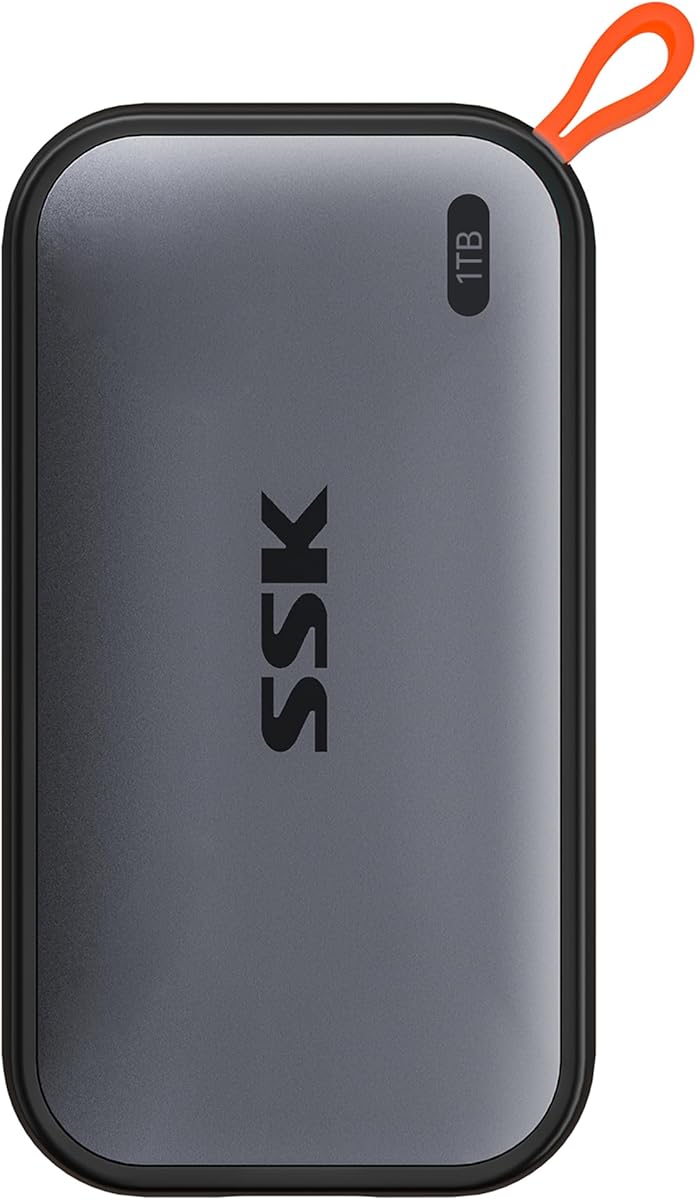
SSK Portable SSD 1TB External Solid State Drives
SSK’s 1TB Portable SSD is the value performance pick in this pack—advertised reads up to 1050 MB/s and writes up to 1000 MB/s over USB 3.2 Gen2 with both USB-C and USB-A cables in the box. For buyers who want NVMe externals speeds without Samsung or SanDisk pricing, SSK delivers a compelling spec sheet: SMART monitoring, TRIM support, SLC caching that keeps 10 Gbps transfers steady for file batches under roughly 250GB, and an LED activity indicator that sounds minor until you are debugging a stuck copy at midnight.
Transparency about capacity display wins trust. SSK explains that Windows may show about 931GB from a 1TB label while macOS often reports the full decimal capacity—a binary versus decimal gigabyte education that more brands should copy. Plan formatting and partition size accordingly, and leave free space for the caching algorithm noted in the listing (about 25 percent of available capacity allocated for high-speed cache on smaller transfers).
Cross-platform positioning includes iPhone 15/16/17 Pro, Windows, Mac, Android phones, and tablets—matching how real households mix devices. Gamers, students, and side-hustle video editors who need fast shuttles but not IP65 sealing will find the aluminum alloy case adequate for desk and backpack duty. Case temperature peaks around 105°F per manufacturer testing—warm but within reason for passive cooling.
Tradeoffs are brand and ruggedness. SSK does not carry Samsung’s decade-long portable flash reputation; support and warranty experiences may vary by region and retailer. There is no IP rating for rain or dust—use a zip pouch for field work. Random write consistency under heavy sustained loads may trail tier-one controllers, though TRIM mitigates long-term slowdown for typical consumer cycles.
Compared with SanDisk 800 MB/s Portable 1TB, SSK is materially faster for large moves. Compared with T7 1TB, SSK undercuts on spend with cables included but gives up rating points and premium feel. Compared with SSK 500GB, the 1TB tier is the better default unless you specifically need minimum weight for phone ProRes.
Buy SSK 1TB when you want Gen 2 NVMe speeds and dual cables on a budget. Skip when client work demands hardware encryption, IP65, or enterprise support SLAs.
Transfers under ~250GB on 1TB model stay at high speed using SLC cache.
Very large single writes may slow as cache fills—normal for value controllers.
Keep 15 percent free space for best sustained performance.
Secondary shuttle alongside a rugged primary like SanDisk Extreme.
Student laptop expansion with included USB-A cable for library PCs.
Android phone media offload before trips with limited cloud access.
We may earn a commission at no additional cost to you.

SSK Portable SSD 500GB External Solid State Drives
The SSK 500GB Portable SSD is the featherweight entry in this roundup—roughly 36.6 grams and about the size of a short stack of business cards—yet it still advertises up to 1050 MB/s reads and 1000 MB/s writes over USB 3.2 Gen2. That combination targets phone-first creators who need a bus-powered external for iPhone ProRes 4K60 HDR recording without taxing the phone battery, and minimalists who want a fast emergency stick in a jeans coin pocket.
Power consumption under 2.4 watts is the hidden spec that matters for mobile workflows. Many larger portable SSDs struggle with phone ports that throttle power delivery; SSK optimizes for mobile devices in the listing explicitly, including iPhone 15/16/17 Pro compatibility. Use a short, high-quality USB-C cable and confirm iOS external recording settings before a paid shoot—Apple’s supported formats and apps evolve with updates.
Thermal design uses a 2mm aluminum alloy shell that peaks around 105.58°F in manufacturer testing—warm but controlled for something this small. An LED shows activity during copies, helpful when the drive disappears in a bag. SMART and TRIM appear here as on the 1TB SSK, supporting health monitoring for a drive that may live plugged into a phone intermittently.
Capacity is the obvious ceiling. Five hundred gigabytes is roughly one long ProRes day or a couple of large games—fine as a shuttle, not as a library. Windows may display about 465GB usable from the 500GB label; macOS typically shows the full decimal capacity. SLC caching thresholds differ slightly from the 1TB model (listing mentions 150GB batches versus 250GB on 1TB)—plan large ingests accordingly.
Who should buy: iPhone videographers, ultra-light travelers, and tech users who want a backup stick that weighs nothing. Who should skip: anyone who hates managing space daily, console gamers, and archive hoarders—step to 1TB minimum.
At 4.5 stars, buyer satisfaction aligns with the 1TB SSK: fast for the size, with brand tradeoffs versus Samsung. Pair this with cloud or NAS backup because 500GB leaves little redundancy headroom.
Confirm ProRes settings and supported apps on your iPhone generation.
Use included USB-C cable; avoid passive extensions that drop power.
Monitor phone battery; bus-powered SSDs still draw noticeable current.
500GB: minimum weight, phone ProRes focus, lower upfront spend.
1TB: better per-GB value, larger SLC cache headroom for big copies.
Both include USB-C and USB-A cables and SMART/TRIM support.
We may earn a commission at no additional cost to you.
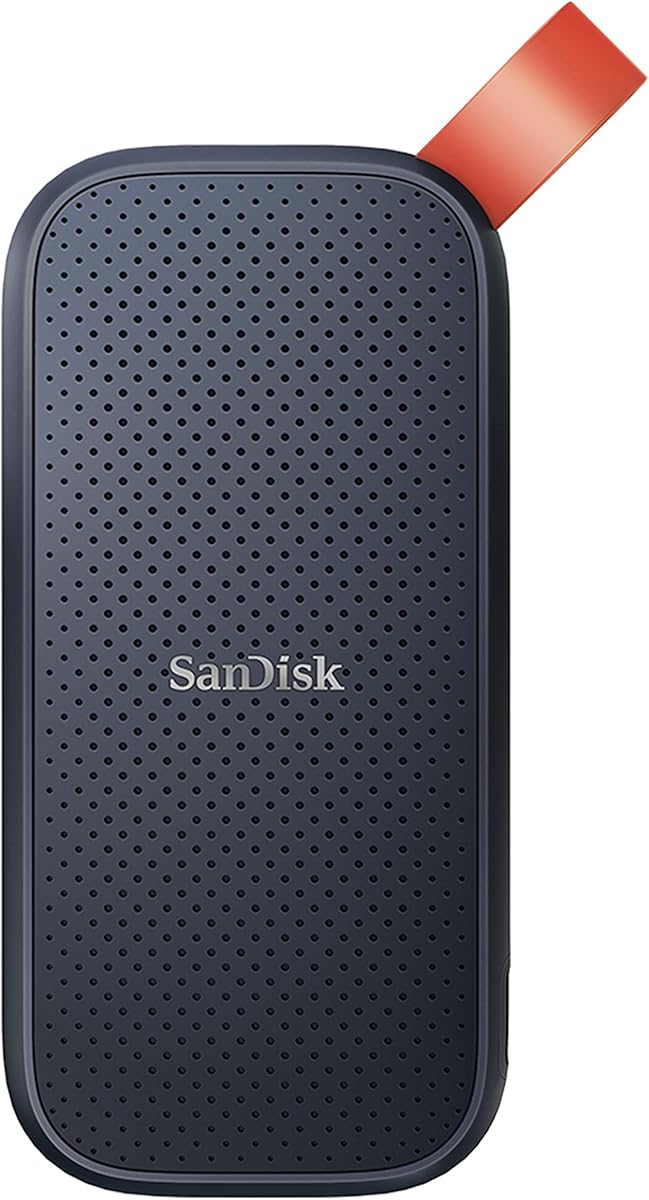
SANDISK 1TB Portable SSD - Up to 800MB/s
The SanDisk 1TB Portable SSD at up to 800 MB/s occupies the sensible budget lane in this guide—not the fastest stick here, but still solid state, still USB 3.2 Gen 2 over USB-C, and still dramatically quicker than any spinning portable hard drive for backups, school files, and photo folders. SanDisk targets mobile lifestyles: back up memories, clip the rubber hook to a backpack, survive up to two-meter drops without drama. It is the drive we recommend when someone asks for SanDisk reliability without paying for Extreme branding or 1050 MB/s tiers.
Performance expectations need calibration. Eight hundred megabytes per second is enough for documents, Lightroom exports of moderate size, and occasional video copies, but video editors who ingest hourly will feel the gap versus 1050 or 2000 MB/s options. If your workflow is mostly nightly Time Machine-style backups or moving semester PDFs, the speed difference may never appear; if you copy 200GB game installs weekly, choose SSK or T7 instead.
Design is utilitarian. Updated firmware messaging appears in the listing, reflecting SanDisk’s maintenance of the SKU. The rubber hook integrates into daily carry better than loose drives rattling in backpack pockets. Drop protection to two meters covers desk and sidewalk accidents short of intentional abuse tests.
Brand trust remains the selling point. SanDisk’s photographer heritage and retail availability mean replacements and support are easier in many regions than obscure import brands. The 4.6 rating suggests buyers understand they are not buying an Extreme— they want dependable portable flash at accessible tiers.
Compare with SSK 1TB: SSK wins raw speed and included dual cables; SanDisk Portable wins simplicity and brand familiarity at 800 MB/s. Compare with old-model Extreme: Extreme wins IP65, encryption, and speed; Portable wins if you never need weather sealing. Compare with T7 1TB: T7 wins performance and premium shell; Portable wins budget-focused shoppers who accept slower sequential transfers.
Recommendation: buy SanDisk Portable 1TB for students, parents, and office workers who need durable 1TB solid-state backup without pro specs. Skip for creators whose time is literally billed by the hour waiting on copies.
Document-heavy students and remote workers.
Casual photo backup from phones and point-and-shoot cameras.
Secondary clone drive stored in a desk drawer for peace of mind.
Regular 4K video editing or game library migration—jump to 1050 MB/s class.
Outdoor rain and dust exposure—choose SanDisk Extreme IP65.
Phone ProRes recording—consider SSK 500GB or Samsung T7 instead.
We may earn a commission at no additional cost to you.
Portable SSD marketing loves big sequential numbers, but your laptop or desktop USB controller decides what you actually see. USB 3.2 Gen 2 tops out around 10 Gbps, which is why drives like the Samsung T7, old-model SanDisk Extreme, Crucial X9, and SSK 1TB cluster near 1050 MB/s reads in ideal conditions. USB 3.2 Gen 2x2 doubles the lane budget to 20 Gbps and unlocks the Samsung T9 and new SanDisk Extreme 2000 MB/s class— but only if the port and cable support it. Many excellent machines still ship Gen 2-only USB-C ports, so buying the fastest stick on the list without checking your hardware can mean paying for headroom you never use.
Random small-file performance matters too, even if it is rarely printed on the box. Video editors feel sequential throughput when ingesting footage; developers copying thousands of Git objects or photographers syncing Lightroom previews care about latency and consistency. TRIM support, thermal behavior, and controller tuning separate good 1050-class drives from ones that throttle after a long copy. That is part of why Samsung Magician on the T9 and SMART monitoring on SSK drives are more than checkbox features—they help you spot firmware updates and health trends before a project deadline.
Five hundred gigabytes still works for a slim shuttle drive—think one active video project, a Steam library slice, or a semester of documents—but 1TB has become the practical minimum for creators who shoot 4K or carry console games. Two terabytes is the comfort zone for mixed photo and video archives, dual-boot toolkits, or a PlayStation or Xbox expansion that will not need babysitting every month. Four terabytes, represented here by the old-model SanDisk Extreme, is for photographers and videographers who would rather carry one rugged brick than juggle two smaller sticks on location.
Remember that operating systems report capacity differently. Windows often shows slightly less usable space than macOS because of binary versus decimal gigabyte math, and SSK explicitly notes that a 1TB label may appear as roughly 931GB in Windows Explorer. That is normal, not a defect. Leave headroom anyway—SSDs slow down when nearly full, and sustained caches on budget controllers depend on free space to maintain peak write speeds.
If the drive lives in a backpack, truck cab, or camera bag, IP-rated sealing and drop specs are not marketing fluff. SanDisk Extreme drives (both generations) advertise IP65 water and dust resistance with up to 3-meter drop protection, plus hardware AES encryption on the old models. Crucial X9 steps down slightly to IP55 with about 2-meter drop resistance but still beats bare aluminum shells in rainy outdoor shoots. Samsung T7 and T9 rely on solid unibody metal and shock ratings around 6 feet rather than full weather sealing—fine for office and studio travel, less ideal for dusty desert festivals without a case.
Carabiner loops, rubber hooks, and included dual USB-C and USB-A cables change daily usability more than spec sheets admit. SanDisk’s loop and the simpler hook on the 800 MB/s Portable line make belt-bag carry safer. SSK includes both cable types in the box, which saves a frantic airport shop search when you need to hand files to a client laptop with only Type-A ports.
Samsung and SanDisk dominate portable flash for good reason: in-house NAND, long firmware track records, and software ecosystems like Magician and SanDisk Memory Zone. Crucial (Micron) sits in the same tier for many buyers, bundling bonus backup and photo software with the X9. SSK delivers aggressive 1050 MB/s performance and phone-focused features—ProRes recording support, low power draw, SMART and TRIM—at ratings that trail Samsung by a tenth or two but still land at 4.5 stars. For mission-critical client deliverables, stick with the household names; for personal kits and secondary shuttles, SSK’s 500GB and 1TB options punch above their weight if you accept a less famous support story.
USB 3.2 Gen 2 offers 10 Gbps bandwidth, which is why drives like the Samsung T7, old-model SanDisk Extreme, Crucial X9, and SSK line top out around 1050 MB/s in ideal conditions. USB 3.2 Gen 2x2 doubles the lane budget to 20 Gbps, enabling the Samsung T9 and new SanDisk Extreme to advertise up to 2000 MB/s. Both use USB-C connectors, but Gen 2x2 requires a compatible port, cable, and often direct connection rather than a low-cost hub. If your laptop only lists 10 Gbps, a Gen 2x2 drive still works but behaves like a very fast Gen 2 drive—you pay a premium without full benefit.
Five hundred gigabytes suits phone ProRes overflow or a single active project if you offload daily—see the SSK 500GB. One terabyte is the practical minimum for mixed school, photo, and light video work. Two terabytes is the comfort zone for gamers, hybrid creators, and laptop expansion without constant pruning—Samsung T7 2TB and Crucial X9 2TB exemplify that tier. Four terabytes on the old-model SanDisk Extreme fits photographers and videographers who want one rugged brick for long trips. Leave ten to fifteen percent free space on any tier so controllers maintain sustained write speeds and wear leveling headroom.
Yes, when your priority is rugged IP65 sealing, hardware AES encryption, and capacities like 2TB or 4TB at 1050 MB/s Gen 2 speeds. The old model label distinguishes them from the newer 2000 MB/s Extreme generation, not from being discontinued or defective. Firmware update notes in listings reflect SanDisk’s continued qualification of drop and ingress specs. If you own Gen 2x2 ports everywhere and only need 1TB, the new Extreme may be faster; if you need 4TB rugged or your ports are Gen 2-only, old-model Extreme drives remain excellent field choices.
Several drives in this pack explicitly support high-resolution iPhone recording workflows, including Samsung T7 and T9, and SSK 500GB and 1TB models with low power draw for bus-powered use. Success depends on your iPhone generation, iOS version, supported apps, and cable quality—use included or manufacturer-recommended USB-C cables and confirm ProRes settings before paid work. Drives without phone-specific power tuning may still work intermittently but can trigger power warnings. Always test a short clip before a full shoot day.
Hardware encryption matters when the drive stores client contracts, medical records, legal files, or unreleased media that would cause harm if lost. SanDisk Extreme old-model drives include 256-bit AES hardware encryption with password protection. Samsung T9 supports encryption through Magician and system tools. Budget options like SSK and SanDisk 800 MB/s Portable rely on OS-level encryption unless you add third-party tools. Encryption is only as good as your password hygiene—store recovery keys separately and never leave passwords on the same bag as the drive.
Buy the T7 2TB if you want the highest buyer rating in this pack, broad Gen 2 compatibility, and a slim aluminum design for everyday carry—the best balanced pick for most users. Buy the T9 2TB if you own USB 3.2 Gen 2x2 ports, move hundreds of gigabytes per session, and want Dynamic Thermal Guard for sustained 2000 MB/s class transfers. The T9 costs more and needs better hardware to shine; the T7 is the safer default when you are unsure about port specs. Both outperform spinning externals by orders of magnitude.
SSK explicitly documents this behavior: SSDs often label capacity in decimal gigabytes while Windows displays binary gibibytes, so a 1TB drive may appear as roughly 931GB in File Explorer while macOS shows closer to the full decimal capacity. This is not a defect or missing space—it is unit math. Formatting file system overhead takes a small additional slice. Plan partitions and backup jobs using the usable figure Windows reports, and leave free space for cache algorithms on performance-focused drives.
SSK drives in this pack advertise genuine USB 3.2 Gen2 speeds up to 1050 MB/s with SMART, TRIM, and SLC caching—features often reserved for tier-one brands. Buyer ratings sit at 4.5 stars versus 4.6–4.7 for Samsung flagships, suggesting good but slightly more variance in long-term reports. For mission-critical client archives, Samsung T7 or SanDisk Extreme remain safer emotional choices. For secondary shuttles, student kits, and phone recording experiments, SSK 1TB and 500GB deliver strong value if you accept less famous support channels and skip IP65 rugged requirements.
For speed and shock resistance, absolutely—every SSD here transfers large folders faster than spinning disks and survives drops better. For archival cold storage on a shelf, hard drives still offer lower cost per terabyte if you rarely access files. Best practice is 3-2-1 backup: at least three copies, two media types, one offsite. A portable SSD excels as a daily working copy or travel backup—Crucial X9 even bundles Acronis True Image trial time—but pair it with cloud or NAS destinations rather than trusting one stick alone.
Use the cable included with your drive when possible—Samsung lists specific cables for iPhone recording on T9, and SSK includes both USB-C and USB-A types. For replacements, choose short, certified USB 3.2 Gen 2 or Gen 2x2 cables rated for 10 or 20 Gbps. Long passive cables and unmarked cheap cords often cap bandwidth silently. Avoid bus-powered hubs shared with high-draw displays when copying terabytes; plug directly into the laptop port for benchmark-like real-world speeds.
The best portable SSD in 2026 is the one that matches your port, your capacity plan, and the abuse your bag will throw at it—not simply the highest megabytes-per-second on the spec sheet. For most buyers who want a confident default, the Samsung T7 2TB remains the balanced pick: 1050 MB/s class speed, a 4.7-star reputation, and a slim metal body that disappears next to a laptop. Creators who routinely ingest hundreds of gigabytes per session and own Gen 2x2-capable hardware should step up to the Samsung T9 2TB or the new SanDisk Extreme 1TB when IP65 ruggedness matters more than maximum capacity.
Outdoor shooters, backup-focused travelers, and console owners expanding storage should weigh rugged IP ratings and included cables as seriously as sequential speed. The old-model SanDisk Extreme at 2TB and 4TB still delivers excellent 1050 MB/s performance with encryption and weather sealing, while the Crucial X9 2TB covers similar ground with broad device compatibility and bundled software. Budget-conscious shoppers who need genuine NVMe speeds without a premium badge will find the SSK 1TB and featherweight 500GB options compelling—especially for iPhone ProRes workflows—while the SanDisk 800 MB/s Portable line stays relevant when you want simple, durable 1TB backup without chasing Gen 2x2.
Use the comparison table to narrow your shortlist, read the full reviews for tradeoffs on each capacity tier, and verify your laptop or console port before paying for 2000 MB/s headroom you cannot use. All product links in this guide use tag=reviewconsens-20, and we skip dollar prices so you can check live availability. Whatever you choose, a quality portable SSD beats any spinning external disk the moment you move a game library, a photo archive, or a client deliverable—and the drives ranked here are the ones worth carrying in 2026.