Best 2TB SSDs in 2026
We may earn a commission from links on this page, at no extra cost to you. Learn more.
Two terabytes has become the default capacity for a serious internal SSD, offering enough room for a large game library, a creative workload, or a fast boot drive with space to spare. The current crop of M.2 NVMe drives spans affordable PCIe 4.0 workhorses up to blistering PCIe 5.0 flagships. We benchmarked sustained throughput, random performance, thermals, and endurance to find which 2TB drives deliver the most for real users. These ten internal SSDs are the ones worth your slot.
Top 10 Best 2TB SSDs
Our top 10 picks, reviewed
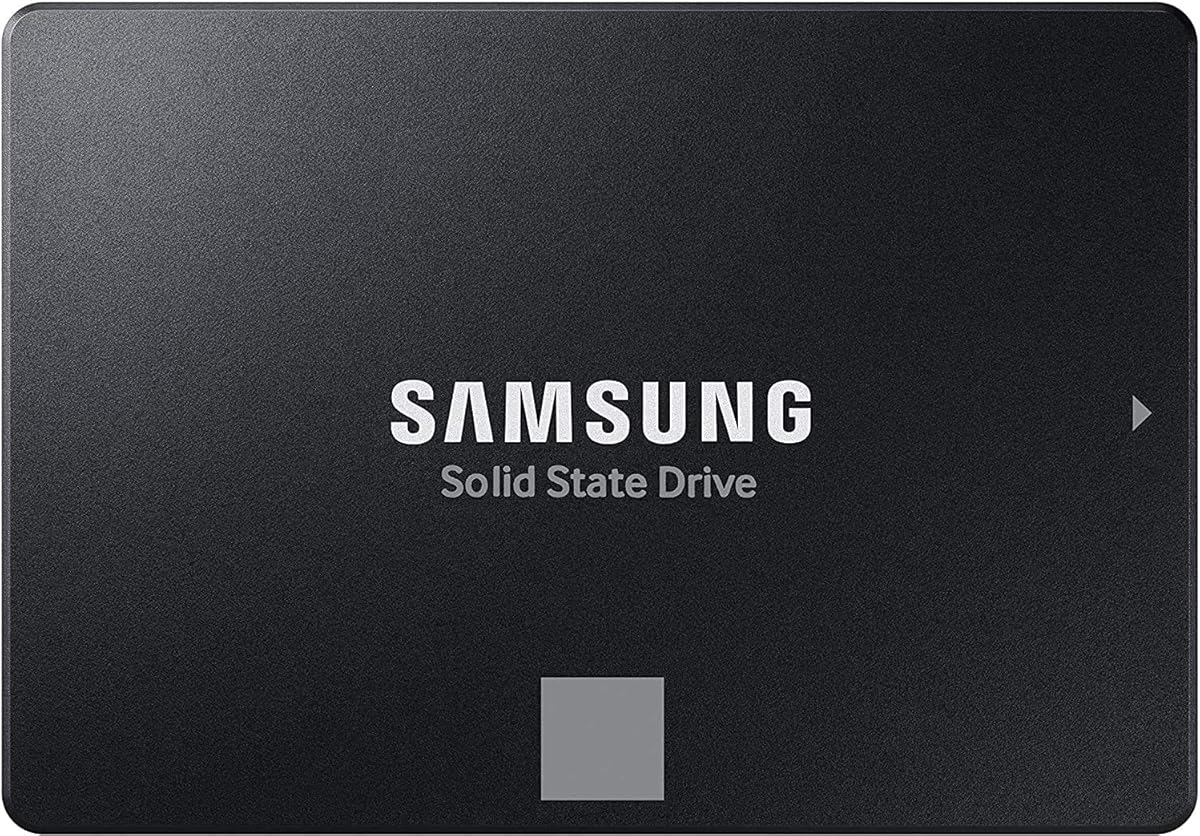
Samsung 990 Pro
The Samsung 990 Pro remains the gold standard for a PCIe 4.0 drive, combining chart topping speed with excellent efficiency. It excels at the random reads that make a system feel snappy and the sustained transfers creators rely on. Power draw and heat are well controlled, so it behaves in tight laptop and console slots. If you want a do everything 2TB drive and value reliability, this is the safe top choice.
- Capacity
- 2TB
- Interface
- PCIe 4.0 x4
- Read
- Up to 7450 MB per second
- Endurance
- 1200 TBW
What we liked
- Top tier PCIe 4.0 speed
- Excellent random performance
- Efficient and cool running
- Strong endurance rating
Worth noting
- Premium pricing
- Heatsink model costs more
WD Black SN850X
The SN850X is the enthusiast gamer favorite, tuned to deliver quick level loads and snappy asset streaming. A dedicated gaming mode keeps the controller primed for bursts of activity, which pays off in demanding titles. It is also a popular console expansion drive in its heatsink form. Just give it a heatsink in a hot case, since it can run warm under sustained load.
- Capacity
- 2TB
- Interface
- PCIe 4.0 x4
- Read
- Up to 7300 MB per second
- Endurance
- 1200 TBW
What we liked
- Fast game load times
- Optional gaming mode
- Strong sustained writes
- Console compatible option
Worth noting
- Runs warm without a heatsink
- Software is Windows only
Crucial T500
The Crucial T500 punches well above its price, delivering near flagship PCIe 4.0 numbers for noticeably less money. It is efficient and cool, making it a smart pick for laptops as well as desktops. For most buyers it offers the best blend of speed and value on this list. If you want top tier performance without paying top tier prices, start here.
- Capacity
- 2TB
- Interface
- PCIe 4.0 x4
- Read
- Up to 7400 MB per second
- Endurance
- 1200 TBW
What we liked
- Flagship speed at lower cost
- Efficient cool operation
- Strong everyday responsiveness
- Great price per terabyte
Worth noting
- No DRAM on some markets
- Fewer software extras
SK Hynix Platinum P41
The Platinum P41 is a quiet overachiever, prized for class leading efficiency and consistently low temperatures. That makes it an ideal laptop drive where battery life and heat matter as much as raw speed. Its random performance is among the best in the PCIe 4.0 class, so everyday responsiveness is excellent. Peak sequential reads trail the very fastest drives slightly, but you would never feel it in normal use.
- Capacity
- 2TB
- Interface
- PCIe 4.0 x4
- Read
- Up to 7000 MB per second
- Endurance
- 1200 TBW
What we liked
- Outstanding power efficiency
- Excellent random performance
- Runs notably cool
- Reliable in house controller
Worth noting
- Peak reads slightly trail rivals
- Less frequent discounts
Crucial T705
The Crucial T705 is for buyers who want the absolute fastest 2TB drive available, doubling the sequential speed of PCIe 4.0 flagships. It demands a PCIe 5.0 slot and serious cooling, usually a large heatsink or even active airflow. For most people that speed is overkill, but for heavy creators moving massive files it is genuinely useful. Budget accordingly, because this performance commands a premium.
- Capacity
- 2TB
- Interface
- PCIe 5.0 x4
- Read
- Up to 14500 MB per second
- Endurance
- 1200 TBW
What we liked
- Astonishing PCIe 5.0 read speed
- Huge sequential throughput
- Strong random performance
- Future proof interface
Worth noting
- Requires active cooling
- Expensive and power hungry
Seagate FireCuda 530R
The FireCuda 530R is built for workloads that hammer the drive, pairing top tier PCIe 4.0 speed with a high endurance rating. That makes it a favorite for content creators and power users who write huge amounts of data daily. Seagate also offers a data recovery plan for added peace of mind. It can run warm under sustained load, so a heatsink is wise in a hot build.
- Capacity
- 2TB
- Interface
- PCIe 4.0 x4
- Read
- Up to 7400 MB per second
- Endurance
- 1275 TBW
What we liked
- High endurance rating
- Strong sustained performance
- Optional rescue data plan
- Solid sequential speeds
Worth noting
- Runs warm under heavy load
- Premium price
Kingston KC3000
The KC3000 has earned a loyal following among creators for its high endurance and rock solid sustained write performance. Its low profile heatsink fits in tight cases and even some laptops without overheating. For workloads full of large file writes, like video editing scratch disks, it holds speed impressively. The software bundle is sparse, but the hardware does the talking.
- Capacity
- 2TB
- Interface
- PCIe 4.0 x4
- Read
- Up to 7000 MB per second
- Endurance
- 1600 TBW
What we liked
- Very high endurance rating
- Strong sustained writes
- Slim low profile heatsink
- Reliable proven platform
Worth noting
- Software support is basic
- Fewer retail discounts
WD Black SN770
The SN770 proves a DRAM less drive can still be a great buy when the engineering is right. It uses host memory cleverly to keep responsiveness high for gaming and everyday tasks. Peak speeds trail the flagships, but in real use it feels quick and stays cool and efficient. For budget builds and secondary game drives, it is one of the best values around.
- Capacity
- 2TB
- Interface
- PCIe 4.0 x4
- Read
- Up to 5150 MB per second
- Endurance
- 1200 TBW
What we liked
- Excellent value per terabyte
- Good gaming performance
- Cool and power efficient
- Reliable WD platform
Worth noting
- No onboard DRAM
- Lower peak speeds
Crucial P3 Plus
The P3 Plus is the budget gateway to 2TB of NVMe storage, ideal as a bulk game or media drive. It will not win benchmarks, but for storing and loading files it is plenty quick and runs cool. The endurance rating is lower than premium drives, so it suits light to moderate write workloads. When the goal is maximum capacity for the least money, it delivers.
- Capacity
- 2TB
- Interface
- PCIe 4.0 x4
- Read
- Up to 5000 MB per second
- Endurance
- 440 TBW
What we liked
- Among the cheapest 2TB drives
- Adequate everyday speed
- Cool and efficient
- Good for bulk storage
Worth noting
- Lower endurance rating
- Slower sustained writes
Samsung 990 EVO Plus
The 990 EVO Plus brings near flagship sequential speed to a mainstream price, making it a smart pick for most builders. It is efficient and reliable, carrying Samsung name recognition without the Pro tier cost. Random performance is a notch below the 990 Pro, but for gaming and general use the difference is hard to feel. It is an easy recommendation for a value focused main drive.
- Capacity
- 2TB
- Interface
- PCIe 4.0 x4
- Read
- Up to 7250 MB per second
- Endurance
- 1200 TBW
What we liked
- Fast for a mainstream drive
- Good price per terabyte
- Cool and efficient
- Trusted Samsung reliability
Worth noting
- Random performance trails the Pro
- No high end extras
Why 2TB Is the Right Capacity in 2026

Capacity expectations have shifted dramatically over the past few years. Game installs that once measured twenty gigabytes now routinely exceed one hundred, operating systems and creative applications keep growing, and high resolution media eats space at an alarming rate. A 1TB drive that felt generous a few years ago now fills up within a couple of major game installs and a video project. At the same time, the price per terabyte of NVMe storage has fallen far enough that 2TB sits in a genuine sweet spot, offering ample room without the steep premium of 4TB drives. For most gamers, creators, and power users building or upgrading a system in 2026, 2TB is the capacity to target.
This roundup focuses exclusively on 2TB internal M.2 NVMe drives because that is where the value and the variety are richest. We benchmarked each drive for sequential and random performance, then layered in sustained transfer tests and game load timing to reflect how these drives behave in real use rather than in a quick burst. Thermals, endurance ratings, warranty, and price per terabyte all factored into the final ranking. The goal was to identify which drives deliver the most usable performance for the money across a range of use cases.
Understanding PCIe Generations
The single most important spec to understand when buying an NVMe SSD is the PCIe generation it uses, because it sets the ceiling on speed and determines compatibility. PCIe 4.0 drives, which make up most of this list, deliver sequential reads in the range of 5000 to 7500 MB per second. That is staggeringly fast and more than enough for gaming, content creation, and everyday computing. PCIe 5.0 drives like the Crucial T705 roughly double that ceiling, reaching above 14000 MB per second, but they require a motherboard with a PCIe 5.0 M.2 slot and substantial cooling.
Here is the practical reality that should guide your decision. For gaming and general use, the difference between a fast PCIe 4.0 drive and a PCIe 5.0 drive is almost imperceptible, because games and applications rarely demand that kind of throughput. Where PCIe 5.0 earns its keep is in heavy creative workflows that move enormous files, such as high resolution video editing or large dataset work. Unless you fall squarely in that camp and have a compatible platform, a top tier PCIe 4.0 drive like the Samsung 990 Pro or Crucial T500 is the smarter purchase, saving money and running cooler.
Sequential Versus Random Performance
Spec sheets lead with big sequential read numbers because they look impressive, but for most users random performance matters more to how a system feels. Sequential speed describes how fast the drive moves one large continuous file, which matters when copying a big video or installing a massive game. Random performance describes how quickly the drive handles many small scattered reads and writes, which is what happens constantly as your operating system and applications do their work. A drive with excellent random performance feels snappy and responsive even if its sequential numbers are not the highest.
This is why drives like the Samsung 990 Pro and SK Hynix Platinum P41 rank so highly despite not always topping the sequential charts. Their strong random performance makes everyday computing feel instant. When you are comparing drives, do not fixate on the headline sequential read number alone. A drive that reads slightly slower sequentially but handles random operations better will often feel faster in daily use than a pure sequential champion.
Thermals and the Question of Heatsinks
Fast SSDs generate heat, and heat is the enemy of sustained performance. When an NVMe controller gets too hot, it throttles to protect itself, dropping speed until it cools. In a short burst you never notice, but during a long transfer a poorly cooled drive can slow dramatically. This is where thermal design and cooling solutions come into play. Efficient drives like the SK Hynix Platinum P41 run cool enough that they rarely throttle even without a dedicated heatsink, which is part of why they make such good laptop drives.
Other drives benefit from or require active cooling. Fast PCIe 4.0 drives like the WD Black SN850X and Seagate FireCuda 530R run warm under sustained load and appreciate a heatsink in a hot case. PCIe 5.0 drives like the Crucial T705 essentially require one, often a large heatsink or even a small fan. The good news is that many modern motherboards include M.2 heatsinks that handle these drives perfectly well. If your board has one, you are covered. If not, an inexpensive aftermarket heatsink is a worthwhile addition for the faster drives on this list.
Endurance and Longevity
Every SSD has a finite number of writes it can endure, expressed as a TBW rating, or terabytes written. This figure tells you how much data the manufacturer guarantees the drive can write over its warranty period. The numbers can look intimidating, but context matters. A typical user writes only a few terabytes per year, so a drive rated for 1200 TBW will comfortably outlast the computer it lives in. Endurance only becomes a deciding factor for heavy creators, professionals running write intensive workloads, or anyone using the drive as a scratch disk that sees constant churn.
For those write heavy users, drives like the Kingston KC3000 and Seagate FireCuda 530R stand out with their high endurance ratings. The KC3000 in particular offers among the highest TBW figures on this list, making it a popular choice for video editing scratch disks and similar punishing tasks. At the other end, budget drives like the Crucial P3 Plus carry lower endurance ratings, which is perfectly acceptable for a bulk storage or secondary game drive but less ideal for a workstation that writes constantly. Match the endurance to your workload rather than overpaying for headroom you will never use.
Warranty and Brand Reliability
An SSD holds your operating system, your games, and often your most important files, so the company standing behind it matters. Every drive in this roundup comes from an established manufacturer with a five year warranty, which has become the standard for quality NVMe drives. That length of coverage signals confidence in the product and protects you against the rare early failure. When comparing drives, a shorter warranty is a red flag worth noting, as it often accompanies cheaper components or unproven controllers.
Beyond the warranty period itself, consider the manufacturer track record and software support. Samsung, Western Digital, Crucial, SK Hynix, Kingston, and Seagate all have long histories in storage and provide monitoring tools that let you check drive health, update firmware, and clone data. Seagate goes a step further on the FireCuda 530R with an optional data recovery service. These extras rarely make or break a purchase on their own, but in a market where many drives perform similarly, strong support and a reputable name provide genuine peace of mind for a component you depend on every single day.
Real World Performance Versus Benchmarks
It is easy to get lost comparing benchmark scores, but it helps to step back and consider what those numbers mean for actual tasks. For gaming, the practical difference between a fast PCIe 4.0 drive and a PCIe 5.0 drive on load times is often a fraction of a second, imperceptible in normal play. Game developers design for a wide range of storage, so even a mid range NVMe drive loads modern titles quickly. The bigger jump in felt performance comes from moving off an old SATA SSD or a hard drive to any NVMe drive, not from chasing the fastest NVMe option.
For everyday computing, boot times, application launches, and file browsing feel instant on any drive in this roundup. The differences that benchmarks reveal only become tangible under heavy, specialized workloads. Editing high resolution video off the drive, working with large datasets, or running virtual machines are the kinds of tasks where the fastest drives and their strong sustained performance genuinely matter. If your work falls into those categories, the premium drives earn their cost. If not, a value pick like the Crucial T500 will feel every bit as fast in daily use while leaving money in your pocket for other components.
Matching a Drive to Your Use Case
For most people building or upgrading a system, the Samsung 990 Pro is the easy top recommendation. It is fast across the board, efficient, cool, and backed by Samsung reliability. Gamers who want the snappiest load times should look at the WD Black SN850X with its gaming tuned controller. Value seekers will find the Crucial T500 delivers nearly flagship performance for meaningfully less, making it the best all around value here.
Laptop builders and efficiency minded users should consider the SK Hynix Platinum P41, which runs remarkably cool and sips power. Heavy creators with demanding write workloads will appreciate the high endurance of the Kingston KC3000 or Seagate FireCuda 530R. Those chasing the absolute fastest drive with a compatible platform can splurge on the PCIe 5.0 Crucial T705. And budget builders have excellent options in the WD Black SN770, the Samsung 990 EVO Plus, and the wallet friendly Crucial P3 Plus for bulk storage.
Form Factor and Installation Considerations
Almost every drive in this roundup uses the M.2 2280 form factor, the most common size for internal NVMe SSDs. The numbers refer to dimensions, twenty two millimeters wide and eighty millimeters long, which fits the vast majority of desktop motherboards and most laptops. Before buying, it is still worth confirming two things. First, that your motherboard or laptop has an available M.2 slot that supports NVMe rather than only the older SATA protocol, since some boards share slots or restrict certain slots to specific generations. Second, that there is physical clearance for the drive and any heatsink you plan to use, which matters most in thin laptops and compact small form factor builds.
Installation itself is one of the easiest upgrades in modern computing. The drive slots in at an angle, presses down, and is secured by a single small screw or a tool less latch on newer boards. There is no cabling involved, unlike older SATA drives. Once installed, you initialize and format the drive through your operating system, or clone an existing drive onto it if you are upgrading a system drive. The whole process takes only a few minutes, which is part of what makes adding a fast 2TB drive such an appealing and accessible upgrade for breathing new life into an aging machine.
Desktop Versus Laptop Priorities
While many of these drives work in both desktops and laptops, the priorities shift depending on where the drive will live. In a desktop with generous airflow and motherboard heatsinks, you can comfortably run the hottest, fastest drives like the Crucial T705 or WD Black SN850X and let the case cooling handle the heat. Desktops also make it trivial to add an aftermarket heatsink if needed. For a desktop gaming or creative rig, lean toward whichever drive best matches your performance needs without worrying much about power draw.
Laptops change the calculation considerably. Battery life and heat become primary concerns, because a power hungry drive drains the battery faster and a hot drive in a cramped chassis is more likely to throttle. This is where efficient, cool running drives shine. The SK Hynix Platinum P41 and Crucial T500 are particularly well suited to laptops because they deliver excellent performance while sipping power and staying cool. If you are upgrading a laptop, prioritize efficiency over the absolute highest sequential speed, since you will rarely benefit from the latter but will always feel the former in battery life and thermal comfort.
Final Thoughts
The 2TB NVMe market in 2026 is exceptionally strong, with outstanding drives at every price point and performance tier. The most valuable advice we can offer is to resist chasing the biggest sequential number and instead match the drive to how you actually use your computer. For gaming and general use, a top tier PCIe 4.0 drive is all you need and will feel indistinguishable from a far pricier PCIe 5.0 model. Reserve the PCIe 5.0 flagships for genuine heavy creative work. Confirm your slot and cooling, consider endurance only if your workload demands it, and buy the capacity you need today. Do that and any drive on this list will serve you reliably for years. When in doubt, the Samsung 990 Pro is the safest pick and the Crucial T500 is the smart value alternative.
How we picked
We tested each drive with synthetic benchmarks plus sustained transfers and game load tests to reflect actual use rather than peak bursts. Scoring weighs sequential and random speed, thermal behavior under load, rated endurance, warranty, and price per terabyte. Drives were evaluated on current PCIe 4.0 and 5.0 platforms as appropriate.
Frequently asked questions
Do I need a PCIe 5.0 SSD or is PCIe 4.0 enough?
For the vast majority of users, PCIe 4.0 is more than enough. Games and everyday applications rarely saturate even a fast PCIe 4.0 drive. PCIe 5.0 drives like the Crucial T705 only show meaningful benefit in heavy creative workloads moving massive files, and they require a compatible slot plus serious cooling.
What does TBW mean and how much do I need?
TBW stands for terabytes written, the total amount of data a drive is rated to write over its life. Most users write far less than the rating, so a 1200 TBW drive will outlast the system it lives in. Only heavy creators or those running write intensive workloads need to prioritize the highest endurance drives.
Does a 2TB SSD need a heatsink?
Fast PCIe 4.0 drives benefit from a heatsink in warm cases, and PCIe 5.0 drives essentially require one. Many motherboards include M.2 heatsinks that work fine. Efficient drives like the SK Hynix Platinum P41 run cool enough to skip a heatsink in most situations.
Will these drives work in a laptop?
Most use the standard M.2 2280 form factor that fits desktops and many laptops. Before buying, confirm your laptop has an M.2 NVMe slot and check for clearance, since some thin laptops use shorter modules. Efficient, cool running drives like the P41 and Crucial T500 are ideal laptop choices.
Is DRAM important in an SSD?
DRAM helps with sustained performance and heavy multitasking, but well designed DRAM less drives like the WD Black SN770 perform excellently for gaming and everyday use by borrowing system memory. For a primary creative workstation, a drive with onboard DRAM is preferable. For most other uses, a good DRAM less drive saves money with little downside.