Skip to content

Best microSD Cards in 2026

By Thomas BrianUpdated June 29, 2026

We may earn a commission from links on this page, at no extra cost to you. Learn more.

The humble microSD card still powers an enormous range of devices, from action cameras and drones to handheld game consoles and phones. The catch is that the market is flooded with confusing speed ratings and a worrying number of counterfeits, making it hard to know what to trust. We cut through the noise by testing real read and write speeds, capacity options, and reliability across the cards that matter most. These ten microSD cards earned their rankings on genuine performance and value.

Top 10 Best microSD Cards

Best Overall4.7
Best Premium4.7
Best for Action Cameras4.7
Best Value4.6
Best for Drones4.6
Best for Handhelds4.5
Best Mainstream4.5
Best Budget Performance4.4
Best for Everyday Phones4.3
10$$$
Best Budget for Gaming4.3

Our top 10 picks, reviewed

1Best Overall

Samsung Pro Plus microSD

The Samsung Pro Plus is the microSD card we recommend to almost everyone, balancing strong speed, broad device support, and a fair price. It comfortably handles 4K video, fast burst photography, and app heavy use on handhelds and phones thanks to its A2 rating. Samsung backs it with the kind of durability and warranty that inspires confidence. For most people in most devices, this is the smart default.

Capacity
128GB to 1TB
Speed Class
U3 V30 A2
Read
Up to 180 MB per second
Type
microSDXC

What we liked

  • Fast read and write speeds
  • Excellent value per gigabyte
  • Durable water and shock resistant
  • Wide capacity range

Worth noting

  • Not the fastest writes for 8K
  • Bundled adapter only on some packs
2Best Premium

Samsung Pro Ultimate microSD

The Pro Ultimate sits at the top of Samsung lineup, offering some of the fastest read speeds available on a microSD card. It is built for demanding shooters who need dependable 4K capture and quick offloads. Six proof durability means it survives water, drops, magnets, and more. The only reasons it is not first overall are its higher price and a capacity ceiling lower than the Pro Plus.

Capacity
128GB to 512GB
Speed Class
U3 V30 A2
Read
Up to 200 MB per second
Type
microSDXC

What we liked

  • Top tier read speeds
  • Strong sustained writes
  • Rugged six proof protection
  • Reliable for demanding cameras

Worth noting

  • Premium price
  • Tops out at 512GB
3Best for Action Cameras

SanDisk Extreme Pro microSD

The SanDisk Extreme Pro is a longtime favorite for action cameras and drones thanks to its dependable high bitrate video recording. It holds its write speed well, which matters when capturing demanding 4K footage without dropped frames. The rugged build survives heat, cold, water, and impact. Just buy from a reputable seller, since popular cards like this attract counterfeits.

Capacity
128GB to 1TB
Speed Class
U3 V30 A2
Read
Up to 200 MB per second
Type
microSDXC

What we liked

  • Very fast read speeds
  • Reliable high bitrate video
  • Rugged temperature proof build
  • Trusted by action shooters

Worth noting

  • Premium pricing
  • Genuine cards need careful sourcing
4Best Value

Samsung Evo Select

The Evo Select is the value champion, delivering reliable performance at a price that makes large capacities affordable. It handles phone storage, 4K video on mainstream cameras, and game libraries on handhelds without complaint. Speeds trail the Pro tier cards, but for everyday use the difference rarely matters. When you want plenty of storage for the least money, this is the easy pick.

Capacity
128GB to 512GB
Speed Class
U3 V30 A2
Read
Up to 160 MB per second
Type
microSDXC

What we liked

  • Excellent price per gigabyte
  • Solid everyday speeds
  • Good for phones and handhelds
  • Durable everyday build

Worth noting

  • Slower than Pro tier cards
  • Writes trail premium options
5Best for Drones

SanDisk Extreme microSD

The SanDisk Extreme is the value sibling of the Extreme Pro, offering dependable 4K recording for drones and action cameras at a friendlier price. It records demanding video reliably while costing less than the flagship. The rugged build handles the elements that aerial and outdoor shooting throw at it. As with any popular card, buy from a trusted source to avoid fakes.

Capacity
128GB to 1TB
Speed Class
U3 V30 A2
Read
Up to 190 MB per second
Type
microSDXC

What we liked

  • Strong value for performance
  • Reliable 4K video capture
  • Rugged weatherproof build
  • Wide capacity range

Worth noting

  • Writes below the Pro version
  • Counterfeits exist in the wild
6Best for Handhelds

Lexar Professional 1066x

The Lexar Professional 1066x shines in handheld game consoles where quick app and game loading matters most. Its strong A2 random performance keeps games launching fast even at large capacities. It offers a good balance of speed and price across a wide capacity range. Sequential reads are a touch behind the very fastest cards, but for gaming that is rarely the bottleneck.

Capacity
128GB to 1TB
Speed Class
U3 V30 A2
Read
Up to 160 MB per second
Type
microSDXC

What we liked

  • Fast app load times
  • Strong A2 random performance
  • Wide capacity options
  • Good value for the speed

Worth noting

  • Sequential reads trail leaders
  • Less brand recognition
7Best Mainstream

Kingston Canvas Go Plus

The Kingston Canvas Go Plus is a dependable mainstream card that covers the essentials without fuss. It records 4K video, loads handheld games, and stores phone media reliably at a sensible price. Performance is solid rather than spectacular, which is all most users need. For a no drama card from a trusted brand, it is an easy recommendation.

Capacity
128GB to 512GB
Speed Class
U3 V30 A2
Read
Up to 170 MB per second
Type
microSDXC

What we liked

  • Reliable everyday performance
  • Good price per gigabyte
  • Solid 4K video support
  • Durable build quality

Worth noting

  • Not the fastest in class
  • Limited top capacity
8Best Budget Performance

PNY Pro Elite Prime

The PNY Pro Elite Prime delivers surprisingly fast read speeds at a budget price, making it a strong value for cost conscious buyers. It handles 4K video and app heavy handheld use thanks to its A2 rating. Write performance can vary across capacities, so check the rating for your size. For shoppers prioritizing read speed and price, it is a smart find.

Capacity
128GB to 512GB
Speed Class
U3 V30 A2
Read
Up to 180 MB per second
Type
microSDXC

What we liked

  • Fast reads for the price
  • Affordable per gigabyte
  • Adequate 4K video capture
  • A2 rating for apps

Worth noting

  • Writes vary by capacity
  • Less proven track record
9Best for Everyday Phones

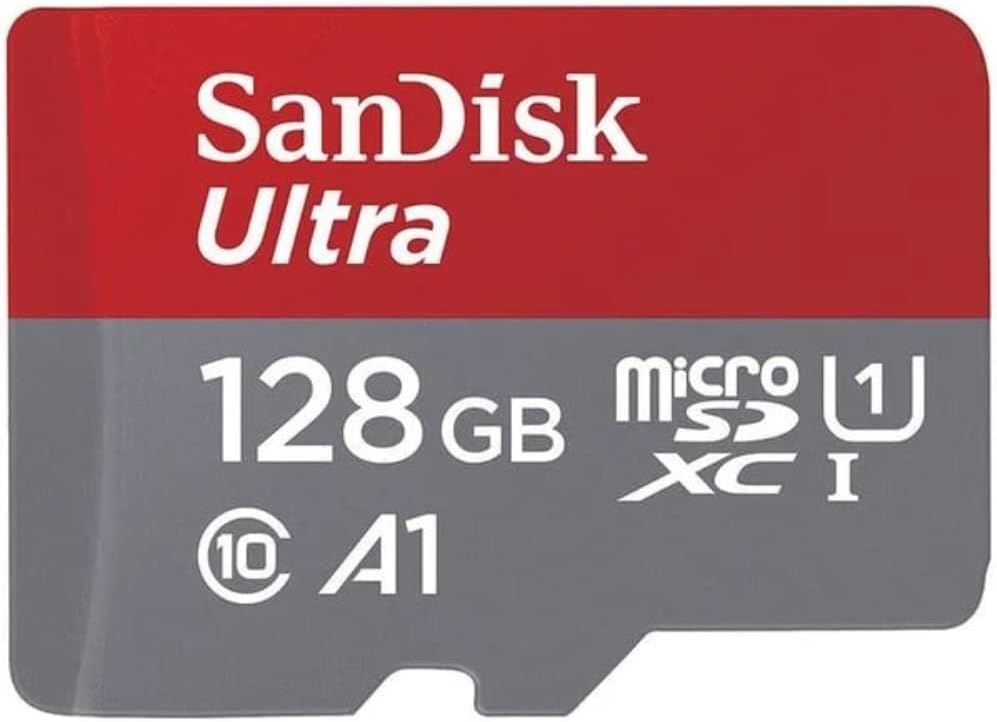
SanDisk Ultra microSD

The SanDisk Ultra is the budget staple for expanding phone or tablet storage with photos, music, and apps. It is widely available, very affordable, and offered in capacities up to a full terabyte. The lower U1 and A1 ratings mean it is not the card for demanding 4K video, but for everyday media it is plenty. When you just need cheap reliable space, the Ultra fits the bill.

Capacity
128GB to 1TB
Speed Class
U1 A1
Read
Up to 150 MB per second
Type
microSDXC

What we liked

  • Very affordable storage
  • Huge capacity options
  • Fine for photos and media
  • Widely available

Worth noting

  • Only A1 and U1 rated
  • Not suited to high bitrate video
10Best Budget for Gaming

Lexar Play

The Lexar Play is aimed squarely at handheld gamers who want big affordable capacity for their game libraries. Its A2 rating helps games and apps launch quickly, which is what matters most on a console. Sequential speeds are modest, but gaming rarely needs more. For stretching a budget across a large game collection, it is a sensible pick.

Capacity
128GB to 1TB
Speed Class
U3 A2
Read
Up to 150 MB per second
Type
microSDXC

What we liked

  • Tuned for game loading
  • Affordable large capacities
  • A2 random performance
  • Good handheld value

Worth noting

  • Sequential speeds are modest
  • Writes trail premium cards

How to Read a microSD Card

Best microSD Cards in 2026

No product category buries its specifications in cryptic symbols quite like microSD cards. A single card can display half a dozen tiny logos, each describing a different aspect of performance, and understanding them is the key to buying the right card. The most important ratings fall into three groups. The UHS speed class, shown as U1 or U3, indicates the minimum sustained write speed, with U3 guaranteeing at least 30 MB per second. The video speed class, shown as V30 or higher, also describes sustained write performance specifically for video recording. The application performance class, shown as A1 or A2, describes random read and write performance for running apps and games.

For most demanding uses in 2026, you want a card rated U3, V30, and A2. That combination ensures the card can sustain the write speeds needed for 4K video while also handling the random operations that make apps and games load quickly. The big read speed numbers manufacturers advertise on the front of the package describe peak sequential reads, which look impressive but matter less than the sustained ratings for most real workloads. When in doubt, prioritize the U3, V30, and A2 ratings over the headline read figure.

Matching the Card to Your Device

The right microSD card depends heavily on what you plug it into, because different devices stress storage in different ways. Action cameras and drones demand sustained write performance to capture high bitrate 4K video without dropping frames, which makes U3 and V30 ratings essential. Cards like the SanDisk Extreme Pro and Samsung Pro Ultimate are built for exactly this and hold their write speeds reliably under the pressure of continuous recording.

Handheld game consoles, by contrast, care far more about random read performance than sustained writes, because they spend most of their time loading game assets rather than recording. This is where the A2 rating earns its keep, helping games and apps launch quickly. Cards like the Lexar Professional 1066x and Lexar Play are tuned with handhelds in mind. Phones and tablets sit somewhere in the middle, benefiting from A2 performance for apps but rarely needing the fastest sustained writes unless you shoot a lot of high resolution video. For those everyday uses, value cards like the Samsung Evo Select strike the right balance.

The Counterfeit Problem

There is no polite way to say it. The microSD market has a serious counterfeit problem, and popular high end cards are the most frequently faked. A counterfeit card might report a large capacity to your device while actually containing far less flash, leading to corrupted files and lost data once you exceed the real capacity. Others use slow, low quality flash dressed up with a premium brand label, delivering a fraction of the advertised speed. This is one product category where where you buy matters as much as what you buy.

Protecting yourself is straightforward if you stay disciplined. Buy from reputable, established retailers rather than unknown third party marketplace sellers offering suspiciously low prices. If a deal on a premium card looks too good to be true, it almost certainly is. Inspect the packaging for printing quality and authenticity features. After your card arrives, run a free capacity verification tool that writes and reads back test data across the entire card to confirm it actually holds the storage it claims. A few minutes of verification can save you from discovering a fake only after it eats an irreplaceable batch of photos.

Understanding Capacity Options

MicroSD capacities have climbed dramatically, with 1TB cards now widely available and affordable. Choosing the right capacity comes down to your device and your usage. For phones storing photos, music, and apps, anywhere from 128GB to 512GB usually suffices for most people, and value cards make those sizes inexpensive. For 4K video recording, larger capacities fill faster than you might expect, so 256GB or more is wise for serious shooters. For handheld gaming, modern game installs are large enough that 512GB or 1TB cards are increasingly the comfortable choice for a full library.

One important caveat concerns device compatibility with the largest cards. While most modern devices support high capacity microSDXC cards including 1TB sizes, some older hardware caps out lower. Before buying a 1TB card, check your device documentation for its maximum supported capacity. Current cameras, drones, and handheld consoles generally handle the largest cards without trouble, but an older phone or camera might not recognize anything above a certain size. When buying for an older device, confirm compatibility first to avoid disappointment.

Speed in Practice Versus on the Box

The read speeds printed in large type on microSD packaging describe ideal peak sequential reads measured in a fast card reader. In real use, especially writing to the card or using it inside a device rather than a premium reader, you will see lower numbers. This is not deception so much as the difference between best case and typical case. What matters is that the card meets its rated minimum sustained speeds, indicated by the U3, V30, and A2 logos, because those guarantees determine whether it can keep up with demanding tasks like 4K recording.

In our testing, the difference between a 180 MB per second card and a 200 MB per second card is rarely noticeable in actual device use, while the difference between a U3 card and a slower U1 card is dramatic for video recording. This is why we weight the speed class ratings heavily in our scoring rather than chasing the highest advertised read number. A card like the Samsung Pro Plus that pairs strong real world speed with solid sustained ratings will serve you far better than a card that posts a flashy peak number but cannot sustain it. Focus on the guaranteed minimums, not the marketing maximum.

Durability and Reliability

MicroSD cards live hard lives. They go into drones that crash, action cameras that get dunked, and pockets that go through the wash. Fortunately, the better cards are built to survive this abuse. Premium cards from Samsung and SanDisk advertise resistance to water, extreme temperatures, drops, magnets, and X rays, often summarized as multi proof protection. For anyone using a card in demanding outdoor or travel conditions, this durability is worth paying a little more for, because a card failure in the field can mean losing footage you cannot recapture.

Reliability also comes down to the quality of the flash and the controller, which is why sticking with established brands pays off. The cards on this list come from manufacturers with proven track records and meaningful warranties, so a defective card gets replaced rather than leaving you stranded. Cheap no name cards may save a few dollars up front but carry far higher failure rates and offer little recourse when they fail. Given that the card holds your photos, videos, and game saves, the small premium for a trusted brand is cheap insurance.

Card Readers and Transfer Speeds

A fast microSD card is only as quick as the reader you use to offload it, a detail many people overlook. If you copy files from a card using a slow built in laptop slot or a cheap USB reader, you may never see the speeds the card is capable of. To get the most out of a premium card like the Samsung Pro Ultimate or SanDisk Extreme Pro, pair it with a quality UHS capable card reader connected to a fast USB port. The difference when offloading a full card of 4K footage can be substantial, turning a long wait into a quick transfer.

When buying a reader, look for one that supports the UHS interface your cards use and connects over a fast USB C port. Some readers handle multiple card types, which is handy if you also shoot with full size SD cards. For the cards in this roundup, which use the UHS-I interface, a good UHS-I reader unlocks their full read speed. Inside a device such as a camera or handheld, transfer and recording speeds are governed by that device hardware rather than a reader, which is another reason the sustained speed class ratings matter more than peak reads. Match your reader to your cards and you avoid an invisible bottleneck.

Caring for Your Cards

MicroSD cards are tiny and easy to lose or damage, so a little care extends their life and protects your data. Always eject or unmount a card properly before pulling it from a device or reader, since removing it mid write can corrupt files or the card file system. Keep cards in a protective case when not in use rather than loose in a pocket where they can be bent, soaked, or lost. The multi proof durability of premium cards helps, but no card benefits from being treated carelessly.

Formatting is another good habit. Rather than simply deleting files, periodically format the card in the device that will use it, which keeps the file system clean and matched to that device. Many cameras and handhelds include a format option in their settings for exactly this purpose. Avoid filling a card completely to the last byte, as leaving a little headroom helps performance and reduces the chance of write errors during recording. With proper handling, a quality microSD card will reliably serve through years of shooting and gaming, but treat it as one copy of important media rather than permanent storage, and back up irreplaceable files elsewhere.

Picking the Right Card

For the broadest set of users, the Samsung Pro Plus is the easy recommendation, balancing speed, capacity, durability, and price beautifully. Demanding shooters who want the fastest reliable card should step up to the Samsung Pro Ultimate or SanDisk Extreme Pro. Action camera and drone users will find both SanDisk Extreme cards dependable for high bitrate video, with the standard Extreme offering better value. Handheld gamers should look at the Lexar Professional 1066x for its strong random performance.

Value seekers have excellent choices in the Samsung Evo Select and Kingston Canvas Go Plus, both offering reliable everyday performance for less. Budget shoppers can stretch their money with the PNY Pro Elite Prime, the SanDisk Ultra for basic phone storage, or the Lexar Play for affordable handheld gaming capacity. Whatever you choose, match the card ratings to your device and always buy from a reputable seller to avoid counterfeits.

Final Thoughts

The microSD market in 2026 offers genuinely good cards for every device and budget, but it demands a more careful buyer than most categories because of the speed rating maze and the prevalence of fakes. Learn to read the U3, V30, and A2 logos, prioritize them over the headline read speed, and match the card to how your device actually uses storage. Buy from a trusted retailer, verify capacity on arrival, and choose a reputable brand for the reliability that protects your data. Do that and any card on this list will serve you well. If you only remember one name, make it the Samsung Pro Plus, the all around best pick, with the Samsung Evo Select as the value alternative.

How we picked

We measured each card with sustained read and write tests plus burst and 4K video recording trials to see whether it holds its rated speed in practice. Scoring weighs real world throughput, speed class ratings, capacity range, durability, warranty, and price per gigabyte. Every card was tested in card readers and in target devices like cameras and handhelds.

Frequently asked questions

What do the speed class ratings on a microSD card mean?

Several ratings appear on cards. U1 and U3 indicate minimum sustained write speed of 10 and 30 MB per second. V30 means video recording up to 30 MB per second sustained. A1 and A2 indicate random performance for running apps, with A2 being faster. For 4K video and handheld gaming, look for U3, V30, and A2.

How do I avoid buying a counterfeit microSD card?

Counterfeits are common for popular cards. Buy from reputable retailers rather than unknown marketplace sellers, be suspicious of prices that seem too good to be true, and check the packaging carefully. After purchase, you can run a capacity verification tool to confirm the card holds the storage it claims.

What does the A2 rating actually help with?

A2 indicates better random read and write performance, which matters most when the card runs applications or games rather than just storing media. On handheld consoles and phones that install apps to the card, an A2 rating makes a noticeable difference in load times. For pure video or photo storage, A1 is often sufficient.

Can I use a 1TB microSD card in any device?

Most modern devices support high capacity microSDXC cards including 1TB sizes, but older hardware may not. Check your device documentation for the maximum supported capacity before buying a large card. Cameras, drones, and current handhelds generally handle the largest cards without issue.

Which card should I buy for 4K video recording?

For reliable 4K capture, choose a card rated at least U3 and V30, such as the Samsung Pro Plus or SanDisk Extreme Pro. These guarantee the sustained write speed needed to avoid dropped frames. Lower rated cards like a U1 Ultra are fine for photos and casual use but can struggle with high bitrate 4K.