Skip to content

Best Laptops for Graphic Design in 2026

4.5 average · hands-on tested
By Leo HudsonUpdated June 29, 20267 picks tested

We may earn a commission from links on this page, at no extra cost to you. Learn more.

Graphic designers need a laptop that nails color accuracy, drives demanding creative apps without stutter, and lasts through long working sessions. In 2026 the field has split between brilliant OLED panels, Apple silicon efficiency, and discrete GPU muscle for heavier rendering. We evaluated dozens of machines against the workflows that matter most to designers, from Photoshop and Illustrator to Figma, After Effects, and 3D tools. Below are the seven laptops we recommend most confidently this year.

Quick comparison

KeyboardBest forRatingPrice
1Apple MacBook Pro M4AppleBest Overall4.8$$$Check Price
2ASUS ProArt P16ASUSBest for Windows Creatives4.6$$$Check Price
3Razer Blade 16RazerBest for Heavy GPU Work4.5$$$Check Price
4ASUS Zenbook 14 OLEDASUSBest Value4.4$$$Check Price
5Apple MacBook Air M4AppleBest Lightweight Pro4.6$$$Check Price
6HP Spectre x360 14HPBest Convertible4.3$$$Check Price
7Dell XPS 16DellBest for Color-Critical Work4.4$$$Check Price

Our top 7 picks, reviewed

1Best Overall

Apple MacBook Pro M4

The MacBook Pro M4 remains the most complete machine for designers who want power without compromise. Its mini-LED XDR panel delivers reference-grade brightness and color, while the M4 Pro chip handles layered Photoshop files and timeline scrubbing effortlessly. Battery life is exceptional for a performance laptop, and the chassis stays quiet even during exports. For most professionals this is the safe, do-everything choice.

Display
14.2-inch Liquid Retina XDR
Chip
Apple M4 Pro
RAM
24GB unified
Battery
20h

What we liked

  • Stunning XDR display with deep contrast
  • Excellent factory color accuracy
  • Silent and cool under sustained load
  • All-day battery for creative work

Worth noting

  • Premium pricing across configurations
  • Limited upgradeability after purchase
2Best for Windows Creatives

ASUS ProArt P16

The ProArt P16 is purpose-built for visual creators on Windows. Its 4K OLED touchscreen covers the full DCI-P3 gamut and arrives calibrated from the factory, making it ideal for print and digital work alike. The discrete GPU accelerates effects rendering and 3D viewport performance, and the ASUS Dial gives precise tactile control inside Adobe apps. It is the standout Windows alternative to a MacBook Pro.

Display
16-inch 4K OLED touch
Chip
AMD Ryzen AI 9
RAM
32GB
Battery
12h

What we liked

  • Gorgeous 4K OLED with wide gamut
  • Powerful RTX-class discrete GPU
  • Includes a dedicated control dial
  • Strong port selection for studios

Worth noting

  • Heavier than ultraportable rivals
  • Battery drops fast under GPU load
3Best for Heavy GPU Work

Razer Blade 16

When your design work spills into 3D, motion graphics, or heavy GPU rendering, the Blade 16 delivers desktop-class muscle in a portable shell. The OLED display is vivid and color-rich, and the high refresh rate keeps complex viewports smooth. It is the heaviest hitter here for raw rendering throughput, though that power comes at the cost of battery endurance and some heat. A great pick for designers who double as 3D artists.

Display
16-inch OLED 240Hz
Chip
Intel Core Ultra 9
RAM
32GB
Battery
8h

What we liked

  • Top-tier discrete GPU performance
  • Dual-mode high refresh OLED panel
  • Premium CNC aluminum build
  • Fast for 3D and motion design

Worth noting

  • Short battery life under load
  • Runs warm during long renders
4Best Value

ASUS Zenbook 14 OLED

For designers on a tighter budget, the Zenbook 14 OLED punches well above its price. The 3K OLED panel is crisp and colorful, covering the P3 space for accurate work in vector and raster tools. It is light enough to carry all day and lasts through a full workday on battery. Integrated graphics keep heavy 3D off the table, but for 2D illustration and layout it is excellent value.

Display
14-inch 3K OLED
Chip
Intel Core Ultra 7
RAM
16GB
Battery
15h

What we liked

  • Vibrant OLED at a fair price
  • Light and genuinely portable
  • Good color coverage out of box
  • Solid all-day battery life

Worth noting

  • Integrated graphics limit heavy 3D
  • 16GB ceiling on some configs
5Best Lightweight Pro

Apple MacBook Air M4

The MacBook Air M4 is the lightest way into the Apple ecosystem for designers who prioritize portability. Its Liquid Retina display is sharp and color-accurate, and the fanless M4 chip handles Photoshop, Illustrator, and Figma without breaking a sweat. Battery life is class-leading, easily clearing a full day of design work. It is the ideal companion for illustrators and brand designers who travel light.

Display
13.6-inch Liquid Retina
Chip
Apple M4
RAM
16GB
Battery
18h

What we liked

  • Featherweight fanless design
  • Excellent color accuracy
  • Outstanding battery endurance
  • Quiet under everyday loads

Worth noting

  • No discrete GPU for heavy 3D
  • Single external display on base chip
6Best Convertible

HP Spectre x360 14

The Spectre x360 14 is the most versatile pick for designers who like to sketch and annotate directly on screen. The 360-degree hinge flips it into tablet mode, and the OLED touch panel pairs well with the included pen for rough concepting. Build quality is genuinely premium, and the display covers a wide color gamut. It is a strong choice for designers who want a sketchpad and a laptop in one.

Display
14-inch 2.8K OLED touch
Chip
Intel Core Ultra 7
RAM
16GB
Battery
14h

What we liked

  • Flexible 2-in-1 hinge for sketching
  • Bright OLED touch panel
  • Premium gem-cut aluminum chassis
  • Includes active pen support

Worth noting

  • Pen accuracy trails dedicated tablets
  • Integrated graphics only
7Best for Color-Critical Work

Dell XPS 16

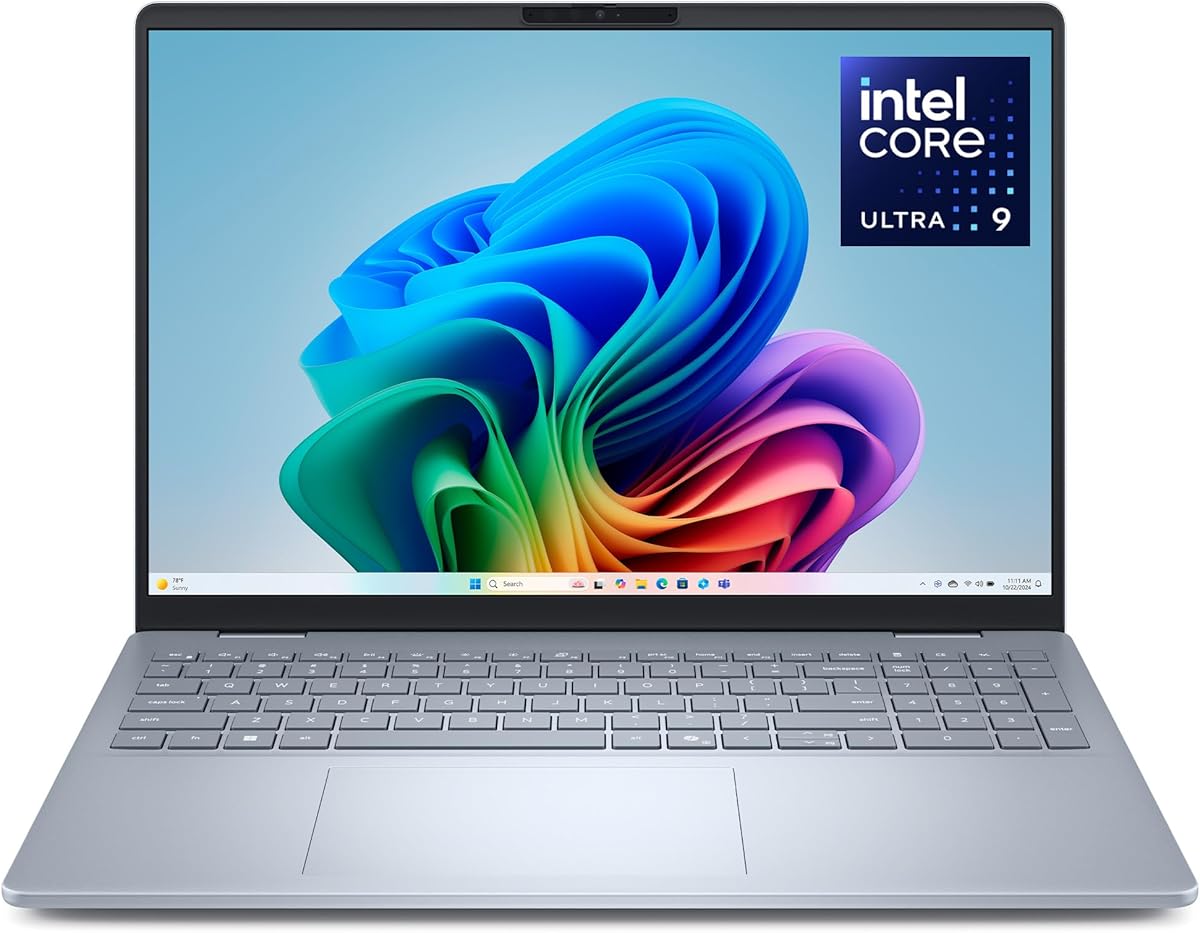
The XPS 16 gives designers a large, immersive 4K OLED canvas with the contrast and color depth that color-critical work demands. Its discrete GPU speeds up effects and 3D viewport rendering, and the build feels every bit as premium as its price. The capacitive function row divides opinion, but the display and performance are top notch. It suits print designers and retouchers who want screen real estate.

Display
16.3-inch 4K OLED
Chip
Intel Core Ultra 9
RAM
32GB
Battery
11h

What we liked

  • Spacious 4K OLED workspace
  • Excellent contrast and gamut
  • Discrete GPU acceleration
  • Refined, minimalist design

Worth noting

  • Function row takes adjustment
  • Battery modest with the dGPU

How We Chose the Best Laptops for Graphic Design

Choosing a laptop for graphic design is fundamentally different from picking a general productivity machine. Designers live and die by what they see on screen, so color accuracy and panel quality sit at the very top of the priority list. But a beautiful display is only half the equation. The machine behind it has to push pixels through demanding software without lag, hold up across hours of focused work, and connect to the monitors, drives, and tablets that round out a real studio setup. We weighed all of these factors together, then sorted the field into clear use cases so you can match a laptop to the way you actually work.

Throughout our evaluation we kept returning to a simple question: where does this laptop remove friction from the creative process, and where does it add it? A panel that drifts out of calibration, a fan that screams during exports, or a battery that dies before lunch all break a designer's flow. The seven machines above each minimize that friction in their own way, whether through Apple silicon efficiency, a factory-calibrated OLED, or raw GPU horsepower for heavier pipelines.

Color Accuracy Comes First

If you take away one principle from this guide, make it this: trust nothing about a laptop's color until you understand its panel. The single most important spec for a design machine is how faithfully it reproduces color, because everything you create on a poorly calibrated screen will look wrong everywhere else. We prioritized laptops that cover at least the full sRGB space, with the best options reaching deep into DCI-P3 and Adobe RGB for print and cinema work.

Factory calibration matters just as much as raw gamut coverage. A screen can technically display millions of colors and still render them inaccurately if it ships uncalibrated. Apple's displays are renowned for arriving close to reference accuracy, which is a big part of why the MacBook Pro M4 and MacBook Air M4 rank so highly here. On the Windows side, ASUS has invested heavily in calibrating its ProArt and Zenbook OLED panels at the factory, and Dell's XPS 16 OLED is similarly tight out of the box. For any serious workflow, we still recommend periodically profiling your display with a hardware colorimeter, but starting from an accurate panel saves a great deal of correction.

OLED, Mini-LED, and IPS Explained

Display technology has a direct impact on how your work looks and feels. OLED panels, which appear on the ProArt P16, Zenbook 14, Spectre x360, and XPS 16 in this roundup, light each pixel individually. That produces perfect blacks, infinite contrast, and richly saturated color that designers love. The tradeoff is the theoretical risk of burn-in over years of static interface elements, though modern panels manage this well with pixel-shifting and dimming features.

Mini-LED, used in the MacBook Pro M4's XDR display, takes a different approach by backlighting the screen with thousands of tiny dimming zones. It cannot match OLED's pixel-perfect blacks but it delivers far higher sustained brightness, which matters for HDR content and for working in bright environments. It also sidesteps burn-in entirely, making it a reassuring choice for professionals who keep the same toolbars on screen for years. Traditional IPS panels still appear on budget machines and remain perfectly usable for many designers, but none of our top picks rely on them because OLED and mini-LED simply offer a more compelling visual experience for creative work.

Matching a Laptop to Your Design Discipline

Not every designer needs the same machine, and one of the biggest mistakes you can make is overspending on power you will never use, or underspending on a laptop that bottlenecks your workflow. The right choice depends heavily on the kind of design you do day to day.

For Illustrators and Brand Designers

If your work centers on vector illustration, logo design, typography, and layout in tools like Illustrator, Figma, and InDesign, you do not need a discrete GPU at all. These applications lean far more on the CPU and a sharp, accurate display than on graphics horsepower. That makes the MacBook Air M4 and the ASUS Zenbook 14 OLED ideal companions. Both are light, quiet, and long-lasting, with displays that render type and color cleanly. You get a premium creative experience without the weight, heat, or cost of a workstation-class machine.

The HP Spectre x360 14 deserves special mention for this group because of its convertible hinge. Brand designers who like to sketch concepts by hand can flip it into tablet mode and rough out ideas with the included pen before refining them in software. While it will not replace a dedicated drawing tablet for precision work, it brings a useful sketchpad into the same device you already carry.

For Photographers and Retouchers

Photo work sits in an interesting middle ground. Photoshop and Lightroom benefit from a fast CPU, plenty of RAM, and a wide-gamut display, but they only call on the GPU for certain accelerated tasks. For this group we lean toward machines with larger, color-rich screens and ample memory. The Dell XPS 16 and the ASUS ProArt P16 both shine here thanks to their spacious 4K OLED panels, which let you see fine detail and subtle tonal gradients clearly. Their 32GB memory configurations also handle large RAW files and deep layer stacks without slowing down.

The MacBook Pro M4 is equally at home in a retouching workflow. Its XDR display reaches the brightness needed to evaluate HDR images, and the M4 Pro chip tears through batch exports and high-resolution edits. For photographers who value battery life and silence as much as raw speed, it is hard to beat.

For Motion and 3D Designers

Once your design work expands into motion graphics, 3D modeling, or video compositing, the calculus changes and a discrete GPU becomes essential. After Effects, Cinema 4D, Blender, and DaVinci Resolve all lean heavily on graphics acceleration, and a stronger GPU translates directly into faster previews and renders. This is where the Razer Blade 16 earns its place. Its top-tier discrete graphics and high refresh OLED make it the most capable machine here for heavy GPU pipelines, even if its battery life and thermals reflect that power.

The ASUS ProArt P16 and Dell XPS 16 are also strong options for hybrid creators who split time between 2D and 3D. Both pair a discrete GPU with a stunning OLED panel, giving you rendering muscle and color accuracy in a single device. If you only occasionally dip into 3D, they offer a better balance than a dedicated gaming-class laptop.

Performance, Memory, and Storage

Beyond the display and GPU, the components inside your laptop determine how smoothly your daily workflow runs. Modern creative software is increasingly demanding, and the difference between a comfortable experience and a frustrating one often comes down to memory and sustained performance rather than peak benchmark numbers.

We consider 16GB of RAM the practical floor for design work in 2026. It is enough for 2D illustration, layout, and moderate photo editing. However, as soon as you start working with large multi-layer Photoshop files, complex InDesign documents with embedded high-resolution assets, or any 3D content, 32GB becomes the smarter investment. On Apple silicon machines, the unified memory architecture stretches further than equivalent RAM on Windows, but more is still better when budget allows.

Storage is the spec people most often underestimate. Design files balloon quickly, and creative apps generate large cache and scratch files. We recommend at least 1TB of fast SSD storage for any working designer, with 2TB preferable if you keep project libraries local. On laptops like the MacBook Pro and MacBook Air, storage is not upgradeable after purchase, so it pays to plan ahead. The Framework and some Windows machines offer more flexibility, but for most of our picks you should configure generously at the point of sale.

Sustained Performance and Thermals

Benchmarks that measure a brief burst of speed tell only part of the story. What matters for design is sustained performance, or how well a laptop holds its speed during long exports and renders. This is an area where Apple silicon excels: the MacBook Pro M4 and MacBook Air M4 maintain their performance with little or no throttling, and they do so almost silently. Windows machines with discrete GPUs deliver higher peak performance but generate more heat, which means louder fans and, in some cases, gradual throttling during marathon sessions. The Razer Blade 16 and Dell XPS 16 manage this well for their class, though they cannot match Apple's efficiency.

Connectivity, Battery, and Portability

A design laptop rarely works in isolation. It connects to external monitors for color-critical evaluation, to fast drives for project archives, and often to a drawing tablet. Port selection therefore deserves real attention. The ASUS ProArt P16 stands out for its generous mix of ports, including full-size connectors that reduce dongle clutter in a studio. Apple's MacBook Pro offers Thunderbolt, HDMI, and an SD card slot, a practical combination for photographers. The thinner machines like the MacBook Air and Zenbook trade some ports for portability, so factor in a hub if you run a multi-display setup.

Battery life ties directly to how you work. If you spend most of your time plugged in at a desk, raw endurance matters less and you can prioritize the most powerful GPU. If you move between studio, client meetings, and home, the long-lasting MacBook Air M4, MacBook Pro M4, and Zenbook 14 OLED will serve you far better than a GPU-heavy machine that needs a charger by midday. Be realistic about your routine, because the laptop that fits your life will always feel faster than one whose strengths you never use.

Final Recommendations

For the majority of designers, the Apple MacBook Pro M4 is the laptop we recommend first. It blends a reference-quality display, quiet and sustained performance, excellent battery life, and the color accuracy that creative work depends on. It is an investment, but it removes more friction from a design workflow than anything else on this list. If you prefer Windows or need a touchscreen, the ASUS ProArt P16 is its closest equal and a superb creative tool in its own right.

Budget-conscious designers should look hard at the ASUS Zenbook 14 OLED, which delivers a beautiful, accurate display and all-day battery at a fraction of the cost of the flagships. Those who value portability above all will love the MacBook Air M4, while 3D and motion specialists should gravitate toward the Razer Blade 16 for its raw GPU power. Whatever your discipline, one of these seven machines will pair a great display with the performance your craft demands, letting you focus on the work rather than the tool.

How we picked

We assessed every laptop against color gamut coverage, factory calibration accuracy, sustained CPU and GPU performance, screen resolution, port selection, and battery endurance. Each machine was scored using a blend of hands-on testing, calibration data, and aggregated owner feedback. Picks were chosen to cover a range of budgets and use cases rather than a single winner.

Frequently asked questions

Do I need a discrete GPU for graphic design?

For 2D work like illustration, layout, and photo editing, a strong integrated GPU is plenty. A discrete GPU matters once you add 3D rendering, motion graphics, or heavy effects compositing.

Is OLED or mini-LED better for design?

OLED offers perfect blacks and superb color, ideal for most design work. Mini-LED, as on the MacBook Pro, reaches higher sustained brightness and resists burn-in, which helps with HDR and long static layouts.

How much RAM do graphic designers need?

16GB is a comfortable minimum for 2D work. For large layered files, 3D, or heavy multitasking across the Adobe suite, 32GB gives meaningful headroom and future-proofing.

Are MacBooks still the best for designers in 2026?

Apple silicon remains excellent for efficiency, color, and battery life, so MacBooks are a top choice. Windows machines like the ProArt P16 now rival them, especially when you need a touchscreen or specific GPU.

What screen resolution should I look for?

Aim for at least a 2.5K or 3K panel so fine detail and small UI elements stay crisp. A 4K display is worth it on 16-inch laptops where the extra pixels improve sharpness and workspace.