Best CPU Coolers for the Ryzen 7 9800X3D in 2026
We may earn a commission from links on this page, at no extra cost to you. Learn more.
The Ryzen 7 9800X3D is one of the most efficient gaming chips ever made, but its stacked 3D V-Cache concentrates heat in a way that rewards a cooler with strong contact pressure and good fin density. The good news is that you do not need a flagship 420mm radiator to keep it happy, and many builders get excellent results from a twin-tower air cooler. In this roundup we rank seven coolers that pair well with the 9800X3D across air and liquid designs. Each pick balances peak temperatures, acoustics, AM5 mounting quality, and price so you can match a cooler to your case and budget.
Quick comparison
| Keyboard | Best for | Rating | Price | |
|---|---|---|---|---|
| 1Thermalright Phantom Spirit 120 SEThermalright | Best Overall | 4.7 | $$$ | Check Price |
| 2Arctic Liquid Freezer III 360Arctic | Best AIO | 4.7 | $$$ | Check Price |
| 3Noctua NH-D15 G2Noctua | Best Premium Air | 4.8 | $$$ | Check Price |
| 4Thermalright Peerless Assassin 120 SEThermalright | Best Value Air | 4.6 | $$$ | Check Price |
| 5Noctua NH-U12ANoctua | Best Single-Tower | 4.5 | $$$ | Check Price |
| 6be quiet! Dark Rock Pro 5be quiet! | Best Quiet Air | 4.6 | $$$ | Check Price |
| 7NZXT Kraken 360NZXT | Best Compact AIO | 4.4 | $$$ | Check Price |
Our top 7 picks, reviewed
Thermalright Phantom Spirit 120 SE
The Phantom Spirit 120 SE remains the value champion for the 9800X3D, delivering near-flagship air cooling at a budget price. Its seven heatpipes and dual 120mm fans tame the chip easily during gaming and hold their own under heavy all-core work. The AM5 bracket is sturdy and contact pressure is excellent, which matters for the X3D cache. For most builders this is all the cooler you will ever need.
- Type
- Air
- Size
- 157mm height
- Socket
- AM5 LGA1700 LGA1851
- Fans
- Dual 120mm
What we liked
- Outstanding cooling for the price
- Quiet under typical gaming loads
- Solid AM5 mounting hardware
- Compact dual-tower footprint
Worth noting
- Tall enough to block tall RAM in some layouts
- No RGB on the base model
Arctic Liquid Freezer III 360
If you prefer liquid cooling, the Liquid Freezer III 360 is the obvious choice for the 9800X3D. It pairs a thick radiator with strong static-pressure fans and adds a small VRM fan on the pump block. Temperatures sit far below the chip's thermal ceiling even in warm rooms. The five-year warranty and contact-frame mount make it a reliable long-term pick.
- Type
- AIO
- Size
- 360mm radiator
- Socket
- AM5 LGA1700 LGA1851
- Fans
- Triple 120mm
What we liked
- Best-in-class thermals per dollar
- Integrated VRM fan helps the socket
- Very low noise at idle
- Excellent five-year warranty
Worth noting
- Thick radiator needs case planning
- Cable management can be fiddly
Noctua NH-D15 G2
The NH-D15 G2 is the king of air cooling and overkill for the 9800X3D in the best way. Its redesigned heatsink and next-generation 140mm fans deliver flagship temperatures while staying remarkably quiet. The offset mount is optimized for AM5 hotspots, which suits the X3D cache layout. You pay a premium, but you get a cooler that will outlast several CPU upgrades.
- Type
- Air
- Size
- 168mm height
- Socket
- AM5 LGA1700 LGA1851
- Fans
- Dual 140mm
What we liked
- Class-leading air cooling performance
- Whisper-quiet NF-A14x25 G2 fans
- Refined offset AM5 mounting
- Backed by six-year warranty
Worth noting
- Large footprint can crowd the first PCIe slot
- Premium price for an air cooler
Thermalright Peerless Assassin 120 SE
The Peerless Assassin 120 SE built Thermalright's reputation and still punches well above its price. For the cool-running 9800X3D it offers ample headroom with quiet operation and a no-nonsense install. It trails the Phantom Spirit by a hair but often costs even less. This is the safe budget recommendation for an AM5 gaming rig.
- Type
- Air
- Size
- 155mm height
- Socket
- AM5 LGA1700 LGA1851
- Fans
- Dual 120mm
What we liked
- Excellent cooling at a low price
- Quiet dual-fan configuration
- Easy AM5 installation
- Reliable and widely available
Worth noting
- Slightly behind the Phantom Spirit
- Plain aesthetic without lighting
Noctua NH-U12A
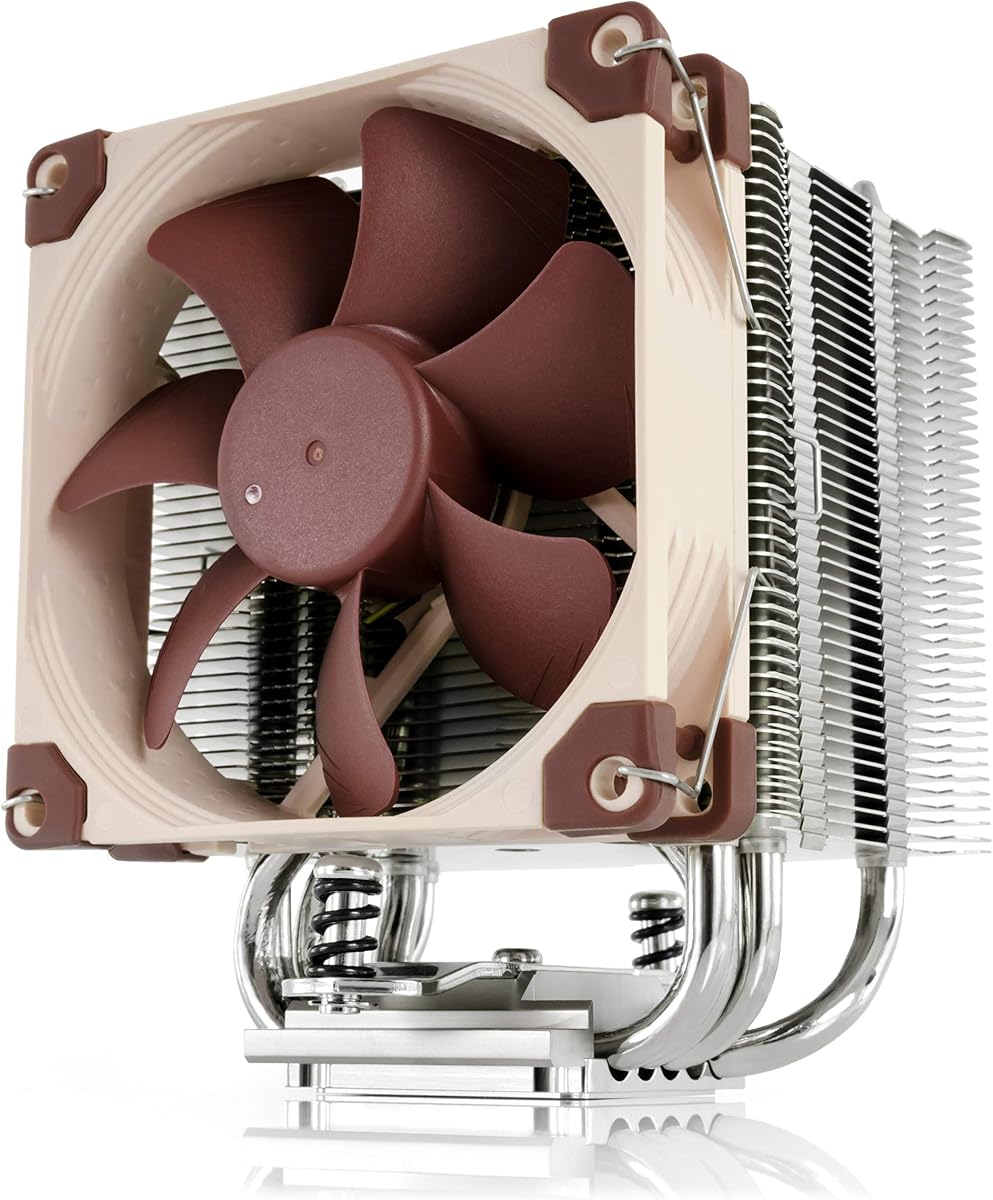
The NH-U12A packs remarkable cooling into a single 120mm tower, making it ideal for the cool-running 9800X3D where a giant dual tower would be overkill. Its dense fin stack and two excellent NF-A12 fans let it punch well above its compact size while staying quiet. Generous clearance keeps the RAM slots and first PCIe slot free. It is the premium single-tower choice for a tidy AM5 build.
- Type
- Air
- Size
- 158mm height
- Socket
- AM5 LGA1700 LGA1851
- Fans
- Dual 120mm NF-A12
What we liked
- Compact footprint with great clearance
- Cooling that rivals larger towers
- Quiet NF-A12x25 fans
- Top-tier build and warranty
Worth noting
- Costs more than budget single towers
- Less peak headroom than a dual tower
be quiet! Dark Rock Pro 5
For builders who prize silence, the Dark Rock Pro 5 is hard to beat. Its Silent Wings fans and dense fin stack keep the 9800X3D cool while barely registering on a noise meter. The all-black design and refined mounting make it a centerpiece in a windowed case. It costs more than budget towers but delivers a noticeably quieter experience.
- Type
- Air
- Size
- 168mm height
- Socket
- AM5 LGA1700 LGA1851
- Fans
- 135mm plus 120mm
What we liked
- Among the quietest coolers available
- Premium black finish and build
- Improved tool-friendly mounting
- Strong sustained cooling
Worth noting
- Bulky and heavy
- Higher price than budget towers
NZXT Kraken 360
The Kraken 360 offers a polished liquid-cooling experience with an attractive infinity-mirror pump cap. It keeps the 9800X3D comfortably cool while remaining quiet in daily use. NZXT's CAM software handles fan and pump curves with ease once configured. It costs more than the Arctic unit but rewards you with cleaner aesthetics and tidy cabling.
- Type
- AIO
- Size
- 360mm radiator
- Socket
- AM5 LGA1700 LGA1851
- Fans
- Triple 120mm
What we liked
- Clean pump block with infinity mirror
- Quiet and easy to install
- Good software fan control
- Strong thermals for gaming
Worth noting
- Pricier than the Arctic alternative
- Software required for full features
How to Cool the Ryzen 7 9800X3D
The Ryzen 7 9800X3D sits at the heart of countless 2026 gaming builds, and for good reason. It pairs eight Zen 5 cores with a generous slab of stacked 3D V-Cache, and the result is a chip that often beats far more expensive processors in games. What makes it especially interesting from a cooling standpoint is its efficiency. Under a typical gaming load the 9800X3D draws modest power, which means it rarely pushes a competent cooler anywhere near its limit. The catch is that the 3D V-Cache layer changes how heat moves through the die, concentrating thermal density in a way that rewards good mounting pressure and a cooler that can pull heat away quickly.
That nuance is why this roundup leans on contact quality and fin density rather than raw radiator size. You can absolutely overspend here, bolting a 420mm liquid cooler onto a chip that would be perfectly comfortable under a sixty-dollar air tower. The smarter approach is to match the cooler to your case, your acoustic preferences, and your aesthetic goals. Below we break down everything you need to know to choose confidently, from air versus liquid trade-offs to clearance gotchas that catch first-time builders off guard.
Why the 9800X3D Is Easier to Cool Than You Think
A common misconception is that any X3D chip runs blazing hot and needs exotic cooling. The reality is more nuanced. The 9800X3D's predecessor placed the cache on top of the cores, which trapped heat under that cache layer and made it harder to cool. The 9800X3D flips this arrangement, putting the compute dies on top and the cache below. That single design change dramatically improves thermal transfer to the heat spreader, so the chip dissipates heat far more readily than the previous generation.
In practice this means a strong air cooler is genuinely sufficient. During gaming, where the 9800X3D spends most of its life, package power stays low and temperatures remain comfortable even on midrange coolers. It is only in sustained all-core workloads, such as rendering or heavy compilation, that the chip stretches its legs and pushes more heat. Even then, a quality twin-tower air cooler or a 240mm-plus AIO keeps things well in check. The takeaway is simple: you have flexibility, and you should spend your budget where it gives you the most value.
Air Versus Liquid for This Chip
The air-versus-liquid debate is mostly settled for the 9800X3D, and the answer is that both work beautifully. The decision comes down to priorities. Air coolers like the Thermalright Phantom Spirit 120 SE and the Noctua NH-D15 G2 are simple, reliable, and have no pump to fail. They cost less for a given level of performance and require essentially zero maintenance over their lifespan. The trade-offs are physical size and the way they place weight on your motherboard, plus potential clearance conflicts with tall memory or compact cases.
Liquid coolers, particularly the Arctic Liquid Freezer III 360, win on a few fronts. They move heat away from the socket area and out to a radiator, which keeps surrounding components cooler and can reduce hotspots on the motherboard VRM, especially when the unit includes a small auxiliary fan. They also free up space around the socket and can look cleaner in a windowed build. The downsides are a higher price for equivalent cooling, the small long-term risk of pump wear, and the need to plan radiator placement carefully. For a chip as efficient as the 9800X3D, either path delivers excellent results, so choose based on your case constraints and personal taste.
Understanding Thermals and Acoustics
When evaluating coolers for the 9800X3D, two numbers matter most: peak temperature under load and noise output at that load. Because the chip is efficient, most quality coolers keep peak temperatures well below the throttling threshold, which means the more meaningful differentiator is often acoustics. A cooler that holds the same temperature while running quieter is the better daily companion, and this is where premium options like the Dark Rock Pro 5 and the NH-D15 G2 earn their price.
It is worth remembering that AMD's chips are designed to run warm and will happily sit at elevated temperatures during boost without any harm. You do not need to chase the lowest possible number. Instead, aim for a cooler that holds temperatures comfortably below the limit while keeping fan noise unobtrusive. Setting a sensible fan curve in your motherboard BIOS, one that ramps gradually rather than spiking, makes a bigger difference to perceived noise than the raw cooler choice in many builds.
Clearance and Compatibility Pitfalls
The most common build problem with tall air coolers is RAM clearance. Many dual-tower coolers position their front fan low enough to overhang the first memory slot. If your RAM has tall heat spreaders or RGB lighting, the fan may not sit at its intended height, which can reduce performance or, in extreme cases, prevent installation. Two easy fixes exist: choose low-profile memory, or raise the front fan slightly to clear the modules at a small thermal cost. Always check the published RAM clearance figure for your chosen cooler.
Case height is the other constraint. A 168mm-tall cooler will not fit in a case rated for 160mm. Measure carefully, and remember to account for the side panel and any cable bulk. For liquid coolers, the equivalent concern is radiator placement. A thick 360mm radiator needs a case that supports both the length and the combined thickness of the radiator and fans, whether mounted in the top or front. Front mounting can also introduce minor conflicts with long graphics cards, so dry-fit components when in doubt.
Matching a Cooler to Your Build
If you want the single best value, the Thermalright Phantom Spirit 120 SE is the answer for most people. It delivers cooling that rivals coolers costing three times as much, installs cleanly on AM5, and keeps the 9800X3D quiet during gaming. The closely related Peerless Assassin 120 SE is an even cheaper fallback that gives up very little. Either one will leave headroom for an eventual CPU upgrade without breaking your budget.
Builders chasing silence or a premium feel should look at the be quiet! Dark Rock Pro 5 or the Noctua NH-D15 G2. Both run exceptionally quiet and are built to a standard that justifies their cost. If you prefer liquid cooling, the Arctic Liquid Freezer III 360 is the value leader and a genuine performance standout, while the NZXT Kraken 360 trades a little price for cleaner aesthetics and an attractive pump cap. The Noctua NH-U12A slots in as a compact, well-rounded single-tower option for those who want strong performance without lighting.
Installation Tips for Best Results
Getting the most from any of these coolers starts with good thermal paste application and even mounting pressure. Apply a modest dot or thin line of paste in the center of the heat spreader and let mounting pressure spread it evenly. Tighten the cooler's retention screws in a diagonal pattern, alternating corners in small increments, so the cooler seats flat against the chip. Uneven pressure is a frequent cause of higher-than-expected temperatures on X3D chips, where contact quality matters more than usual.
Once installed, configure a fan curve in BIOS that prioritizes quiet operation at idle and ramps gradually under load. Because the 9800X3D rarely demands maximum fan speed during gaming, a gentle curve keeps your system near silent most of the time. For AIO users, set the pump to a steady high duty cycle and let the fans handle thermal response. With a sensible setup, every cooler in this list will keep your 9800X3D cool, quiet, and ready for years of gaming.
Thermal Paste and Contact Frames
Because the 9800X3D rewards good contact, a little attention to thermal interface material pays off. The paste that ships with most coolers is perfectly adequate, but applying it correctly matters more than the brand. A single pea-sized dot in the center of the heat spreader, allowed to spread under mounting pressure, works reliably for this chip. Avoid the temptation to spread the paste manually with a card, which often introduces air bubbles and uneven coverage that raise temperatures. If you reseat the cooler for any reason, clean off the old paste with isopropyl alcohol and apply fresh material.
Some builders go a step further with a contact frame, an aftermarket bracket that replaces the stock retention mechanism to apply more even pressure across the heat spreader. On AM5 the stock socket already holds the chip securely, so contact frames are less essential than on some Intel platforms, but they can still yield a small improvement. For the vast majority of 9800X3D owners, careful stock mounting is all that is needed. Reserve contact frames for situations where you are chasing the last degree or two and have already optimized everything else.
Future-Proofing Your Cooling Choice
One advantage of buying a capable cooler for the 9800X3D is that it will carry forward to future builds. AM5 is a long-lived socket, and the coolers in this roundup all ship with AM5 mounting hardware that will serve future Ryzen processors on the platform. A quality air cooler or AIO purchased today can outlast several CPU upgrades, making it one of the better long-term investments in a build. This is worth bearing in mind when deciding how much to spend.
If you anticipate moving to a hotter, higher-core-count processor down the line, leaning toward a cooler with extra headroom now can save you a future upgrade. A 360mm AIO or a flagship air tower handles the 9800X3D effortlessly and will keep pace with more demanding chips later. Conversely, if you plan to stay with efficient gaming-focused processors, a budget twin-tower cooler will remain more than sufficient for years. Match your purchase to your likely upgrade path as well as your current chip.
Final Thoughts
The Ryzen 7 9800X3D is a forgiving chip to cool, which is great news for builders. Its redesigned cache layout and gaming efficiency mean you have real freedom to choose a cooler based on budget, noise, and looks rather than raw necessity. The Phantom Spirit 120 SE earns our top recommendation for the unbeatable balance it strikes, but every cooler here will serve you well. Pick the one that fits your case and your priorities, install it carefully, and enjoy one of the best gaming processors of this generation running cool and quiet.
How we picked
We evaluated each cooler on sustained thermals under an all-core load, idle and load noise levels, AM5 socket compatibility, and RAM and case clearance. Picks are weighted toward real-world 9800X3D behavior rather than synthetic peak wattage, and we factored in mounting hardware quality and long-term value. Pricing tiers reflect typical 2026 street prices in the United States.
Frequently asked questions
Does the Ryzen 7 9800X3D run hot?
The 9800X3D is very power efficient for gaming, so it runs cool in most workloads. However, its stacked 3D V-Cache concentrates heat, so a cooler with strong contact pressure and good fin density gives the best results.
Do I need a liquid cooler for the 9800X3D?
No. A quality dual-tower air cooler like the Phantom Spirit 120 SE or NH-D15 G2 handles the 9800X3D easily. A 360mm AIO offers extra headroom and quieter sustained loads but is not required for gaming.
Will a tall air cooler block my RAM?
Some twin-tower coolers can overhang the first DIMM slot. Check your cooler's RAM clearance spec against your memory height, or use low-profile RAM or shift the front fan upward to gain clearance.
What is the best budget cooler for the 9800X3D?
The Thermalright Peerless Assassin 120 SE and Phantom Spirit 120 SE are the top budget picks. Both deliver near-premium air cooling for a fraction of the price of high-end towers or AIOs.
Are AM5 mounting brackets included?
Yes. Every cooler in this list ships with AM5 mounting hardware. Always verify the included bracket supports your socket before purchase, especially with older stock.