Best Budget Gaming Mouse in 2026
We may earn a commission from links on this page, at no extra cost to you. Learn more.
You do not need to spend a fortune to get a great gaming mouse. The budget tier has improved dramatically, and today's affordable models pack accurate sensors, snappy switches, and lightweight bodies that rival pricier mice. The trick is knowing which cheap options actually perform and which cut too many corners. We tested the leading budget contenders across fast shooters and everyday play to find the real winners. This guide explains what to prioritize when money is tight and ranks the seven best budget gaming mice.
Quick comparison
| Keyboard | Best for | Rating | Price | |
|---|---|---|---|---|
| 1Logitech G203 LightsyncLogitech | Best Overall | 4.6 | $$$ | Check Price |
| 2Logitech G305 LightspeedLogitech | Best Wireless Budget | 4.6 | $$$ | Check Price |
| 3Glorious Model OGlorious | Best Lightweight Value | 4.4 | $$$ | Check Price |
| 4Razer DeathAdder EssentialRazer | Best Ergonomic Budget | 4.5 | $$$ | Check Price |
| 5SteelSeries Rival 3SteelSeries | Best for Customization | 4.4 | $$$ | Check Price |
| 6Cooler Master MM712Cooler Master | Best Cheap Lightweight | 4.3 | $$$ | Check Price |
| 7Redragon M711 CobraRedragon | Best Ultra-Cheap | 4.3 | $$$ | Check Price |
Our top 7 picks, reviewed
Logitech G203 Lightsync
The G203 Lightsync is the budget gaming mouse to beat. For a rock-bottom price it delivers an accurate sensor, clicks that feel crisp and responsive, and a comfortable shape that suits most grips. The vivid RGB lighting is a nice bonus. It is wired and the cable could be more flexible, but no other mouse at this price combines performance, comfort, and reliability so well. It is our easy top overall pick.
- Connection
- Wired USB
- Sensor
- Optical 8000 DPI
- Weight
- 85 g
- Buttons
- 6
What we liked
- Accurate sensor for the price
- Crisp, satisfying clicks
- Comfortable classic shape
- Bright customizable RGB lighting
Worth noting
- Wired only
- Cable is a bit stiff
Logitech G305 Lightspeed
The G305 brings genuine competition-grade wireless to the budget tier. Its Lightspeed connection delivers latency indistinguishable from wired, and the Hero sensor tracks accurately for serious play. A single AA battery runs for months. It is heavier than modern ultralights because of that battery, but as the cheapest way to get reliable wireless gaming performance, the G305 is outstanding and a perennial value favorite.
- Connection
- Lightspeed wireless
- Sensor
- Hero up to 12000 DPI
- Weight
- 99 g
- Buttons
- 6
What we liked
- True low-latency wireless on a budget
- Excellent Hero sensor
- Long battery life on one AA
- Reliable Lightspeed connection
Worth noting
- Heavier than ultralights
- AA battery adds weight
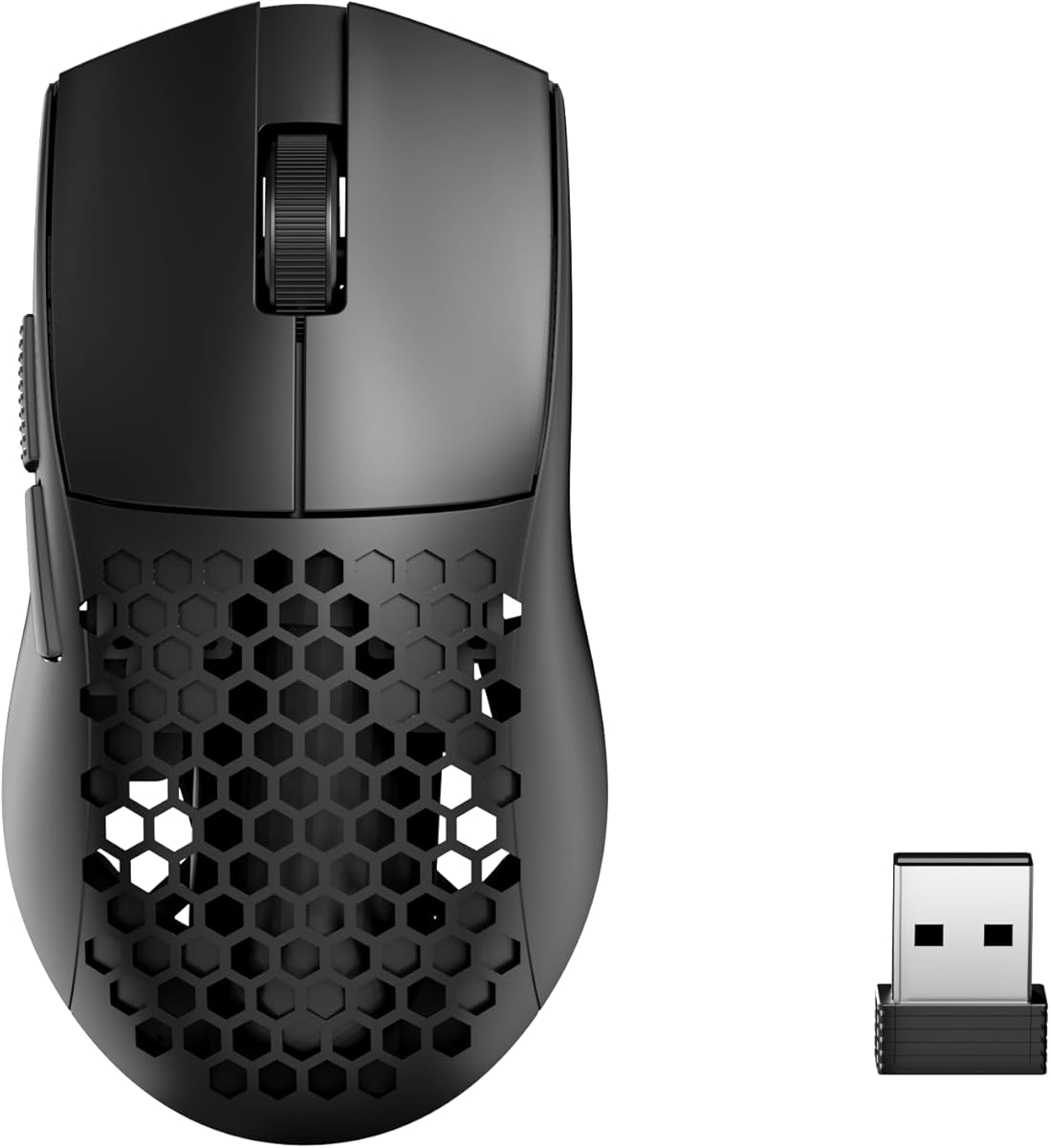
Glorious Model O
The Glorious Model O made ultralight honeycomb mice mainstream, and it remains a budget favorite for players who want low weight cheaply. At 67 grams with a flexible paracord cable, it feels nimble and fast, and the sensor handles competitive play well. The honeycomb shell collects dust over time and it is wired, but for an inexpensive lightweight that glides effortlessly, the Model O still delivers.
- Connection
- Wired USB
- Sensor
- Optical up to 12000 DPI
- Weight
- 67 g
- Buttons
- 6
What we liked
- Very light honeycomb body
- Smooth flexible paracord cable
- Good sensor performance
- Comfortable ambidextrous shape
Worth noting
- Honeycomb holes collect dust
- Wired only
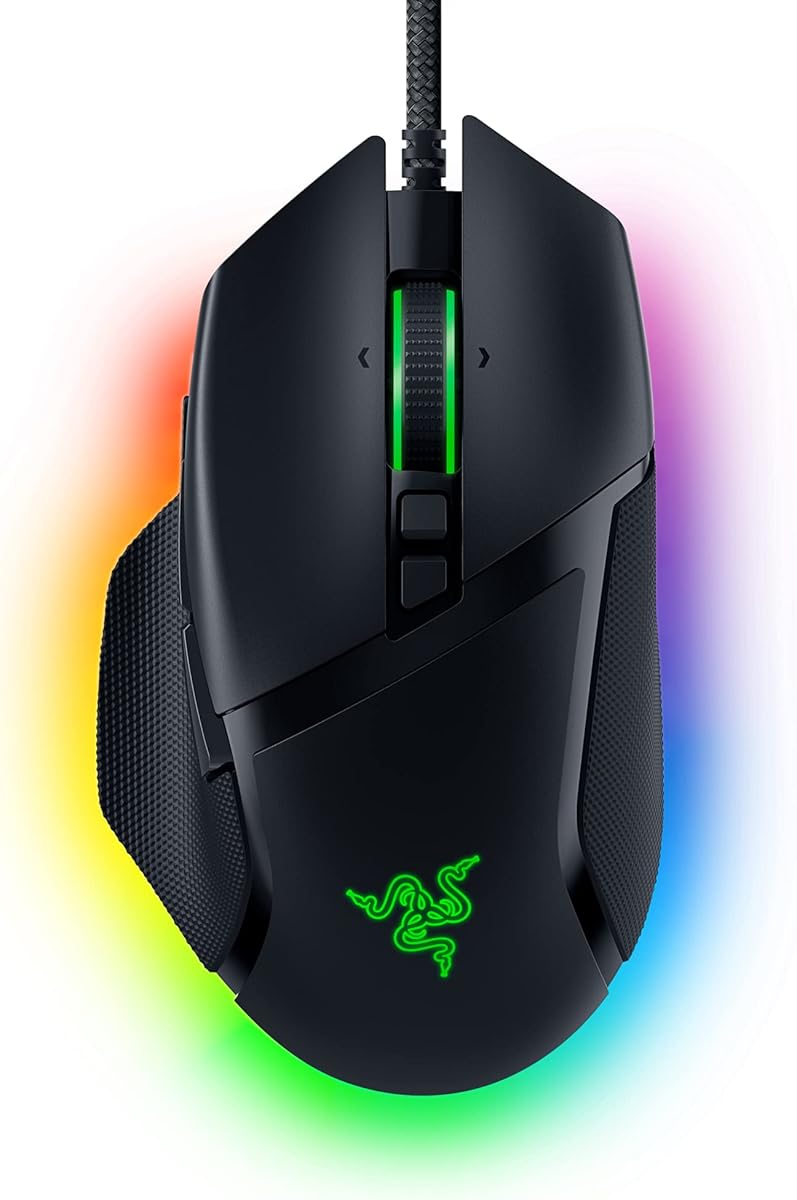
Razer DeathAdder Essential
The DeathAdder Essential distills Razer's legendary ergonomic shape into a budget package. Its contoured right-handed body is among the most comfortable for palm grip, and the durable switches hold up to years of clicking. The sensor is more than capable for the price. It is heavier than newer mice and keeps things basic, but if comfort over long sessions matters most and your budget is small, this is the one to get.
- Connection
- Wired USB
- Sensor
- Optical 6400 DPI
- Weight
- 96 g
- Buttons
- 5
What we liked
- Iconic comfortable ergonomic shape
- Reliable durable switches
- Great for palm grip
- Very affordable
Worth noting
- Heavier than modern mice
- Basic feature set
SteelSeries Rival 3
The Rival 3 is a well-rounded budget mouse with a reputation for durability. Its TrueMove Core sensor tracks accurately, the switches are rated for tens of millions of clicks, and at 77 grams it stays reasonably light. Three RGB zones add some flair. It is wired and the software is fairly simple, but the combination of build quality, comfort, and accurate tracking makes it a dependable pick for the price.
- Connection
- Wired USB
- Sensor
- TrueMove Core 8500 DPI
- Weight
- 77 g
- Buttons
- 6
What we liked
- Solid build with durable switches
- Three-zone RGB lighting
- Lightweight for a budget mouse
- Comfortable for multiple grips
Worth noting
- Wired only
- Software is somewhat basic
Cooler Master MM712
The MM712 offers a rare combination of low weight and wireless freedom at a budget price. At 59 grams with a solid, non-honeycomb shell, it feels more premium than its cost suggests, and the smooth feet glide nicely. Battery life is solid. The software is rougher than big-brand rivals and the shape favors medium hands, but for affordable lightweight wireless gaming, the MM712 is a strong value.
- Connection
- 2.4 GHz wireless
- Sensor
- Optical up to 19000 DPI
- Weight
- 59 g
- Buttons
- 6
What we liked
- Lightweight wireless at a low price
- Solid shell despite light weight
- Good battery life
- Smooth PTFE feet
Worth noting
- Less polished software
- Shape suits medium hands only
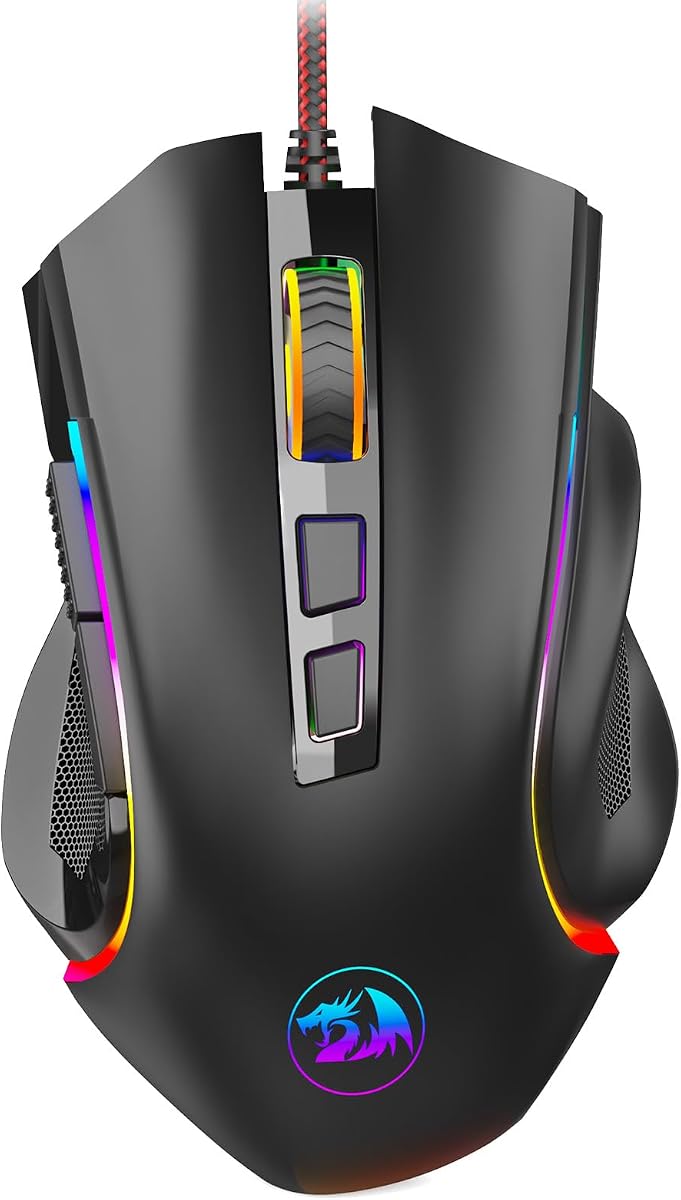
Redragon M711 Cobra
The Redragon M711 Cobra is the pick when budget is the absolute priority. It costs a fraction of name-brand mice yet offers a capable sensor, seven programmable buttons, and flashy RGB lighting. The larger shape suits bigger hands well. The plastics feel cheaper and the cable is stiff, but for a first gaming mouse or a backup that genuinely performs, the Cobra delivers astonishing value for the money.
- Connection
- Wired USB
- Sensor
- Optical up to 10000 DPI
- Weight
- 100 g
- Buttons
- 7
What we liked
- Extremely low price
- Seven programmable buttons
- Bright RGB lighting
- Comfortable for larger hands
Worth noting
- Heavier plastic build
- Cable is stiff
Why Budget Gaming Mice Are Better Than Ever
There was a time when buying a cheap gaming mouse meant accepting real compromises: a laggy sensor that jittered during fast movements, mushy clicks that registered inconsistently, and flimsy plastic that creaked under pressure. Those days are gone. In 2026 the budget gaming mouse category is genuinely excellent, and the gap between an affordable mouse and a flagship has narrowed to the point where most players would struggle to feel the difference in a blind test. Trickle-down technology means sensors that were premium just a few years ago now appear in mice costing a fraction of the price, and competition among brands has driven both quality and value relentlessly upward.
This is wonderful news for anyone building a PC on a budget or simply unwilling to spend big on a pointing device. You can now get accurate tracking, crisp clicks, a comfortable shape, and even reliable wireless connectivity without breaking the bank. The challenge is sorting the genuine value picks from the mice that still cut too many corners, because the budget tier also contains plenty of duds. This guide walks through what actually matters when money is tight, then ranks the seven budget gaming mice that earned our recommendation after hands-on testing.
What to Prioritize on a Budget
Sensor accuracy over DPI numbers
Marketing loves big DPI figures, and budget mouse boxes proudly advertise sensors capable of twelve thousand, nineteen thousand, or even higher DPI. Ignore most of this. Almost no one games above a few thousand DPI, so a ceiling far beyond that is irrelevant. What truly matters is whether the sensor tracks cleanly and consistently at the speeds you actually move, without jitter, acceleration, or losing the surface during fast flicks. The encouraging reality is that even cheap mice now use sensors accurate enough for competitive play, so look for reviews confirming clean tracking rather than chasing the highest DPI number.
Click feel and switch durability
The feel of the main clicks shapes your whole experience, and it is one area where budget mice vary. You want clicks that are crisp and responsive, registering the instant you press without feeling mushy or requiring excess force. Equally important is durability, because the most common way a gaming mouse dies is the click switches developing double-click problems after heavy use. Mice with switches rated for tens of millions of clicks, like the SteelSeries Rival 3, are more likely to survive years of play. Quality clicks that last are worth more than flashy extras.
Weight and shape
Lighter mice are easier to flick and less tiring over long sessions, and the budget tier now offers genuinely light options. The Glorious Model O and Cooler Master MM712 both dip under 70 grams, a weight unthinkable in cheap mice a few years ago. That said, weight is personal, and some players prefer a bit more heft for stability, which heavier picks like the DeathAdder Essential provide. Shape matters just as much: an ergonomic right-handed body suits palm grippers, while a lower symmetrical shape favors claw and fingertip styles. Match the shape to how you hold a mouse and to your hand size.
Wired versus wireless
For years, reliable gaming wireless was a premium feature, but that has changed. The Logitech G305 demonstrates that low-latency wireless indistinguishable from wired is now available at a modest price, and the Cooler Master MM712 even pairs wireless with a lightweight body cheaply. Still, wired remains the value champion, since avoiding wireless components lets a mouse like the G203 spend its budget on the parts that affect performance. If you want maximum bang for your buck, wired is the smart choice; if a clutter-free desk matters to you, affordable wireless is now within reach.
Build quality and software
Cheap does not have to mean flimsy. The best budget mice feel solid in the hand, with shells that do not flex or creak and feet that glide smoothly. Reading reviews for complaints about rattle or cheap plastics helps you avoid the weakest options. Software is another consideration: big brands like Logitech, Razer, and SteelSeries offer mature apps for customizing DPI, lighting, and button mapping, while value brands like Redragon and Cooler Master provide rougher tools. If deep customization matters to you, lean toward the established brands; if you just want plug-and-play, the software gap matters less.
Matching a Mouse to Your Needs
For most players, the Logitech G203 Lightsync is the best overall budget choice. It combines an accurate sensor, crisp clicks, a comfortable shape, and bright lighting at a price that is hard to argue with, making it the default recommendation for anyone wanting a reliable cheap gaming mouse. If a clutter-free desk appeals to you and you can stretch the budget slightly, the Logitech G305 delivers true competition-grade wireless for less than any rival, with a sensor good enough for serious play.
Players who want a lightweight mouse on a budget should look at the Glorious Model O for its nimble honeycomb body or the Cooler Master MM712 for a lighter wireless option. Anyone who prioritizes comfort over long sessions, especially palm grippers, will love the ergonomic Razer DeathAdder Essential. The SteelSeries Rival 3 is the pick for durability and customization, and when the budget is truly minimal, the Redragon M711 Cobra offers astonishing performance and seven buttons for a tiny price.
Getting the Most From a Budget Mouse
A few simple steps help any budget mouse perform its best. Spend a few minutes in the manufacturer's software, or the operating system settings, to set a DPI you are comfortable with rather than leaving it at a needlessly high default. Keep the mouse and its feet clean, since grime on the skates is the fastest way to ruin an otherwise smooth glide, and replacement feet are cheap if the originals wear out. Use a decent mouse pad, because even an excellent sensor tracks better on a consistent surface than on a bare or reflective desk. Finally, do not chase the highest DPI or flashiest RGB; focus your attention on finding a comfortable shape and a sensitivity that feels natural, and your budget mouse will serve you well.
Where Budget Mice Cut Corners
Understanding where manufacturers save money helps you spend wisely and avoid disappointment. The most common cost-cutting area is the cable. Many budget wired mice ship with a stiffer rubber cable rather than the flexible paracord found on premium models, and that stiffness can drag slightly during fast movements. It is a minor issue and easily mitigated with a mouse bungee or simply by routing the cable well, but it is a real difference. Another area is the materials: budget shells are usually plain matte plastic rather than the textured grips or premium coatings of expensive mice, and while they feel perfectly fine, they lack the luxurious touch of flagships.
Software and extra features are also trimmed. Value brands often provide rougher configuration apps with fewer options than the polished suites from Logitech, Razer, and SteelSeries. Onboard memory for storing settings, ultra-high polling rates, and adjustable weights are typically reserved for pricier models. Finally, the very lightest weights and the most advanced wireless polling rates remain premium territory; a budget mouse might be light, but matching a 40-gram flagship while staying cheap is not yet feasible. The key insight is that budget mice rarely cut corners on the things that decide games, namely the sensor and the click switches, and instead save on comfort extras and conveniences. That is exactly the right place to economize when money is tight.
Building a Budget Setup Around Your Mouse
A great budget mouse performs even better as part of a thoughtfully chosen setup, and a few inexpensive additions go a long way. The most impactful is a proper mouse pad. Even the best sensor tracks more consistently on a uniform cloth surface than on a bare desk, and a large pad costs very little while giving you room for low-sensitivity swipes. If you play at low DPI, a big pad is practically essential, and it also protects the mouse feet from the wear a rough desk causes.
Replacement mouse feet are another cheap upgrade worth knowing about. Over months of use, the stock skates wear down and the glide degrades, but a set of aftermarket PTFE feet costs little and restores that smooth feel, often surpassing the originals. Keeping the mouse clean matters too: grime builds up on the feet and around the buttons, and a quick wipe keeps everything performing as new. Finally, take a moment to set your DPI and in-game sensitivity deliberately rather than accepting defaults, since the right sensitivity for your playstyle improves your aim far more than any hardware feature. With a good pad, fresh feet, and tuned settings, an affordable mouse delivers an experience that rivals setups costing several times more.
Grip Styles and Choosing a Shape on a Budget
Even on a budget, picking a shape that matches your grip makes a bigger difference to your experience than any spec on the box. Palm grippers, who rest the whole hand on the mouse, are best served by larger ergonomic shapes that fill the hand and support the palm, which is exactly what the Razer DeathAdder Essential offers. Its tall right-handed contour is one of the most comfortable palm shapes ever made, and it remains a favorite for that reason. If you keep your hand flat and relaxed on the mouse, an ergonomic shape like this will feel natural for hours.
Claw and fingertip grippers, who arch their fingers and contact the mouse with the fingertips, generally prefer lower, more symmetrical shapes that let them pivot quickly. Lighter budget mice like the Glorious Model O and Cooler Master MM712 suit these styles well, since the reduced weight rewards the quick, flicking motions these grips produce. Hand size matters too: larger hands can handle the bigger DeathAdder or Redragon Cobra comfortably, while smaller hands may find lighter, more compact shapes easier to control. Before buying, take a moment to notice how you naturally hold a mouse, because a cheap mouse in the right shape will outperform an expensive one in the wrong shape every time, and getting the fit right costs nothing extra.
Final Verdict
The budget gaming mouse category in 2026 is proof that you no longer have to spend big to play well. Our top overall pick, the Logitech G203 Lightsync, packs accurate tracking, crisp clicks, and real comfort into a bargain package that satisfies the vast majority of players. Those who want wireless freedom should reach for the excellent Logitech G305, while lightweight fans have the Glorious Model O and Cooler Master MM712. Comfort seekers will appreciate the ergonomic Razer DeathAdder Essential, durability and customization come from the SteelSeries Rival 3, and the ultra-frugal Redragon M711 Cobra proves a great gaming mouse can cost almost nothing. Whatever your budget, there has never been a better time to buy a cheap mouse that genuinely performs.
How we picked
We evaluated each mouse on sensor accuracy, click feel, build quality, comfort, and overall value for the price. Every model was tested in competitive and casual games over multiple sessions. Ratings reward mice that punch above their price, since value is the whole point of the budget category.
Frequently asked questions
Can a budget mouse really compete with expensive ones?
Absolutely. Budget gaming mice have improved so much that models like the G203 and G305 offer sensors and click feel that rival mice costing several times more. The differences with premium mice come down to extras like the very lightest weights, top-tier wireless polling, and luxury materials. For most players, a good budget mouse delivers all the performance they actually need.
Should I get wired or wireless on a budget?
Wired budget mice like the G203 give you the most performance per dollar since you avoid paying for wireless components. If you value a clutter-free desk, the G305 proves reliable low-latency wireless is now affordable, though it costs a bit more and adds battery weight. Choose wired for maximum value or wireless if cable-free convenience is worth the small premium.
What sensor specs matter for a cheap gaming mouse?
Do not be swayed by huge DPI numbers, since most players use only a few thousand DPI. What matters is that the sensor tracks accurately without jitter, acceleration, or spinouts at normal speeds. The good news is that even budget mice now use sensors that track cleanly for competitive play, so reliable accuracy rather than headline DPI should guide your choice.
How long should a budget gaming mouse last?
A well-built budget mouse should last several years of regular use. The most common failure point is the main click switches developing double-click issues, so look for mice with switches rated for tens of millions of clicks, like the Rival 3. Keeping the mouse clean and avoiding drops helps extend its life. Many budget mice prove remarkably durable.
Is RGB lighting worth paying for on a budget?
RGB lighting is purely cosmetic and has no effect on performance, so it should never be the main reason you buy a mouse. That said, many budget mice include it at no real premium, so you often get it for free. If you like the look it is a nice bonus, but prioritize sensor accuracy, comfort, and click feel over lighting every time.