Skip to content

Best Wireless Mouse for Travel in 2026

By Priya NairUpdated July 5, 2026

We may earn a commission from links on this page, at no extra cost to you. Learn more.

A trackpad is fine until you spend real hours on the road, and then a proper travel mouse becomes one of the most useful things in your bag. The right one is small enough to disappear into a laptop sleeve, sips battery so you are not hunting for a charger mid-flight, and clicks quietly enough for a cramped plane seat or a shared hotel desk. The tricky part is that travel mice pull in two directions: some go tiny and foldable, others stay conventional but reliable. This guide ranks nine of the best wireless mice for travel in 2026, weighing size, weight, battery, connection type and click noise so you can match one to how and where you actually work away from home.

Top 9 Best Wireless Mouse for Travel

Most Reliable4.5
Best for Multi-Device4.5
Best Budget Compact4.5
Best Value Bluetooth4.4
Best Folding Design4.3
Best Slide-Away Pocket Mouse4.3

Our top 9 picks, reviewed

1Best Overall

WL300 Bluetooth Silent Mouse

The WL300 is the best all-round travel mouse here because it balances everything that matters on the road. Silent left, right and scroll buttons keep you discreet in a quiet cabin, an 18-month AA battery means you rarely think about power, and the sculpted six-button shape is genuinely comfortable for long sessions. Bluetooth 5.0 with Swift Pair keeps the setup clean, with no dongle to lose.

Connection
Bluetooth 5.0
Battery
18-month AA
Buttons
6 with DPI
Feature
Silent click

What we liked

  • Fully silent clicks for planes and offices
  • Long 18-month battery on one AA
  • Sculpted grip stays comfortable for hours
  • Six buttons with adjustable DPI

Worth noting

  • Bluetooth-only, no USB receiver backup
  • Side buttons limited on Mac
2Most Reliable

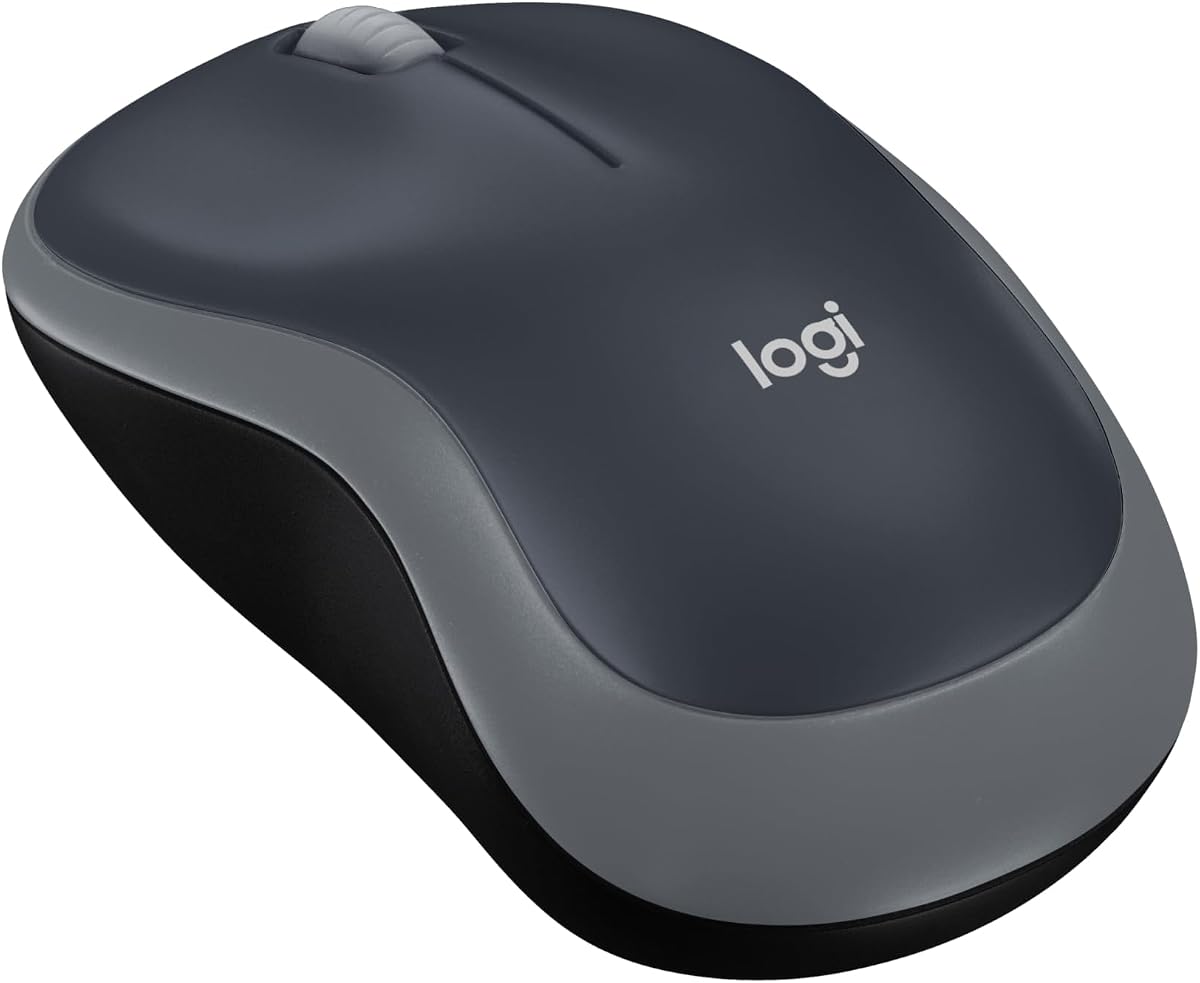
Logitech M185 Wireless Mouse

The Logitech M185 is the safe, no-fuss choice for travellers who just want it to work. Its nano USB receiver connects in seconds on any laptop, the ambidextrous body is compact and comfortable in either hand, and Logitech's reputation for reliability means one fewer thing to worry about far from home. A year of battery from a single AA seals the deal for frequent flyers.

Connection
2.4GHz nano USB
Battery
12-month AA
DPI
1000 optical
Design
Ambidextrous compact

What we liked

  • Rock-solid Logitech reliability
  • Tiny nano receiver plugs and plays
  • Ambidextrous shape suits either hand
  • Up to 12 months on one AA

Worth noting

  • No Bluetooth option
  • Basic 1000 DPI tracking
3Best Pocket-Sized

XBG B15pro Tri-Mode Bluetooth Mouse

The XBG B15pro is the travel mouse for gadget lovers, pairing tri-mode connectivity with a small LED screen that shows battery percentage, DPI and connection mode at a glance. It switches between laptop, tablet and phone in under a second, recharges over USB-C so you never buy AAs, and keeps clicks silent for libraries and cabins. It costs more, but earns it on versatility.

Connection
BT 5.0/4.0 + 2.4G
Battery
500mAh USB-C
Display
LED status screen
Feature
Silent click

What we liked

  • Tri-mode pairing across three devices
  • LED screen shows battery, DPI and mode
  • USB-C rechargeable, no AA batteries
  • Silent buttons for quiet spaces

Worth noting

  • Priciest option on the list
  • Screen adds a little bulk
4Best for Multi-Device

HP X3000 G3 Wireless Mouse

The HP X3000 G3 is a dependable travel companion from a name you know. Its 2.4GHz nano receiver tucks inside the body so it never gets lost in transit, the 1600 DPI sensor tracks cleanly on varied hotel-desk surfaces, and 15 months from a single AA keeps it maintenance-free. Rubberised side grips add control when you are working somewhere less stable than a desk.

Connection
2.4GHz USB-A
Battery
15-month AA
DPI
1600 optical
Feature
Side grips

What we liked

  • Trusted HP brand and support
  • Receiver stores inside the mouse
  • Long 15-month battery life
  • Grippy sides aid control on the move

Worth noting

  • 2.4GHz only, no Bluetooth
  • Slightly larger than pocket mice
5Best Budget Compact

VssoPlor Slim Wireless Mouse

The VssoPlor slim wireless mouse proves you do not need to spend much for a capable travel pointer. It is light, thin and easy to slip into a laptop bag, its nano receiver stores inside the body between trips, and the quiet clicks keep you polite in a cafe or on a plane. The 2.4GHz link is stable to 10 metres, making it an easy cheap backup to keep permanently packed.

Connection
2.4GHz nano USB
Range
10m / 33ft
Feature
Quiet clicks
Design
Slim portable

What we liked

  • Very low price for a slim mouse
  • Receiver stows inside when packed
  • Quiet clicking for shared spaces
  • Lightweight and genuinely pocketable

Worth noting

  • No Bluetooth or rechargeable battery
  • Unbranded, basic build quality
6Best Value Bluetooth

SUNGI Slim Bluetooth Mouse

The SUNGI Bluetooth mouse suits travellers who would rather ditch the dongle entirely. Its slim, ultra-quiet body slides easily into a bag, the built-in rechargeable battery runs for weeks per charge, and an on/off switch conserves power in transit. Three DPI levels and a handy jiggler mode round it out. Bluetooth 4.0 keeps costs down, though pairing takes a moment more than a plug-in receiver.

Connection
Bluetooth 4.0
Battery
Rechargeable Li-ion
DPI
800/1200/1600
Feature
Silent slim

What we liked

  • No receiver to carry or lose
  • Rechargeable, weeks per charge
  • Very slim, quiet and light
  • Adjustable DPI plus jiggler mode

Worth noting

  • Bluetooth 4.0 pairing can be fiddly
  • Single-device connection only
7Best Ultra-Cheap

Ultra-thin Rechargeable Wireless Mouse

This ultra-thin dual-mode mouse is the bargain grab-and-go pick. For very little money you get both Bluetooth 5.2 and a stored 2.4GHz receiver, silent clicks and a slim 4.4-inch body that vanishes in any bag. A 500mAh cell recharges over USB-C for a week of use and a month of standby. The build is plainly budget, but as a cheap always-in-the-bag spare it is hard to fault.

Connection
BT 5.2 + 2.4G
Battery
500mAh USB-C
Size
4.4x2.3x1.1in
Feature
Silent LED

What we liked

  • Dual-mode Bluetooth and 2.4GHz
  • Lowest price on the list
  • Genuinely tiny and travel-friendly
  • USB-C rechargeable with long standby

Worth noting

  • Very light build feels cheap
  • Cannot use both modes at once
8Best Folding Design

Bluetooth Arc Travel Mouse

The Arc travel mouse is built around one trick, and it does it well: rotate it flat and it snaps into a pocket-friendly slab that barely registers in a bag. Tri-mode connectivity spans three devices, silent soft clicks keep it discreet, and a single charge lasts around 30 days. The flat arc profile favours a fingertip grip rather than a full palm, so it is a design statement as much as a mouse.

Connection
BT 5.0/4.0 + 2.4G
Battery
30-day charge
Design
Foldable arc
Feature
Silent click

What we liked

  • Folds flat to slip into a pocket
  • Tri-mode across three devices
  • Silent, soft clicks for travel
  • Rechargeable with 30-day endurance

Worth noting

  • Arc shape suits fingertip grip only
  • Among the higher prices here
9Best Slide-Away Pocket Mouse

DELUX MF20 Sliding Pocket Mouse

The DELUX MF20 takes the folding idea a step further with a sliding shell that retracts into a slim, pocket-sized form and shields the sensor while packed. It is aimed squarely at frequent travellers who want the lightest possible carry, with dual-mode connectivity and a crisp 4000 DPI sensor for high-resolution laptops. The collapsing design trades some palm comfort for packability, which is exactly the point on the road.

Connection
2.4G + BT 5.2
Battery
Rechargeable
DPI
Up to 4000
Design
Sliding foldable

What we liked

  • Slides shut to protect the sensor
  • Pocket-sized foldable body
  • High 4000 DPI for sharp screens
  • Dual-mode 2.4GHz and Bluetooth

Worth noting

  • Folding mechanism reduces palm comfort
  • Premium price for a travel mouse

How We Chose the Best Travel Mice

Best Wireless Mouse for Travel in 2026

Choosing a travel mouse is about subtraction as much as addition. The best one is the mouse you barely notice carrying, right up until the moment a cramped trackpad would have slowed you down. So we started by weighing portability above all: how small and light each mouse is, whether it folds or slides to save space, and whether its receiver stows safely inside the body rather than waiting to be lost at an airport. A mouse that is easy to pack is a mouse you will actually bring.

From there we looked at the things that keep a mouse usable once you have arrived. Battery life and charging method came next, because a dead mouse mid-flight is worse than no mouse at all, so we favoured long AA endurance and USB-C recharging with generous standby. Connection type mattered too, since Bluetooth suits thin laptops and tablets while a 2.4GHz nano receiver pairs instantly on anything with a USB-A port. We then weighed click noise for shared spaces, grip comfort for long sessions, and overall value, keeping the list varied from tiny folding mice to dependable full-size compacts.

What to Look for in a Travel Mouse

The single most important trait is size and weight. A travel mouse lives in a laptop sleeve or a jacket pocket, so anything bulky defeats the purpose. Folding and sliding designs like the DELUX MF20 and the Arc travel mouse take this to an extreme, collapsing into a pocketable slab, while slim conventional mice such as the VssoPlor and the ultra-thin dual-mode model stay flat and light without any moving parts. Decide how ruthless you need to be about space, then pick accordingly.

Connectivity is the next big decision. Bluetooth mice, including the WL300 and SUNGI, leave your USB ports free and carry nothing to misplace, which suits modern thin-and-light laptops and tablets beautifully. A 2.4GHz nano receiver, as on the Logitech M185 and HP X3000 G3, connects the instant you plug it in with no pairing menus, and it typically stores inside the mouse for transit. Tri-mode mice like the XBG B15pro hedge the bet by offering both, plus fast switching between several devices.

Finally, weigh battery, noise and grip. Long-life AA mice such as the WL300 and HP X3000 G3 go a year or more between changes, while USB-C rechargeables like the DELUX MF20 trade battery-buying for occasional top-ups. Silent switches, found on most of our picks, are a genuine kindness in a quiet cabin. And comfort still counts: a folding mouse saves space but rarely fills the palm the way the sculpted WL300 does, so match the shape to how long your working sessions run.

The Folding and Pocket Mice

If your priority is packing the smallest possible mouse, the collapsing designs deserve a close look. The DELUX MF20 uses a sliding shell that retracts into a slim, pocket-sized form and covers the sensor while stowed, protecting it from grit and knocks in a crowded bag. Its dual-mode connectivity and 4000 DPI sensor make it capable as well as tiny, though the folding structure means it sits lower in the hand than a traditional mouse.

The Bluetooth Arc travel mouse takes a different route to the same goal, rotating flat so it snaps into a pocket and lies almost level on a desk. Tri-mode connectivity lets it serve a laptop, tablet and phone, and its silent soft clicks keep it discreet on a plane. Both of these favour a fingertip grip, so they are ideal for short bursts of work in transit rather than eight-hour desk marathons. If ultimate packability is the goal, either one delivers it.

The Dependable Full-Size Compacts

Not everyone wants to compromise on feel, and for those travellers a conventional compact is the smarter buy. The Logitech M185 is the archetype: an ambidextrous, familiar shape that fills the hand properly, a nano receiver that plugs in and works instantly, and Logitech's reliability behind it. It is the mouse to hand someone who just wants their trackpad replaced with no learning curve, and its year-long AA battery keeps it low-maintenance.

The HP X3000 G3 follows the same philosophy with a little more polish, adding rubberised side grips for control on wobbly hotel desks, a 1600 DPI sensor for cleaner tracking, and a receiver that hides inside the body. The budget VssoPlor and ultra-thin dual-mode mouse round out this group for anyone who wants a cheap, slim, always-packed spare. These mice give up a few millimetres of packability in exchange for comfort and dependability, which many road warriors will happily take.

Battery Life and Charging on the Road

Power management is where travel mice quietly earn their keep. The longest-lasting picks here run on a single AA for well over a year: the WL300 claims 18 months and the HP X3000 G3 around 15, which effectively means you never think about their batteries between trips. The trade-off is carrying a spare AA, though at those intervals it is rarely needed. An on/off switch, present on several models, stretches that endurance further by killing drain in your bag.

Rechargeable mice swap battery-buying for USB-C top-ups. The XBG B15pro, DELUX MF20, Arc mouse and ultra-thin dual-mode model all charge over the same cable you likely already carry for a phone or laptop, and most offer weeks of use with a month or more of standby. The main risk is arriving with a flat mouse, so top them up before you leave and lean on their auto-sleep. For pure peace of mind on a long trip with uncertain charging, an AA mouse still wins; for a clutter-free single-cable kit, rechargeable is the way.

Quiet Clicks and Shared Spaces

One feature separates a pleasant travel mouse from an annoying one: click noise. In a silent aircraft cabin, a quiet train carriage or a hotel room where someone is asleep, the sharp clack of a standard switch carries. Nearly every mouse on this list, from the top-ranked WL300 down through the XBG B15pro, SUNGI and Arc mouse, uses silent switches that preserve the satisfying tactile feel while muting the sound almost completely. It is the kind of feature you do not think you need until a stranger glares at you on a red-eye.

Beyond courtesy, quiet clicks help you personally concentrate in busy, unfamiliar environments where every extra bit of calm helps. If you frequently work in libraries, co-working spaces or open-plan lounges, treat silent switches as a must-have rather than a nice-to-have, and you will notice the difference on every trip.

It is worth understanding what silent switches actually change. They do not remove the tactile bump that tells you a click registered; they simply dampen the audible snap that a standard switch produces, so the mouse still feels responsive under your finger while staying quiet to everyone around you. That distinction matters, because a mushy, feedback-free button would be worse than a noisy one. The best of these picks, such as the WL300 and SUNGI, get the balance right, which is exactly why they earn their places near the top.

Matching a Mouse to Your Travel Style

For most travellers, the WL300 is the mouse to buy: it is quiet, comfortable, long-lasting and inexpensive, covering the widest range of situations without compromise. If you value brand reliability and instant plug-and-play above all, the Logitech M185 or HP X3000 G3 are the dependable picks, both with nano receivers that stow inside the body. Gadget-minded travellers who juggle several devices will love the tri-mode XBG B15pro and its at-a-glance status screen.

If space is your obsession, the folding DELUX MF20 and Arc travel mouse shrink to fit a pocket, accepting a slightly lower grip in return. And on the tightest budget, the VssoPlor and the ultra-thin dual-mode mouse make excellent cheap spares to keep permanently packed. Decide which single thing matters most, whether it is comfort, size, battery or price, and there is a clear pick here for it.

Final Recommendation

The best wireless mouse for travel in 2026 is the WL300, which nails the essentials that count on the road: silent clicks, an 18-month battery, a comfortable sculpted grip and a low price, all in a Bluetooth package with nothing to lose. For dongle-free simplicity from trusted brands, the Logitech M185 and HP X3000 G3 are excellent, and the XBG B15pro is the multi-device power pick. If packing small is everything, the DELUX MF20 and Arc mouse fold away to almost nothing. Match the mouse to how you travel, and even a cramped hotel desk starts to feel like a proper workstation.

How we picked

We judged each mouse on portability and pocketability, battery life and charging method, connection type, whether Bluetooth or a stored nano receiver, click noise, grip comfort for long sessions, and overall value. Because travel use is unforgiving, we favoured designs with stowable receivers, long endurance and quiet switches over spec-sheet DPI numbers, and we mixed folding pocket mice with dependable full-size compacts so every travel style is covered.

Frequently asked questions

What makes a good travel mouse different from a regular one?

A travel mouse prioritises portability over everything: a small, light body that fits a laptop sleeve, a stowable nano receiver or dongle-free Bluetooth so nothing gets lost, long battery life or USB-C charging, and ideally silent clicks for planes and shared spaces. Folding picks like the DELUX MF20 or Arc mouse go smallest, while the Logitech M185 keeps a familiar full shape.

Should I choose Bluetooth or a USB receiver for travel?

Bluetooth mice like the WL300 and SUNGI free up a USB port and leave no dongle to misplace, which is ideal for thin laptops and tablets. A 2.4GHz nano receiver, as on the Logitech M185 and HP X3000 G3, pairs instantly with no menus and tends to feel more responsive. Tri-mode mice such as the XBG B15pro give you both.

How important is battery life in a travel mouse?

Very. On the road you may not have easy access to chargers or spare batteries, so long endurance matters. AA-powered mice like the WL300 and HP X3000 G3 run 15 to 18 months, while rechargeable models such as the DELUX MF20 and Arc mouse use USB-C and last weeks per charge. Either way, always pack with an on/off switch or auto-sleep to conserve power.

Are silent-click mice worth it for travelling?

If you work in cabins, trains, libraries or hotel rooms with a sleeping partner, quiet clicks are a real courtesy. The WL300, XBG B15pro, SUNGI and Arc mouse all use silent switches that keep the tactile feel without the noise. It is one of the most appreciated travel features once you get used to it.

Can these travel mice connect to a phone or tablet?

The Bluetooth and tri-mode models can. The XBG B15pro and Arc mouse pair with laptops, tablets and phones and switch between them, and the dual-mode ultra-thin mouse and DELUX MF20 work with Android and iOS devices too. Pure 2.4GHz mice like the Logitech M185 are limited to devices with a USB-A port unless you add an adapter.