Best 1TB SSDs in 2026
We may earn a commission from links on this page, at no extra cost to you. Learn more.
A terabyte has quietly become the sweet spot for storage. It is roomy enough to hold Windows, a stack of AAA games and a real photo library without the constant shuffle of deleting files, yet it stays affordable in a way that larger drives simply do not. That combination makes 1TB the capacity most people should buy, whether they are upgrading a laptop, building a gaming PC or carrying files between machines. This guide ranks nine of the best 1TB SSDs you can buy in 2026, spanning blistering PCIe Gen5 internal drives, mainstream Gen4 NVMe workhorses and rugged portable options, so there is a right pick for your slot, your workload and your wallet.
Top 9 Best 1TB SSDs
Our top 9 picks, reviewed
Crucial P310 1TB NVMe SSD
The Crucial P310 is the 1TB drive we would put in most machines. It pairs near-top Gen4 speeds of 7,100 MB/s with broad compatibility that stretches from thin laptops to handhelds like the ROG Ally X, and it backs it all with trusted Micron NAND and free Acronis migration software. It is not the fastest drive here, but the blend of price, reliability and real-world responsiveness makes it the safest all-round pick.
- Capacity
- 1TB
- Interface
- PCIe Gen4 NVMe
- Form Factor
- M.2 2280
- Speed
- Up to 7,100 MB/s
What we liked
- Fast 7,100 MB/s Gen4 read speeds
- Backward compatible with Gen3 systems
- Works with ROG Ally X and handhelds
- Acronis migration software included
Worth noting
- Not a Gen5 drive
- No bundled heatsink in box
Samsung SSD 9100 PRO 1TB
If your motherboard has a PCIe 5.0 slot, the Samsung 9100 PRO is the fastest 1TB drive on this list, hitting 14,700 MB/s reads that are roughly double a top Gen4 drive. It is aimed at AI content creators, video editors and enthusiasts who move enormous files, and its efficient 5nm controller keeps thermals in check. On an older Gen4 board the speed advantage evaporates, so buy it only if your system can use it.
- Capacity
- 1TB
- Interface
- PCIe 5.0 x4
- Form Factor
- M.2 2280
- Speed
- Up to 14,700 MB/s
What we liked
- Blistering 14,700 MB/s Gen5 reads
- Ideal for AI and heavy workstations
- Efficient 5nm controller runs cooler
- Samsung Magician management suite
Worth noting
- Needs a Gen5 slot to shine
- Premium price for the capacity
Kingston NV3 1TB NVMe SSD
The Kingston NV3 is the value champion here, delivering genuine Gen4 NVMe performance at a price that undercuts almost everything else. Its 6,000 MB/s reads are a touch behind the flagships, but for booting Windows, loading games and everyday work the difference is invisible. Low power draw and a slim design make it a great fit for laptops and small builds where you want more capacity without paying flagship money.
- Capacity
- 1TB
- Interface
- PCIe 4.0 Gen 4x4
- Form Factor
- M.2 2280
- Speed
- Up to 6,000 MB/s
What we liked
- Excellent price per gigabyte
- Solid 6,000 MB/s Gen4 speeds
- Low power draw for laptops
- Slim single-sided M.2 design
Worth noting
- Slower than premium Gen4 drives
- Sparse published endurance figures
Samsung 990 PRO 1TB
The Samsung 990 PRO remains the Gen4 gaming benchmark, topping out at 7,450 MB/s reads and boasting the high random IOPS that make game loads and DirectStorage titles snappy. It is a proven PS5 expansion choice and a smart pick for anyone maxing out a Gen4 board rather than jumping to Gen5. You pay a premium over value drives, but Samsung's controller, thermal design and Magician software justify the outlay for enthusiasts.
- Capacity
- 1TB
- Interface
- PCIe 4.0 NVMe
- Form Factor
- M.2 2280
- Speed
- Up to 7,450 MB/s
What we liked
- Class-leading 7,450 MB/s Gen4 reads
- Optimised for PS5 and DirectStorage
- Nickel-coated controller aids cooling
- Excellent random IOPS performance
Worth noting
- Pricier than rival Gen4 drives
- Heatsink model sold separately
WD_Black SN7100 1TB NVMe SSD
The WD_Black SN7100 is built for gamers on the move, combining 7,250 MB/s reads with up to double the power efficiency of its predecessor, which matters in handhelds and thin laptops that fret over battery and heat. TLC 3D NAND keeps performance consistent, and the WD_Black Dashboard lets you fine-tune the drive on Windows. It is a strong Gen4 all-rounder that leans into the on-the-go gaming crowd without asking a flagship price.
- Capacity
- 1TB
- Interface
- PCIe Gen4 NVMe
- Form Factor
- M.2 2280
- Speed
- Up to 7,250 MB/s
What we liked
- Fast 7,250 MB/s read speeds
- Highly power-efficient for portables
- Next-gen TLC 3D NAND inside
- WD_Black Dashboard optimisation tool
Worth noting
- Windows-only dashboard software
- No heatsink on this model
BIWIN Black Opal NV7400 1TB SSD
The BIWIN Black Opal NV7400 is the value surprise of the group, matching flagship 7,450 MB/s read speeds while carrying an integrated graphene heat sink and PMIC power management at a budget price. It is PS5 ready and posts strong random performance thanks to Host Memory Buffer support. The trade-off is an unfamiliar brand with a thinner support footprint, so lean on Amazon's return window, but the raw speed-per-dollar here is hard to ignore.
- Capacity
- 1TB
- Interface
- PCIe 4.0 Gen4x4
- Form Factor
- M.2 2280
- Speed
- Up to 7,450 MB/s
What we liked
- Flagship 7,450 MB/s speeds for less
- Integrated graphene heat sink
- PMIC power management for efficiency
- PS5 compatible for expansion
Worth noting
- Lesser-known brand name
- Support network is limited
Samsung T9 Portable SSD 1TB
For creators who move files between machines, the Samsung T9 is the fastest portable pick here, sustaining up to 2,000 MB/s over USB 3.2 Gen 2x2. Its Dynamic Thermal Guard keeps speeds steady through long video and photo transfers where cheaper drives throttle, and it plays nicely with desktops, cameras and consoles. To hit full speed you need a 20Gbps port, and it costs more than an internal drive, but as a rugged pocket workhorse it delivers.
- Capacity
- 1TB
- Interface
- USB 3.2 Gen 2x2
- Form Factor
- Portable external
- Speed
- Up to 2,000 MB/s
What we liked
- Fast 2,000 MB/s external speeds
- Dynamic Thermal Guard cooling
- Broad device compatibility
- Sustains speed through long transfers
Worth noting
- Needs a Gen 2x2 port for full speed
- Costs more than internal drives
SanDisk Extreme Portable SSD 1TB
The SanDisk Extreme Portable is the drive to grab when your storage takes a beating. IP65 water and dust resistance, up to 3-metre drop protection and 256-bit AES encryption make it a dependable field companion for photographers and travellers, and a handy carabiner loop clips it to a bag. At up to 1,050 MB/s it is slower than the T9, but the toughness and security features earn it a place for anyone working outside a desk.
- Capacity
- 1TB
- Interface
- USB 3.2 Gen 2
- Form Factor
- Portable external
- Speed
- Up to 1,050 MB/s
What we liked
- IP65 water and dust resistance
- Up to 3-metre drop protection
- 256-bit AES hardware encryption
- Carabiner loop for easy carrying
Worth noting
- Slower than Gen 2x2 portables
- An older model in the line-up
SanDisk Portable SSD 1TB
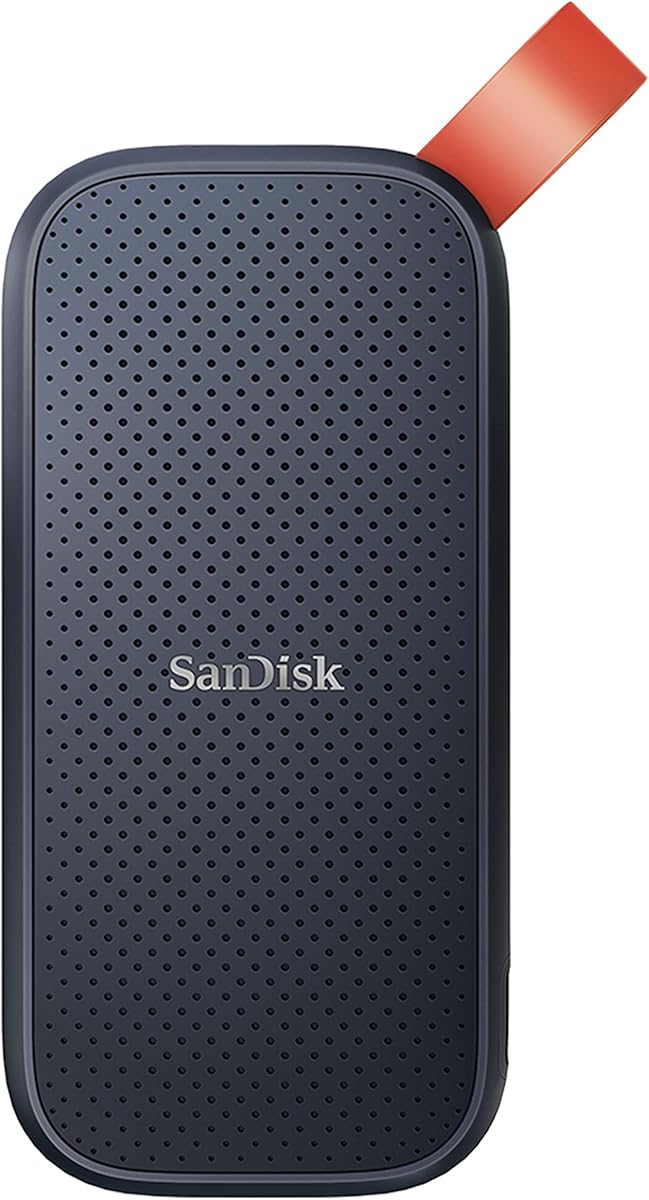
The standard SanDisk Portable SSD is the budget way to carry a terabyte in your pocket. At up to 800 MB/s it is slower than the Extreme and T9, but it still leaves any hard drive in the dust, and up to 2-metre drop protection plus a tough rubber hook make it travel-ready. For backups, photo offloads and everyday file shuttling on a budget, it is a sensible, dependable choice from a trusted name.
- Capacity
- 1TB
- Interface
- USB 3.2 Gen 2
- Form Factor
- Portable external
- Speed
- Up to 800 MB/s
What we liked
- Affordable portable storage
- Up to 2-metre drop protection
- Pocket-friendly, lightweight body
- Trusted SanDisk photography brand
Worth noting
- Slower 800 MB/s read speeds
- No water or dust rating
How We Chose the Best 1TB SSDs

Ranking storage is different from ranking most gadgets, because the fastest drive on paper is rarely the right drive for a given buyer. Our starting point was to separate the two very different jobs a 1TB SSD does: living inside a machine as its main drive, and travelling between machines as portable storage. Internal M.2 drives and portable USB-C drives compete on different terms, so we judged them against their own peers rather than lumping every product into one league table.
For the internal drives, we weighed sequential read and write speed, but we leaned harder on the things you actually feel day to day, namely random performance, sustained write behaviour once a drive's cache fills, and how hot it runs under load. We also considered the interface generation, since a Gen5 drive is wasted in a Gen4 slot, and endurance ratings for anyone who writes a lot of data. For portable drives, we prioritised real-world transfer speed, durability ratings, encryption and how well each unit holds its speed through long file dumps. Value ran through everything: at 1TB, price per gigabyte is close enough between rivals that a small saving or a bundled feature can decide the pick.
NVMe, SATA and the PCIe Generations Explained
If you are new to SSD shopping, the acronyms can be daunting, but the hierarchy is simple. Every drive on this list is NVMe or a fast USB portable, which means they all sit well above the old SATA SSDs that topped out around 550 MB/s. NVMe internal drives connect through the PCIe bus, and the generation of that bus sets the ceiling on speed. A PCIe Gen4 drive like the Crucial P310 can reach roughly 7,000 to 7,450 MB/s, while a Gen5 drive like the Samsung 9100 PRO pushes towards 14,700 MB/s.
Here is the catch that trips up a lot of buyers: a drive can only run as fast as the slot it sits in. Drop a Gen5 SSD into a Gen4 motherboard and it simply runs at Gen4 speeds, so you would be paying for headroom you cannot use. The good news is that these drives are backward compatible, so nothing breaks, you just do not get the top numbers. For portable drives, the equivalent detail is the USB standard: the Samsung T9 needs a USB 3.2 Gen 2x2 (20Gbps) port to hit 2,000 MB/s, while the SanDisk models run over the more common 10Gbps Gen 2. Match the drive to the port and slot you actually have, and you will spend your money where it counts.
Matching the Drive to Your Needs
For Everyday Upgrades and Productivity
If you just want a faster, roomier main drive for a laptop or desktop, you do not need a flagship. The Crucial P310 is our overall pick precisely because it nails this use case: quick Gen4 speeds, broad compatibility and a painless migration tool, without the price of a halo product. The Kingston NV3 goes further on value, delivering real NVMe performance for the least money, which makes it ideal when you want maximum capacity per dollar rather than chart-topping benchmarks.
For Gaming and Enthusiast Builds
Gamers and power users who want the fastest response should look at the Samsung 990 PRO, the Gen4 speed leader with the random performance that helps game loads and DirectStorage titles. If your board supports PCIe 5.0 and you handle huge files or AI workloads, the Samsung 9100 PRO is the drive that stretches those legs. The BIWIN NV7400 is the wildcard, offering flagship-tier speeds and a built-in heat sink at a fraction of the price for buyers willing to trust a smaller brand.
For Handhelds and Thin Laptops
Portable gaming devices and slim notebooks care as much about efficiency and heat as raw speed. The WD_Black SN7100 is purpose-built for this world, pairing 7,250 MB/s reads with much-improved power efficiency and cool-running TLC NAND, so it upgrades a handheld without hammering battery life. Its slim single-sided design also fits tight spaces that thicker drives cannot.
For Carrying Files On the Go
When storage needs to leave the desk, a portable drive is the answer. The Samsung T9 is the speed pick, holding 2,000 MB/s through long transfers thanks to its thermal design. The SanDisk Extreme Portable is the rugged choice with IP65 protection and encryption for fieldwork, while the standard SanDisk Portable covers backups and photo offloads on a tighter budget.
Specifications That Matter Most
Two numbers dominate SSD marketing, sequential read and write speed, but they tell only part of the story. Sequential speed matters most when you move large single files, such as video projects or game installs, and it is where Gen5 drives pull ahead. For the mixed small-file work of booting Windows, launching apps and loading games, random performance and the drive's controller matter more, which is why a well-tuned Gen4 drive like the Samsung 990 PRO can feel every bit as snappy as a Gen5 drive in daily use.
Beyond speed, watch three things. Endurance, quoted as terabytes written, tells you how much data a drive can handle over its life; TLC NAND drives generally endure more writes than budget QLC, which matters for heavy users. Thermals decide whether a drive holds its speed or throttles once it heats up, so the graphene heat sink on the BIWIN NV7400 or the nickel-coated controller on the 990 PRO are genuine advantages in a warm case. Finally, form factor and interface must match your device: nearly every internal pick here is M.2 2280 NVMe, the standard that fits modern laptops, desktops and the PS5, but always confirm before you buy.
A Closer Look at the Top Picks
The Crucial P310 earns the top spot by being the drive that suits the most people. Its Gen4 speeds are quick enough that almost no one will feel a bottleneck, its compatibility list runs from ultrabooks to the ROG Ally X, and Micron's NAND plus bundled Acronis software make it a low-risk, high-confidence upgrade. It is the one we would recommend without hesitation to a friend rebuilding or upgrading a machine.
Behind it, the two Samsung drives split the enthusiast crowd cleanly: the 9100 PRO is the no-compromise Gen5 flagship for AI and creative work, while the 990 PRO is the Gen4 gaming benchmark that most builders can actually use today. The Kingston NV3 and BIWIN NV7400 are the value stars, one leaning on Kingston's reputation and rock-bottom pricing, the other on flagship speeds from a smaller name. The WD_Black SN7100 owns the handheld and thin-laptop niche, and the trio of Samsung and SanDisk portables covers everyone who needs a terabyte in their pocket, from the fast T9 to the rugged and budget SanDisk options.
Practical Tips for Buying and Installing a 1TB SSD
A little planning makes an SSD upgrade painless. Before buying, confirm your slot: check whether your laptop or motherboard uses M.2 2280 NVMe, whether it supports Gen4 or Gen5, and whether a heatsink is required or already fitted, since some boards ship with their own. Buying a Gen5 drive for a Gen4 board is a common and avoidable waste of money. If you are cloning an existing drive rather than doing a fresh install, take advantage of the free migration software bundled with drives like the Crucial P310, which copies your Windows install across without a reinstall.
Once installed, keep a little breathing room. SSDs slow down and wear faster when packed to the brim, so leaving around ten to fifteen percent free helps them stay fast and healthy. Use the manufacturer's tool, Samsung Magician or the WD_Black Dashboard, to enable TRIM, check firmware updates and monitor drive health over time. For portable drives, remember to eject properly before unplugging to avoid corrupting transfers, and lean on the built-in encryption on the SanDisk Extreme if you carry sensitive files. With the right pick and these habits, a 1TB SSD will stay quick for years.
Final Recommendation
For most buyers, the Crucial P310 is the best 1TB SSD in 2026, combining fast Gen4 speeds, wide compatibility and a trusted name into a drive that fits nearly any upgrade. Enthusiasts with a Gen5 board should reach for the Samsung 9100 PRO, while gamers maxing a Gen4 system will love the Samsung 990 PRO. Value hunters have two excellent options in the Kingston NV3 and the flagship-fast BIWIN NV7400, and handheld owners are best served by the efficient WD_Black SN7100. If your storage needs to travel, the Samsung T9 leads on speed, the SanDisk Extreme on toughness and the standard SanDisk Portable on price. Match the drive to your slot and your workflow, and a terabyte will serve you well.
How we picked
We ranked each 1TB SSD on sequential and random speed, real-world responsiveness, endurance and thermal behaviour, form factor and interface, and the value it delivers per gigabyte. Because a terabyte is where price and capacity meet, we weighted everyday usefulness heavily, and we deliberately mixed internal NVMe drives with portable USB-C models so the list reflects both in-system upgrades and on-the-go storage.
Frequently asked questions
Is 1TB enough storage for a gaming PC?
For most people, yes. A terabyte holds Windows, a handful of large AAA titles and your everyday apps comfortably. Serious game hoarders may eventually want more, but 1TB drives like the Crucial P310 or Samsung 990 PRO are the sweet spot where price and capacity meet, and you can always add a second drive later if your library grows.
What is the difference between PCIe Gen4 and Gen5 1TB SSDs?
Gen5 drives like the Samsung 9100 PRO roughly double the sequential speeds of Gen4, reaching around 14,700 MB/s versus 7,000 to 7,450 MB/s. Those numbers only appear if your motherboard has a Gen5 slot, and in everyday gaming and browsing the two feel similar. Gen4 drives such as the Crucial P310 remain the value choice for most systems.
Do I need an internal or portable 1TB SSD?
Choose an internal M.2 drive like the Kingston NV3 if you are upgrading a laptop, desktop or handheld's built-in storage. Choose a portable USB-C model like the Samsung T9 or SanDisk Extreme if you need to carry files between machines, back up data or expand a console externally without opening it up.
Will a 1TB NVMe SSD work in my laptop or PS5?
Most modern laptops and the PS5 accept M.2 2280 NVMe drives, and several picks here, including the Crucial P310 and BIWIN NV7400, are explicitly PS5 and handheld compatible. Always confirm your device uses the 2280 length and an NVMe, rather than SATA, M.2 slot before buying, and check whether a heatsink is required.
How long will a 1TB SSD last?
Modern 1TB NVMe drives are rated for hundreds of terabytes written, far more than a typical home user writes in years of normal use. TLC drives like the WD_Black SN7100 generally offer strong endurance, and management tools such as Samsung Magician or the WD_Black Dashboard let you monitor drive health so you can plan ahead.