Skip to content

Best Used & Refurbished Mechanical Keyboards in 2026

4.5 average · hands-on tested
By Dylan AidenUpdated June 27, 20265 picks tested

We may earn a commission from links on this page, at no extra cost to you. Learn more.

Buying a refurbished or Amazon Renewed mechanical keyboard is one of the smartest ways to get a premium board for far less. These flagship keyboards lose little with age — mechanical switches are rated for tens of millions of presses — so a tested, warrantied refurb can be a genuine bargain. These are the five premium boards we'd most happily buy used in 2026, plus exactly how to do it safely.

Quick comparison

KeyboardBest forRatingPrice
1Razer Huntsman V2 TKLRazerBest Refurbished Overall4.6$$$Check Price
2Logitech G915 TKL LightspeedLogitechBest Refurbished Wireless4.5$$$Check Price
3SteelSeries Apex Pro TKL Gen 3SteelSeriesBest Refurbished for Competitive4.5$$$Check Price
4Corsair K70 RGB PROCorsairBest Refurbished Full-Size4.5$$$Check Price
5Ducky One 3 TKLDuckyBest Refurbished for Enthusiasts4.5$$$Check Price

Our top 5 picks, reviewed

1Best Refurbished Overall

Razer Huntsman V2 TKL

The best board to buy refurbished. The Huntsman V2 TKL's optical switches are sealed against dust and wear, so a used unit performs like new, and PBT keycaps don't shine. Renewed listings are plentiful and knock a real chunk off the new price.

Condition
Renewed
Switches
Optical (sealed)
Layout
TKL
Keycaps
PBT doubleshot

What we liked

  • Optical switches are dust/wear resistant
  • Big savings vs new
  • PBT keycaps age well
  • Widely available Renewed

Worth noting

  • Cosmetic wear possible
  • Synapse needed for remaps
2Best Refurbished Wireless

Logitech G915 TKL Lightspeed

A premium wireless flagship is exactly where refurbished saves you the most. The G915 TKL's aluminum body shrugs off light use and Lightspeed wireless is unaffected by age. Just verify battery life when it arrives — it's the one wear item on a wireless board.

Condition
Renewed
Connection
Lightspeed / BT
Profile
Low-profile
Keycaps
ABS

What we liked

  • Premium wireless for much less
  • Aluminum body resists wear
  • Lightspeed still lag-free
  • Check battery health on arrival

Worth noting

  • Battery may have some cycles
  • ABS keycaps can shine
3Best Refurbished for Competitive

SteelSeries Apex Pro TKL Gen 3

Hall-effect boards are ideal used: the magnetic switches are contactless and essentially don't wear. A Renewed Apex Pro TKL Gen 3 gives you adjustable actuation and rapid trigger for noticeably less than new — a competitive bargain.

Condition
Renewed
Switches
Magnetic (sealed)
Features
Rapid trigger, OLED
Keycaps
PBT doubleshot

What we liked

  • Magnetic switches barely wear
  • Adjustable actuation + rapid trigger
  • PBT keycaps last
  • Big savings on a flagship

Worth noting

  • Pricier even refurbished
  • Heavy software
4Best Refurbished Full-Size

Corsair K70 RGB PRO

Cherry MX switches are rated for 100 million presses, so a used K70 RGB PRO has plenty of life left. The aluminum frame takes knocks well and the PBT keycaps stay matte. Look for Renewed or open-box units — just confirm the wrist rest is included.

Condition
Renewed / open-box
Switches
Cherry MX
Layout
Full-size
Keycaps
PBT doubleshot

What we liked

  • Genuine Cherry MX longevity
  • Rugged aluminum frame
  • PBT keycaps resist shine
  • Wrist rest usually included

Worth noting

  • Confirm wrist rest is included
  • iCUE software is heavy
5Best Refurbished for Enthusiasts

Ducky One 3 TKL

Because the One 3 is hot-swappable, a used unit is easy to refresh — drop in new switches and it feels brand new. The doubleshot PBT keycaps and foam-dampened sound age gracefully. Watch the secondhand market and open-box listings for these.

Condition
Used / open-box
Switches
Hot-swap Cherry MX
Keycaps
Doubleshot PBT
Extras
Foam dampening

What we liked

  • Hot-swap lets you refresh switches
  • Top-tier PBT keycaps
  • Refined sound holds up
  • Great enthusiast value used

Worth noting

  • Less common via Amazon Renewed
  • Inspect stabilizers on arrival

How to buy a used or refurbished mechanical keyboard

Refurbished is where premium keyboards become affordable — if you buy smart. Here's how to get a flagship board for less without getting burned.

Prefer Amazon Renewed (or a manufacturer refurb). Amazon Renewed units are inspected, tested and backed by at least a 90-day guarantee, which removes most of the risk of buying used. Manufacturer-refurbished boards (sold by Razer, Corsair, Logitech and others) are similarly safe. Treat unverified third-party "used" listings with more caution.

Pick switches that age well. Optical (Razer Huntsman) and magnetic Hall-effect (SteelSeries Apex Pro) switches are contactless and sealed, so they barely wear and resist dust — ideal secondhand. Traditional mechanical switches are rated for 50–100 million presses, so they hold up too. Hot-swappable boards (Ducky One 3) are a bonus: if a switch feels off, you can replace it for pennies.

Inspect immediately on arrival. Test every key, listen for stabilizer rattle on the spacebar and Enter, and check keycaps for shine or chips. On wireless boards, confirm the battery still holds a useful charge — it's the one component that genuinely degrades. Amazon's return window is your safety net, so use it within the first few days if anything is wrong.

Know what affects value. PBT keycaps stay matte and are a plus; shiny ABS keycaps are cosmetic and cheap to replace. A missing wrist rest or cable lowers the value, so confirm what's included. Cosmetic scuffs on an aluminum frame are usually harmless.

Compare against new. Sometimes a refurb is only slightly cheaper than a discounted new unit. Check the current new price (and any sales) before buying — refurbished should be a clear saving, not a marginal one.

Buy from a trusted Renewed or manufacturer source, favor boards with durable switches, and inspect on arrival — do that and refurbished is one of the best values in keyboards.

Why mechanical keyboards hold their value better than most electronics

Mechanical keyboards age differently from other electronics. The core mechanism — individual switches, a PCB, a rigid case — doesn't degrade the way batteries, screens, or processors do. A five-year-old mechanical keyboard with quality switches is functionally identical to the day it was sold, assuming it's been reasonably maintained.

This makes the refurbished market for mechanical keyboards unusually good value. A two-year-old Ducky One 3 or Razer Huntsman V2 at 40% off new price is a very different proposition from a two-year-old laptop at 40% off — the keyboard performs the same; the laptop has measurably degraded.

Mechanical switches are rated for 50–100 million keystrokes. A heavy typist pressing 50,000 keys per day would take over five years to reach 100 million presses on a single switch. Most used keyboards have barely scratched that number.

The components that do wear over time

Understanding what ages in a mechanical keyboard helps you evaluate a used board intelligently.

Keycaps show visible wear on ABS plastic as the surface texture wears smooth and develops a greasy shine. This is cosmetic, not functional — worn ABS keycaps still register every keypress. PBT keycaps resist this shine and often look nearly new even after years of heavy use.

Stabilizers lose some lubrication over time and may develop increased rattle compared to their original state. This is inexpensive and easy to fix — a 30-minute lubing session restores stabilizers to like-new performance.

Wireless batteries are the one component that genuinely degrades. A lithium battery loses capacity with each charge cycle. A keyboard with 500+ charge cycles may hold 70–80% of its original battery life. For wireless boards, ask about or check the battery health before buying.

Switches wear least of all. Traditional mechanical, optical, and Hall-effect switches are designed for tens of millions of presses and rarely fail within the useful life of the keyboard itself.

How to evaluate a used board before buying

If you're buying from a private seller (local marketplace, eBay, r/mechmarket), a few checks protect you from common issues.

Test every key before finalizing the purchase. Open a keyboard tester in your browser and press every key, including all modifiers, function keys, and media keys. A dead key indicates a failed switch or a solder joint issue — fixable, but factor the repair cost into your offer.

Listen to the spacebar. Press the spacebar slowly and listen for rattling or scratching. Stabilizer rattle is the most common complaint with used keyboards and the easiest to overlook during a quick test. Ask the seller if they've lubed the stabilizers.

Check the cable. Braided cables tangle and fray; USB-C connectors loosen over time. These are cheap to replace ($10–15), but confirm what condition the cable is in.

Ask about modifications. A lubed, foam-modded, stabilizer-clipped board from a knowledgeable seller is more valuable than a stock board. Know what's been done to it so you understand why it feels the way it does.

The r/mechmarket opportunity

Reddit's r/mechmarket community is one of the largest venues for used mechanical keyboard transactions. Sellers post photos, condition grades (A/B/S tier), and price history. The community has established norms around pricing, shipping expectations, and dispute resolution.

For buyers, r/mechmarket offers access to keyboards that never appear on Amazon — limited-run group buy boards, custom configurations, or international models. The risk is higher than Amazon Renewed (no 90-day guarantee), but the selection is far wider and prices are often more aggressive.

Look for sellers with positive trade history (listed in their post or confirmed via comments), detailed photos of the actual unit, and prices that reflect current market rates rather than original MSRP.

Getting the most from a refurbished board

Buying refurbished is step one. Spending an hour restoring it is step two.

A basic restoration — cleaning keycaps in soapy water, lubing stabilizers, running a switch test — turns most used keyboards into boards that feel like new. Add a tape mod (free) and case foam ($5) and you may end up with a keyboard that outperforms how it felt when it left the original owner's desk.

The mechanical keyboard hobby community has detailed guides for every type of restoration work. For a board you've spent $60–90 on instead of $150+, an hour of restoration work is a very good use of time.

Where to find used mechanical keyboards in 2026

Used and refurbished mechanical keyboards appear across several platforms, each with different risk levels and selection.

Amazon Renewed is the lowest-risk source for refurbished keyboards. Amazon's Renewed guarantee covers a 90-day return window with no questions asked, and units are inspected before listing. Selection is limited to popular consumer brands (Razer, Logitech, Corsair, SteelSeries, Keychron) but the risk is almost as low as buying new.

Manufacturer-direct refurbished stores sell units returned to the brand, inspected, and relisted at 20–40% discount. Razer, Logitech, and Corsair all operate refurbished stores on their websites. These come with limited warranties (typically 90 days) and are among the most reliable sources for brand-name refurbished gear.

r/mechmarket (Reddit) is the enthusiast community's marketplace. Sellers are often enthusiasts who have upgraded and are selling their previous board — sometimes barely used. The selection is far wider than Amazon Renewed, including limited-run group buy keyboards, custom builds, and vintage boards that appear nowhere else. The risk is higher than Amazon (no formal guarantee), but the community's reputation system and established trading norms reduce it significantly.

eBay has broad selection but requires careful seller evaluation. Filter for sellers with 98%+ positive feedback and look for detailed photos and described defects. eBay's buyer protection policy covers most fraud scenarios, making it safer than pure private sales.

Facebook Marketplace and local classifieds offer the advantage of in-person inspection before purchase. You can test every key, check the battery on wireless boards, and inspect keycaps for shine before handing over money. Prices are often negotiable. The selection depends entirely on your local market.

Pricing guide: what used mechanical keyboards should cost

Knowing fair market value prevents overpaying. These ranges represent typical 2026 used prices in good condition with stock keycaps.

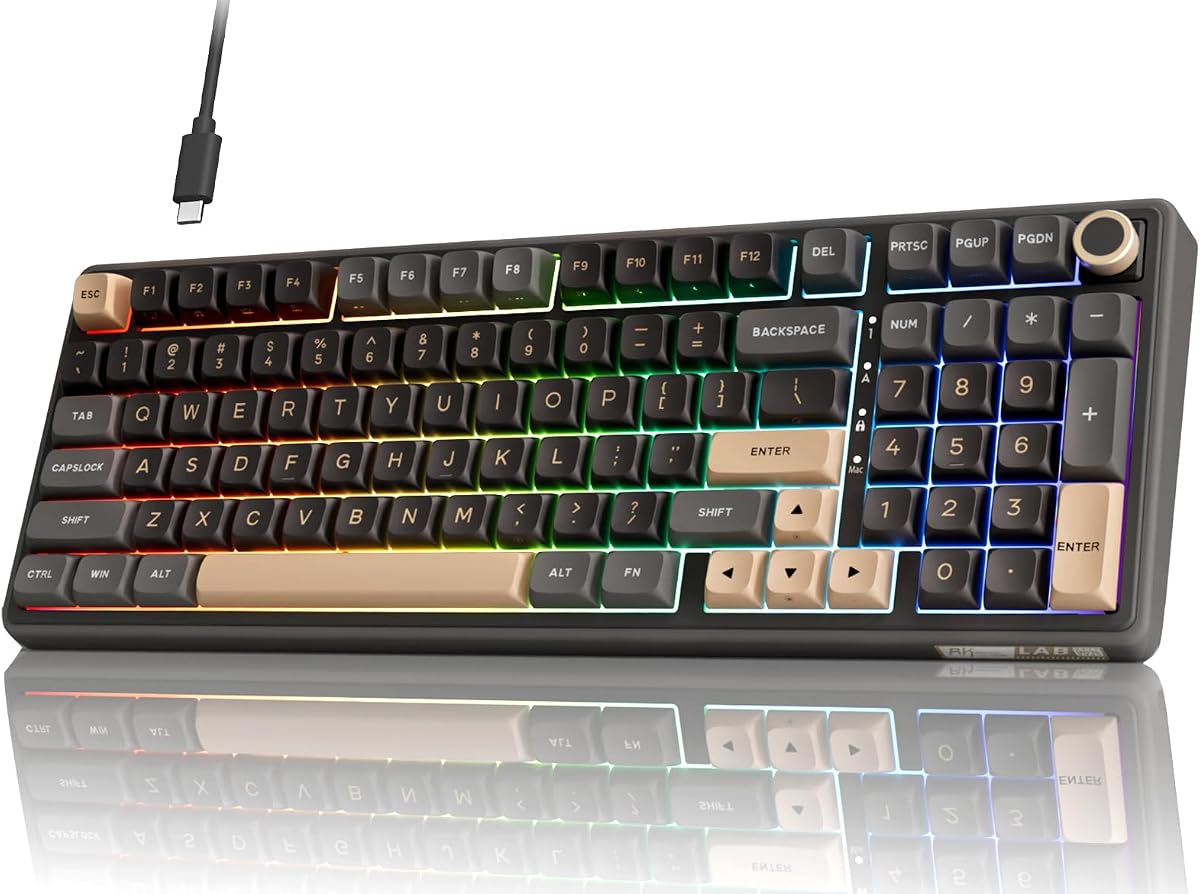
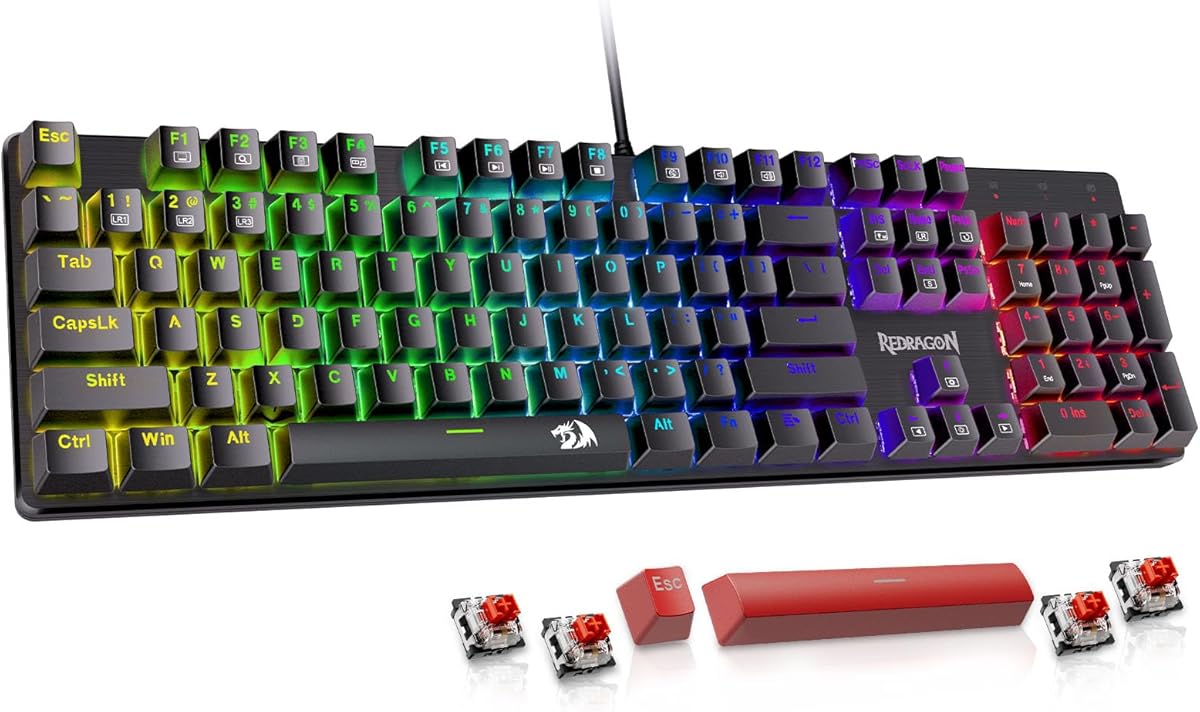
Budget boards (Redragon, Royal Kludge, AULA): 40–60% of new price. A $50 new keyboard should sell used for $20–30. These boards depreciate quickly because the new price is already accessible.

Mid-range boards (Keychron V-series, RK84): 50–65% of new price. A $75 keyboard sells used for $35–50. Hot-swap and wireless features hold value better than soldered-only boards.

Premium boards (Keychron Q-series, Ducky One 3, SteelSeries Apex Pro): 60–75% of new price. A $150 keyboard sells for $90–110 used. Aluminum cases and premium switches hold value well.

Group buy customs: Market-dependent. Some limited-run boards appreciate above original price if demand outstrips availability. Research the specific keyboard on r/mechmarket before buying or selling.

Anything listed significantly below these ranges deserves extra scrutiny — ask for photos of every key registered and clarification on any defects before purchasing.

Why buy used or refurbished

A used or refurbished mechanical keyboard can get you a premium board for a fraction of its original price, which is the main reason people shop this way. Mechanical keyboards are built to last for years and tens of millions of keystrokes per switch, so a well-cared-for used board often has plenty of life left. Refurbished units, checked and restored by a seller, add a layer of reassurance over a purely private sale. For buyers who want flagship build quality on a budget, or who enjoy the keyboard hobby and like rotating boards, the used market is a smart and sustainable place to look.

Where to buy safely

Where you buy matters as much as what you buy. Manufacturer-refurbished stores and reputable retailers offer the safest route, since the board has been tested and usually carries a short warranty. Dedicated keyboard communities and marketplaces are great for enthusiast boards, with sellers who describe condition honestly and often include extras. General marketplaces work too, but favour sellers with strong ratings, clear photos and a returns policy. Wherever you buy, paying through a platform that offers buyer protection guards against the rare bad transaction, so you can shop the used market with confidence.

What to check before buying

A few checks separate a great used buy from a regret. Ask about or inspect for the condition of the switches and whether any have been replaced, the state of the keycaps (shine and legends), and any signs of liquid damage or heavy wear. Confirm the board powers on, all keys register, and any wireless or software features work. For older boards, check that replacement parts and keycaps are still available. A board with hot-swap sockets is especially forgiving, since you can replace any worn or scratchy switch yourself without soldering.

Understanding the savings and the risks

The appeal of used is clear savings, often thirty to fifty per cent or more off a premium board, but go in with realistic expectations. Used boards may show cosmetic wear, keycaps can be shiny from use, and you usually get little or no warranty on private sales. Refurbished units reduce these risks but cost a little more. Weigh the savings against the lack of a long warranty and the small chance of an issue. For many buyers the trade is well worth it, especially on durable, repairable mechanical boards that are easy to refresh.

Refreshing a used board

One of the joys of mechanical keyboards is how easily a used board can be brought back to like-new condition. New keycaps instantly transform the look and remove any shine from the previous owner. On a hot-swap board, fresh switches restore a crisp, consistent feel for a small cost. A quick clean, new stabiliser lube and a fresh set of switches can make a second-hand board feel better than many new ones. This repairability is exactly why mechanical keyboards hold up so well on the used market and reward a little hands-on attention.

Who should buy used or refurbished

The used and refurbished market suits budget-conscious buyers who want premium quality for less, enthusiasts who like trying different boards without paying full price each time, and anyone who values sustainability by giving a well-made board a second life. If you want a guaranteed pristine product with a full warranty and zero effort, buying new is simpler. But if you are comfortable checking condition and perhaps refreshing a board, used and refurbished mechanical keyboards offer some of the best value in the hobby.

How we picked

We focused on boards that hold up well secondhand: durable builds, long-rated switches, and wide availability through Amazon Renewed (professionally inspected and warrantied). We weighed how much you typically save versus new, how well each ages, and whether refurbished units are easy to find. Read the buying guide below before purchasing any used keyboard.

Frequently asked questions

Is it safe to buy a refurbished mechanical keyboard?

Generally yes, especially through Amazon Renewed, where units are professionally inspected, tested and backed by a minimum 90-day guarantee. Mechanical and optical switches are rated for tens of millions of presses, so a refurbished board usually has most of its life ahead of it.

What does 'Amazon Renewed' mean?

Amazon Renewed products are pre-owned or open-box items that have been inspected and tested to work and look like new by qualified suppliers, and come with the Amazon Renewed Guarantee (at least 90 days of returns/replacement support). It's the safest mainstream way to buy refurbished.

What should I check on a used keyboard when it arrives?

Test every key for consistent actuation, check stabilizers on the longer keys (spacebar, Enter, Shift) for rattle, inspect keycaps for shine or damage, and — on wireless boards — verify battery life holds up. If anything is off, use the return window immediately.

Which keyboards are best to buy used versus new?

Boards with sealed optical or magnetic switches (Razer Huntsman, SteelSeries Apex Pro) age best because the switches don't collect dust. Hot-swappable boards (Ducky One 3) are also great used since you can replace switches cheaply. Be a little more cautious with wireless boards, where battery wear is the main concern.