Skip to content

Best 60% Keyboards in 2026

4.3 average · hands-on tested
By Dylan AidenUpdated June 27, 20265 picks tested

We may earn a commission from links on this page, at no extra cost to you. Learn more.

A 60% keyboard ditches the number pad, arrow cluster and function row to free up huge amounts of desk space — perfect for low-sensitivity FPS players and minimalist setups. After living with each on cramped desks and in fast shooters, these are the five best 60% keyboards of 2026.

Quick comparison

KeyboardBest forRatingPrice
1Royal Kludge RK61Royal KludgeBest Overall4.5$$$Check Price
2Razer Huntsman MiniRazerBest for Competitive FPS4.5$$$Check Price
3Corsair K70 PRO Mini WirelessCorsairBest Wireless4.5$$$Check Price
4Redragon K617 FizzRedragonBest Budget4.2$$$Check Price
5MageGee MK-BoxMageGeeBest Ultra-Budget4.0$$$Check Price

Our top 5 picks, reviewed

1Best Overall

Royal Kludge RK61

The best all-round 60% you can buy. The RK61 gives you triple-mode wireless and hot-swap sockets in a tiny, travel-friendly shell, at a price that undercuts nearly everything. The default 60% recommendation.

Layout
60% (61-key)
Connection
BT / 2.4GHz / USB-C
Switches
Hot-swap
Battery
Up to 200h

What we liked

  • Triple-mode wireless
  • Hot-swap sockets
  • PBT keycaps
  • Excellent value

Worth noting

  • Function layer for arrows
  • Basic software
2Best for Competitive FPS

Razer Huntsman Mini

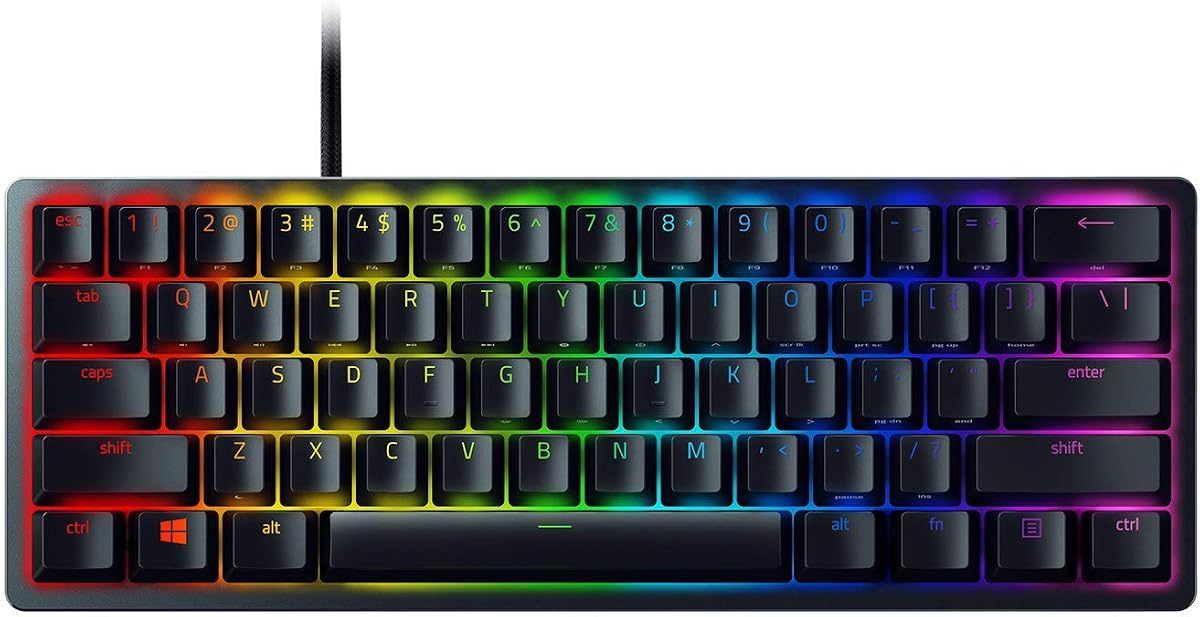
The 60% to grab for competitive shooters. Razer's linear optical switches actuate fast and consistently, the aluminum top plate feels solid, and the PBT keycaps last. The freed-up desk space is a gift for low-sens players.

Layout
60% (61-key)
Switches
Linear optical
Frame
Aluminum top
Keycaps
PBT doubleshot

What we liked

  • Fast linear optical switches
  • Sturdy aluminum top plate
  • PBT doubleshot keycaps
  • Onboard memory

Worth noting

  • Wired only
  • Synapse needed for remaps
3Best Wireless

Corsair K70 PRO Mini Wireless

The premium wireless 60%. Corsair's sub-1ms Slipstream wireless and 8,000Hz polling make it genuinely competitive, and the hot-swappable Cherry MX switches plus aluminum frame feel high-end. The 60% for players who want it all.

Layout
60% (61-key)
Connection
Slipstream / BT / USB
Switches
Hot-swap Cherry MX
Polling
8,000Hz

What we liked

  • Sub-1ms Slipstream wireless
  • Hot-swappable Cherry MX
  • 8,000Hz polling
  • Premium aluminum + PBT

Worth noting

  • Pricey for a 60%
  • iCUE software is heavy
4Best Budget

Redragon K617 Fizz

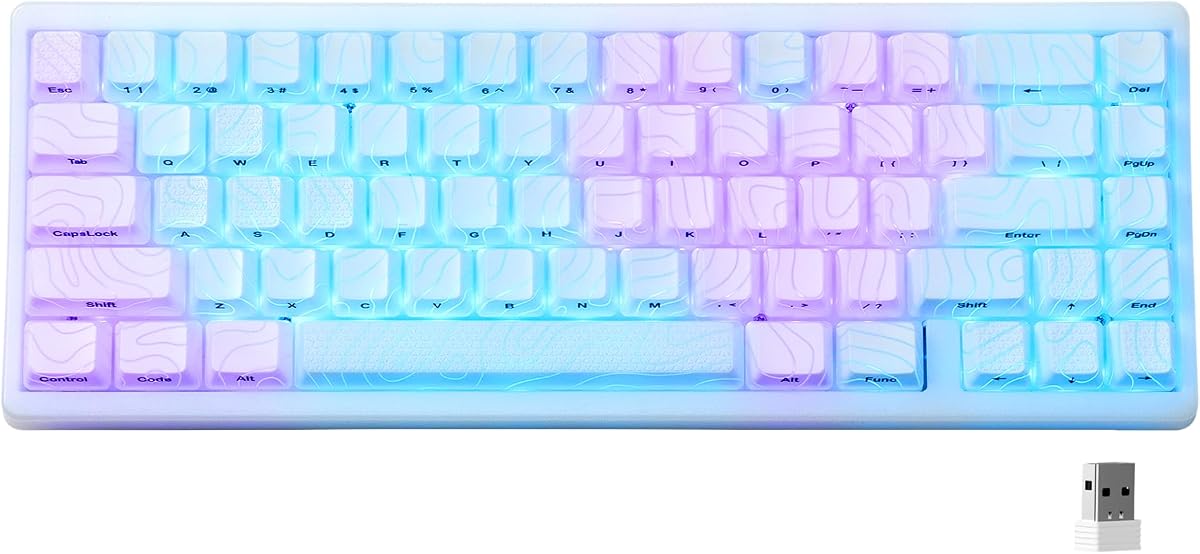
Proof you don't need to spend much for a clean, hot-swappable 60%. The Fizz looks great, the RGB is bright, and hot-swap sockets let you upgrade later. A superb minimalist or budget-FPS pick.

Layout
60% (61-key)
Switches
Hot-swap Red
Backlight
RGB
Connection
USB wired

What we liked

  • Very low price
  • Hot-swappable sockets
  • Bright RGB presets
  • Tidy two-tone keycaps

Worth noting

  • Wired only
  • ABS keycaps shine over time
5Best Ultra-Budget

MageGee MK-Box

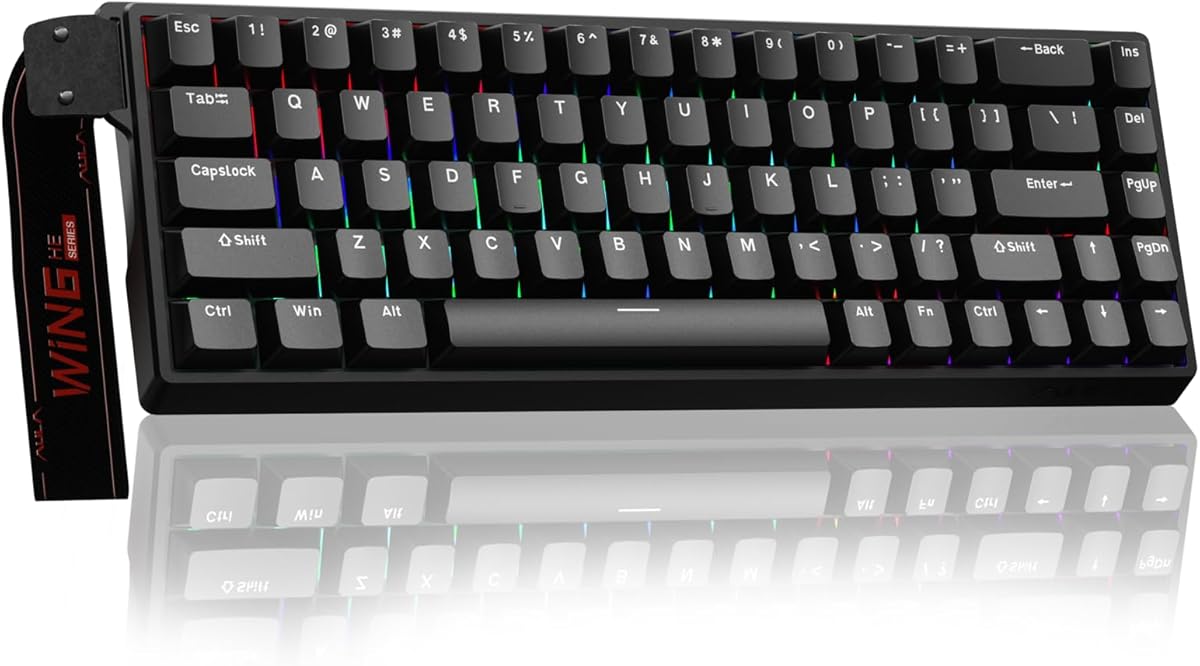
The cheapest way into a real mechanical 60%. Basic lighting and no hot-swap, but it cleverly keeps arrow keys in a 68-key body and works the moment you plug it in. A great backup or starter board.

Layout
60% (68-key)
Switches
Outemu Red
Backlight
LED
Connection
USB wired

What we liked

  • Rock-bottom price
  • Keeps arrow keys in a 60% body
  • Plug-and-play
  • Light and portable

Worth noting

  • No hot-swap
  • Single-color backlight

How to choose a 60% keyboard in 2026

A 60% board is a deliberate trade: maximum desk space for a learning curve. Here's how to pick the right one and make the compromise painless.

Make peace with the function layer. Everything you "lose" — arrows, F-keys, Home/End, media — lives on a Fn layer. Before buying, check that the board's layer is sensible and, ideally, remappable. Boards with software or QMK/VIA let you put those keys wherever feels natural. Expect a few days of adjustment.

Switch type. For competitive FPS, fast linear or optical switches (Razer Huntsman Mini) shine. For all-round use, linear or tactile mechanical switches are fine. Hot-swap sockets (RK61, K617 Fizz, K70 PRO Mini) let you change feel later without soldering.

Wired vs wireless. A 60% is the ultimate minimalist board, so many people want it wireless too. Budget tri-mode (RK61) covers casual play; for competitive wireless, the Corsair K70 PRO Mini's sub-1ms Slipstream is the one to beat.

Build and keycaps. An aluminum top plate (Huntsman Mini, K70 PRO Mini) adds rigidity and a premium feel. PBT keycaps resist the greasy shine that cheap ABS develops — worth having on a board you'll travel with.

Keep arrows if you must. If a true 60% sounds too aggressive, the MageGee MK-Box squeezes dedicated arrow keys into a 68-key "60%-ish" layout, and 65% boards add arrows back while staying compact.

Decide whether you're optimizing for competitive wireless, FPS speed or pure value, accept the function-layer learning curve, and let our picks above point you to the right compact board.

The real benefit of going 60%: mouse space and posture

The numpad pushes your mouse 15–20cm further to the right than it needs to be. For most users, this means extending your right arm outward while gaming — a posture that creates shoulder tension over long sessions.

A 60% keyboard places your mouse almost directly to the side of your typing position. Your elbow stays closer to your body, your shoulder stays relaxed. Low-sensitivity FPS players who use wide mouse sweeps benefit the most: the extra clearance lets you swing through full 360-degree movements without the keyboard getting in the way.

Beyond gaming, a compact footprint opens up desk space for notebooks, a larger mousepad, or simply a less cluttered workspace. Once you've used a 60% for a few weeks, going back to a full-size feels unnecessary.

How long does the Fn layer learning curve actually take?

Most people overestimate this. The arrow keys are the keys you'll reach for most on instinct, and almost every 60% keyboard puts them on Fn + WASD or Fn + IJKL. You'll hit the wrong key a dozen times the first day and almost never after the first week.

Function keys (F1–F12) take longer if you use them frequently. For gaming, most games either don't require F-keys or let you rebind them. For work tasks that rely on F-keys, a 65% or 75% board is a smarter choice than a 60%.

The honest timeline: three to five days before the most common Fn combos feel natural, two to three weeks before using the keyboard at full speed.

60% keyboards and gaming: what you gain and what you give up

What you gain: More desk space for mouse movement, a cleaner setup, and a lighter bag if you travel with your gear. The compact size also makes it easier to reposition the keyboard during gaming sessions — tilting it slightly, pushing it to the side for controller use, or switching to a different surface.

What you give up: Arrow keys require a Fn combination in most games, which is rarely a problem since WASD handles most movement. The function row disappears, which matters if your game uses F-keys for abilities, macros, or keybinds. Some MMOs and strategy games are more dependent on function keys than shooters — check your game's control scheme before committing to a 60%.

The Razer Huntsman Mini and Corsair K70 PRO Mini both handle competitive shooters excellently. For MMO or RTS players who need F-key access, the 65% or 75% layout serves better.

What to look for in a 60% keyboard for travel

A 60% keyboard is the most travel-friendly mechanical board you can buy. But a few features make the difference between a great travel companion and a frustrating one.

Wireless connectivity removes the need to carry a cable. Triple-mode (2.4GHz, Bluetooth, USB-C) boards like the RK61 let you switch between your hotel laptop, personal phone, and gaming setup without juggling dongles.

Build durability matters when a keyboard bounces around in a bag. Aluminum cases (Huntsman Mini, K70 PRO Mini) resist flex and scratching far better than plastic. Keycap stems should feel solid when pressed — wobbly keycaps suggest a board that won't hold up to travel.

Battery life for wireless boards should be 100+ hours with lighting off. Recharging every few days while traveling is annoying. Charge before you leave, carry a USB-C cable as backup.

Weight is rarely a problem with 60% boards — most weigh under 800g without a cable, which is manageable in any bag. The RK61 sits around 600g; the K70 PRO Mini is heavier at about 870g due to its aluminum frame.

Common mistakes when buying a 60% keyboard

Buying a 60% and immediately using it for work that requires F-keys. This leads most people to add a separate function key row or switch to a 65% — something worth deciding before purchase.

Overlooking the software. If the Fn layer is fixed and unusable as-is, you're stuck with it. Always check whether the keyboard supports remapping through software, VIA, or QMK before assuming the layer layout works for you.

Buying the cheapest option without checking for hot-swap. A $25 60% board with soldered switches locks you into that switch feel permanently. The $35–45 sweet spot gets you hot-swap, which is the feature that makes a budget board genuinely future-proof.

Using a 60% keyboard for daily typing, not just gaming

The 60% is often marketed as a gaming layout, but it works well for writing and general typing once you build Fn-layer muscle memory. The compact size actually benefits typists who use a mouse frequently — the mouse stays closer to your natural arm position, reducing the lateral arm reach that causes shoulder strain over long desk sessions.

Writers and content creators who spend hours typing long-form text find 60% boards surprisingly comfortable. The home row stays in the center of the desk instead of being offset to the left (as it is on full-size boards where the numpad shifts everything). This centering reduces the leftward lean that many typists develop with larger keyboards.

The keys you reach for most — alphanumerics, Enter, Backspace, Shift — are all present on a 60%. The missing keys are the ones most people use infrequently during flow writing: F-keys, Home, End, Insert. Fn combos for these keys slow you down briefly at first and become automatic within a week.

For programmers, however, a 60% is a more deliberate choice. F-key shortcuts in IDEs (F5 to run, F9 to set breakpoints, F12 to jump to definition) are used constantly in active development. Using these via Fn layer adds a second keypress to actions you perform dozens of times per hour. Many programmers prefer a 65% or 75% for exactly this reason.

Desk setup tips that make a 60% keyboard more comfortable

A 60% keyboard works best on a clean, spacious desk surface — which is often exactly the setup a 60% user wants anyway. A few small changes make the experience noticeably better.

Use a large mousepad. With a 60% board, your mouse now has room to move across a much wider area. A 900×400mm extended desk mat covers both keyboard and mouse area, creates a uniform surface, and absorbs desk vibration. It also catches the inevitable crumbs and prevents scratches on your desk surface.

Center the keyboard to your body, not your desk. On a full-size board, the alphanumeric block sits slightly left of center to accommodate the numpad. A 60% board is entirely alphanumeric — it should sit directly in front of you, centered to your chest. This neutral position reduces both wrist deviation and shoulder angle.

Angle it slightly. Rotating the keyboard 5–10 degrees clockwise aligns it with the natural angle of your right forearm reaching the mouse. This reduces the rightward wrist angle that straight-ahead keyboards force on most right-handed setups.

Try negative tilt. Most keyboards ship with rear feet extended, tilting the back upward. For many typists, this increases wrist extension (bending the wrists upward during typing). Folding the feet flat or using a negative-tilt stand keeps wrists in a more neutral position during long sessions.

What a 60% layout gives up and gains

A 60% keyboard strips away the number pad, function row, arrow keys and navigation cluster to leave just the core letters, numbers and modifiers. The gain is a remarkably compact board that frees huge desk space, keeps your mouse closer for less shoulder strain, and travels easily. The trade-off is that arrows, function keys and shortcuts move onto a secondary layer accessed with a function key. For many users that adjustment takes a week or two, after which the muscle memory becomes second nature. If you rarely use a numpad and value desk space and aesthetics, 60% is a liberating layout.

Living with layers

The key skill with a 60% board is getting comfortable with layers. Functions you used to reach with dedicated keys — arrows, Delete, Home, End, media controls and the function row — now live under a Fn key, usually mapped logically (arrows on the I-J-K-L cluster or WASD). Good 60% boards let you remap these layers in software to suit your habits, so you can place shortcuts exactly where your fingers expect them. Spend a little time customising the layout and printing or memorising your key bindings, and the layers quickly stop feeling like a compromise.

Who 60% keyboards suit best

A 60% board is ideal for gamers who want maximum mouse room for low-sensitivity aiming, minimalists who love a clean desk, and anyone who travels with their keyboard. It is less suited to people who enter a lot of numbers, since the missing numpad is a real loss for spreadsheet and data work, or to those who rely heavily on the function row without wanting to use a layer. Be honest about how you use the missing keys: if you rarely touch them, you will love the compactness; if you use them constantly, a 65% or 75% board may suit you better.

Customisation and the enthusiast appeal

Part of the appeal of 60% boards is how customisable they are. The compact size and popularity of the layout mean a huge selection of keycap sets, cases and switches fits them, making a 60% board a great entry into the keyboard hobby. Many support hot-swap switches, QMK or VIA firmware for deep remapping, and gasket mounting for a premium feel. If you enjoy tinkering, a 60% board is a canvas for personalisation. Even if you do not, the layout's popularity means accessories and replacement keycaps are easy to find.

Getting the most from a compact board

To settle into a 60% keyboard quickly, remap the layers to match your workflow, learn the arrow and navigation bindings, and use software to set up any macros you need. Pair the board with a wrist rest if you type for hours, since compact boards still benefit from support. Keep the firmware updated and the switches clean. Give yourself a couple of weeks to adapt, and a well-configured 60% board delivers a clean, efficient and genuinely enjoyable typing and gaming experience in the smallest practical footprint.

Is a 60% keyboard right for you?

Before buying, picture your daily workflow honestly. If you spend your day gaming, coding or writing and rarely touch the numpad or function row, a 60% board will feel freeing rather than limiting once you learn the layers. If your work involves heavy data entry, frequent spreadsheet use, or constant function-key shortcuts, the missing keys may frustrate you, and a 65% or 75% board offers a better balance of compactness and convenience. There is no universally right answer, only the layout that matches how you actually work, so weigh the desk-space and aesthetic benefits against the keys you would give up.

A growing, well-supported standard

The 60% layout has become one of the most popular and best-supported sizes in the keyboard world, which works in your favour. Because so many boards and keycap sets are built around it, you will never struggle to find replacement keycaps, custom sets or accessories that fit, and online communities offer plenty of layout and remapping advice. That popularity also means strong competition and good value across price points. Whether you want a budget 60% board or a premium custom, the breadth of the ecosystem makes the layout a safe, future-proof choice.

Worth the short learning curve

Give a 60% board a couple of weeks and the compactness, clean look and extra mouse room quickly outweigh the brief adjustment to layers. For most users who do not lean on a numpad, it becomes a favourite layout they would not go back from.

How we picked

We tested each board for at least a week, focusing on how well it handles the 60% compromise: how intuitive the function layer is, how it feels in fast games where you swing the mouse wide, switch feel, build quality and value. Boards that made the missing keys painless scored highest.

Frequently asked questions

What is a 60% keyboard and who is it for?

A 60% keyboard removes the number pad, arrow cluster and function row, leaving about 61 keys. It frees up a lot of desk space for wide mouse movement, which low-sensitivity FPS players love, and suits minimalist or travel setups. You access the missing keys via a function layer.

How do you use arrow keys and function keys on a 60%?

Through a function (Fn) layer — holding Fn turns other keys into arrows, F-keys and media controls. It takes a few days to build muscle memory, after which most people barely miss the dedicated keys.

Are 60% keyboards good for gaming?

Very. The compact size lets you angle the board and swing the mouse further, which helps in shooters. The Razer Huntsman Mini (optical) and Corsair K70 PRO Mini (wireless, hot-swap) are both excellent competitive options.

Can you get a wireless 60% keyboard?

Yes. The Royal Kludge RK61 offers budget triple-mode wireless, while the Corsair K70 PRO Mini delivers premium sub-1ms Slipstream wireless with hot-swap Cherry MX switches.