Skip to content

Best SSDs for Video Editing in 2026

By Thomas BrianUpdated July 5, 2026

We may earn a commission from links on this page, at no extra cost to you. Learn more.

Video editing punishes slow storage like no other task. Scrubbing multi-stream 4K and 8K timelines, transferring hours of footage off a shoot and rendering to disk all demand sustained speed that a mechanical drive simply cannot deliver. That is why editors reach for SSDs, and specifically for drives that hold their speed under sustained load rather than collapsing after a short burst. The two things that matter most are consistent throughput and enough capacity to hold real projects. This guide ranks nine of the best SSDs for video editing in 2026, spanning rugged portable drives from SanDisk, Samsung and Crucial alongside a blistering PCIe 5.0 internal, from a 1TB scratch drive to a 4TB project vault, so there is a right pick whether you edit on location or at a workstation.

Top 9 Best SSDs for Video Editing

Best Portable Value4.7
Best Rugged Portable4.6
Best High-Capacity Portable4.6
Best Compact 1TB SSD4.6
Best 1TB Rugged4.6
Best Balanced 2TB Portable4.5
Best Pro 4TB Value4.1

Our top 9 picks, reviewed

1Best Overall

Samsung SSD 9100 PRO 2TB (PCIe 5.0 M.2)

For a workstation editing bay, the Samsung 9100 PRO is in a league of its own. Its PCIe 5.0 interface delivers up to 14,700MB/s reads, twice the 990 PRO, so massive 8K files and multi-stream timelines load and render without waiting. A 5nm controller improves efficiency and keeps thermals in check under sustained load, and it carries the highest rating here. It is an internal drive, so it lives in your rig, not your bag.

Capacity
2TB
Interface
PCIe 5.0 x4 M.2
ReadSpeed
Up to 14,700MB/s
Cooling
Advanced thermal control

What we liked

  • Blistering PCIe 5.0 speeds up to 14,700MB/s
  • Ideal for 8K and heavy timelines
  • Efficient 5nm controller runs cooler
  • Highest owner rating on this list

Worth noting

  • Internal drive, not portable
  • Needs a PCIe 5.0 slot to hit peak speeds
2Best Portable Value

Samsung T7 Portable SSD 1TB

The Samsung T7 is the value pick for editors who want portable speed without paying for the fastest tier. Its 1,050MB/s reads over USB 3.2 Gen 2 are plenty for editing 4K in place and offloading footage quickly, and it can record Ultra HD 4K 60fps straight from a camera. The compact, durable body travels well, making it a dependable scratch and transfer drive for run-and-gun creators on a budget.

Capacity
1TB
Interface
USB 3.2 Gen 2
ReadSpeed
Up to 1,050MB/s
Extras
4K 60fps recording support

What we liked

  • Fast 1,050MB/s reads over USB
  • Records 4K 60fps directly
  • Compact and highly portable
  • Excellent value per terabyte

Worth noting

  • Slower than the Gen 2x2 drives
  • 1TB fills fast with 4K footage
3Best Rugged Portable

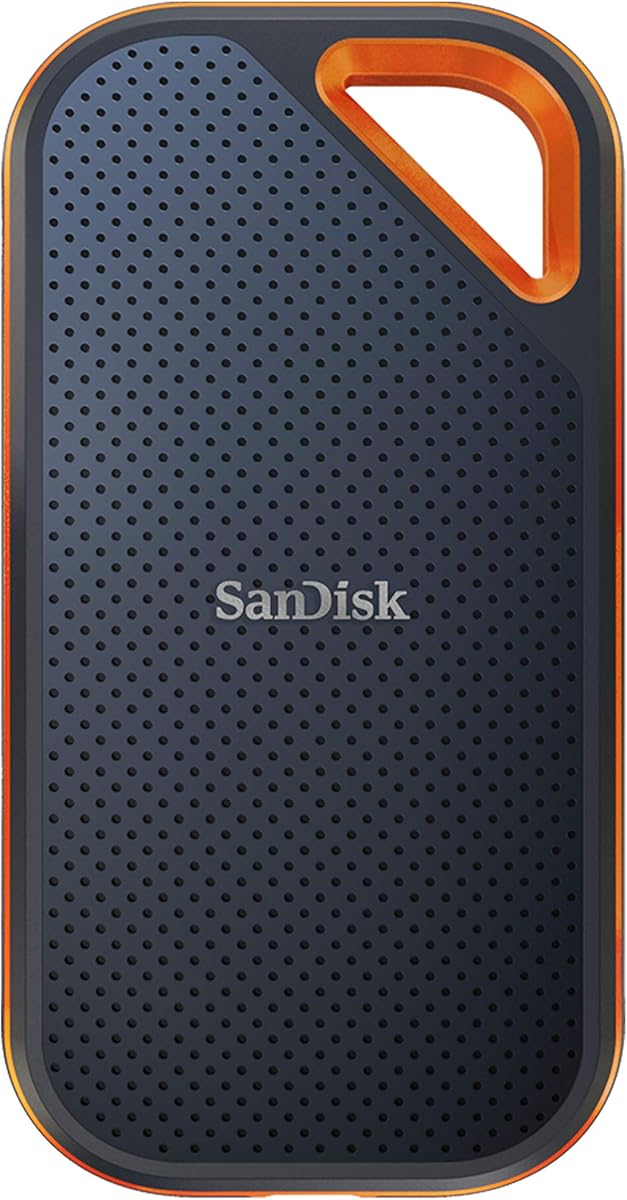
SanDisk 2TB Extreme Portable SSD

The SanDisk 2TB Extreme is the field editor's companion, built to survive the abuse of location shoots. IP65 water and dust resistance plus three-meter drop protection mean it shrugs off rain, sand and tumbles, while up to 1,050MB/s NVMe speeds keep 4K editing smooth. A carabiner loop clips it to a bag and 256-bit AES encryption guards your footage. It is rugged, fast enough and sensibly priced for on-location work.

Capacity
2TB
Interface
USB 3.2 Gen 2
ReadSpeed
Up to 1,050MB/s
Durability
IP65, 3m drop

What we liked

  • Tough IP65 water and dust resistance
  • Survives 3-meter drops
  • Fast 1,050MB/s NVMe speeds
  • 256-bit AES hardware encryption

Worth noting

  • Gen 2 speeds trail Gen 2x2 rivals
  • Older model design
4Best High-Capacity Portable

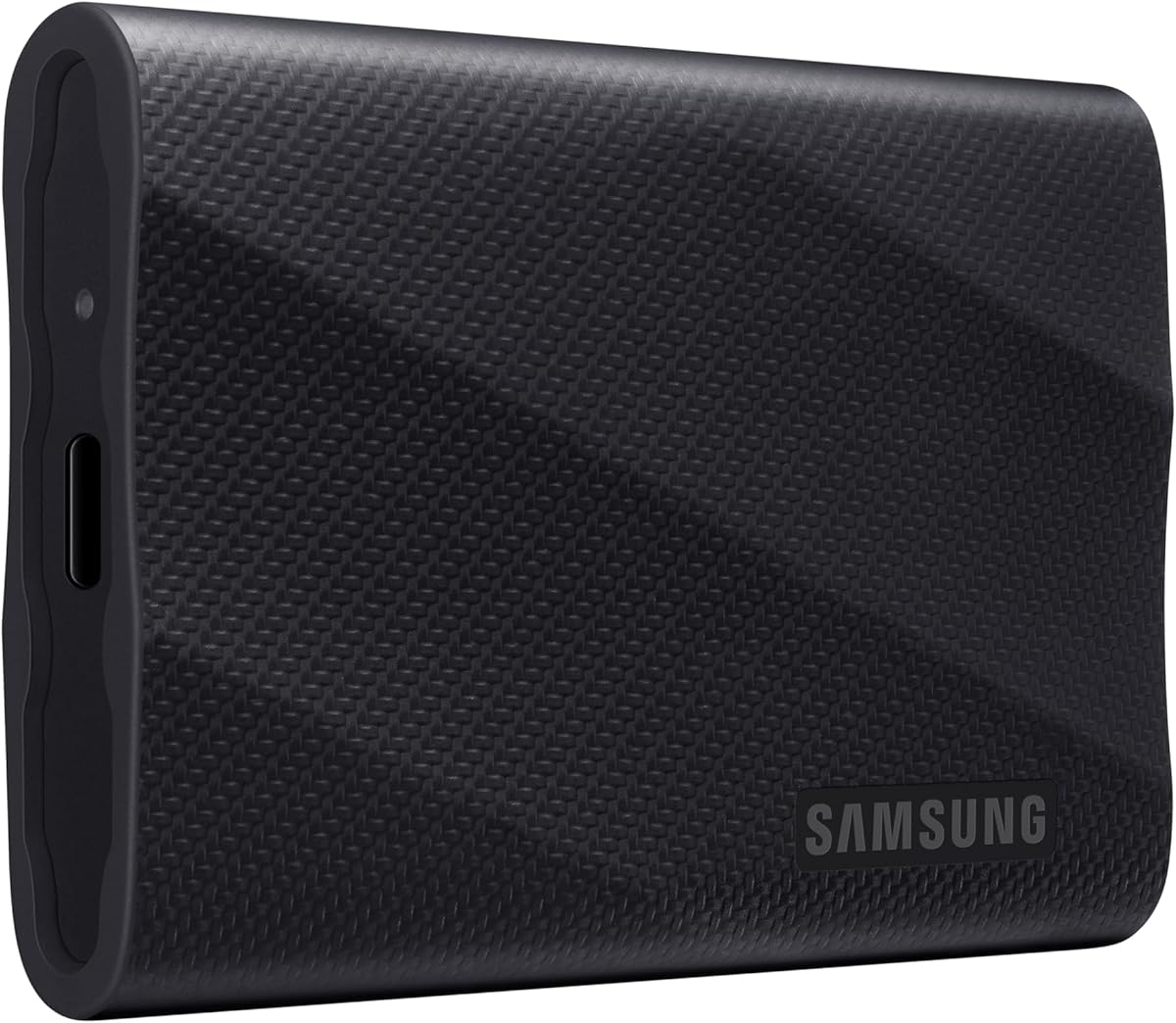
Samsung T9 Portable SSD 4TB

The Samsung T9 4TB is the portable drive for editors who need both speed and space in one place. Its USB 3.2 Gen 2x2 interface hits 2,000MB/s and, crucially, Samsung's Dynamic Thermal Guard keeps those speeds steady through long transfers and renders rather than throttling when it heats up. Four terabytes holds entire 4K projects with room to spare, making it a genuine portable project vault for serious creators.

Capacity
4TB
Interface
USB 3.2 Gen 2x2
ReadSpeed
Up to 2,000MB/s
Cooling
Dynamic Thermal Guard

What we liked

  • Huge 4TB for full projects
  • Fast 2,000MB/s Gen 2x2 speeds
  • Dynamic Thermal Guard prevents throttling
  • Sustains speed through long tasks

Worth noting

  • Premium price for 4TB
  • Needs a Gen 2x2 port for full speed
5Best Compact 1TB SSD

Samsung T9 Portable SSD 1TB

The Samsung T9 1TB brings the same 2,000MB/s Gen 2x2 performance and Dynamic Thermal Guard cooling as its 4TB sibling in a smaller, cheaper package. That makes it a fast scratch or transfer drive for editors who do not need terabytes of project storage but still want the sustained speed that keeps 4K timelines fluid. If you value speed over sheer capacity, it is the sensible, portable entry into the fastest USB tier.

Capacity
1TB
Interface
USB 3.2 Gen 2x2
ReadSpeed
Up to 2,000MB/s
Cooling
Dynamic Thermal Guard

What we liked

  • Fast 2,000MB/s Gen 2x2 speeds
  • Dynamic Thermal Guard sustains speed
  • Compact and durable body
  • More affordable entry to Gen 2x2

Worth noting

  • 1TB is tight for large projects
  • Needs a Gen 2x2 port for full speed
6Best 1TB Rugged

SanDisk 1TB Extreme Portable SSD

The SanDisk 1TB Extreme is the smaller, lighter version of SanDisk's rugged portable, ideal for editors who want field durability without paying for 2TB. It carries the same IP65 water and dust resistance, three-meter drop protection and 256-bit AES encryption, with up to 1,050MB/s reads that comfortably handle 4K editing. For a tough, pocketable scratch drive that can take a beating on location, it is a dependable pick.

Capacity
1TB
Interface
USB 3.2 Gen 2
ReadSpeed
Up to 1,050MB/s
Durability
IP65, 3m drop

What we liked

  • IP65 water and dust resistance
  • Survives 3-meter drops
  • Fast 1,050MB/s NVMe speeds
  • 256-bit AES hardware encryption

Worth noting

  • Only 1TB of capacity
  • Gen 2 speeds trail newer drives
7Best Pro Portable

SanDisk 4TB Extreme PRO Portable SSD

The SanDisk 4TB Extreme PRO pairs pro-grade speed with rugged field readiness. Its forged aluminum chassis doubles as a heatsink, delivering higher sustained speeds during long editing and transfer sessions, while 2,000MB/s Gen 2x2 throughput and 4TB of space handle demanding 4K and 8K projects. Add IP65 resistance and a five-year warranty, and it is the drive for professional creators who edit in the field and cannot afford thermal throttling.

Capacity
4TB
Interface
USB 3.2 Gen 2x2
ReadSpeed
Up to 2,000MB/s
Cooling
Forged aluminum heatsink

What we liked

  • Fast 2,000MB/s Gen 2x2 speeds
  • Aluminum chassis sustains high speeds
  • Huge 4TB for big projects
  • IP65 durability and 5-year warranty

Worth noting

  • Premium price for the capacity
  • Needs a Gen 2x2 port for full speed
8Best Balanced 2TB Portable

Crucial X10 2TB Portable SSD

The Crucial X10 2TB is a well-rounded portable that edges ahead on paper with up to 2,100MB/s reads, plus strong durability including IP65 resistance and a 9.8-foot drop rating. Two terabytes suits a working project drive, and the bundled Acronis True Image and Mylio Photos software add backup and organisation value. For editors wanting fast, tough, mid-capacity portable storage with useful extras, it is a smart, balanced choice.

Capacity
2TB
Interface
USB 3.2 USB-C
ReadSpeed
Up to 2,100MB/s
Durability
IP65, 9.8ft drop

What we liked

  • Class-leading 2,100MB/s reads
  • IP65 water and dust resistance
  • Survives 9.8ft drops
  • Bundled Acronis and Mylio software

Worth noting

  • Write speed trails read speed
  • Needs a fast port for full performance
9Best Pro 4TB Value

Crucial X10 Pro 4TB Portable SSD

The Crucial X10 Pro 4TB targets professional creators who need big capacity and balanced read-write speed for a seamless workflow. Up to 2,100MB/s reads and 2,000MB/s writes handle high-resolution photos and 4K or 8K footage, and 4TB holds substantial current projects. IP55 resistance, a lanyard loop and SSD password protection cover field security, though its lower owner rating and less-sealed rating keep it below the top-tier drives here.

Capacity
4TB
Interface
USB 3.2 USB-C
ReadSpeed
Up to 2,100MB/s
WriteSpeed
Up to 2,000MB/s

What we liked

  • Fast 2,100MB/s read, 2,000MB/s write
  • Huge 4TB for 4K and 8K projects
  • IP55 durability with lanyard loop
  • SSD password protection built in

Worth noting

  • Lower owner rating than rivals
  • IP55 less sealed than IP65 drives

How We Chose the Best SSDs for Video Editing

Best SSDs for Video Editing in 2026

Video editing is one of the most storage-intensive things you can ask a computer to do, so choosing an SSD for it is a different exercise from picking general-purpose storage. A drive that looks fast on a spec sheet can stumble badly the moment you throw a sustained workload at it, and that gap between peak and sustained performance is exactly where editors get burned. Our evaluation therefore focused on how these drives behave under continuous load rather than in a quick benchmark burst.

We started with sustained speed, because scrubbing timelines, transferring footage and rendering all hammer a drive continuously. That led us to weight thermal management heavily, since a drive that throttles when it heats up is useless mid-render; features like Samsung's Dynamic Thermal Guard and SanDisk's aluminum heatsink genuinely matter here. Capacity came next, because 4K and 8K footage devours space, so we spread the list from 1TB scratch drives to 4TB project vaults. We then considered durability for field work, the split between portable USB drives and the internal PCIe 5.0 Samsung 9100 PRO, and finally value per terabyte. The result is a list built for how editors actually work, whether on location or at a fixed workstation.

What an SSD for Video Editing Actually Buys You

The honest picture is that a good editing SSD removes storage as a bottleneck, letting your processor and software do the work without waiting on the disk. Expect two broad categories here. Portable USB drives from Samsung, SanDisk and Crucial deliver anywhere from 1,050MB/s on the T7 and SanDisk Extreme up to around 2,000 to 2,100MB/s on the Gen 2x2 T9 and Crucial X10 models, all in tough, pocketable bodies you can take on a shoot. The internal Samsung 9100 PRO is a different animal, using PCIe 5.0 to reach up to 14,700MB/s at a workstation, a figure no USB drive can approach.

What you are really choosing between is portability, sustained speed and capacity. A field editor wants a rugged portable like the SanDisk Extreme that survives drops and rain. A creator handling big projects wants both speed and space, which the 4TB Samsung T9 or Crucial X10 Pro deliver. And a workstation editor chasing the absolute fastest 8K performance wants the internal 9100 PRO. Understanding which of those describes your workflow is the key to buying well, because the fastest drive on paper is not always the right one for how and where you edit.

Matching the SSD to Your Workflow

For Editing on Location

If you shoot and edit in the field, durability matters as much as speed. The SanDisk 2TB Extreme and SanDisk 1TB Extreme bring IP65 water and dust resistance plus three-meter drop protection, so they survive conditions that would kill a standard drive. Both deliver up to 1,050MB/s, which is plenty for 4K editing, and their encryption keeps footage secure if a drive goes missing on a shoot.

For Big Projects That Need Space and Speed

When a single project generates terabytes of footage, you want both capacity and sustained throughput. The Samsung T9 4TB and Crucial X10 Pro 4TB hold entire 4K or 8K projects while pushing around 2,000MB/s, and the T9's Dynamic Thermal Guard keeps that speed steady through long renders. The SanDisk 4TB Extreme PRO adds a forged aluminum heatsink for the same reason, making it a strong pro-grade portable.

For the Fastest Possible Performance

At a fixed workstation, nothing here matches the internal Samsung 9100 PRO. Its PCIe 5.0 interface delivers up to 14,700MB/s, so even the heaviest 8K timelines and massive file transfers happen almost instantly. If your rig has a PCIe 5.0 slot and you edit demanding footage all day, it is the clear performance choice.

For Value and Portability

If you want fast portable storage without paying for the top tier, the Samsung T7 1TB and Samsung T9 1TB deliver strong speed at friendlier prices, while the Crucial X10 2TB balances 2,100MB/s reads with durability and bundled software. Any of them makes a capable scratch or transfer drive.

Specifications That Matter Most

Two specifications shape an editing SSD more than any others: sustained speed and capacity. Sustained speed is the number that actually matters, not the peak figure on the box, because editing keeps a drive working continuously. This is where the interface and cooling come together. USB 3.2 Gen 2 tops out around 1,050MB/s on drives like the SanDisk Extreme and Samsung T7, Gen 2x2 doubles that to roughly 2,000MB/s on the Samsung T9 and Crucial X10, and the internal PCIe 5.0 Samsung 9100 PRO leaps to 14,700MB/s. But raw interface speed means nothing if the drive throttles, which is why cooling is inseparable from performance here. Samsung's Dynamic Thermal Guard and SanDisk's aluminum heatsink exist specifically to hold speed steady through long renders and transfers.

Capacity is the other decisive spec, because high-resolution video is enormous. A single day of 4K footage can consume hundreds of gigabytes, so a 1TB drive fills fast on real projects. A 2TB drive like the SanDisk Extreme or Crucial X10 is a comfortable working size, while 4TB options like the Samsung T9 and Crucial X10 Pro hold complete projects with headroom. Beyond speed and capacity, weigh durability if you work in the field, where IP65 resistance and drop protection safeguard irreplaceable footage, and consider bundled extras like the Acronis and Mylio software that ships with the Crucial X10, or the password protection and encryption found across these drives.

A Closer Look at the Top Picks

The Samsung 9100 PRO earns the top spot for editors with a capable workstation, because nothing else here comes close to its performance. PCIe 5.0 delivers up to 14,700MB/s, twice the previous generation, so 8K footage and multi-stream timelines load and render with almost no wait, and its efficient 5nm controller keeps thermals under control during sustained work. It is an internal drive, so it lives in your machine rather than your bag, but for raw editing speed at a desk it is unmatched, and it carries the highest owner rating on this list.

Among portables, the Samsung T7 1TB is the value standout for fast, affordable transfer and scratch duty, while the SanDisk 2TB and 1TB Extreme drives are the rugged field choices with IP65 durability. The Samsung T9 4TB and 1TB add Gen 2x2 speed with reliable thermal control, and the SanDisk 4TB Extreme PRO combines that speed with an aluminum heatsink and a five-year warranty for professionals. The Crucial X10 2TB rounds out the balanced middle with class-leading reads and bundled software, and the Crucial X10 Pro 4TB offers big capacity with even write speeds for creators handling the largest projects.

Tips for Getting the Most From an Editing SSD

Match the drive to your ports, because performance depends on the connection. The Gen 2x2 speed of the Samsung T9 and Crucial X10 only appears on a matching USB 3.2 Gen 2x2 port, and the Samsung 9100 PRO needs a PCIe 5.0 slot to hit its peak. Plug a fast drive into a slower port and you will see a fraction of its potential, so check your machine's capabilities before buying and use the cable that ships in the box. For portable drives, keep them well ventilated during long transfers so their thermal management can do its job.

Organise your storage strategically rather than working off one drive. Many editors keep an active project on a fast SSD like the Samsung T9 or SanDisk Extreme, then archive finished work to cheaper, higher-capacity storage, which keeps your fast drive free and your projects safe. Never keep the only copy of irreplaceable footage on a single drive; back up to a second drive or the cloud, and take advantage of bundled tools like the Acronis True Image that ships with the Crucial X10. Enable the password protection and encryption these drives offer to guard client footage, and eject drives safely before unplugging. With the right drive and sensible habits, storage stops being the thing that slows your edit down.

Final Recommendation

For a workstation editing bay, the Samsung 9100 PRO is the best SSD for video editing in 2026, delivering PCIe 5.0 performance up to 14,700MB/s that no USB drive can match for demanding 8K work. If you edit on location, the SanDisk 2TB Extreme and its 1TB sibling bring rugged, encrypted reliability, while the Samsung T9 4TB and SanDisk 4TB Extreme PRO combine 2,000MB/s speed with the capacity and cooling that big projects demand. Value seekers are well served by the Samsung T7 and T9 1TB and the balanced Crucial X10 2TB, and the Crucial X10 Pro 4TB rounds out the field for creators needing even read-write speeds at scale. Match sustained speed, capacity and durability to how you actually edit, and the right SSD will keep your timeline flowing.

How we picked

We judged each SSD on sustained read and write speed under editing loads, thermal management that prevents throttling, usable capacity for large project files, durability for field work, and value per terabyte. Because video editing stresses drives continuously, we weighted sustained performance and cooling over peak burst numbers, and we spanned portable and internal drives across capacities and price points so the list reflects how editors actually work.

Frequently asked questions

What SSD speed do I need for video editing?

For smooth 4K editing, aim for sustained reads of at least 1,000MB/s, which drives like the Samsung T7 and SanDisk Extreme deliver. For multi-stream 4K, 8K or heavy timelines, step up to 2,000MB/s portable drives like the Samsung T9 and Crucial X10, or an internal PCIe 5.0 drive like the Samsung 9100 PRO for the fastest possible performance at a workstation.

Should I use a portable SSD or an internal SSD for editing?

Use a portable SSD like the Samsung T9 or SanDisk Extreme if you edit on location, move between machines, or want to keep projects on a single drive you carry. Use an internal drive like the Samsung 9100 PRO for maximum sustained speed at a fixed workstation, where its PCIe 5.0 interface far outpaces any USB drive for demanding 8K work.

How much SSD capacity do I need for video projects?

4K footage consumes space fast, so 1TB fills quickly on larger projects. A 2TB drive like the SanDisk Extreme or Crucial X10 is a comfortable working size, while 4TB drives like the Samsung T9 and Crucial X10 Pro hold entire projects with room to spare. Match capacity to how much footage a single project generates and keep a separate archive drive for finished work.

Why does sustained speed matter more than peak speed for editing?

Editing tasks like rendering and long transfers keep a drive working continuously, and cheaper SSDs can overheat and throttle, dropping far below their advertised peak. Drives with active cooling, such as the Samsung T9's Dynamic Thermal Guard and the SanDisk Extreme PRO's aluminum heatsink, hold their speed under sustained load, which is what keeps your timeline responsive during real work.

Are rugged SSDs worth it for video editing?

If you edit or capture footage in the field, yes. Drives like the SanDisk Extreme with IP65 water and dust resistance and three-meter drop protection survive conditions that would destroy a standard drive, protecting irreplaceable footage on location. For a drive that stays on your desk, ruggedness matters less, so you can prioritise speed and capacity instead.