Best SSDs for MacBook in 2026
We may earn a commission from links on this page, at no extra cost to you. Learn more.
Running out of storage on a MacBook used to mean buying a whole new machine, but for millions of older Intel Macs it does not have to. The MacBook Air and Pro sold from 2013 to 2017 use a removable NVMe-style SSD that you can swap for a larger, faster drive in about twenty minutes, breathing years of new life into an ageing laptop. For newer soldered-storage Macs, a fast USB-C portable SSD does the same job externally. This guide ranks nine of the best SSDs for MacBook in 2026, mixing model-specific internal upgrade drives with rugged portable SSDs, so whether you want to enlarge your Mac's built-in storage or simply add space on the outside, there is a right pick and a clear compatibility path.
Top 9 Best SSDs for MacBook
Our top 9 picks, reviewed
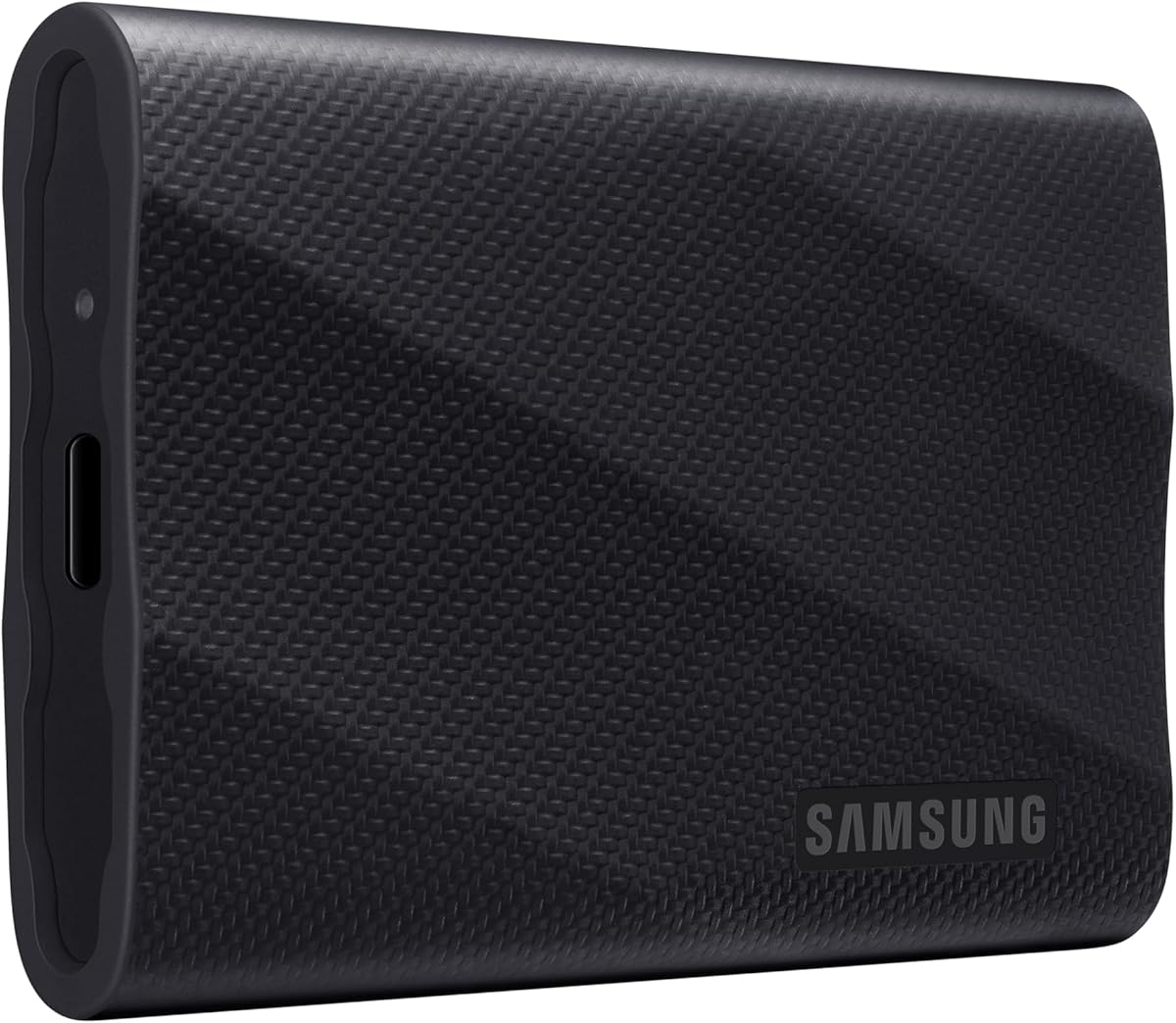
Samsung T7 Portable SSD 1TB
The Samsung T7 1TB is the safest SSD choice for any MacBook because it needs no teardown and works with every model via USB-C. Its PCIe NVMe engine delivers up to 1,050 MB/s, almost twice the older T5, making it fast enough for editing and backups. The compact metal shell slips into a pocket, and it even records 4K footage directly, so it suits creators and everyday users alike.
- Capacity
- 1TB
- Interface
- USB 3.2 Gen 2
- Form Factor
- Portable external
- Speed
- Up to 1,050 MB/s
What we liked
- No teardown; works on any MacBook
- Fast 1,050 MB/s NVMe speeds
- Compact, pocketable metal body
- Records 4K video directly from devices
Worth noting
- External, not an internal upgrade
- USB-A adapter needed on some ports
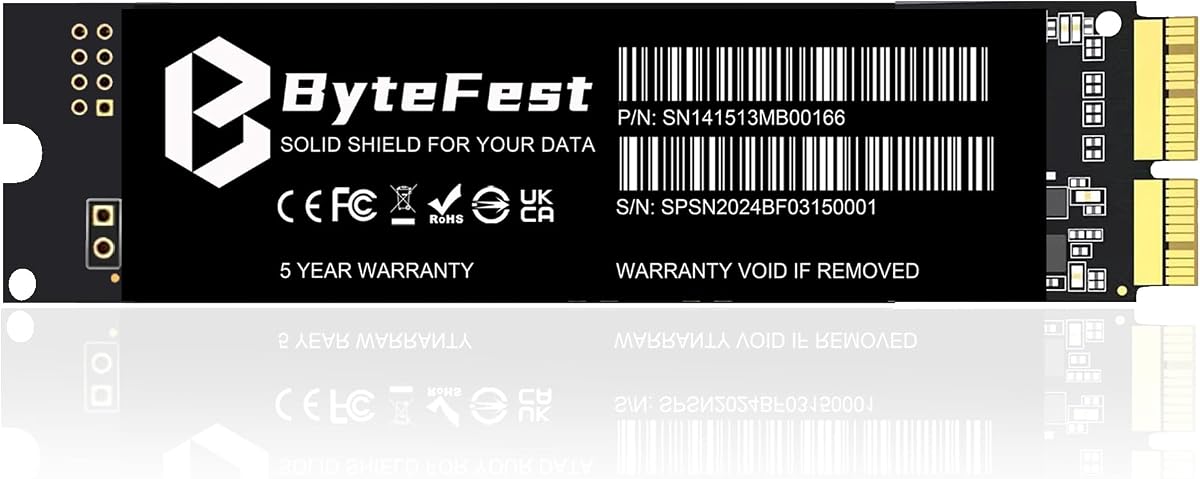
FM13A 512GB NVMe SSD (with DIY Tools)
The FM13A 512GB is the value pick for upgrading an older MacBook internally, using a 1:1 Mac pinout so it drops straight in without an adapter. It reads up to 1,850 MB/s and ships with screwdrivers plus a bootable Big Sur installer, making a daunting job approachable. Compatible with 2013-2017 MacBook Air and Pro Retina and select iMacs, it is a cost-effective way to double or triple your Mac's storage.
- Capacity
- 512GB
- Interface
- PCIe 3.0 x4
- Form Factor
- Internal (Mac pinout)
- Speed
- Up to 1,850 MB/s
What we liked
- Direct fit; no adapter card needed
- Includes tools and bootable installer
- Fast 1,850 MB/s read speed
- 3-year warranty and support
Worth noting
- Only fits 2013-2017 Intel Macs
- Requires macOS 10.13 or later first
FM13A 1TB NVMe SSD (with DIY Tools)
The FM13A 1TB is the internal upgrade to choose when 512GB is not enough, keeping the same easy Mac-native pinout while doubling capacity. Read speeds up to 1,850 MB/s and writes of 1,550 MB/s make an old MacBook feel noticeably quicker, and the bundled tools and bootable USB installer smooth the process. It fits 2013-2017 MacBook Air and Pro Retina models, offering a big storage jump for a fraction of a new laptop.
- Capacity
- 1TB
- Interface
- PCIe 3.0 x4
- Form Factor
- Internal (Mac pinout)
- Speed
- Up to 1,850 MB/s
What we liked
- Roomy 1TB direct-fit upgrade
- No adapter card required
- Includes tools and bootable installer
- 3-year worry-free warranty
Worth noting
- Only for 2013-2017 Intel Macs
- Needs macOS 10.13 pre-installed
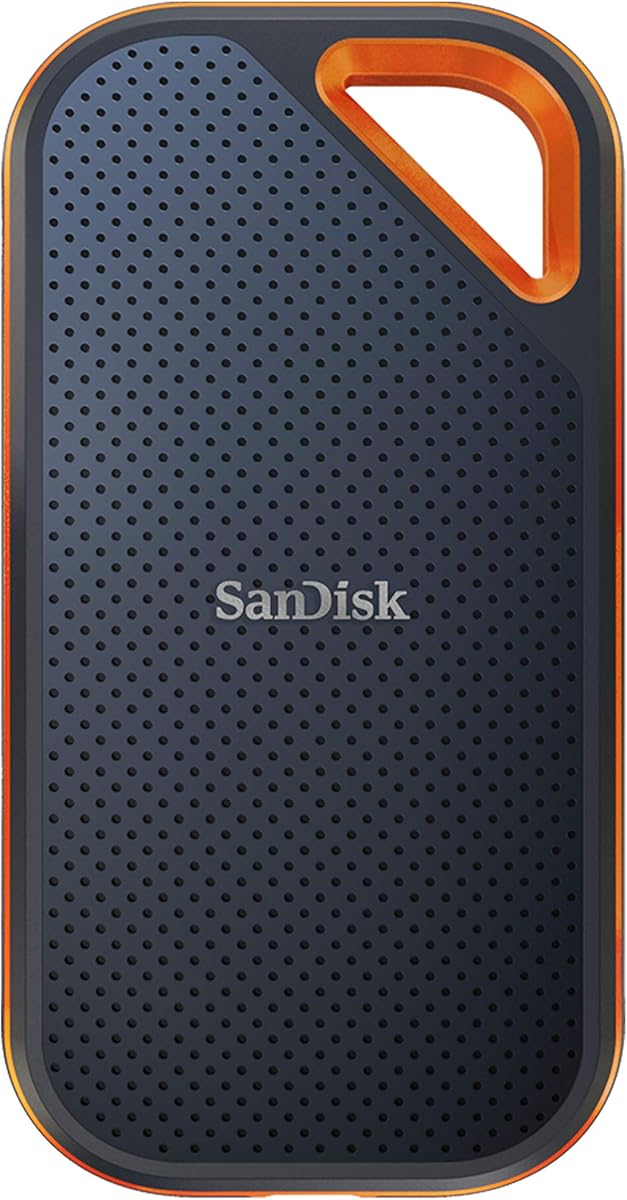
SanDisk Extreme Portable SSD 1TB
For MacBook owners who work on the move, the SanDisk Extreme Portable 1TB pairs 1,050 MB/s NVMe speed with genuine toughness: IP65 dust and water resistance, 3-metre drop protection and a carabiner loop for a bag. Built-in 256-bit AES encryption keeps sensitive files private. It connects over USB-C to any MacBook without opening the case, making it a rugged, secure way to expand storage in the field.
- Capacity
- 1TB
- Interface
- USB 3.2 Gen 2
- Form Factor
- Portable external
- Speed
- Up to 1,050 MB/s
What we liked
- IP65 water and dust resistance
- 3-metre drop protection
- Fast 1,050 MB/s NVMe speeds
- 256-bit AES hardware encryption
Worth noting
- External rather than internal
- Slower than USB 3.2 2x2 rivals
Samsung T9 Portable SSD 1TB
The Samsung T9 1TB is the portable to pick when you want maximum external speed, hitting up to 2,000 MB/s over USB 3.2 Gen 2x2, twice the pace of the T7. Its Dynamic Thermal Guard keeps performance steady through long transfers, ideal for editing video off the drive on a MacBook Pro. Magician software adds encryption and health monitoring. To reach full speed you need a 20Gbps-capable host, but on capable Macs it flies.
- Capacity
- 1TB
- Interface
- USB 3.2 Gen 2x2
- Form Factor
- Portable external
- Speed
- Up to 2,000 MB/s
What we liked
- Very fast 2,000 MB/s speeds
- Dynamic Thermal Guard stays cool
- Grippy, durable enclosure
- Samsung Magician management
Worth noting
- Full speed needs 20Gbps host
- Pricier than Gen 2 drives
SSK Portable SSD 500GB
The SSK 500GB is a budget-friendly portable that pairs neatly with both a MacBook and a recent iPhone, thanks to bundled USB-C and USB-A cables and 10Gbps speeds up to 1,050 MB/s. S.M.A.R.T. monitoring and TRIM keep it healthy over time. Capacity is modest at 500GB, but for offloading photos and Final Cut projects between an iPhone Pro and a Mac, it is an inexpensive and genuinely useful little drive.
- Capacity
- 500GB
- Interface
- USB 3.2 Gen 2
- Form Factor
- Portable external
- Speed
- Up to 1,050 MB/s
What we liked
- Affordable 500GB entry point
- Fast 1,050 MB/s over USB-C
- Both USB-C and USB-A cables included
- Works with iPhone 15/16/17 Pro too
Worth noting
- Smaller 500GB capacity
- Plastic build feels less premium
512GB NVMe SSD for MacBook (ON900A)
The ON900A 512GB is a strong-value internal upgrade with headline read speeds up to 2,100 MB/s, among the quickest here for an older Mac. It uses the native Mac interface for a direct fit across a broad 2012-2018 range of MacBook Air, Pro, iMac, Mac mini and Mac Pro models. You will need your own tools, but the listing includes clear macOS reinstall guidance, making it a fast, affordable capacity boost.
- Capacity
- 512GB
- Interface
- PCIe 3.0 x4
- Form Factor
- Internal (Mac pinout)
- Speed
- Up to 2,100 MB/s
What we liked
- Fast 2,100 MB/s read speed
- Native Mac fit, no adapter
- Wide 2012-2018 model support
- Detailed install guidance provided
Worth noting
- No tools bundled in the box
- Requires macOS 10.13 update first
1TB NVMe SSD for MacBook (ON900A)
The 1TB ON900A takes the same fast, native-fit design and adds serious capacity, making it the pick for owners who want to keep large photo and video libraries on an internal drive. Reads reach 2,100 MB/s and it supports a wide 2012-2018 span of MacBook Air, Pro, iMac and Mac mini models. It sits at the top of the internal price range here, but for a spacious, permanent storage boost it is worth it.
- Capacity
- 1TB
- Interface
- PCIe 3.0 x4
- Form Factor
- Internal (Mac pinout)
- Speed
- Up to 2,100 MB/s
What we liked
- Roomy 1TB internal capacity
- Quick 2,100 MB/s read speeds
- Direct Mac fit, no adapter needed
- Broad 2012-2018 compatibility
Worth noting
- Highest-priced internal here
- Tools not included in box
256GB NVMe SSD Replacement for MacBook
The Bitsjour 256GB is the cheapest way to revive a slow, storage-starved MacBook, using the original 12+16 pin Mac interface for a no-adapter fit. It reads up to 2,250 MB/s, the fastest quoted here, and arrives with macOS pre-installed so you can replace, boot and go. Capacity is limited at 256GB and you must match your exact A-number and EMC, but as an ultra-budget rescue for an old Air or Pro, it delivers.
- Capacity
- 256GB
- Interface
- PCIe 3.0 x4
- Form Factor
- Internal (Mac pinout)
- Speed
- Up to 2,250 MB/s
What we liked
- Lowest price on the list
- Fast 2,250 MB/s read speed
- macOS pre-installed for easy setup
- 5-year limited warranty
Worth noting
- Small 256GB capacity
- Strict model and EMC matching
How We Chose the Best SSDs for MacBook

Choosing an SSD for a MacBook is really two decisions rolled into one: whether to upgrade the drive inside the machine or add storage on the outside, and which specific product fits your situation. We split the field accordingly. On one side sit model-specific internal drives, such as the FM13A and ON900A, that replace the factory SSD in 2013-2017 Intel MacBooks using a Mac-native pinout. On the other sit fast USB-C portable SSDs, like the Samsung T7 and T9, that work with any MacBook, including modern Apple silicon models whose storage cannot be opened up.
Within each group we weighed the things that actually determine a good outcome. For internal drives, confirmed A-number and EMC compatibility came first, because a mismatched pinout simply will not work, followed by read and write speed, whether tools and a bootable installer are included, and warranty length. For portables, we prioritised USB-C speed, durability, encryption and Mac-friendliness. Across both, owner ratings and price-per-gigabyte kept the list honest, and we deliberately spanned a 256GB rescue drive through a 1TB rugged portable so there is a sensible answer whatever Mac you own and whatever you can spend.
Internal Upgrade or Portable SSD: Which Path Is Right?
The single most important question is whether your MacBook can be upgraded internally at all. If you own a MacBook Air or Pro Retina from 2013 to 2017, you are in luck: these use a removable NVMe-style drive, and swapping it for a larger one like the FM13A 1TB is a genuine, cost-effective upgrade that keeps all your storage inside the laptop. It is the most elegant fix, because once installed the extra space is invisible and travels with the machine, exactly like the factory drive it replaced.
If you own a newer MacBook with Apple silicon, the storage is soldered to the logic board and cannot be changed, full stop. For those Macs, and for anyone who would rather not open their laptop, a portable SSD is the answer. The Samsung T7 and T9 plug into any MacBook's USB-C port and add fast external storage in seconds, doubling as backups and drives you can carry between devices. Neither path is objectively better; the right one depends entirely on which Mac is sitting on your desk.
Checking Compatibility Before You Buy an Internal Drive
Internal upgrades reward careful checking and punish guesswork. Because drives like the ON900A and FM13A use a Mac-specific 12+16 pin interface, they only fit particular models, and the listings spell out exactly which. The reliable way to confirm a fit is to match both your Mac's A-number and its EMC number, found on the underside of the chassis or within About This Mac, against the supported list. Relying on the model year alone is risky, since Apple sometimes shipped different internals within the same year.
There is one more prerequisite that trips people up: your Mac must already be running macOS 10.13 High Sierra or later before you fit the new drive. That update carries the EFI firmware your Mac needs to recognise a third-party NVMe SSD, and without it the drive may not appear at all. The better internal kits here, including both FM13A models, ship with a bootable USB installer and pre-loaded macOS to make reinstalling the system painless once the hardware is in place. Back up with Time Machine first, and the swap becomes low-risk.
Capacity: How Much Storage Does Your Mac Need?
Storage needs vary wildly, so match capacity to how you use the machine. If you are rescuing an old Mac that feels cramped and just want breathing room for the system, apps and everyday documents, the 256GB Bitsjour or a 512GB drive like the FM13A or ON900A will transform the experience for very little money. These smaller drives are also the fastest way to make a sluggish, nearly-full MacBook feel responsive again, since a drive gasping for free space slows the whole system.
Photographers, videographers and anyone hoarding large libraries should aim higher. A 1TB internal drive such as the FM13A 1TB or ON900A 1TB keeps big Photos libraries and Final Cut projects on the machine itself, while a 1TB portable like the Samsung T7 offloads them externally. Buying more capacity than you need today is usually wise, because storage fills faster than expected and a second upgrade later costs more in both money and effort than sizing up once at the start.
Speed and the Real-World Difference
For an older Intel MacBook, the internal drives here are genuinely quick relative to their era. Read speeds of 1,850 MB/s on the FM13A, 2,100 MB/s on the ON900A and 2,250 MB/s on the Bitsjour meet or exceed the factory SSDs in many 2013-2017 Macs, so beyond adding space they can make boots, app launches and file operations noticeably snappier. On a machine that felt tired, that speed bump alone can justify the upgrade, quite apart from the extra gigabytes.
Portable drives play a different speed game, governed by the USB connection. The Samsung T7, SanDisk Extreme and SSK all deliver up to 1,050 MB/s over USB 3.2 Gen 2, plenty for backups, photo offloads and light editing. The Samsung T9 goes further with up to 2,000 MB/s over USB 3.2 Gen 2x2, which makes editing 4K video directly off the drive practical, provided your MacBook's port supports the faster 20Gbps standard. Always check your Mac's USB capabilities so you know which portable speed tier you can actually use.
Durability, Security and Portables for Life on the Move
If you travel with your MacBook, a portable SSD's toughness matters as much as its speed. The SanDisk Extreme is the standout here, carrying IP65 dust and water resistance, up to 3-metre drop protection and a carabiner loop so it can clip to a bag and shrug off the knocks of real-world use. The Samsung T9's grippy enclosure and Dynamic Thermal Guard keep it stable through long transfers, and the compact metal T7 is reassuringly solid for something so pocketable.
Security is worth weighing too, especially if you carry sensitive work. The SanDisk Extreme includes 256-bit AES hardware encryption to lock private files behind a password, and Samsung's Magician software adds encryption and drive-health monitoring to the T7 and T9. The SSK 500GB, meanwhile, is the flexible pick for a mixed Apple household, bundling both USB-C and USB-A cables and working happily with recent iPhone Pro models as well as your Mac, so you can shuttle footage between devices without hunting for adapters.
Installing an Internal SSD Without the Stress
Swapping the drive in a 2013-2017 MacBook is well within reach of a careful beginner, and the kits here make it easier. Start with a full Time Machine backup, then power down and remove the bottom case using the correct pentalobe and Torx drivers; the FM13A drives include the screwdrivers you need. Disconnect the battery, unscrew the single SSD retaining screw, slide the old drive out and the new one in at the same shallow angle, then reassemble. The whole job typically takes fifteen to twenty minutes.
The software side is where people stumble, so plan it first. Confirm your Mac is on macOS 10.13 or later before you begin, since that firmware lets it see the new drive. After installation, boot from the included USB installer or Internet Recovery, erase the new SSD as APFS in Disk Utility, then restore from your Time Machine backup or install macOS fresh. Drives such as the Bitsjour arrive with macOS pre-loaded, letting you skip straight to booting once the hardware is in place.
A Closer Look at the Top Picks
The Samsung T7 1TB takes the overall top spot because it is the SSD that works for the widest range of MacBook owners with zero risk. No teardown, no compatibility list to decode, just plug it into any Mac's USB-C port and get fast, reliable 1,050 MB/s storage from a brand with a strong track record. For anyone unsure whether their Mac can be opened, or who simply wants the easy route, it is the obvious recommendation.
Among internal upgrades, the FM13A 512GB and 1TB are our favourites for the balance they strike between speed, bundled tools and confident compatibility, with the 1TB version answering the call when 512GB is not enough. The ON900A drives push read speeds higher for owners of a broad 2012-2018 model range, while the Bitsjour 256GB is the budget rescue for a tired old Air. On the portable side, the Samsung T9 is the speed champion and the SanDisk Extreme the rugged, secure traveller.
Final Recommendation
For most MacBook owners, the Samsung T7 1TB is the best SSD in 2026 because it adds fast storage to any Mac without opening the case. If you own a 2013-2017 Intel MacBook and want more built-in space, the FM13A 1TB is the internal upgrade to buy, with the 512GB version and the fast ON900A drives as strong alternatives, and the Bitsjour 256GB as the ultra-budget rescue. For maximum external speed choose the Samsung T9, for toughness the SanDisk Extreme, and for an affordable iPhone-and-Mac companion the SSK 500GB. Confirm your model's compatibility, size your capacity generously, and any pick here will give your Mac years more useful life.
How we picked
We ranked each SSD on capacity for the money, read and write speed, MacBook model compatibility, ease of installation and owner ratings. For internal drives we prioritised confirmed A-number and EMC support plus included tools and macOS guidance, and for portable drives we weighted USB-C speed, durability and Mac-friendliness. We spanned budget replacements to premium portables so every MacBook and budget is covered.
Frequently asked questions
Can I upgrade the SSD in my MacBook?
It depends on the model. MacBook Air and Pro Retina from 2013 to 2017 use a removable NVMe-style drive you can swap for a larger one, which is exactly what the FM13A and ON900A internal SSDs here are for. Newer MacBooks with Apple silicon have soldered storage that cannot be upgraded, so for those a portable USB-C SSD like the Samsung T7 is the answer.
How do I know which internal SSD fits my Mac?
Match your Mac's A-number and EMC number, printed on the underside or found in About This Mac, against the compatibility list. Drives like the ON900A and FM13A support specific 2013-2017 MacBook Air and Pro Retina models plus some iMacs and Mac minis. Exact matching matters because these use a Mac-specific pinout, so always confirm before buying rather than relying on the year alone.
Do I need to install macOS before swapping the SSD?
Your Mac must already be running macOS 10.13 High Sierra or later, because that update includes the EFI firmware that lets it recognise a third-party NVMe drive. Skip it and the new SSD may not be detected. Several drives here, including the FM13A models, ship with a bootable USB installer and pre-loaded macOS to make reinstalling the system straightforward after the swap.
Should I get an internal upgrade or a portable SSD for my MacBook?
Choose an internal drive like the FM13A 1TB if you have a 2013-2017 Intel Mac and want more built-in storage that travels invisibly with the laptop. Choose a portable like the Samsung T7 or T9 if you have a newer soldered-storage MacBook, prefer no teardown, or want a drive you can move between devices. Portables also double as backups and iPhone offload drives.
How fast are these SSDs compared to a MacBook's original drive?
The internal upgrades here read at 1,850 to 2,250 MB/s, which matches or beats the factory drives in many 2013-2017 Macs and makes an ageing machine feel much snappier. Portables like the Samsung T9 reach up to 2,000 MB/s over USB, while the T7 and SanDisk Extreme hit 1,050 MB/s, plenty for editing, backups and everyday file work off an external drive.