Detailed review
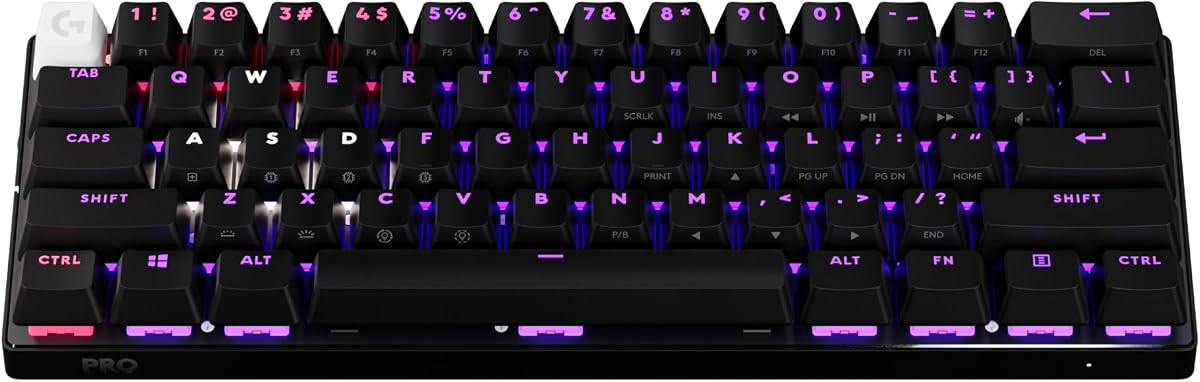
GX tactile optical switches differentiate this board from the linear-heavy Razer lineup dominating our list. You still get optical beam actuation with zero debounce delay, but a tactile bump tells your fingers the key registered without requiring full bottom-out. That feedback helps typists and hybrid workers who game evenings but write emails mornings, reducing typo rates compared to ultra-shallow linear optical switches tuned exclusively for FPS spam-tapping.
LIGHTSPEED wireless operates at a claimed one-millisecond response rate through the included USB adapter—fast enough that wireless skeptics struggle to distinguish it from wired in blind tests. Bluetooth is available for secondary devices or travel laptops when tournament latency is not critical. A six-foot USB-C cable handles charging and wired fallback simultaneously, so dead batteries never end a session mid-match if you keep the cable in your bag.
KEYCONTROL technology is Logitech's answer to complex bind layers on a 60% frame. Five unique customization layers let you remap every key, assign macros, and toggle game-mode behaviors without running separate scripting tools. For MOBA and MMO players squeezing abilities onto a small board, those layers matter as much as switch speed. G HUB manages the configuration, and while software setup takes time upfront, the resulting portability beats hauling a full-size wired board to every local.
Physical extras signal pro intent. Dual-shot PBT keycaps survive travel abrasion inside the included hard case, which is genuinely useful—not a thin sleeve, but rigid protection for keyboard slides in backpacks. A volume roller sits on the function row edge, preserving analog volume control that many 60% boards delete entirely. Standard bottom-row spacing supports aftermarket keycap sets if you want custom colors after purchase.
Honest limitations: Logitech does not offer Razer's Rapid Trigger or Snap Tap on this generation. If counter-strafe optimization through partial key release is your primary buying motive, the Huntsman V3 Pro TKL remains the specialist pick. Logitech bets that consistent wireless performance and tactile certainty matter more across game genres—a reasonable stance for players who split time between Apex, League, and productivity.
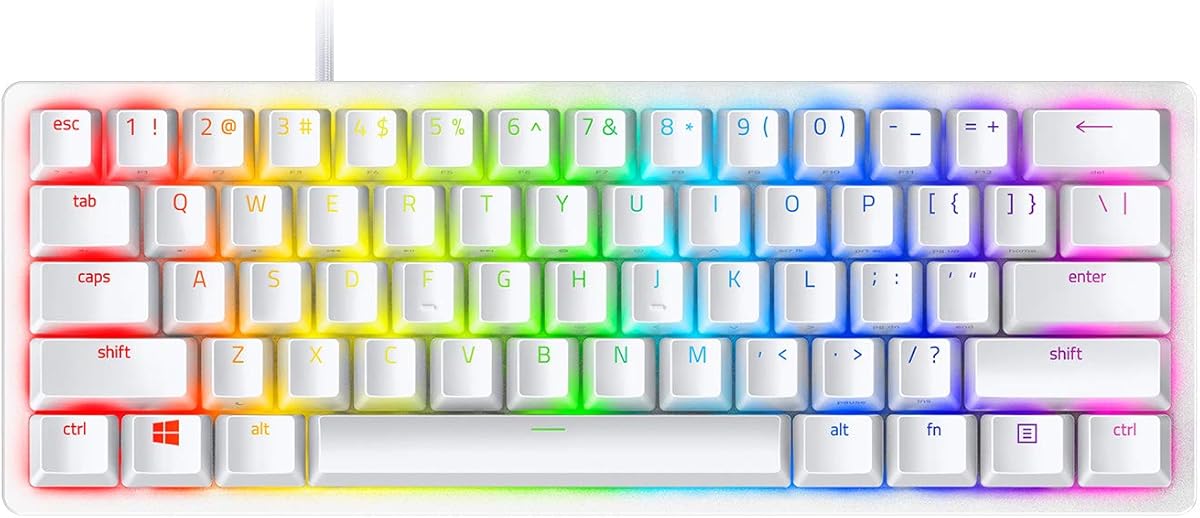
Against the Huntsman Mini, the G PRO X 60 adds wireless and tactile feedback but loses Snap Tap. Against the Corsair K100, it sacrifices numpad and macro keys for portability. For most esports-minded buyers who need one board for home, travel, and daily typing, this is the most complete package in our optical keyboard roundup.
Who Should Buy the G PRO X 60
Esports players who travel to LANs and need wireless without sacrificing switch response.
Hybrid typists and gamers who want tactile optical feedback instead of pure linear speed.
Users who value an included carrying case as part of the purchase rather than a separate accessory.
Wireless Setup Best Practices
Use the dedicated LIGHTSPEED receiver on a short USB extension to clear interference from metal desk legs or PC cases.
Charge via USB-C before first tournament day—Bluetooth is fine for casual use but LIGHTSPEED is for ranked.
Configure KEYCONTROL layers in G HUB at home, then verify game-mode toggles work before packing the board.
G PRO X 60 vs Huntsman Mini
Both are 60% optical boards, but Logitech adds wireless and tactile switches while Razer emphasizes Snap Tap and linear speed.
Choose Logitech for travel and cross-genre play; choose Razer Mini for maximum strafe optimization on a wired budget.