Skip to content

Best OLED Monitors in 2026

By Ethan BrooksUpdated July 5, 2026

We may earn a commission from links on this page, at no extra cost to you. Learn more.

OLED has changed what a monitor can be. Instead of a backlight leaking through liquid crystal, every pixel makes its own light, so blacks are truly black, contrast is effectively infinite, and color pops in a way that IPS and VA panels simply cannot match. Response times collapse to near zero, which makes motion look razor sharp. The catch is price and the lingering question of burn-in, though modern panels manage both far better than the first generation did. This guide ranks nine of the best OLED monitors you can buy in 2026, spanning affordable 27-inch QD-OLED panels, ultrawide behemoths and pin-sharp 4K displays, so there is a right pick for gaming, creative work or a stunning everyday desktop.

Top 9 Best OLED Monitors

Our top 9 picks, reviewed

1Best Overall

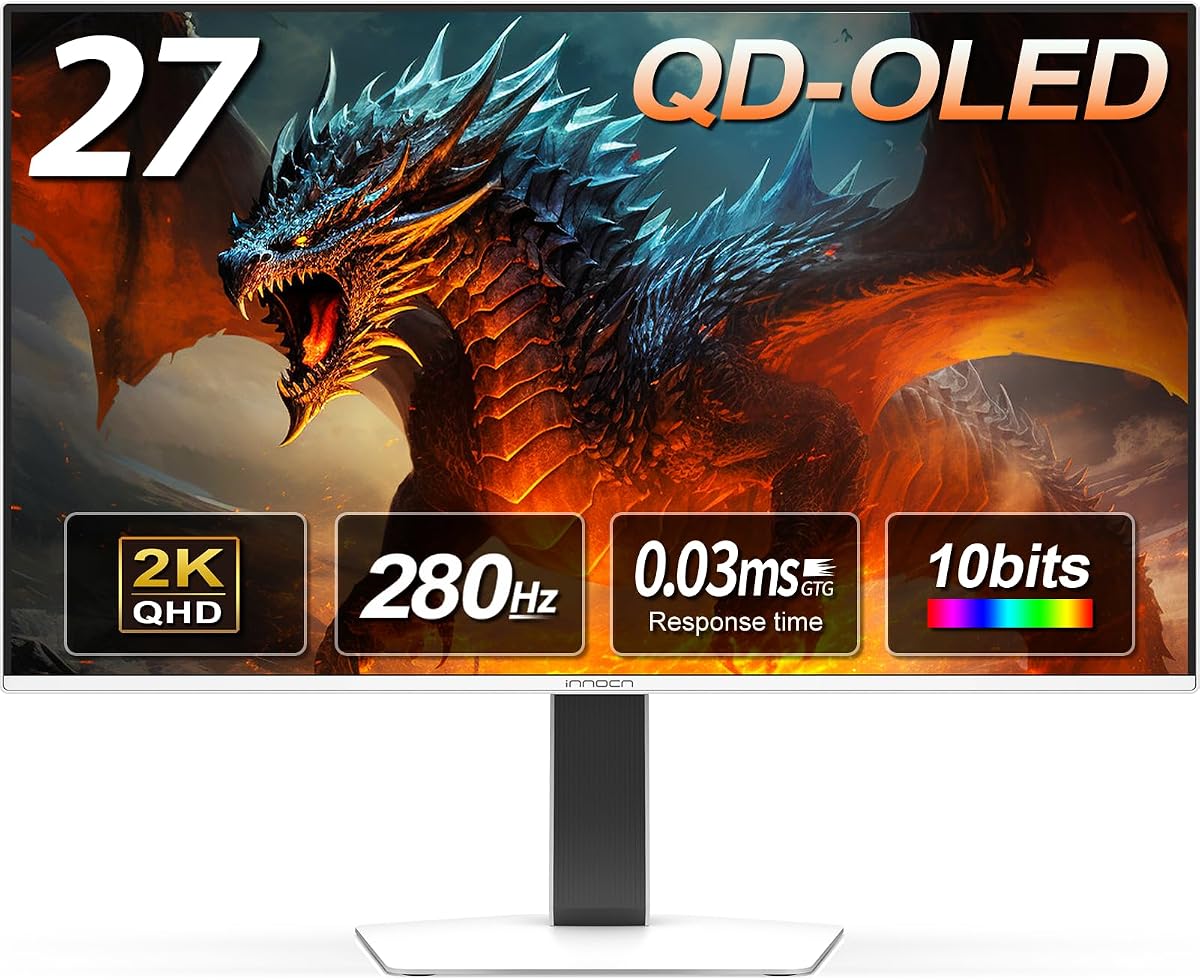
INNOCN 27in QD-OLED 2780s

The INNOCN 2780s is the best all-round OLED monitor here, pairing a genuine 27-inch QD-OLED panel with a rapid 280Hz refresh rate and the top owner rating on this list. You get perfect blacks, punchy color and a 0.03ms response time at a price that undercuts the big names, plus HDMI 2.1 and a height, tilt and pivot stand. A superb everyday and gaming choice.

Panel
27in QD-OLED QHD
Resolution
2560x1440
Refresh
280Hz
Response
0.03ms

What we liked

  • Highest owner rating on the list
  • Fast 280Hz refresh for the money
  • True QD-OLED blacks and vivid color
  • HDMI 2.1 plus adjustable stand

Worth noting

  • Lesser-known brand than LG or Samsung
  • Built-in speakers are basic
2Best 4K OLED

LG 32GX850A UltraGear 4K OLED

If you want the sharpest OLED picture here, the LG 32GX850A delivers 4K on a 32-inch glossy panel with LG's Micro Lens Array+ for extra brightness. Its clever dual-mode switch runs crisp 4K at 165Hz for immersive games or drops to Full HD at a blistering 330Hz for competitive play. DisplayHDR True Black 400 and a fully adjustable stand round out a premium package worth the outlay.

Panel
32in Glossy OLED 4K
Resolution
3840x2160
Refresh
Dual 165/330Hz
Response
0.03ms

What we liked

  • Sharp 4K UHD glossy OLED panel
  • Dual-mode 165Hz 4K or 330Hz FHD
  • Micro Lens Array+ boosts brightness
  • Full ergonomic stand and DisplayHDR

Worth noting

  • Premium price
  • 4K at 32in needs a strong GPU
3Best Value QD-OLED

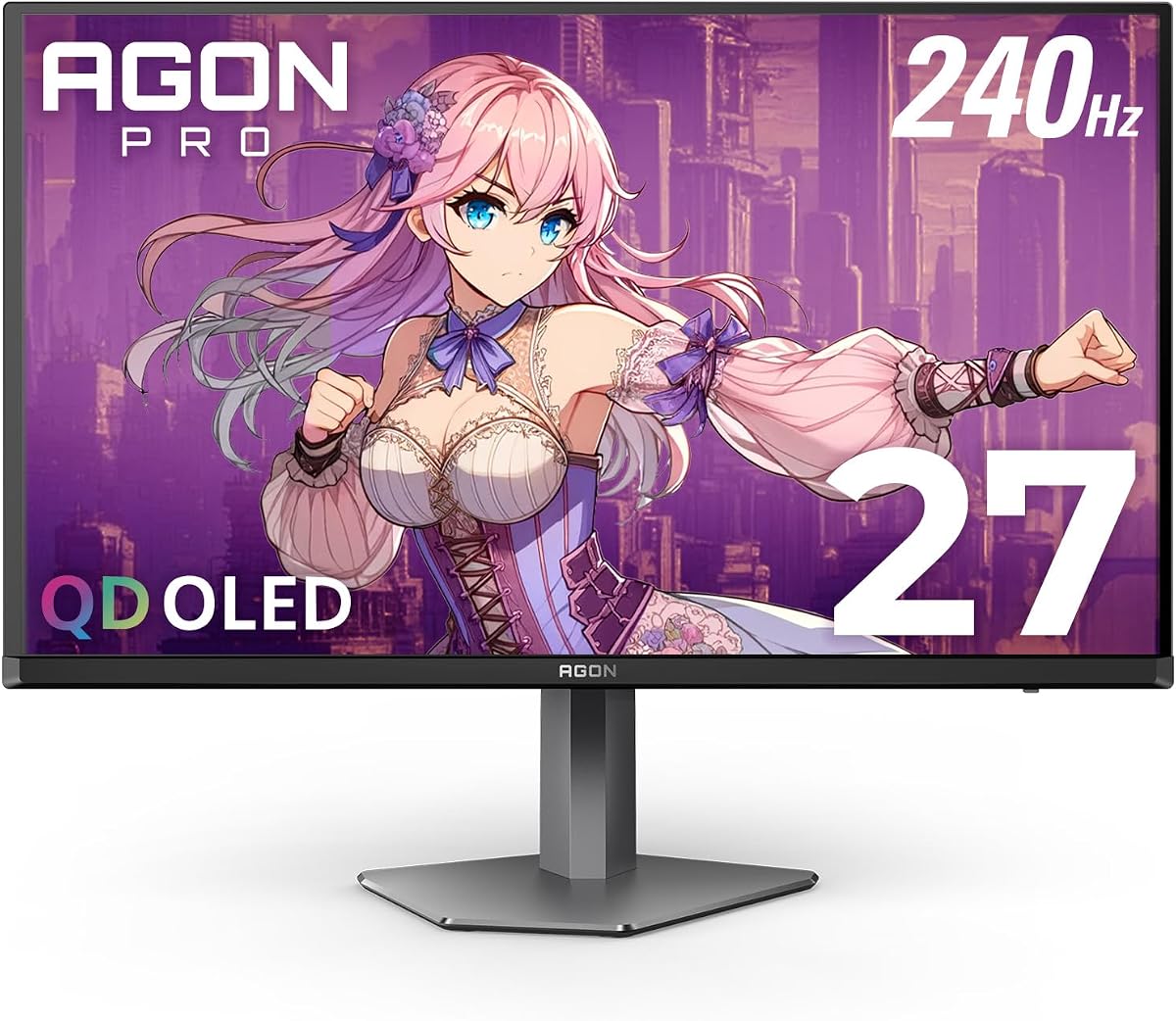
AOC Q27GAZDV 27in QD-OLED

The AOC Q27GAZDV is the smart-money QD-OLED, delivering true blacks, infinite contrast and 110% DCI-P3 color at one of the lowest prices on this list. A 240Hz refresh, 0.03ms response and HDMI 2.1 make it ready for PC and console, while a built-in USB hub and a fully adjustable stand add practicality. For most buyers it is the sweet spot between OLED quality and cost.

Panel
27in QD-OLED QHD
Resolution
2560x1440
Refresh
240Hz
Response
0.03ms

What we liked

  • Excellent value for a QD-OLED
  • 240Hz with 0.03ms response
  • HDMI 2.1 and USB hub included
  • Height, tilt, swivel and pivot stand

Worth noting

  • No 4K resolution
  • Peak brightness trails pricier LG panels
4Best Glossy Panel

LG 27GX704A UltraGear OLED

LG's 27GX704A takes UltraGear glossy, and the result is a strikingly vivid 27-inch QHD OLED that peaks at 1300 nits for dazzling highlights. Anti-glare, flicker-free and low-blue-light UL certifications make it comfortable over long sessions, while DisplayHDR True Black 400 and a 1.5M:1 contrast ratio keep dark scenes rich in detail. With 240Hz and adaptive sync, it is a beautifully balanced gaming and media panel.

Panel
27in Glossy OLED QHD
Resolution
2560x1440
Refresh
240Hz
Response
0.03ms

What we liked

  • Bright glossy OLED up to 1300 nits
  • Three UL eye-comfort certifications
  • DisplayHDR True Black 400
  • 240Hz with G-Sync and FreeSync

Worth noting

  • Glossy finish shows reflections in bright rooms
  • QHD, not 4K
5Best for Esports

Acer Predator X27U QD-OLED

The Acer Predator X27U puts a 26.5-inch QD-OLED right in your field of view, an esports-friendly size with ZeroFrame bezels that vanish for multi-monitor setups. True 10-bit color, 99% DCI-P3 and Delta E under 2 make it accurate as well as fast, and with 240Hz, 0.03ms response and a generous four high-speed inputs, it is built for competitive players who also value picture quality.

Panel
26.5in QD-OLED WQHD
Resolution
2560x1440
Refresh
240Hz
Response
0.03ms

What we liked

  • 99% DCI-P3 with Delta E under 2
  • Dual DP 1.4 and dual HDMI 2.1
  • ZeroFrame bezels aid multi-monitor
  • Full ergonomic stand

Worth noting

  • 26.5in is slightly smaller than 27in rivals
  • No 4K option
6Best Warranty

LG 27GS93QE UltraGear OLED

The LG 27GS93QE stands out for peace of mind: a two-year UltraGear warranty that explicitly covers the OLED panel, which is exactly the reassurance nervous OLED buyers want. Beyond that it is a polished 27-inch QHD performer with a 240Hz refresh, 0.03ms response, DisplayHDR True Black 400 and an anti-glare coating that tames reflections. A dependable choice if long-term coverage matters to you.

Panel
27in OLED QHD
Resolution
2560x1440
Refresh
240Hz
Response
0.03ms

What we liked

  • Two-year OLED panel warranty
  • Anti-glare, low-reflection coating
  • DisplayHDR True Black 400
  • G-Sync and FreeSync Premium Pro

Worth noting

  • Costs more than newer LG panels
  • Matte coat slightly dulls color vs glossy
7Best Budget OLED

Samsung Odyssey OLED G5 (G50SF)

The Samsung Odyssey OLED G5 is the cheapest way onto this list without giving up genuine QD-OLED quality. It reproduces over 2100 Pantone-validated colors, uses a thermal-modulation OLED Safeguard system to fend off burn-in, and adds glare-free coating for bright rooms. The 180Hz refresh is a step behind the 240Hz crowd, but for most players and creators it is more than smooth enough at a tempting price.

Panel
27in QD-OLED QHD
Resolution
2560x1440
Refresh
180Hz
Response
0.03ms

What we liked

  • Lowest price on the list
  • OLED Safeguard burn-in protection
  • Pantone-validated color accuracy
  • Glare-free matte finish

Worth noting

  • 180Hz is slower than rivals here
  • Only HDR10, no True Black cert listed
8Brightest OLED

LG 27GX700A UltraGear OLED

The LG 27GX700A is the brightness champion, using 4th-gen OLED with Primary RGB Tandem tech to hit up to 1500 nits, which makes HDR highlights genuinely dazzling. It pairs that with 280Hz, a 0.03ms response and rare DisplayHDR True Black 500 certification plus 99.5% DCI-P3 coverage. Its owner rating sits a touch below its LG siblings, but on raw spec it is one of the most capable panels on the list.

Panel
27in OLED QHD
Resolution
2560x1440
Refresh
280Hz
Response
0.03ms

What we liked

  • Peak brightness up to 1500 nits
  • Fastest 280Hz refresh here
  • DisplayHDR True Black 500
  • Up to 99.5% DCI-P3 color

Worth noting

  • Lower owner rating than siblings
  • Premium among 27in QHD panels
9Best Ultrawide

Samsung Odyssey G93SC 49in QD-OLED

For sheer immersion nothing here rivals the Samsung Odyssey G93SC, a 49-inch curved QD-OLED as wide as two QHD monitors side by side. The 1800R curve wraps expansive game worlds and productivity layouts around your field of vision, and QD-OLED delivers true blacks with 240Hz motion. It is the priciest, largest pick on the list, but for a wraparound OLED experience it is in a class of its own.

Panel
49in Curved QD-OLED
Resolution
DQHD 5120x1440
Refresh
240Hz
Response
0.03ms

What we liked

  • Massive immersive 49in ultrawide
  • 1800R curve wraps your vision
  • 240Hz across a huge canvas
  • DisplayHDR True Black 400

Worth noting

  • Most expensive pick here
  • Huge footprint needs a deep desk

How We Chose the Best OLED Monitors

Best OLED Monitors in 2026

OLED monitors are no longer a rarefied luxury, but they still span an enormous range of prices, sizes and priorities, so ranking them fairly meant looking past the marketing and at what actually matters on the desk. We began with picture quality, because that is the whole reason to buy OLED. Every panel here delivers per-pixel lighting, true blacks and effectively infinite contrast, but they differ in peak brightness, color coverage and whether they use QD-OLED or WOLED technology. We weighted owner ratings heavily, since real-world reliability and satisfaction reveal things a spec sheet hides.

From there we considered the factors that shape everyday use: refresh rate and response time for motion clarity, resolution and screen size for sharpness and immersion, burn-in mitigation for long-term peace of mind, connectivity such as HDMI 2.1 for consoles, and stand ergonomics. We deliberately kept the list varied, from a sub-350-dollar Samsung to a 1,200-dollar ultrawide, so whether you want an affordable first OLED, a pin-sharp 4K creative display or a wraparound gaming canvas, there is a considered recommendation waiting.

What Makes OLED Different

The defining trait of OLED is that each pixel produces its own light and can switch off completely. On a traditional LCD, a backlight shines through a liquid-crystal layer, and even the deepest black leaks a little glow. OLED has no backlight, so black is the absence of light, which gives you a contrast ratio measured in the millions to one rather than the low thousands. That single fact transforms night scenes in games, dark cinematography in films and the crispness of white text on a black background.

The second advantage is speed. OLED pixels change state almost instantly, which is why every panel on this list quotes a 0.03ms gray-to-gray response time. In practice that means motion looks sharp and clean with almost no smearing or ghosting, even in fast first-person shooters. Color is the third pillar: these panels cover 98 to 110 percent of the demanding DCI-P3 gamut, and QD-OLED models such as the AOC Q27GAZDV and Acer Predator X27U add quantum dots for extra saturation. The trade-offs are cost, a peak brightness that historically trailed the brightest LCDs, and the burn-in question, though 2026 panels address all three far better than earlier generations.

QD-OLED Versus WOLED

Two OLED recipes dominate this list, and the difference is worth understanding. QD-OLED, developed by Samsung Display and used in the Samsung Odyssey models, the AOC Q27GAZDV and the Acer Predator X27U, places a blue OLED layer beneath a quantum-dot film that converts light into pure red and green. The result is exceptionally vivid, saturated color and strong brightness, with a characteristic that some viewers love: color stays punchy even at high brightness.

WOLED, the approach LG has refined across its UltraGear line including the 27GX704A, 27GX700A and 32GX850A, adds a white subpixel to a red, green and blue stack to boost brightness. LG's newer panels layer on Micro Lens Array and Primary RGB Tandem technology to push peaks as high as 1500 nits on the 27GX700A. Both technologies deliver the perfect blacks and near-instant response that define OLED, so the choice comes down to taste and lighting. QD-OLED often looks more saturated in a controlled room, while a bright glossy WOLED can cut through ambient light more forcefully. Neither is wrong; both are a huge step beyond LCD.

Matching the Monitor to Your Setup

For Fast, Affordable Gaming

If you want OLED gaming quality without overspending, the AOC Q27GAZDV and the Samsung Odyssey OLED G5 lead the way. The AOC pairs a 240Hz QD-OLED panel with HDMI 2.1 and a USB hub at a genuinely low price, while the Samsung undercuts everything here and still brings Pantone-validated color and burn-in protection. Both make excellent first OLED monitors for players stepping up from an LCD.

For the Sharpest Picture

Creators and anyone who values detail should look at the LG 32GX850A, a 32-inch 4K OLED whose dual-mode switch runs sharp 4K at 165Hz or drops to Full HD at 330Hz for competitive sessions. It is the resolution king of this list and a superb all-purpose display for those with a capable GPU.

For Competitive Play

The Acer Predator X27U and the INNOCN 2780s target players who prize speed and immersion. The Acer's 26.5-inch size sits neatly in your field of view with bezel-free ZeroFrame edges, and the INNOCN's 280Hz refresh tops out the fast crowd while earning the highest owner rating on the list. Either is a fine esports-leaning pick.

For Immersion

If you want to be swallowed by the screen, the Samsung Odyssey G93SC is unmatched, a 49-inch curved QD-OLED as wide as two QHD monitors. It is expensive and demands desk space, but nothing else here delivers the same wraparound spectacle for gaming and multitasking alike.

Specifications That Matter Most

For an OLED monitor, contrast and color are effectively guaranteed, so the specs that separate these panels are brightness, refresh rate, resolution and burn-in protection. Peak brightness decides how well a display copes with a lit room and how much HDR highlights sparkle; the LG 27GX700A leads at up to 1500 nits with DisplayHDR True Black 500, while glossy models like the 27GX704A reach around 1300 nits. If your room is bright, favour the higher peaks and consider a glossy panel's extra punch, tempered by its tendency to show reflections.

Refresh rate and resolution are the next levers. The QHD panels here, from the INNOCN 2780s to the AOC Q27GAZDV, hit 180 to 280Hz and are easy to drive at high frame rates, making them ideal for fast gaming. The 4K LG 32GX850A trades some of that ease for sharpness. Finally, weigh burn-in mitigation and warranty: Samsung's OLED Safeguard, LG's pixel-refresh routines and the two-year panel warranty on the LG 27GS93QE all reduce long-term risk. Match those priorities to how you work and play, and the right panel becomes obvious.

Living With an OLED Monitor

A little care keeps an OLED looking pristine for years. Enable the panel's built-in maintenance features, which run pixel-refresh and pixel-shift cycles automatically when you turn the monitor off. Avoid leaving a bright, static image such as a taskbar, HUD or spreadsheet grid on screen at full brightness for hours on end; hide the taskbar, use a dark theme and let a screensaver kick in during breaks. Systems like Samsung's thermal OLED Safeguard and LG's routines do the heavy lifting, but sensible habits make burn-in genuinely unlikely for typical mixed use.

Brightness discipline helps too. Running an OLED at a comfortable rather than maximum brightness reduces wear and eases eye strain, and the three UL eye-comfort certifications on panels like the LG 27GX704A show how seriously makers now take fatigue. Take advantage of adjustable stands to set a proper height and angle, and use HDMI 2.1 inputs for consoles so a PS5 or Xbox Series X can run at full refresh. Buy from a listing with clear return protection, and if long-term coverage matters, the LG 27GS93QE's two-year panel warranty is a reassuring safety net.

It is also worth calibrating your expectations around brightness in general. OLED highlights can be dazzling, but full-screen white brightness is deliberately limited to protect the panel and manage heat, which is why a mostly white spreadsheet may look dimmer than the same content on a bright LCD. In practice this rarely bothers gamers or film watchers, where images are mixed and dynamic, but if you spend all day in word processors and browsers, a glossy high-peak model like the LG 27GX700A or a QD-OLED with strong color will feel more comfortable than you might fear. Match the panel to the way you actually spend your screen time, and OLED rewards you with a picture that no LCD can equal.

Connectivity, Consoles and Ergonomics

Picture quality gets the headlines, but the ports and stand decide how well a monitor fits your real setup, and OLEDs are no exception. HDMI 2.1 is the connection to look for if you own a PS5 or Xbox Series X, because it carries the bandwidth those consoles need to run high-refresh 1440p or 4K rather than capping you at a lower ceiling. The INNOCN 2780s, AOC Q27GAZDV, Acer Predator X27U and the LG UltraGear panels all include HDMI 2.1, and the Acer goes further with two DisplayPort 1.4 and two HDMI 2.1 inputs, so a PC, console and laptop can stay plugged in at once. For PC-only users, DisplayPort remains the workhorse for the highest refresh rates.

Ergonomics matter more than buyers expect. An OLED you stare at for hours should sit at the right height and angle to avoid neck strain, and most panels here offer full height, tilt, swivel and pivot adjustment rather than a fixed stand. The AOC Q27GAZDV even folds in a USB hub to keep peripherals tidy, while the wide LG models suit VESA arms for cleaner desks. If you plan a multi-monitor setup, the bezel-free ZeroFrame edges on the Acer Predator X27U let panels sit almost seamlessly together. None of this changes the picture, but it is the difference between a monitor you tolerate and one you enjoy using every day.

Final Recommendation

For most buyers, the INNOCN 2780s is the best OLED monitor in 2026, combining a fast 280Hz QD-OLED panel, the highest owner rating on this list and a price that undercuts the big names. If you want maximum sharpness, the LG 32GX850A brings 4K OLED with a clever dual-mode refresh switch, while the AOC Q27GAZDV is the value champion for a first QD-OLED. Competitive players should eye the Acer Predator X27U, cautious buyers the two-year-warranty LG 27GS93QE, and budget shoppers the affordable Samsung Odyssey OLED G5. For pure immersion, the 49-inch Samsung Odyssey G93SC stands alone. Whichever you pick, OLED's perfect blacks and effortless motion will make it hard to go back to LCD.

How we picked

We judged each OLED monitor on picture quality, meaning contrast, black level and color coverage, then on refresh rate and response time for motion, panel type and resolution, burn-in mitigation, connectivity, stand ergonomics and the value it delivers at its price. Because OLED spans a wide cost range, we ranked by owner rating first and kept the list varied across sizes, resolutions and budgets so every kind of buyer is covered.

Frequently asked questions

Are OLED monitors worth it in 2026?

For most buyers, yes. OLED gives you per-pixel lighting, so blacks are perfect, contrast is effectively infinite and color is far richer than IPS or VA. Response times near 0.03ms make motion incredibly clean. Value picks like the AOC Q27GAZDV and Samsung Odyssey OLED G5 now bring that quality to reasonable prices, so the main reasons to hesitate are budget and static-content burn-in.

Do OLED monitors still suffer from burn-in?

The risk exists but is much smaller than it used to be. Panels here use active mitigation: Samsung's OLED Safeguard thermal system, LG's pixel-refresh routines and matte or anti-glare coatings. Vary your content, hide the taskbar, use a screensaver and let the panel run its maintenance cycles, and burn-in is unlikely for typical mixed use over a monitor's lifespan.

What is the difference between QD-OLED and WOLED?

QD-OLED, used in the AOC Q27GAZDV, Acer Predator X27U and Samsung Odyssey panels, adds a quantum-dot layer for brighter, more saturated color. WOLED, the traditional LG UltraGear approach, adds a white subpixel for brightness. Both deliver true blacks; QD-OLED often looks more vivid, while glossy WOLED like the LG 27GX704A can hit very high peak brightness.

Is QHD or 4K better for an OLED monitor?

It depends on your GPU and use. QHD panels like the INNOCN 2780s reach very high refresh rates and are easier to drive, ideal for fast gaming. A 4K OLED such as the LG 32GX850A is sharper for creative work and detailed visuals but demands a stronger graphics card. The LG's dual-mode switch is a neat compromise between sharpness and speed.

How much brightness do I need from an OLED monitor?

For a dim or normal room, most panels here are ample. If you sit in bright light or care about punchy HDR, prioritise peak brightness: the LG 27GX700A reaches up to 1500 nits and carries DisplayHDR True Black 500, while glossy models like the LG 27GX704A peak around 1300 nits. Higher peaks make HDR highlights and dark-room detail stand out.