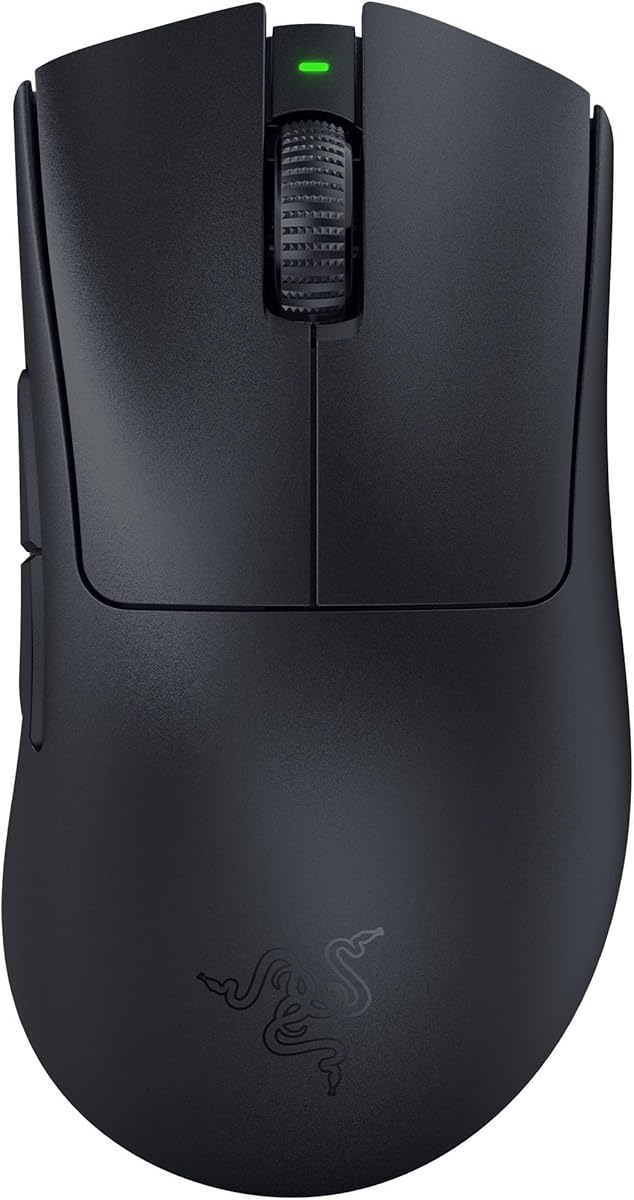
Expert Review & Guide

Best Mouse for Valorant 2026: Ranked Picks for Aim and

Valorant is a mouse game in the most literal sense. Every duel is decided by how quickly you can place a crosshair on a head hitbox, micro-adjust after a jiggle peek, and recover from a wide swing without overshooting. Unlike battle royales that reward constant building or inventory management, tactical shooters keep the input load simple: aim, move, and a handful of ability keys. That simplicity pushes more of your performance budget onto the mouse itself—weight, shape, sensor consistency, and wireless reliability all show up in deathmatch warmups before they ever matter in ranked.

This guide covers only the ten mice in our Amazon pack for best mouse for Valorant. We compare Razer Viper and DeathAdder wireless flagships, Logitech Superlight classics and the newer DEX ergonomic pro shape, wired budget starters, and a honeycomb value wireless option. Ratings reflect the Amazon listings at the time of writing. We do not list dollar prices because deals change daily; follow each product link for the current offer.

If you want a fast shortlist, start with our three top picks: a 55 g wireless esports flagship built for flick-heavy ranked play, a 60 g right-handed pro mouse with 8 kHz polling for ergonomic grip fans, and the original Superlight that still matches what many VCT pros use. Then read the comparison table and full reviews to match grip style, hand size, and battery preferences before you buy.

Our Top Valorant Mouse Picks for 2026

Best Overall for Valorant

Razer Viper V3 Pro Wireless Esports Gaming Mouse

★★★★★9.2/10
Razer Viper V3 Pro Wireless Esports Gaming Mouse
  • 55 g ultra-light shell tuned for fast Valorant flicks and micro-corrections on low and medium sens
  • Focus Pro 35K sensor with 1-DPI steps for dialing eDPI without soft acceleration artifacts
  • Up to 8000 Hz HyperPolling wireless plus Gen-3 optical switches for tournament-grade click timing
Check Price →
Best Ergonomic Pro Pick

Logitech G PRO X Superlight 2 DEX Wireless Gaming Mouse

★★★★★9.2/10
Logitech G PRO X Superlight 2 DEX Wireless Gaming Mouse
  • 60 g right-handed ergonomic shell with thumb buttons for ability binds without keyboard clutter
  • HERO 2 sensor up to 44K DPI with up to 8 kHz LIGHTSPEED polling for responsive ranked play
  • Up to 95 hours of battery life with USB-C charging and optional POWERPLAY wireless charging support
Check Price →
Best Pro Wireless Classic

Logitech G PRO X Superlight Wireless Gaming Mouse

★★★★★9.2/10
Logitech G PRO X Superlight Wireless Gaming Mouse
  • Under 63 g symmetrical shape that matches the mouse profile seen across countless pro Valorant setups
  • HERO sensor up to 25,600 DPI with LIGHTSPEED wireless stability for clean tracking on cloth pads
  • Large zero-additive PTFE feet and five programmable buttons for a minimal competitive bind layout
Check Price →

As an Amazon Associate we earn from qualifying purchases. We may earn a commission at no additional cost to you.

Valorant Mouse Comparison: Weight, Sensor, and Connection

Use this table to separate ultra-light wireless esports mice from ergonomic and budget wired options in the same Valorant shopping set. Specs highlight the three details that change ranked aim the most: shell weight, sensor class, and wireless or wired connection reality. No prices are listed—check Amazon for the current deal.

#ProductSpecificationsScore
1
  • 82 g mass-centralized wireless design with AA battery power
  • Focus Pro 30K optical sensor with on-mouse DPI control
  • HyperSpeed wireless with up to ~280 hr battery life
9
2
  • 55 g ultra-lightweight wireless esports shell
  • Focus Pro 35K optical sensor, Gen-3 optical switches
  • Up to 8000 Hz HyperPolling, ~95 hr rechargeable battery
9.2
3
  • 6,400 DPI optical sensor with on-the-fly DPI buttons
  • 5 programmable buttons and rubberized side grips
  • Durable mechanical switches rated to 10 million clicks
9
4
  • 58 g lightweight wired shell with Gen-3 optical switches
  • 8,500 DPI optical sensor with 50 DPI adjustment steps
  • Speedflex cable and 100% PTFE mouse feet
9
5
  • 64 g ultra-lightweight ergonomic wireless shell
  • Focus Pro 30K optical sensor, Gen-3 optical switches
  • HyperSpeed wireless with up to ~90 hr USB-C battery
8.4
6
  • Under 63 g ultra-lightweight wireless shell
  • HERO sensor up to 25,600 DPI, LIGHTSPEED wireless
  • 5 programmable buttons and large PTFE feet
9.2
7
  • 49 g honeycomb ultra-lightweight tri-mode wireless shell
  • Up to 8000 DPI sensor with five redefinable DPI stages
  • 2.4 GHz, Bluetooth 5.1, and USB-C wired connectivity
9.2
8
  • 60 g right-handed ergonomic wireless pro shell
  • HERO 2 sensor up to 44K DPI, up to 8 kHz polling
  • Up to ~95 hr battery, USB-C, POWERPLAY compatible
9.2
9
  • 63 g ultra-lightweight ergonomic wireless shell
  • Focus Pro 30K optical sensor, Gen-3 optical switches
  • HyperSpeed wireless with up to ~90 hr USB-C battery
8.4
10
  • 57 g re-engineered ergonomic wireless shell
  • 45K Focus Pro sensor Gen-2 with up to 8000 Hz polling
  • Up to ~150 hr battery, optical scroll and Gen-4 switches
8.8

1. Razer Viper V3 HyperSpeed Wireless PC - Best Long-Battery Wireless

Razer Viper V3 HyperSpeed Wireless PC Gaming Mouse

Razer Viper V3 HyperSpeed Wireless PC Gaming Mouse

9/10★★★★★

The Razer Viper V3 HyperSpeed occupies a practical middle ground in this Valorant pack. At 82 g with a mass-centralized layout, it is not the featherweight flick machine that ranked grinders chase when they copy VCT desk setups. What it offers instead is wireless reliability and battery life that almost disappears from your mental checklist. You swap an AA, drop the dongle in, and play for weeks without thinking about USB-C cables mid-session.

  • 82 g mass-centralized wireless design with AA battery power
  • Focus Pro 30K optical sensor with on-mouse DPI control
  • HyperSpeed wireless with up to ~280 hr battery life
Check Price →
✓ Pros
  • Mass-centralized 82 g design keeps Valorant swipes feeling balanced despite AA power
  • Focus Pro 30K sensor tracks reliably across many surfaces including glass-style desks
  • Up to about 280 hours on one AA battery removes charge anxiety during long ranked grinds
  • HyperSpeed wireless stays stable in noisy home Wi-Fi environments
  • On-mouse DPI button makes quick sensitivity toggles easy between deathmatch and comp
✕ Cons
  • Heavier than the Viper V3 Pro and Superlight options preferred by many low-sens Valorant players
  • Mechanical Gen-2 switches are solid but not the optical-switch story of newer esports mice
  • AA battery convenience trades against the cleaner rechargeable routine some players prefer

Detailed review

For Valorant specifically, weight matters because crosshair placement is a repetition game. You pre-aim angles, jiggle peek common spots, then snap to a wide swing when someone pushes. An 82 g shell feels noticeably different from a 55 g Viper V3 Pro on large pad sweeps, especially if you run lower eDPI ranges common among controller-style aimers. Claw and fingertip players who prioritize uptime over every missing gram will adapt faster than ultra-light enthusiasts coming from a Superlight.

Sensor performance is still competitive-tier. Focus Pro 30K with forward sensor placement and intelligent tracking functions means you can practice on a cloth pad at home and still get acceptable behavior on a glass desk at a LAN cafe or dorm table. Disable enhance pointer precision in Windows—the listing itself calls this out—and use Razer Synapse to set a single DPI stage that matches your in-game sensitivity. Valorant rewards consistency more than raw DPI ceiling, so the 30K headline is headroom, not a daily setting.

HyperSpeed wireless is the connection story here, with multi-device support if you already run Razer gear on the same desk. Latency is the priority over Bluetooth convenience; treat this as a 2.4 GHz competitive mouse first. Six programmable buttons cover Valorant essentials: primary fire, secondary, scroll click, two side buttons for ability or ping, and a DPI toggle you can remap if you prefer a third in-game action. Most Valorant layouts keep abilities on keyboard keys, so two side buttons is usually enough.

Mechanical mouse switches Gen-2 with gold-plated contacts target crisp execution and a 60-million click rating. Vandal tap timing and Operator flicks both benefit from a predictable break point. The switches are not the 0.2 ms optical story of the Viper V3 Pro, but for many players the feel difference is subtle compared with the weight difference. If you are upgrading from an old office mouse, the HyperSpeed will still feel like a major step up in tracking and click consistency.

Buy the Viper V3 HyperSpeed when you want Razer Viper-family wireless with marathon AA battery life and you can accept an 82 g shell. It fits players who queue long sessions, travel with spare batteries, or share a PC and hate rechargeable mice dying mid-ranked game. Skip it if you are specifically shopping for a sub-60 g Valorant weapon; the Viper V3 Pro and Superlight options in this pack are closer to that assignment.

Who it fits in Valorant

Players who queue long sessions, share a PC, or travel with a simple AA-powered kit will appreciate the HyperSpeed most. It also works for claw players who like the Viper silhouette but do not want to pay the ultra-light flagship premium.

Battery and sensitivity workflow

Use the top DPI button only if you truly need separate deathmatch and ranked stages; most competitive advice still favors one sensitivity everywhere. Swap the AA before a tournament day rather than waiting for the first drop in tracking feel.

Versus Viper V3 Pro

The Pro is lighter, rechargeable, and supports up to 8000 Hz polling with optical switches. The HyperSpeed wins on battery convenience and lower upfront cost. Choose based on whether you prioritize grams and polling or months between battery swaps.

Check Price on Amazon →

We may earn a commission at no additional cost to you.

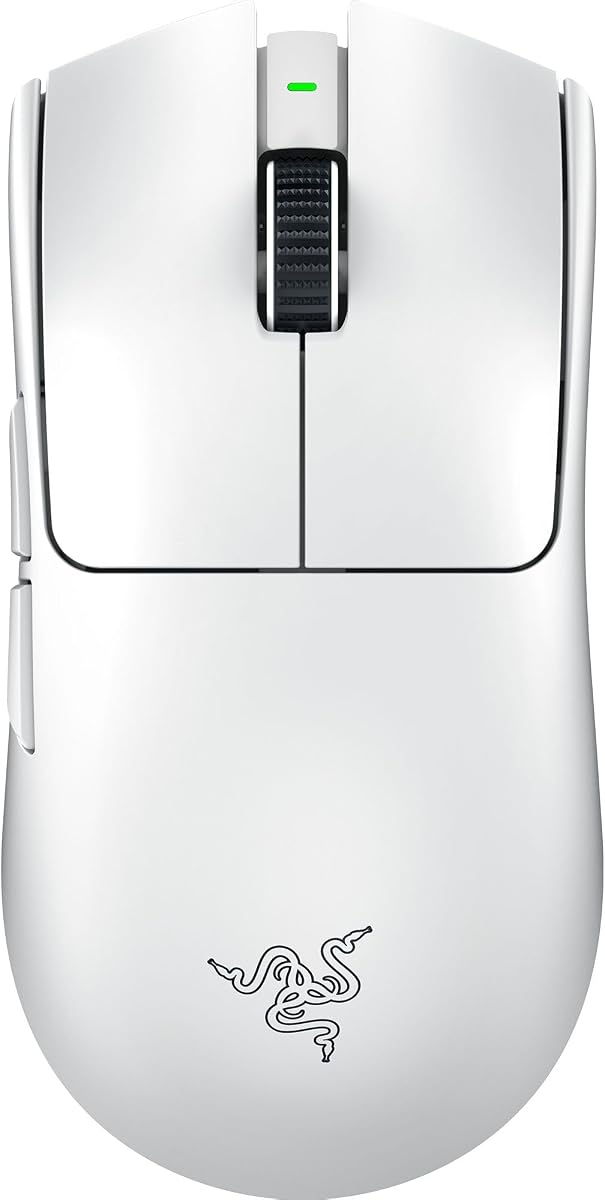
2. Razer Viper V3 Pro Wireless Esports - Best Overall for

Razer Viper V3 Pro Wireless Esports Gaming Mouse

Razer Viper V3 Pro Wireless Esports Gaming Mouse

9.2/10★★★★★

If this pack has a default answer for serious Valorant on PC, it is the Razer Viper V3 Pro. The 55 g shell is the kind of weight that changes how often you reset your arm during a long deathmatch warmup or a three-map ranked night. Valorant rewards constant micro-corrections: holding a tight angle on Ascent A main, adjusting after a jiggle peek on Bind, tracking a wide swing on Haven C long. A lighter mouse does not aim for you, but it lowers the physical cost of those corrections so you can practice longer before form breaks down.

  • 55 g ultra-lightweight wireless esports shell
  • Focus Pro 35K optical sensor, Gen-3 optical switches
  • Up to 8000 Hz HyperPolling, ~95 hr rechargeable battery
Check Price →
✓ Pros
  • 55 g balanced shell makes Valorant flicks and micro-adjustments feel less fatiguing across long sessions
  • Focus Pro 35K sensor supports precise eDPI tuning with 1-DPI step adjustments
  • Up to 8000 Hz HyperPolling wireless keeps click-to-screen feel tight for competitive play
  • Gen-3 optical switches target fast actuation without classic double-click failure modes
  • Up to about 95 hours of battery covers weeks of ranked play between charges for many players
✕ Cons
  • Premium wireless esports tier costs more than wired starters in the same shopping set
  • Symmetrical low-profile shape may feel too flat for players who prefer deep palm fills
  • Getting full high-polling benefit assumes a clean USB setup and a system that can use it

Detailed review

Razer's Focus Pro 35K optical sensor Gen-2 is the tracking backbone. One-DPI-step adjustments matter when you are dialing sensitivity around your monitor size and preferred cm/360. Valorant players often sit in medium eDPI ranges for consistent Vandal spray and still need enough speed for aggressive wide swings and Operator flicks. Being able to nudge DPI without coarse jumps helps you land a sensitivity that feels the same in the range and in ranked.

Wireless performance is the other half of the pitch. HyperSpeed plus up to 8000 Hz HyperPolling is aimed at tournament environments where 2.4 GHz noise is real and players refuse to accept a soft click delay. You still need a clean dongle placement—ideally on a short extender near the pad—and you should turn off Windows pointer acceleration. Done right, the Viper V3 Pro feels like a wired mouse that simply never snags on a cable during a clutch retake.

Gen-3 optical mouse switches target a short 0.2 ms actuation story and a 90-million click lifecycle with fewer classic double-click complaints. In Valorant that shows up as confidence when you spam Vandal bursts or fire Operator shots back-to-back in the same round. Eight programmable controls are enough for most competitive layouts without turning the shell into a macro brick. Side buttons stay available for ability, ping, or crouch depending on how much you keep on the keyboard.

Battery life up to about 95 hours is realistic for high-performance competitive use according to Razer's positioning, which means many players charge on a weekly rhythm rather than nightly. That matters if you queue after school or work and do not want a mid-session cable tether. Synapse can handle lighting disable and profile storage; the listing's advice to disable enhance pointer precision is not optional fluff for competitive play.

The shape is a modern ambidextrous esports mold: low, balanced, and tuned with pros who flick constantly. Claw and fingertip Valorant players usually adapt quickly. Deep palm grippers who loved older DeathAdder curves may find less rear support and should try to confirm hand-size fit before committing. White and black colorways are cosmetic only; pick whichever matches your desk.

Buy the Viper V3 Pro when you want the strongest blend of weight, sensor, polling, and wireless reliability in this Valorant pack. It is the mouse we would hand a ranked grinder who already knows their sensitivity and wants hardware that will not be the limiting factor. If you need deep palm support, the cheapest possible upgrade, or AA battery convenience, look at the DeathAdder line, Essential, or HyperSpeed instead.

Best Valorant player profile

Low-to-medium sens players, deathmatch grinders, and claw or fingertip aimers on a large pad will feel the 55 g advantage most. It also fits tournament players who want high polling without hauling a cable across a shared table.

Settings that unlock the mouse

Use raw input in Valorant, disable enhance pointer precision, place the dongle close to the mouse, and pick one DPI that matches your existing cm/360. Only raise polling to the maximum if your PC and USB topology stay stable; a clean 1000 Hz or 2000 Hz setup beats an unstable 8000 Hz experiment.

Versus Superlight 2 DEX in Valorant

Both are flagship lightweight wireless mice. The Viper V3 Pro leans symmetrical with Razer optical switches and HyperPolling. The Superlight 2 DEX counters with a right-handed ergonomic shape and HERO 2 tracking. Shape preference usually decides the tie for Valorant players who only need two side buttons.
Check Price on Amazon →

We may earn a commission at no additional cost to you.

3. Razer DeathAdder Essential Ergonomic Wired Gaming - Best Budget Wired

Razer DeathAdder Essential Ergonomic Wired Gaming Mouse

Razer DeathAdder Essential Ergonomic Wired Gaming Mouse

9/10★★★★★

The Razer DeathAdder Essential is the honest entry point in this Valorant roundup. It will not match a 55 g wireless flagship on flick speed or polling rate, and it does not try to pretend otherwise. What it does offer is a familiar ergonomic shape, a sensor with enough DPI headroom for normal Valorant sensitivities, and five programmable buttons at a tier that makes sense for players upgrading from a bundled office mouse or laptop trackpad.

  • 6,400 DPI optical sensor with on-the-fly DPI buttons
  • 5 programmable buttons and rubberized side grips
  • Durable mechanical switches rated to 10 million clicks
Check Price →
✓ Pros
  • Classic DeathAdder ergonomic shape supports palm grips common among new Valorant players
  • 6,400 DPI sensor is more than enough headroom for typical Valorant eDPI ranges
  • Five programmable buttons cover standard competitive binds without overwhelming beginners
  • Rubberized side grips add stability during tracking sprays and panic flicks
  • Wired connection removes battery anxiety during long placement or unrated sessions
✕ Cons
  • Heavier and older-spec than modern ultra-light wireless esports mice in this pack
  • Mechanical switches rated to 10 million clicks lag behind optical-switch longevity claims
  • 6400 DPI ceiling and basic sensor class show their age against Focus Pro and HERO tiers

Detailed review

Valorant beginners often underestimate how much shape matters. The DeathAdder's right-handed curve fills a palm naturally, which can stabilize crosshair placement when you are still learning pre-aim angles and common peek lines. Rubberized side grips help when your hand sweats during clutch rounds. If you grip with claw or strict fingertip, the Essential may feel bulky compared with a Viper or Superlight, but palm-dominant players frequently prefer this silhouette for long unrated nights.

The 6,400 DPI optical sensor is modest on paper and sufficient in practice. Most Valorant players run in-game sensitivities that translate to eDPI values well below what this sensor can deliver cleanly. Dedicated DPI buttons let you experiment during deathmatch without opening software every time—useful when you are still hunting for a cm/360 that feels comfortable on your monitor. Disable enhance pointer precision in Windows and keep filtering off in Razer Synapse if you install it.

Mechanical switches rated to 10 million clicks are the long-term maintenance note. They feel crisp enough for Vandal taps and Sheriff flicks on a fresh unit, but they are not the 90-million optical lifecycle of newer DeathAdder Pro models. For a starter mouse you plan to replace after a year of ranked climbing, that tradeoff is acceptable. For a buy-once tournament setup, look further up this pack.

Wired connection is a feature at this tier, not a compromise. You never charge, never swap batteries, and never wonder if wireless interference caused a missed flick. Cable management still matters—route the cable upward or use a bungee if you play large pad sweeps—but many new Valorant players prefer the simplicity of plug-and-play while they learn agent abilities and map callouts instead of optimizing dongle placement.

Choose the DeathAdder Essential when budget and ergonomics rank above ultra-light esports fashion. Skip it if you already know you want a sub-60 g wireless mouse for ranked; the Viper V3 Pro, Superlight, and Redragon M725 are closer to that goal. In this pack it is the wired starter that gets you off a bad sensor without forcing you to learn a tiny ambidextrous shell on day one.

Who should start here

New Valorant players, casual unrated queues, and palm-grip gamers coming from general PC use will get the most from the Essential. It also suits secondary PCs or LAN bags where you want a known shape without risking an expensive wireless unit.

First-week Valorant setup

Pick one DPI, turn off pointer acceleration, and map side buttons only to actions you can hit under stress—usually ping and one ability. Spend deathmatch time on crosshair placement at head level before chasing hardware upgrades.

Check Price on Amazon →

We may earn a commission at no additional cost to you.

4. Razer Cobra Wired Gaming Mouse - Best Lightweight Wired

Razer Cobra Wired Gaming Mouse

Razer Cobra Wired Gaming Mouse

9/10★★★★★

The Razer Cobra is the wired answer for Valorant players who want modern lightweight feel without jumping to wireless flagship pricing. At 58 g it sits close enough to esports norms that flicks and micro-adjustments feel familiar after a short adjustment period, especially if you are upgrading from a heavy office mouse or the DeathAdder Essential in this same pack.

  • 58 g lightweight wired shell with Gen-3 optical switches
  • 8,500 DPI optical sensor with 50 DPI adjustment steps
  • Speedflex cable and 100% PTFE mouse feet
Check Price →
✓ Pros
  • 58 g wired shell bridges budget and esports weight classes for Valorant flicks
  • Gen-3 optical switches deliver fast actuation with strong double-click resistance
  • 50 DPI increment tuning helps dial Valorant eDPI without coarse jumps
  • Speedflex cable and full PTFE feet reduce drag during large pad sweeps
  • Chroma underglow is optional flavor you can disable for a cleaner competitive look
✕ Cons
  • Wired-only design lacks the desk freedom ranked players expect from modern wireless
  • 8500 DPI sensor is capable but not in the same tier as Focus Pro 35K or HERO 2
  • Compact shape may feel short for larger palms despite the lightweight shell

Detailed review

Gen-3 optical switches are the standout spec for a wired mouse at this tier. The 0.2 ms actuation story and 90-million click lifecycle target the same reliability benefits that make optical switches popular in Valorant, where missed clicks on Vandal bursts or Operator shots lose rounds instantly. If you have been burned by aging mechanical double-clicks on an old mouse, the Cobra's switch class is a meaningful upgrade even before you consider weight.

Sensor tuning at 50 DPI increments gives you finer control than coarse preset stages when hunting a Valorant sensitivity that matches your monitor and desk space. The 8,500 DPI ceiling is practical headroom, not marketing you will use daily. Pair a stable DPI with raw input in Valorant and disabled Windows acceleration for the cleanest path to consistent aim training.

Speedflex cable and 100% PTFE feet on the front, rear, and sensor ring address the two wired pain points: drag and scratchy glide. Route the cable well or use a bungee and the Cobra behaves like a much more expensive mouse on a cloth pad. Chroma underglow is fun for stream setups; competitive players can dim or disable it in Synapse without losing performance settings.

Shape-wise the Cobra is a compact ambidextrous-leaning shell built for claw and fingertip grips. Valorant players with larger palms may want to compare against the DeathAdder V3 Pro or Superlight 2 DEX for rear hump support. Medium hands usually adapt quickly, especially if you already play claw on a smaller pad.

Buy the Cobra when you want lightweight wired performance with optical switches and you accept a cable on the desk. Skip it if wireless convenience is non-negotiable or if you need 8 kHz polling—the Viper V3 Pro and Superlight 2 DEX cover that tier. In this pack the Cobra is the smart wired middle ground between the Essential starter and wireless flagships.

Ideal Valorant grip and sens range

Claw and fingertip players on medium to low sens will feel the 58 g advantage most. The Cobra also suits players who want optical-switch confidence without managing batteries.

Cable management tips

Keep excess cable off the mouse pad, use a bungee if you flick wide on Icebox or Split angles, and avoid sharp bends near the front connector that add micro-drag during tracking.

Versus DeathAdder Essential

The Cobra is lighter, uses optical switches, and targets faster flicks. The Essential offers a fuller palm fill at lower cost. Choose shape and weight priority over brand loyalty.

Check Price on Amazon →

We may earn a commission at no additional cost to you.

5. Razer DeathAdder V3 Pro Wireless Gaming - Best Ergonomic Wireless

Razer DeathAdder V3 Pro Wireless Gaming Mouse

Razer DeathAdder V3 Pro Wireless Gaming Mouse

8.4/10★★★★☆

The white Razer DeathAdder V3 Pro is the ergonomic wireless option for Valorant players who palm-grip and refuse to squeeze into a flat Superlight shell. At 64 g it is dramatically lighter than older DeathAdders while keeping the rear hump and right-hand curve that stabilize long tracking sprays on Vandal and Phantom.

  • 64 g ultra-lightweight ergonomic wireless shell
  • Focus Pro 30K optical sensor, Gen-3 optical switches
  • HyperSpeed wireless with up to ~90 hr USB-C battery
Check Price →
✓ Pros
  • 64 g ergonomic shell keeps DeathAdder palm support without old-generation weight
  • Focus Pro 30K sensor tracks cleanly for Valorant crosshair control on many surfaces
  • Gen-3 optical switches deliver fast, reliable clicks for Vandal and Operator timing
  • HyperSpeed wireless stays stable for ranked play in noisy 2.4 GHz environments
  • Up to about 90 hours USB-C rechargeable battery covers long weekly queue schedules
✕ Cons
  • 4.2 Amazon rating trails several 4.6-rated mice in this same pack
  • Ergonomic right-hand shape excludes left-handed and strict ambidextrous players
  • No 8000 Hz polling story compared with Viper V3 Pro or DeathAdder V4 Pro

Detailed review

Focus Pro 30K tracking with intelligent functions supports the crosshair-placement repetition Valorant demands. Hold angles on Lotus, adjust after jiggle peeks on Fracture, and flick to wide swings on Bind—all of that stays cleaner when the sensor ignores minor surface quirks and you keep Windows acceleration disabled. Synapse tuning for lift-off distance and DPI stages is worth the ten minutes before you commit to ranked.

Gen-3 optical switches are a meaningful upgrade for click-critical moments. Sheriff one-taps, Operator flicks, and panic Vandal bursts all punish mushy or double-registering buttons. The 90-million click lifecycle and 0.2 ms actuation positioning target tournament reliability even though this model does not advertise 8000 Hz polling like the newer V4 Pro.

HyperSpeed wireless keeps latency competitive for ranked without cable drag across your pad. Place the dongle on a short extender near the mouse for best results in apartments with crowded 2.4 GHz airspace. USB-C charging and up to about 90 hours of battery life mean most players charge weekly rather than nightly—similar rhythm to other pro wireless mice in this pack.

Five programmable buttons fit standard Valorant layouts: two side buttons for ability and ping, DPI controls you can remap, and scroll click if you use it. You do not need MMO button grids in tactical shooters; the DeathAdder V3 Pro respects that and keeps the shell clean.

The 4.2 rating on Amazon is worth noting honestly. Some buyers report QC or scroll-wheel concerns across colorways; inspect your unit early in the return window and confirm click feel in deathmatch before you RMA-proof your muscle memory. When the unit is good, it is one of the best palm options in this pack for Valorant.

Choose the white DeathAdder V3 Pro when you want ergonomic wireless at 64 g and prefer lighter desk aesthetics. Functionally it matches the black listing in this pack—pick color for visibility and desk matching, not performance.

Palm-grip Valorant profile

Players who anchor the palm on the rear hump and use the thumb on side buttons for utility will feel at home immediately. Medium-to-large right hands fit best.

White vs black in this pack

Performance specs align between the white and black DeathAdder V3 Pro listings here. Choose white for lighter setups or black if you worry about long-term shell discoloration from hand contact.

Check Price on Amazon →

We may earn a commission at no additional cost to you.

6. Logitech G PRO X Superlight Wireless - Best Pro Wireless

Logitech G PRO X Superlight Wireless Gaming Mouse

Logitech G PRO X Superlight Wireless Gaming Mouse

9.2/10★★★★★

The Logitech G PRO X Superlight is the mouse shape a generation of Valorant pros normalized. Under 63 g with a symmetrical shell and clean button layout, it remains one of the most copied desk profiles in VCT clips and ranked streams—not because it is the newest hardware, but because the combination of weight, glide, and wireless reliability solved the tactical FPS input problem years ago.

  • Under 63 g ultra-lightweight wireless shell
  • HERO sensor up to 25,600 DPI, LIGHTSPEED wireless
  • 5 programmable buttons and large PTFE feet
Check Price →
✓ Pros
  • Under 63 g shape matches the mouse profile seen across countless pro Valorant setups
  • HERO sensor delivers precise, consistent tracking for crosshair placement drills
  • LIGHTSPEED wireless is proven stable for ranked play without cable drag
  • Large zero-additive PTFE feet glide cleanly on cloth pads during low-sens sweeps
  • Five programmable buttons keep Valorant binds minimal and muscle-memory friendly
✕ Cons
  • Original Superlight lacks 8 kHz polling and HERO 2 sensor of the Superlight 2 line
  • Symmetrical low-profile shell may feel flat for deep palm players
  • No USB-C on original model; micro-USB charging feels dated next to newer pack mates

Detailed review

HERO sensor up to 25,600 DPI is still more than enough for Valorant eDPI ranges. What matters day to day is consistent tracking without smoothing surprises when you transfer sensitivity from aim trainers into the game. Disable enhance pointer precision, use G HUB to set one DPI, and keep your in-game sens fixed while you grind crosshair placement on Ascent and Split.

LIGHTSPEED wireless remains a benchmark for stable 2.4 GHz performance. Dongle placement near the pad still helps in crowded apartments, but the Superlight's reputation comes from years of ranked play without the cable snag that wired mice introduce during wide flicks. Battery life covers long weekly schedules for most players, though you should plan charging between scrim blocks if you run RGB peripherals on the same USB hub.

Large zero-additive PTFE feet are an underrated Valorant advantage. When you play low sens and reset your arm frequently, scratchy feet translate into micro-stutter you feel but rarely diagnose. The Superlight glides predictably on mainstream cloth pads, which keeps tracking sprays and Operator flicks honest.

Five programmable buttons are exactly enough for Valorant: two side buttons for ability and ping, DPI controls you can ignore after setup, and scroll click if you map it. You are not paying for MMO grids you will never use. That minimalism is a feature for players who want muscle memory to survive agent swaps and roster changes.

Honest tradeoffs versus newer pack mates: no 8 kHz polling, no HERO 2 sensor, micro-USB charging instead of USB-C. If you are chasing maximum spec sheets, the Superlight 2 DEX and Viper V3 Pro leapfrog this model. If you want the proven shape that still wins lobbies—and often costs less than flagships—the original Superlight remains a top-three pick in this Valorant pack.

Buy the Superlight when you trust a validated pro shape and do not need the bleeding-edge polling marketing. Skip it if you require ergonomic thumb support; the Superlight 2 DEX or DeathAdder V3 Pro fit that hand profile better.

Why pros still pick it for Valorant

Weight, wireless stability, and a neutral shape reduce variables while you improve game sense and crosshair discipline. Hardware becomes invisible—a good outcome in tactical shooters.

G HUB setup checklist

Set one DPI, disable onboard profile switching unless you need LAN portability, and confirm report rate settings match your USB port stability. Test on your main pad before changing in-game sens.

Versus Superlight 2 DEX

The DEX adds ergonomic right-hand shaping, HERO 2 tracking, 8 kHz polling, and USB-C. The original Superlight wins on shape familiarity and often value. Try both grips if unsure.

Check Price on Amazon →

We may earn a commission at no additional cost to you.

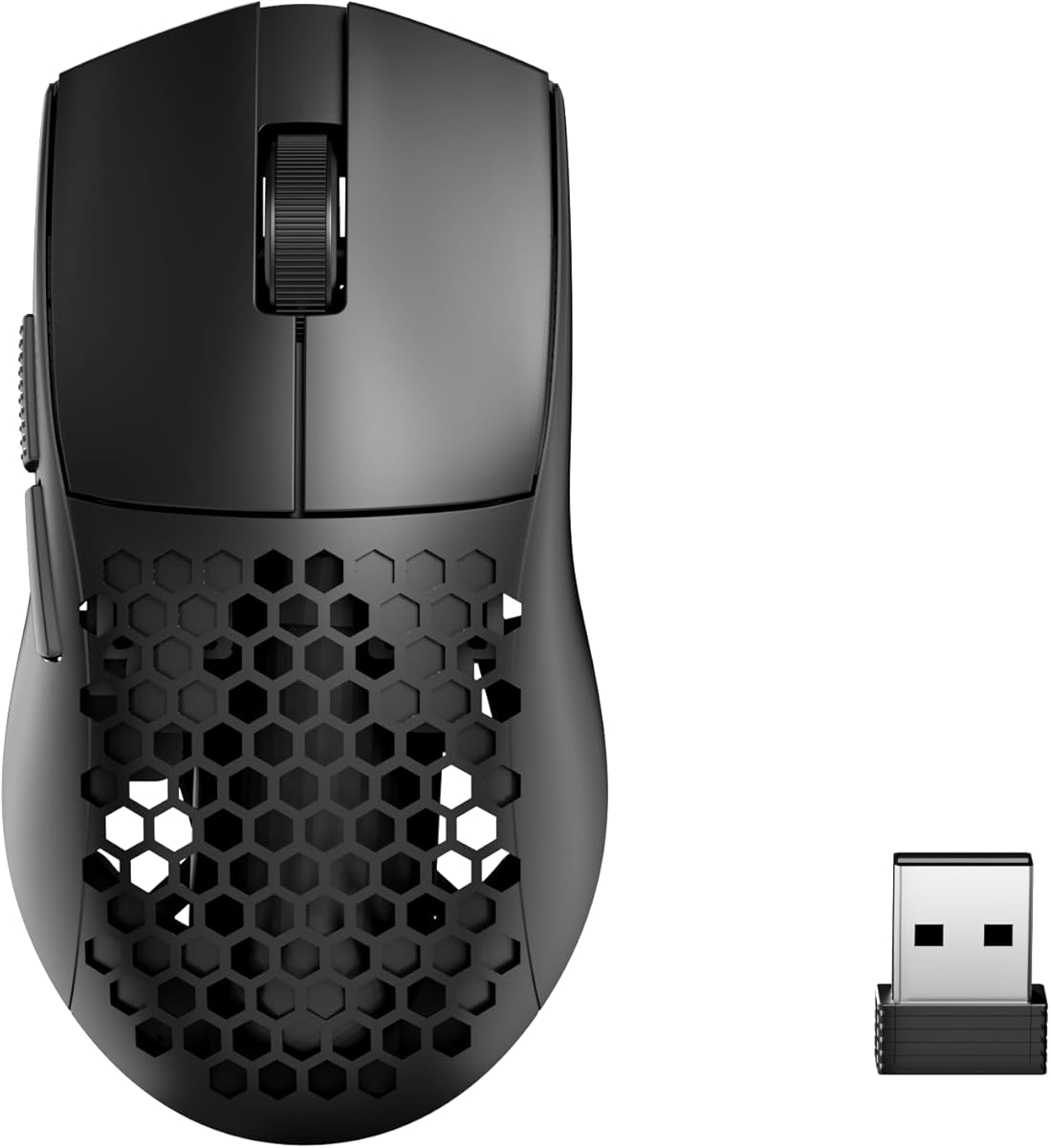
7. Redragon M725 Honeycomb Shell Gaming Mouse - Best Budget Ultra-Light

Redragon M725 Honeycomb Shell Gaming Mouse Wireless

Redragon M725 Honeycomb Shell Gaming Mouse Wireless

9.2/10★★★★★

The Redragon M725 is the value wildcard in this Valorant pack. At 49 g with a honeycomb shell, it chases the same ultra-light flick feel that ranked players associate with Superlight and Viper Pro mice—without the premium brand tax. For students, secondary PCs, or players testing whether lightweight wireless actually improves their aim before committing to a flagship, the M725 is a sensible experiment.

  • 49 g honeycomb ultra-lightweight tri-mode wireless shell
  • Up to 8000 DPI sensor with five redefinable DPI stages
  • 2.4 GHz, Bluetooth 5.1, and USB-C wired connectivity
Check Price →
✓ Pros
  • 49 g honeycomb shell targets the ultra-light feel Valorant flick players want on a budget
  • Tri-mode connectivity covers 2.4 GHz ranked play, Bluetooth travel, and wired backup
  • Two side buttons plus software macros handle standard Valorant bind needs
  • Five redefinable DPI stages simplify sensitivity experiments in deathmatch
  • 4.6 Amazon rating suggests strong buyer satisfaction for the feature set
✕ Cons
  • Honeycomb shell exposes internals to dust and spills compared with solid esports shells
  • Sensor and switch quality do not match Razer Focus Pro or Logitech HERO tiers
  • Redragon software ecosystem is less polished than Synapse or G HUB for profile sync

Detailed review

Tri-mode connectivity is genuinely useful. Use 2.4 GHz for Valorant ranked where latency matters, Bluetooth for laptop browsing or travel, and USB-C wired when the battery dies mid-session and you refuse to pause a five-stack queue. That flexibility is rare at this weight class and price tier in this pack.

Sensor up to 8000 DPI with five redefinable stages covers normal Valorant eDPI hunting. Be realistic about expectations: this is not HERO 2 or Focus Pro 35K tier tracking, and honeycomb mice sometimes show more flex under aggressive grip pressure. For unrated, deathmatch, and mid-ranked play where you are still building fundamentals, the sensor is usually adequate. Disable pointer acceleration and pick one DPI for ranked once you find a comfortable cm/360.

Two side buttons align with Valorant norms: ability on thumb, ping or crouch on the second button if you prefer. Redragon software supports macros and DPI profiles; spend time mapping only what you will hit under stress. Over-mapping side buttons is a common beginner mistake that slows improvement.

Honeycomb design trades durability aesthetics for weight. Dust can enter the shell over months, and spills are riskier than on sealed esports mice. Keep drinks off the desk side and blow out lint occasionally if you grip tightly. Symmetrical shape suits claw and fingertip; palm players with large hands may find the shell too narrow and short.

Buy the M725 when budget and ultra-light wireless are both non-negotiable and you accept value-tier sensor and build quality. Skip it if you want a sealed tournament shell with optical switches and 8 kHz polling—the Viper V3 Pro and Superlight 2 DEX are the upgrade path. In this pack the M725 proves lightweight Valorant mice are not exclusive to premium brands.

Who should try the M725 first

Budget-conscious players testing lightweight wireless, laptop Valorant on the go, and deathmatch grinders who prioritize grams over brand ecosystem will get the most here.

Ranked vs casual connection mode

Always use 2.4 GHz dongle mode for competitive Valorant. Reserve Bluetooth for non-competitive browsing. Wired mode is the emergency backup, not the default for ranked muscle memory.

Check Price on Amazon →

We may earn a commission at no additional cost to you.

8. Logitech G PRO X Superlight 2 - Best Ergonomic Pro

Logitech G PRO X Superlight 2 DEX Wireless Gaming Mouse

Logitech G PRO X Superlight 2 DEX Wireless Gaming Mouse

9.2/10★★★★★

The Logitech G PRO X Superlight 2 DEX answers a question many Valorant players ask after trying a flat Superlight: can I keep pro-grade wireless performance with actual thumb support? At 60 g with an asymmetrical right-hand shell, the DEX merges ergonomic stability with the lightweight philosophy tactical shooters favor. You get palm fill for long ranked nights without returning to the 80 g era of older ergonomic mice.

  • 60 g right-handed ergonomic wireless pro shell
  • HERO 2 sensor up to 44K DPI, up to 8 kHz polling
  • Up to ~95 hr battery, USB-C, POWERPLAY compatible
Check Price →
✓ Pros
  • 60 g ergonomic right-hand shape supports palm and claw Valorant players who dislike flat shells
  • HERO 2 sensor with sub-micron tracking and up to 8 kHz LIGHTSPEED polling for responsive aim
  • Programmable thumb buttons place ability binds under your strongest digit
  • Up to about 95 hours battery with USB-C and optional POWERPLAY wireless charging
  • Zero-additive PTFE feet maintain smooth glide during low-sens arm aiming
✕ Cons
  • Right-handed ergonomic shape excludes left-handed and ambidextrous-only players
  • Premium pro tier costs more than wired value options like the Cobra or Essential
  • Full 8 kHz benefit requires G HUB and a stable USB topology on your gaming PC

Detailed review

HERO 2 sensor up to 44K DPI with sub-micron tracking and up to 888 IPS acceleration headroom is flagship-class on paper and meaningful in crosshair-placement practice. Valorant rarely demands extreme DPI, but consistent tracking across full pad sweeps matters when you hold low sens and reset your arm between angles on Haven and Pearl. G HUB unlocks advanced tuning; test on your main cloth pad before you change in-game sensitivity.

Up to 8 kHz LIGHTSPEED polling targets the same latency conversation as Razer's HyperPolling on the Viper V3 Pro. Not every player will feel the difference between 1000 Hz and 8000 Hz immediately, but deathmatch grinders chasing marginal gains often appreciate tighter click-to-pixel behavior on high refresh monitors. If your USB setup stutters at max polling, step down to a stable 2000 Hz rather than fighting disconnects mid-ranked.

Programmable side thumb buttons are positioned for ability casts and ping without lifting your grip. Valorant ability usage is moment-to-moment but rarely as dense as MMO hotbars; two well-chosen thumb binds can reduce keyboard finger travel during strafe fights. Avoid mapping too much to the mouse until your crosshair fundamentals are solid—hardware cannot replace pre-aim discipline.

Battery life up to about 95 hours and USB-C charging match modern pro expectations. POWERPLAY compatibility is optional luxury: if you already own the mat, you effectively remove charge planning from weekly ranked routines. White shell aesthetics match clean desk setups common in stream overlays; performance is color-agnostic.

Compare honestly with the symmetrical Superlight and Viper V3 Pro. The DEX wins ergonomic fit for right-hand palm-claw hybrids. The Viper wins symmetrical flick players and optical-switch branding. Shape trial matters more than spec sheet wars for Valorant, where you repeat the same mouse movement thousands of times per week.

Buy the Superlight 2 DEX when you want Logitech's newest pro ergonomic wireless mouse for ranked Valorant and you are right-handed. Skip it if you need left-hand support or the lowest possible weight above all else—the original Superlight or Viper V3 Pro may feel faster to pure fingertip players.

Ergonomic Valorant hand profile

Right-handed players with medium-to-large hands who rest part of the palm on the shell while aiming will adapt fastest. Strict fingertip players should compare against the symmetrical Superlight before buying.

POWERPLAY and desk setup

If you invest in POWERPLAY, treat the mat as part of your sensor surface—test eDPI after setup because glide feel changes slightly. Keep the LIGHTSPEED dongle on a direct motherboard port when not using POWERPLAY link features.

Versus DeathAdder V4 Pro

Both target ergonomic wireless Valorant players. Razer pushes optical scroll, Gen-4 switches, and 8000 Hz on the V4 Pro. Logitech counters with HERO 2 and a proven Superlight ecosystem. Hand shape demo beats spec comparison.

Check Price on Amazon →

We may earn a commission at no additional cost to you.

9. Razer DeathAdder V3 Pro Wireless Gaming - Best Ergonomic Wireless

Razer DeathAdder V3 Pro Wireless Gaming Mouse

Razer DeathAdder V3 Pro Wireless Gaming Mouse

8.4/10★★★★☆

The black Razer DeathAdder V3 Pro is functionally the same ergonomic wireless mouse as the white listing in this pack, with a shell color that hides hand oils and desk scuffs better during long Valorant grinds. At 63 g it sits one gram heavier on paper than the white variant—a difference no human hand detects in ranked play.

  • 63 g ultra-lightweight ergonomic wireless shell
  • Focus Pro 30K optical sensor, Gen-3 optical switches
  • HyperSpeed wireless with up to ~90 hr USB-C battery
Check Price →
✓ Pros
  • 63 g black ergonomic shell resists showing wear during long competitive sessions
  • Focus Pro 30K sensor delivers reliable Valorant tracking on varied desk surfaces
  • Gen-3 optical switches support crisp Vandal taps and Operator flicks
  • HyperSpeed wireless removes cable drag during wide peek corrections
  • USB-C rechargeable battery up to about 90 hours suits weekly ranked schedules
✕ Cons
  • 4.2 Amazon rating is lower than several 4.6-rated alternatives in this pack
  • One gram heavier than the white listing variant—negligible but noted for spec shoppers
  • Lacks 8000 Hz polling and Gen-4 switches of the newer DeathAdder V4 Pro

Detailed review

For Valorant palm-grip players, the DeathAdder curve remains one of the most trusted silhouettes in FPS history. The V3 Pro modernizes that curve with optical switches, Focus Pro 30K tracking, and HyperSpeed wireless without returning to the triple-digit gram weights that made old ergonomic mice feel sluggish on flicks. You can track Vandal sprays across Ascent A site and still snap to Operator angles on Defender side without fighting the shell.

Gen-3 optical switches address the click reliability fear that keeps some players on wired mice. Double-click failures lose duels you should win; optical actuation with a 90-million click rating targets peace of mind across months of ranked queues. Pair that with disabled Windows acceleration and a fixed Valorant sensitivity for the cleanest improvement path.

HyperSpeed wireless performance is tournament-viable when the dongle sits close to the pad. Apartment Wi-Fi and neighboring Bluetooth devices can still interfere with 2.4 GHz bands, so use a USB extender and avoid hiding the receiver behind a metal PC case. USB-C charging is convenient between sessions; ninety-hour battery claims assume competitive usage patterns from Razer marketing—your mileage varies with polling and RGB on other gear.

Five programmable buttons remain the Valorant sweet spot. Map thumb buttons to ability and ping, leave movement and weapon swaps on keyboard keys you already know, and resist the urge to over-bind before your crosshair placement is consistent across maps.

The 4.2 Amazon rating deserves honesty. Read recent buyer feedback for scroll-wheel or QC themes and test your unit early. When the copy is good, the DeathAdder V3 Pro black is a strong ergonomic alternative to the Superlight 2 DEX for Razer-ecosystem players who prefer Synapse over G HUB.

Choose black over white if desk aesthetics or long-term shell appearance matter. Choose the V4 Pro instead if you want 8000 Hz polling, Gen-4 switches, and a longer battery claim and you accept newer-model pricing.

Synapse tuning for Valorant

Set lift-off distance to match your pad, disable acceleration helpers, and store one DPI profile. Use deathmatch to confirm sensor feel before ranked placement matches.

When to step up to V4 Pro

If you already know you want maximum polling and the newest Razer ergonomic stack, the DeathAdder V4 Pro in this pack is the generational upgrade. If you want proven shape at lower cost, the V3 Pro black remains viable.

Check Price on Amazon →

We may earn a commission at no additional cost to you.

10. Razer DeathAdder V4 Pro Wireless Gaming - Best Next-Gen Ergonomic

Razer DeathAdder V4 Pro Wireless Gaming Mouse

Razer DeathAdder V4 Pro Wireless Gaming Mouse

8.8/10★★★★☆

The Razer DeathAdder V4 Pro is the newest ergonomic statement in this Valorant pack. At 57 g with a re-engineered shell, it shaves weight compared with the V3 Pro while pushing sensor, switch, scroll, and polling specs toward the same ceiling as the symmetrical Viper V3 Pro. If you palm-grip but refuse to give up flagship wireless performance, this is Razer's latest answer.

  • 57 g re-engineered ergonomic wireless shell
  • 45K Focus Pro sensor Gen-2 with up to 8000 Hz polling
  • Up to ~150 hr battery, optical scroll and Gen-4 switches
Check Price →
✓ Pros
  • 57 g re-engineered ergonomic shell is lighter than V3 Pro while keeping palm support
  • 45K Focus Pro sensor Gen-2 with 8000 Hz HyperSpeed Gen-2 for competitive Valorant latency
  • Gen-4 optical switches and optical scroll wheel target maximum click and wheel reliability
  • Up to about 150 hours battery at 1000 Hz reduces mid-week charge interruptions
  • Dual wireless and USB-C wired modes maintain high polling flexibility across setups
✕ Cons
  • 4.4 rating and premium tier mean you pay flagship cost for generational upgrades
  • Re-engineered shape may feel different enough to require re-adaptation from V3 Pro users
  • 8000 Hz polling demands clean USB setup and Synapse tuning to avoid instability

Detailed review

Focus Pro 45K optical sensor Gen-2 with 900 IPS and 99.8% accuracy claims targets the tracking consistency Valorant rewards. Crosshair placement at head level across map-specific angles is a repetition problem; sensor dropouts or acceleration artifacts show up as whiffs you blame on timing when hardware was lying. Dynamic Sensitivity and Smart Tracking in Synapse are optional advanced tools—start with a fixed DPI and raw in-game sens before experimenting.

HyperSpeed Wireless Gen-2 with up to 8000 Hz polling puts the V4 Pro in the same latency conversation as the Viper V3 Pro. Tournament players and high-refresh-monitor grinders notice tighter input chains when the USB path is clean. If you feel stutter at max polling, reduce rate until stable; consistent 2000 Hz beats flaky 8000 Hz in ranked.

Gen-4 optical switches with up to 100-million click durability and an optical scroll wheel address two failure modes that frustrate competitive players: double-clicking mains and mushy scroll registration. Valorant rarely maps scroll wheel to combat actions, but weapon swap habits in deathmatch and menu navigation still benefit from crisp wheel feel.

Battery life up to about 150 hours at 1000 Hz is a practical quality-of-life upgrade over the V3 Pro for players who forget to charge until a five-stack is already queued. USB-C wired mode maintains high polling when you want zero wireless variables during a important scrim block.

Shape change is the adaptation tax. DeathAdder loyalists moving from V3 Pro should expect a few deathmatch sessions to recalibrate muscle memory even at similar weight. Ergonomic players coming from Superlight flats may appreciate the thumb support immediately. Right-hand only, as with other DeathAdder Pro models.

Buy the DeathAdder V4 Pro when you want the newest Razer ergonomic flagship for Valorant and you accept premium pricing for Gen-4 switches, optical scroll, and 8000 Hz. Skip it if the V3 Pro black or white meets your needs at lower cost, or if you prefer symmetrical Superlight or Viper shapes for pure flick speed.

Upgrade path from V3 Pro

Worth it for players who felt polling-limited or wanted lighter grams without leaving DeathAdder ergonomics. Not mandatory if your V3 Pro clicks and tracks cleanly—fundamentals beat generational specs.

Valorant settings to configure first

Disable enhance pointer precision, set one DPI, tune lift-off distance to your pad, and confirm polling stability before ranked. Use deathmatch on multiple maps to validate shape adaptation.

Versus Viper V3 Pro for Valorant

Viper wins symmetrical flick players and slightly lower weight. DeathAdder V4 Pro wins palm-claw ergonomics with comparable polling. Your grip style should decide, not brand loyalty.

Check Price on Amazon →

We may earn a commission at no additional cost to you.

Best Mouse for Valorant 2026: Ranked Picks for Aim and

How to Choose the Best Mouse for Valorant

Weight and flick speed

Valorant aim is a blend of micro-corrections and wide flicks. Ultra-light mice in the 49–60 g range reduce arm fatigue during long deathmatch sessions and make large pad sweeps feel snappier on low sens. Heavier mice around 80 g can still work if you prefer more inertia for tracking sprays, but most ranked players migrating from pro setups trend lighter. Test weight after you lock a sensitivity so you are not changing two variables at once.

Shape: symmetrical vs ergonomic

Symmetrical shells like the Viper V3 Pro and Superlight favor claw and fingertip grips with equal access from either side—even though most players still use right-hand positioning. Ergonomic shells like the DeathAdder V3 Pro, V4 Pro, and Superlight 2 DEX fill the palm and angle the thumb toward side buttons. Neither shape wins universally; hand size and desk posture decide. If your palm contacts the pad during aiming, lean ergonomic. If only fingers touch the shell, lean symmetrical.

Sensor and eDPI consistency

Modern sensors from Razer Focus Pro and Logitech HERO families exceed what Valorant requires in DPI ceiling. Prioritize consistent tracking, no acceleration surprises, and stable lift-off behavior on your pad. Calculate eDPI as in-game sensitivity multiplied by DPI; most players experiment between roughly 200 and 400 eDPI, but personal comfort beats pro copy-paste. Disable enhance pointer precision in Windows and use raw input in Valorant.

Wireless vs wired for ranked

Top-tier 2.4 GHz wireless from HyperSpeed and LIGHTSPEED is tournament-viable when the dongle sits near the mouse. Wired mice like the Cobra and Essential remove battery and interference variables entirely at the cost of cable management. For ranked Valorant in 2026, wireless flagships are no longer a compromise—they are the default recommendation if budget allows. Budget wired and tri-mode value wireless still have clear roles for starters and experiments.

Polling rate expectations

1000 Hz is the baseline competitive standard. 8000 Hz mice in this pack—the Viper V3 Pro, DeathAdder V4 Pro, and Superlight 2 DEX—target marginal latency reductions visible to some players on high refresh monitors. If your PC or USB hub struggles at max polling, lower the rate until stable. A consistent 1000 Hz setup beats an unstable 8000 Hz experiment that drops packets mid-duel.

Buttons: less is more in Valorant

Unlike MMO titles, Valorant rarely needs more than two thumb buttons. Map ability and ping, keep weapon and movement on keyboard keys with established muscle memory, and avoid macro-heavy layouts until crosshair fundamentals are solid. Extra buttons add weight and misclick risk without improving rank if you cannot hit head level consistently on Haven.

Frequently Asked Questions

01

What mouse weight is best for Valorant?

Most competitive Valorant players prefer ultra-light mice between roughly 49 g and 63 g because flicks and micro-adjustments feel faster with less arm fatigue. Heavier mice around 80 g can still work for tracking-focused players or those transitioning from older setups. Weight matters most after you fix sensitivity—change one variable at a time when testing a new shell.

02

Is wireless good enough for Valorant ranked play?

Yes. Modern HyperSpeed and LIGHTSPEED 2.4 GHz wireless mice in this pack are designed for esports latency and stability. Place the dongle close to the pad, avoid crowded USB hubs when possible, and use wired mode only if you diagnose interference you cannot fix. Budget tri-mode mice should stay on 2.4 GHz for ranked, not Bluetooth.

03

Do I need 8000 Hz polling for Valorant?

No. 1000 Hz remains the proven baseline and is enough for the vast majority of ranked players. 8000 Hz on the Viper V3 Pro, DeathAdder V4 Pro, and Superlight 2 DEX may feel slightly tighter to some users on high refresh monitors, but only if your USB setup stays stable. Prioritize shape, weight, and sensor consistency before chasing polling marketing.

04

What eDPI do Valorant pros use?

Pro eDPI values cluster in a wide band because desk space, monitor size, and grip style differ. Many players experiment between roughly 200 and 400 eDPI, but copying a pro number without matching their cm/360 setup often hurts more than helps. Use eDPI as a starting math tool—DPI times in-game sensitivity—and adjust based on whether you overshoot or undershoot flicks in deathmatch.

05

DeathAdder or Viper shape for Valorant?

Choose DeathAdder V3 Pro, V4 Pro, or Superlight 2 DEX if you palm or hybrid-claw with palm contact and want thumb support. Choose Viper V3 Pro or Superlight if you claw or fingertip with minimal palm touch and prioritize symmetrical flick speed. Try to test shape in person when possible; ergonomics is the hardest spec to judge from photos alone.

06

How many side buttons do I need for Valorant?

Two thumb buttons cover most competitive layouts: one for an ability you cast while aiming and one for ping or crouch if you prefer it on mouse. Valorant does not reward MMO-style button grids. Keep keyboard binds for weapons and movement unless a specific agent kit truly benefits from a third mouse button you can hit reliably under stress.

07

Is the Logitech G PRO X Superlight still worth it in 2026?

Yes for players who want the proven pro shape and LIGHTSPEED wireless without paying for the newest 8 kHz models. The original Superlight lacks HERO 2 and USB-C, but its weight, glide, and reliability still match what many ranked players need. Upgrade to Superlight 2 DEX or Viper V3 Pro if you want ergonomic shaping or maximum polling specs.

08

Can a budget mouse work for Valorant ranked?

The DeathAdder Essential and Redragon M725 prove budget options can reach ranked, especially while you build fundamentals. Expect tradeoffs in sensor tier, switch longevity, shell sealing, and polling compared with flagships. If ranked improvement stalls and your aim training is consistent, hardware upgrades matter—but fundamentals and crosshair placement usually come first.

09

Should I use the same sensitivity in deathmatch and ranked?

Yes. Muscle memory develops fastest when cm/360 stays fixed across modes. Some players keep a separate very high sens for range-only flick drills, but that can contaminate ranked feel if overused. Pick one main sensitivity, disable acceleration, and grind deathmatch crosshair placement at head level on multiple maps before buying a second mouse.

10

Razer Synapse or Logitech G HUB for Valorant tuning?

Use whichever matches your mouse brand in this pack. Both let you set DPI stages, disable acceleration helpers, and store onboard profiles. The best software is the one you will actually configure once and leave alone during ranked. Avoid constantly tweaking DPI mid-session; stability beats endless adjustment when climbing.

Conclusion

The best mouse for Valorant in 2026 is the one that disappears while you hold angles, jiggle peek common lines, and flick to wide swings without fighting your hardware. In this pack the Razer Viper V3 Pro leads for symmetrical esports performance, the Logitech G PRO X Superlight 2 DEX leads for right-handed ergonomic pro wireless, and the original Superlight remains the classic shape countless ranked players still trust. Long-battery HyperSpeed, wired Cobra and Essential starters, value honeycomb M725, and DeathAdder V3 and V4 Pro options fill specific grip, budget, and battery needs.

Before you buy, lock your sensitivity philosophy, disable Windows pointer acceleration, and decide whether you palm or fingertip the shell. Valorant punishes inconsistency more than it rewards exotic macros. Use the comparison table to narrow the field, read the full reviews for honest tradeoffs—including the 4.2-rated DeathAdder V3 Pro listings—and follow the product links for current Amazon offers.

Hardware sets the ceiling for comfort and reliability, but rank still comes from crosshair placement, map knowledge, and calm decision-making in clutch rounds. Get a mouse that fits your hand, keep your settings stable for weeks, and let deathmatch reps do the rest.