Expert Review & Guide

Best Mouse for Claw Grip 2026: Lightweight and Ergo Picks

Claw grip sits between fingertip and palm: fingers arched, fingertips driving the buttons, and the palm lightly touching the rear of the shell. That posture rewards mice with moderate length, supportive sidewalls, and low enough weight that micro-corrections do not fight inertia. In 2026 the claw-friendly market spans true ultra-light symmetrical esports mice, right-handed ergonomic hybrids with thumb rests, and grip-tape upgrades that make an already-correct shell stop slipping under sweat.

This roundup uses only the ten products in our best-mouse-for-claw-grip Amazon pack. That mix is intentional. Some shoppers need a new 49 g wireless mouse; others already own a Superlight, DeathAdder, or Magic Mouse and primarily need friction, width, or sweat control. Ratings reflect the Amazon listings at research time. We omit dollar prices because deals change constantly—use each product link for live availability.

Start with the three top picks if you want a fast shortlist: an ultra-light Viper flagship for pure claw aim, a value 49 g Attack Shark for budget claw builds, and a Basilisk ergo for relaxed claw hybrids who want more buttons. Then use the comparison table and full reviews to decide whether you need a new mouse or a grip accessory that unlocks the one you already like.

Our Top Claw Grip Mouse Picks for 2026

Best Overall Claw Grip

Razer Viper V4 Pro Wireless Esports Gaming Mouse

★★★★★9.4/10
Razer Viper V4 Pro Wireless Esports Gaming Mouse
  • 49 g symmetrical shell that matches claw and fingertip-claw contact patterns
  • Focus Pro 50K sensor with HyperSpeed Gen-2 wireless up to 8K polling
  • Long battery life plus included grip tape for sweaty claw sessions
Check Price →

As an Amazon Associate we earn from qualifying purchases. We may earn a commission at no additional cost to you.

Claw Grip Mouse and Grip Upgrade Comparison

Scan weight or accessory type, sensor or material focus, and connection or fit notes. Ultra-light symmetrical mice suit aggressive claw aim; larger ergo shells suit hybrid claw-palm comfort; grip tapes and Magic Grips upgrade friction or geometry on mice you already own. No prices are listed—check Amazon for the current offer.

#ProductSpecificationsScore
1
  • 49 g wireless esports mouse
  • Focus Pro 50K sensor, 8K polling
  • ~180 hr battery, optical scroll wheel
9.4
2
  • 49 g symmetrical wireless gaming mouse
  • PAW3395 26K DPI, Kailh GM 8.0 switches
  • BT / 2.4 GHz / wired, ~200 hr battery
9
3
  • Ergonomic wired mouse with thumb rest
  • Focus+ 26K DPI, 11 programmable buttons
  • HyperScroll tilt wheel, Chroma RGB
9.2
4
  • 0.5 mm pre-cut anti-slip grip tape
  • Diamond texture + palm sweat patches
  • For Superlight / Superlight 2 / X2 SUPERSTRIKE
9
5
  • 0.5 mm DSP cut-to-fit grip sheet
  • Slip-resistant Durasoft polymer feel
  • Universal DIY fit for many PC mice
9
6
  • Large-hand contoured wired mouse ~105 g
  • 18K DPI sensor, 7 programmable buttons
  • Omron switches, iCUE RGB
8.6
7
  • Official Razer pre-cut grip tape
  • 0.5 mm anti-slip polyurethane
  • Fits DeathAdder V2 Mini only
9.2
8
  • Ultra multi-texture 0.5 mm grip tape
  • Sweat-absorbing, 3M adhesive
  • Fits DeathAdder V4 Pro / V3 Pro
8.6
9
  • Large-hand wireless contoured mouse
  • PMW3391 18K DPI, 10 buttons
  • Slipstream / Bluetooth / wired
7.8
10
  • Silicone grips for Magic Mouse 1 & 2
  • Widens grip with concave finger shelves
  • Ambidextrous, removable 3M adhesive
9

1. Razer Viper V4 Pro - Best Overall Claw Grip

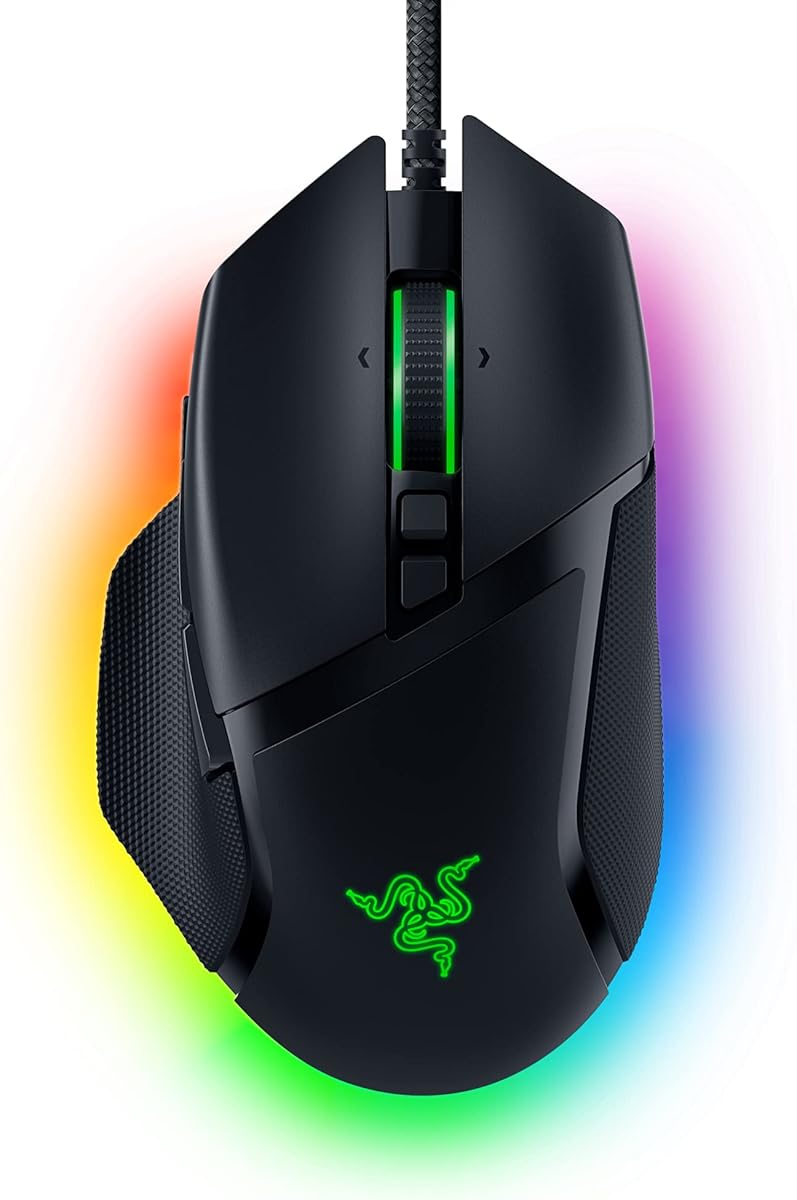
Razer Viper V4 Pro

Razer Viper V4 Pro

9.4/10★★★★★

If you claw-grip and want one mouse that matches how competitive players actually hold a shell, the Razer Viper V4 Pro is the clear centerpiece of this pack. At a claimed 49 grams it sits in the true ultra-light class where claw grip thrives: enough mass for deliberate stopping power, not so much that your arched fingers fight inertia on every micro-adjust. The symmetrical outline leaves room for the classic claw contact pattern—fingertips on the primary buttons, a raised knuckle arch, and light palm contact at the rear—without forcing a full palm wrap the way large right-handed ergonomics do.

  • 49 g ultra-lightweight symmetrical esports shell
  • Focus Pro 50K DPI optical sensor, Gen-4 optical switches
  • HyperSpeed Wireless Gen-2 up to 8K polling, ~180 hr battery
Check Price →
✓ Pros
  • 49 g shell makes claw flicks and micro-corrections feel effortless
  • Symmetrical low-drag shape suits fingertip-to-claw hybrids
  • Focus Pro 50K sensor and 8K polling for high-refresh competitive play
  • Long wireless battery with included grip tape in the box
  • Optical scroll wheel improves consistency for weapon/ability cycling
✕ Cons
  • Premium flagship positioning; value seekers may prefer Attack Shark X3
  • Minimal side buttons compared with feature-heavy ergo mice
  • Ambidextrous shell can feel less supported if you prefer a deep palm shelf

Detailed review

Claw grip lives and dies by front-end control. The Viper V4 Pro’s button deck and optical Gen-4 switches are tuned for a crisp, short travel click that rewards the fingertip pressure claw users apply. Because optical switches do not rely on a traditional metal contact, unintended double-clicks are less of a long-term worry after thousands of hours of ranked play. That matters for claw players who often actuate with the pad of the finger rather than a deep palm-driven press.

Sensor performance is where this mouse separates itself from lighter budget alternatives in the same shopping set. The Focus Pro 50K optical sensor Gen-3 tracks up to 930 IPS with high acceleration tolerance and Frame Sync alignment aimed at reducing perceived latency. For claw grip on a large cloth pad at medium or low eDPI, that combination means flicks stay linear and tracking does not smear when you reverse direction mid-strafe. You can dial sensitivity in fine 1-DPI steps through Razer Synapse 4 on PC or Mac if you want tournament-identical settings across machines.

Wireless behavior is HyperSpeed Gen-2 with true 8000 Hz polling when you want maximum responsiveness, plus a more efficient 1000 Hz mode when you prioritize battery. Razer quotes up to about 180 hours at 1000 Hz or roughly 45 hours at 8000 Hz—enough that most claw-focused FPS players can choose latency mode based on the night’s title rather than fear of a mid-session charge. USB-C charging and a wired fallback keep LAN nights simple. The box also includes mouse grip tape and the HyperSpeed dongle, which is useful because claw grip increases fingertip shear force and many players eventually want more friction on the sides.

Shape-wise, the Viper lineage has always been a claw and fingertip favorite: relatively flat sides, a moderate length that does not swallow medium hands, and a hump that supports the rear of the palm without locking you into a full palm grip. Large-handed pure palm users may still prefer something like the Ironclaw shapes in this pack, but for dedicated claw or claw-fingertip hybrids the V4 Pro is the most purpose-aligned mouse here. Left-handed claw players also benefit from the ambidextrous layout, a rarity among high-end ergo shells.

Software depth covers DPI stages, mouse rotation, lift-off distance, and button remaps. Claw players who use only two side buttons will appreciate not carrying unused mass for a crowded thumb cluster. The optical scroll wheel is another competitive detail: more consistent actuation than many mechanical wheels when you flick through inventories under stress. If your claw style involves frequent scroll binds for abilities, that consistency shows up in ranked play more than in a product photo.

The honest tradeoff is specialization. You are buying an esports-first wireless tool, not a productivity Swiss Army knife with eleven buttons and a free-spin tilt wheel. If your claw grip is relaxed and you also edit video all day, a Basilisk-style ergo may feel more versatile. For aim-first claw grip in shooters and MOBAs, the Viper V4 Pro is the pack’s best match of weight, shape, sensor, and wireless stack.

Who should buy the Viper V4 Pro for claw grip

Choose this mouse if you already claw or fingertip-claw on medium symmetrical shells, play competitive FPS or tactical shooters, and want sub-50 g wireless without sacrificing high polling. It also fits claw users who bounce between PC and Mac and want Synapse-level tuning on both. Skip it if you need a deep thumb rest, a dense programmable button layout, or you prefer a heavy, planted feel for palm-dominant control.

Claw setup notes and first-week tuning

Start around your current eDPI, then lower slightly if the 49 g shell makes you overflick. Enable a high polling rate only after confirming your USB topology is clean—avoid crowded hubs for the dongle. Apply the included grip tape to the left and right cliffs if your claw contact points sweat; leave the top shell smooth if you prefer slide during wide arm swings. Disable Windows enhance pointer precision and lock a single DPI stage for ranked consistency.

How it compares inside this claw-grip pack

Versus the Attack Shark X3, the Viper V4 Pro offers a more mature wireless stack, higher sensor ceiling, and stronger brand software support at a higher market position. Versus Basilisk V3, it is lighter, thinner, and far more claw-native, while Basilisk wins on thumb rest comfort and button count. Grip-tape products in this pack complement the Viper rather than replace it—especially if you already own a Superlight-class shell and only need friction, not a new mouse.

Check Price on Amazon →

We may earn a commission at no additional cost to you.

2. ATTACK SHARK X3 - Best Value Lightweight Claw

ATTACK SHARK X3

ATTACK SHARK X3

9/10★★★★★

The Attack Shark X3 is the value claw-grip answer when you want Viper-like weight without committing to a flagship wireless price tier. At a claimed 49 grams with a symmetrical shell measuring roughly 4.67 × 2.4 × 1.56 inches, it targets the same physical envelope claw players seek: light enough for fingertip steering, long enough for a stable rear palm touch, and narrow enough that an arched claw does not feel like spanning a barge.

  • 49 g ultra-lightweight symmetrical wireless mouse
  • PAW3395 sensor up to 26K DPI, 1000 Hz polling
  • Bluetooth 5.2 / 2.4 GHz / wired, up to ~200 hr battery
Check Price →
✓ Pros
  • True 49 g class weight that rewards claw micro-adjustments
  • PAW3395 sensor is a proven competitive optical platform
  • Triple connectivity covers gaming dongle, Bluetooth, and wired
  • Kailh GM 8.0 switches and PTFE feet for crisp clicks and glide
  • Long claimed battery life reduces charge anxiety for wireless claw play
✕ Cons
  • Software polish and ecosystem lag behind Razer Synapse / Logitech G HUB
  • 1000 Hz polling, not an 8K flagship stack
  • Build and QC can vary more than premium esports brands

Detailed review

Sensor choice is a major reason this mouse belongs on a claw shortlist. The PixArt PAW3395 is a well-understood 26,000 DPI-class optical sensor with strong IPS and acceleration ratings for modern shooters. Claw grip benefits because you often move the mouse with smaller contact patches and higher peak speeds during flicks; a sensor that stays clean at those speeds keeps your crosshair honest. Pair that with 1000 Hz / 1 ms polling on the 2.4 GHz mode and you get competitive-enough latency for most ranked ladders outside the absolute highest-refresh esports niche.

Connectivity flexibility is broader than many pure esports mice. Bluetooth 5.2, 2.4 GHz wireless, and wired USB mean you can claw-grip on a desktop for ranked, then switch Bluetooth for a laptop desk without packing a second mouse. Battery life is advertised up to around 200 hours, which supports the claw player habit of leaving the mouse at a preferred DPI stage for weeks. Pure competition nights should still use the dedicated dongle rather than Bluetooth.

Click feel comes from Kailh GM 8.0 switches rated into the tens of millions of cycles, with a TTC encoder for the scroll wheel. Claw users who actuate with fingertips usually prefer a sharp, light click; GM 8.0s are a common enthusiast pick for that reason. PTFE feet are larger and rounder than budget stubs, which helps stopping power when your claw style involves abrupt direction changes after a wide swipe.

Ergonomics are anti-sweat oriented and symmetrical, which helps if your claw contact points migrate slightly during long sessions. The shell will not give you a Basilisk-style thumb shelf; instead you get cliff walls that claw fingers can pinch. That pinch stability is exactly what many claw players want when they tense during clutch rounds. If your hands are very large and you prefer a tall rear hump, try the Ironclaw shapes before assuming every 49 g mouse will fit.

Customization covers button remaps, DPI/IPS settings, lift-off distance, polling, and macros in vendor software. Expect a less refined UX than Synapse, but the essentials for claw tuning are present. The white-and-tape bundle positioning also nods to grip culture: claw players often add tape immediately, so shipping with tape aligns with real desk habits.

Buy the X3 when weight and sensor matter more than brand prestige or 8K polling. It is the pack’s strongest budget-to-mid claw mouse and a sensible A/B test against the Viper V4 Pro if you want to learn whether ultra-light symmetrical shapes actually improve your aim before you invest further.

Ideal claw hand sizes and grip styles

Best for small-to-medium hands in classic claw or aggressive fingertip-claw. Medium-large hands can still work if you prefer a short shell and rest only the palm heel. Pure palm claw hybrids on large hands should look at Basilisk V3 or Ironclaw instead.

Practical setup for sweaty claw sessions

Use the 2.4 GHz dongle in a front USB port or extender. Set a single DPI stage near your current aim settings. If the stock coating feels slick, keep the included tape on the side grips where claw fingertips shear hardest. Clean PTFE feet after the first week of pad dust so tracking stays consistent.

Check Price on Amazon →

We may earn a commission at no additional cost to you.

3. Razer Basilisk V3 - Best Ergonomic Claw Hybrid

Razer Basilisk V3

Razer Basilisk V3

9.2/10★★★★★

Not every claw player wants a flat ambidextrous puck. The Razer Basilisk V3 is for claw grips that still appreciate a thumb shelf, a taller right-handed contour, and a denser control surface. If your claw style is relaxed—arched fingers, but a more planted thumb and occasional palm contact—the Basilisk’s iconic ergo outline can feel more secure than a stripped esports shell, especially during long MMO raids or creative sessions between ranked blocks.

  • Right-handed ergonomic shell with thumb rest
  • Focus+ 26K DPI sensor, optical switches Gen-2
  • 11 programmable buttons, HyperScroll tilt wheel, wired
Check Price →
✓ Pros
  • Thumb rest stabilizes relaxed claw and claw-palm hybrids
  • Eleven programmable buttons for MMO, MOBA, and creator workflows
  • Focus+ 26K sensor with crisp optical switch clicks
  • HyperScroll free-spin and tactile modes for mixed work/play
  • Chroma RGB zones for setup matching without wireless battery tradeoffs
✕ Cons
  • Heavier and more sculpted than ultra-light claw specialists
  • Wired only in this listing—no HyperSpeed wireless freedom
  • Right-handed shape excludes left-handed claw users

Detailed review

The defining claw-relevant feature is the thumb rest. Claw grip often loads the thumb against the left side wall; a dedicated rest reduces lateral strain and gives a reference point so your fingers stay aligned on the primary buttons. That stability helps when you mix precision clicking with ability-heavy genres where you need more than two side buttons. Eleven programmable inputs let claw players map utilities without stretching awkwardly across a keyboard.

Focus+ 26K DPI optical sensing keeps tracking competitive even though this mouse is not chasing a 49 g headline weight. Optical mouse switches Gen-2 claim 0.2 ms actuation and up to 70 million clicks with reduced misclick risk. Claw fingertip actuation pairs well with that crisp optical click. HyperScroll’s free-spin mode is excellent for document scrubbing, while tactile mode suits weapon or skill cycling—useful if your claw sessions flip between productivity and FPS.

Because this Basilisk V3 listing is wired, you avoid wireless compression or battery anxiety entirely. A flexible cable and a clean bungee setup keep the wire from tugging your claw micro-adjustments. For desk setups that already have cable management, wired can feel more “planted” than ultralight wireless—some claw players prefer that feedback.

Chroma RGB across eleven zones is optional flair; disable lighting in Synapse if you want a calmer look. More important for aim is turning off Windows enhance pointer precision and locking DPI stages. The Basilisk rewards users who treat it as a hybrid tool: claw for shooters with a slightly higher grip, then a more palm-supported posture for editing timelines.

Compared with Viper V4 Pro, Basilisk V3 is the comfort and features pick, not the pure aim athlete. Compared with Ironclaw, it offers a more modern Razer sensor/switch stack and HyperScroll versatility, while Ironclaw leans into an even larger-hand palm-first silhouette. If your Amazon search for “claw grip” is really “I claw but I hate tiny mice,” start here.

Skip Basilisk V3 if you are committed to sub-60 g symmetrical shells or you play left-handed. Choose it when claw grip must coexist with macros, scroll workflows, and all-day right-hand support.

Who gets the most from Basilisk claw use

Medium to large right hands that claw with a relaxed arch, MOBA/MMO players who need extra binds, and creators who claw during gaming but palm during work. Competitive FPS purists chasing lightest possible flicks should prefer Viper V4 Pro or Attack Shark X3.

Thumb-rest claw technique tips

Keep the thumb lightly parked on the rest rather than crushing it—excess thumb pressure can rotate the shell and smear tracking. Let the ring and pinky stabilize the right cliff. If sweat reduces side friction, consider aftermarket grip tape compatible with Basilisk-class shapes rather than overtightening your claw.

Wired claw desk checklist

Use a mouse bungee, route the cable with a gentle arc, and confirm the sensor lens stays clean. In Synapse, set a modest lift-off distance if you reset the mouse often during claw arm aim. Map rarely used buttons away from accidental thumb bumps.

Check Price on Amazon →

We may earn a commission at no additional cost to you.

4. TALONGAMES Logitech Superlight Grip Tape - Best Grip Upgrade

TALONGAMES Logitech Superlight Grip Tape

TALONGAMES Logitech Superlight Grip Tape

9/10★★★★★

Many “best mouse for claw grip” shoppers already own a Logitech G PRO X Superlight, Superlight 2, or G PRO X2 SUPERSTRIKE and do not need another shell—they need the shell to stop slipping under an arched claw. TALONGAMES anti-slip grip tape exists for that exact problem. Claw grip concentrates force on the side cliffs and finger contact patches; stock coatings can become slick after a few sweaty maps. A 0.5 mm pre-cut tape set adds friction without meaningfully changing the mouse’s competitive weight or dimensions.

  • 0.5 mm pre-cut anti-slip grip tape set
  • Diamond texture with palm sweat absorption patches
  • Fits G PRO X Superlight, Superlight 2, G PRO X2 SUPERSTRIKE (not DEX)
Check Price →
✓ Pros
  • Pre-cut for popular Logitech pro shells claw players already own
  • Ultra-thin 0.5 mm polymer preserves click feel and shape
  • Diamond texture raises friction where claw fingertips shear
  • Optional palm patches help sweaty claw-palm contact points
  • 3M-style adhesive aims for strong hold with clean removal
✕ Cons
  • Mouse not included—only useful if you own a compatible Logitech shell
  • Not compatible with G PRO X Superlight 2 DEX per listing notes
  • Bright or textured finishes can show wear and dirt over time

Detailed review

The diamond texture is the functional story. Higher friction coefficient means your claw fingertips can guide the mouse with less pinch force. Lower pinch force usually means freer wrist and arm motion, which is the whole point of claw aim. Palm sweat absorption patches are included for players whose claw still kisses the rear hump; you can apply full coverage or only the zones that slip for you.

Compatibility is precise and important: the listing targets G PRO X Superlight 2, G PRO X Superlight, and G PRO X2 SUPERSTRIKE, and explicitly calls out that Superlight 2 DEX is not compatible. Measure twice against your exact model before applying. Installation is peel-and-stick with adhesive marketed as strong yet removable without residue—standard practice is to clean the shell with isopropyl, align carefully, and press from center outward to avoid bubbles.

For claw players, apply side pieces first because those contact points matter most. Top-shell pieces are optional; some claw users prefer a slick top so fingers can reposition, while others want full wrap for humid climates. Because the material is thin, button travel and scroll feel remain close to stock—unlike thick rubber sleeves that can mute clicks.

This accessory also pairs conceptually with the Attack Shark X3 and Viper V4 Pro reviews: ultra-light claw mice often ship with or invite grip tape. If your Superlight already aims well but rotates in hand during wide flicks, tape is a cheaper experiment than swapping shapes. If your claw pain is actually shape mismatch—shell too long, hump too tall—tape will not fix geometry; consider Viper V4 Pro or X3 instead.

Durability depends on sweat chemistry and how aggressively you re-grip. Expect to replace tape periodically if you play daily. Keep a spare set if you travel to LANs where you cannot risk a peeling corner mid-tournament. Avoid stretching pieces during install; stretched polymer can lift at edges under claw shear.

Buy TALONGAMES Superlight tape when your claw foundation is already a compatible Logitech pro mouse. Skip it if you need a new mouse shape, own a DEX variant, or prefer cut-to-fit sheets like Lizard Skins for non-listed shells.

Application tips for claw contact points

Degrease the mouse, dry fully, and apply side grips with the mouse cold and powered off. Press for 30–60 seconds per piece. Wait before a sweaty session so adhesive sets. If a corner lifts, trim rather than resticking dirty adhesive.

When tape beats buying another mouse

Stay with tape if your Superlight size already matches your hand and your only complaint is slip or sweat. Shop a new mouse if you get hotspots, finger stretch pain, or inconsistent flicks that feel like shape problems rather than friction problems.

Check Price on Amazon →

We may earn a commission at no additional cost to you.

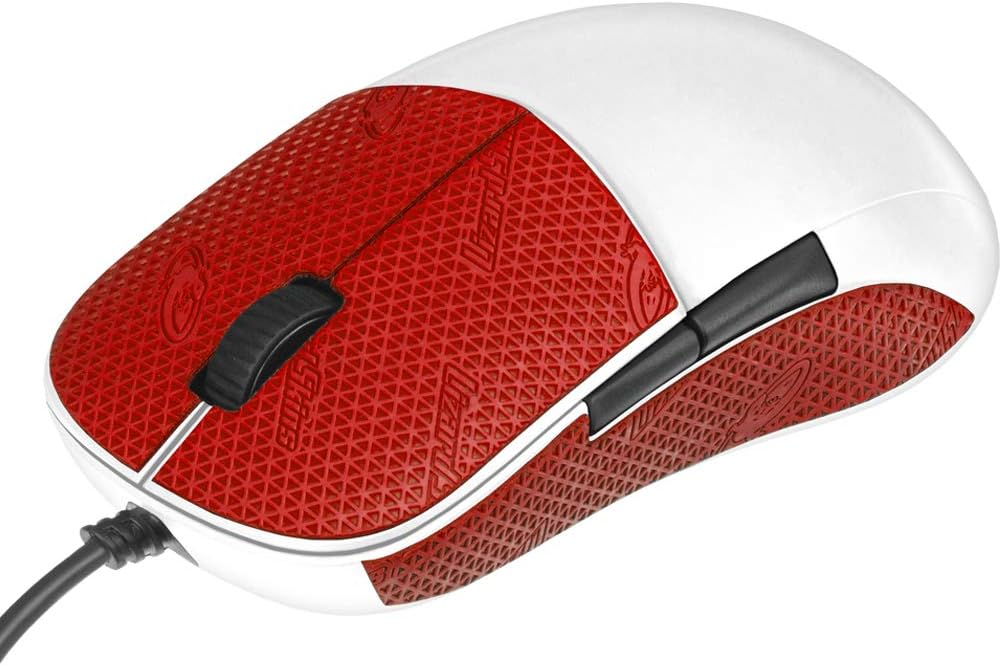
5. Lizard Skins DSP Mouse Grip - Best Cut-to-Fit Claw

Lizard Skins DSP Mouse Grip

Lizard Skins DSP Mouse Grip

9/10★★★★★

Lizard Skins DSP mouse grip is the DIY route for claw players whose mouse is not covered by a pre-cut kit. Instead of a model-specific stencil, you get a polymer sheet with a grid transfer approach so you can trace sidewalls, finger ramps, and rear hump zones. That flexibility matters in a claw-focused roundup because claw contact patches vary wildly: some players only tape the left cliff, others wrap the entire rear where the palm heel lands.

  • DSP Durasoft polymer mouse grip sheet, 0.5 mm
  • Cut-to-fit grid transfer sheet for many mouse shapes
  • Crimson red colorway; slip-resistant textured comfort
Check Price →
✓ Pros
  • Works across many mice, not locked to one pre-cut model
  • DSP material is known for comfortable, grippy hand feel
  • 0.5 mm thickness suits claw players who dislike bulky wraps
  • Useful for DIY zones on claw sidewalls and finger shelves
  • Color options let you mark a dedicated claw competition mouse
✕ Cons
  • Requires careful tracing and cutting—more effort than pre-cuts
  • Finish quality depends entirely on your install skill
  • Not a mouse—does not fix a fundamentally wrong shape

Detailed review

DSP Durasoft Polymer aims for a hand-feel that is closer to premium soft-touch than hard diamond plastic. Claw grip can create pressure points on hard shells; a thin polymer layer spreads that pressure and adds slip resistance without turning the mouse into a sticky football. At 0.5 mm, weight impact stays negligible—critical when you chose a mouse specifically for ultra-light claw control.

Installation is the skill check. Trace your mouse zones, cut cleanly with a sharp blade, round external corners so they do not peel under shear, and apply to a degreased shell. Claw players should prioritize the lateral surfaces first. If you overcut and leave gaps near the button gaps, moisture can creep under edges—take your time around the primary button breaks.

This Crimson Red listing is one of multiple colorways, which is handy if you want a visual cue that a mouse is your “claw ranked” device versus a work mouse. The material is marketed for gaming and casual use, so hybrid claw users who browse and aim on the same shell are in scope.

Compared with TALONGAMES and Razer pre-cuts in this pack, Lizard Skins wins universality and loses convenience. If you own a DeathAdder V2 Mini, Razer’s pre-cut is faster. If you own a Superlight-class Logitech, TALONGAMES is faster. If you own something else—or want custom partial coverage—Lizard Skins is the toolkit.

Claw-specific advice: do not smother the mouse in grip if you rely on controlled slip for wide arm swipes. Many claw aimers want sticky sides and a relatively free top shell. Pattern your cut that way. Also consider leaving sensor pathways and feet completely clear; never overlay PTFE skates.

Choose Lizard Skins when customization matters more than install speed. Skip it if you dislike crafts or you need a guaranteed factory-edge pre-cut for a tournament tomorrow night.

Cut patterns that work for claw grip

Popular claw patterns include full left/right cliffs, thin strips under ring/pinky, and a small rear palm patch. Avoid thick coverage under the exact fingertip click zones if it dulls button feel. Test-fit paper templates before cutting the DSP sheet.

Maintenance and replacement cadence

Wipe with a slightly damp cloth; avoid soaking edges. Replace sections that glaze smooth from sweat oils. Keep leftover sheet for patches so you are not redoing an entire mouse when one corner wears.

Check Price on Amazon →

We may earn a commission at no additional cost to you.

6. Corsair IRONCLAW RGB Wired - Best Large-Hand Palm-Claw Wired

Corsair IRONCLAW RGB Wired

Corsair IRONCLAW RGB Wired

8.6/10★★★★☆

The Corsair Ironclaw RGB Wired is not a 49 g esports wafer, and that is exactly why some claw players should consider it. If you have large hands and use a “front claw, rear palm” hybrid, ultra-light mini shells can feel like you are pinching a soap bar. Ironclaw’s contoured, larger-hand silhouette gives the rear of the palm a place to land while the fingers still arch for claw-style aim. At roughly 105 g it is heavier, but the weight can feel planted rather than sluggish if your sensitivity is medium-low and your pad is large.

  • Contoured large-hand shape, about 105 g
  • 18,000 DPI optical sensor, 1 DPI steps
  • 7 programmable buttons, Omron switches, iCUE RGB
Check Price →
✓ Pros
  • Large contoured shell supports big hands that still claw at the front
  • 18K sensor with fine DPI adjustment for aim tuning
  • Seven programmable buttons without wireless complexity
  • Omron switches rated for high click lifespans
  • iCUE RGB integration for Corsair-centric desks
✕ Cons
  • Heavier than modern ultra-light claw specialists
  • Shape is palm-first; aggressive fingertip claw may feel oversized
  • Wired only on this model variant

Detailed review

Corsair’s optical sensor tops out at 18,000 DPI with 1 DPI adjustment steps through iCUE. That is plenty for claw aiming when you care more about stable tracking and a comfortable shell than chasing the newest 50K marketing number. Seven programmable buttons cover FPS/MOBA essentials—forward/back, DPI stage, and extras—without the Basilisk’s denser cluster.

Omron switches rated beyond 50 million clicks give a familiar mechanical click feel. Some claw users prefer this over optical clicks; others will miss optical’s long-term double-click resistance. Try to evaluate click weight with your actual fingertip claw pressure, not a palm-driven demo press in a store video.

As a wired mouse, Ironclaw avoids dongle management and battery planning. Route the cable carefully so it does not yank during wide claw arm swipes. The two-zone RGB is cosmetic; turn it down if you want fewer distractions in dark rooms.

In claw terms, think of Ironclaw Wired as the opposite end of the spectrum from Viper V4 Pro. One optimizes mass and symmetrical agility; the other optimizes size and contour for bigger hands. Neither is universally “more claw.” Match the shell to your hand length and whether your palm heel needs a shelf.

iCUE macros help MOBA and productivity claw users, though the software footprint is heavier than some prefer. You can still use the mouse with onboard basics if you only need DPI stages. For console compatibility notes on the listing (PS/Xbox mentions), verify current functionality for your exact platform if that matters to you.

Buy Ironclaw Wired if your claw grip fails on small mice because of hand size. Skip it if you are chasing sub-60 g flick culture or you need wireless freedom on a cluttered desk.

Large-hand claw fit check

If your ring finger hangs off small symmetrical mice and your palm cannot find the rear hump, Ironclaw’s longer contour is worth testing. If you already fingertip on a Viper-class shell happily, this will likely feel bulky.

Wired claw performance habits

Use a bungee, keep CPI/DPI modest, and let the extra mass help stop your crosshair rather than fighting it with grip tension. If the stock feet feel slow, aftermarket PTFE skates are a common enthusiast upgrade path.

Check Price on Amazon →

We may earn a commission at no additional cost to you.

7. Razer Grip Tape DeathAdder V2 Mini - Best Official Mini

Razer Grip Tape DeathAdder V2 Mini

Razer Grip Tape DeathAdder V2 Mini

9.2/10★★★★★

The DeathAdder V2 Mini has a cult following among smaller-handed claw and fingertip users who like a right-handed bump without a full-size DeathAdder footprint. Razer’s official grip tape is the simplest way to make that compact ergo shell more claw-secure. Pre-cut polyurethane pieces match the Mini’s curves so you are not freehanding scissors around a hump and button deck.

  • Official Razer pre-cut grip tape
  • 0.5 mm polyurethane anti-slip material
  • Fits Razer DeathAdder V2 Mini only
Check Price →
✓ Pros
  • Factory-fit pre-cut for DeathAdder V2 Mini contours
  • Thin 0.5 mm layer adds control without bulk
  • Self-adhesive application is straightforward
  • Helps claw grip on a popular compact ergo shape
  • Lightweight design keeps the Mini’s agility intact
✕ Cons
  • Only for DeathAdder V2 Mini—not V3/V4 Pro models
  • Does not include a mouse
  • Limited coverage customization versus cut-to-fit sheets

Detailed review

Claw grip on a mini ergo is a specific technique: fingers arch high, thumb tucks into the left groove, and the palm may barely kiss the rear. That posture creates intense shear on small sidewalls. Anti-slip tape increases usable friction so you can relax pinch force and keep the Mini from twisting during horizontal flicks.

At 0.5 mm, the tape stays in the “barely there” category that competitive players accept. Self-adhesive backing means clean the shell, align the largest side pieces first, then apply smaller accents. Because it is model-locked, fit quality is the advantage over generic sheets—edges should land cleanly if you bought the correct Mini kit.

Do not confuse this with TALONGAMES Ultra tape for DeathAdder V3 Pro / V4 Pro later in this guide. Different shells, different cut patterns. Mini owners should stay with this Razer kit; V3/V4 Pro owners should use the TALONGAMES Ultra set or another compatible kit.

If you are still deciding whether a Mini shape is right for claw, tape is a finishing step, not a diagnosis tool. Hands that need more length should look at Basilisk V3 or Ironclaw. Hands that want symmetrical ultra-light should look at Viper V4 Pro or Attack Shark X3. Tape shines when the Mini already fits and only grip is lacking.

Expect the same maintenance story as other grip media: sweat oils eventually glaze the texture, edges can lift if installation was rushed, and tournament travelers should inspect corners before play. Keep isopropyl and a spare kit in the desk drawer if this is your main ranked mouse.

Buy this when you own a DeathAdder V2 Mini and claw hard enough to polish the coating smooth. Skip it for any other DeathAdder generation or if you prefer cutting Lizard Skins to a custom partial pattern.

Mini claw troubleshooting

If the Mini still feels tiny after taping, the shape is undersized for your hand—upgrade the mouse. If it feels perfect but slippery, tape is the correct fix. If clicks feel muted after install, you may have overlapped material onto the button skirts; lift and trim.

Pairing with sensitivity and pad choice

Compact claw mice often pair well with a bit more mousepad space and controlled low-to-medium sensitivity. Extra grip from tape can let you lower pinch tension and use more arm aim without the shell escaping.

Check Price on Amazon →

We may earn a commission at no additional cost to you.

8. TALONGAMES DeathAdder Ultra Grip Tape - Best DeathAdder V3/V4

TALONGAMES DeathAdder Ultra Grip Tape

TALONGAMES DeathAdder Ultra Grip Tape

8.6/10★★★★☆

Razer’s modern DeathAdder Pro shells are favorites for right-handed claw and relaxed claw-palm players who want a refined ergo hump with wireless performance. TALONGAMES Ultra Version grip tape is built specifically for DeathAdder V4 Pro and V3 Pro, with a multi-texture approach: different surface patterns for different contact zones so claw fingertips, thumb, and palm heel do not all feel the same slick plastic.

  • Ultra Version multi-texture grip tape, 0.5 mm
  • Pre-cut for Razer DeathAdder V4 Pro / V3 Pro
  • Sweat-absorbing polyester with 3M adhesive, black
Check Price →
✓ Pros
  • Zone-specific textures matched to different touch points
  • Strong sweat absorption for humid claw sessions
  • Pre-cut for current DeathAdder Pro wireless shells
  • 3M adhesive focuses on hold and clean removal
  • Thin profile preserves the DeathAdder’s ergo claw geometry
✕ Cons
  • Mouse not included; tape-only package
  • Black/bright grip sets can show dust and skin oils
  • Listing notes possible odor that needs airing time

Detailed review

Sweat is the enemy of claw consistency. When moisture hits a glossy coating, claw pinch increases, micro-corrections get sticky-then-slippy, and aim variance rises. This Ultra tape uses a polyester-focused material marketed for strong absorption and anti-slip behavior so humid sessions stay controllable. For claw players in warm rooms or long tournament days, that is often a bigger upgrade than another DPI step.

The 3M adhesive layer is described as highly durable with clean removal and minimal odor after a deodorizing process—though the listing still advises leaving the sticker to air if needed (about 48 hours). Plan install day before a match day. As always, degrease the mouse, align pre-cuts carefully around the DeathAdder’s curves, and press firmly along edges that claw shear will attack first.

Because DeathAdder Pro shapes already suit many claw users, tape is about locking in an existing win. You are not trying to reinvent the geometry; you are increasing the friction budget so your arch can stay relaxed. Multi-texture design helps here: aggressive side grip for fingertip control, potentially different palm feel so the rear contact does not feel sandpaper-harsh during long palm-heel rests.

Compare with Razer’s V2 Mini tape: wrong generation, wrong cut. Compare with Lizard Skins: Ultra wins on DeathAdder-specific fit, Lizard Skins wins if you want custom shapes on unsupported mice. Compare with simply buying Viper V4 Pro: only switch mice if the DeathAdder ergo arch is wrong for your claw; if it is right, tape is the efficient path.

Package contents are the grip set only. Bright colorways mentioned in the brand notes can show dirt—this black Ultra set is the practical claw choice for concealment. Replace tape when texture flattens or corners lift; do not wait until a corner peels mid-clutch.

Buy TALONGAMES Ultra for DeathAdder V3/V4 Pro when you claw on those shells and fight sweat or rotation. Skip it if you own a Mini, a Logitech Superlight, or you need a completely different mouse category.

DeathAdder claw contact map

Typical right-handed claw on DeathAdder: thumb on left forward zone, index/middle arched on primary buttons, ring/pinky on right rear cliff, palm heel lightly on the hump. Prioritize those zones if you apply partial coverage.

Install day checklist

Clean, dry, warm room, good lighting. Apply largest pieces first. Smooth from center out. Wait before intense sweaty use. Keep the sensor and skates untouched. Air out if you notice residual odor from fresh adhesive.

Check Price on Amazon →

We may earn a commission at no additional cost to you.

9. Corsair IRONCLAW RGB Wireless - Best Large-Hand Wireless Hybrid

Corsair IRONCLAW RGB Wireless

Corsair IRONCLAW RGB Wireless

7.8/10★★★★☆

The Corsair Ironclaw RGB Wireless takes the large-hand Ironclaw idea and untethers it with Slipstream wireless, Bluetooth, and wired USB. For claw players with bigger hands who hate cables snagging mid-flick, that flexibility matters. You get a contoured shell sculpted for palm-friendly support while still allowing a claw arch at the front—especially if you are a hybrid gripper rather than an aggressive fingertip claw player.

  • Large contoured wireless Ironclaw shape
  • Pixart PMW3391 18K DPI sensor
  • Slipstream / Bluetooth / wired, 10 programmable buttons
Check Price →
✓ Pros
  • Wireless freedom on a large-hand contoured shell
  • Slipstream sub-1 ms wireless plus Bluetooth and wired modes
  • Ten programmable buttons for ability-heavy claw hybrids
  • 18K PMW3391 sensor with fine DPI stepping
  • Omron switches with long rated lifespan
✕ Cons
  • Lower Amazon rating than most alternatives in this pack
  • Heavier large-shell feel versus ultra-light claw mice
  • Palm-oriented contour may overwhelm small-handed claw users

Detailed review

The custom Pixart PMW3391 18,000 DPI sensor is a generation behind the newest flagship sensors in this pack, but it remains a competent tracker for claw aim when properly set. Focus on consistent DPI, solid pad tracking, and clean wireless placement rather than chasing the highest marketing DPI. Ten programmable buttons expand what a claw hybrid can do in MOBA, MMO, or productivity contexts compared with two-button esports wafers.

Slipstream’s sub-1 ms wireless claim targets gaming latency, while Bluetooth covers casual multi-device desk use. Claw competitors should default to Slipstream with a clear USB path for the receiver. Omron switches rated over 50 million clicks provide familiar tactile feedback under fingertip actuation.

The rating story deserves honesty: this listing sits lower than the Viper, Basilisk, and Attack Shark options in the pack. That does not automatically make it a bad large-hand wireless mouse, but it does mean you should read recent owner feedback about wireless reliability, click consistency, and battery behavior for your unit. Value and fit are the reasons to consider it; prestige metrics are not.

Versus Ironclaw Wired, you pay the wireless complexity tax for desk freedom. Versus Viper V4 Pro, you gain size and button count while losing ultra-light symmetrical agility. Versus Basilisk V3, you gain wireless modes while choosing Corsair’s iCUE world over Synapse and HyperScroll.

Claw fit guidance mirrors the wired Ironclaw: excellent when small mice leave your fingers unsupported, poor when you already thrive on 49 g symmetrical shells. If you are between sizes, try to measure hand length and compare against known large ergo mice you have tried in stores or friend setups.

Consider Ironclaw Wireless if you need wireless + large contour + more buttons and you accept a more mixed review profile. Prefer Viper V4 Pro or Attack Shark X3 for pure lightweight claw aim, or Basilisk V3 for wired ergo features with stronger ratings.

Wireless claw hygiene

Keep the receiver close, avoid 2.4 GHz congestion when possible, and recharge on a schedule so you never enter a clutch at critical battery. If Bluetooth feels laggy, that is expected for competitive claw play—switch to Slipstream.

Who should skip this Ironclaw

Small hands, aggressive fingertip claw users, and anyone standardized on sub-60 g ambidextrous mice. Also skip if you want the highest rating confidence in this pack; look at Viper V4 Pro or Basilisk V3 instead.

Check Price on Amazon →

We may earn a commission at no additional cost to you.

10. Elevation Lab Magic Grips - Best Magic Mouse Claw

Elevation Lab Magic Grips

Elevation Lab Magic Grips

9/10★★★★★

Apple’s Magic Mouse is famously sleek and famously awkward for claw-style control. The low profile and thin edges give fingertips almost nothing to pinch, so users invent tense grips that fatigue quickly. Elevation Lab Magic Grips attack that geometry problem directly: silicone side forms create concave surfaces for fingers, widen the effective grip, and give you more control without replacing the mouse’s electronics.

  • Silicone side grips for Apple Magic Mouse 1 & 2
  • Widens grip with concave finger surfaces
  • Removable 3M adhesive; ambidextrous; XL thumb grip included
Check Price →
✓ Pros
  • Transforms MagMouse’s low-friction edges into claw-friendly shelves
  • Widens grip for medium and large hands
  • Ambidextrous design with bonus XL thumb grip
  • Removable adhesive supports temporary or travel setups
  • Premium silicone comfort versus bare aluminum edges
✕ Cons
  • Does not turn Magic Mouse into a gaming sensor weapon
  • Still limited by Magic Mouse’s charge-port and button quirks
  • Not a substitute for a real esports claw mouse

Detailed review

In a claw-grip shopping pack this is the productivity outlier—and that is useful. Many readers searching for claw comfort are Mac users who claw on Magic Mouse all day, not CS2 competitors. If that is you, a Viper V4 Pro may be the wrong prescription for your main machine. Magic Grips keep you in Apple’s gesture ecosystem while fixing the hold.

The kit fits Magic Mouse 1 and 2, is ambidextrous, and includes a bonus XL thumb grip if you want even more width. Removable 3M adhesive helps if you swap mice between home and office. Construction is premium silicone rubber aimed at comfort and control rather than esports sweat-wicking diamond grit.

Expectations need to stay honest for gamers. Magic Mouse’s sensor, click mechanism, and charging orientation are unchanged. You will not suddenly out-aim someone on a PAW3395 or Focus Pro shell in a shooter. What you may gain is less finger cramping, more stable tracking during precise design work, and a claw-like arched finger posture that feels sustainable.

Install by cleaning the aluminum sides, aligning the concave grips so your index and thumb land naturally, and pressing firmly. Try the standard thumb piece before the XL; wider is not always better if it forces shoulder hike. Because the grips widen the mouse, re-check how you store it with the charging port orientation Apple uses.

Compared with Lizard Skins or TALONGAMES, Magic Grips are purpose-built geometry extenders, not texture stickers for gaming shells. Compared with buying Attack Shark X3 for a Mac gaming laptop, Magic Grips are the path if you must stay on Magic Mouse for gestures and aesthetics.

Buy Elevation Lab Magic Grips when Magic Mouse comfort is the actual problem. Skip them when you need competitive gaming performance—then choose Viper V4 Pro, Attack Shark X3, or Basilisk V3 instead.

Mac desk claw comfort workflow

Use Magic Grips for design, browsing, and light creative work. Keep a lightweight gaming mouse for competitive titles if you dual-wield. Matching sensitivities across devices is harder across sensors—accept separate muscle memory or unify with a single gaming mouse on Mac.

Fit notes for medium and large hands

Medium and large hands usually see the biggest comfort jump because stock Magic Mouse is extremely narrow. Smaller hands may prefer the standard thumb grip over XL to avoid over-widening.

Check Price on Amazon →

We may earn a commission at no additional cost to you.

Best Mouse for Claw Grip 2026: Lightweight and Ergo Picks

Claw Grip Buying Guide: Shape, Weight, and Friction

Confirm you actually claw

Photograph your hand on your current mouse from the side. If your fingers are arched and your palm is not fully glued to the shell, you are in claw or fingertip-claw territory. Pure palm grippers who force themselves onto tiny ambidextrous mice often blame “bad aim” when the real issue is mismatched posture. Be honest about your default grip before chasing a pro’s mouse.

Weight targets for claw aim

Most aggressive claw and fingertip-claw players thrive between roughly 40 and 65 grams. The Viper V4 Pro and Attack Shark X3 both land at a claimed 49 g, which is a sweet spot for flick-heavy FPS. Larger hybrid claw users on Ironclaw-class shells may accept around 100 g if the contour removes strain. Lighter is not automatically better when the shape forces an uncomfortable pinch.

Symmetrical vs ergonomic for claw

Symmetrical shells (Viper, Attack Shark X3) give claw fingers freedom to place contact points and support left-handed use. Ergonomic shells (Basilisk, DeathAdder family, Ironclaw) provide a thumb shelf and palm hump that stabilize relaxed claw. If your claw collapses into tension without a thumb rest, try ergo. If your claw feels trapped by a high right-handed bump, try symmetrical ultra-light.

Sidewall friction and grip tape

Claw grip shears against sidewalls more than palm grip does. When stock coating gets slick, players over-grip, which slows aim and creates hotspots. Pre-cut tapes for Superlight and DeathAdder models, plus cut-to-fit Lizard Skins, are legitimate claw upgrades—not gimmicks. Prefer thin 0.5 mm materials so you do not mute clicks or change dimensions much.

Sensors, polling, and software

Modern claw aim cares more about consistent tracking and clean click feel than extreme DPI numbers. PAW3395, Focus+/Focus Pro, and PMW3391-class sensors in this pack are all viable when paired with a good pad and disabled Windows acceleration. High polling (up to 8K on Viper V4 Pro) can help on high-refresh setups if your USB path is clean; otherwise 1000 Hz remains an excellent claw default.

When Magic Mouse accessories make sense

If your claw pain lives on a Mac productivity desk, Elevation Lab Magic Grips can widen Apple’s slim edges into usable finger shelves. That is a comfort fix, not a competitive gaming transformation. Serious FPS claw play on Mac still benefits from a real lightweight gaming mouse with a proper sensor and skates.

Frequently Asked Questions

01

What mouse shape is best for claw grip?

Most claw players do well with a medium-length shell, moderate hump, and sidewalls you can pinch without stretching. Symmetrical ultra-lights like the Razer Viper V4 Pro and Attack Shark X3 suit aggressive claw and fingertip-claw. Relaxed claw hybrids often prefer right-handed ergonomics with a thumb rest, such as Basilisk V3 or DeathAdder-class shapes. Very large hands may need Ironclaw-scale contours even if that means more weight.

02

Is a lighter mouse always better for claw grip?

Usually lighter helps claw aim because arched fingers direct the shell with less mass to accelerate and stop. The 49 g options in this guide are excellent starting points. However, if a light mouse is too short or too low for your hand, you will pinch harder and lose the benefit. Comfortable geometry beats a lighter wrong shape. Some hybrid claw-palm users intentionally keep more mass for planted tracking.

03

Can grip tape improve claw grip as much as a new mouse?

When the shape is already right and the problem is slip, sweat, or rotation, yes—tape can feel like a major upgrade at a fraction of the disruption of remapping muscle memory to a new shell. TALONGAMES kits for Superlight and DeathAdder Pro, Razer’s Mini tape, and Lizard Skins cut-to-fit sheets all target that scenario. If you have hotspots, finger stretch, or inconsistent flicks tied to hump height, change the mouse instead.

04

Should claw grippers use wireless or wired mice?

Modern wireless stacks like HyperSpeed on the Viper V4 Pro and solid 2.4 GHz modes on Attack Shark X3 are absolutely viable for claw competitive play. Wired options such as Basilisk V3 and Ironclaw Wired remain excellent when you want zero battery planning and a slightly more planted cable feel. Choose based on desk setup and trust in wireless, not an outdated assumption that cable equals aim.

05

How do I know if I need an ergonomic mouse or an ambidextrous one for claw?

If your thumb seeks a shelf and your palm heel wants a defined rear bump, start ergonomic (Basilisk, DeathAdder, Ironclaw). If your claw feels freer when both sides are similar cliffs and you dislike a forced right-hand curve—or you are left-handed—start ambidextrous (Viper V4 Pro, Attack Shark X3). You can also test by removing thumb contact briefly: if aim falls apart without a shelf, you lean ergo.

06

What DPI should I use for claw grip gaming?

DPI is only half of eDPI (DPI × in-game sensitivity). Many claw FPS players land in familiar low-to-medium eDPI ranges and use 400–1600 DPI hardware stages depending on title and pad size. The important part is consistency: one stage, raw input, Windows enhance pointer precision off. Ultra-high marketing DPI on Focus Pro or PAW3395 sensors is about precision granularity and future-proofing, not a requirement to run 20,000 DPI in-game.

07

Are the Corsair Ironclaw mice good for pure claw grip?

They can be for large-handed hybrid claw, not for small-handed aggressive fingertip claw. Ironclaw is sculpted with palm support and larger dimensions, so pure claw players coming from Viper-class shells often find them bulky. If small lightweight mice leave your fingers unsupported, Ironclaw Wired or Wireless becomes relevant. Prefer the wired model if you want the simpler, generally better-rated path in this pack.

08

Will Magic Grips help claw grip for gaming on Mac?

They help Magic Mouse comfort and control for everyday Mac work by widening the edges and creating finger shelves. They do not add a gaming-grade sensor, esports skates, or competitive click architecture. For serious claw gaming on Mac, use a lightweight gaming mouse from this guide and keep Magic Grips on a separate productivity Magic Mouse if you still want Apple gestures.

09

How often should I replace mouse grip tape?

Replace when texture goes glossy, edges lift, or sweat odor persists after cleaning. Daily sweaty claw players may refresh high-wear side pieces every few months; drier climates stretch longer. Do not stack fresh tape over contaminated old layers—remove, clean, then reapply. Keep model-correct spares for Superlight, DeathAdder Mini, or V3/V4 Pro kits so you are not improvising the night before a match.

10

What is the best overall claw grip mouse in this guide?

The Razer Viper V4 Pro is the best overall claw mouse in the pack thanks to its 49 g symmetrical shell, high-end sensor and wireless stack, and claw-native contact pattern. Choose Attack Shark X3 if you want similar weight for less money, Basilisk V3 if you need ergo thumb-rest versatility, and a grip accessory if your current mouse shape is already correct.

Conclusion

Claw grip rewards intentional hardware choices: enough sidewall to pinch, enough rear support for your palm heel, and low enough weight for the way your fingers steer the shell. In this pack, the Razer Viper V4 Pro leads as the pure claw performance pick, the Attack Shark X3 is the value ultra-light alternative, and the Razer Basilisk V3 covers relaxed claw hybrids who want a thumb rest and denser controls.

If you already own a fitting Superlight, DeathAdder, or Mini shell, prioritize TALONGAMES, Razer, or Lizard Skins grip upgrades before forcing a new shape. Large hands that hate tiny mice should look at Ironclaw wired or wireless hybrids, while Magic Mouse users chasing comfort—not esports—can widen Apple’s edges with Elevation Lab grips.

Match geometry first, friction second, and features last. Then lock a single sensitivity, give the setup a week of real sessions, and only retune after your hand stops fighting the shell. That sequence beats swapping mice every time a new sensor headline drops.