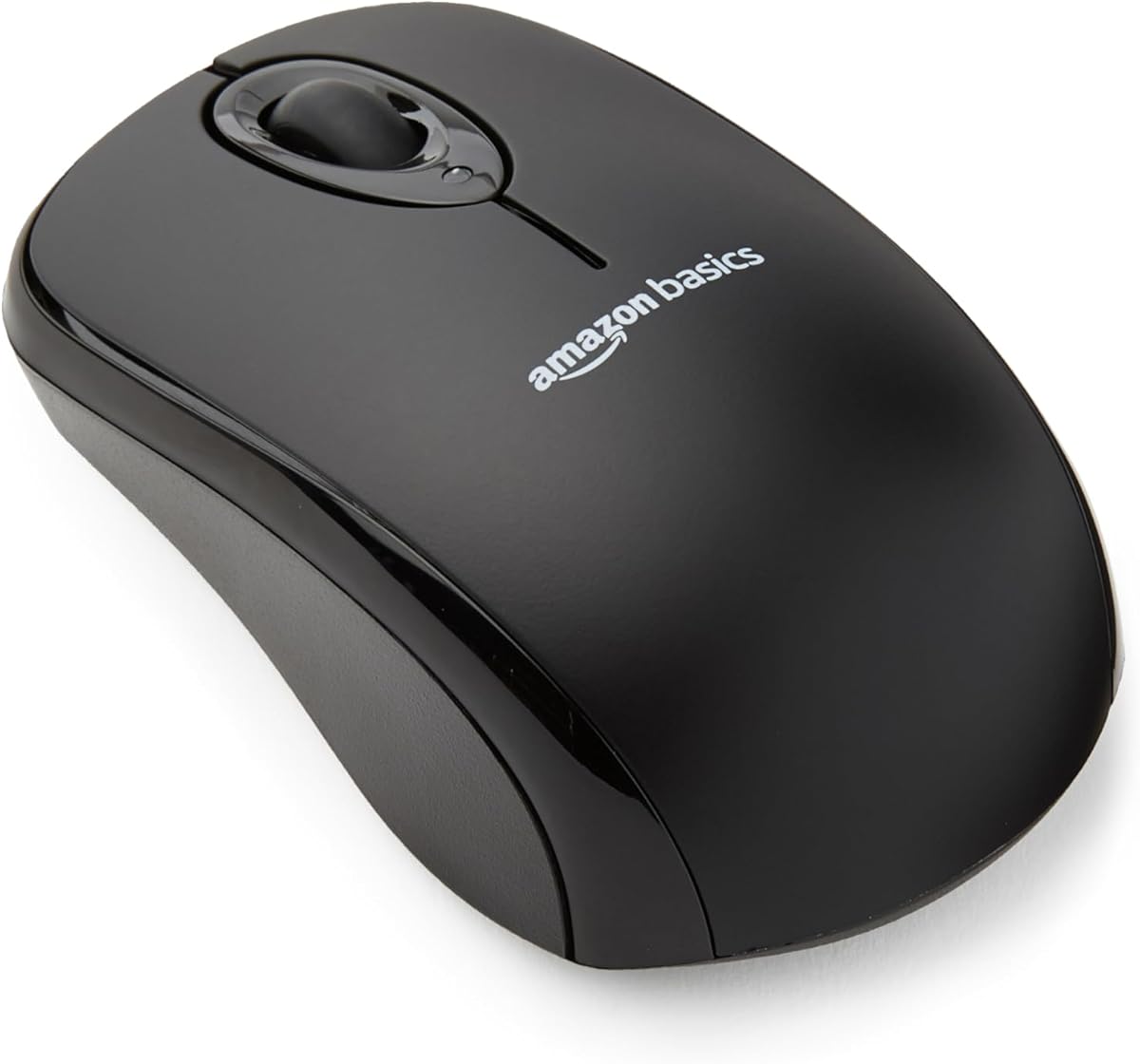
Best Mouse for Chromebook in 2026
We may earn a commission from links on this page, at no extra cost to you. Learn more.
A Chromebook's trackpad is fine in a pinch, but a proper mouse makes browsing, spreadsheets and long work sessions far more comfortable. The good news is that almost any wireless mouse works with ChromeOS, since it needs no special drivers, but the best Chromebook mice go further with plug-and-play setup, long battery life, quiet clicks and a compact, travel-friendly shape that slips into a bag. Whether you connect over a tiny USB receiver or Bluetooth, the right mouse pairs in seconds and lasts months on a single battery. This guide ranks nine of the best mice for Chromebooks in 2026, from featherweight travel models to ergonomic silent clickers, so there is a perfect match for how and where you work.
Top 9 Best Mouse for Chromebook
Our top 9 picks, reviewed
Acer Wireless Slim Mouse
The Acer Wireless slim mouse is the best all-round Chromebook companion, pairing a featherlight 45g body with true plug-and-play setup. Drop the USB-A receiver into your Chromebook and it just works, no drivers, no fuss. The slim ambidextrous shape suits either hand and travels easily, the 1600 DPI sensor is accurate on most surfaces, and the crisp clicks feel great. For everyday ChromeOS use, it is hard to beat.
- Weight
- 45g
- Sensor
- 1600 DPI optical
- Connectivity
- 2.4G USB-A receiver
- Use
- Right/left handed
What we liked
- Very light 45g slim body
- True plug-and-play on ChromeOS
- Works for either hand
- Crisp, satisfying clicks
Worth noting
- Uses a USB-A receiver, not Bluetooth
- No adjustable DPI
TECKNET Wireless Quiet Mouse (Mint Green)
The TECKNET quiet mouse in cheerful mint green is the pick for shared spaces and libraries, with soft, near-silent clicks that will not disturb anyone. Its compact shell suits smaller hands and kids, the 2.4GHz receiver stores inside for travel, and a single AA battery lasts up to 15 months. Three DPI levels cover browsing and light work. It is inexpensive and cheerful, and it pairs with ChromeOS instantly.
- DPI
- 800/1200/1600
- Connectivity
- 2.4G USB receiver
- Battery
- 15 months
- Size
- Compact 3.94in
What we liked
- Very quiet soft clicks
- Compact size for small hands
- Long 15-month battery life
- Budget-friendly price
Worth noting
- USB-A receiver only
- Small shell suits smaller hands
TECKNET Wireless Quiet Mouse (Black)
This black TECKNET is the understated sibling of our quiet pick, offering the same soft clicks and compact shape in a more neutral colour. The nano receiver tucks inside the mouse for travel, ChromeOS recognises it instantly, and a single AA battery runs for up to 15 months. A generous 36-month warranty adds peace of mind. For a small, quiet, dependable Chromebook mouse on a budget, it is an easy recommendation.
- DPI
- 800/1200/1600
- Connectivity
- 2.4G nano receiver
- Battery
- 15 months
- Warranty
- 36 months
What we liked
- Quiet, soft clicks
- Compact and travel-friendly
- Long 15-month battery
- 36-month warranty
Worth noting
- USB-A only, no Bluetooth
- Basic 1600 DPI ceiling
wegear USB Wireless Mouse
The wegear wireless mouse packs surprising capability into a rock-bottom price. Six buttons, forward and back navigation, and five DPI levels up to 4000 give it more flexibility than most budget mice, and a single AA battery lasts up to two years. It plugs into a Chromebook and works immediately with no drivers. The side buttons may not register on every system, but for a cheap, versatile everyday mouse it delivers.
- DPI
- 800-4000 (5 levels)
- Buttons
- 6
- Connectivity
- 2.4G USB receiver
- Battery
- 24 months
What we liked
- Very low price
- Five DPI levels up to 4000
- Six buttons with forward/back
- Long 24-month battery life
Worth noting
- Back/forward buttons unsupported on some systems
- USB-A receiver only
HP X3000 G3 Wireless Mouse
The HP X3000 G3 is the pick for buyers who want a recognised brand backing their Chromebook mouse. Its contoured body with textured side grips is comfortable for either hand, the nano receiver stores inside for travel, and a single AA battery keeps it going for up to 15 months. The 1600 DPI sensor tracks reliably on most surfaces. It is a dependable, no-drama mouse that pairs with ChromeOS the moment you plug it in.
- Sensor
- 1600 DPI optical
- Battery
- 15 months
- Connectivity
- 2.4G USB-A
- Feature
- Side grips
What we liked
- Trusted HP brand and support
- Long 15-month battery life
- Side grips for control
- Works with either hand
Worth noting
- USB-A receiver, no Bluetooth
- Fixed 1600 DPI
Lenovo WL310 Bluetooth Silent Mouse
The Lenovo WL310 is the best choice if you would rather keep your Chromebook's USB port free, connecting over Bluetooth 5.0 with no receiver needed. Its ergonomic shape reduces wrist strain during long sessions, the clicks are pleasantly silent for shared workspaces, and three DPI levels cover everyday tasks. Bluetooth needs an initial pairing rather than instant plug-and-play, but once linked it is a comfortable, tidy companion for any Chromebook.
- Connectivity
- Bluetooth 5.0
- Clicks
- Silent
- DPI
- 1000/1200/1600
- Design
- Ergonomic
What we liked
- Bluetooth 5.0 needs no USB port
- Silent clicks for quiet spaces
- Ergonomic, comfortable shape
- Adjustable DPI
Worth noting
- No 2.4G receiver as backup
- Bluetooth pairing takes a moment
Wireless Silent Ergonomic Mouse (6 Button)
This six-button wireless mouse is a productivity-minded budget pick, adding forward and back side buttons that speed up navigating documents and web pages on ChromeOS. It clicks quietly, offers three DPI levels up to 2400, and stores its nano receiver on board for travel. A single AA battery lasts up to a year. The brand is generic, so lean on return protection, but for the features and price it is a lot of mouse.
- DPI
- 1000/1600/2400
- Buttons
- 6
- Connectivity
- 2.4G nano receiver
- Battery
- 12 months
What we liked
- Six buttons with side navigation
- Silent clicks
- Three DPI levels up to 2400
- Broad ChromeOS compatibility
Worth noting
- Unbranded listing
- USB-A receiver only
Logitech M317 Wireless Mouse
The Logitech M317 is the safe, trusted basic for Chromebook users who value reliability over features. Its compact contoured shape with soft rubber grips is comfortable in either hand, the USB receiver delivers instant plug-and-play on ChromeOS, and a single battery lasts about a year. The 1000 DPI sensor is modest but perfectly smooth for browsing and documents. For a dependable, no-surprises mouse from a name you know, it is a fine pick.
- Sensor
- 1000 DPI optical
- Connectivity
- 2.4G USB receiver
- Battery
- 12 months
- Design
- Compact contoured
What we liked
- Trusted Logitech reliability
- Comfortable rubber side grips
- Compact and travel-ready
- Works for either hand
Worth noting
- Modest 1000 DPI sensor
- No DPI adjustment
TECKNET Ergonomic Wireless Mouse (Grey)
The grey TECKNET ergonomic mouse rounds out the list with strong value and a comfortable, contoured shape. Rubber side grips add thumb support for long sessions, five DPI levels stretch from 800 to 2600, and the wireless range reaches an impressive 49 feet. A single AA battery runs for up to two years, and the mini receiver plugs into any Chromebook for instant use. The design is a little dated, but it is comfortable, capable and cheap.
- DPI
- 800-2600 (5 levels)
- Buttons
- 6
- Battery
- 24 months
- Range
- 49 feet
What we liked
- Five DPI levels up to 2600
- Very long 24-month battery
- Rubber side grips for comfort
- Long 49-foot wireless range
Worth noting
- USB-A only, no Bluetooth
- Older, plainer design
How We Chose the Best Mice for Chromebooks

Chromebooks are built around simplicity, so the mice that suit them best share that spirit. The most important quality is effortless compatibility: ChromeOS needs no special drivers, so a good Chromebook mouse should connect the instant you plug in a receiver or complete a quick Bluetooth pairing, then simply work. Every mouse on this list meets that bar, whether it uses a tiny 2.4GHz USB dongle like the Acer Wireless slim mouse or Bluetooth like the Lenovo WL310. We treated seamless, driver-free setup as non-negotiable, because fiddling with software defeats the point of a Chromebook.
From there we weighed the things that matter for portable, browser-first computing. Battery life came high on the list, since Chromebook users often work away from a desk and the last thing they want is to hunt for batteries; several picks here run for a year or two on a single AA. We considered comfort and grip for long sessions, click noise for shared and quiet spaces, DPI flexibility for those who plug into external displays, and portability, favouring compact shells with receivers that store inside. We also leaned toward mice whose receivers tuck away inside the body, since a lost dongle can render a receiver mouse useless. The result is a varied list spanning silent mice, ergonomic shapes, trusted brands and unbeatable budget options, with a clear best pick for each kind of Chromebook user.
What Makes a Good Chromebook Mouse
The defining trait of a great Chromebook mouse is that you forget it is there. Because ChromeOS is a lightweight, browser-centred system, you do not need elaborate software suites, programmable macro banks or flashy RGB, none of which ChromeOS fully supports anyway. What you need is a mouse that connects reliably, tracks smoothly and gets out of your way. That is why plug-and-play models dominate this list: drop the receiver into a USB-A port and the cursor comes to life immediately, with no downloads and no configuration.
Connectivity is where the main decision lies. A 2.4GHz receiver, used by the Acer slim mouse, HP X3000 G3 and most picks here, gives the fastest, most foolproof setup but occupies a USB port. Bluetooth, as on the Lenovo WL310, frees that port and is ideal for Chromebooks with limited connections, at the cost of a one-time pairing step. Beyond that, the ideal Chromebook mouse is portable, since these laptops go everywhere, and long-lasting on battery, since owners value low maintenance. Comfort and quiet clicks are the finishing touches that make hours of browsing and typing more pleasant.
Matching the Mouse to Your Needs
For Effortless Everyday Use
If you just want a mouse that works the moment you plug it in, the Acer Wireless slim mouse is the standout. It is genuinely light, ambidextrous, and plug-and-play on ChromeOS, with crisp clicks and accurate tracking. The Logitech M317 is the trusted-brand alternative, offering the same instant setup with the reassurance of Logitech's reliability. Either will serve daily browsing and document work flawlessly.
For Quiet and Shared Spaces
Working in a library, open office or shared home calls for silent clicks. The TECKNET quiet mice, in mint green or black, muffle the click noise while keeping a satisfying feel, and the Lenovo WL310 pairs silent clicks with an ergonomic shape and Bluetooth. All three let you work without disturbing anyone nearby, which suits the take-it-anywhere nature of a Chromebook perfectly.
For the Tightest Budget
Value hunters have excellent choices. The wegear mouse packs six buttons and five DPI levels for a rock-bottom price, and the grey TECKNET ergonomic mouse adds a comfortable grip and a two-year battery for similarly little. Both plug straight into a Chromebook and work at once. For a second mouse or a first cheap upgrade over the trackpad, either delivers far more than its price suggests.
For Free USB Ports
If your Chromebook has only one or two USB ports and you would rather keep them free, go Bluetooth with the Lenovo WL310. It needs no dongle at all, connecting directly over Bluetooth 5.0, so every port stays open for drives, chargers or displays. The trade-off is a quick initial pairing instead of instant plug-and-play, but once linked it reconnects automatically.
Specifications That Matter Most for a Chromebook
For a Chromebook mouse, connectivity and battery life outrank everything. Connectivity determines how the mouse links to ChromeOS and whether it ties up a port: a 2.4GHz receiver, as on the Acer slim mouse and HP X3000 G3, is the most reliable and truly instant, while Bluetooth on the Lenovo WL310 trades a pairing step for a free USB port. Both are well supported by ChromeOS, so the choice comes down to your ports and your patience. Battery life is the next priority, because Chromebook owners prize low maintenance; the two-year runtimes of the wegear and grey TECKNET models mean you may forget the mouse even has a battery.
Comfort, click noise and DPI fill out the picture. A contoured shape with side grips, like the HP X3000 G3 or the ergonomic TECKNET grey, eases long sessions, while a compact shell such as the TECKNET quiet mouse suits smaller hands and travel. Silent clicks, offered by the TECKNET pair and the Lenovo WL310, are worth seeking if you work around others. DPI is a minor consideration for browser-based work, where a fixed 1000 to 1600 DPI feels perfect, though the adjustable ranges on the wegear and TECKNET grey models help if you connect to a high-resolution external monitor. Skip gaming-grade sensors and lighting; ChromeOS neither needs nor uses them.
A Closer Look at the Top Picks
The Acer Wireless slim mouse earns the top spot because it embodies exactly what a Chromebook mouse should be: light, ambidextrous, and instantly plug-and-play, with crisp clicks and dependable tracking. There is nothing to set up and nothing to think about, which is precisely the appeal of a Chromebook in the first place. It is the mouse we would hand to most people upgrading from the trackpad.
Behind it, the two TECKNET quiet mice are the answer for shared and silent spaces, delivering soft clicks and compact comfort at bargain prices, while the wegear mouse crams six buttons and long battery life into the cheapest package here. The HP X3000 G3 and Logitech M317 bring trusted-brand reassurance and comfortable, long-lasting designs, and the Lenovo WL310 is the go-to Bluetooth pick for anyone guarding their USB ports. The six-button generic and grey TECKNET round things out with productivity-friendly side buttons and strong value for buyers who want a little more without spending more.
Tips for Getting the Most From Your Chromebook Mouse
Setting up a Chromebook mouse takes seconds, but a few habits keep it running smoothly. For receiver-based models, plug the tiny dongle into a USB-A port and wait a moment for ChromeOS to recognise it; if you use a USB-C-only Chromebook, keep a cheap USB-C adapter handy, since most of these mice use USB-A. For the Bluetooth Lenovo WL310, open ChromeOS settings, enable Bluetooth and select the mouse from the list to pair it once, after which it reconnects on its own.
To stretch battery life, choose mice with sleep modes, which every model here includes, and switch the mouse off with its physical toggle when you pack it away for travel. Store the nano receiver inside the mouse when it is not in use, a feature the TECKNET, wegear and HP models all offer, so you never lose it in a bag. Finally, if the cursor ever stutters, try a different surface or a simple mousepad, since optical sensors track best on matte, non-reflective surfaces rather than glass or high-gloss desks. It is also worth keeping a spare AA battery in your bag for the receiver models, so a low-battery warning never interrupts your work away from home. With the right pick from this list and these small habits, your Chromebook gains comfort and precision the trackpad simply cannot match.
Final Recommendation
For most buyers, the Acer Wireless slim mouse is the best mouse for a Chromebook in 2026, combining feathery weight, ambidextrous comfort and true plug-and-play setup into a mouse you never have to think about. If you work in quiet spaces, the silent TECKNET mice or the Bluetooth Lenovo WL310 are ideal, while budget shoppers should grab the feature-packed wegear or grey TECKNET for very little. Those who want a trusted name will be happy with the HP X3000 G3 or Logitech M317, and anyone guarding their USB ports should go Bluetooth with the WL310. Match connectivity and comfort to how you work, and any of these will make your Chromebook far nicer to use.
How we picked
We judged each mouse on ChromeOS compatibility and how easily it connects, favouring plug-and-play USB receivers and Bluetooth that pair without drivers. We then weighed battery life, comfort and grip, click noise, DPI options and portability, since Chromebook users often work on the move. We prioritised reliable, low-maintenance mice that simply work with ChromeOS over flashy features that browser-based computing rarely needs.
Frequently asked questions
Do all wireless mice work with a Chromebook?
Most do. ChromeOS supports standard 2.4GHz USB receivers and Bluetooth mice without any drivers, so plug-and-play models like the Acer Wireless slim mouse or Bluetooth options like the Lenovo WL310 connect in seconds. Look for listings that mention Chromebook or ChromeOS compatibility, as every mouse in this guide does, and you can buy with confidence.
Should I choose a USB receiver or Bluetooth mouse for my Chromebook?
A USB receiver mouse like the HP X3000 G3 offers true plug-and-play with no pairing step, but it uses a USB-A port. A Bluetooth mouse such as the Lenovo WL310 keeps your ports free and is ideal if your Chromebook has few of them. Choose based on how many ports you can spare and whether you value instant setup or a free port.
Are silent mice worth it for a Chromebook?
If you work in libraries, offices or shared homes, yes. Quiet mice like the TECKNET models and the silent Lenovo WL310 muffle the click sound so you will not disturb others, which suits the portable, work-anywhere nature of Chromebooks. The clicks still feel tactile, so you lose nothing except the noise.
How long do Chromebook mouse batteries last?
Wireless mice are very efficient, and several here run for a long time on a single AA battery. The wegear and grey TECKNET models claim up to 24 months, while the HP X3000 G3 and mint TECKNET reach around 15 months. Sleep modes that activate after a few idle minutes help stretch battery life even further.
Do I need adjustable DPI on a Chromebook mouse?
Not really, for most people. Browsing and documents feel fine at a fixed 1000 to 1600 DPI, as on the Logitech M317 or Acer slim mouse. Adjustable DPI, offered by the wegear and TECKNET grey models up to 2600 to 4000, is a nice bonus if you switch between a high-resolution external display and the built-in screen, but it is not essential.