Best Motherboards for RTX 4090 in 2026
We may earn a commission from links on this page, at no extra cost to you. Learn more.
An RTX 4090 is the most demanding graphics card most people will ever install, and it deserves a foundation that can feed it without becoming the bottleneck. The card itself lives on the PCIe slot, but the board around it decides how cleanly power reaches the CPU, how much fast storage you can run alongside the GPU, and whether your networking and USB keep pace with a flagship rig. This guide ranks the two enthusiast motherboards in our test group that make genuine sense under a 4090, one on AMD's latest AM5 platform and one on Intel's newest LGA 1851 socket, so you can match the board to the processor you plan to pair with the card.
Top 2 Best Motherboards for RTX 4090
Our top 2 picks, reviewed
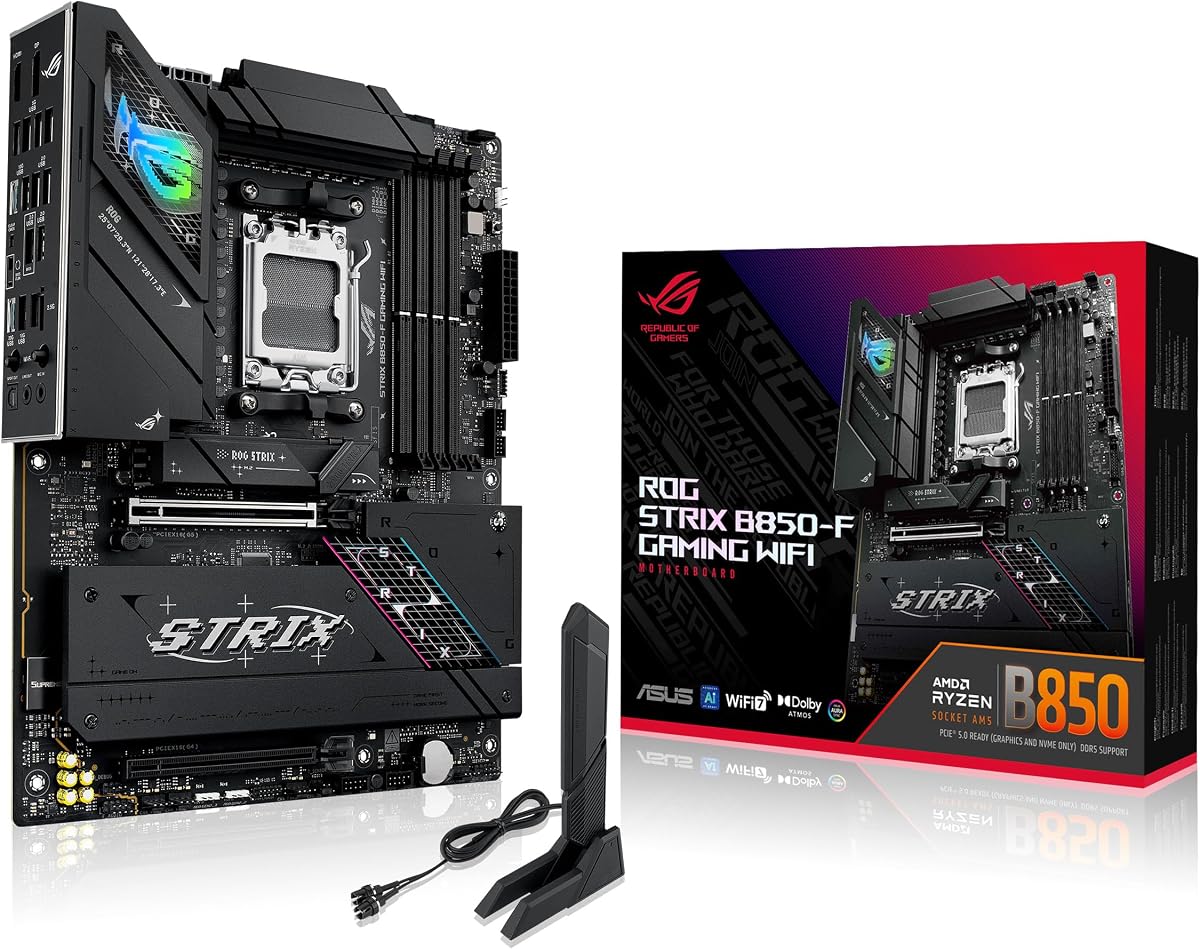
ASUS ROG Strix B850-F Gaming WiFi
The ASUS ROG Strix B850-F Gaming WiFi is our top pick for an AM5 machine built around an RTX 4090. Its 16+2+2 power stages and massive heatsinks keep a strong Ryzen fed while the card does its work, and a PCIe 5.0 slot plus four M.2 sockets give the storage and expansion a flagship rig needs. WiFi 7, 20Gbps Type-C and a 19-port USB total round out a genuinely complete board.
- Socket
- AMD AM5
- Memory
- DDR5 AEMP
- PCIe
- PCIe 5.0
- Power
- 16+2+2 stages
What we liked
- PCIe 5.0 slot ready for future GPUs
- Strong 16+2+2 power stages at 80A
- Four M.2 slots and WiFi 7
- Broad support for Ryzen 7000/8000/9000
Worth noting
- AM5 pairing, not for Intel builds
- Premium price for a B-series board
ASUS ROG Strix Z890-E Gaming WiFi
For an Intel build, the ASUS ROG Strix Z890-E Gaming WiFi is the board to pair with a 4090. Its 18+2+1+2 power stages are overbuilt for even the thirstiest Core Ultra chip, and seven M.2 slots make it a storage powerhouse for creators as well as gamers. Thunderbolt 4, WiFi 7 and AI overclocking tools add flagship polish, though you will need a current LGA 1851 processor to use it.
- Socket
- Intel LGA 1851
- Memory
- DDR5
- Connectivity
- WiFi 7
- Power
- 18+2+1+2 stages
What we liked
- Huge 18+2+1+2 power stage design
- Seven M.2 slots for heavy storage
- Thunderbolt 4 and WiFi 7 onboard
- Ready for Intel Core Ultra Series 2
Worth noting
- Requires an LGA 1851 Core Ultra CPU
- AI-focused features add to the cost
How We Chose the Best Motherboards for an RTX 4090

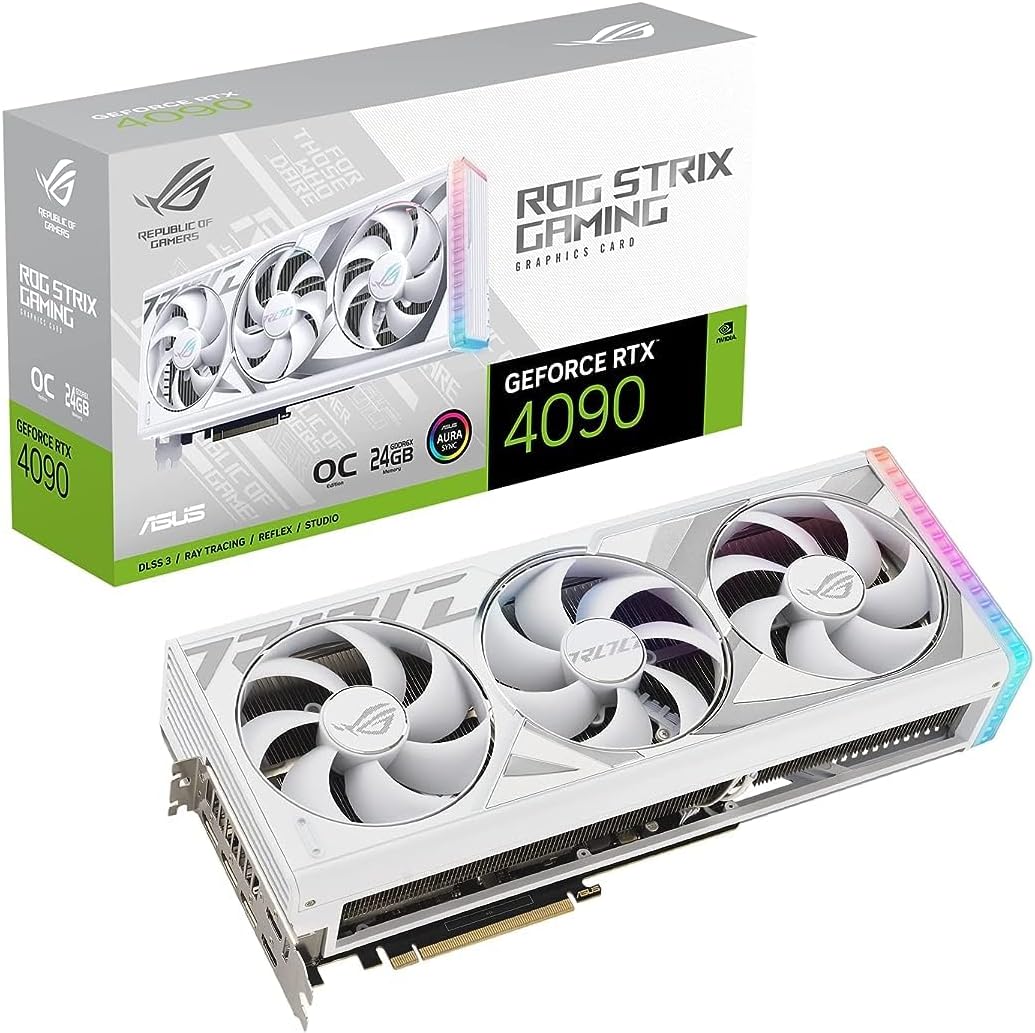
Picking a motherboard for an RTX 4090 is less about the graphics card and more about the platform you build around it. The 4090 slots into any modern PCIe x16 socket and runs at full speed on PCIe 4.0, so no board in this guide will hold back the card's raw output. What the board controls is everything else: how cleanly power reaches a hungry CPU, how much high-speed storage you can run, how fast your network and USB ports are, and whether the physical slot can support a card that weighs several pounds and spans three fans.
We started by discarding anything that could not sensibly anchor a flagship rig, then split the remaining boards by socket so the recommendation matches your processor. From there we weighed power delivery, because a 4090 almost always sits next to a high-end CPU that draws heavily and can throttle on a weak VRM. We looked at PCIe generation and slot reinforcement, DDR5 memory support, the number and speed of M.2 slots, and connectivity such as WiFi, 2.5G or faster networking and USB Type-C. The result is a short but deliberate list: two enthusiast boards, one AMD and one Intel, that give a 4090 the foundation it deserves.
Why the Motherboard Still Matters With a 4090
It is tempting to treat the motherboard as an afterthought once you have splurged on the most powerful consumer graphics card available, but that is exactly the mistake that leaves performance on the table. The 4090 is so fast that any weakness elsewhere in the system becomes the limiting factor. If the CPU cannot keep up, the card sits idle waiting for frames to prepare; if the CPU is starved of clean power by a thin VRM, it throttles under sustained load and drags the whole rig down with it.
This is why both boards here lead with serious power delivery. The ASUS ROG Strix Z890-E Gaming WiFi carries an enormous 18+2+1+2 power stage design, and the ASUS ROG Strix B850-F Gaming WiFi answers with 16+2+2 stages rated for 80A each. Neither will flinch feeding a top-tier processor through hours of gaming or rendering. Beyond power, the board decides how much fast NVMe storage sits alongside the GPU, how quickly you can move large files over the network, and whether your case can breathe around a card that dumps a great deal of heat into a confined space.
AMD AM5: The ASUS ROG Strix B850-F Gaming WiFi
For a Ryzen-based 4090 build, the ASUS ROG Strix B850-F Gaming WiFi is our overall pick. It sits on the AM5 socket and is ready for Ryzen 7000, 8000 and 9000 Series processors, which means it covers everything from a capable mid-range chip to a flagship gaming or creator CPU. The 16+2+2 power solution, rated for 80A per stage and fed by dual ProCool connectors, gives more headroom than most people will ever use, and the massive heatsinks with an integrated I/O cover keep those stages cool during marathon sessions.
Storage and expansion are where this board shines for a flagship rig. A PCIe 5.0 slot anchors the GPU and future-proofs the platform, while four M.2 slots let you run a fast boot drive alongside plenty of game and project storage without touching the SATA ports. Connectivity is comprehensive too, with WiFi 7, a 20Gbps USB Type-C port and support for a total of 19 USB connections. AI networking and AEMP memory tuning smooth out setup. It is a complete, enthusiast-grade AM5 board that never becomes the weak link behind a 4090.
Intel LGA 1851: The ASUS ROG Strix Z890-E Gaming WiFi
If your 4090 is going into an Intel machine, the ASUS ROG Strix Z890-E Gaming WiFi is the board to reach for. Built on the Z890 chipset and the LGA 1851 socket, it is ready for Intel's Core Ultra processors, Series 2, so it pairs naturally with the latest high-end Intel chips that a 4090 deserves. Its power delivery is frankly overbuilt for consumer use, with an 18(110A)+2(90A)+1(90A)+2(80A) arrangement fed by ProCool II connectors, MicroFine alloy chokes and premium metallic capacitors, which translates to rock-steady voltages under any load a 4090 rig can generate.
Where this board pulls ahead of most is storage. Seven M.2 slots make it a genuine powerhouse for creators who juggle huge project files as well as gamers who install dozens of titles, and that is before you touch the SATA connections. Thunderbolt 4 opens up fast external storage and displays, WiFi 7 keeps wireless networking current, and ASUS's suite of AI overclocking, cooling and networking tools helps you extract stable performance without deep manual tuning. The trade-off is that it demands a current LGA 1851 processor, but for an Intel flagship build it is superbly equipped.
Power Delivery and Cooling Under a Flagship Load
The single most important electrical job the board does in a 4090 system is delivering clean, stable power to the CPU, and both of our picks are engineered well beyond the demands of even the thirstiest processors. Power stages, sometimes called phases, share the work of converting and smoothing voltage; more stages, each rated for higher current, mean lower temperatures and steadier delivery under sustained load. The Z890-E's 18+2+1+2 layout and the B850-F's 16+2+2 design both leave enormous margin, which is exactly what you want when a high-end CPU is working alongside a 4090 for hours at a time.
Cooling matters just as much as the raw stage count. A 4090 pours heat into the case, so the board's own VRM heatsinks have to cope with a warmer environment than usual. Both boards use large, well-finished heatsinks with integrated I/O covers and high-conductivity thermal pads to keep the power stages in check. When you build, prioritise case airflow so that hot air from the card is exhausted efficiently rather than recirculating over the VRM, and you will get the most from either of these thoroughly cooled designs.
Storage, Memory and Connectivity for a Flagship Rig
A 4090 rig is rarely a bare-bones build; people who buy the most powerful card usually want fast storage and modern connectivity to match. Both boards run DDR5 memory with tuning profiles, ASUS AEMP on the AMD board and DIMM Fit and Flex features on the Intel one, so getting your kit to its rated speed is largely a matter of enabling a profile in the BIOS rather than fiddling with timings by hand.
Storage is where the two boards flex hardest. The Z890-E's seven M.2 slots are extraordinary, enough to house an entire library of games and a stack of creative project drives without compromise, while the B850-F's four M.2 slots are still generous and cover the needs of almost any gamer or creator. On networking, both bring WiFi 7 for the fastest wireless, and the Intel board adds Thunderbolt 4 for high-speed external devices. USB provision is deep on both, with fast Type-C ports front and rear. In short, neither board asks you to compromise on the peripherals and drives that surround a flagship GPU.
Matching the Board to Your CPU and Case
The most important decision in this guide is not which board is objectively better, but which socket matches your processor. If you are building on AMD, the ASUS ROG Strix B850-F Gaming WiFi is the natural home for a Ryzen 7000, 8000 or 9000 chip. If you are on Intel, the ASUS ROG Strix Z890-E Gaming WiFi pairs with Core Ultra Series 2 processors on LGA 1851. Both give a 4090 everything it needs, so the choice truly follows your CPU rather than the graphics card.
Case fit and cooling deserve a final word. A 4090 is long, thick and heavy, and both of these full ATX boards use a reinforced primary PCIe slot to help support that weight. Even so, confirm your chassis has the length clearance for the card and enough airflow to keep it and the VRM cool, and consider a support bracket to prevent slot sag over time. Get the socket, the case and the cooling right, and either board will let your 4090 run exactly as fast as it was built to.
Final Recommendation
For most people building around an RTX 4090, the platform you have already chosen decides the board. If you are on AMD AM5, the ASUS ROG Strix B850-F Gaming WiFi is our overall pick, combining strong 16+2+2 power delivery, a PCIe 5.0 slot, four M.2 sockets and WiFi 7 into a complete, enthusiast-grade package that never bottlenecks the card. If you are building on Intel LGA 1851, the ASUS ROG Strix Z890-E Gaming WiFi is the answer, with almost absurdly robust power stages, seven M.2 slots and Thunderbolt 4 for creators and gamers alike. Both are premium boards, but a 4090 is a premium card, and it deserves a foundation that can keep up on every front except the one it already dominates.
How we picked
We evaluated each board on PCIe slot generation and physical support for a heavy triple-fan card, VRM power stages and cooling, memory speed and capacity for DDR5, M.2 and storage provision, plus networking, USB and warranty. Because a 4090 draws heavily and sits in a tightly packed case, we weighted thermal headroom and slot reinforcement, and we kept AMD and Intel options separate so the pick matches your chosen CPU.
Frequently asked questions
Does the motherboard affect RTX 4090 performance?
Not directly in raw frame rates, since the 4090 does its own work on the PCIe slot, but the board matters for the whole system. A weak VRM can throttle a paired CPU that feeds the card, and slow storage or networking can bottleneck load times and streaming. Boards like the ASUS ROG Strix B850-F and Z890-E give a 4090 a foundation that never holds it back.
Do I need a PCIe 5.0 motherboard for an RTX 4090?
No. The RTX 4090 uses a PCIe 4.0 interface and runs at full speed in a 4.0 x16 slot, so a PCIe 5.0 slot is not required for the card itself. However, both boards here include PCIe 5.0, which future-proofs your rig for a next-generation GPU and lets you run PCIe 5.0 M.2 storage alongside the card today.
AMD AM5 or Intel LGA 1851 for a 4090 build?
Choose based on your CPU. The ASUS ROG Strix B850-F is the pick if you are building around a Ryzen 7000, 8000 or 9000 processor on AM5, while the ASUS ROG Strix Z890-E suits Intel's Core Ultra Series 2 chips on LGA 1851. Both deliver the power, cooling and expansion a 4090 rig needs; the socket simply follows your processor choice.
Will an RTX 4090 physically fit on these motherboards?
Yes. Both the B850-F and Z890-E are full ATX boards with a reinforced primary PCIe slot designed for heavy triple-fan cards like the 4090. The real fit question is your case and cooling, since the card is long and thick; make sure your chassis has clearance and enough airflow, and consider a support bracket to reduce sag.
How much power delivery does a 4090 system need from the board?
The VRM feeds the CPU, not the GPU, but a 4090 usually sits beside a high-end processor that draws a lot, so robust power stages matter. The Z890-E's 18+2+1+2 stages and the B850-F's 16+2+2 stages are both well beyond what most chips demand, giving stable voltages and cool running even during long, heavy gaming or rendering sessions.