Detailed review
MSI’s Frozr Guard package shows they expect heat. Premium 7W/mK MOSFET thermal pads, extra choke pads, an extended heatsink, and M.2 Shield Frozr target the two failure modes of SFF boards: VRM heat soak and SSD thermal throttling. A combo-fan header rated for pump and system use gives AIO and case-fan flexibility when header count is otherwise brutal on Mini-ITX. These are not brochure ornaments; they are the difference between a Ryzen that holds boost and one that quietly steps down after twenty minutes of a game plus Discord plus Chrome.
Memory and expansion are enthusiast-leaning. Two DDR5 SMT DIMM slots enable extreme Memory Boost speeds for 1DPC 1R configurations up to 8200+ MT/s OC, while a PCIe 5.0 x16 SMT slot with Steel Armor II supports modern graphics cards at full bandwidth claims. Storage includes one M.2 Gen5 x4 slot and one M.2 Gen4 x4 slot—exactly the boot-plus-library split most compact gamers need. You will not turn this into a twelve-drive NAS, and that is fine; Mini-ITX gaming boards should specialize.
Connectivity is where Edge TI pulls ahead of several pack peers. A full-speed Wi-Fi 7 module with Bluetooth 5.4 pairs with 5Gbps LAN—multi-gig wired networking that still feels rare on ITX. Rear USB Type-C at 20Gbps and Audio Boost 5 with S/PDIF support round out a creator-friendly rear panel. If your apartment already has multi-gig switching or you edit off a NAS, that 5G LAN is not trivia; it is weekday workflow.
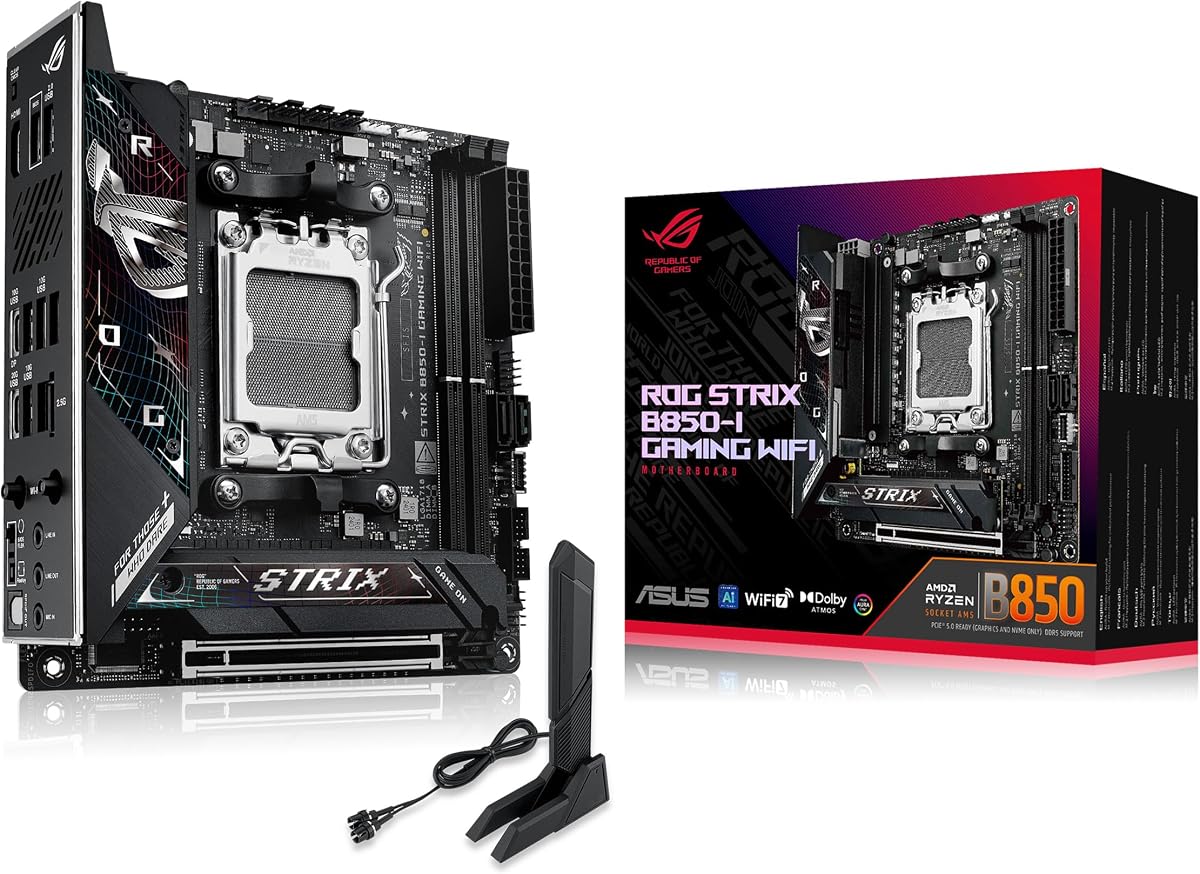
Why it beats nearby ROG and AORUS options for most people: the feature mix is modern without forcing USB4 tax, the thermal story is explicit, and the listing rating is the strongest signal in this set. The ASUS Strix B850-I may appeal more to ROG loyalists with dual Gen5 M.2, and the ROG X870-I remains the premium connectivity flex, but Edge TI is the board we would actually recommend first for a 2026 AM5 gaming cube.
Build notes: enable Memory Boost or EXPO only after a clean baseline POST, seat the Gen5 drive under Shield Frozr carefully, and plan GPU cable routing before the side panel test fit. If you run a thick 240 mm AIO in a dual-chamber Mini-ITX case, confirm the combo header configuration in MSI’s manual so pump speed does not share an awkward curve with noisy case fans.
Skip Edge TI only if you need onboard USB4 from X870, an AM4 DDR4 cost-down path, Intel LGA1700, or a soldered low-power NAS CPU. Everyone else shopping Mini-ITX AM5 for gaming should start here, then justify moving up or sideways with a specific port or aesthetic requirement.
Who it is for
Buy the MPG B850I Edge TI if you want the most complete everyday AM5 Mini-ITX gaming board in this pack: strong 90A SPS VRM, Wi-Fi 7, 5Gb LAN, Gen5 storage, and thermal padding that acknowledges SFF reality. It fits living-room PCs, LAN cubes, and compact creator desks that still run a full-size GPU.
Versus ROG Strix B850-I
MSI wins on 5Gb LAN and the overall rating signal; ASUS wins on dual onboard PCIe 5.0 M.2 and ROG AI tooling. Choose MSI for networking-forward builds and ASUS if Aura Sync plus dual Gen5 SSDs are the non-negotiables.
Memory and cooler tips
Prefer proven Ryzen DDR5 kits in the mainstream EXPO range before chasing 8200 MT/s screenshots. Keep cooler height honest against the extended heatsink, and avoid the tallest RGB memory if your GPU sits in a raised ITX riser orientation that crowds the DIMMs.