Best microSD Cards for Nintendo Switch in 2026
We may earn a commission from links on this page, at no extra cost to you. Learn more.
The Nintendo Switch ships with far too little onboard storage, so a microSD card is not a luxury, it is essential the moment you start downloading games. But the market splits sharply in 2026, and buying the wrong card wastes money. The original Switch, OLED and Lite use standard UHS-I microSD cards, where capacity and value matter most. The newer Switch 2 uses faster microSD Express cards that plug into a PCIe-NVMe interface, and it will not accept anything slower for game storage. This guide ranks nine of the best microSD cards for the Switch in 2026, clearly separating UHS-I cards for the original consoles from Express cards for the Switch 2, so you buy exactly the right card the first time and get straight back to playing.
Top 9 Best microSD Cards for Nintendo Switch
Our top 9 picks, reviewed
SanDisk 256GB microSDXC (Licensed for Nintendo Switch)
The officially licensed SanDisk 256GB is the safest, smartest buy for an original Switch, OLED or Lite. Nintendo's own licensing means guaranteed compatibility, the 100 MB/s reads keep downloaded games loading briskly, and 256GB is the sweet-spot capacity that holds a large library without overpaying. It is the card we would hand almost any first-generation Switch owner, and its long track record with players speaks for itself.
- Capacity
- 256GB
- ReadSpeed
- Up to 100 MB/s
- Type
- microSDXC UHS-I
- Compatibility
- Switch, OLED, Lite (not Switch 2)
What we liked
- Officially licensed for Nintendo Switch
- Fast 100 MB/s read, 90 MB/s write
- Roomy 256GB for many game downloads
- Proven SanDisk reliability
Worth noting
- Not compatible with Switch 2 storage
- UHS-I speeds trail Express cards
SanDisk 512GB microSD Express (Switch 2)
For the Switch 2, the SanDisk 512GB microSD Express is the standout, delivering up to 880 MB/s reads over a PCIe-NVMe interface that the new console needs for game storage. The 220 MB/s sustained write keeps captures and installs quick, ThermAdapt cooling holds performance during long sessions, and the full 6-proof build survives real life. It costs far more per gigabyte than a UHS-I card, but on Switch 2 that speed is the whole point.
- Capacity
- 512GB
- ReadSpeed
- Up to 880 MB/s
- Type
- microSD Express (PCIe-NVMe)
- Compatibility
- Nintendo Switch 2
What we liked
- Blazing 880 MB/s read for Switch 2
- 220 MB/s sustained write speed
- ThermAdapt heat management
- Fully 6-proof rugged build
Worth noting
- Overkill and pricey for original Switch
- Express cards cost far more per GB
SUNEAST 1TB microSD Express (Switch 2)
If you want the most room on a Switch 2, the SUNEAST 1TB microSD Express is the capacity king, pairing a full terabyte with quick 900 MB/s reads and 620 MB/s writes. It is also tested with the Steam Deck, so it doubles as fast storage for a second handheld. The brand is less familiar than SanDisk or Samsung, but for players who never want to think about space again, the sheer size is compelling.
- Capacity
- 1TB
- ReadSpeed
- Up to 900 MB/s
- Type
- microSD Express (U3 V30 A1)
- Compatibility
- Switch 2, Steam Deck
What we liked
- Enormous 1TB Express capacity
- Fast 900 MB/s read, 620 MB/s write
- Also tested with Steam Deck
- Rugged shock and waterproof design
Worth noting
- Lesser-known brand than SanDisk
- Very high upfront price
Samsung P9 256GB microSD Express (Switch 2)
The Samsung P9 256GB Express is the value entry point to Switch 2 storage, offering up to 800 MB/s reads and Samsung's Dynamic Thermal Guard cooling to keep gameplay smooth. It gets you into a game up to four times faster than a standard UHS-I card, and its backward compatibility means it still works in older UHS-I devices. At 256GB it is the smallest Express pick, but for a first Switch 2 card it is a sensible, trusted choice.
- Capacity
- 256GB
- ReadSpeed
- Up to 800 MB/s
- Type
- microSD Express (PCIe-NVMe)
- Compatibility
- Switch 2, UHS-I devices
What we liked
- Fast 800 MB/s reads for Switch 2
- Dynamic Thermal Guard cooling
- Trusted Samsung reliability
- Backward compatible with UHS-I devices
Worth noting
- 256GB fills fast with big games
- Express premium over UHS-I cards
TeknoStone Gaming 128GB microSDXC
The TeknoStone Gaming 128GB is the budget hero for an original Switch, Steam Deck or ROG Ally, tuned with A1 rating and U3 V30 speeds for quick app launches and smooth loading at a very low price. The bundled SD adapter makes it easy to move files to a laptop, and its 100 MB/s reads are plenty for the first-generation console. The brand is unfamiliar, but for cheap extra space it delivers the basics well.
- Capacity
- 128GB
- ReadSpeed
- Up to 100 MB/s
- Type
- microSDXC UHS-I U3 V30 A1
- Compatibility
- Switch (not 2), Steam Deck, ROG Ally
What we liked
- Very affordable per gigabyte
- A1-rated for faster game loading
- Includes full-size SD adapter
- Works across Switch, Steam Deck and ROG Ally
Worth noting
- Not compatible with Switch 2
- Lesser-known budget brand
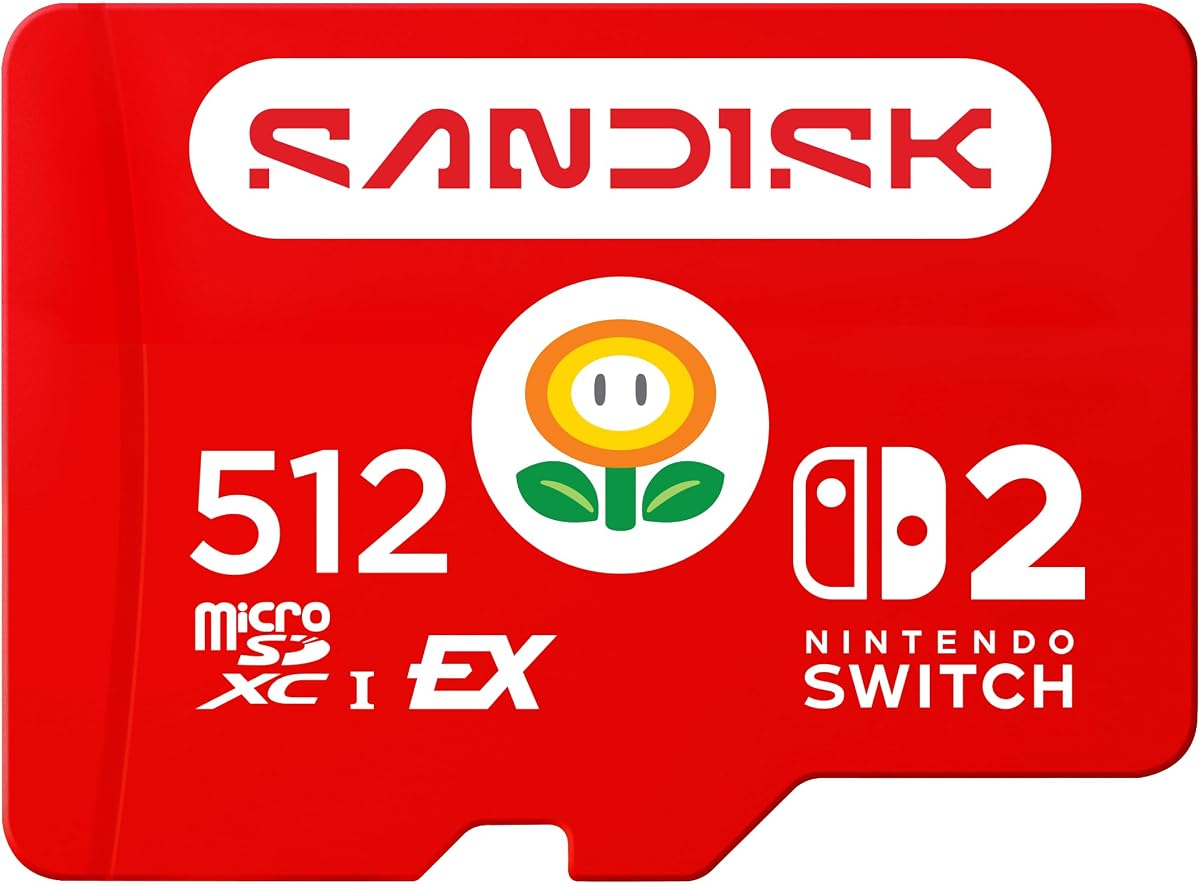
SanDisk 512GB microSD Express (Licensed for Switch 2)
This officially licensed SanDisk 512GB Express card is the peace-of-mind pick for Switch 2 owners who want Nintendo's blessing on their storage. It matches the fastest Express cards with 880 MB/s reads and 650 MB/s writes, holds a generous 512GB of digital games, and records Full HD gameplay clips without stutter. The official licensing costs a little extra, but for guaranteed compatibility on the new console it is money well spent.
- Capacity
- 512GB
- ReadSpeed
- Up to 880 MB/s
- Type
- microSD Express (PCIe-NVMe)
- Compatibility
- Officially licensed for Switch 2
What we liked
- Officially licensed for Switch 2
- Fast 880 MB/s read, 650 MB/s write
- Roomy 512GB game storage
- Captures Full HD gameplay clips
Worth noting
- Priced at a premium
- Only for Switch 2, not original Switch
SanDisk 256GB microSD Express (Switch 2)
The SanDisk 256GB Express brings the same searing 880 MB/s reads as its 512GB sibling to a smaller, cheaper card, making it a strong starter option for Switch 2 owners who do not need a full 512GB yet. The 210 MB/s sustained write keeps installs and captures quick, and ThermAdapt cooling plus 6-proof toughness match the pricier models. It is the right pick if you want SanDisk Express speed without paying for maximum capacity.
- Capacity
- 256GB
- ReadSpeed
- Up to 880 MB/s
- Type
- microSD Express (PCIe-NVMe)
- Compatibility
- Switch 2, UHS-I devices
What we liked
- 880 MB/s reads at a lower capacity
- 210 MB/s sustained write
- ThermAdapt heat management
- 6-proof rugged durability
Worth noting
- 256GB fills quickly on Switch 2
- Express pricing above UHS-I cards
Amazon Basics 128GB microSDXC (A2, U3)
The Amazon Basics 128GB is the no-frills value pick for an original Switch, offering A2 and U3 ratings for responsive game loading at a rock-bottom price. It ships with a full-size SD adapter, carries the same 100 MB/s reads as pricier UHS-I cards, and shrugs off water, temperature swings and drops. For a first-generation console owner who just wants affordable extra room, it covers the essentials with no fuss.
- Capacity
- 128GB
- ReadSpeed
- Up to 100 MB/s
- Type
- microSDXC UHS-I A2 U3
- Compatibility
- Switch (not 2)
What we liked
- Among the cheapest cards here
- A2 and U3 rated for gaming
- Includes full-size SD adapter
- Rugged, water and temperature resistant
Worth noting
- Not compatible with Switch 2
- 128GB modest for larger libraries
SanDisk 64GB microSDXC (Yoshi Edition, Licensed)
The SanDisk 64GB Yoshi Edition is the charming, cheap starter card for an original Switch, pairing Nintendo's official licensing with a fun themed design. Its 100 MB/s reads and 90 MB/s writes match the pricier licensed cards, so performance is not the compromise here, capacity is. At 64GB it suits a light player who just needs room for a handful of downloads and captures, and it is the most affordable entry on this list.
- Capacity
- 64GB
- ReadSpeed
- Up to 100 MB/s
- Type
- microSDXC UHS-I
- Compatibility
- Switch, OLED, Lite (not Switch 2)
What we liked
- Officially licensed with Yoshi design
- Fast 100 MB/s read, 90 MB/s write
- Great for a few extra downloads
- Lowest price on this list
Worth noting
- Small 64GB fills up quickly
- Not compatible with Switch 2
How We Chose the Best microSD Cards for Nintendo Switch

Picking a microSD card for a Switch used to be simple, but in 2026 it is one of the easiest storage purchases to get wrong. The reason is that Nintendo now sells two console families with two completely different card requirements, and a card that is perfect for one is either wasted money or outright incompatible on the other. So before ranking anything, we sorted every card by which console it actually serves: standard UHS-I cards for the original Switch, OLED and Lite, and the newer, much faster microSD Express cards that the Switch 2 requires for game storage.
Within each group we weighed the specifications that matter for gaming. Capacity came first, because modern digital games are enormous and the whole point of a card is room. Speed and speed class came next, since a card must meet the right standard, UHS-I for the original consoles and PCIe-NVMe Express for the Switch 2, to load games well. We then considered value per gigabyte, durability, and whether a card is officially licensed or explicitly tested for the Switch rather than a generic listing hoping to be compatible. Finally, we kept the list varied across both consoles and a wide range of budgets, so there is a right answer whether you own a launch Switch or the latest Switch 2.
The Big Split: Original Switch vs Switch 2 Cards
The single most important thing to understand before buying is which console you own, because the two generations do not share a card standard. The original Switch, the Switch OLED and the Switch Lite all use ordinary UHS-I microSDXC cards. These top out around 100 MB/s, which is perfectly matched to those consoles, and they are inexpensive. Licensed cards like the SanDisk 256GB and the fun SanDisk 64GB Yoshi Edition are the safe picks here, though solid unlicensed options such as the Amazon Basics 128GB and TeknoStone Gaming 128GB work well too.
The Switch 2 changes the rules entirely. For storing and running games it requires microSD Express cards, which use a PCIe-NVMe interface to reach 800 to 900 MB/s, roughly the speed of an internal SSD and far beyond what any UHS-I card can manage. Put an old UHS-I card in a Switch 2 and it will not serve as game storage. That is why cards like the SanDisk 512GB Express, Samsung P9 256GB and SUNEAST 1TB exist: they are the only type the new console accepts for games. The catch is price, as Express cards cost several times more per gigabyte than UHS-I cards, so you should only buy one if you actually own the Switch 2.
Choosing the Right Capacity for Your Library
Once you know which card type you need, capacity is the next big decision, and it is driven by how you play. If you buy mostly physical cartridges and download only the occasional indie title, a modest card goes a long way, and the SanDisk 64GB Yoshi Edition or a 128GB card like the Amazon Basics leaves plenty of headroom. But most players today buy heavily from the eShop, and modern games routinely run to tens of gigabytes each, with updates and DLC on top.
For an all-digital original Switch owner, 256GB is the comfortable middle ground, which is exactly why the licensed SanDisk 256GB tops our list, holding a large library without overpaying. On the Switch 2, games tend to be even bigger, so we would treat 256GB as a sensible starting point, stepping up to the 512GB SanDisk Express cards for a serious collection, or the SUNEAST 1TB if you want to install everything and forget storage entirely. The rule of thumb is simple: pick a card one size larger than you think you need, because a Switch library only ever grows.
Speed Classes Explained: What UHS-I, U3, A2 and Express Mean
Card packaging is a soup of ratings, so here is what actually matters for a Switch. UHS-I is the interface used by the original consoles, and within it, U3 and V30 ratings guarantee sustained speed fast enough for gaming and video capture, while an A1 or A2 rating promises quicker app and game loading. A card like the TeknoStone Gaming 128GB, rated U3, V30 and A1, ticks all the boxes for a first-generation Switch, and the difference between a good UHS-I card and a slow generic one shows up as shorter load times.
microSD Express is a different, much faster standard, and it is what the Switch 2 uses. Rather than the UHS-I interface, Express cards run over PCIe-NVMe, the same technology as a computer SSD, which is how the SanDisk 512GB Express and Samsung P9 reach 800 MB/s and beyond. On a Switch 2, only this Express speed unlocks proper game storage, so the older U3 and A2 ratings alone are not enough. The practical takeaway: for an original Switch, look for UHS-I with U3 and A1 or A2; for a Switch 2, look specifically for the microSD Express logo.
Licensed vs Unlicensed: Does It Matter?
Nintendo licenses certain microSD cards, and you will see the licensed SanDisk cards, including the themed Yoshi Edition, marketed specifically for the Switch. Licensing means Nintendo has verified the card works properly with the console, which removes any guesswork about compatibility and is reassuring for a first-time buyer. Licensed cards sometimes carry a small premium and often sport Nintendo-themed artwork, but performance is identical to SanDisk's equivalent standard cards.
Unlicensed cards are not inherently worse, and several excellent options here, such as the Amazon Basics 128GB and TeknoStone Gaming 128GB, are unlicensed yet work perfectly well on the original Switch as long as they meet the correct UHS-I speed class. The key is to buy from a reputable brand and confirm the listing states compatibility with your console. Where licensing matters most is on the Switch 2, where the officially licensed SanDisk 512GB Express card offers extra confidence that a card meets the new console's stricter Express requirements. If in doubt, a licensed card is the low-risk route.
Durability and Reliability for On-the-Go Play
The Switch is a portable console, so its card lives a rough life, riding in backpacks, enduring temperature swings and the occasional drop. Fortunately, quality microSD cards are built for exactly this. Most cards on this list, including the SanDisk Express range and the Amazon Basics 128GB, carry multi-proof protection against water, extreme temperatures, X-rays, magnetic fields and physical shock, so everyday travel poses little threat to your data.
For the Switch 2, thermal management becomes a real reliability feature rather than just a spec. Fast Express cards can heat up under sustained load, which is why the SanDisk cards use ThermAdapt technology and the Samsung P9 uses Dynamic Thermal Guard, both designed to prevent overheating from slowing gameplay during long sessions. Warranty matters too, with several cards here backed by multi-year limited warranties. In practice, a reputable card from SanDisk, Samsung or a similarly established brand will comfortably outlast the console it lives in, so durability rarely limits your choice, but it is nice to know the card can take a knock.
A Closer Look at the Top Picks
The licensed SanDisk 256GB earns the top overall spot because it is the card most Switch owners should buy without a second thought. For the vast installed base of original Switch, OLED and Lite consoles, it combines guaranteed compatibility, fast 100 MB/s reads and the ideal 256GB capacity at a fair price. It is proven, dependable and exactly enough card for a large digital library, which is precisely what most players need.
For Switch 2 owners, the SanDisk 512GB Express is the standout, delivering the Express speed the new console demands with a roomy 512GB, and the officially licensed 512GB variant adds extra peace of mind. The SUNEAST 1TB is the capacity champion for that console, while the Samsung P9 256GB and SanDisk 256GB Express are the more affordable Express starters. Back on the original Switch, the TeknoStone Gaming and Amazon Basics 128GB cards handle value duty, and the charming SanDisk 64GB Yoshi Edition is the cheapest licensed way to add a little extra room.
Tips for Setting Up and Using Your Switch microSD Card
Getting a new card working is straightforward, but a few habits help. First, always format the card in the Switch itself rather than on a computer, as the console prepares the card correctly for game storage. Insert it before you start downloading large games, and the Switch will place new downloads on the card automatically. If you are upgrading from a smaller card, note that game data does not transfer directly between cards on the original Switch, so you may need to redownload titles, which is quick over a good connection.
Handle the tiny card carefully, keeping the original case or the bundled adapter for storage, and avoid removing it while the console is on. For Switch 2 owners moving from the original console, remember that your old UHS-I card will not work as game storage, so budget for a microSD Express card like the SanDisk 512GB Express from the start. Finally, back up your save data using Nintendo Switch Online where possible, since saves live in console storage rather than on the card, and a card kept comfortably below full will always perform at its best.
Final Recommendation
For the millions of original Switch, OLED and Lite owners, the licensed SanDisk 256GB is the best microSD card in 2026, blending guaranteed compatibility, fast performance and the ideal capacity at a sensible price. If you own the newer Switch 2, the SanDisk 512GB Express is the card to get, with the officially licensed 512GB version for extra reassurance and the SUNEAST 1TB for maximum room. Budget-minded first-generation owners should look at the TeknoStone Gaming or Amazon Basics 128GB, while the SanDisk 64GB Yoshi Edition is the cheapest cheerful starter. Whatever you choose, match the card standard to your exact console first, get the right capacity second, and you will be back to playing in minutes.
How we picked
We judged each card on capacity, read and write speed, the correct speed class for its target console, real compatibility with either the original Switch or Switch 2, durability and value per gigabyte. Because the two console generations use different card standards, we grouped picks by which system they fit and prioritised cards that are officially licensed or explicitly tested for the Switch over generic listings.
Frequently asked questions
Will any microSD card work in my Nintendo Switch?
It depends on the console. The original Switch, OLED and Lite take standard UHS-I microSDXC cards, so licensed options like the SanDisk 256GB work perfectly. The Switch 2 requires faster microSD Express cards for game storage, such as the SanDisk 512GB Express, and will not use an older UHS-I card for games. Always match the card standard to your exact console.
What is the difference between microSD Express and UHS-I cards?
microSD Express cards like the Samsung P9 use a PCIe-NVMe interface to reach 800 to 900 MB/s, which the Switch 2 needs. UHS-I cards like the SanDisk 256GB top out around 100 MB/s, which is fine for the original Switch. Express cards cost far more per gigabyte, so only buy one if you own a Switch 2.
How much storage do I need for my Switch?
For an original Switch, 128GB to 256GB suits most players, with cards like the SanDisk 256GB or Amazon Basics 128GB. Modern digital games are large, so on a Switch 2 consider 256GB as a minimum and 512GB or the SUNEAST 1TB if you keep many titles installed. Downloadable games and DLC eat space fast.
Do I need an officially licensed card for my Switch?
You do not strictly need a licensed card, but it removes all doubt about compatibility. Licensed options like the SanDisk 256GB and Yoshi Edition are guaranteed to work and often themed for the console. Reputable unlicensed cards such as the Amazon Basics 128GB also work fine on the original Switch, provided they meet the correct UHS-I speed class.
Can I move my microSD card between the Switch and Switch 2?
Not for game storage. A UHS-I card from an original Switch will not serve as game storage on a Switch 2, which demands a microSD Express card. Express cards like the SanDisk 512GB are backward compatible with UHS-I devices, so an Express card can work in older gear, but you will still need to redownload or transfer games between consoles.