Skip to content

Best Mice for Photo Editing in 2026

By Sofia MarchettiUpdated July 5, 2026

We may earn a commission from links on this page, at no extra cost to you. Learn more.

Photo editing lives and dies on precision. Masking a stray hair, nudging a curve, or brushing a fine selection in Photoshop or Lightroom demands a mouse that tracks smoothly, offers adjustable sensitivity for both broad strokes and delicate detail, and stays comfortable through the long sessions that retouching invites. Extra buttons help too, putting brush size, undo, and zoom a thumb-press away. This guide ranks seven of the best mice for photo editing in 2026, spanning precise everyday wireless mice, a thumb trackball, and vertical ergonomic designs, so whether you edit for hours at a desk or touch up images on the move, there is an accurate, comfortable pick for your hand.

Top 7 Best Mice for Photo Editing

Best Wired Precision4.5
Best Ergonomic Vertical4.4
Best Ultra-Portable3.8

Our top 7 picks, reviewed

1Best Overall

HP X3000 G3 Wireless Mouse

The HP X3000 G3 tops the list by delivering reliable precision at a low price. Its 1600 DPI optical sensor tracks smoothly across surfaces, the contoured side grips give the steady control retouching needs, and the ambidextrous shape suits either hand. Add a 15-month battery and a receiver that tucks inside the mouse, and it is a dependable, no-fuss editing companion for anyone who values accuracy without complexity.

Connection
2.4GHz USB
DPI
1600 optical
Grip
Side grips
Battery
15 months

What we liked

  • Precise 1600 DPI optical sensor
  • Contoured side grips for control
  • Ambidextrous three-button design
  • Up to 15 months on one AA battery

Worth noting

  • Fixed 1600 DPI, no on-the-fly steps
  • 2.4GHz only, no Bluetooth
2Best Wired Precision

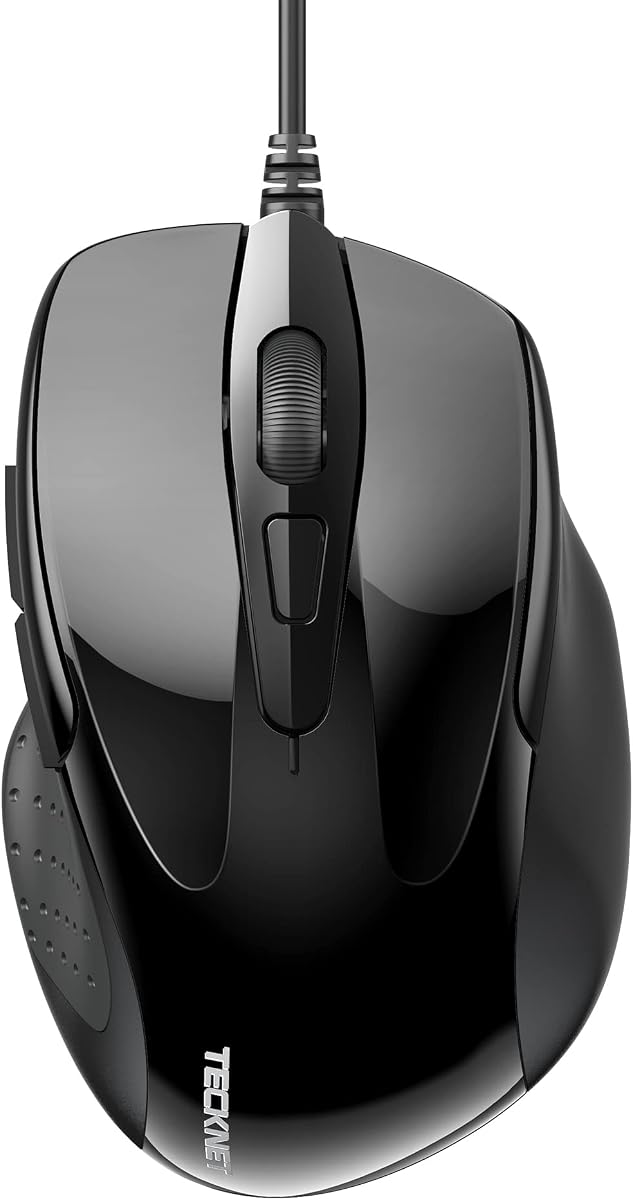
TECKNET USB Wired Mouse

The TECKNET Wired Mouse is the value precision pick, offering a genuinely useful 1000 to 6400 DPI range so you can drop to a low setting for detailed masking and raise it for quick travel. Six buttons put back, forward, and shortcuts within reach, the wired link guarantees zero lag, and a six-million-click durability rating means it lasts. For editors who prefer plugging in, it is remarkable value.

Connection
Wired USB
DPI
1000-6400 (4 levels)
Buttons
6
Grip
Ergonomic rubber

What we liked

  • Wide 1000-6400 DPI range
  • Six buttons for editing shortcuts
  • Lag-free wired connection
  • Rated for six million clicks

Worth noting

  • Cabled rather than wireless
  • Side buttons limited on Mac
3Best Trackball

SABLUTE MAM2 Wireless Trackball Mouse

The SABLUTE MAM2 trackball suits editors on small desks or anyone whose wrist tires from moving a mouse all day. Your thumb rolls the ball for cursor control while your arm rests still, five DPI levels cover everything from broad adjustments to fine detail, and silent clicks keep a quiet studio quiet. Bluetooth and 2.4G let it hop between three devices, and the ball pops out for easy cleaning.

Connection
BT + 2.4G
Control
Thumb trackball
DPI
5 levels
Clicks
Silent

What we liked

  • Thumb trackball keeps your arm still
  • Five DPI levels for precise control
  • Connects across three devices
  • Silent clicks for quiet studios

Worth noting

  • Trackballs need an adjustment period
  • Right-hand thumb orientation
4Best Ergonomic Vertical

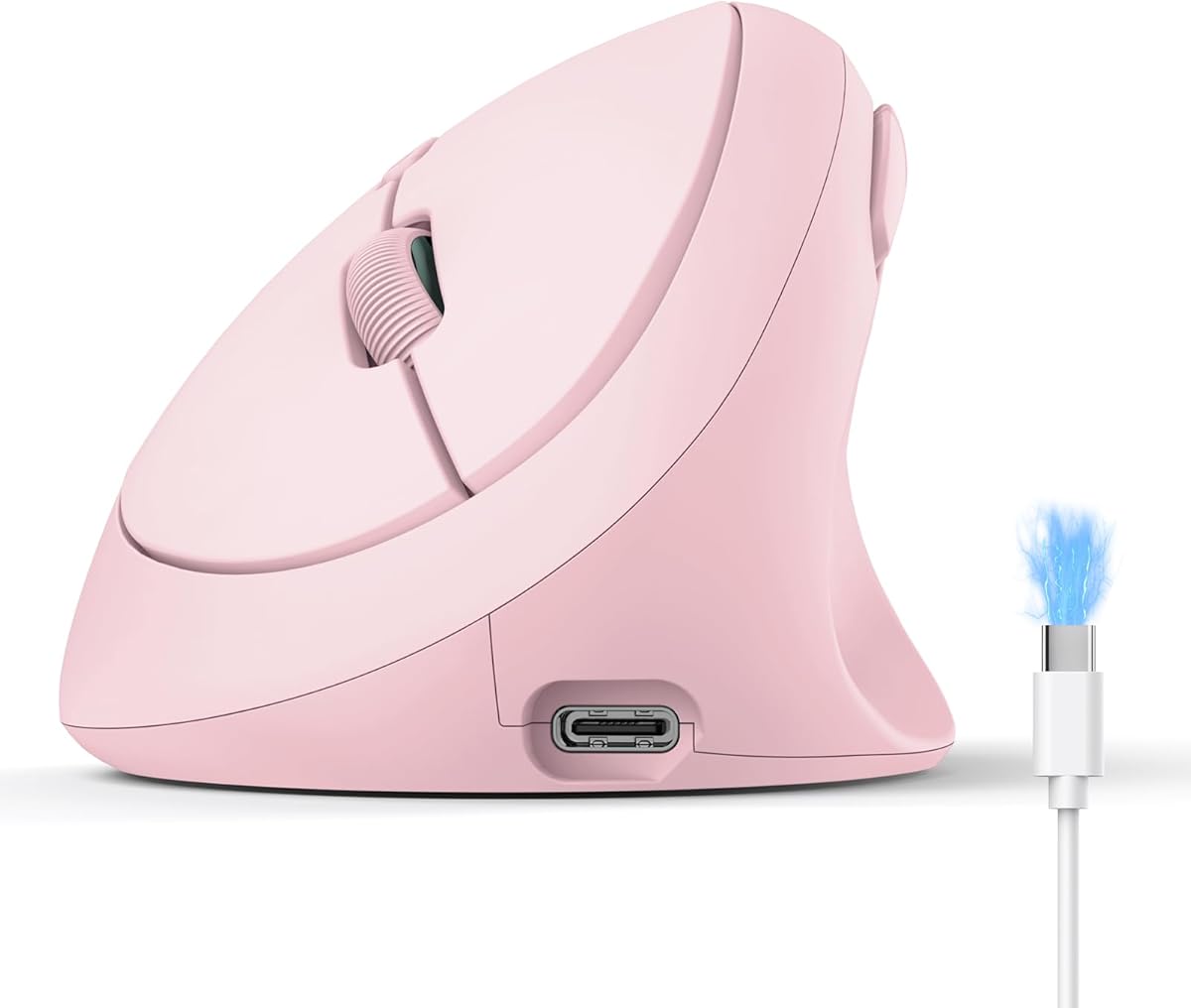
SABLUTE MAM3 Vertical Ergonomic Mouse

The SABLUTE MAM3 brings vertical ergonomics to editors with smaller hands. Its 57-degree handshake angle keeps the wrist in a natural posture to ease fatigue during long retouching marathons, while four DPI levels let you dial in the sensitivity a delicate edit needs. Seven quiet buttons, three-device switching, and a rechargeable battery make it a comfortable, capable pick for anyone who feels the strain of all-day work.

Connection
Dual BT + 2.4G
DPI
800-2400 (4 levels)
Shape
57-degree vertical
Buttons
7 silent

What we liked

  • 57-degree vertical shape eases wrist strain
  • Four DPI levels for detail work
  • Switches across three devices
  • Quiet buttons and rechargeable battery

Worth noting

  • Sized for small to medium hands
  • Vertical grip takes getting used to
5Best for Voice Workflow

AI Wireless Mouse with Voice-to-Text

This AI Wireless Mouse adds a twist that suits editors who caption, tag, or write about their work: built-in voice-to-text dictation and translation, so you can speak notes instead of typing them. As a mouse it covers the basics well, with Bluetooth 5.0 and a 2.4G receiver for three-device pairing, quiet clicks under 25 decibels, and quick USB-C charging. It is a productivity-minded pick for editors whose workflow spills into writing.

Connection
BT 5.0 + 2.4G
Devices
Up to 3
Feature
Voice-to-text
Clicks
Silent

What we liked

  • Voice-to-text dictation built in
  • Pairs with up to three devices
  • Silent clicks under 25dB
  • USB-C fast charging, long battery

Worth noting

  • Editing-specific extras are limited
  • Unbranded, lean on return protection
6Best LED Vertical

Transformers Vertical Ergonomic Mouse

This vertical mouse pairs an ergonomic 57-degree tilt with a handy LED screen and control knob. The screen shows DPI, battery, and connection at a glance without drivers, while the knob accelerates zooming and horizontal scrolling, genuinely useful when panning around a large image in Photoshop. Six DPI levels up to 4000, three-device connectivity, and quiet clicks make it a comfortable, feature-rich option for editors who like on-device feedback.

Connection
2.4G + Dual BT
DPI
800-4000 (6 levels)
Shape
57-degree vertical
Display
LED screen + knob

What we liked

  • LED screen shows DPI and battery
  • Knob speeds zoom and horizontal scroll
  • Six DPI levels up to 4000
  • Three-device connectivity, quiet clicks

Worth noting

  • Buttons are non-programmable
  • Adaptation period from a flat mouse
7Best Ultra-Portable

lychee Wireless Pocket Pen Mouse

The lychee Pen Mouse is the ultra-portable curiosity that some editors love for detail work. Held like a pen, it encourages the fine, controlled movements that precise masking and touch-up benefit from, and three DPI levels let you tune sensitivity. At barely larger than a real pen it slips into a bag for editing on the road. It is niche and the lowest-rated pick here, but for pen-style control on the move it fills a gap.

Connection
2.4GHz USB
DPI
800/1200/1600
Form
Pen-shaped
Battery
1x AAA

What we liked

  • Pen shape suits fine, precise motions
  • Three DPI levels to choose from
  • Pocket-sized and travel-friendly
  • Plug-and-play with auto sleep

Worth noting

  • Lowest rating on this list
  • Battery not included

How We Chose the Best Mice for Photo Editing

Best Mice for Photo Editing in 2026

Photo editing asks something specific of a mouse, and it is not raw speed. When you are feathering a mask around wispy hair, dragging a curve by a single point, or brushing a delicate local adjustment, what you need is a pointer that tracks with absolute smoothness and lets you slow right down for accuracy. A mouse that jitters, skips, or offers no way to reduce its sensitivity will fight you on exactly the tasks that matter most in Photoshop and Lightroom. Our selection started from that reality: precision above all.

From there we weighed the features that support real editing work. Adjustable DPI came high on the list, because the ability to drop to a low, controllable setting for detail and raise it for broad movement is genuinely useful. Extra buttons earned credit for putting undo, brush size, and zoom within a thumb's reach. We then considered ergonomic comfort, since retouching invites long, focused sessions that punish a poor shape, along with click noise, connectivity, and value. Finally, we kept the shapes varied, from traditional wireless mice to a trackball, vertical designs, and even a pen-style pointer, so different hands and workflows all have a sensible option.

Precision, Sensitivity, and Comfort in Editing

The heart of a good editing mouse is controllable precision. High DPI alone is not the goal; in fact, a mouse locked at a high sensitivity can make fine work harder, because tiny hand movements throw the cursor too far. What you want is range and the ability to switch, so you can drop to a low setting when brushing a selection and raise it when panning across a large canvas. The TECKNET's four-level range from 1000 to 6400 DPI and the Transformers Vertical's six steps up to 4000 both give you that flexibility, letting the mouse adapt to the task instead of forcing the task to adapt to the mouse.

Comfort is the other half of the equation, because photo editing rewards patience and long attention spans. A shape that suits your hand keeps you working steadily, while one that twists your wrist slowly erodes both comfort and accuracy. This is where the vertical SABLUTE MAM3 and the trackball SABLUTE MAM2 earn their place, easing the strain that builds over hours. Quiet clicks matter too, particularly if you edit late, share a room, or record your screen, and several picks here keep the noise down without sacrificing a satisfying, tactile press.

Extra controls are the finishing touch that separates a merely accurate mouse from an efficient editing tool. Reaching for the keyboard constantly to undo a stroke, resize a brush, or step a zoom breaks your concentration and slows your rhythm. A mouse with well-placed side buttons, or a scroll knob like the one on the Transformers Vertical, lets you keep those actions under your fingertips so your eyes never leave the image. Over a long retouching session, that steady flow, editing without interruption, is what makes the difference between finishing a set of images feeling fresh and finishing it feeling drained.

Matching the Mouse to Your Needs

For Precise Detail Work

If your editing is all about fine masking and careful selections, prioritize controllable sensitivity. The TECKNET Wired Mouse offers a wide DPI range and a lag-free connection ideal for detail, while the HP X3000 G3 pairs steady 1600 DPI tracking with grippy sides for control. For the finest, most deliberate movements, the pen-shaped lychee suits editors who prefer a writing-style grip.

For Long, Comfortable Sessions

Editors who work for hours should put comfort first. The vertical SABLUTE MAM3 holds the wrist in a natural handshake angle to reduce fatigue, and the LED-equipped Transformers Vertical adds a knob for zooming that eases repetitive scrolling. If desk space is tight or your arm tires, the SABLUTE MAM2 trackball keeps everything still while you work.

For a Quiet or Shared Studio

If you edit late at night, share a workspace, or record video alongside your screen, click noise becomes a real consideration. The SABLUTE MAM2 and the AI Wireless Mouse both offer near-silent clicks, letting you work through long sessions without the steady clicking disturbing others or bleeding into a recording.

For Editing on the Move

Photographers who cull and touch up on the road need something portable. The pocket-sized lychee Pen Mouse slips into any bag for quick edits away from the desk, and the compact HP X3000 G3, with its receiver that stows inside the body, travels neatly too. Neither replaces a full desk setup, but both keep you working wherever you are.

Specifications That Matter Most

Two specifications shape the editing experience more than any others: DPI control and shape. For DPI, look past the peak number and focus on range and switchability. A mouse you can set low for detail and high for travel, like the TECKNET or the Transformers Vertical, serves you far better than one locked at a single sensitivity, however high. On-device feedback helps here too; the Transformers Vertical's LED screen shows your current DPI at a glance, which saves guesswork mid-edit.

Shape and comfort come next, because editing sessions are long and a poor fit undermines both endurance and accuracy. Match the design to your hand and habits: a vertical mouse such as the SABLUTE MAM3 for wrist relief, a trackball like the SABLUTE MAM2 for a still arm and a clear desk, or a well-gripped conventional mouse like the HP X3000 G3 for familiarity. Beyond those, weigh connectivity by your setup, wired for guaranteed zero lag or wireless for a tidy desk, and consider click noise if your environment is quiet. Extra buttons for undo, brush size, and zoom are the final touch that turns a decent mouse into a genuinely efficient editing tool.

A Closer Look at the Top Picks

The HP X3000 G3 earns the top spot by delivering everything a photo editor needs at the core, without complication. Its 1600 DPI sensor tracks cleanly, the side grips give you steady control for careful work, and the ambidextrous shape suits any hand, all backed by a battery that lasts well over a year. For most editors it is the safe, affordable choice that simply gets out of the way.

Behind it, the TECKNET Wired Mouse is the value precision pick with its broad DPI range and reliable cabled link, while the SABLUTE MAM2 trackball and SABLUTE MAM3 vertical mouse address comfort for editors who feel long sessions in their wrists. The AI Wireless Mouse adds voice dictation for those whose work spills into writing, and the Transformers Vertical brings an LED screen and zoom knob for editors who like on-device controls. The pocket-sized lychee Pen Mouse rounds out the list as the niche portable option for pen-style precision on the move.

Tips for More Precise, Comfortable Editing

Small adjustments to your setup pay off quickly. Take a moment to configure your DPI to match the task at hand, keeping a low, controllable setting ready for detailed masking and a higher one for panning, and switch between them freely rather than fighting a single sensitivity all day. If your mouse has extra buttons, bind them to the shortcuts you use most, such as undo, brush size, or zoom, so your hand rarely has to leave the mouse during a delicate edit.

Look after your comfort as much as your accuracy. If you adopt a vertical mouse like the SABLUTE MAM3 or a trackball like the MAM2, give yourself a few days to adjust before deciding, because the new muscle memory takes a little time to settle. Position the mouse close to your keyboard, keep your wrist neutral, and take short breaks during long retouching sessions. Clean the sensor or trackball periodically so tracking stays crisp. With the right mouse set up thoughtfully, precise editing becomes both faster and far kinder to your hands.

Final Recommendation

For most photo editors, the HP X3000 G3 is the best mouse for photo editing in 2026, combining clean 1600 DPI tracking, a grippy comfortable shape, and a long battery into a dependable, affordable package. If you want a wider sensitivity range on a budget, the wired TECKNET is superb value, while comfort-focused editors should look at the SABLUTE MAM2 trackball or the wrist-friendly SABLUTE MAM3 vertical mouse. The AI Wireless Mouse suits those whose workflow includes writing, the Transformers Vertical adds handy on-device controls, and the lychee Pen Mouse serves precise edits on the move. Match the precision and shape to how you actually edit, and the right mouse quietly sharpens every adjustment you make.

How we picked

We evaluated each mouse on tracking precision, the range and control of its DPI settings, extra buttons useful for editing shortcuts, ergonomic comfort during long retouching sessions, click noise, connectivity, and value. Because photo work rewards fine control and endurance over raw speed, we weighted adjustable sensitivity and all-day comfort heavily, and we mixed traditional, trackball, and vertical shapes so different hands and workflows are covered.

Frequently asked questions

What makes a mouse good for photo editing?

Precision is everything. A good photo-editing mouse tracks smoothly and offers adjustable DPI so you can slow down for fine masking and speed up for quick travel, like the TECKNET's 1000 to 6400 DPI range. Extra buttons for undo, brush size, and zoom help, and comfort matters because retouching sessions run long. The HP X3000 G3 balances all of these affordably.

How much DPI do I need for photo editing?

You want range and control more than a single high number. Detailed selection work benefits from a low DPI for accuracy, while broad panning wants a higher setting, so an adjustable mouse like the Transformers Vertical or TECKNET, both offering multiple DPI levels, is ideal. The ability to switch on the fly matters more than the peak figure alone.

Is a trackball or vertical mouse better for editing?

Both help with comfort during long sessions. A trackball like the SABLUTE MAM2 keeps your arm still and saves desk space, which some editors find steadier for fine control, while a vertical mouse such as the SABLUTE MAM3 eases wrist strain. Each takes a few days to learn, so choose based on whether desk space or wrist comfort is your bigger concern.

Do I need a wireless mouse for photo editing?

Not necessarily. Wired mice like the TECKNET give a guaranteed lag-free connection and never need charging, which suits a fixed desk. Wireless options such as the HP X3000 G3 and the vertical SABLUTE models offer a cleaner setup and, with today's batteries, plenty of endurance. Pick based on whether you value a tidy desk or the simplicity of never charging.

Are silent-click mice worth it for editing?

If you edit in a shared space, a home studio at night, or record video alongside your work, silent clicks are a real benefit. The SABLUTE MAM2 and the AI Wireless Mouse both cut click noise sharply while keeping a tactile feel, so you can work through long retouching sessions without the constant clicking bothering anyone nearby, including a microphone.