Best Mice for Carpal Tunnel in 2026
We may earn a commission from links on this page, at no extra cost to you. Learn more.
Carpal tunnel discomfort has a way of turning an ordinary workday into an endurance test. The tingling, numbness and ache come from pressure on the median nerve as it passes through the wrist, and the flat grip of a standard mouse, which twists the forearm and bends the wrist, only adds to that pressure hour after hour. A vertical ergonomic mouse tackles the problem at its source, rotating your hand into a relaxed handshake angle that keeps the wrist neutral and eases the load on the nerve. This guide ranks nine of the best mice for carpal tunnel in 2026, from budget verticals to a certified premium design, so there is a comfortable, strain-reducing pick at every price.
Top 9 Best Mice for Carpal Tunnel
Our top 9 picks, reviewed
TECKNET Bluetooth Vertical Ergonomic Mouse
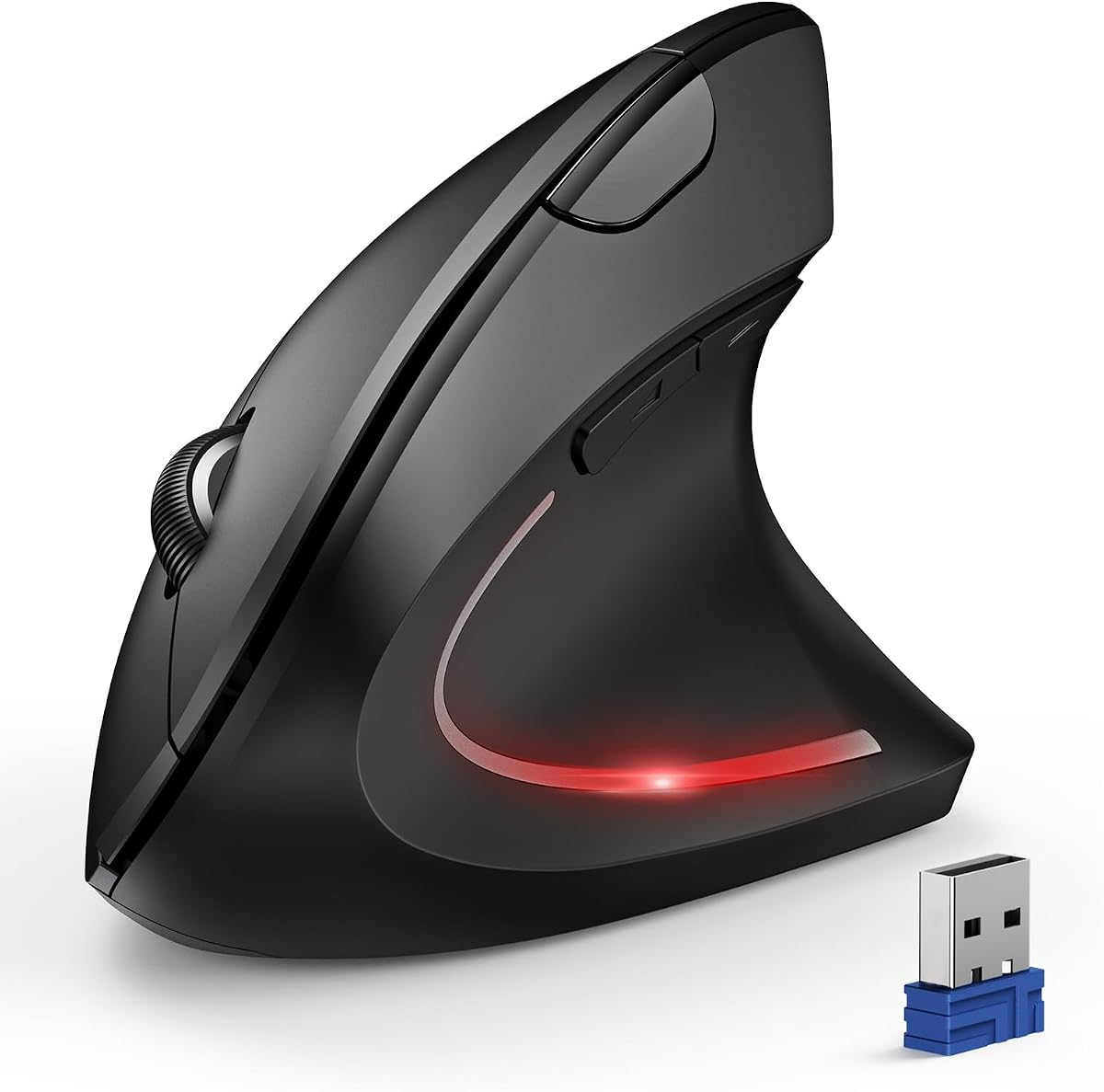
The TECKNET Bluetooth vertical mouse tops the list by combining strong carpal tunnel ergonomics with modern convenience. A 52-degree angle holds your hand in a relaxed handshake grip that eases forearm and wrist strain, while Bluetooth and 2.4G pairing across three devices suits mixed setups. A 600mAh rechargeable battery lasts up to two months, and near-silent clicks keep it office-friendly. For small to medium hands, it is the most complete relief pick here.
- Connection
- Bluetooth 5.0/3.0 + 2.4G
- Angle
- 52-degree vertical
- DPI
- 4800 adjustable
- Power
- 600mAh rechargeable
What we liked
- 52-degree angle eases carpal tunnel strain
- Connects across three devices
- Rechargeable, no batteries to buy
- Whisper-quiet clicks for shared spaces
Worth noting
- Best for small to medium hands
- Right-handed design only
TECKNET Vertical Wireless Carpal Tunnel Mouse
This TECKNET vertical mouse is the value champion for carpal tunnel relief, delivering the essential upright handshake grip at a bargain price. Five DPI levels up to 4800 let you keep hand movement small, quiet clicks reduce noise by around ninety percent for shared spaces, and a 49-foot 2.4G receiver keeps the connection stable. TECKNET suggests a one to two week adjustment, after which most owners find real, lasting comfort. A dependable, budget-friendly first step.
- Connection
- 2.4G wireless
- DPI
- 5 levels to 4800
- Buttons
- 6, quiet click
- Range
- 49ft receiver
What we liked
- Vertical shape reduces wrist stress
- Five DPI levels up to 4800
- Quiet clicks cut noise by 90 percent
- Very affordable price
Worth noting
- 2.4G only, no Bluetooth
- Uses AAA batteries, not included
Logitech Lift Vertical Ergonomic Mouse
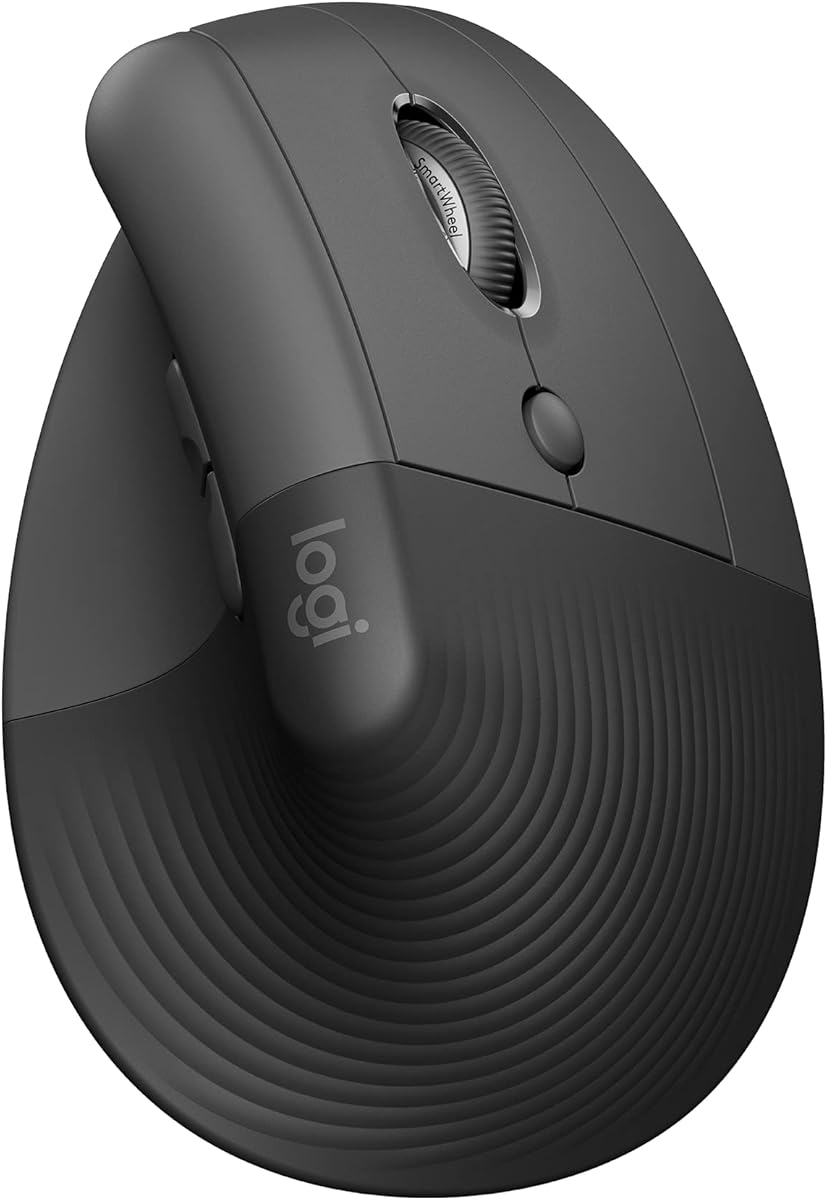
The Logitech Lift is the choice for buyers who want ergonomist-tested design behind their carpal tunnel relief. Its 57-degree angle promotes a natural forearm posture, a snug thumb rest and softly textured grip keep the hand relaxed, and the quiet SmartWheel scrolls smoothly. It pairs across Windows, macOS and iPadOS and carries Logitech's reliable support. Sized for small to medium right hands, it blends proven ergonomics with everyday polish at a fair mid-range price.
- Connection
- Bluetooth / Logi Bolt
- Angle
- 57-degree vertical
- Buttons
- 6, quiet click
- Shape
- Small/medium right hands
What we liked
- 57-degree angle certified by ergonomists
- Whisper-quiet clicks and SmartWheel
- Works across Windows, macOS and iPadOS
- Trusted Logitech build and support
Worth noting
- Best for small to medium hands
- Costs more than generic verticals
TECKNET Vertical Wireless Mouse (Pink)
Essentially the pink sibling of TECKNET's budget vertical, this mouse delivers the same carpal tunnel benefits with a lighter look for those who want one. The vertical shape rotates the wrist into a neutral handshake, five DPI levels up to 4800 keep movements small and precise, and quiet clicks suit calm offices. It runs on a simple 2.4G receiver, so setup is plug-and-play. A cheerful, affordable route to a more comfortable, strain-reducing desk.
- Connection
- 2.4G wireless
- DPI
- 5 levels to 4800
- Buttons
- 6, quiet click
- Range
- 49ft receiver
What we liked
- Upright shape eases wrist and nerve strain
- Adjustable DPI up to 4800
- Quiet clicks for calm workspaces
- Affordable with a colour option
Worth noting
- 2.4G only, no Bluetooth
- Right-handed design only
TECKNET Wireless Bluetooth Vertical Mouse
This TECKNET vertical mouse is the flexible pick for anyone juggling several devices while managing carpal tunnel. Its near-vertical angle keeps the wrist neutral to reduce nerve pressure, and Bluetooth plus 2.4G connectivity lets you switch between three machines in a click. Six DPI levels up to 4800 minimise hand travel, quiet clicks suit shared offices, and a 12-month battery keeps maintenance low. A practical, low-fuss companion for a busy, multi-screen workday.
- Connection
- Bluetooth + 2.4GHz
- DPI
- 6 levels to 4800
- Buttons
- 6, quiet click
- Battery
- 12 months
What we liked
- Switches across three devices easily
- Six DPI levels up to 4800
- Long 12-month battery life
- Quiet clicks for shared offices
Worth noting
- Right-handed design only
- Uses AAA batteries, not included
TECKNET Vertical Wireless Mouse (Green Purple)
For those who want carpal tunnel relief without a plain black mouse, this TECKNET vertical adds a purple-to-green fade and a fingerprint-resistant finish to the familiar ergonomic formula. The upright shape positions your arm and wrist naturally to cut strain, five DPI levels up to 4800 keep the cursor responsive with small movements, and a 12-month battery means little upkeep. A one to two week adjustment is worth it for the everyday comfort that follows.
- Connection
- 2.4GHz wireless
- DPI
- 5 levels to 4800
- Buttons
- 6, quiet click
- Battery
- 12 months
What we liked
- Vertical shape reduces forearm strain
- Five DPI levels up to 4800
- Fingerprint-resistant fade finish
- Long 12-month battery life
Worth noting
- 2.4G only, no Bluetooth
- Uses AAA batteries, not included
LEKVEY Vertical Wireless Mouse
The LEKVEY vertical mouse pairs carpal tunnel comfort with rechargeable convenience at a low price. Its scientific handshake shape encourages a neutral wrist and forearm, and many owners report noticeable relief after a short three-to-five-day adjustment. Page-back and forward buttons speed up browsing, and a single charge lasts over 150 hours, so there are no batteries to buy. Simple plug-and-play 2.4G setup makes it an easy, wallet-friendly upgrade for a sore wrist.
- Connection
- 2.4G wireless
- DPI
- 800/1200/1600
- Buttons
- 6, page nav
- Power
- Rechargeable 150hr
What we liked
- Rechargeable, no batteries needed
- Handshake grip reduces overall strain
- Page-back and forward buttons
- Over 150 hours per charge
Worth noting
- 2.4G only, no Bluetooth
- DPI tops out at 1600
Anker Vertical Ergonomic Optical Mouse
The Anker vertical mouse is a long-trusted, affordable option that gets the fundamentals right for carpal tunnel sufferers. Its handshake shape rotates the wrist into a healthier neutral position, easing pressure on the nerve, and dedicated next and previous buttons make it a natural fit for heavy web browsing. Three DPI steps cover most tasks, and Anker's 18-month warranty adds reassurance. A sensible, budget-friendly step toward a more comfortable workday.
- Connection
- 2.4G wireless
- DPI
- 800/1200/1600
- Buttons
- 5, next/prev
- Shape
- Vertical handshake
What we liked
- Handshake grip reduces wrist strain
- Next and previous buttons for browsing
- 18-month warranty for peace of mind
- Affordable and widely trusted
Worth noting
- 2.4G only, no Bluetooth
- Uses AAA batteries, not included
POJTK Ergonomic Wireless Vertical Mouse
The POJTK vertical mouse stands out for its unusually flexible connectivity, offering Bluetooth plus both USB-A and USB-C receivers, which is handy for modern laptops that lack a full-size port. A 58-degree angle encourages a healthy handshake posture to ease wrist and arm strain, five DPI levels up to 4800 keep movements small, and it recharges with silent buttons. The brand is less established, so lean on return protection, but the connection options are genuinely useful.
- Connection
- Bluetooth + USB-A + Type-C
- Angle
- 58-degree vertical
- DPI
- 5 levels to 4800
- Buttons
- 6, silent
What we liked
- Three-in-one connection including USB-C
- 58-degree angle for a handshake grip
- Adjustable DPI up to 4800
- Rechargeable with silent buttons
Worth noting
- Lesser-known brand
- Lowest owner rating on this list
How We Chose the Best Mice for Carpal Tunnel

Selecting a mouse for carpal tunnel is a health-first exercise, not a hunt for the fastest or most feature-packed device. Carpal tunnel syndrome arises when the median nerve is compressed as it passes through the wrist, and the flat grip of a conventional mouse, which bends the wrist and twists the forearm inward, keeps that area under load through every hour of a working day. The single most important thing a mouse can do to help is hold the wrist in a neutral, straight position, and that is the lens through which we judged every product here.
Grip angle led our thinking. The vertical designs on this list, from the 52-degree TECKNET flagship to the 57-degree Logitech Lift and 58-degree POJTK, all rotate the hand into a relaxed handshake that keeps the wrist neutral. We then weighed fit for different hand sizes, since an ergonomic shape only helps if it matches your hand, followed by adjustable DPI that lets you cover the screen with smaller motions, quiet clicks for shared spaces, and the convenience of dual or triple connectivity and rechargeable or long-life batteries. Above all we leaned on honest owner feedback about real comfort, because with carpal tunnel the only test that counts is how the wrist feels after weeks of daily use.
Understanding Carpal Tunnel and Your Mouse
It helps to be clear about what is actually happening. The carpal tunnel is a narrow passage in the wrist through which the median nerve and several tendons pass. When the wrist is bent or under sustained pressure, that passage tightens and the nerve gets compressed, producing the tingling, numbness, weakness and aching that many computer users know too well. A standard mouse contributes because using it forces the palm flat and the forearm to rotate inward, a posture that bends the wrist and loads the tunnel for hours at a time.
A vertical mouse is designed to interrupt that chain. By standing the device upright at an angle, generally between 52 and 58 degrees across the mice here, it lets your hand rest in a natural handshake position with the thumb pointing up and the wrist held straight. That neutral alignment takes the bend and twist out of the wrist, easing pressure on the nerve during exactly the long sessions that tend to aggravate symptoms. It is important to be honest that this manages rather than cures the condition, and anyone with significant or worsening symptoms should see a doctor. But as a daily tool to reduce the strain that makes carpal tunnel worse, the right vertical mouse can make a meaningful difference.
Matching the Mouse to Your Needs
For the Most Complete Relief
If you want the best all-round carpal tunnel mouse and can spend a little more, the TECKNET Bluetooth vertical is our top pick. Its 52-degree angle, rechargeable battery, multi-device pairing and quiet clicks cover every base, and it carries the highest owner rating here. For proven, ergonomist-certified design from a major brand, the Logitech Lift is the natural alternative, with broad device support and Logitech's reliable backing.
For the Tightest Budget
You do not need to spend much to help your wrist. The budget TECKNET verticals, available in black, pink and a green-purple fade, all deliver the same essential handshake shape and adjustable DPI up to 4800 for very little. The LEKVEY adds rechargeable convenience, and the Anker brings handy browsing buttons and an 18-month warranty. Any of these is a low-cost, sensible first step toward relief.
For Multiple Devices and Modern Laptops
If you switch between machines or use a laptop without a full-size USB port, connectivity matters. The multi-device TECKNET vertical pairs across three machines via Bluetooth and 2.4G, while the POJTK stands out with a triple connection that includes both USB-A and USB-C receivers, so it plugs into almost any modern computer.
For Heavy Web Users
Anyone who spends the day moving between web pages will appreciate dedicated navigation buttons. The Anker vertical and the LEKVEY both include back and forward buttons that speed up browsing while keeping your hand in the wrist-friendly vertical position.
Getting the Fit Right for Your Hand
A vertical mouse only reduces strain if it genuinely fits your hand, which is easy to overlook amid the ergonomic marketing. If the mouse is too small, your fingers curl and your hand hovers, reintroducing the tension you were trying to remove; if it is too large, you overreach for the buttons and grip harder. Either way the neutral posture that makes a vertical mouse worthwhile is compromised, so fit is not a minor detail, it is central to whether the mouse helps.
Most of the mice on this list, including the TECKNET verticals and the Logitech Lift, are sized for small to medium hands, which suits the majority of users. Before buying, measure your hand from the wrist crease to the tip of your middle finger and compare it against the listed dimensions where available. If you are between sizes or uncertain, choose a mouse with a clear return policy so you can test the fit through real daily use. Comfort with an ergonomic mouse is deeply personal, and no spec sheet substitutes for resting your own hand on the shape for a few days, which leads directly to the adjustment period every vertical mouse requires.
The Adjustment Period and Making the Switch
Switching to a vertical mouse for carpal tunnel takes patience, and it is only fair to set expectations. The first time you use one, the handshake grip feels strange and your cursor control may be slightly less precise than with the flat mouse your hand knows so well. This is completely normal. TECKNET recommends a one to two week adaptation window, and owner reviews of mice like the LEKVEY mention comfort improving markedly after just a few days once the hand settles into the new position.
The reason to push through is that the awkwardness of learning a new grip is temporary, while the wrist strain you are replacing is the harmful, symptom-aggravating kind. It helps to make the switch gradually if your work allows, alternating with your old mouse at first, and to lower the DPI slightly while you build accuracy, then raise it as your control returns. Keep your grip relaxed rather than clenched, since a loose hand is the entire point of the vertical shape. Most people who persist through those first days find the mouse becomes second nature and would not go back to a flat design.
A Closer Look at the Top Picks
The TECKNET Bluetooth vertical earns the top spot because it delivers strong carpal tunnel ergonomics alongside genuinely modern convenience, a 52-degree angle, rechargeable battery, triple-device pairing and quiet clicks, all backed by the best owner rating here. It is the mouse we would recommend most people try first when symptoms start to interfere with the day.
Behind it, the budget TECKNET verticals in black, pink and green-purple offer the same core relief for less, differing mainly in colour and connectivity, while the Logitech Lift brings certified ergonomics and brand support. The multi-device TECKNET suits mixed setups, the LEKVEY adds rechargeable value, and the Anker serves budget-minded web browsers. The POJTK rounds out the list with standout triple connectivity, including USB-C, for those with modern laptops, though its lower rating means leaning on return protection is wise.
Building a Wrist-Friendly Setup
A vertical mouse is the biggest change you can make, but it works best as part of a wider effort to protect the wrist. Keep the mouse close to your keyboard so you are not reaching sideways, support your forearm and keep it roughly level with the desk, and let broad movements come from the elbow and shoulder rather than flicking the wrist. Raising the DPI on a mouse like the TECKNET flagship helps here, because you cover the screen with smaller, less repetitive motions that place less demand on the wrist.
Habits matter as much as hardware. Take regular short breaks to stretch and rest your hands, vary your tasks so you are not repeating one motion for hours, and keep your grip loose. Because carpal tunnel is a genuine medical condition, treat a vertical mouse as one helpful tool rather than a complete solution, and seek professional advice if symptoms persist, worsen or wake you at night. Combined with sensible ergonomics and sound habits, though, the right pick from this list can meaningfully reduce the daily wrist strain that makes carpal tunnel harder to live with.
Final Recommendation
For most people, the TECKNET Bluetooth vertical mouse is the best mouse for carpal tunnel in 2026, pairing a wrist-friendly 52-degree angle with rechargeable power, multi-device pairing and quiet clicks. If you want ergonomist-certified design and brand support, the Logitech Lift is the clear alternative. On a tight budget, the black, pink and green-purple TECKNET verticals, along with the LEKVEY and Anker, all deliver the essential handshake shape for very little, while the POJTK stands out for modern laptops thanks to its USB-C connectivity. Match the size to your hand, allow one to two weeks to adjust, and treat the mouse as one part of a wrist-friendly setup, alongside professional care if your symptoms warrant it.
How we picked
We judged each mouse on what genuinely matters for carpal tunnel relief: the vertical grip angle and handshake posture it encourages, fit for different hand sizes, adjustable DPI to keep hand movement small, quiet clicks for shared spaces, and connectivity and battery convenience. We prioritised honest owner comfort feedback over marketing language, and included a range of prices and shapes so meaningful relief is achievable whatever your budget or setup.
Frequently asked questions
How does a vertical mouse help with carpal tunnel?
Carpal tunnel symptoms come from pressure on the median nerve at the wrist. A vertical mouse rotates your hand into a neutral handshake position instead of the flat, twisted grip a standard mouse forces, keeping the wrist straighter and reducing that pressure. Mice like the TECKNET and Logitech Lift use angles from 52 to 57 degrees to achieve this.
Can a mouse cure carpal tunnel syndrome?
No mouse can cure carpal tunnel, and persistent or severe symptoms should be assessed by a medical professional. What a vertical ergonomic mouse can do is reduce the wrist strain that aggravates symptoms, by keeping the wrist neutral during long computer use. Think of it as an important part of managing the condition, not a standalone treatment.
How long until a vertical mouse feels comfortable?
Expect an adjustment period of roughly one to two weeks. The handshake grip is unfamiliar at first, so precision can feel slightly off. TECKNET and other makers explicitly recommend this adaptation window, and most owners report that once their hand adapts, the mouse feels natural and noticeably kinder to the wrist.
Does hand size matter for a carpal tunnel mouse?
Yes. A vertical mouse that is too small makes your hand hover and tense, while one too large forces overreaching, both of which undermine the ergonomic benefit. Most picks here, including the TECKNET verticals and Logitech Lift, suit small to medium hands, so measure yours and choose a mouse with a clear return policy if unsure.
Are quiet clicks important for a carpal tunnel mouse?
Quiet clicks do not reduce nerve pressure directly, but they make an ergonomic mouse far more pleasant in offices, libraries or quiet homes. Nearly every pick here, from the TECKNET models to the POJTK, features silent or near-silent buttons, so you get the ergonomic benefit without adding distracting noise to shared spaces.