Skip to content

Best Laptops for Photo Editing in 2026

4.6 average · hands-on tested
By Leo HudsonUpdated June 27, 20268 picks tested

We may earn a commission from links on this page, at no extra cost to you. Learn more.

For photo editing, the display is king: you need a sharp, colour-accurate screen covering wide colour gamuts so your edits look right everywhere. Behind that, a strong CPU and plenty of RAM keep Lightroom and Photoshop smooth with big RAW files and many layers, and fast storage handles large photo libraries. Unlike video, photo work doesn't lean heavily on the GPU. After researching and comparing the top options for photographers and retouchers, these are the eight best laptops for photo editing in 2026, from portable all-rounders to colour-accurate creator machines.

Quick comparison

KeyboardBest forRatingPrice
1Apple MacBook Pro 14 (M5 Pro)AppleBest Overall4.9$$$Check Price
2ASUS ProArt P16ASUSBest Windows Creator4.7$$$Check Price
3Apple MacBook Air (M4)AppleBest for Most Editors4.8$$$Check Price
4ASUS Zenbook 14 OLEDASUSBest Value Colour Screen4.6$$$Check Price
5Dell XPS 13DellBest Premium Compact4.4$$$Check Price
6Razer Blade 16RazerBest Premium Power4.5$$$Check Price
7Acer Predator Helios Neo 16AcerBest Value Power4.5$$$Check Price
8Microsoft Surface Laptop 7MicrosoftBest Portable Windows4.5$$$Check Price

Our top 8 picks, reviewed

1Best Overall

Apple MacBook Pro 14 (M5 Pro)

The MacBook Pro 14 (M5 Pro) is the best laptop for photo editing, pairing a gorgeous, colour-accurate Liquid Retina XDR display — accurate enough to edit and grade on directly — with powerful, efficient performance that flies through Lightroom and Photoshop, even with large RAW files and heavy layer stacks. It has an SD card reader for importing photos, generous ports, long battery and fast storage for big libraries. It's expensive and more than casual editors need, but for photographers and retouchers who want the best blend of an accurate screen, power, battery and build in one portable machine, nothing else competes.

Display
14" Liquid Retina XDR
Chip
Apple M5 Pro
RAM
Up to 48GB+ unified
Storage
Fast SSD

What we liked

  • Stunning, colour-accurate XDR display
  • Powerful, efficient performance
  • Excellent battery and ports (SD reader)
  • Great for big RAW libraries

Worth noting

  • Expensive
  • More than casual editors need
2Best Windows Creator

ASUS ProArt P16

The ASUS ProArt P16 is the best Windows laptop for photo editing, built for creators around a factory-calibrated 3K OLED display that covers wide colour gamuts beautifully — exactly what you want for accurate colour work. Behind the screen sits a powerful CPU and generous RAM for smooth editing of big RAW files and complex Photoshop documents, plus creator touches like the ProArt dial. The large 16-inch canvas gives plenty of room to work. It's heavy and battery life is short under load, as powerful creator laptops are, but for Windows photographers who want a calibrated screen and serious power, it's the standout.

Display
16" 3K OLED calibrated
CPU
AMD Ryzen AI
RAM
32GB+
GPU
RTX 50-series

What we liked

  • Factory-calibrated wide-gamut OLED
  • Powerful CPU and lots of RAM
  • Creator dial and features
  • Big, sharp editing canvas

Worth noting

  • Heavy
  • Battery drains fast under load
3Best for Most Editors

Apple MacBook Air (M4)

For most photographers, the MacBook Air (M4) hits the sweet spot, offering an excellent colour-accurate P3 Liquid Retina display and enough power to edit RAW files in Lightroom and Photoshop smoothly — all in a silent, light, all-day-battery package. Its screen is genuinely good for colour work, and Apple silicon handles typical photo editing with ease while staying fanless and portable. For very large libraries or heavy retouching, configure the RAM up to 16GB or 24GB; base storage is modest too. But for the many photographers who want an accurate screen and capable performance without a pricey workstation, the Air is ideal value.

Display
Liquid Retina (P3)
Chip
Apple M4
Battery
Up to 18 hrs
Build
Fanless

What we liked

  • Excellent colour-accurate P3 display
  • Handles Lightroom/Photoshop smoothly
  • Silent and all-day battery
  • Light and portable

Worth noting

  • Configure RAM up for heavy work
  • Base storage modest
4Best Value Colour Screen

ASUS Zenbook 14 OLED

The ASUS Zenbook 14 OLED is the best value pick for photo editing, delivering a vivid, wide-gamut OLED display — punchy and great for viewing and editing photos — at a price well below dedicated creator laptops. It pairs that lovely screen with capable performance and 16GB of RAM for smooth Lightroom and Photoshop work on a budget, in a light, portable body. It isn't factory-calibrated to the same standard as the ProArt, so serious professionals may want to calibrate it or use an external monitor for critical work, but for enthusiasts and hobbyist photographers wanting a beautiful screen without overspending, it's excellent value.

Display
14" OLED (wide gamut)
CPU
Intel Core Ultra
RAM
16GB+
Build
Slim, light

What we liked

  • Vivid wide-gamut OLED for the price
  • Light and portable
  • Capable performance
  • Great value for editing

Worth noting

  • Not factory-calibrated like ProArt
  • Average port selection
5Best Premium Compact

Dell XPS 13

The Dell XPS 13 is the best premium compact laptop for photographers who travel light and edit on the go. With an optional high-quality OLED display, configurable RAM up to 32GB, good battery and quiet operation, it's a capable, beautifully built machine for editing on the move. The trade-offs are its small 13-inch screen — cramped for detailed editing, so many will pair it with an external monitor at a desk — and limited ports with no SD card reader, meaning you'll need a dongle for importing photos. But for a travelling photographer who values a tiny, premium, capable laptop, it's a refined choice.

Display
13.4" FHD+/OLED options
CPU
Copilot+ / Intel
RAM
Up to 32GB
Build
Premium compact

What we liked

  • Compact and premium for travel
  • Optional high-quality OLED display
  • Configurable RAM
  • Good battery, quiet

Worth noting

  • Small screen for editing
  • Few ports (no card reader)
6Best Premium Power

Razer Blade 16

The Razer Blade 16 is the best premium-power option for photographers who also do other demanding creative work, pairing a beautiful OLED display with flagship CPU and GPU power in a premium, portable build. For heavy retouching, huge batch exports, or photographers who also edit video or do 3D, it has performance to spare and a gorgeous screen for previewing images. It's very expensive and genuinely overkill for photo editing alone — most photographers don't need this much GPU — but if you want one powerful, premium machine that handles photos alongside other heavy creative tasks, the Blade 16 delivers.

Display
16" OLED
GPU
RTX 4090 / 50-series
CPU
Intel Core i9 / Ultra 9
Build
CNC aluminium

What we liked

  • Beautiful OLED display
  • Huge power for heavy retouching
  • Premium portable build
  • Great for editing plus other creative work

Worth noting

  • Very expensive
  • Overkill for photos alone
7Best Value Power

Acer Predator Helios Neo 16

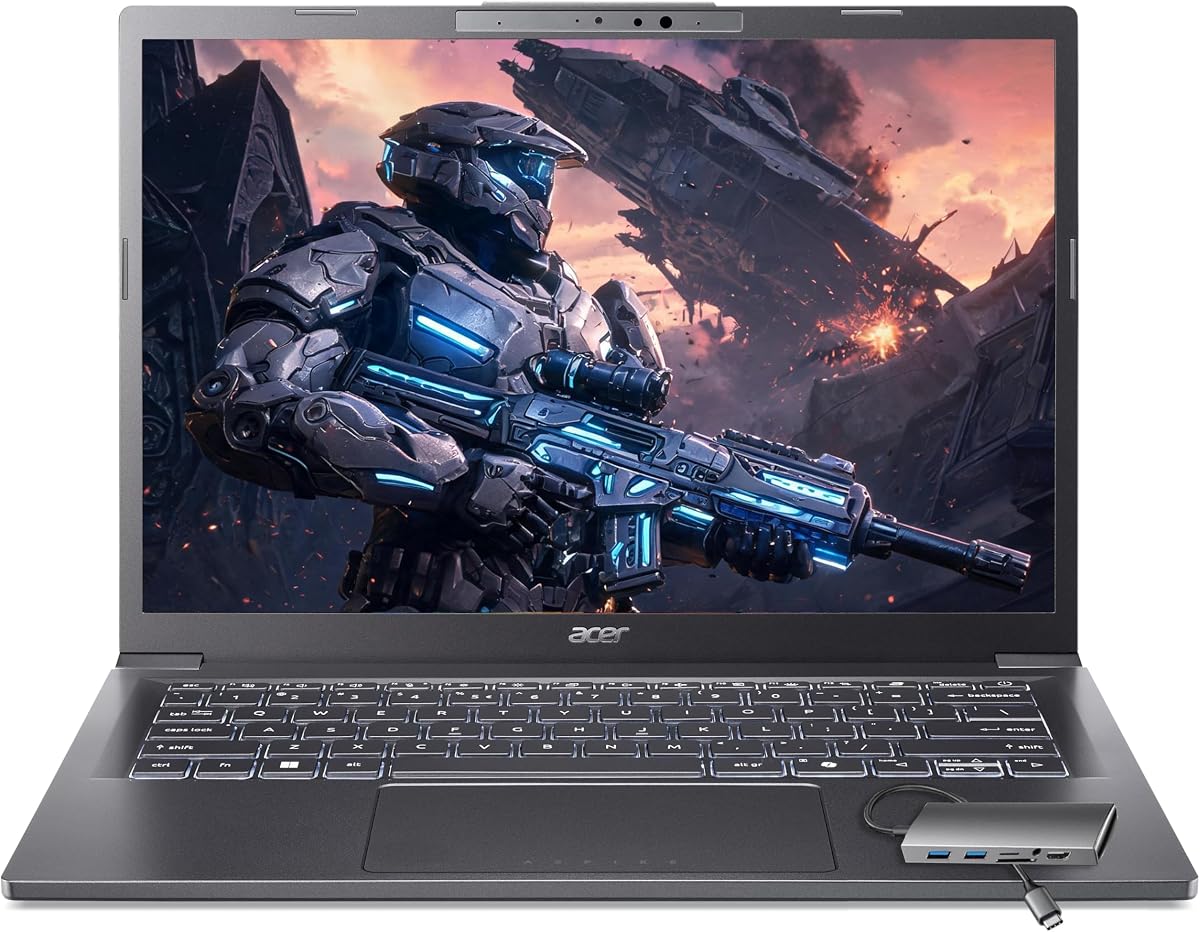
The Acer Predator Helios Neo 16 is the best value pick for photographers who want lots of power on a budget. Marketed for gaming, its strong CPU, ample RAM and fast storage make it excellent for editing big RAW files and powering through batch exports for far less than dedicated creator machines, and the sharp 16-inch screen gives plenty of room to work. The display isn't factory-calibrated for critical colour work (pair an external calibrated monitor for that), and it's heavy with gamer styling, but for maximum editing power per dollar — especially for high-volume photographers — it's hard to beat.

Display
16" QHD high-refresh
CPU
Intel Core Ultra
RAM
Ample
GPU
RTX 50-series

What we liked

  • Lots of power for the price
  • Big sharp display
  • Fast for batch edits and exports
  • Strong value

Worth noting

  • Display not factory-calibrated
  • Heavy, gamer styling
8Best Portable Windows

Microsoft Surface Laptop 7

The Microsoft Surface Laptop 7 is the best portable Windows laptop for photographers who edit on the move and value battery and build. Its sharp, pleasant 3:2 touchscreen is great for viewing and lightly retouching images, the all-day battery suits editing away from power, and the premium, light build travels well. It isn't a factory-calibrated creator display, so professionals doing critical colour work will want to calibrate it or use an external monitor, and on ARM versions it's worth checking your editing apps are compatible (Lightroom and Photoshop are). But for portable, premium Windows editing with great battery, it's a refined pick.

Display
13.8" PixelSense Touch
Chip
Copilot+
Battery
All-day
Build
Premium

What we liked

  • Sharp, pleasant touchscreen
  • Excellent battery for editing on the go
  • Light, premium build
  • Quiet operation

Worth noting

  • Not a calibrated creator screen
  • Check app compatibility on ARM

How to choose a laptop for photo editing in 2026

For photographers, the right laptop is built around the display first, then the performance to edit smoothly. Here's how to choose.

The display is the most important factor

For photo editing, nothing matters more than the screen, because you judge every edit by what you see — and if the display isn't accurate, your photos will look wrong everywhere else. Prioritise a sharp, high-resolution panel with strong colour accuracy and wide colour-gamut coverage: full sRGB at a minimum, and ideally most of DCI-P3 for richer work. Factory-calibrated creator displays (the ASUS ProArt P16) and Apple's XDR and Liquid Retina screens are excellent for this. Vivid OLED panels (the Zenbook 14) are great for enthusiasts, though serious professionals may calibrate them. If you choose a laptop whose screen isn't colour-accurate, such as a gaming machine, plan to pair it with a calibrated external monitor for critical editing. Get the display right and everything else follows.

Balance CPU and RAM for smooth editing

Behind the screen, photo editing performance comes from the CPU and RAM working together — not the GPU, which photo apps use only lightly. A strong multi-core CPU keeps Lightroom and Photoshop responsive when culling large shoots, applying edits and exporting batches, while ample RAM prevents slowdowns with big RAW files and heavily layered documents. Aim for 16GB of RAM as a minimum, stepping up to 32GB (the ProArt P16, or a configured MacBook Pro) if you work with very large files, complex composites or high-volume batch processing. Apple silicon is especially efficient for this kind of work. Because photo editing doesn't lean on graphics, you can save money by avoiding a powerful gaming GPU and putting it toward the screen, CPU and RAM instead.

Don't skimp on storage and card import

Photographers generate a lot of data, so storage and import convenience matter more than for most users. RAW files are large and libraries grow quickly, so aim for a fast SSD of at least 512GB, and ideally 1TB, to hold your working catalogue — with external drives for archives. Just as important is how you get photos onto the laptop: a built-in SD card reader (on the MacBook Pro 14 and many creator laptops) makes importing from a camera effortless, while thin ultrabooks like the XPS 13 and Surface Laptop 7 lack one, requiring a dongle or card reader. If you import from SD cards constantly, a laptop with a built-in reader is a genuine daily convenience worth factoring into your choice.

Match power and portability to your work

Photo editing laptops range from light ultrabooks to powerful creator workstations, so match the machine to your volume and mobility. If you're a travelling or enthusiast photographer editing on the move, a light, all-day machine with a good screen — the MacBook Air or a Surface Laptop 7 — is ideal and handles typical editing well. If you're a high-volume professional processing thousands of images, heavy composites or 4K alongside photos, a powerful creator or workstation laptop (ProArt P16, MacBook Pro 14, Predator Helios Neo) saves real time on culling and exports. Be honest about your workload: most photographers don't need a top-tier workstation, and the money is better spent on display quality and RAM than on raw power you won't use.

Consider colour management and calibration

To get truly accurate results, think beyond the panel to colour management. Factory-calibrated laptops (the ProArt P16) arrive ready for accurate work, while other good screens benefit from calibration using a hardware colorimeter — an inexpensive accessory that ensures your display shows colours correctly and consistently over time. If colour accuracy is critical to your work (client deliverables, prints), budget for calibration regardless of which laptop you choose, and consider a calibrated external monitor for the most demanding editing at a desk. For casual and enthusiast editing, a good out-of-the-box screen like the MacBook Air's or Zenbook's is fine without extra steps. Decide how critical accuracy is to your output, and calibrate accordingly.

Weigh ports, battery and the whole workflow

Finally, consider the practical details that shape the editing experience day to day. Ports matter for photographers: beyond an SD reader, you'll want USB-C/Thunderbolt for fast transfers from external drives and to connect a monitor, and thin laptops may need a hub. Battery life is valuable if you edit away from power — Apple silicon machines and the Surface Laptop 7 last longest, while powerful Windows creator laptops drain quickly under load and are best near an outlet. Also weigh build quality and weight for how you travel. The best photo editing laptop is one whose accurate screen, performance, storage and connectivity all fit your specific photography workflow — not simply the most powerful or most expensive machine available.

The bottom line: the MacBook Pro 14 (M5 Pro) is the best laptop for photo editing, with an accurate XDR display and powerful, efficient performance. Choose the ASUS ProArt P16 for the best Windows creator experience, the MacBook Air (M4) for most photographers, the ASUS Zenbook 14 OLED for value, and the Acer Predator Helios Neo 16 for power on a budget. Use our ranked picks above to match a laptop to your photography.

How we picked

We compared photo editing laptops on the factors that matter most for stills work: display quality above all — resolution, colour accuracy and coverage of colour spaces like sRGB and DCI-P3 — followed by CPU performance for Lightroom and Photoshop, RAM (16GB minimum, 32GB for heavy work), fast and ample SSD storage for libraries, build, battery and ports (especially card readers). GPU power mattered less than for video. We covered macOS and Windows options from portable ultrabooks to calibrated creator laptops across budgets.

Frequently asked questions

What is the best laptop for photo editing in 2026?

The Apple MacBook Pro 14 (M5 Pro) is the best laptop for photo editing, with a stunning colour-accurate XDR display, powerful efficient performance, and an SD card reader and ports for photographers. For Windows, the ASUS ProArt P16 (calibrated OLED, RTX power) is the top creator pick. For most photographers, the more affordable MacBook Air (M4) hits a brilliant balance of accurate screen and capable performance.

What matters most in a photo editing laptop?

The display matters most — you need a sharp, colour-accurate screen that covers wide colour gamuts (sRGB fully, ideally most of DCI-P3) so your edits look correct when shared or printed. After the screen, prioritise a strong CPU and ample RAM (16GB minimum, 32GB for heavy work) for smooth Lightroom and Photoshop performance with big RAW files, plus fast, roomy SSD storage for your photo library. Unlike video editing, photo work doesn't lean heavily on the GPU, so don't overspend there.

How much RAM do I need for photo editing?

16GB of RAM is the practical minimum for comfortable photo editing and handles Lightroom and Photoshop with typical RAW files well. Step up to 32GB (the ProArt P16, or a configured MacBook Pro/XPS) if you work with very large files, heavy layered Photoshop documents, big batch processing, or run other apps alongside your editor. On Apple silicon, unified memory is used efficiently, so 16–24GB goes a long way. Since RAM usually can't be upgraded later on thin laptops, choose enough up front for your heaviest editing.

Do I need a colour-accurate display for photo editing?

Yes — it's the most important feature for photo work. A colour-accurate display ensures the colours and tones you edit are true, so your photos look right on other screens and in print. The MacBook Pro's XDR display and the ASUS ProArt P16's factory-calibrated OLED are excellent for this. Vivid OLED screens like the Zenbook 14's are great for enthusiasts, though serious pros may calibrate them. If your laptop's screen isn't colour-accurate (as on most gaming laptops), pair it with an external calibrated monitor for critical editing at a desk.

Is a Mac or Windows laptop better for photo editing?

Both are excellent for photo work. Macs (MacBook Pro/Air) offer outstanding colour-accurate displays out of the box, efficient performance, great battery and an SD card reader on the Pro — a popular, hassle-free choice for photographers. Windows creator laptops (ASUS ProArt) offer factory-calibrated screens and more configuration and port options, and Windows gives more hardware variety at different prices. Lightroom and Photoshop run identically on both. Choose Mac for its accurate screens and efficiency, Windows for value, calibration options and flexibility.

Do I need a powerful GPU for photo editing?

Not really. Photo editing in Lightroom and Photoshop relies mainly on the CPU, RAM and storage, with the GPU only accelerating certain tasks and filters — so unlike video editing, you don't need a powerful gaming GPU for photos. A laptop with a strong CPU, ample RAM and a great display will serve photographers far better than one that pours money into the GPU. The exception is if you also edit video or do 3D work, where a stronger GPU (as in the Razer Blade or Predator Helios Neo) genuinely helps.