Best Keyboards Under $50 in 2026
We may earn a commission from links on this page, at no extra cost to you. Learn more.
Fifty dollars is the sweet spot where budget keyboards stop feeling like compromises and start feeling genuinely good. Spend at this level and you can land a compact mechanical board with hot-swappable switches, a quiet office keyboard that spares your neighbours, or a tri-mode wireless deck that follows you between laptop and phone. The catch is that the sub-50 shelf is crowded with near-identical listings, so knowing which features actually change your day matters. This guide ranks nine of the best keyboards you can buy for under 50 dollars in 2026, spanning wired mechanical boards, membrane wireless models and simple plug-and-play options, so there is a right pick whether you type all day, game every night or just want something dependable.
Top 9 Best Keyboards Under $50
Our top 9 picks, reviewed
SteelSeries Apex 3 RGB Gaming Keyboard
The SteelSeries Apex 3 is the safest all-round buy under 50 dollars, pairing a recognised brand with features that budget rivals skip. Whisper-quiet switches keep it office-friendly, the IP32 rating shrugs off spilled coffee, and the magnetic wrist rest adds genuine comfort for long sessions. It is a membrane board rather than mechanical, but the 10-zone RGB and dedicated media controls make it feel a class above its price.
- Switches
- Whisper-quiet gaming
- Backlight
- 10-zone RGB
- Build
- IP32 water resistant
- Extras
- Magnetic wrist rest
What we liked
- Trusted gaming brand with real support
- Near-silent switches suit shared spaces
- IP32 rating survives spills
- Comfortable magnetic wrist rest included
Worth noting
- Membrane feel, not true mechanical
- Priced near the top of the budget
AULA WIN68 HE Magnetic Keyboard
For competitive play on a budget, the AULA WIN68 HE is remarkable, bringing Hall-effect magnetic switches and rapid-trigger response to a sub-50 price. You can tune the actuation point per key and enjoy an 8000Hz polling rate that keeps latency near zero. The compact 60% body frees desk space for big mouse sweeps, and the browser-based driver means no bloated software. Gamers get real speed here without stretching the budget.
- Layout
- 60% (68 keys)
- Switches
- Hall-effect magnetic
- Connection
- Wired USB-C
- Extras
- 8000Hz polling
What we liked
- Adjustable actuation down to 0.1mm
- Blazing 8000Hz polling rate
- Space-saving 60% layout with arrows
- Web driver needs no install
Worth noting
- Driver is Windows-only
- 60% layout drops the number row keys
Amazon Basics Wired QWERTY Keyboard
When you just need a reliable keyboard that works the moment you plug it in, the Amazon Basics Wired QWERTY board is hard to beat. The full-size layout keeps the number pad for spreadsheets, the media hotkeys handle volume and playback, and there is nothing to set up or maintain. It is unglamorous membrane typing, but for a home office, a second desk or a shared computer, it is dependable value.
- Layout
- Full-size QWERTY
- Switches
- Membrane
- Connection
- Wired USB
- Extras
- Media hotkeys
What we liked
- Plug-and-play with no drivers
- Full-size layout with number pad
- Handy media and volume hotkeys
- Among the lowest prices here
Worth noting
- Plain membrane typing feel
- No backlight or wireless
Redragon K521 Rainbow LED Keyboard
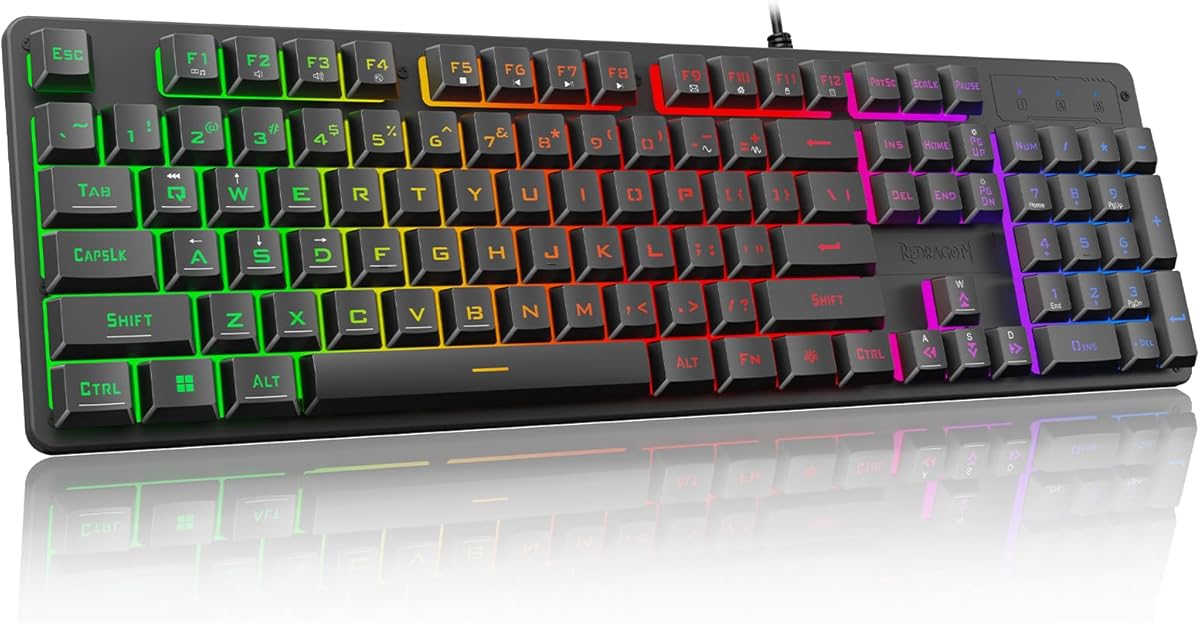
The Redragon K521 delivers a gaming-flavoured full-size board for pocket change, with a rainbow LED design, one-touch lighting control and 19-key anti-ghosting so your skill combos register cleanly. It is a mechanical-feel membrane rather than a true switch board, but the tactile keys and dozen multimedia shortcuts make it a fun, capable deck for casual players and anyone who wants colour on their desk without spending much.
- Layout
- Full-size (104 keys)
- Switches
- Mechanical-feel
- Connection
- Wired USB
- Backlight
- Rainbow LED
What we liked
- Very affordable gaming board
- Rainbow LED with adjustable brightness
- 19-key anti-ghosting for combos
- 12 multimedia shortcut keys
Worth noting
- Mechanical feel, not real switches
- Rainbow zones are not fully custom
TECKNET Wired Gaming Keyboard
The TECKNET wired board is the pick for anyone who wants a quiet, solid keyboard without paying premium prices. Whisper-quiet switches keep typing discreet, the all-metal panel feels reassuringly rigid, and the integrated wrist rest even includes drainage holes for spills. Add 15-zone RGB and 25-key anti-ghosting and it doubles nicely as a casual gaming deck, though Mac users lose the media shortcuts.
- Layout
- Full-size ergonomic
- Switches
- Whisper-quiet volcano
- Connection
- Wired USB
- Build
- All-metal panel
What we liked
- Near-silent whisper-quiet switches
- Sturdy all-metal top panel
- Integrated wrist rest with drainage
- 15-zone RGB and 25-key anti-ghosting
Worth noting
- Media keys not Mac compatible
- Bulky footprint with wrist rest
Redragon K671 Mechanical Keyboard
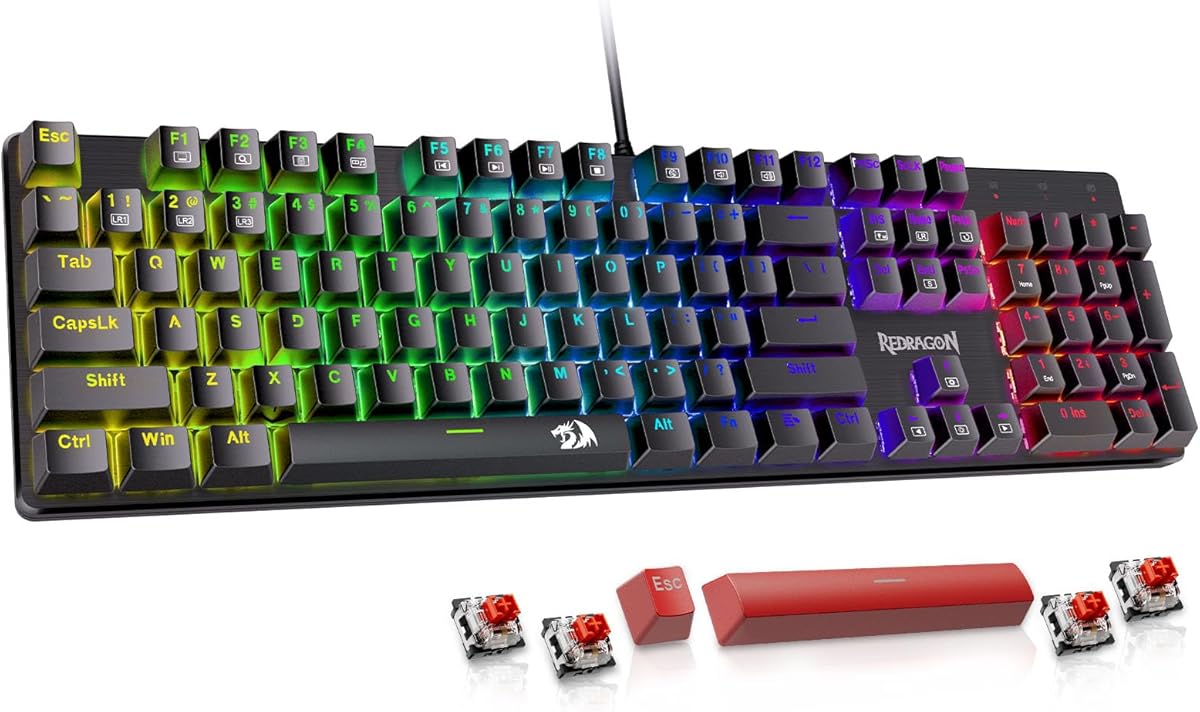
The Redragon K671 brings real mechanical customisation to the budget tier, with hot-swappable red linear switches you can replace without soldering and durable double-shot PBT keycaps that resist shine. Macro editing lets you remap keys, and the box even includes spare switches and keycaps to get you started tinkering. The RGB colour is fixed, but for a first mechanical board you can grow into, it is excellent value.
- Switches
- Hot-swap red linear
- Keycaps
- Double-shot PBT
- Connection
- Wired USB
- Backlight
- 11 RGB modes
What we liked
- True hot-swappable red switches
- Durable double-shot PBT keycaps
- Macro editing via software
- Spare switches and keycaps included
Worth noting
- Backlight colour is not adjustable
- Wired only, no wireless option
AULA S99 Tri-Mode Wireless Keyboard
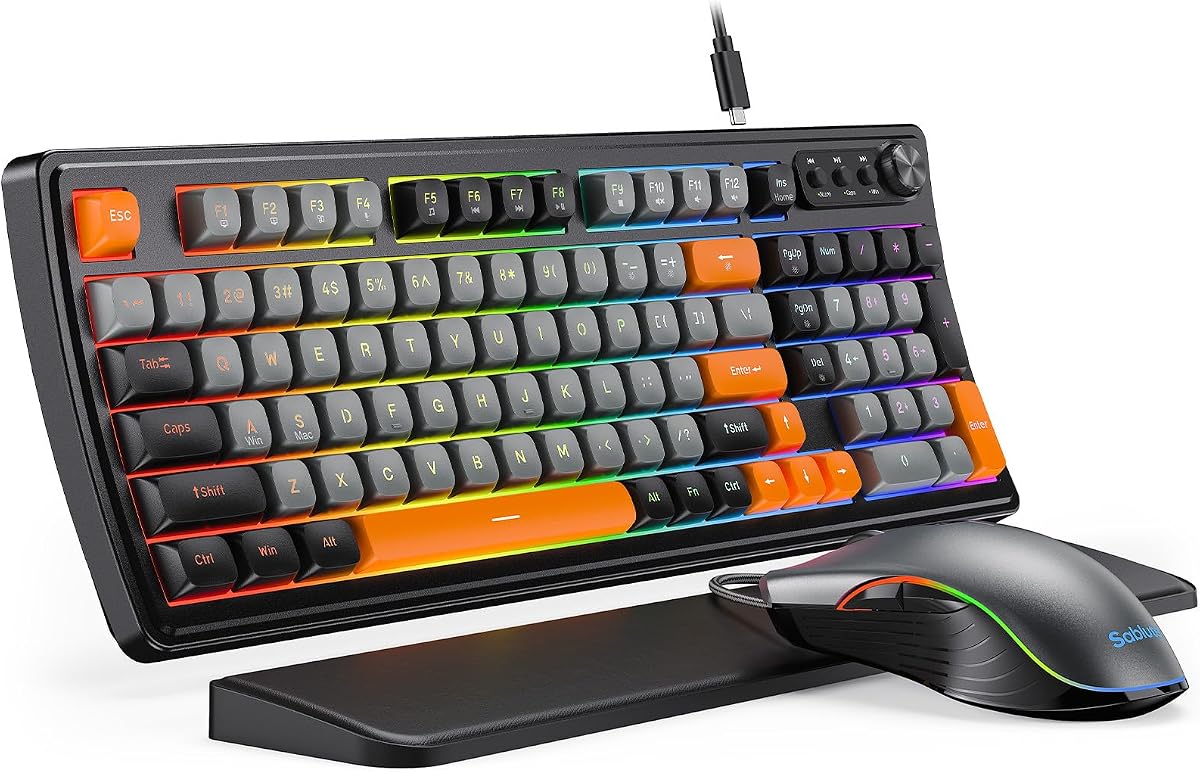
The AULA S99 is the most versatile connector on this list, switching between Bluetooth, 2.4GHz wireless and USB-C to follow you across phone, tablet and PC. The 96% layout keeps a full number pad while trimming wasted space, and the rotary knob makes volume and lighting tweaks effortless. It is a creamy membrane rather than a mechanical board, but as a colourful, do-everything wireless deck it delivers plenty for the money.
- Layout
- 96% with number pad
- Connection
- BT/2.4GHz/USB-C
- Switches
- Creamy membrane
- Extras
- RGB media knob
What we liked
- Three connection modes for flexibility
- 96% layout keeps the number pad
- Handy dual-mode volume knob
- Full-key macro programming
Worth noting
- Membrane board, no hot-swap
- Bright colour finish not for everyone
AULA 99-Key Wireless Keyboard (Pink)
The pink AULA 99-key board is aimed squarely at aesthetic-first desks, wrapping tri-mode wireless, 16.8 million RGB colours and a control knob in a cute, creamy package. The 99-key layout keeps a number pad for everyday work, and the foldable kickstand lets you dial in a comfortable typing angle. It is a membrane board without switch swapping, so treat it as a style-led everyday deck rather than an enthusiast piece.
- Layout
- 99-key with number pad
- Connection
- BT/2.4GHz/USB-C
- Switches
- Creamy membrane
- Extras
- RGB control knob
What we liked
- Tri-mode wireless connectivity
- 16.8 million RGB colours
- Control knob for quick adjustments
- Foldable two-stage kickstand
Worth noting
- Membrane keys, not mechanical
- No switch swapping possible
MageGee MK-Box 60% Mechanical Keyboard
The MageGee MK-Box is the compact pick, squeezing genuine mechanical red switches into a tiny 60% body that still keeps separate arrow keys and the F-row. The classic blue LED backlight offers 16 effects, the detachable cable makes it travel-friendly, and plug-and-play means no software fuss. It is single-colour and wired only, but for a small, real-switch keyboard at this price it is a tidy little performer.
- Layout
- 60% (68 keys)
- Switches
- Red linear mechanical
- Connection
- Wired USB
- Backlight
- Blue LED
What we liked
- Genuine mechanical red switches
- Tiny, portable 60% footprint
- Keeps arrow and function keys
- Detachable USB cable for travel
Worth noting
- Single-colour blue backlight only
- No wireless connectivity
How We Chose the Best Keyboards Under $50

Shopping for a keyboard at 50 dollars is easier than it used to be, but the shelf is genuinely confusing. Dozens of listings share the same stock photos, the same buzzwords and the same vague promises, so the job is to cut through the noise and find boards that actually feel good under your fingers. We started by sorting the field by what kind of typist each keyboard is really for: fast, competitive gamers who care about switch speed; office workers who want quiet, reliable keys; and everyday users who value flexibility and a clean desk.
From there we weighed the things that shape daily use. Switch type came first, because the difference between a real mechanical switch, a Hall-effect magnetic switch and a membrane dome changes how the whole board feels and sounds. We then looked at layout and size, since a compact board frees desk space while a full-size deck keeps the number pad. Connectivity mattered next, separating simple wired plug-and-play boards from tri-mode wireless models that roam between devices. Finally, we considered build quality, backlighting and the reassurance of a known brand, then kept the list deliberately varied so there is a sensible answer whatever your priority.
Understanding Switches, Sizes and Connections
Three choices define almost everything about a keyboard, and understanding them makes the sub-50 shelf far less bewildering. The first is the switch. Membrane boards, like the SteelSeries Apex 3 and Amazon Basics, press a rubber dome against a circuit; they are quiet and cheap but feel soft and mushy over time. Mechanical switches, found on the Redragon K671 and MageGee MK-Box, use a discrete mechanism under each key for a crisper, more consistent press and a much longer lifespan. Hall-effect magnetic switches, as on the AULA WIN68 HE, go further still, sensing key position magnetically so you can adjust exactly how far a key travels before it registers.
The second choice is size. A full-size board keeps the number pad, arrow cluster and function row, which suits spreadsheets and data entry. A 60% board like the MageGee drops the number pad and much else to free desk space, while 96% and 99% layouts, as on the AULA S99, keep the number pad but trim the wasted borders. The third choice is connection. Wired boards deliver zero latency and never need charging; tri-mode wireless boards add Bluetooth and 2.4GHz so a single keyboard can hop between a laptop, tablet and phone. Nail these three decisions and the rest is detail.
Matching the Keyboard to Your Needs
For Fast, Competitive Gaming
If reaction time is everything, the AULA WIN68 HE is the standout under 50 dollars, bringing Hall-effect magnetic switches, per-key adjustable actuation and an 8000Hz polling rate to a price that undercuts specialist boards dramatically. Its 60% layout also clears room for wide mouse movements. For casual players who mostly want colour and reliable key registration, the Redragon K521 offers full-size anti-ghosting and rainbow lighting for very little money.
For Quiet, Comfortable Office Work
Shared offices and late-night home desks call for keyboards that do not announce every keystroke. The SteelSeries Apex 3 and TECKNET wired board both use whisper-quiet switches, and both add wrist rests for comfort during long typing stretches. If you simply want something that works instantly with no software or noise concerns, the Amazon Basics wired board is the no-drama choice, keeping a full number pad and useful media hotkeys.
For Flexible, Multi-Device Use
If your keyboard needs to move between a work laptop, a personal PC and a phone, tri-mode wireless is the feature to chase. The AULA S99 and the pink AULA 99-key board both switch freely between Bluetooth, 2.4GHz and USB-C, keep a number pad, and add a control knob for quick volume and lighting tweaks. They are membrane rather than mechanical, but the connectivity and convenience make them ideal for cluttered, multi-device desks.
For a First Mechanical Keyboard
Anyone curious about the mechanical world should start with the Redragon K671, which is hot-swappable, so you can pull and replace switches without soldering as your tastes develop. Its double-shot PBT keycaps resist the greasy shine that plagues cheaper caps, and the bundled spare switches invite experimentation. The MageGee MK-Box is the more compact alternative for those who also want a small footprint.
Specifications That Matter Most
Two specifications shape the experience of a budget keyboard more than any others: switch type and layout. Switches determine feel, sound and durability, so decide early whether you want the softness and silence of membrane, the crisp precision of mechanical, or the tunable speed of Hall-effect magnetic. If you plan to keep the board for years or want to change how it feels later, prioritise a hot-swappable mechanical model like the Redragon K671. If quiet operation in a shared space is your priority, the whisper-quiet switches on the SteelSeries Apex 3 and TECKNET are the ones to look for.
Layout and build quality deserve equal attention. Choose a full-size or 96% board if you rely on the number pad, or a 60% deck like the MageGee MK-Box and AULA WIN68 if desk space and portability matter more. Build materials make a surprising difference at this price: the all-metal panel on the TECKNET and the metal knob on the AULA boards feel more substantial than all-plastic rivals. Keycap material counts too, with double-shot PBT, as on the K671, resisting shine far better than the ABS caps used on most cheap keyboards. Backlighting is largely cosmetic, but per-key or zoned RGB adds a nice touch if you value a lit desk.
A Closer Look at the Top Picks
The SteelSeries Apex 3 earns the top spot because it gets the fundamentals right and comes from a brand you can lean on. Whisper-quiet switches make it welcome in any room, the IP32 rating means a spilled drink is not a disaster, and the magnetic wrist rest adds real comfort that most budget boards ignore. It is a membrane keyboard rather than mechanical, but the overall package feels a clear step above its price and suits almost anyone shopping here.
Behind it, the AULA WIN68 HE is the gaming specialist, delivering magnetic switch speed that punches far above its cost, while the Amazon Basics board is the humble, reliable choice for office desks that just need to work. The Redragon K521 and TECKNET cover budget gaming and quiet typing respectively, the Redragon K671 is the pick for aspiring mechanical enthusiasts, and the AULA S99 and pink 99-key board handle flexible wireless duty. The MageGee MK-Box rounds things out for anyone who wants a genuinely small, real-switch keyboard without spending more.
Tips for Getting the Most From a Budget Keyboard
A little care extends the life and feel of an affordable board. Blow or brush out crumbs and dust regularly, since debris under the keys is the fastest way to make even a good keyboard feel scratchy. On hot-swappable models like the Redragon K671, experiment with the spare switches to find the feel you prefer before committing, and consider adding cheap O-rings if you want to soften the sound. If your board has adjustable feet, spend a minute finding the tilt angle that keeps your wrists neutral, as posture matters more than any spec for long-term comfort.
Lean on the extras where they help. Boards with programmable macros, such as the AULA models and the Redragon K671, let you assign complex commands or shortcuts to a single key, which saves time in both games and spreadsheets. If you chose a wireless model, turn the backlight off when you can to stretch battery life dramatically. Finally, buy from listings with clear return protection; the lesser-known brands here are good value, but Amazon's return window is your safety net if a unit arrives faulty. With sensible habits and the right pick, a sub-50-dollar keyboard can serve you well for years.
Final Recommendation
For most buyers, the SteelSeries Apex 3 is the best keyboard under 50 dollars in 2026, combining a trusted brand, quiet switches, spill resistance and a comfortable wrist rest into a dependable everyday board. Competitive gamers should choose the AULA WIN68 HE for its magnetic switch speed, while office workers who want a no-fuss deck will be happy with the Amazon Basics board or the quieter TECKNET. If you are ready to explore mechanical customisation, the hot-swappable Redragon K671 is the smart starting point, and multi-device users should reach for the tri-mode AULA S99. Whichever you pick, match its switch and layout to how you actually type, and this modest budget stretches surprisingly far.
How we picked
We judged each keyboard on typing feel and switch quality, layout and size, connectivity, backlighting, build materials and the value it delivers near a 50-dollar budget. Because this bracket forces trade-offs, we favoured boards that feel good in real use over spec-sheet extras, and we deliberately mixed full-size, compact and wireless designs so the list reflects the very different ways people spend well at this level.
Frequently asked questions
Can you get a good mechanical keyboard for under 50 dollars?
Yes. Boards like the Redragon K671 and MageGee MK-Box offer genuine mechanical switches at this price, and the K671 is even hot-swappable so you can change switches later. You will not get premium gasket mounting or PBT everywhere, but the core typing experience is real mechanical feel, not membrane, and both are excellent starter boards.
What is the difference between mechanical and membrane keyboards?
Mechanical keyboards use individual switches under each key for a crisp, consistent feel and longer lifespan, while membrane boards press a rubber dome against a circuit. Membrane models like the SteelSeries Apex 3 and Amazon Basics are quieter and cheaper; mechanical boards like the Redragon K671 feel more precise and satisfying to type on.
Should I buy a wired or wireless keyboard at this price?
Wired boards give you zero latency and never need charging, which suits desktop gaming and office use. Wireless picks like the AULA S99 add tri-mode flexibility so one keyboard works with your phone, tablet and PC. If you switch devices often, go wireless; if the keyboard lives at one desk, wired is simpler and usually feels a touch snappier.
What keyboard size should I choose?
Full-size boards like the Amazon Basics keep a number pad for data entry, while compact 60% models like the MageGee MK-Box and AULA WIN68 free up desk space for your mouse. A 96% or 99% layout, as on the AULA S99, is a middle ground that keeps the number pad while trimming the wasted borders around the keys.
Are budget gaming keyboards good enough for competitive play?
For serious competition, the AULA WIN68 HE stands out with Hall-effect magnetic switches, adjustable actuation and an 8000Hz polling rate that rivals boards costing far more. Most other budget picks handle casual and mid-level play well thanks to anti-ghosting, but if millisecond response is your priority, the WIN68 is the one to target under 50 dollars.