Best Keyboards for Writers in 2026
We may earn a commission from links on this page, at no extra cost to you. Learn more.
Writing all day is a physical act, and the keyboard under your hands shapes how much of it you can do before fatigue or frustration sets in. Writers care about different things than gamers: a comfortable key feel that stays pleasant across thousands of words, a sound that suits your room and the people in it, and a layout that keeps your fingers where they belong. Some prefer the fast, quiet glide of a low-profile board; others want the tactile bump and satisfying click of a mechanical switch. This guide ranks nine of the best keyboards for writers in 2026, spanning quiet productivity boards and characterful mechanical typewriter-style picks, so there is a match whatever your working rhythm.
Top 9 Best Keyboards for Writers
Our top 9 picks, reviewed
RK Royal Kludge S108 Typewriter Keyboard
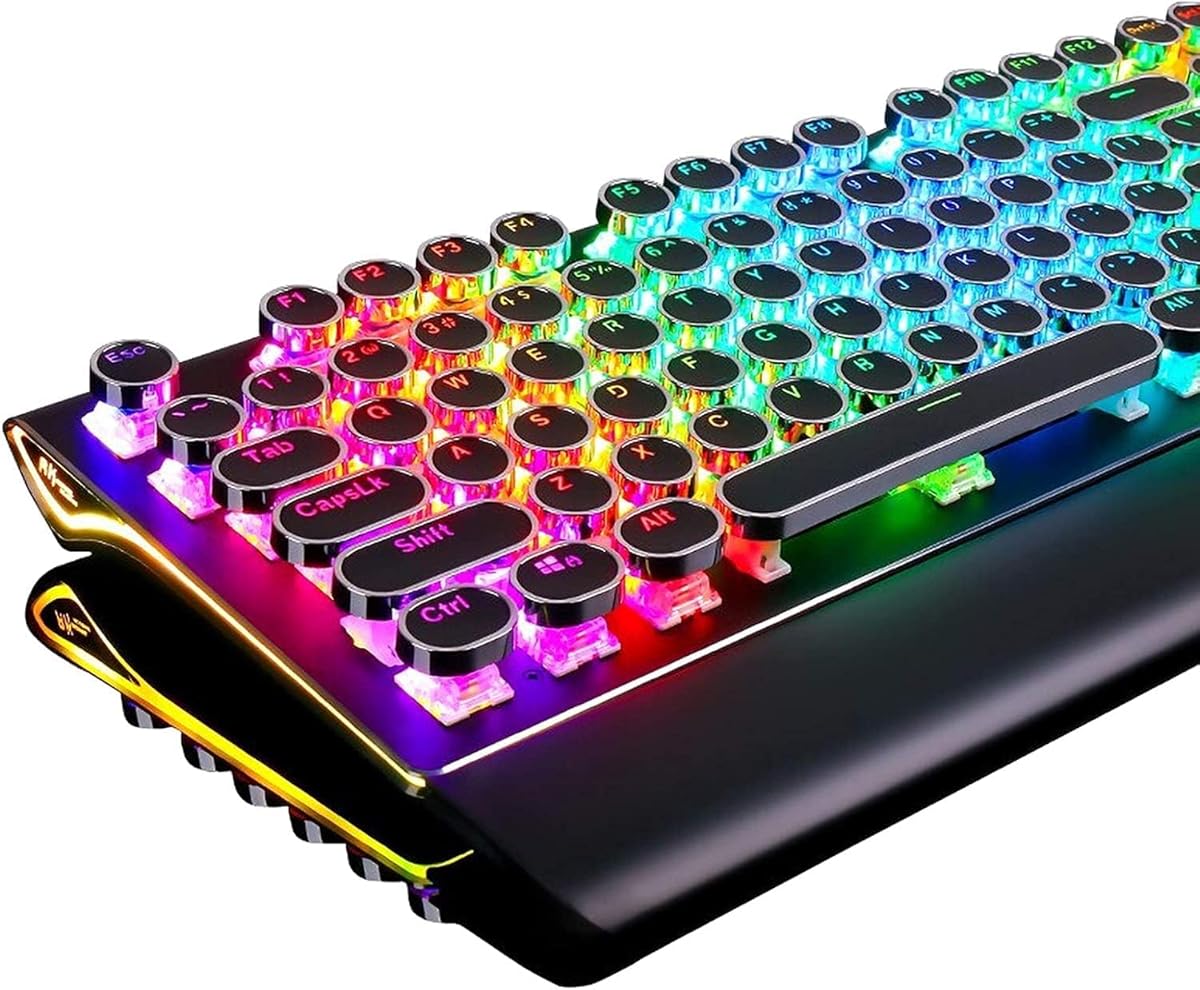
The RK Royal Kludge S108 is our top writing pick because it nails the fundamentals: a full 108-key layout with number pad, clicky blue switches that give a crisp tactile bump on every letter, and a detachable wrist rest for long-session comfort. The round typewriter keycaps look the part and center your fingertips naturally. Its only real caveat is that the audible click carries, so it suits solo writing more than open-plan offices.
- Layout
- 108-key full size
- Switches
- Blue (clicky tactile)
- Keycaps
- Round retro
- Extras
- Detachable wrist rest, RGB
What we liked
- Full number pad for long-form work
- Tactile clicky feel writers love
- Detachable wrist rest for comfort
- Sturdy aluminium-alloy panel
Worth noting
- Blue switches are loud in shared rooms
- Wired only, no wireless option
RK Royal Kludge R98 Pro Mechanical Keyboard
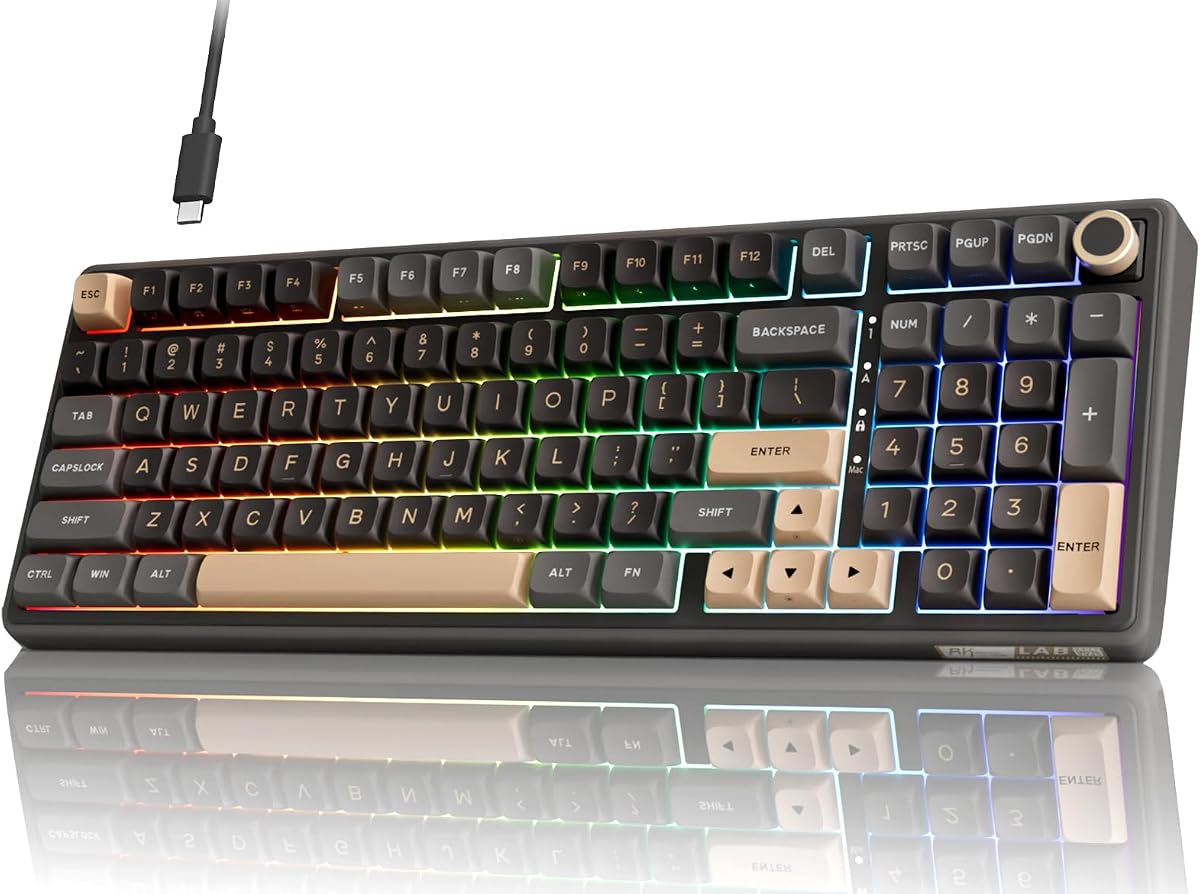
The RK Royal Kludge R98 Pro is for writers who want a soft, muted rhythm rather than a sharp click. Its gasket mount and five layers of sound-absorbing foam deliver the deep, creamy thock that makes long sessions oddly satisfying, while pre-lubed linear switches glide smoothly under fast fingers. The 96% layout keeps a number pad without the bulk, and the volume knob is a handy touch for music while you write.
- Layout
- 96% with numpad
- Switches
- Pre-lubed linear cream
- Mount
- Gasket mount
- Keycaps
- MDA profile PBT
What we liked
- Gasket mount softens every keystroke
- Five foam layers for creamy sound
- Pre-lubed linear switches feel smooth
- Volume knob for quick control
Worth noting
- Linear switches lack tactile bump
- Wired connection only
YSCP Typewriter Style Mechanical Keyboard
The YSCP typewriter-style board proves you do not need to spend much for a genuine mechanical writing experience. Its blue switches deliver the clear click and tactile feedback that make each letter feel deliberate, the full 104-key layout suits long documents, and the retro round keycaps add character to a desk. There is no wrist rest and the click is audible, but for the price it is a lot of typing satisfaction.
- Layout
- 104 keys
- Switches
- Blue (tactile clicky)
- Keycaps
- Retro round
- Extras
- RGB backlight, sidelights
What we liked
- Very affordable mechanical typing
- Crisp tactile blue-switch feedback
- Full 104-key layout with numpad
- Retro round keycaps look distinctive
Worth noting
- No wrist rest included
- Clicky switches are noisy
Logitech MX Keys S Wireless Keyboard
The Logitech MX Keys S is the pick for writers who share a room or take video calls between paragraphs. Its low-profile, laptop-like keys are quiet and fluid, with spherically dished tops that guide fingertips for accurate touch-typing. Bluetooth pairing across three devices, smart backlighting and USB-C charging make it a polished daily tool. It costs more than the mechanical options, and low travel is a matter of taste.
- Profile
- Low profile
- Feel
- Quiet fluid typing
- Connectivity
- Bluetooth + USB-C
- Extras
- Smart backlighting, programmable
What we liked
- Very quiet for shared spaces
- Dished keys guide fingertips
- Pairs with up to three devices
- Rechargeable via USB-C
Worth noting
- Premium price for the category
- Low travel divides mechanical fans
AULA F2088 Mechanical Keyboard
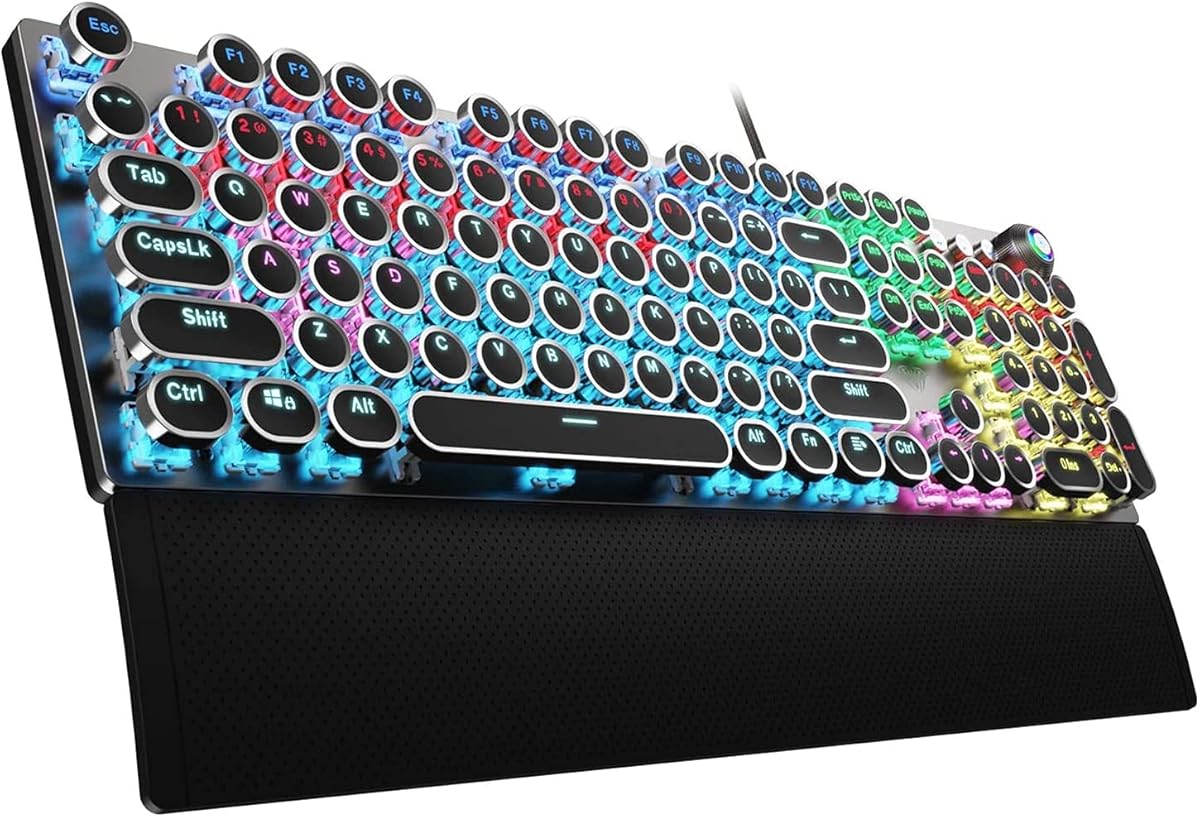
The AULA F2088 wraps a satisfying clicky typing feel in a well-built package with a genuinely useful media knob for volume, playback and lighting without leaving the keyboard. Its blue switches are springy and precise, the magnetic wrist rest supports your hands during marathon sessions, and the metal panel feels solid. Like the other clicky boards here it is loud, so it is best for writers working solo.
- Layout
- 104 keys
- Switches
- Blue (tactile clicky)
- Control
- Media control knob
- Extras
- Magnetic wrist rest, metal panel
What we liked
- Handy media and backlight knob
- Magnetic wrist rest for support
- Springy tactile blue switches
- Rigid aluminium-alloy top plate
Worth noting
- Clicky sound is not office-friendly
- Wired-only USB connection
AULA S99 Wireless Keyboard
The AULA S99 is the flexible wireless choice for writers who move between a laptop, tablet and desktop. Tri-mode Bluetooth, 2.4GHz and USB-C connectivity make switching devices painless, and the 96% retro layout keeps a number pad in a tidy footprint. It is a membrane rather than mechanical board, so the feel is softer and it will not satisfy switch enthusiasts, but the creamy typing and low price are appealing.
- Layout
- 96% retro
- Connectivity
- Bluetooth / 2.4GHz / USB-C
- Feel
- Creamy membrane
- Extras
- Media knob, foldable stand
What we liked
- Three flexible connection modes
- Number pad in a compact 96% body
- Low, cable-free desk clutter
- Foldable stand adjusts typing angle
Worth noting
- Membrane, not true mechanical
- No hot-swap switch support
Trueque CK23Pro Wireless Keyboard & Mouse
The Trueque CK23Pro is a complete cordless writing set, pairing a retro round-key keyboard with a matching mouse through one 2.4GHz receiver. It is a neat all-in-one for a clean desk, with light-up letters for late-night sessions and a magnetic wrist rest for support. The typing feel is quieter and softer than a mechanical board, and it uses a dongle rather than Bluetooth, but as a tidy value bundle it delivers.
- Type
- Wireless combo
- Connectivity
- 2.4GHz cordless
- Keys
- Retro round backlit
- Extras
- Magnetic wrist rest
What we liked
- Keyboard and mouse in one set
- Single USB receiver, no clutter
- Backlit letters for night writing
- Detachable magnetic wrist rest
Worth noting
- Not a mechanical typing feel
- Uses 2.4GHz rather than Bluetooth
Adventurers Typewriter-Style Mechanical Keyboard
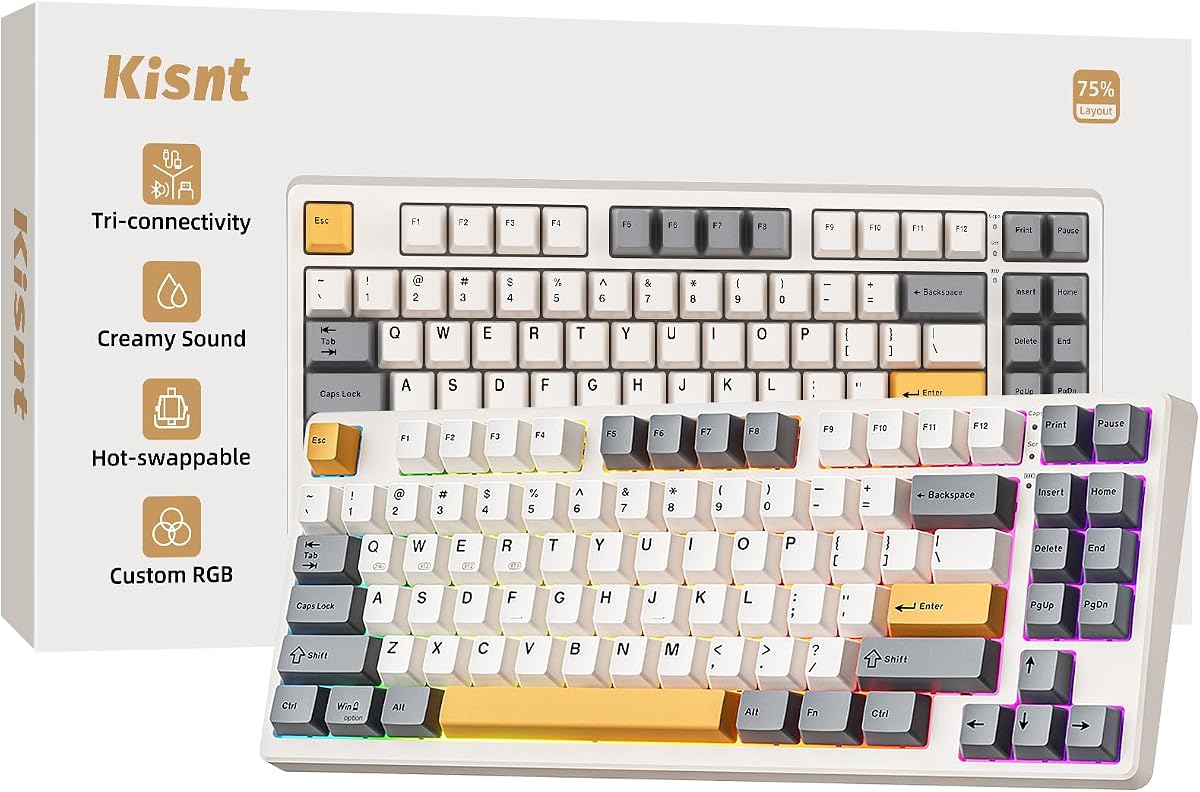
The Adventurers keyboard leans hard into 1940s typewriter styling, with round keys and a wood-tone panel that would look at home on a writer's desk. Beneath the retro looks sit tactile blue-axis switches and Bluetooth 5.0 pairing for up to three devices, so it is more than a novelty. The compact 83-key layout drops the number pad to save space, and the clicky switches keep it firmly in the solo-writing camp.
- Layout
- 83 keys compact
- Switches
- Blue axis
- Connectivity
- Bluetooth 5.0
- Extras
- Wood-color panel, LED backlight
What we liked
- Charming typewriter aesthetic
- Compact 83-key footprint
- Bluetooth pairs three devices
- Tactile blue-axis feedback
Worth noting
- Compact layout drops number pad
- Blue switches remain loud
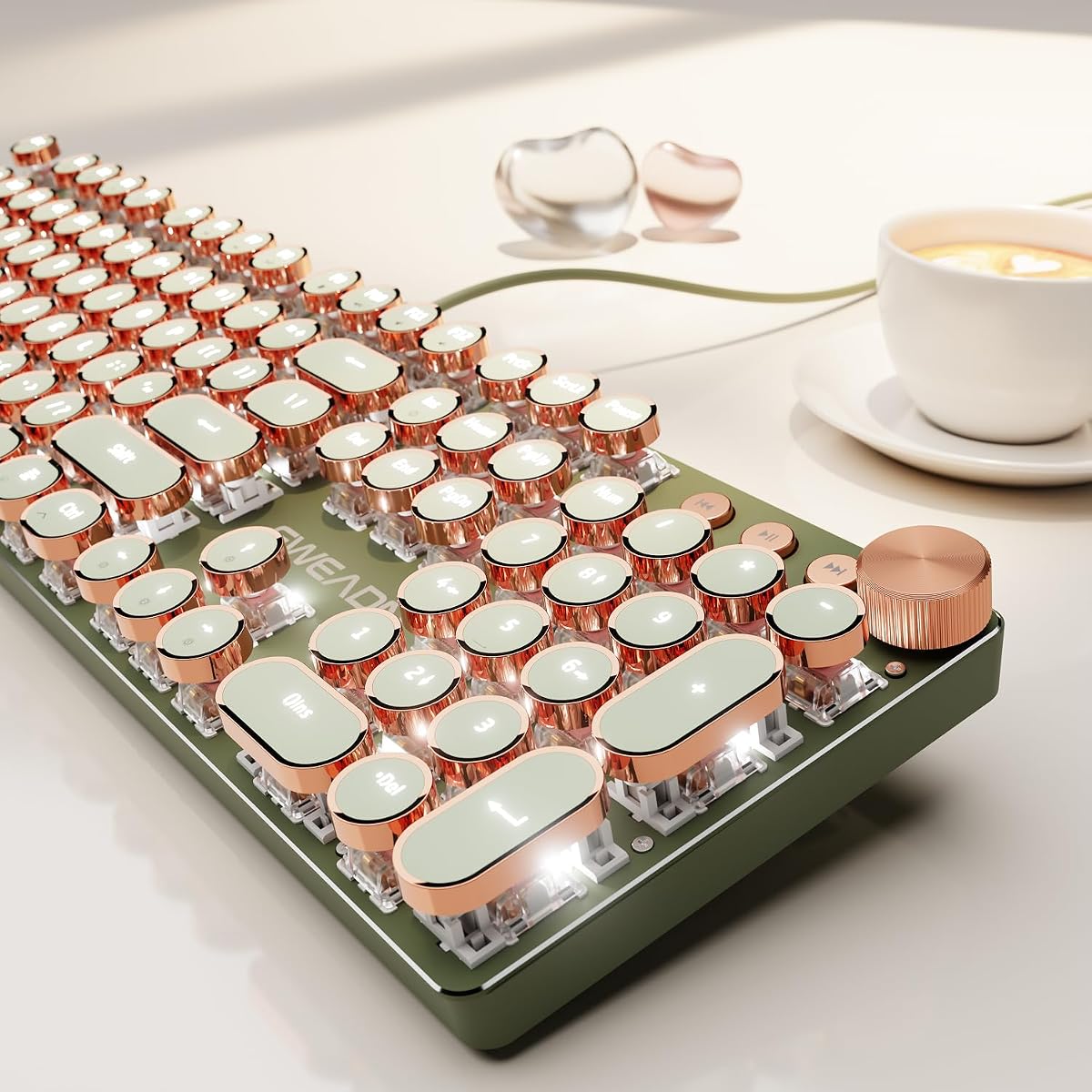
EWEADN Wired Typewriter Mechanical Keyboard
The EWEADN typewriter board is the quiet mechanical option for writers who want character without the piercing click. Its pink linear switches deliver a smooth, muted keystroke closer to a creamy sound, while the full 104-key layout and media knob keep it practical. The round, well-spaced keycaps naturally center fingertips, an unexpected boon for anyone with longer nails. It is wired only and from a smaller brand, but the typing is genuinely pleasant.
- Layout
- 104 keys full size
- Switches
- Pink linear (low noise)
- Control
- Media knob
- Extras
- Metal panel, round keycaps
What we liked
- Quieter linear switches than clicky
- Full-size layout with number pad
- Media knob for volume and lighting
- Retro round keycaps suit long nails
Worth noting
- Wired-only connection
- Lesser-known brand support
How We Chose the Best Keyboards for Writers

Choosing a keyboard for writing is a different exercise than choosing one for gaming or general office use. Writers spend hours in sustained contact with the keys, producing thousands of keystrokes in a single sitting, so small differences in feel, sound and comfort compound into real fatigue or real pleasure. We started from that reality: the questions that matter are how a board feels after the first thousand words, not how it performs in a burst.
We weighed switch character first, because it defines the whole experience. Clicky switches announce every keystroke with a tactile bump and an audible click that some writers find rhythmic and motivating; linear switches glide smoothly and quietly; low-profile keys trade travel for speed and silence. None is objectively best, so we made sure the list spans all three. From there we considered acoustics and how much the sound would disturb others, layout and whether a number pad or compact footprint suits your work, wrist support for long sessions, and overall build quality. We deliberately mixed quiet productivity boards with characterful mechanical picks so there is a right answer whether you write alone or share a room.
Understanding Switch Types for Writing
The single most important decision when buying a writing keyboard is the switch, because it determines feel and sound more than anything else. Broadly, the boards here fall into three camps. Clicky tactile switches, the blue switches on the RK Royal Kludge S108, YSCP and AULA F2088, give a distinct bump partway through the press and a sharp click when they actuate. Many writers love the feedback and the sense of each letter landing deliberately, and the sound can become a pleasant rhythm. The catch is volume: these boards carry across a room and are not office-friendly.
Linear switches, by contrast, move smoothly from top to bottom with no bump and far less noise. The pre-lubed cream switches in the RK Royal Kludge R98 Pro and the low-noise pink switches in the EWEADN give a gliding, uninterrupted keystroke that suits fast typists and quieter environments. Finally, low-profile boards like the Logitech MX Keys S shorten key travel dramatically for a laptop-like feel that is quick and quiet, though enthusiasts who love deep mechanical travel may find it shallow. Knowing which camp you belong to narrows the whole field instantly.
Typing Feel and Long-Session Comfort
Comfort over a long writing day comes down to more than switch choice. Key travel, keycap shape and the angle of your wrists all play a part. The retro round keycaps found on several picks here, the S108, YSCP, EWEADN and Adventurers, are shaped to cradle the fingertip, which helps center your fingers and reduce mistyping over long stretches. The Logitech MX Keys S takes a different route with spherically dished flat keys that guide fingertips for accurate touch-typing without the deeper travel of a mechanical board.
Wrist support matters too. The RK Royal Kludge S108, AULA F2088 and Trueque CK23Pro all include wrist rests, either detachable or magnetically attached, which keep your wrists neutral rather than bending them up over the keys. Over hours of writing that small change can be the difference between a comfortable session and an aching one. If you tend to write in very long sittings, prioritise a board with a rest or plan to add one, and pay attention to typing angle: the AULA S99's foldable stand lets you tune the tilt to suit your posture, a detail worth having when you type all day.
Acoustics: Finding the Right Sound
Sound is deeply personal, and for writers it is also practical. If you work alone, the crisp click of a blue-switch board like the RK Royal Kludge S108 or YSCP can be genuinely enjoyable, a tactile metronome that keeps you moving. But that same sound is a liability in a shared home, an office or on a video call, where clicky boards will draw complaints and bleed into your microphone. Be honest about your environment before you buy, because acoustics are the most common reason writers end up disappointed with an otherwise good keyboard.
For quieter spaces, the field shifts. The RK Royal Kludge R98 Pro uses five layers of sound-absorbing foam and a gasket mount to produce a deep, muted creamy thock rather than a click, a sound many find pleasant without being disruptive. The EWEADN's linear switches are engineered specifically to soften the traditionally piercing mechanical sound into something closer to a creamy profile. And the Logitech MX Keys S is quietest of all, designed from the ground up for fluid, near-silent typing. Matching the sound to your room is as important as matching the feel to your fingers.
Wired, Wireless and Connectivity
How your keyboard connects affects both your desk and your flexibility. Wired boards like the RK Royal Kludge S108, YSCP, AULA F2088 and EWEADN offer plug-and-play reliability with no batteries to charge and no latency to worry about, which suits a fixed writing desk. The trade-off is a cable and a fixed position, and the inability to easily move the board between a desktop and a laptop.
If you write across several devices, wireless options earn their keep. The Logitech MX Keys S pairs over Bluetooth with up to three devices and charges via USB-C, making it easy to jump between a work laptop, a personal desktop and a tablet. The AULA S99 goes further with tri-mode connectivity, Bluetooth, 2.4GHz and USB-C, so you can adapt to almost any setup, while the Trueque CK23Pro bundles a keyboard and mouse on a single 2.4GHz receiver for a clean cordless desk. The Adventurers board offers Bluetooth 5.0 across three devices in a retro package. If mobility matters, these are the boards to shortlist; if you never move your keyboard, a reliable wired option keeps things simple.
Layout: Full-Size, Compact and Everything Between
Layout is about balancing function against desk space. Full-size boards like the RK Royal Kludge S108, YSCP, AULA F2088 and EWEADN keep every key, including a dedicated number pad, which is ideal if your writing sits alongside spreadsheets, invoicing or data entry. The downside is width: a full-size board pushes your mouse further to the right, which can strain the shoulder over long days.
The 96% layout, used by the RK Royal Kludge R98 Pro and AULA S99, is a clever compromise, retaining a number pad and arrow keys while trimming the wasted space around them for a noticeably smaller footprint. Compact boards go further still: the Adventurers keyboard's 83-key layout drops the number pad entirely to shrink the board and bring the mouse closer, which many writers who never touch numbers prefer for the ergonomic benefit. There is no universally right answer here, only the right answer for how you work. If numbers feature in your day, stay full-size or 96%; if they do not, a compact board can be more comfortable and free up valuable desk space.
A Closer Look at the Top Picks
The RK Royal Kludge S108 takes the top spot because it gets the writing essentials right at a fair price. The clicky blue switches give the tactile, deliberate feel that makes long-form typing satisfying, the full layout suits documents and data alike, and the detachable wrist rest and solid aluminium panel show real attention to comfort and durability. For a writer working alone who wants a keyboard with genuine character, it is hard to beat.
Behind it, the RK Royal Kludge R98 Pro is the choice for anyone chasing that soft, creamy thock over a sharp click, thanks to its gasket mount and layered foam. The YSCP delivers a real mechanical experience for very little money, while the Logitech MX Keys S is the polished, quiet, multi-device board for shared spaces and low-profile fans. The AULA F2088 adds a handy media knob to a satisfying clicky feel, the AULA S99 and Trueque CK23Pro cover flexible wireless setups, the Adventurers board brings Bluetooth and retro charm, and the EWEADN offers a quieter linear mechanical feel for those who want the best of both worlds.
Final Recommendation
For most writers, the RK Royal Kludge S108 is the best keyboard for writing in 2026, combining a satisfying tactile feel, a practical full-size layout and a comfortable wrist rest into a board built for long sessions. If your ideal sound is a deep creamy thock rather than a click, the RK Royal Kludge R98 Pro is the pick, while the YSCP delivers real mechanical satisfaction on a budget. Writers in shared spaces or on frequent calls should choose the quiet Logitech MX Keys S, and those who work across several devices will appreciate the tri-mode AULA S99 or the cordless Trueque CK23Pro combo. Match the switch and sound to how and where you write, and any of these will make the words flow more comfortably.
How we picked
We judged each keyboard on typing feel across long sessions, switch character and comfort, acoustics and how disruptive the sound is to others, layout and wrist support, build quality, and the value it offers writers rather than gamers. We deliberately mixed quiet low-profile boards with tactile mechanical options, because the right keyboard for a novelist in a shared office differs from the one for a blogger writing alone at home.
Frequently asked questions
What kind of switch is best for writing?
It depends on your environment and preference. Clicky blue switches, as on the RK Royal Kludge S108 and YSCP, give a crisp tactile bump many writers find motivating, but they are loud. Linear switches like the creamy ones on the R98 Pro or the low-noise pink switches on the EWEADN feel smoother and quieter, better for shared spaces or video calls.
Are mechanical keyboards better for writing than membrane?
Many writers prefer mechanical keyboards for their consistent feel and satisfying feedback, which can make long sessions more comfortable. That said, quality membrane and low-profile boards like the Logitech MX Keys S and AULA S99 are quieter and lighter to type on, so they suit writers who value silence or a laptop-like feel over tactile character.
Do I need a wrist rest for long writing sessions?
A wrist rest is not essential, but it helps maintain a neutral wrist angle and reduces strain over hours of typing. Several picks here, including the RK Royal Kludge S108, AULA F2088 and Trueque CK23Pro, include detachable or magnetic wrist rests, so you can add support without buying a separate accessory.
Which keyboard here is quietest for a shared office?
The Logitech MX Keys S is the quietest, with low-profile keys designed for fluid, near-silent typing. If you want a mechanical feel that stays discreet, the EWEADN with low-noise linear switches and the creamy, foam-dampened RK Royal Kludge R98 Pro are far gentler on the ears than the clicky blue-switch boards.
Does a number pad matter for writers?
For pure prose it rarely matters, but if you also handle invoices, data or spreadsheets a number pad speeds things up. Full-size picks like the RK Royal Kludge S108, YSCP and EWEADN include one, while 96% boards such as the R98 Pro and AULA S99 keep a numpad in a smaller body. Compact options like the Adventurers board drop it to save desk space.