Skip to content

Best Keyboard for Programming in 2026

4.6 average · hands-on tested
By Dylan AidenUpdated June 27, 20267 picks tested

We may earn a commission from links on this page, at no extra cost to you. Learn more.

If you write code for a living, your keyboard is the single tool you touch most — tens of thousands of keystrokes a day, every day. The right one disappears under your fingers and quietly makes you faster: comfortable for marathon sessions, consistent under speed, and programmable enough to turn awkward symbol reaches and IDE shortcuts into single presses. The wrong one nags at your wrists and slows you down. After months of real coding across mechanical, low-profile and office boards, these are the seven best keyboards for programming in 2026 — with a deep buying guide so you can match one to how you actually work.

Quick comparison

KeyboardBest forRatingPrice
1Keychron Q1KeychronBest Overall4.8$$$Check Price
2Das Keyboard 6 ProfessionalDas KeyboardBest for Heavy Typists4.5$$$Check Price
3Keychron K3 MaxKeychronBest Low-Profile4.5$$$Check Price
4Ducky One 3 TKLDuckyBest Mechanical Feel4.6$$$Check Price
5Logitech MX Keys SLogitechBest Quiet / Office4.7$$$Check Price
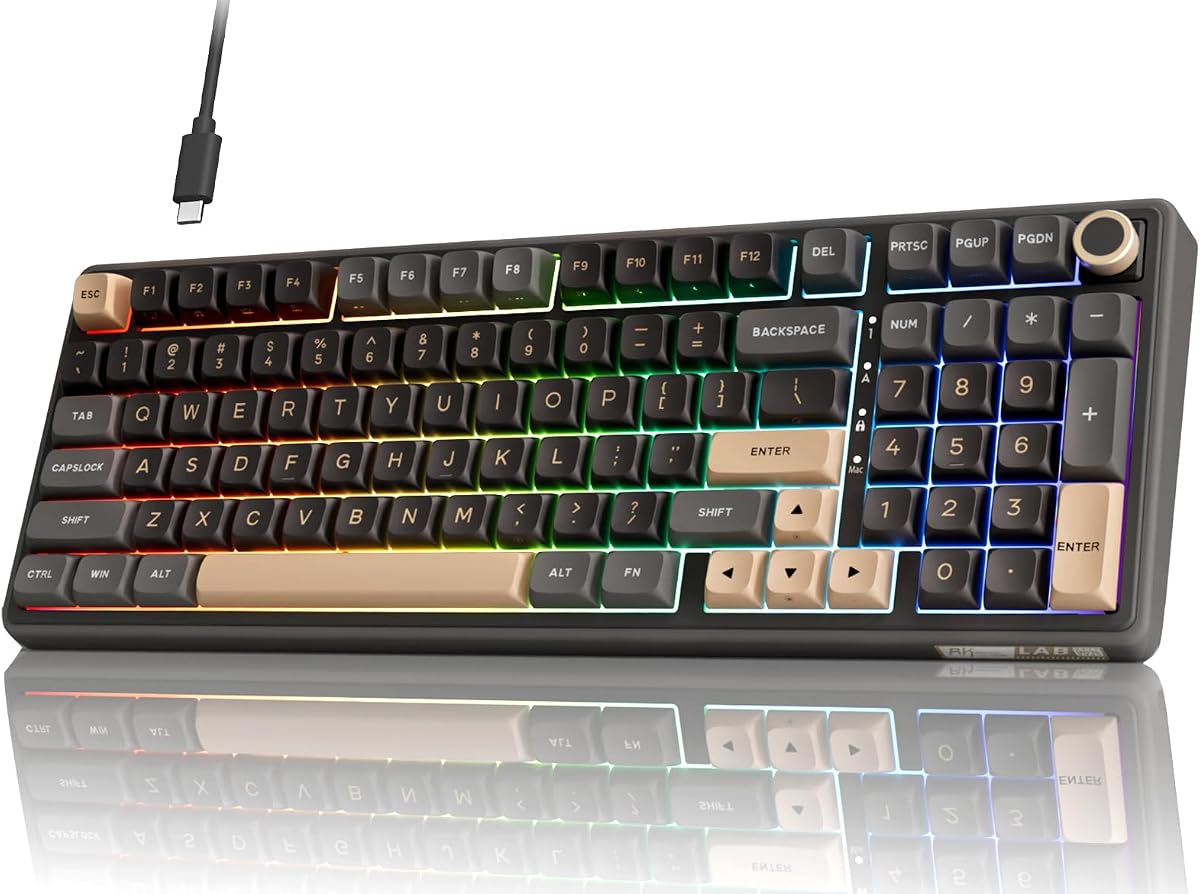
6Royal Kludge R65Royal KludgeBest Budget Programmable4.6$$$Check Price
7Keychron V3KeychronBest Value4.7$$$Check Price

Our top 7 picks, reviewed

1Best Overall

Keychron Q1

The Keychron Q1 is the best programming keyboard you can buy without going fully custom, and it earns the top spot on both feel and flexibility. Full QMK/VIA support lets you remap any key, build layers that put brackets, arrows and IDE shortcuts under your fingers, and program macros — all stored on the board, with no cloud account or background app. The double-gasket aluminum body delivers a soft, cushioned keystroke that stays comfortable through eight-hour coding days, and the hot-swap sockets mean you can tune the switch feel whenever your preferences change. It games and types beautifully too. For most developers, this is the one to buy.

Layout
75% (82-key)
Software
QMK / VIA
Build
CNC aluminum
Mount
Double gasket

What we liked

  • Deep QMK/VIA remapping, layers and macros
  • Premium, low-fatigue gasket feel
  • Hot-swappable switches
  • Mac and Windows keycaps included

Worth noting

  • Heavy and wired only
  • Premium price
2Best for Heavy Typists

Das Keyboard 6 Professional

If you bang out code and prose all day and value durability over RGB, the Das Keyboard 6 Professional is a tank built for exactly that. Genuine Cherry MX switches rated for 100 million keystrokes, an anodized aluminum top plate and full n-key rollover make it dependable for years of heavy use, and the integrated 2-port USB-C hub is genuinely handy for a dongle or a phone on a busy desk. The oversized volume knob and dedicated media keys keep music and calls one twist away. It lacks deep QMK-style remapping, so power users who live in custom layers will prefer the Keychron, but as a no-nonsense, build-to-last typist's board it's superb.

Layout
Full-size
Switches
Cherry MX Brown
Build
Aluminum top
Extras
USB-C hub, volume knob

What we liked

  • Durable Cherry MX with full NKRO
  • Premium anodized aluminum build
  • Built-in 2-port USB-C hub
  • Oversized volume knob and media keys

Worth noting

  • No deep remapping software
  • Premium price, no wireless
3Best Low-Profile

Keychron K3 Max

Plenty of programmers prefer a low-profile keystroke — closer to a good laptop keyboard, with less finger travel and a lower wrist angle that some find less fatiguing. The Keychron K3 Max is the best of that breed because it doesn't compromise on power: it's one of the thinnest wireless mechanical boards around, yet still runs full QMK/VIA, so you get the same deep layers and macros as a full-size custom in a slim shell that slips into a bag. Triple-mode wireless lets you switch between a work laptop and a desktop in a tap. If you love a laptop-style feel but refuse to give up real programmability, this is your board.

Layout
75% low-profile
Software
QMK / VIA
Connection
2.4GHz / BT / USB-C
Switches
Hot-swap

What we liked

  • QMK/VIA in a slim, low-profile board
  • Hot-swappable low-profile switches
  • Wireless and travel-friendly
  • Mac and Windows support

Worth noting

  • Smaller keycaps take adjustment
  • RGB shortens battery life
4Best Mechanical Feel

Ducky One 3 TKL

For developers who simply want the most satisfying mechanical typing experience, the Ducky One 3 TKL is hard to beat. Its QUACK Mechanics dampening and carefully tuned stabilizers give it a crisp, refined sound straight out of the box — no modding required — and the doubleshot PBT keycaps are among the best at any price, with legends that will never wear off no matter how many hours you log. Hot-swap sockets let you experiment with switches as your taste evolves. It relies on on-board programming rather than a slick desktop app, but for pure typing quality on a coding board, few keyboards feel this good for the money.

Layout
TKL (87-key)
Switches
Hot-swap Cherry MX
Keycaps
Doubleshot PBT
Extras
QUACK foam dampening

What we liked

  • Refined out-of-box sound and feel
  • Top-tier doubleshot PBT keycaps
  • Hot-swappable switches
  • Full n-key rollover

Worth noting

  • No wireless
  • On-board macros only, no desktop app
5Best Quiet / Office

Logitech MX Keys S

Not every programmer wants a clacky mechanical board — in open offices, on calls, or in a shared home, quiet matters. The Logitech MX Keys S is the best non-mechanical option for coding: its spherically dished, low-profile keys are fast, accurate and whisper-quiet, and the smart backlighting lights up the moment your hands approach. Logi Options+ adds genuinely useful per-app actions, and Flow lets you type and even copy-paste seamlessly across a work laptop and a personal desktop — a real productivity win for anyone juggling two machines. It's the polished, professional, fuss-free choice for developers who prioritize comfort and quiet over switch feel.

Layout
Full-size low-profile
Connection
BT / Logi Bolt
Software
Logi Options+
Backlight
Smart

What we liked

  • Fast, quiet, laptop-like typing
  • Per-app shortcuts via Options+
  • Flow across multiple computers
  • Smart proximity backlighting

Worth noting

  • Not mechanical
  • Best features need the Options+ app
6Best Budget Programmable

Royal Kludge R65

Programmers on a budget who refuse to give up real customization should grab the Royal Kludge R65. It's genuinely surprising how much it packs in for the price: full QMK/VIA programming, a gasket mount, lubed switches and a smooth, creamy keystroke, plus a handy volume knob — features you usually pay three times as much for. The compact 65% layout keeps arrows while saving desk space, which pairs nicely with a mouse. There's a short adjustment period to the smaller layout, but with QMK you can put any 'missing' keys exactly where you want them. The best way to get serious programmability without spending serious money.

Layout
65% (66-key)
Mount
Gasket
Software
QMK / VIA
Extras
Volume knob

What we liked

  • QMK/VIA at a budget price
  • Gasket mount, smooth creamy feel
  • Compact 65% saves desk space
  • Volume knob included

Worth noting

  • 65% layout takes adjustment
  • Wired on the base model
7Best Value

Keychron V3

The Keychron V3 gives developers almost everything the flagship Q1 does for roughly half the price, which makes it the smartest value on this list. You get full QMK/VIA programming, hot-swap sockets and a dense, well-damped typing feel that sounds great out of the box, all in a familiar tenkeyless layout that needs no adjustment. The case is plastic rather than aluminum and it's wired only, but the actual typing and customization experience is remarkably close to boards costing far more. If you want a proper programmable mechanical coding keyboard and don't need premium materials, start here.

Layout
TKL (87-key)
Switches
Hot-swap K Pro
Software
QMK / VIA
Connection
USB-C wired

What we liked

  • Full QMK/VIA for under $90
  • Dense, satisfying typing feel
  • Hot-swappable switches
  • Reliable, familiar TKL layout

Worth noting

  • Wired only
  • A little heavy

How to choose a keyboard for programming in 2026

A programming keyboard isn't just a tool you type on — it's the interface you spend more time with than any screen, editor or person. Over a year of full-time development you'll press keys tens of millions of times, so small differences in comfort, consistency and customization compound into real gains (or real strain). This guide walks through everything that actually matters when choosing a coding keyboard, in roughly the order you should think about it.

Comfort comes first

Before features, before switches, before brand, ask one question: will this keyboard be comfortable after six straight hours? Long coding sessions punish bad ergonomics. The two biggest factors are the keystroke itself and your wrist position.

A well-built board with a gasket mount and internal foam — like the Keychron Q1 or the budget Royal Kludge R65 — gives a softer, slightly cushioned keystroke that's more forgiving on the fingers than a hard, hollow plastic board. Low-profile boards such as the Keychron K3 Max and the Logitech MX Keys S reduce how high your wrists sit, which many developers find less fatiguing over time. There's no universally correct answer here; what matters is that you choose deliberately rather than ending up with whatever was cheapest. If you already feel wrist or forearm strain, prioritize comfort over every other feature on this page, and consider adding a wrist rest or even a split ergonomic board.

Switch type: the heart of the feel

Switches define how the keyboard feels and sounds, and the choice is personal — which is exactly why we favored hot-swappable boards, so you're never locked in.

There are three broad families. Tactile switches (often "brown") give a gentle bump partway through the press that confirms the key registered without you bottoming out hard; many programmers love them because the feedback aids accuracy on symbol-heavy code. Linear switches (often "red") are smooth top to bottom and quiet, which suits fast typists and shared spaces. Clicky switches (often "blue") add a loud, satisfying click that's fun solo but genuinely disruptive on calls or in an open office — generally avoid them at work.

If you're unsure, start with a tactile switch; it's the safest all-round choice for coding. And because most boards here have hot-swap sockets, you can pull a switch out by hand and try a different feel for a few dollars instead of buying a whole new keyboard.

Programmability: where coding keyboards pull ahead

This is the single feature that separates a great programming keyboard from a merely good one. Look for open QMK/VIA firmware, which every Keychron board on this list supports, along with the Royal Kludge R65.

QMK/VIA lets you do three things that change how you code. First, remap any key — swap Caps Lock for Escape or Control (a Vim and terminal staple), or move modifiers somewhere your thumbs can reach. Second, build layers: hold one key and the whole board transforms, so you can place brackets, parentheses, arrows and navigation under your home row without ever reaching. Third, record macros for repetitive boilerplate or multi-key editor commands, firing them with a single press. Crucially, all of this lives on the keyboard itself — no cloud account, no background app — so your setup travels with you to any machine you plug into. For a programmer, that portability and depth is worth more than RGB or a flashy case.

Boards like the Logitech MX Keys S and Das Keyboard 6 offer lighter customization (per-app actions or on-board tweaks) rather than full QMK, which is fine if you don't live in custom layers — but if you do, prioritize QMK/VIA.

Layout: balancing keys against desk space

Coding keyboards come in several sizes, and the right one trades dedicated keys for desk space and posture.

A full-size board (like the Das Keyboard 6) keeps the number pad, which matters if you work with a lot of numeric data or use the pad for shortcuts. TKL (tenkeyless, 87 keys) and 75% layouts drop the number pad to bring your mouse closer, easing shoulder strain while keeping arrows and a function row — this is the best default for most developers and why several picks here use it. A 65% board like the Royal Kludge R65 saves even more space and keeps arrows, but moves the function row onto a layer. Going smaller, 60% boards remove arrows entirely; they're popular with minimalists and Vim users but ask the most adjustment.

If RSI or shoulder strain is a real concern, a split ergonomic keyboard — where each half sits at shoulder width — offers the biggest postural benefit, at the cost of a one-to-two-week learning curve. Most programmers are best served by a TKL or 75% board, which is why those dominate this list.

Keycaps and legends

This sounds like a detail, but it matters over years of use. Look for PBT keycaps rather than cheap ABS. PBT resists the greasy shine that ABS develops, keeps a pleasant slightly-textured feel, and — when the legends are doubleshot or dye-sublimated — never wears off. There are few things more annoying than a keyboard whose most-used letters have gone blank and slick after a year. The Ducky One 3 and the Keychron boards all use durable PBT keycaps; it's part of why they age so well on a working developer's desk.

Wired, wireless and build quality

For programming, wireless is a convenience rather than a necessity — there's no competitive latency concern as there is in gaming. If you value a clean desk or move a board between a laptop and desktop, a board with a 2.4GHz dongle or solid multi-device Bluetooth (the Keychron K3 Max, MX Keys S) is excellent. If you never move it, a wired board (Keychron V3, Ducky One 3) is simpler and a touch cheaper.

Build quality affects both feel and longevity. An aluminum case or gasket mount (Q1, Das Keyboard 6) feels more solid and sounds better than flexy plastic, and tends to last longer — worth it for a tool you'll use daily for years. That said, a well-tuned plastic board like the Keychron V3 punches well above its price, so don't assume you must spend big.

Matching budget to needs

You don't need an expensive keyboard to code well. Under $90, the Keychron V3 and Royal Kludge R65 deliver full QMK/VIA programmability and a genuinely good mechanical feel — start here if you're cost-conscious. In the mid range, the Keychron K3 Max adds slim wireless and the Ducky One 3 adds a refined, premium-sounding mechanical experience. At the top, the Keychron Q1 and Das Keyboard 6 bring aluminum builds, gasket mounts and the most polished feel — an upgrade in comfort and longevity rather than a requirement for productivity.

The bottom line

Decide your priorities in this order: comfort for long sessions, the switch feel you prefer, and whether you want deep QMK/VIA programmability. Pick a layout that balances desk space against the keys you actually use, insist on PBT keycaps, and choose wired or wireless based on whether you move the board. Get those right and any keyboard on this list will serve you well for years of coding. For most developers, the Keychron Q1 is the do-everything pick; for the best value, the Keychron V3 or Royal Kludge R65 are hard to beat. Use our ranked picks above to find the one that fits how you work.

How we picked

We didn't bench-test these in a lab; we wrote real code on them across full work weeks — backend services, frontend apps, scripts and config files, in editors from VS Code and JetBrains to Vim and Emacs. We judged long-session comfort and fatigue, switch feel and consistency, full n-key rollover under fast typing and chorded shortcuts, keycap quality and legend durability, and — above all for programmers — how powerful and approachable the remapping software is. Boards earned their spot on real-world coding feel and customization, never on marketing claims. Every pick has been used as a daily driver, not just unboxed.

Frequently asked questions

What is the best keyboard for programming in 2026?

For most developers, the Keychron Q1 — it combines a premium, low-fatigue typing feel with full QMK/VIA programmability, so you can build layers and macros that put symbols and IDE shortcuts under your fingers. If you want the same power in a slim, wireless body, the Keychron K3 Max is the best low-profile pick; on a budget, the Royal Kludge R65 or Keychron V3 deliver most of the experience for far less.

Are mechanical keyboards better for programming?

For many programmers, yes. Mechanical switches offer a more consistent, satisfying keystroke and better durability, which reduces fatigue and errors over long coding sessions. They also handle chorded shortcuts well thanks to full n-key rollover. That said, low-profile boards like the MX Keys S are quieter and some developers find them less tiring — it comes down to personal preference, and a hot-swap board lets you change the feel later.

Why does QMK/VIA matter for coding?

QMK/VIA is open keyboard firmware that lets you remap any key, create layers and program macros, all stored on the keyboard with no account or background software. For programmers, that's transformative: you can put curly braces, brackets and arrow keys on a comfortable layer, bind common editor and terminal commands to single presses, and keep that setup across every machine you plug into. Every Keychron board here supports it, as does the Royal Kludge R65.

Should a programmer use a TKL, 75%, 65% or split keyboard?

TKL and 75% layouts drop the number pad to bring your mouse closer, reducing shoulder strain while keeping arrows and a function row — a great default for coding. A 65% (like the R65) saves even more space but moves some keys onto a layer. Split keyboards go furthest for ergonomics and RSI prevention by letting each hand sit at shoulder width, but they have a steeper learning curve. Pick based on how much desk space and how much adjustment you're willing to trade for comfort.

Does a keyboard actually make you a faster programmer?

It won't change your raw typing speed much, but the right keyboard reduces friction in ways that add up: comfortable switches mean less fatigue late in the day, full rollover means no dropped keys during fast edits, and programmable layers turn multi-key shortcuts and symbol reaches into single presses. Over months of coding, fewer interruptions and less strain genuinely improve flow and consistency.

Are expensive keyboards worth it for programming?

You don't need to spend a lot — the Keychron V3 and Royal Kludge R65 deliver excellent programmable typing for under $90. Spending more buys premium materials (aluminum cases, gasket mounts), wireless, and a more refined sound and feel, like the Keychron Q1 or Das Keyboard 6. Those are worth it if you type all day and value the experience, but they're an upgrade in comfort and polish, not a requirement for productive coding.