Skip to content

Best Internal Hard Drives in 2026

By Thomas BrianUpdated July 5, 2026

We may earn a commission from links on this page, at no extra cost to you. Learn more.

The internal hard drive remains the most cost-effective way to store terabytes of files, and for backups, media libraries and NAS systems nothing beats a spinning 3.5-inch drive on price per gigabyte. The best of them pair huge capacity with the right rotational speed, generous cache and firmware tuned for their job, whether that is quiet desktop duty, round-the-clock NAS operation or high-performance work. Choosing well means matching capacity, RPM and drive class to how the drive will actually be used, because a NAS drive and a desktop drive are built very differently. This guide ranks nine of the best internal hard drives you can buy in 2026, spanning affordable desktop workhorses and serious NAS and performance drives, so there is a right pick for any build.

Top 9 Best Internal Hard Drives

Our top 9 picks, reviewed

1Best Overall

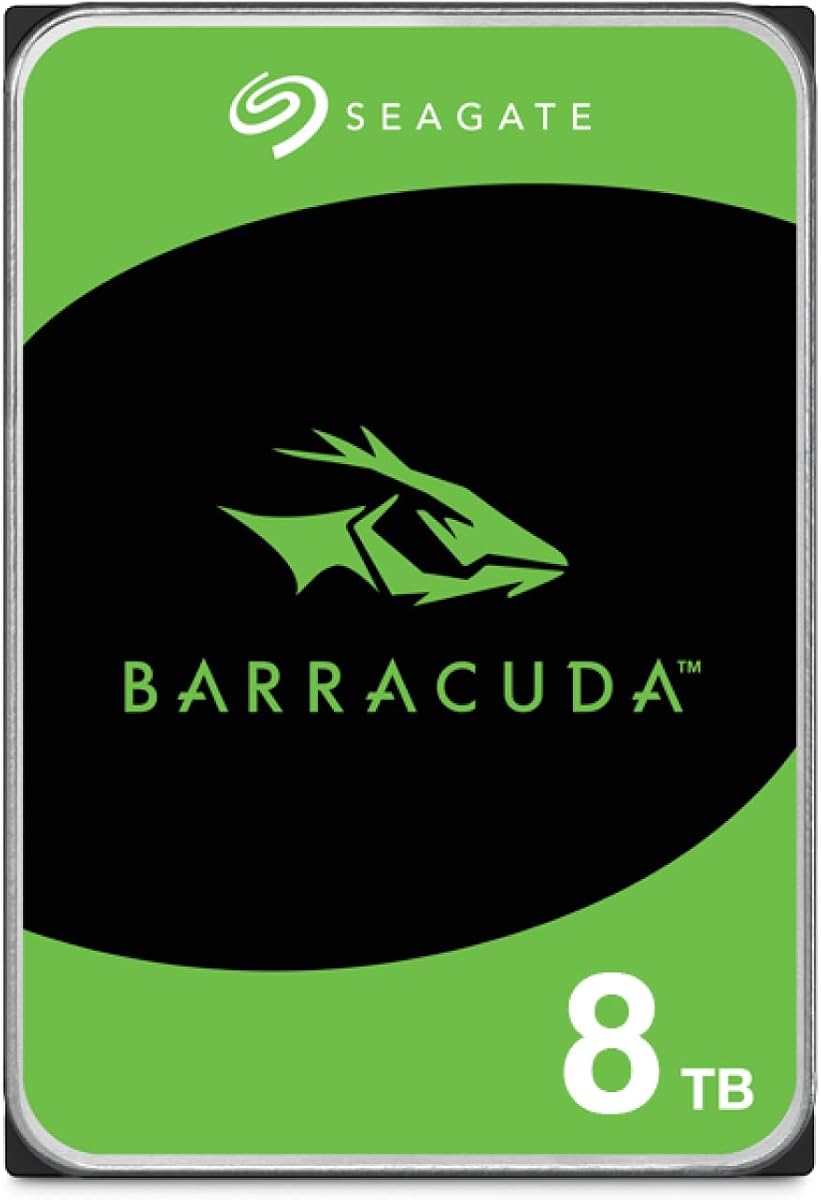
Seagate BarraCuda 8TB Internal Hard Drive

The Seagate BarraCuda 8TB is the best all-round internal drive for most desktops, combining a huge 8TB of space, a generous 256MB cache and Seagate's long-proven BarraCuda reliability at an attractive price per terabyte. Its 5,400 RPM speed keeps it cool and quiet, which suits bulk storage, backups and media over raw throughput. For a mainstream PC that needs lots of dependable capacity, it is the easy, sensible choice.

Capacity
8TB
RPM
5,400 RPM
Cache
256MB
Interface
SATA 6Gb/s 3.5in

What we liked

  • Large 8TB desktop capacity
  • Big 256MB cache
  • Proven BarraCuda reliability
  • Strong price per terabyte

Worth noting

  • 5,400 RPM, not the fastest
  • Not tuned for 24/7 NAS use
2Best Everyday Value

WD Blue 4TB PC Internal Hard Drive

The WD Blue 4TB is the go-to for straightforward everyday desktop storage. It focuses on reliable, quiet operation rather than headline speed, includes free Acronis True Image cloning software to make migrating from an old drive painless, and carries WD's well-earned reputation for dependability. The 128MB cache and 5,400 RPM keep it calm and cool. For a secondary data or backup drive in a home PC, it is a safe, cost-effective pick.

Capacity
4TB
RPM
5,400 RPM
Cache
128MB
Interface
SATA 6Gb/s 3.5in

What we liked

  • Reliable everyday performance
  • Free Acronis cloning software
  • Cool, quiet 5,400 RPM operation
  • Trusted WD Blue line

Worth noting

  • 128MB cache is modest
  • Not built for NAS duty
3Best Compact Capacity

Seagate BarraCuda 1TB Internal Hard Drive

The 1TB Seagate BarraCuda is the pick when you want a quick, cheap spinning drive rather than maximum capacity. Its 7,200 RPM speed makes it feel more responsive than the slower high-capacity models, and it is inexpensive enough to add as a secondary data drive or a mass-storage companion to an SSD boot drive. The 1TB size and 64MB cache are modest, but for a fast, budget-friendly hard drive it does the job well.

Capacity
1TB
RPM
7,200 RPM
Cache
64MB
Interface
SATA 6Gb/s 3.5in

What we liked

  • Snappier 7,200 RPM speed
  • Very affordable price
  • Proven BarraCuda reliability
  • Great as a boot or data drive

Worth noting

  • Only 1TB of capacity
  • Small 64MB cache
4Best Budget Workhorse

WD Blue 1TB PC Internal Hard Drive

The WD Blue 1TB is a dependable budget workhorse, spinning at a brisk 7,200 RPM and bundling free Acronis cloning software to help you move an old system across. It is one of the most affordable ways to add reliable storage to a desktop, and WD's Blue line has a long record of quiet, trouble-free service. A terabyte is on the small side now, so treat it as a fast secondary drive rather than a bulk archive.

Capacity
1TB
RPM
7,200 RPM
Cache
64MB
Interface
SATA 6Gb/s 3.5in

What we liked

  • Quick 7,200 RPM performance
  • Low, accessible price
  • Free Acronis cloning software
  • Reliable WD Blue quality

Worth noting

  • 1TB fills quickly today
  • Basic 64MB cache
5Best for NAS

WD Red Plus 10TB NAS Internal Hard Drive

The WD Red Plus 10TB is our top NAS pick, purpose-built for round-the-clock operation in multi-bay systems. It uses reliable CMR recording, a large 512MB cache, a fast 7,200 RPM spindle and NASware firmware tuned for RAID compatibility, backed by a 180TB-per-year workload rating. That combination of capacity and endurance is exactly what a home or small-business NAS needs. It is more drive than a single desktop requires, but for always-on storage it is excellent.

Capacity
10TB
RPM
7,200 RPM
Cache
512MB
Interface
SATA 6Gb/s CMR

What we liked

  • Huge 10TB NAS capacity
  • Fast 7,200 RPM with 512MB cache
  • CMR and NASware firmware
  • 180TB/yr workload rating

Worth noting

  • Premium price
  • Overkill for a single desktop
6Best Performance Drive

WD_Black 10TB Performance Internal Hard Drive

The WD_Black 10TB is aimed at gamers, system builders and creative professionals who want maximum capacity with performance to match. It spins at 7,200 RPM with a hefty 512MB cache, and WD's StableTrac and Dynamic Cache technologies improve reliability and smooth out performance under heavy load. It is the most expensive drive here and runs warmer and louder than the quiet desktop models, but for a large, fast performance store it delivers.

Capacity
10TB
RPM
7,200 RPM
Cache
512MB
Interface
SATA 6Gb/s 3.5in

What we liked

  • Fast 7,200 RPM performance
  • Large 512MB cache
  • StableTrac and Dynamic Cache tech
  • Built for gamers and creators

Worth noting

  • Priciest drive on the list
  • Loud and warm under load
7Best Compact NAS

WD Red Plus 4TB NAS Internal Hard Drive

The WD Red Plus 4TB is the compact NAS choice for smaller systems that do not need double-digit terabytes. It keeps the essentials that matter for network storage, reliable CMR recording and NASware firmware designed for RAID and continuous operation, while its calmer 5,400 RPM keeps heat and noise low in a multi-bay enclosure. For a modest home NAS or a low-power always-on backup box, it is a well-balanced, dependable drive.

Capacity
4TB
RPM
5,400 RPM
Cache
128MB
Interface
SATA 6Gb/s CMR

What we liked

  • CMR recording for NAS
  • Cool, quiet 5,400 RPM
  • NASware firmware tuned for RAID
  • Sensible 4TB capacity

Worth noting

  • Smaller 128MB cache
  • Slower than 7,200 RPM NAS drives
8Best NAS Value

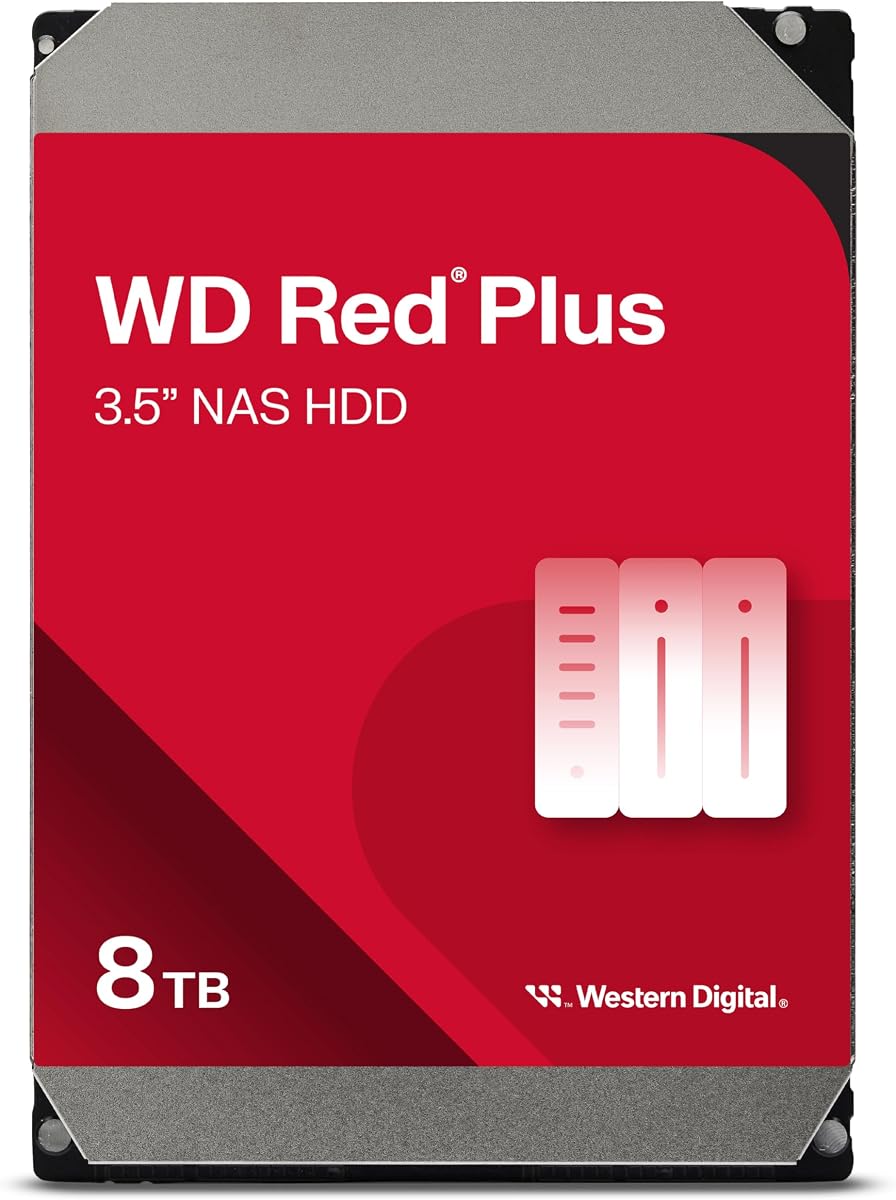
WD Red Plus 8TB NAS Internal Hard Drive

The WD Red Plus 8TB is the standout value pick for NAS builders, delivering 8TB of CMR storage with a 256MB cache and a 180TB-per-year workload rating at a remarkably low price per terabyte. Its 5,640 RPM spindle keeps power and heat in check for 24/7 duty, and NASware firmware handles RAID gracefully. If you are filling a multi-bay enclosure and want the most reliable capacity for your money, this is the drive to buy in bulk.

Capacity
8TB
RPM
5,640 RPM
Cache
256MB
Interface
SATA 6Gb/s CMR

What we liked

  • Excellent price per terabyte
  • CMR with 256MB cache
  • 180TB/yr NAS workload rating
  • NASware firmware for RAID

Worth noting

  • Modest 5,640 RPM speed
  • Not the fastest for large transfers
9Best Enterprise NAS

Seagate IronWolf Pro 12TB NAS Internal HDD

The Seagate IronWolf Pro 12TB is the enterprise NAS heavyweight, built for demanding multi-bay systems that run hard around the clock. It pairs a 7,200 RPM CMR design with a 550TB-per-year workload rating, a 2.5-million-hour MTBF, a five-year warranty and complimentary data recovery, plus vibration sensors and health management for RAID reliability. It is priced for business use and is more than most homes need, but for serious always-on storage it is superbly equipped.

Capacity
12TB
RPM
7,200 RPM
Cache
256MB
Interface
SATA 6Gb/s CMR

What we liked

  • Massive 12TB enterprise capacity
  • 550TB/yr workload rating
  • 5-year warranty with data recovery
  • IronWolf Health Management

Worth noting

  • Premium enterprise pricing
  • Overkill for home users

How We Chose the Best Internal Hard Drives

Best Internal Hard Drives in 2026

Buying an internal hard drive is less about chasing the biggest number and more about matching a drive to the job it will do, because a drive that is perfect in one role can be a poor choice in another. Our first step was to sort the field by purpose, separating everyday desktop drives that live in a single PC from NAS drives engineered for round-the-clock multi-bay operation and performance drives built for speed under heavy load. That distinction drives everything else, since a desktop BarraCuda and a NAS-class Red Plus are designed to very different reliability and workload standards even when they share the same 3.5-inch shape and SATA connector.

From there we weighed the specifications that actually shape real use. Capacity and price per terabyte came first, because storage is bought by the gigabyte and value scales with size. We then looked at rotational speed and cache, which govern how fast and how smoothly a drive performs, and at recording type and workload rating, which decide whether a drive can survive constant NAS duty. Finally we considered warranty length and brand track record, favouring Seagate and Western Digital lines with years of proven service, because a hard drive is trusted with data you may not be able to replace, and dependability outranks any single spec.

Desktop, NAS or Performance: Which Class Do You Need?

The most important question is which category of drive suits your build, and the answer flows directly from how the drive will run. Desktop drives such as the Seagate BarraCuda and WD Blue are designed for a single computer that is used and then idled or switched off. They are the most affordable option and perfectly reliable for backups, secondary storage and media in a home PC, but they are not rated to spin continuously in a busy multi-drive enclosure. For most people building or upgrading one desktop, a desktop-class drive is exactly right.

NAS drives are a different breed. The WD Red Plus family and Seagate IronWolf Pro add NASware or AgileArray firmware for RAID compatibility, vibration tolerance so drives packed together do not disturb one another, and workload ratings measured in hundreds of terabytes per year for genuine 24/7 duty. Performance drives like the WD_Black sit apart again, prioritising fast 7,200 RPM operation and large caches for gamers and creators who move big files constantly. Put a desktop drive where a NAS drive belongs and you risk premature failure; match the class to the role and the drive will serve for years.

Capacity and Price Per Terabyte

Capacity is the headline reason to choose a spinning hard drive over an SSD, and the value equation is straightforward: larger drives almost always cost less per terabyte. That is why the 8TB WD Red Plus stands out as a value champion, packing huge, reliable NAS capacity at a low cost per gigabyte, and why the 8TB Seagate BarraCuda is such a sensible mainstream desktop pick. At the top end, the 10TB WD_Black and Red Plus and the 12TB Seagate IronWolf Pro push capacity even higher for media servers and large archives where running out of room is the real enemy.

At the other end, the 1TB Seagate BarraCuda and 1TB WD Blue are inexpensive and fast at 7,200 RPM, but a single terabyte fills quickly with modern games, photos and video, so they work best as speedy secondary drives rather than primary archives. The 4TB WD Blue and 4TB Red Plus occupy a practical middle ground for buyers who want meaningful capacity without paying for the largest drives. Our general advice is to buy larger than you think you need, since the price per terabyte improves as you go up and future files always seem to arrive faster than expected.

RPM and Cache: How Speed Is Built

Two specifications shape how a hard drive feels in use: rotational speed and cache. RPM determines how quickly data passes under the read heads, so a 7,200 RPM drive like the 1TB BarraCuda, WD_Black or IronWolf Pro reads and writes faster and feels snappier, which matters for a working drive, a games library or heavy file transfers. A 5,400 RPM drive such as the 8TB BarraCuda or 4TB WD Blue trades some speed for lower heat, quieter operation and reduced power draw, which is ideal for a bulk backup or media drive that values calm over raw pace.

Cache is the drive's small pool of fast memory that buffers data in transit, and bigger is generally better for smoothing out bursts of activity. The best drives here carry generous caches, with the WD Red Plus 10TB and WD_Black 10TB each fitting 512MB, the 8TB BarraCuda and 8TB Red Plus 256MB, and the budget 1TB models a basic 64MB. In practice, the combination matters more than any single figure: a 7,200 RPM drive with a large cache, like the WD_Black, is the fastest configuration here, while a 5,400 RPM drive with a healthy cache stays quiet without feeling sluggish for storage duty.

CMR, Workload Ratings and Reliability

For anyone building a NAS or RAID system, recording type and workload rating are not optional extras, they are the specifications that decide whether a drive will last. Every NAS drive on this list, from the WD Red Plus models to the Seagate IronWolf Pro, uses CMR, conventional magnetic recording, which writes data in clean, non-overlapping tracks. That keeps write performance consistent and, crucially, behaves reliably during RAID rebuilds, where the alternative recording method can stall or cause problems. If a drive is going into a NAS, CMR is the recording type you want.

Workload rating tells you how much data a drive is built to handle each year without wearing prematurely. The WD Red Plus drives are rated to 180TB per year, and the enterprise Seagate IronWolf Pro to a substantial 550TB per year, with a five-year warranty, a 2.5-million-hour MTBF and complimentary data recovery to match. Desktop drives carry lower ratings because they are not meant to run flat out around the clock. The lesson is simple: match the workload rating to how hard the drive will actually work. A home NAS is well served by the Red Plus line, while a busy business system justifies the IronWolf Pro's enterprise-grade endurance.

A Closer Look at the Top Picks

The Seagate BarraCuda 8TB takes the overall crown because it hits the sweet spot for the largest number of buyers. It offers a big 8TB of space, a generous 256MB cache and the reliability of a line that has been trusted for years, all at a keen price per terabyte, and its quiet 5,400 RPM operation suits the backup and media duty most people actually need. For a mainstream desktop that wants plenty of dependable storage without fuss, it is the drive we would recommend first.

Around it, the choices sort neatly by purpose. The WD Blue 4TB and the 1TB BarraCuda and WD Blue cover affordable everyday desktop storage, with the 1TB models adding faster 7,200 RPM speed for a snappier secondary drive. For network storage, the 8TB WD Red Plus is the value pick, the 10TB Red Plus the high-capacity choice, and the 12TB Seagate IronWolf Pro the enterprise-grade option for the most demanding systems. Gamers and creators wanting maximum fast capacity have the WD_Black 10TB. Whatever the role, there is a drive here engineered specifically for it.

It is worth stressing how much the intended workload separates these drives even when their capacities overlap. The 8TB Seagate BarraCuda and the 8TB WD Red Plus both offer the same headline space, yet they are built for opposite lives: the BarraCuda for a desktop that spins up when you need it, the Red Plus for a NAS that never sleeps. Buying the right one for your situation is not about paying more, it is about paying for the endurance and firmware you will actually use. A desktop user gains nothing from NAS vibration sensors, and a NAS builder should not gamble on a desktop drive's lower workload rating. Read the role, then read the specs, and the decision falls into place.

Installation and Getting the Most From Your Drive

A little care at setup pays off over the life of a hard drive. When adding a drive to a desktop, seat it firmly in a bay, connect both the SATA data cable and power, and let your operating system initialise and format it before use. The WD Blue models bundle free Acronis True Image cloning software, which makes migrating from an old drive or an SSD to a larger disk straightforward, so you can move your files without a fresh install. For a NAS, follow the enclosure's guidance on RAID levels, and remember that CMR drives like the WD Red Plus and Seagate IronWolf Pro are the ones designed to rebuild reliably if a disk ever fails.

Whatever the drive, treat backups as non-negotiable. A hard drive is dependable, but no storage is immortal, which is why NAS drives ship with generous workload ratings and the Seagate IronWolf Pro even includes complimentary data recovery. Keep an important second copy of anything you cannot afford to lose, ideally on a separate drive or in the cloud, and let features like IronWolf Health Management warn you of trouble early. With sensible installation and a backup habit, a well-chosen internal drive from this list will quietly store your data for many years.

Final Recommendation

For most people, the Seagate BarraCuda 8TB is the best internal hard drive in 2026, delivering large, reliable desktop capacity with a big cache at an excellent price per terabyte. If you are building a NAS, the WD Red Plus 8TB is the standout value for its CMR reliability and low cost per gigabyte, the 10TB Red Plus adds capacity, and the Seagate IronWolf Pro 12TB is the enterprise choice for the heaviest 24/7 workloads. Gamers and creators who want maximum fast storage should look at the WD_Black 10TB, while anyone needing a quick, cheap secondary drive can pick the 1TB BarraCuda or WD Blue. Match capacity, RPM and drive class to how the drive will really be used, and any pick here will store your data dependably for years.

How we picked

We judged each internal hard drive on capacity and price per terabyte, rotational speed and cache size, its intended workload and reliability rating, warranty length, and suitability for desktop, NAS or performance use. We favoured drives whose firmware and design match their purpose, weighed CMR recording and workload ratings for always-on systems, and considered brand track record so a drive trusted with years of data earns its place through dependability, not specs alone.

Frequently asked questions

What is the difference between a desktop and a NAS hard drive?

Desktop drives like the Seagate BarraCuda and WD Blue are tuned for occasional use in a single PC. NAS drives such as the WD Red Plus and Seagate IronWolf Pro add firmware for RAID, vibration tolerance for multi-bay enclosures, and much higher workload ratings for 24/7 operation. Using a NAS drive in a NAS avoids the reliability problems desktop drives can hit under constant load.

Does RPM matter when choosing an internal hard drive?

It affects speed and heat. A 7,200 RPM drive like the WD_Black or the 1TB BarraCuda reads and writes faster and feels more responsive, while a 5,400 RPM drive such as the WD Blue 4TB runs cooler and quieter, which suits bulk backup and media. For a boot or working drive, favour 7,200 RPM; for a quiet archive, 5,400 RPM is fine.

What is CMR and why does it matter for NAS drives?

CMR, conventional magnetic recording, writes data in non-overlapping tracks, which keeps write performance consistent and works reliably in RAID. Every NAS drive here, including the WD Red Plus and Seagate IronWolf Pro, uses CMR for exactly this reason. It is the recording type you want for NAS and RAID setups, where the alternative can cause slowdowns and rebuild problems.

How much internal hard drive capacity do I need?

For a secondary data or backup drive in a desktop, 1TB to 4TB like the WD Blue or Seagate BarraCuda covers most people. For a media server or NAS, larger drives such as the 8TB WD Red Plus, 10TB WD_Black or 12TB IronWolf Pro make sense, since price per terabyte improves at higher capacities and you avoid running out of room.

Should I buy a hard drive or an SSD?

Use both where you can. An SSD is far faster for your operating system and programs, but a hard drive like the Seagate BarraCuda 8TB gives you many more terabytes per dollar for backups, media and archives. The common setup is an SSD boot drive paired with a large internal HDD for bulk storage, which balances speed and capacity affordably.