Expert Review & Guide

Best High Capacity SSDs 2026 for Huge Libraries and Workstations

High-capacity storage used to mean a noisy shelf of hard drives and a spreadsheet of which bay held which project. In 2026 the same job often fits on one M.2 stick, one 2.5-inch SATA SSD, or a rugged USB-C puck you can clip to a backpack. Shoppers hunting the best high capacity SSDs are rarely chasing a vanity megabyte-per-second number alone—they want enough room for game libraries that never get deleted, multi-camera timelines, local AI model caches, and decade-scale photo archives without juggling five volumes. This ReviewConsensus roundup evaluates only the ten products in our best-high-capacity-ssds pack: internal PCIe 5.0 and Gen4 NVMe drives from Samsung and WD_Black, an 8TB Samsung SATA QLC workhorse, two 8TB rugged portables from SanDisk and Crucial, plus two mechanical HDDs that land in the same shopping lane and need an honest “not flash” callout.

Capacity bands in this pack stretch from a proven 2TB Samsung 990 PRO boot-and-library hybrid up through 4TB Gen5 flagships, 8TB gaming and portable options, and a 12TB WD Blue spinning drive for cold archives. We omit dollar prices on purpose because high-capacity flash and HDD listings swing hard week to week—check the live Amazon pages linked with the reviewconsens-20 placeholder. We also flag older-model labeling when SanDisk does, and we refuse to treat a 5,400 RPM BarraCuda as if it were an NVMe SSD just because it shares an 8TB number on the box.

Start with our three top picks if you want a clear default for Gen5 workstations, massive Gen4 gaming libraries, and fast portable handoffs. Skim the comparison table for interface class and role, then read each review for thermal reality, who should buy, who should skip, and which sibling in this list is the smarter alternate. Match form factor first—M.2 2280, 2.5-inch SATA, 3.5-inch HDD, or USB-C portable—before you fall in love with a sequential billboard.

Top High-Capacity SSD Picks for Gen5 Speed, Gaming Libraries, and Travel

Best Overall Gen5

Samsung SSD 9100 PRO 4TB

★★★★★9.4/10
Samsung SSD 9100 PRO 4TB
  • PCIe 5.0x4 speeds up to 14,800/13,400 MB/s for AI, editing, and heavy workstations
  • Up to 2,200K/2,600K random IOPS with a more efficient 5nm controller versus 990 PRO
  • 4TB M.2 2280 capacity plus Samsung Magician for firmware, health, and encryption tools
Check Price →
Best Gaming Library

WD_Black SN850X 8TB with Heatsink

★★★★★9.6/10
WD_Black SN850X 8TB with Heatsink
  • 8TB Gen4 gaming stick with heatsink and up to 7,300/6,300 MB/s class performance
  • TLC 3D NAND room for huge install lists plus WD_BLACK Dashboard Game Mode 2.0
  • Predictive Loading, Overhead Balancing, and Adaptive Thermal Management for long sessions
Check Price →
Best Fast Portable

Crucial X10 8TB Portable SSD

★★★★★9/10
Crucial X10 8TB Portable SSD
  • Up to 2,100 MB/s USB-C transfers for creators moving photo, video, and game libraries
  • IP65 dust and water resistance with drop resistance up to about 3 meters for travel kits
  • Broad host support across Windows, Mac, Android, Linux, and major consoles via USB-C/A
Check Price →

As an Amazon Associate we earn from qualifying purchases. We may earn a commission at no additional cost to you.

High-Capacity Storage Comparison: Interface, Capacity, and Best Role

Every model below comes from our high-capacity pack. Compare interface class, peak sequential story, and the job each drive does best—internal Gen5 workstations, Gen4 gaming libraries, SATA upgrades, portable backups, or bulk HDD archives. Check live listings for current pricing; we omit dollar figures on purpose.

#ProductSpecificationsScore
1
  • PCIe 4.0 M.2 up to 7,450/6,900 MB/s
  • 2TB NVMe for gaming and workstations
  • Strong efficiency vs prior 980 PRO class
9.6
2
  • USB-C portable up to 1050/1000 MB/s
  • IP65 water/dust resistance, 3m drop protection
  • 256-bit AES hardware encryption + carabiner loop
9.2
3
  • USB 3.2 USB-C up to 2,100 MB/s read
  • IP65 rated, drop resistant to ~3 meters
  • Windows, Mac, Android, PS5, Xbox friendly
9
4
  • PCIe Gen4 up to 7,300/6,300 MB/s
  • 8TB M.2 2280 with attached heatsink
  • WD_BLACK Dashboard Game Mode 2.0 (Windows)
9.6
5
  • SATA III 2.5-inch up to 560/530 MB/s
  • QLC 8TB with refined ECC reliability focus
  • Easy laptop/desktop bay upgrade path
9.6
6
  • 3.5-inch SATA HDD, 5,400 RPM class
  • ~190 MB/s sustained transfers, not flash
  • Bulk archive capacity for desktops only
9.4
7
  • PCIe Gen4 up to 7,300/6,300 MB/s
  • 4TB M.2 2280 with factory heatsink
  • Game Mode 2.0 and ATM thermal features
9.6
8
  • 12TB 3.5-inch HDD, 7200 RPM class
  • SATA 6 Gb/s with 512 MB cache
  • Acronis True Image WD Edition cloning tools
9.2
9
  • PCIe 5.0x4 up to 14,800/13,400 MB/s
  • 4TB M.2 2280 for AI, gaming, workstations
  • Samsung Magician firmware and health tools
9.4
10
  • PCIe 5.0x4 up to 14,900 MB/s read class
  • 4TB endurance-minded TLC CBA NAND design
  • SANDISK Dashboard + Acronis migration tools
9.4

1. Samsung 990 PRO 2TB - Proven Gen4 Workhorse

Samsung SSD 990 PRO 2TB

Samsung SSD 990 PRO 2TB

9.6/10★★★★★

The Samsung 990 PRO 2TB is the smallest capacity in this high-capacity roundup, and that is exactly why it earns a place: many buyers still need a blisteringly fast primary volume more than an 8TB cold archive. Rated up to 7,450 MB/s reads and 6,900 MB/s writes on PCIe 4.0, with a random-performance story Samsung frames as more than a 55% improvement over the 980 PRO generation, it remains the cheat-code Gen4 stick for gamers, editors, and workstation builders whose motherboard already speaks Gen4 fluently. If your active library—OS, current titles, and open projects—fits comfortably in two terabytes, chasing eight terabytes on the boot drive can be wasted money and wasted heat.

  • PCIe 4.0 M.2 2280 up to 7,450 MB/s read / 6,900 MB/s write
  • 2TB capacity for high-end computing, gaming, and workstations
  • Improved random performance and efficiency versus 980 PRO class
Check Price →
✓ Pros
  • Near-ceiling Gen4 sequential speeds that still feel instant on modern boards
  • Strong random-performance lineage for games, editors, and heavy multitasking
  • Power-efficiency focus helps laptops and dense desktop trays stay cooler
  • Samsung Magician ecosystem for firmware, monitoring, and encryption tooling
  • Excellent “primary drive” pick when 2TB is enough active working set
✕ Cons
  • 2TB is smaller than the 4TB and 8TB options elsewhere in this high-capacity pack
  • Bare stick needs a motherboard heatsink for sustained write-heavy sessions
  • Not a portable or SATA bay solution if your chassis has no free M.2 slot

Detailed review

Samsung’s pitch around power efficiency matters more than marketing usually admits. The 990 PRO line claims meaningfully better performance per watt than the 980 PRO, which shows up as cooler sustained loads in thin chassis and quieter fan curves in mid-towers that already host a GPU heat plume. For high-end computing and heavy-duty workstations, that efficiency is what keeps sequential peaks from collapsing into thermal throttling halfway through a project export. Pair the drive with your board’s M.2 armor plate and a clean airflow path across the slot; Gen4 is more forgiving than Gen5, but it is not immune to sandwich-layout hotspots.

In a high-capacity shopping session, treat the 990 PRO 2TB as the performance anchor rather than the archive. A common 2026 build pattern is this stick as C: for Windows and latency-sensitive apps, then an 8TB SN850X, 870 QVO, or portable X10 as the library and backup tier. That split keeps DirectStorage-friendly titles and scratch disks on the fastest path while bulk media lives where capacity-per-dollar (check live listings) makes more sense. If you insist on a single volume, jump to the 4TB Gen5 Samsung 9100 PRO or the 8TB SN850X instead of stacking three half-full 2TB drives.

Software support remains a quiet Samsung advantage. Magician handles firmware updates, health views, and optional encryption so a drive that holds your working career does not become a mystery black box after a Windows feature update. Random IOPS behavior—not just the sequential billboard—is what makes asset browsers, compile caches, and game launches feel snappy when the volume is half full of real files. Marketing sequential numbers assume ideal conditions; everyday responsiveness tracks more closely to controller design and free-space management.

Buy the 990 PRO 2TB when you want a mature, high-rated Gen4 flagship for the primary slot and already have a plan for bulk capacity elsewhere in this pack. Skip it if “high capacity” for you literally means never deleting an 8TB game library from one stick—then the SN850X 8TB heatsink model is the clearer match. Versus the WD_Black SN850X 4TB also here, the Samsung wins on brand tooling familiarity for many builders; the WD_Black wins if you specifically want the factory heatsink cladding and Game Mode 2.0 dashboard features on Windows.

Compatibility is straightforward: any desktop or laptop with a free M.2 2280 PCIe 4.0 (or 3.0, at reduced speed) slot and BIOS that enumerates large NVMe volumes. Confirm physical clearance under laptop heat plates before you order. For console expansion, check current firmware rules and height limits—this bare 990 PRO SKU is a PC-first product, not a clad PlayStation stick.

Who should buy the 990 PRO 2TB

Gamers and creators who want a near-ceiling Gen4 boot drive, already own or plan a separate high-capacity archive, and value Samsung Magician for long-term ownership. Also a strong laptop upgrade when two terabytes covers the working set.

Capacity planning tip

Leave headroom—SSDs slow and wear differently when kept nearly full. If your Steam library alone is already brushing past 1.5TB, step up to the SN850X 4TB or 8TB in this pack rather than living in constant uninstall loops.

Versus Gen5 options here

Stay on 990 PRO when your board is Gen4-only or you want cooler, cheaper-to-cool everyday speed. Move to the Samsung 9100 PRO 4TB or WD_Black SN8100 4TB when you have a PCIe 5.0 slot, adequate cooling, and workloads that actually saturate Gen4.

Check Price on Amazon →

We may earn a commission at no additional cost to you.

2. SanDisk Extreme 8TB - Rugged Travel Classic

SANDISK Extreme Portable 8TB

SANDISK Extreme Portable 8TB

9.2/10★★★★★

The SanDisk Extreme Portable 8TB in this pack is explicitly labeled an older Extreme generation, and that honesty is useful when you are shopping “high capacity” without reading footnotes. Peak reads around 1050 MB/s over USB 3.2 Gen 2 no longer lead the portable category, yet the combination of NVMe-class internals, a silicone armored shell, IP65 water and dust resistance, and roughly three-meter drop protection still explains why field shooters and consultants keep this shape in the bag. Eight terabytes in a palm-sized puck is enough for multi-camera RAW dumps, offline project mirrors, or a full console library shuttle without spinning platters bouncing against a laptop.

  • Up to 1050 MB/s read, 1000 MB/s write (USB 3.2 Gen 2)
  • IP65 water and dust resistance with ~3-meter drop protection
  • 256-bit AES hardware encryption and carabiner loop
Check Price →
✓ Pros
  • Proven rugged shell with IP65 sealing for field kits and wet weather
  • Hardware encryption for private client or travel archives
  • Carabiner loop and silicone armor make backpack carry less stressful
  • SanDisk Memory Zone app helps reclaim space on phones and tablets
  • Five-year limited warranty framing for a portable workhorse
✕ Cons
  • Listed as an older Extreme model with lower peak speeds than newer USB-C class portables
  • USB 3.2 Gen 2 ceiling will feel slow next to the Crucial X10 in this roundup
  • Still an external drive—cannot replace an internal boot SSD

Detailed review

Durability is the Extreme’s real product story. SanDisk pairs a rubberized exterior with a carabiner loop so the drive can clip to a belt loop or bag strap when you are changing locations between a laptop and a dock. Updated firmware on this SKU is worth applying when the listing notes it, because portable SSD behavior depends heavily on host USB controllers and power delivery. If you routinely work on wet sets, dusty stages, or airport security trays, the IP65 rating is more useful than another thousand megabytes per second you only see on ideal lab cables.

Security features push this drive past generic USB sticks. Password protection with 256-bit AES hardware encryption helps when the archive contains client footage or personal documents you do not want exposed if the drive is lost. Pair that with sensible off-site habits—do not treat one portable as the only copy—and the Extreme becomes a strong “working set plus encrypted travel vault” tool rather than a toy. The SanDisk Memory Zone app is a secondary convenience for phone and tablet overflow, not a replacement for desktop backup software.

Performance expectations should stay grounded. On a clean USB 3.2 Gen 2 port with a quality cable, large sequential transfers can approach the rated ceiling, but phones, older docks, and bus-powered hubs often cut that in half. Compared with the Crucial X10 8TB also in this pack, the Extreme loses the raw speed contest and wins on a more familiar rugged silhouette plus hardware encryption callouts. Versus any internal NVMe stick here, it is not competing at all—different job, different connector.

Buy this Extreme when you already like SanDisk’s portable ecosystem, need IP65 toughness and encryption more than 2 GB/s peaks, and understand you are choosing an older speed tier. Skip it if your workflow is constant multi-hundred-gigabyte media handoffs between a Mac and a PC and you can use the faster Crucial X10 instead. For pure desktop capacity with no portability requirement, look at the SN850X 8TB or Samsung 870 QVO internals instead of spending the portable premium.

Who should buy the Extreme Portable 8TB

Photographers, documentary crews, and consultants who move multi-terabyte folders between locations and need dust/water resistance plus a clip-on form factor. Also a fit for console owners who want a tough external library drive and already own USB-C hosts that top out at Gen 2 speeds.

Setup notes and cable reality

Use the included USB-C cable on a direct rear-IO or Thunderbolt/USB4 dock port when possible. Avoid unpowered hubs for large sustained copies. Enable the password feature before loading sensitive archives, and keep a second backup on a stationary drive or cloud tier.

Versus the Crucial X10 in this list

Choose Extreme for encryption emphasis and the classic rugged SanDisk shell; choose Crucial X10 when transfer speed is the daily bottleneck and IP65 durability is still required. Both are portables—neither replaces an M.2 boot drive.

Check Price on Amazon →

We may earn a commission at no additional cost to you.

3. Crucial X10 8TB - Best Fast Portable

Crucial X10 8TB Portable SSD

Crucial X10 8TB Portable SSD

9/10★★★★★

The Crucial X10 8TB is our portable top pick because it pairs serious high capacity with up to 2,100 MB/s class reads while keeping the IP65 dust and water resistance creators actually need on location. Unlike a spinning external hard drive, flash stays quiet, shock tolerant, and fast enough that overnight copies become lunch-break copies when the host cooperates. Students, PC gamers shuttling libraries, and photo/video shooters all sit in Crucial’s stated audience, and the compatibility list—Windows, Mac, iPad Pro, Chromebooks, Android, Linux, PS4, PS5, and Xbox—covers almost every USB-C or USB-A bridge you will meet.

  • Up to 2,100 MB/s read over USB-C class connections
  • IP65 dust/water resistance, drop resistant to ~3 meters
  • Works with Windows, Mac, Android, Linux, PS4/PS5, Xbox
Check Price →
✓ Pros
  • Roughly double the sequential headroom of the older Extreme model in this pack
  • IP65 ruggedness suitable for travel kits without feeling fragile
  • Excellent host coverage including consoles and tablets with USB-C
  • Compact matte blue design that is easy to spot in a crowded bag
  • Bonus Mylio Photos+ trial softens onboarding for sprawling photo libraries
✕ Cons
  • Still bus-powered—slow host ports or weak hubs will throttle real-world speeds
  • Not an internal SSD; you cannot boot a desktop OS from it as a primary M.2 install
  • Rating is strong but sits slightly below the top internal NVMe options here

Detailed review

Durability specs mirror the travel brief: IP65 sealing and drop resistance up to about 9.8 feet (3 meters). That does not make the drive indestructible, but it does mean a rain-soaked tent floor or a slip off a folding table is less likely to end the shoot. The matte blue shell is easy to identify in a black cable drawer, which sounds trivial until you are packing out at midnight. For game libraries, treat it as a secondary install or transfer disk depending on console rules; for creative work, treat it as a working scratch or courier drive between edit bays.

Speed claims deserve the usual portable asterisk. Peak numbers assume a capable USB 3.2 host path; phones, older Macs on limited bus power, and daisy-chained hubs will land lower. Even so, the X10’s ceiling sits well above the SanDisk Extreme (Old Model) also reviewed here, which is why we badge it Best Fast Portable. If your daily pain is waiting on multi-hundred-gigabyte folder syncs, that gap is the entire product justification in a high-capacity workflow.

Software extras are light but friendly. Three months of Mylio Photos+ can help organize sprawling photo collections after purchase, though serious video pipelines will still want established NLE media management. Format the drive appropriately for your primary OS—exFAT remains the pragmatic cross-platform choice for mixed Mac/Windows teams—and label volumes clearly when you own more than one 8TB puck so you never wipe the wrong archive.

Choose the X10 when portability and transfer speed both matter and you need eight terabytes in one sealed enclosure. Prefer the SanDisk Extreme if hardware encryption and the carabiner/silicone ritual matter more than peak MB/s. Prefer an internal WD_Black SN850X 8TB or Samsung 9100 PRO when the storage never leaves the PC and you want boot-drive or DirectStorage performance instead of USB overhead.

Best workflows for the X10

Offloading camera cards on set, mirroring project folders between home and studio, expanding console libraries over USB, and carrying a semester’s worth of media coursework without a bulky enclosure.

Compatibility checklist

Confirm your device exposes a data-capable USB-C or USB-A port, not charge-only. On consoles, check current external storage rules for your firmware. On iPad Pro class tablets, use a solid USB-C cable and avoid fragile dongles for sustained writes.

High-capacity portable vs internal

Portables win when the data must travel; internals win when latency and sustained NVMe bandwidth matter every hour at the desk. Many serious kits use both: SN850X or 9100 PRO inside the tower, X10 in the bag.

Check Price on Amazon →

We may earn a commission at no additional cost to you.

4. WD_Black SN850X 8TB - Best Gaming Library

WD_Black SN850X 8TB with Heatsink

WD_Black SN850X 8TB with Heatsink

9.6/10★★★★★

If “high capacity SSD” for you means never uninstalling a modern game library again, the WD_Black SN850X 8TB with heatsink is the emotional and practical center of this pack. Capacities up to 8TB built with SanDisk TLC 3D NAND are the headline: keep more titles at the ready and get into the action faster than a spinning archive ever will. Sequential claims up to 7,300 MB/s read and 6,300 MB/s write put it in the proven Gen4 gaming stratosphere—fast enough that load-time differences versus Gen5 are often smaller than the difference versus a hard drive.

  • Up to 7,300 MB/s read / 6,300 MB/s write Gen4 class
  • 8TB TLC 3D NAND M.2 2280 with factory heatsink
  • WD_BLACK Dashboard with Game Mode 2.0 on Windows
Check Price →
✓ Pros
  • True high-capacity 8TB gaming stick with a strong pack rating
  • Factory heatsink helps sustain performance in warm mid-tower rigs
  • TLC 3D NAND positioning aimed at keeping entire libraries installed
  • Game Mode 2.0, Predictive Loading, and Adaptive Thermal Management on Windows
  • Familiar WD_Black gaming branding with SanDisk-manufactured flash heritage
✕ Cons
  • Heatsink height can conflict with some motherboard armor plates or tight ITX layouts
  • Gen4 speeds trail the Gen5 Samsung 9100 PRO and WD_Black SN8100 in this pack
  • Dashboard RGB and Game Mode features are Windows-centric

Detailed review

The attached heatsink is not cosplay. Sustained copies, shader compilation spikes, and long DirectStorage-friendly sessions all dump heat into the M.2 slot; a clad SN850X helps your rig maintain peak performance when the GPU already owns the case’s thermal budget. Confirm clearance against your motherboard’s stock M.2 shield—sometimes you remove the board plate and use the drive’s heatsink, sometimes the opposite. In a PlayStation 5 expansion context, always verify current height guidance before assuming any heatsink SKU fits.

Software is where WD_Black leans into the gaming identity. The downloadable WD_BLACK Dashboard on Windows monitors drive health, customizes RGB on supported models, and enables Game Mode 2.0 exclusively on the SN850X to tune behavior for play sessions. Features such as Predictive Loading, Overhead Balancing, and Adaptive Thermal Management (ATM) are the grown-up answer to “why not just buy the cheapest 8TB stick.” They will not turn a mediocre CPU into a magic box, but they do show a controller stack designed around bursty game I/O rather than only synthetic sequential tests.

In this high-capacity roundup, the 8TB SN850X sits above the 4TB SN850X sibling when your library truly needs the extra room, and below Gen5 flagships when your motherboard and cooler can harvest 14 GB/s-class peaks for AI or 8K media. Versus the Samsung 870 QVO 8TB, this is an entirely different product: NVMe latency and gaming features versus SATA bay simplicity. Versus the Seagate BarraCuda 8TB HDD, the SN850X costs more in the flash tier (check live pricing) but removes the seek noise, fragility, and transfer-rate ceiling of platters.

Buy the SN850X 8TB heatsink when the drive’s job is a huge, always-installed game and content library on a Gen4-capable PC, and you want factory cooling plus Dashboard tooling. Skip it if you only need two terabytes of ultra-fast primary storage—the 990 PRO 2TB is enough—or if you specifically need PCIe 5.0 for dataset throughput, in which case the 9100 PRO 4TB or SN8100 4TB are the better ceiling plays. Also skip if your chassis physically cannot accept the heatsink height; look for a bare SN850X variant outside this pack or use the board’s low-profile shield instead.

Installation is standard M.2: power down, ground yourself, mount in the primary or secondary slot depending on whether this is boot or library, then initialize and format in your OS. Clone tools via Acronis partnerships in the broader Western Digital/SanDisk software world can migrate an existing system disk if you are replacing a smaller boot drive. After install, run a long sequential write once while watching temps so you know your cooling story before Steam sales fill the volume overnight.

Who it is for

PC gamers and hybrid creator-gamers with Gen4 boards who want one internal stick large enough for an entire multi-year library, plus a heatsink that looks intentional behind a tempered-glass side panel.

8TB vs 4TB SN850X in this pack

Take 8TB when uninstall anxiety is real and you keep dozens of AAA titles plus recording captures. Take the 4TB SN850X when four terabytes covers your active set and you want identical Gen4 character with a smaller capacity commitment.

Cooling and clearance

Measure against GPU backplates, chipset heatsinks, and motherboard M.2 covers. If the clad drive will not seat, do not force it—use a low-profile shield solution or a different slot with better clearance.

Check Price on Amazon →

We may earn a commission at no additional cost to you.

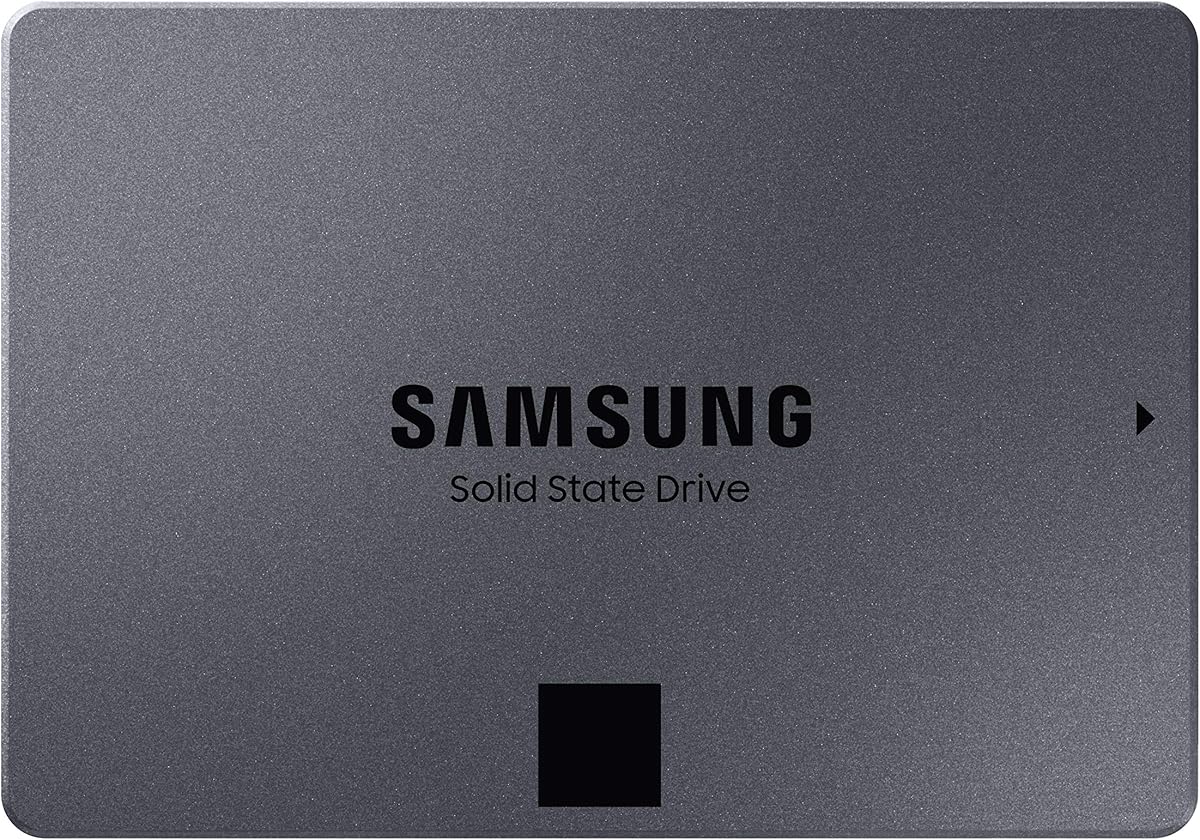
5. Samsung 870 QVO 8TB - Best SATA Bay Giant

SAMSUNG 870 QVO 8TB SATA SSD

SAMSUNG 870 QVO 8TB SATA SSD

9.6/10★★★★★

The Samsung 870 QVO 8TB is the high-capacity answer for builders who still have a SATA bay and no appetite for Gen5 thermals. As Samsung’s second-generation QLC SATA SSD with up to 8TB in a 2.5-inch chassis, it targets IT pros, creators, and everyday users who need silent, shock-tolerant flash at capacities that used to require multiple hard drives. Sequential speeds up to 560/530 MB/s push the SATA interface limit, which means you are buying capacity and responsiveness versus HDDs—not a fight with the 9100 PRO.

  • SATA III 2.5-inch up to 560/530 MB/s sequential
  • 8TB QLC SSD with refined ECC reliability focus
  • Drop-in upgrade for desktops and many laptop bays
Check Price →
✓ Pros
  • True 8TB flash in a universal 2.5-inch SATA form factor
  • Far snappier than HDD archives for random access and quiet operation
  • Strong pack rating with Samsung’s long SATA SSD track record
  • Ideal for machines without free M.2 slots or with occupied NVMe bays
  • Claimed high TBW endurance framing for the 8TB QVO class
✕ Cons
  • SATA’s ~560 MB/s ceiling cannot match Gen4/Gen5 NVMe in this roundup
  • QLC behavior can slow more under long sustained writes than premium TLC sticks
  • 2.5-inch trays and cables still required—not a USB portable out of the box

Detailed review

Where the 870 QVO shines in a “best high capacity SSDs” shortlist is pragmatic upgrades. Older office towers, editing machines with every M.2 slot already filled, and laptops that still expose a 2.5-inch caddy can absorb eight terabytes of flash without a motherboard swap. Random access and OS snappiness remain night-and-day better than the Seagate BarraCuda or WD Blue HDDs also listed here, even though those spinning drives may win on raw terabytes-per-dollar when you check live retail pages.

QLC NAND is the honest tradeoff. Samsung talks up improved sustained performance and a refined ECC algorithm for stable operation, with reliability framing up to 2,880 TBW on the 8TB model. That is reassuring for media libraries and backup targets, but you should still avoid treating a QLC SATA SSD like a write-once scratch disk for endless 8K proxies if an NVMe TLC stick is available. Leave free space, enable TRIM, and use the drive for libraries, VMs you open occasionally, and bulk projects rather than as the sole destination for constant camera ingest if you have a faster NVMe alternative.

Versus the SN850X 8TB, choose 870 QVO when your chassis literally cannot take another M.2 or when you want a secondary volume that stays cool and cable-simple. Versus portable 8TB SSDs, choose QVO when the drive never leaves the desk and you prefer internal power and SATA reliability over USB bus quirks. Versus the 12TB WD Blue HDD, choose QVO when silence, speed, and vibration-free operation matter more than the extra four terabytes of spinning capacity.

Setup is classic: SATA data plus SATA power, set as AHCI in BIOS if you are migrating from antique IDE modes, then initialize as GPT. Samsung’s tooling lineage still helps with migration and Magician-style monitoring on many SATA generations—confirm current software support for your OS. For RAID or multi-bay NAS-style DIY, remember QVO is a client SSD, not a purpose-built NAS drive; home archives are fine, always-on multi-user write storms are a different product category.

Buy the 870 QVO 8TB when high-capacity flash must live in a 2.5-inch bay and SATA speeds are acceptable. Skip it if you have a free PCIe 4.0/5.0 slot and care about gaming load times or heavy timeline scrubbing—spend the slot on SN850X, 9100 PRO, or SN8100 instead. Also skip if you need the drive in a backpack every day; that is the Crucial X10 or SanDisk Extreme job.

Best roles for the 870 QVO 8TB

Secondary media libraries, quiet desktop archives, laptop bay upgrades, and bulk project storage on machines that already use a smaller NVMe boot drive.

QLC care and feeding

Keep meaningful free space, avoid filling the volume to the brim, and prefer it for read-heavy libraries over constant scratch writes. Pair with a faster NVMe for active exports when possible.

Versus HDDs in this pack

Pick 870 QVO for silence and snappy random access at 8TB. Pick BarraCuda 8TB or WD Blue 12TB when you need the cheapest bulk cold storage and accept noise, latency, and mechanical risk.

Check Price on Amazon →

We may earn a commission at no additional cost to you.

6. Seagate BarraCuda 8TB - Bulk HDD Reality Check

Seagate BarraCuda 8TB HDD

Seagate BarraCuda 8TB HDD

9.4/10★★★★★

The Seagate BarraCuda 8TB appears in a high-capacity SSD shopping pack because Amazon browse paths and capacity filters often mix flash and spinning drives. We include it as a reality check, not a pretend NVMe. This is a 3.5-inch SATA 6 Gb/s hard disk at a 5,400 RPM class with 256 MB cache, aimed at desktop PCs that need bulk room for music, video, photo editing archives, and general files. Seagate’s sustained transfer note around 190 MB/s tells you everything: fine for overnight backups and cold libraries, irrelevant for DirectStorage gaming or scrubbing 8K timelines from the same volume you boot from.

  • 3.5-inch SATA HDD, 5,400 RPM class with 256 MB cache
  • About 190 MB/s sustained transfers—not an SSD
  • 8TB desktop archive capacity in frustration-free packaging
Check Price →
✓ Pros
  • Eight terabytes of proven BarraCuda desktop HDD capacity
  • Useful cold archive tier behind a fast SSD boot drive
  • Simple SATA install for nearly every mid-tower and full-tower PC
  • Strong rating for buyers who explicitly want spinning bulk storage
  • Backed by Seagate’s long internal HDD product history
✕ Cons
  • Not a solid state drive—seek times and noise differ completely from flash
  • 5,400 RPM class sustained speeds trail even SATA SSDs like the 870 QVO
  • 3.5-inch desktop only; not for slim laptops or shock-prone travel bags

Detailed review

Where BarraCuda still earns a slot in a modern build is the classic two-tier layout. Boot and active projects live on a 990 PRO, SN850X, 9100 PRO, or SN8100; finished exports, disk images, and infrequently touched media land on the BarraCuda. That pattern stretches flash longevity and keeps the loud, slow, capacious work away from the latency-sensitive path. Frustration-free packaging means you get the drive in an anti-static bag without cables or a retail box—plan your SATA cable and power connector ahead of time.

Reliability expectations should be adult. Mechanical drives fail differently from SSDs; vibration, heat, and shock are enemies. Mount the drive securely, keep case airflow reasonable, and never treat a single HDD as the only copy of irreplaceable data. Compared with the WD Blue 12TB also in this pack, BarraCuda offers less capacity and a slower RPM class story, so the Blue is the better “maximum cold terabytes” pick if your bay and power budget allow. Compared with the Samsung 870 QVO 8TB, BarraCuda usually wins on capacity economics (check live pricing) and loses on silence, speed, and durability in mobile or vibration-heavy environments.

Do not buy BarraCuda if you typed “best high capacity SSDs” and truly want flash. The SN850X 8TB, 870 QVO 8TB, or Crucial X10 8TB are the SSD answers at similar capacity. Buy BarraCuda only when you knowingly want an internal desktop HDD for bulk archive duty and already own a fast SSD for the operating system. Gaming “power house” marketing lines still apply more honestly when the game installs live on NVMe and the BarraCuda holds recordings and ISO libraries.

Installation is textbook desktop HDD: set jumpers if any antique habits linger (modern SATA drives are simple), connect SATA data and power, then create a GPT volume. For cloning, use your preferred disk utility rather than expecting NVMe-class migration wizards to treat this like a Gen5 stick. If noise bothers you in a living-room PC, prioritize the 870 QVO or a portable SSD instead—platters always announce themselves during seeks.

Honest use cases

Cold media archives, backup targets, disk-image vaults, and infrequently accessed project deep storage in a quiet-enough desktop that already has a fast SSD boot drive.

Why it is in an SSD roundup

Capacity shopping carts mix categories. We keep BarraCuda visible so you do not accidentally buy a hard drive when you meant flash—and so two-tier builders see a coherent pack partner for the NVMe picks.

Versus WD Blue 12TB

Choose BarraCuda for a familiar 8TB desktop HDD tier; choose WD Blue 12TB when you want more capacity and a 7200 RPM class everyday-computing drive with Acronis WD Edition cloning software in the box story.

Check Price on Amazon →

We may earn a commission at no additional cost to you.

7. WD_Black SN850X 4TB - Heatsink Gaming Sweet Spot

WD_Black SN850X 4TB with Heatsink

WD_Black SN850X 4TB with Heatsink

9.6/10★★★★★

The WD_Black SN850X 4TB with heatsink is the high-capacity gaming pick for builders who find eight terabytes excessive but still want a serious library drive. It shares the SN850X performance envelope—up to 7,300 MB/s reads and 6,300 MB/s writes on the capacities WD quotes for the 1TB–4TB class—with the same gaming feature suite: Predictive Loading, Overhead Balancing, Adaptive Thermal Management, and Game Mode 2.0 through the WD_BLACK Dashboard on Windows. Four terabytes is enough for a deep AAA library plus capture folders without forcing you into the absolute top capacity SKU.

  • Up to 7,300 MB/s read / 6,300 MB/s write Gen4 class
  • 4TB M.2 2280 with factory heatsink for gaming PCs
  • WD_BLACK Dashboard Game Mode 2.0 and ATM features
Check Price →
✓ Pros
  • Same SN850X gaming stack as the 8TB model at a more common 4TB size
  • Heatsink helps hold performance through long sessions
  • Excellent pack rating for high-performance internal gaming expansion
  • Dashboard tooling for health monitoring and Game Mode 2.0 on Windows
  • Sweet spot when four terabytes covers your active library without 8TB overkill
✕ Cons
  • Half the capacity of the 8TB SN850X if your install list is truly enormous
  • Still Gen4—not the 14 GB/s-class Gen5 ceiling of 9100 PRO or SN8100
  • Heatsink clearance issues can appear in compact cases

Detailed review

Thermals remain the practical reason to buy the heatsink version. Gaming PCs push sustained GPU and CPU heat; an uncooled Gen4 stick in a stagnant M.2 pocket can throttle during long writes even if synthetic short tests look fine. The clad SN850X looks the part in a showcase chassis and, more importantly, spreads heat so peak performance lasts through shader caches and multi-game updates. As with the 8TB sibling, measure clearance before you assume it fits under a chunky GPU or beside a tall chipset cooler.

In this pack’s capacity ladder, the 4TB SN850X sits between the Samsung 990 PRO 2TB and the SN850X 8TB. Choose it when you want WD_Black’s gaming software story and a heatsink, but your realistic library fits in four terabytes with headroom. Creators who keep current timelines and a moderate plugin/sample library on the same volume also land here comfortably. If you also need Gen5 sequential fireworks for AI datasets, look up to the SN8100 4TB or Samsung 9100 PRO 4TB instead of forcing Gen4 to pretend.

Ownership extras matter over years. Dashboard health views reduce mystery when a drive ages; Game Mode 2.0 is a nice toggle for play sessions even if the largest benefit is still the raw NVMe speed versus any HDD. SanDisk manufacturing heritage behind WD_Black flash branding is worth knowing for support expectations, and Acronis migration tools in the broader software ecosystem help when this drive becomes your new boot volume rather than a secondary library.

Buy the SN850X 4TB heatsink when you want high-capacity Gen4 gaming storage with factory cooling and do not need eight terabytes. Skip it if you already decided on the 8TB SN850X for a never-delete library, or if your platform is PCIe 5.0-ready and your workloads saturate Gen4. Versus the Samsung 990 PRO 2TB, you gain capacity and a heatsink; versus the 9100 PRO 4TB, you trade Gen5 ceiling for cooler Gen4 manners and gaming dashboard features.

Who should buy the 4TB SN850X

Gamers and creator-gamers with mid-to-high-end Gen4 PCs who want a clad, high-rated 4TB library/boot candidate without jumping to 8TB.

Boot drive or secondary?

Either works. Boot on SN850X if you want one fast volume; or boot on a smaller 990 PRO and keep the SN850X as D: for games and media. Secondary setups make OS reinstalls less terrifying.

Versus Gen5 4TB sticks here

SN850X wins on thermal simplicity and gaming dashboard familiarity. 9100 PRO and SN8100 win when your motherboard, cooler, and workloads justify PCIe 5.0 bandwidth.

Check Price on Amazon →

We may earn a commission at no additional cost to you.

8. WD Blue 12TB - Maximum Cold Archive

WD Blue 12TB HDD

WD Blue 12TB HDD

9.2/10★★★★★

The Western Digital 12TB WD Blue is the capacity king of this pack and the clearest reminder that “high capacity” and “SSD” are not synonyms. It is a 3.5-inch SATA 6 Gb/s hard drive running in a 7200 RPM class with a 512 MB cache, aimed at reliable everyday computing and large desktop libraries. If your photo vault, surveillance exports, or disk-image graveyard has outgrown eight terabytes, this is the SKU that still speaks in comfortable headroom without requiring a multi-bay enclosure on day one.

  • 12TB 3.5-inch internal HDD, 7200 RPM class
  • SATA 6 Gb/s with 512 MB cache
  • Acronis True Image WD Edition cloning software
Check Price →
✓ Pros
  • Largest capacity in this pack at 12TB for desktop archives
  • 7200 RPM class everyday-computing positioning versus slower archive HDDs
  • Western Digital reliability branding with free Acronis WD Edition tools
  • Sensible cold tier behind any NVMe SSD reviewed here
  • Straightforward 3.5-inch SATA install in mid-tower and full-tower cases
✕ Cons
  • Mechanical hard drive—not an SSD despite appearing in high-capacity flash shopping
  • Noise, latency, and shock sensitivity remain inherent to platters
  • Desktop 3.5-inch form factor excludes laptops and portable kits

Detailed review

WD Blue’s role next to flagship SSDs is complementary. Keep Windows, games, and active timelines on the Samsung 9100 PRO, WD_Black SN8100, SN850X, or 990 PRO; park finished years of media on the Blue. The included Acronis True Image WD Edition cloning software story helps when you are migrating an aging system disk or staging a backup workflow, though serious 3-2-1 backup plans still want an offsite or cloud tier beyond one internal HDD.

Performance expectations must stay honest. Even a 7200 RPM Blue will not feel like the Samsung 870 QVO SATA SSD for random access, and it will not approach USB portable SSD speeds for frequent large folder moves you do interactively. It will, however, swallow multi-terabyte backups overnight while your NVMe stays lean. Versus the Seagate BarraCuda 8TB, you gain four extra terabytes and a higher RPM class positioning; versus any flash drive here, you gain capacity and typically better capacity economics while accepting mechanical tradeoffs.

Build notes are mundane but important: confirm your case has a 3.5-inch bay or a sturdy tray, use quality vibration-isolating mounts if your chassis rattles, and ensure PSU SATA power cables are free. WD Blue drives are client desktop drives—not enterprise NAS designs with vibration compensation for eight-bay chassis. Home servers with a couple of drives can work carefully; dense always-on RAID is a different shopping list.

Buy the WD Blue 12TB when you knowingly want maximum internal spinning capacity as a cold or warm archive behind fast SSDs. Skip it if you asked for the best high capacity SSDs and need silence, speed, or portability—choose 870 QVO, SN850X 8TB, or Crucial X10 instead. Also skip for laptops and small form-factor PCs without 3.5-inch support.

Archive architecture tip

Use folder discipline: active projects on NVMe, monthly archives on the Blue, and a third copy offsite. Label volumes clearly so you never edit offline proxies from the slow disk by accident.

Who should buy

Desktop users with multi-year media libraries, backup administrators for a household lab, and anyone outgrowing 8TB of cold storage who still wants a simple single-drive bay fill.

SSD alternatives at high capacity

If you can stretch to flash, the 870 QVO 8TB or SN850X 8TB remove platter latency. If the data must travel, the Crucial X10 8TB portable is the better high-capacity move.

Check Price on Amazon →

We may earn a commission at no additional cost to you.

9. Samsung 9100 PRO 4TB - Best Overall Gen5

Samsung SSD 9100 PRO 4TB

Samsung SSD 9100 PRO 4TB

9.4/10★★★★★

Samsung’s 9100 PRO 4TB is our Best Overall Gen5 pick for high-capacity shoppers who care about ceiling performance as much as terabytes. Rated up to 14,800 MB/s sequential reads and 13,400 MB/s writes, with random IOPS climbing into the multi-million range, it is aimed at AI computing, content creation, gaming libraries, and heavy workstations that move large files all day. Samsung positions Gen5 performance as roughly twice the 990 PRO on sequential metrics—the right mental model when your motherboard, CPU root complex, and cooling are ready.

  • PCIe 5.0x4 up to 14,800 MB/s read / 13,400 MB/s write
  • Random performance up to 2,200K/2,600K IOPS class
  • 4TB M.2 2280 with Magician software support
Check Price →
✓ Pros
  • True PCIe 5.0 flagship sequential and random performance for AI and heavy creative loads
  • Improved power efficiency story versus 990 PRO with a 5nm controller focus
  • 4TB capacity consolidates huge active libraries on one primary volume
  • Samsung Magician covers firmware, monitoring, and encryption tooling
  • In-house NAND/DRAM heritage many buyers trust for mission-critical PCs
✕ Cons
  • Bare drive needs a capable motherboard heatsink or aftermarket cooler to hold Gen5 peaks
  • PCIe 5.0 slot required for full rated speeds; Gen4 hosts will bottleneck
  • 4TB trails the 8TB SN850X if you need maximum single-stick game library size

Detailed review

Four terabytes at Gen5 speeds changes workstation choreography. Local AI models, active 8K timelines, scratch media, and a deep game install list can share one primary volume without the constant uninstall theater smaller drives force. Random performance claims up to about 2,200K read and 2,600K write IOPS matter more than billboard sequential numbers for app launches, asset browsers, and multitasking under load. That is why we elevate the 9100 PRO above “just another fast stick” in a capacity-focused roundup: high capacity is wasted if the controller cannot keep interactive work feeling instant.

Thermal and power behavior decide whether those peaks stick. Samsung highlights a 5nm controller with up to about 49% better power efficiency versus the 990 PRO and advanced thermal control to keep performance smooth. Still, Gen5 sticks run hotter than Gen4 peers; use your motherboard’s M.2 shield, ensure case airflow crosses the slot, and validate temperatures with a long write test after install. If your chassis or console fitment expects a clad drive, seek a heatsink variant—this pack SKU is the bare 4TB 9100 PRO.

Software support remains a Samsung strength. Magician handles firmware updates, drive health views, and optional encryption workflows so the drive stays maintainable across years of OS updates. For gaming, the pitch is vast installed libraries with near-instant loads on a modern platform. For creators, the pitch is local scratch that does not thrash a network share every scrub. For AI tinkerers, the pitch is keeping weights and datasets on the fast path without filling a 2TB boot drive overnight.

Compatibility spans laptops and desktops with a free M.2 2280 PCIe 5.0 slot (or Gen4 at reduced speed) and BIOS that enumerates large NVMe volumes cleanly. Confirm physical clearance under laptop heat plates. Versus the WD_Black SN8100 4TB also in this pack, the 9100 PRO competes in the same Gen5 stratosphere; choose based on ecosystem preference, which software suite you already use, and live listing details. Versus Gen4 heroes like the SN850X family or 990 PRO, pick 9100 PRO only when your platform and workload justify Gen5 thermals.

We badge it Best Overall Gen5 because it balances brand tooling, headline performance, and a high-capacity 4TB ceiling that matches how ambitious PCs are built in 2026. If you only need fast game loads on a Gen4 board and maximum installed titles, the SN850X 8TB may satisfy more of the “never delete” fantasy. If you need portable capacity, jump to the Crucial X10 instead of forcing an internal Gen5 stick into a backpack enclosure fantasy.

Who it is for

Workstation builders, AI tinkerers storing local models, high-resolution editors, and PC gamers with motherboard Gen5 slots and cooling ready for flagship NVMe heat.

Install and cooling tips

Update chipset and SSD firmware first. Mount with the stock motherboard heatsink or a quality aftermarket spreader. Avoid stacking Gen5 drives in poorly ventilated ITX sandwich layouts without checking temps under a long write test.

Versus SN8100 4TB

Both are PCIe 5.0 monsters. Prefer 9100 PRO for Samsung Magician familiarity and the efficiency narrative versus 990 PRO; prefer SN8100 if you want WD_Black/SanDisk Dashboard tooling, Acronis migration framing, and that product’s efficiency claims versus older Gen4 WD_Black drives.

Check Price on Amazon →

We may earn a commission at no additional cost to you.

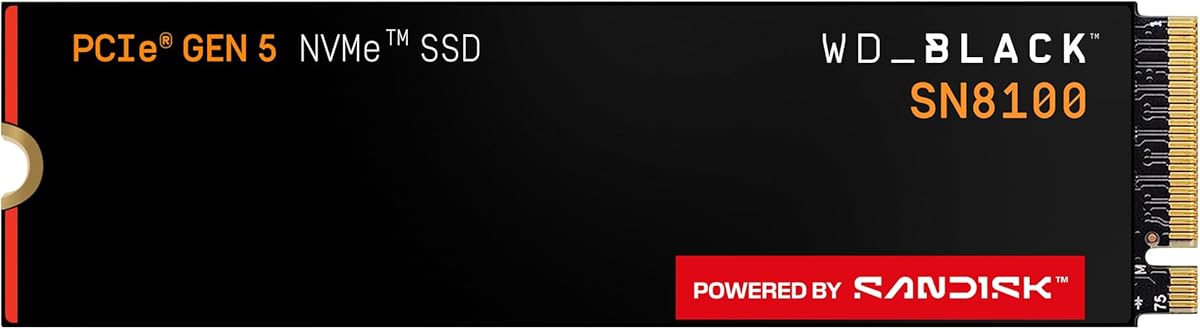
10. WD_Black SN8100 4TB - Gen5 Speed Contender

WD_Black SN8100 4TB

WD_Black SN8100 4TB

9.4/10★★★★★

The WD_Black SN8100 4TB is the Gen5 rival that keeps Samsung from owning the high-capacity performance conversation alone. WD_Black pitches PCIe Gen 5.0x4 NVMe with sequential reads up to an astonishing 14,900 MB/s and write speeds in the multi-GB/s class depending on capacity, plus over 2,300,000 IOPS of random performance on the 2TB–4TB models. That is the bandwidth tier for AI applications, huge game installs, and video editing pipelines that actually push the bus—not for casual document folders.

  • PCIe 5.0x4 with reads up to 14,900 MB/s class
  • High IOPS design with TLC 3D CBA NAND focus
  • SANDISK Dashboard and Acronis migration tools (Windows)
Check Price →
✓ Pros
  • Breakneck Gen5 sequential reads aimed at AI, gaming, and video editing
  • Strong power-efficiency claims versus prior Gen4 WD_Black drives
  • 4TB capacity for large projects, models, and game libraries
  • SANDISK Dashboard health monitoring plus Acronis True Image for Sandisk migration
  • Endurance-minded TLC CBA NAND story for heavy creative use
✕ Cons
  • Full rated speed needs a PCIe 5.0 host and serious M.2 cooling
  • Bare stick in this pack—plan a heatsink if your board’s shield is weak
  • Write-speed marketing can vary by capacity SKU; verify the 4TB listing details

Detailed review

Efficiency is a headline WD_Black wants you to notice. The drive claims over 100% more power efficiency than their PCIe Gen4 drive at an average operating power of 7.5W or under on 1TB–4TB models. In practical terms, Gen5 no longer has to mean a jet-engine M.2 slot if the controller and NAND cooperate—though you should still mount a capable heatsink and validate thermals. Speed without thermal collapse is the entire Gen5 ownership test.

Capacity at four terabytes hits the high-capacity brief for most workstations: biggest active projects, local model caches, OS updates, and a substantial game library on one volume. Endurance framing with TLC 3D CBA NAND and high TBW figures on larger SKUs (WD quotes up to 4,800 TBW on the 8TB model in broader SN8100 messaging) is aimed at creators who write heavily. Always match the endurance story to the exact capacity you buy and keep backups regardless of TBW marketing.

Software support runs through the SANDISK Dashboard on Windows for health, updates, and performance-minded ownership, plus Acronis True Image for Sandisk to migrate data when this becomes your new primary drive. That migration path matters at 4TB because cloning a filled creative disk is how upgrades actually happen in messy real studios. Versus the Samsung 9100 PRO 4TB, you are choosing ecosystems as much as benchmarks; both belong on shortlists for PCIe 5.0 boards.

In this pack, pair the SN8100 with a WD Blue or BarraCuda only if you still need cold spinning archives beyond four terabytes of flash. Pair it with a Crucial X10 when projects must leave the building. Prefer the SN850X 8TB when Gen4 plus maximum installed games beats Gen5 sequential glory. Prefer the 990 PRO 2TB when you want a cheaper-to-cool primary and already solved capacity elsewhere.

Buy the SN8100 4TB when you have a Gen5-ready platform, want WD_Black/SanDisk tooling, and need high-capacity flash that can feed AI and editing workloads. Skip it on Gen3/Gen4-only boards where you will never see the rated peaks—buy SN850X instead. Skip it if eight terabytes of games on one stick matters more than 14 GB/s peaks; capacity and bandwidth are different wishes.

Who should buy the SN8100 4TB

AI-focused PC builders, video editors on Gen5 motherboards, and gamers who want future-ready bandwidth with a 4TB working library and Dashboard monitoring.

Cooling checklist

Use the motherboard M.2 armor or a quality aftermarket spreader, ensure intake airflow crosses the slot, and stress-test with a long sequential write while watching sensor apps before you trust overnight renders.

Versus 9100 PRO in one sentence

Pick SN8100 for WD_Black/SanDisk software and efficiency claims versus older Gen4 WD lines; pick 9100 PRO for Samsung Magician continuity and Samsung’s efficiency narrative versus 990 PRO.

Check Price on Amazon →

We may earn a commission at no additional cost to you.

Best High Capacity SSDs 2026 for Huge Libraries and Workstations

How to Choose a High-Capacity SSD in 2026

Start with form factor, not terabytes

The most expensive mistake in high-capacity shopping is buying the right capacity in the wrong shape. M.2 2280 NVMe sticks like the Samsung 990 PRO, 9100 PRO, and WD_Black SN850X/SN8100 need a free slot and usually a heatsink strategy. The Samsung 870 QVO needs a 2.5-inch bay and SATA cable. The SanDisk Extreme and Crucial X10 need a data-capable USB port and accept the reality of bus power. The Seagate BarraCuda and WD Blue need 3.5-inch desktop bays and are hard drives, not SSDs. Confirm the physical path before you fall in love with a capacity number.

Match interface generation to the motherboard

PCIe 5.0 drives such as the Samsung 9100 PRO 4TB and WD_Black SN8100 4TB only show their rated magic in Gen5 slots with adequate cooling. In a Gen4 slot they still work, but you paid for headroom you cannot use. Gen4 heroes like the 990 PRO and SN850X already saturate many real-world game and creative pipelines. SATA SSDs top out near 560 MB/s regardless of marketing adjectives. Portables are gated by the host’s USB implementation—USB 3.2 Gen 2 versus faster USB4/Thunderbolt paths change everything.

Separate active capacity from archive capacity

High-capacity does not require a single heroic volume. A resilient 2026 pattern is a fast 2TB–4TB NVMe for OS and active work, plus an 8TB NVMe or SATA SSD for libraries, plus optional HDD cold storage like the WD Blue 12TB for deep archives. Portables then shuttle subsets between locations. That architecture is often faster, cooler, and safer than one overflowing 8TB boot drive with no backup.

Respect NAND type, endurance, and free space

TLC-focused gaming and pro drives in this pack generally tolerate heavier write patterns than QLC SATA bulk SSDs. The 870 QVO can be excellent for read-heavy libraries if you leave free space and avoid constant scratch abuse. Portable SSDs wear with every on-set dump—rotate backups. TBW figures are warranties, not destiny; keep 3-2-1 backups for irreplaceable data regardless of the badge on the stick.

Plan cooling and clearance before checkout

Gen5 sticks need real heatsinks. Heatsink SN850X models need physical clearance from GPUs and motherboard armor. Laptop secondary slots may have strict height limits. Consoles have published expansion rules that change with firmware—verify before assuming a clad drive fits. A high-capacity SSD that thermal-throttles becomes a warm brick with a fancy label.

Ignore dollar folklore; verify the live listing

We intentionally omit dollar prices because high-capacity SSD and HDD street prices move constantly. Compare ASINs carefully—old portable models, bare versus heatsink NVMe, and HDD versus SSD lookalike titles all coexist in search results. Keep the reviewconsens-20 affiliate links, then confirm the exact model string, capacity, and interface on the product page before you buy.

Frequently Asked Questions

01

What counts as a high-capacity SSD in 2026?

In practical shopping terms, high capacity now starts around 2TB for primary drives and quickly moves to 4TB and 8TB for libraries that used to need multiple disks. This roundup spans a 2TB Gen4 Samsung 990 PRO, 4TB Gen5 flagships, 8TB internal and portable SSDs, and even HDD options up to 12TB that appear in the same browse path. The label matters less than whether the drive’s interface and form factor match how you work. A 2TB NVMe can be “high capacity” for a laptop boot drive, while a desktop gamer may not feel satisfied below 4TB or 8TB of flash.

02

Do I need PCIe 5.0 for a high-capacity SSD?

Only if your motherboard has a Gen5 slot and your workloads move enough data to outgrow Gen4. Drives like the Samsung 9100 PRO 4TB and WD_Black SN8100 4TB can approach the mid-to-high 14 GB/s read class, which helps large dataset loads, heavy media, and future APIs. For the majority of game installs and everyday creative work, a Gen4 SN850X or 990 PRO already feels excellent. Buying Gen5 for a Gen4-only board wastes headroom and can add heat without a benefit you will notice in load-time screenshots.

03

Is an 8TB portable SSD better than an internal 8TB NVMe?

They solve different jobs. Internal NVMe such as the WD_Black SN850X 8TB offers lower latency, higher sustained bandwidth, and boot-drive capability inside a PC. Portable SSDs such as the Crucial X10 8TB or SanDisk Extreme 8TB win when data must travel between machines, consoles, and locations, especially with IP65 ruggedization. Many professionals own both: internals for the desk, portables for the bag. If the drive never leaves a locked tower, internal flash is the higher-performance home for that capacity.

04

Why is a hard drive included in a high-capacity SSD guide?

Because capacity filters and “storage upgrade” search results routinely mix SSDs and HDDs. The Seagate BarraCuda 8TB and WD Blue 12TB are mechanical drives—we label them clearly so you do not buy platters when you meant flash. They remain useful as cold archives behind fast SSDs when you need maximum terabytes and accept noise plus latency. If your query truly requires solid state performance, stick to the NVMe, SATA SSD, and portable SSD picks in this pack.

05

How much free space should I leave on a high-capacity SSD?

Plan for roughly 20–30% free space on performance-sensitive volumes, especially QLC SATA drives like the 870 QVO and any SSD used for constant writes. Controllers need spare area for leveling, garbage collection, and consistent speeds. Filling an 8TB drive to 7.9TB of game installs is how “it used to be fast” tickets start. If you are chronically full, step up a capacity tier—SN850X 8TB versus 4TB, or add a WD Blue archive—rather than living at 99% utilization.

06

Are older-model portable SSDs still worth buying?

Yes, when the listing is honest and your priorities match the older tier. The SanDisk Extreme Portable 8TB in this pack is labeled as an old model with up to about 1050 MB/s class speeds—slower than the Crucial X10’s 2,100 MB/s class peaks, but still strong if you value IP65 toughness, hardware encryption, and a familiar rugged shell. Avoid older models only when your daily pain is transfer time and the newer portable is within reach. Always apply firmware updates and use direct, high-quality USB connections.

07

Can I use these high-capacity SSDs in a PlayStation 5 or Xbox?

Some can, with caveats. Internal M.2 expansion on PlayStation 5 requires compatible NVMe drives that meet Sony’s current speed and heatsink guidelines—always verify the exact SKU and height. Heatsink models like the SN850X are often closer to console expectations than bare sticks, but fitment is not guaranteed for every clad design. Portables such as the Crucial X10 and SanDisk Extreme can expand or transfer libraries over USB depending on console rules and formatting. Xbox support similarly depends on external storage policies. When in doubt, treat consoles as a compatibility checklist item, not an assumption.

08

Should I buy one huge SSD or several smaller ones?

One huge SSD is simpler; several smaller ones are often safer and more flexible. A 4TB Gen5 primary plus an 8TB Gen4 library, or a 2TB 990 PRO plus 870 QVO archive, lets you isolate risk and tune performance tiers. A single 8TB boot volume is wonderful until a failure or encryption mishap takes the entire creative life down with it. Backups matter either way, but splitting roles reduces how often you reshuffle multi-terabyte folders during OS resets.

09

What is the best high-capacity SSD for video editors?

If the editor’s PC has Gen5 support and strong cooling, the Samsung 9100 PRO 4TB or WD_Black SN8100 4TB are the performance leaders in this pack for active media and caches. For massive online libraries that stay internal but do not need Gen5, the SN850X 8TB or Samsung 870 QVO 8TB make sense as media volumes. For shuttle drives between edit bays, the Crucial X10 8TB is the portable pick, with the SanDisk Extreme as the encryption-leaning alternative. Most editors should still keep a spinning or cloud cold tier for finished archives.

10

Do high-capacity SSDs need special maintenance?

Nothing mystical, but discipline scales with capacity. Keep firmware current via Samsung Magician, WD_BLACK/SANDISK Dashboard, or vendor tools. Monitor temperatures after install. Leave free space. Use SMART health views quarterly if the drive holds irreplaceable work. For portables, eject safely and avoid yanking during writes. For HDDs in the same kit, listen for new noises and replace proactively when backups are fresh. High capacity mainly means you must take backups seriously—losing 8TB hurts more than losing 500GB.

Conclusion

The best high capacity SSD in 2026 is the one that matches your slot, your interface generation, and whether the data lives at a desk or in a backpack. From this pack, the Samsung 9100 PRO 4TB is the Gen5 workstation default, the WD_Black SN850X 8TB with heatsink is the never-delete gaming library pick, and the Crucial X10 8TB is the fast rugged portable for creators on the move. Proven Gen4 anchors like the Samsung 990 PRO 2TB and SN850X 4TB still make enormous sense when capacity needs are real but not infinite.

SATA and spinning options remain honest tools when framed correctly: the Samsung 870 QVO 8TB brings quiet flash to older bays, while the Seagate BarraCuda 8TB and WD Blue 12TB handle cold archives without pretending to be NVMe. The SanDisk Extreme Portable 8TB still earns travel kits that prioritize IP65 armor and hardware encryption over peak USB throughput. Layer these roles instead of forcing one drive to do every job poorly.

Pick your top contender from the table, confirm clearance and host compatibility, leave free space, and pair any high-capacity volume with a backup plan that survives a single device failure. Check live listings for current availability—we skip dollar prices because this category moves fast—and verify the exact ASIN so heatsink, portable generation, and HDD lookalikes do not sneak into the cart.