Skip to content

Best Headphones for Podcasting in 2026

By Thomas BrianUpdated July 5, 2026

We may earn a commission from links on this page, at no extra cost to you. Learn more.

Podcasting puts different demands on headphones than music or mixing. You need a closed-back pair that seals tightly so your voice does not bleed back into the microphone, a clear, honest sound that lets you catch mouth clicks and background hiss as you record, and comfort you can wear through hour-long sessions and marathon edits. Flashy bass and wireless convenience matter far less than reliable monitoring and a good seal. This guide ranks nine of the best headphones for podcasting you can buy in 2026, spanning proven studio monitors, budget workhorses and a premium wireless option for editing on the move. Whether you host solo, record with co-hosts, or edit for hours, there is a comfortable, accurate pick here.

Top 9 Best Headphones for Podcasting

3$$$
Best for Studio4.7
4$$$
Best Budget4.6
5$$$
Best for Voice4.6
Best Premium4.5
Best for Co-Hosts4.5
Best Ultra-Budget4.2

Our top 9 picks, reviewed

1Best Value

PUPGSIS Studio Monitor Headphones

The PUPGSIS is the value standout for podcasters, and its share port is genuinely useful, letting a co-host plug in and monitor without a splitter. The 50mm drivers render vocals clearly so you can catch clicks and hiss, while the 4D floating headband keeps pressure off during six-hour recording and editing marathons. Dual 3.5mm and 6.35mm plugs connect to interfaces and mixers. The tuning is not perfectly neutral, but for the money it is a superb podcasting tool.

Type
Over-ear closed
ANC
None (wired)
Wired
3.5mm + 6.35mm
Driver
50mm

What we liked

  • Share port for co-host monitoring
  • 4D floating headband for six-hour comfort
  • 50mm drivers with clear vocals
  • Foldable with 1/4in adapter included

Worth noting

  • Tuning is not fully reference-flat
  • Lesser-known studio brand
2Best Overall

Sony MDR7506 Professional Headphone

The Sony MDR7506 is the podcaster's default for good reason: it is a broadcast standard found in radio booths and recording studios everywhere. Its 40mm drivers reveal exactly what your microphone is capturing, so you catch pops, hiss and room noise as they happen, and the closed design isolates tightly to keep your voice out of the mic. It folds into the included case for travel. The cable is fixed and the treble runs bright, but for accurate monitoring it is hard to beat.

Type
Over-ear closed
ANC
None (wired)
Wired
9.8ft fixed
Driver
40mm

What we liked

  • Revealing sound catches audio flaws
  • Excellent closed-back isolation
  • Folds into included soft case
  • Broadcast-standard reliability

Worth noting

  • Fixed, non-detachable cable
  • Treble can feel bright over time
3Best for Studio

Audio-Technica ATH-M50x

The Audio-Technica ATH-M50x is the premium wired pick for podcasters who want studio-grade sound. Its 45mm drivers deliver acclaimed clarity across an extended range, revealing subtle audio issues while staying comfortable enough for long recordings, and the detachable cables mean it survives years of desk use. The 90-degree swiveling cups suit quick single-ear monitoring when a guest speaks. The bass is a touch forward for strict monitoring, but as an everyday podcasting workhorse it excels.

Type
Over-ear closed
ANC
None (wired)
Wired
Detachable cable
Driver
45mm

What we liked

  • Acclaimed clarity across the range
  • Large 45mm drivers with deep bass
  • Detachable cables for durability
  • Swiveling cups for single-ear checks

Worth noting

  • Bass forward for pure monitoring
  • Priciest wired pair here
4Best Budget

Audio-Technica ATH-M20x

The Audio-Technica ATH-M20x is the smart budget pick, bringing the brand's dependable engineering to a friendly price. Its 40mm drivers keep vocals honest enough for confident monitoring, and the closed circumaural design isolates well so your voice stays in the mic. Comfortable and solidly built, it is an easy recommendation for anyone starting a podcast who wants a reliable monitor without spending big. The cable is fixed and the bass slightly warm, but the fundamentals are spot on.

Type
Over-ear closed
ANC
None (wired)
Wired
Single-side exit
Driver
40mm

What we liked

  • Balanced sound for recording
  • Strong closed-back isolation
  • Comfortable circumaural fit
  • Trusted Audio-Technica build

Worth noting

  • Slightly warm low end
  • Non-detachable cable
5Best for Voice

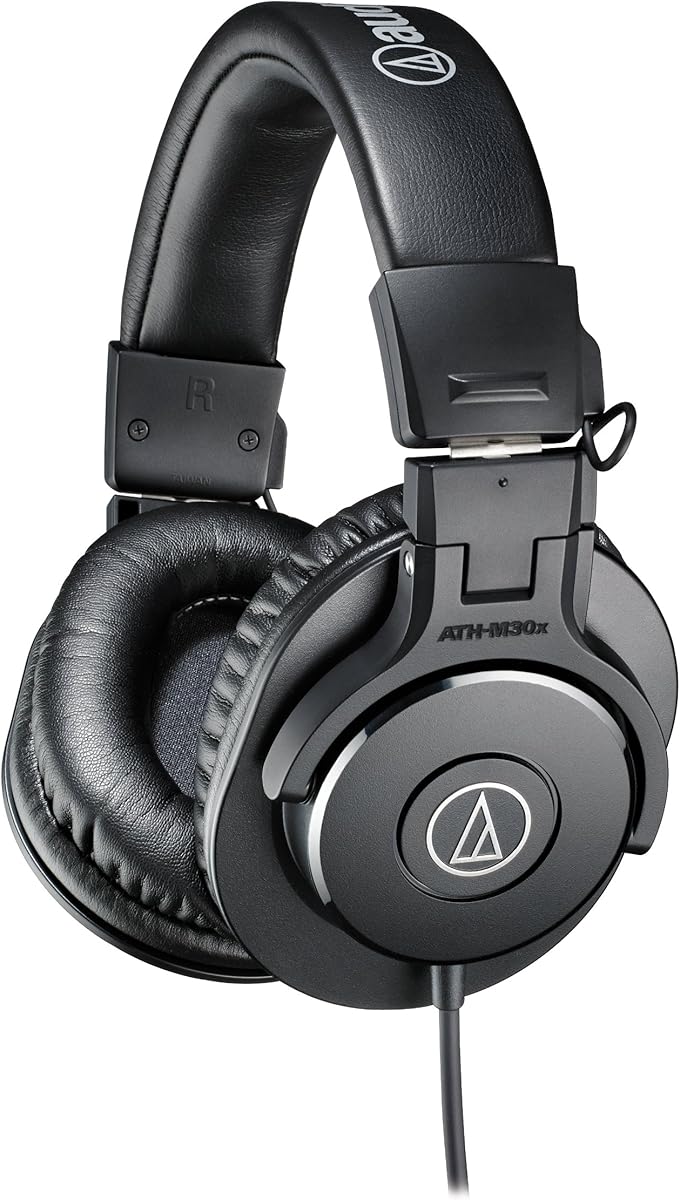
Audio-Technica ATH-M30x

The Audio-Technica ATH-M30x is arguably the best-tuned pair here for spoken word, with 40mm drivers voiced for enhanced mid-range definition, exactly where the human voice lives. That makes it easy to judge vocal clarity, catch sibilance and spot mouth noise while recording or editing. The closed design isolates well, the fit stays comfortable through long sessions, and the M-series build is proven. It is a focused, sensible monitor for anyone whose podcast is mostly talking.

Type
Over-ear closed
ANC
None (wired)
Wired
Single-side exit
Driver
40mm

What we liked

  • Tuned for mid-range vocal detail
  • Excellent closed-back isolation
  • Comfortable for long sessions
  • Trusted, durable M-series build

Worth noting

  • Non-detachable cable
  • Less bass presence than M50x
6Best Premium

Beats Studio Pro Wireless

The Beats Studio Pro is the premium wireless option for podcasters who edit away from the desk or want ANC to focus. It offers USB-C lossless audio and a 3.5mm cable for wired monitoring when precision matters, plus a 40-hour battery and one-touch pairing for editing on a laptop or phone anywhere. Its consumer tuning is less neutral than a dedicated monitor, so use the wired mode for critical work, but the flexibility is genuinely handy.

Type
Over-ear closed
ANC
Active
Battery
Up to 40hr
Connection
USB-C, 3.5mm

What we liked

  • USB-C lossless plus 3.5mm wired option
  • Active noise cancelling for focus
  • 40-hour battery for mobile editing
  • One-touch Apple and Android pairing

Worth noting

  • Wireless sound less neutral for monitoring
  • Pricier than wired studio pairs
7Best for Co-Hosts

OneOdio A71 Recording Headphones

The OneOdio A71 is built for multi-person recording, with a SharePort that lets you daisy-chain a co-host's headphones without a splitter, so everyone hears the same feed. Its 40mm drivers reproduce voices with clear detail, the 90-degree swiveling cups keep one ear free for room conversation, and the coiled cable with 3.5mm and 6.35mm plugs connects to any interface or mixer. The bass runs a little warm, but for collaborative podcasting it is a practical, affordable choice.

Type
Over-ear closed
ANC
None (wired)
Wired
3.5mm + 6.35mm
Driver
40mm

What we liked

  • Share port to daisy-chain co-hosts
  • 40mm drivers with clear detail
  • 90-degree swiveling for one-ear cues
  • Coiled cable with both plug sizes

Worth noting

  • Bass leans slightly boosted
  • Coiled cable can be bulky
8Best Wired Pick

OneOdio Pro-10 Studio Monitor Headphones

The OneOdio Pro-10 is a versatile wired pick that pairs 50mm drivers with a share port and swiveling cups, making it easy to monitor takes and let a guest listen in. Dual 3.5mm and 6.35mm plugs connect straight to podcast mixers, interfaces and computers without adapters. The tuning is more bass-forward than a strict reference monitor, so it is best for tracking and rough edits rather than final mastering, but it is durable, flexible and inexpensive for a growing setup.

Type
Over-ear closed
ANC
None (wired)
Wired
3.5mm + 6.35mm
Driver
50mm

What we liked

  • Big 50mm drivers with strong output
  • Share port for a second listener
  • Swiveling cups for single-ear use
  • Connects to mixers and interfaces

Worth noting

  • Bass-forward rather than flat
  • Comfort dips over very long wear
9Best Ultra-Budget

Philips Over-Ear Wired Headphones

The Philips over-ear pair is the value floor here, delivering 40mm drivers, a comfy over-ear fit and 90-degree rotating cups for the lowest price on the list. A 3.5mm jack with a snap-on 6.3mm adapter connects to interfaces, keyboards and computers, and the closed design gives decent passive isolation for recording. The sound is basic rather than reference-accurate and the build is light, but from a trusted brand at this price it is an easy first-podcast monitor.

Type
Over-ear closed
ANC
None (wired)
Wired
3.5mm + 6.3mm
Driver
40mm

What we liked

  • Lowest price on the list
  • 40mm drivers with crisp output
  • Passive isolation from over-ear fit
  • Rotating cups for one-ear monitoring

Worth noting

  • Basic sound, not studio-accurate
  • Lightweight build feels budget

How We Chose the Best Headphones for Podcasting

Best Headphones for Podcasting in 2026

Podcasting headphones sit at the intersection of monitoring accuracy and all-day comfort, and both mattered from the start. We began by prioritising a clear, honest sound that lets you hear your recording as it truly is, catching mouth clicks, breath noise, background hum and sibilance while you record rather than discovering them in the edit. Consumer pairs that pump up the bass or sizzle the treble hide exactly these problems, so we favoured closed-back studio monitors with a balanced signature, especially those tuned to bring out the mid-range where the human voice lives.

From there we weighed the practicalities of a podcasting workflow. Isolation was critical, since a closed-back seal keeps your monitoring audio from bleeding into an open microphone and spoiling a take. Comfort came next, because recording and editing sessions run long and a pair that pinches after an hour will sabotage your focus. We looked at connection flexibility, valuing 3.5mm and 6.35mm plugs and share ports that plug straight into interfaces, mixers and co-hosts, and we considered build quality and value across a deliberately mixed list, from proven professional monitors to budget workhorses and one premium wireless option for editing away from the desk.

Closed-Back Isolation and Monitoring Explained

The single most important concept for podcasting is closed-back isolation. A closed-back headphone seals the rear of each ear cup, which does two things: it stops outside noise reaching your ears so you can concentrate on the recording, and, crucially, it stops your monitoring audio leaking out and being picked up by a nearby microphone. That leakage, called bleed, creates faint echoes and ghost voices in a recording that are almost impossible to remove later, which is why every wired pair on this list, from the Sony MDR7506 to the Philips over-ear model, uses a closed design. Open-back headphones, however spacious they sound, leak far too much to record with.

Monitoring itself is the act of listening to your microphone signal, usually in real time, so you can hear problems as they happen and fix them immediately. Good monitoring headphones reveal the truth of your audio without flattering it, which is why studio-tuned pairs like the Audio-Technica ATH-M30x, voiced for mid-range clarity, make it easy to judge vocal quality and catch issues. Many podcasting headphones also feature 90-degree swiveling cups, letting you slide one ear cup off to hear a guest or the room while keeping the other on the feed, a small feature that proves invaluable during live conversation. Together, a tight seal and honest monitoring are what separate a headphone made for podcasting from one made for the gym.

Matching the Headphones to Your Needs

For Solo Hosts

If you record alone, prioritise a comfortable, revealing closed-back monitor you can wear for hours. The Sony MDR7506 is the safest choice, a broadcast standard that exposes flaws as you record, while the Audio-Technica ATH-M30x is tuned specifically for the vocal mid-range, making it excellent for spoken-word shows. Either lets you catch problems in the moment and edit with confidence afterward.

For Co-Hosted Shows

When you record with others, a share port makes life far easier by letting a second pair plug straight into yours without a splitter. The OneOdio A71 and Pro-10 both offer this, as does the value-leading PUPGSIS, so everyone at the table hears the same feed. Their swiveling cups also let each host keep one ear free for natural conversation while monitoring.

For Editing on the Move

If you edit episodes away from your desk, the Beats Studio Pro is the flexible pick, pairing a 40-hour battery and active noise cancelling for focus in cafes or on trains with a USB-C and 3.5mm wired option for precise monitoring when it counts. Go wired while recording and wireless while editing, and you get the best of both.

For Getting Started Cheaply

New podcasters do not need to overspend. The Audio-Technica ATH-M20x delivers trusted studio quality at a friendly price, while the Philips over-ear pair gets you a closed-back monitor with the right plugs for the lowest outlay. Both isolate well enough to record with and connect straight to a basic interface, so you can start your show without a big investment.

Specifications That Matter Most

For podcasting, two things matter most: the seal and the tuning. A tight closed-back seal, found on every wired pair here, is what keeps monitoring audio out of your microphone and outside noise out of your ears, so favour a snug circumaural fit with decent cushions. Tuning comes a close second, because you want a sound honest enough to reveal the flaws in your recording rather than mask them. Mid-range clarity is especially valuable for voice, which is why the Audio-Technica ATH-M30x, voiced to bring out that band, is such a natural fit, and why revealing pairs like the Sony MDR7506 remain broadcast staples.

Connection flexibility is the other spec podcasters should weigh. Dual 3.5mm and 6.35mm plugs, as on the OneOdio and syndesmons-style pairs, let you connect to both consumer devices and pro interfaces without hunting for adapters, and a share port is a genuine bonus for co-hosted shows. Comfort features like a floating or well-padded headband, as on the PUPGSIS, matter more than in music headphones because your sessions are long and stationary. Finally, do not overlook durability and cable design: detachable cables, as on the ATH-M50x, extend a headphone's life, while fixed cables like the Sony's are one less thing to lose but harder to replace if damaged. Match these to how you actually record, and the right pair will serve for years.

A Closer Look at the Top Picks

The PUPGSIS takes the top value spot by combining clear 50mm drivers, a genuinely comfortable floating headband and a co-host-friendly share port for the least money, making it a smart first monitor for a new show. Just behind it, the Sony MDR7506 is our overall pick, the broadcast standard that reveals every detail of your recording and isolates tightly, and the Audio-Technica ATH-M50x is the premium wired choice with acclaimed clarity and detachable cables for the long haul.

The Audio-Technica ATH-M20x and mid-range-focused ATH-M30x cover budget and voice-first buyers respectively, both offering honest sound and solid isolation. For editing away from the desk, the Beats Studio Pro brings wireless freedom, ANC and a wired fallback, while the OneOdio A71 and Pro-10 handle co-hosted setups with their share ports and swiveling cups. The Philips over-ear pair rounds out the list as the ultra-budget entry point. Whatever your format and budget, there is an accurate, comfortable monitor here for it.

Tips for Better Podcast Audio

Small habits improve your recordings more than gear alone. Always monitor while you record, so you hear pops, hiss and bleed as they happen and can re-do a line immediately rather than discovering the problem in the edit. Keep the seal snug on closed-back pairs like the Sony MDR7506, since a good seal is what keeps your monitoring out of the microphone and gives you accurate isolation. If you host with others, run everyone through a share port or a mixer with multiple outputs so the whole table hears the same clean feed.

Set your monitoring level moderately, because listening too loud tires your ears and skews your sense of what sounds good, and take short breaks during long edits to reset your hearing. On revealing monitors like the Audio-Technica M-series, use the detail to your advantage: watch for sibilance and mouth noise and address them with mic technique or a pop filter rather than fixing everything later. If you edit on wireless pairs like the Beats Studio Pro, switch to the wired mode for critical passages to remove any latency. With honest monitoring and these habits, your episodes will sound clean and professional.

Final Recommendation

For most podcasters, the Sony MDR7506 is the best all-round choice, a broadcast standard that reveals your recording honestly, isolates tightly and has served radio and studio work for decades. If your show is mostly talking, the Audio-Technica ATH-M30x is voiced perfectly for the vocal mid-range, while the ATH-M20x is the trusted budget pick and the ATH-M50x the premium step-up. Co-hosted shows should look at the share-port-equipped OneOdio A71 or the value-leading PUPGSIS, editors on the move at the wireless Beats Studio Pro, and the tightest budgets at the Philips over-ear pair. Match a closed-back monitor to your format, monitor as you record, and your podcast will sound its best.

How we picked

We judged each pair on monitoring clarity, closed-back isolation and low bleed, comfort over long recording and editing sessions, build quality and durability, connection flexibility for interfaces and mixers, and value. Because podcasting is about hearing your voice and your guests accurately, we prioritised honest closed-back monitors over hyped consumer tuning, while including one premium wireless pair for those who edit away from the desk.

Frequently asked questions

Why do I need closed-back headphones for podcasting?

Closed-back headphones seal the ear cups so your monitoring audio does not leak out and bleed back into your microphone, which would ruin a recording. Every wired pick here, from the Sony MDR7506 to the Audio-Technica ATH-M30x, is closed-back for that reason. Open-back pairs leak too much sound to record with, so avoid them for podcasting even though they sound spacious.

What is the best headphone for recording a podcast?

The Sony MDR7506 is the broadcast standard and our top overall pick, because it reveals exactly what your microphone captures so you can catch pops and noise as you record. For voice-focused shows, the Audio-Technica ATH-M30x is tuned for mid-range clarity, while the ATH-M20x is the value alternative. All three isolate well and stay comfortable through long sessions.

Can I use wireless headphones for podcasting?

You can, but with caveats. Wireless pairs like the Beats Studio Pro add a little latency over Bluetooth, which can make live monitoring feel slightly delayed, so most hosts record wired. The Beats includes a 3.5mm cable and USB-C for exactly that reason, letting you go wired while recording and wireless while editing on the move.

How do I monitor with a co-host?

Look for headphones with a share port, which lets you daisy-chain a second pair without a splitter. The OneOdio A71 and Pro-10 and the PUPGSIS all offer this, so a co-host can plug into your headphones and hear the same feed. Alternatively, run everyone's headphones from a mixer or interface with multiple outputs.

Do podcasting headphones need to sound flat?

A neutral, honest sound helps you judge your recording accurately, which is why studio monitors like the Sony MDR7506 and Audio-Technica M-series are favoured over bass-heavy consumer pairs. You do not need perfect reference flatness, but avoid headphones that exaggerate bass or treble, since they can hide problems like sibilance and background noise that will be obvious to listeners.