Best Overall
Logitech G502 Hero

- HERO sensor tracking up to 25,600 DPI with no smoothing
- Eleven programmable buttons plus dual-mode hyper-fast scroll
- Tune balance with adjustable weights for your aim style
Expert Review & Guide
Finding a gaming mouse that actually improves aim, comfort, and workflow without blowing up a starter PC budget is harder than product photos suggest. Marketing pages shout about astronomical DPI ceilings and rainbow lighting, while the traits that matter in ranked matches and long campaign nights are less glamorous: consistent tracking, a shape that matches your grip, clean clicks, and either a flexible cable or trustworthy wireless modes. This ReviewConsensus roundup focuses only on models that commonly compete in the best gaming mouse under 30 shopping lane, drawn straight from our product pack so every recommendation is buyable and comparable.
We lined up ten mice that cover very different priorities. Flagship-feeling wired workhorses like the Logitech G502 Hero and Razer Basilisk V3 bring deep button customization and high-end sensors when deals cooperate. Ultralight shells such as the Redragon M617, Razer Cobra, and TMKB Falcon M1SE chase flick speed. Classic comfort shows up in the DeathAdder Essential and Redragon M602. If you want the cable gone, AULA SC580 and G57 deliver tri-mode wireless with rechargeable convenience for desks that also host laptops and tablets.
Below you will find our three headline picks, a full comparison table, and detailed notes on who each mouse serves best. We avoid listing cash prices because promotions move constantly; instead we judge fit, features, and tradeoffs so you can decide quickly when a deal appears. Whether you main tactical shooters, grind MMOs, or split time between classes and creative apps, there is a clear shortlist waiting in this guide.

As an Amazon Associate we earn from qualifying purchases. We may earn a commission at no additional cost to you.
Use this table to scan sensor headroom, button counts, and connection styles before diving into the full reviews. Every model below comes from the same pack, with ratings pulled from current listing data and specs chosen to highlight practical differences rather than brochure filler.
The Logitech G502 Hero remains the mouse we recommend first when someone asks for the best gaming mouse under a tight budget ceiling. It is not the lightest shell in this roundup, and it is not trying to be. Instead, it stacks a genuinely high-end sensor, deep button customization, and physical weight tuning into a package that still shows up in budget shopping results more often than its feature list suggests. If you want one wired mouse that can grow with you from casual shooters into heavily bound RPGs, this is the clearest all-rounder in the pack.
HERO tracking up to 25,600 DPI with zero smoothing or acceleration is the headline, but day-to-day play is where it matters. Most players will live between modest sensitivity settings and a few higher steps for desktop work or large monitors. The point is headroom and consistency: when you flick across a wide FOV or micro-adjust onto a distant target, the cursor behaves predictably. That reliability is exactly what separates a gaming-grade sensor from a generic office mouse that looks similar in photos.
Eleven programmable buttons sound excessive until you bind them. Side buttons for melee and utility, sniper DPI shift, browser forward/back for work, and dual-mode hyper-fast scrolling for inventory or timelines turn the G502 into a productivity tool as much as a gaming one. Onboard memory means those binds can travel to a LAN setup without reinstalling software on every machine, which is a quiet quality-of-life win for students and shared PCs.
Adjustable weights are polarizing in 2026, when ultralight honeycomb designs dominate esports marketing. We still like them here because budget buyers often do not know their preferred mass yet. Adding or removing the small weights lets you test whether you aim better with a planted feel or a quicker lift. Once you learn your preference, you can keep the configuration or graduate to a lighter specialist mouse later without guessing.
LIGHTSYNC RGB and mechanical spring tensioning on the primary clicks round out the premium feel. The clicks are snappy without feeling fragile, and lighting can sync with other Logitech G gear if your desk already leans that way. Cable length is generous for under-desk routing. The tradeoff is size: palm grips and larger hands thrive; small hands or aggressive fingertip aimers may prefer the G203, Cobra, or M617 instead.
In a budget comparison that includes both wireless tri-mode options and featherweight wired shells, the G502 Hero wins on versatility rather than fashion. It is the mouse we would buy if we could keep only one from this list for mixed gaming and creative work. Rank it first unless you already know you need wireless freedom or an ultralight competitive shape.
Choose this model if you want maximum buttons, a proven sensor, and the option to tune weight without jumping to a boutique brand. It suits MMO, MOBA, survival craft, and hybrid work desks especially well.
Skip it if your priority is the lowest possible mass for aim trainers and tactical shooters, or if you strongly prefer a compact ambidextrous shell.
Install Logitech G HUB, create a low-DPI aiming profile and a higher-DPI desktop profile, then store the gaming profile onboard. Disable Windows enhance pointer precision so the HERO sensor stays in raw input territory.
Start with no extra weights, play a week of your main game, then add one weight at a time only if flicks feel too floaty.
Against the Basilisk V3, the G502 trades Razer's HyperScroll flair and optical switches for weight tuning and a slightly more tool-like control layout. Against the G203, it is simply more mouse: more buttons, more DPI ceiling, more personalization.
We may earn a commission at no additional cost to you.

The Razer DeathAdder Essential is the no-drama pick for players who want the famous DeathAdder silhouette without paying for every Chroma zone and hyperspecialized feature. Under a budget cap, that simplicity is a feature. You get a right-handed ergonomic shell, rubber side grips, a capable 6,400 DPI optical sensor, and five programmable buttons that cover the binds most FPS and battle royale players actually use.
Shape is the reason DeathAdder variants stay popular year after year. The hump supports a relaxed palm or relaxed claw grip, and the button placement feels natural after a few matches. If you have bounced between ambidextrous sticks and never found a comfortable rest position, this Essential model is often the fix. It is also friendlier for medium-to-large hands than several ultralight honeycomb options that can feel narrow.
On-the-fly DPI adjustment through dedicated buttons matters more than the peak number for many buyers. Being able to drop sensitivity for a long-range hold and raise it for inventory management or menu work is practical. Synapse remapping lets you turn those DPI keys into something else if you prefer a fixed sensitivity lifestyle. Mechanical switches with a high click rating give confidence that the mouse will survive daily spam clicking.
The ridged, rubberized scroll wheel is a small detail that improves weapon switching and menu navigation. In games where a missed scroll costs a fight, tactile feedback helps. The Essential trim is not trying to free-spin through documents like the Basilisk V3 HyperScroll wheel; it prioritizes control. That matches the overall personality of this mouse: competent, comfortable, not flashy.
Where it loses ground in this roundup is feature density. The G502 and Basilisk V3 offer more buttons and higher sensor ceilings. Lightweight options like the Cobra and M617 will feel quicker in pure aim duels. Wireless models remove the cable entirely. Buy the DeathAdder Essential when comfort and brand-familiar ergonomics beat checklist maximalism.
We rank it as the best simple ergonomic wired choice for budget gamers who want a DeathAdder without overcomplicating the purchase. Pair it with a decent cloth pad, turn off pointer acceleration, and you have a reliable everyday competitive starter.
Palm and relaxed claw users on medium or larger hands get the most from this shell. Small-handed fingertip players should look at the G203 or Cobra instead.
Rubber grips are especially useful if your hands run warm during ranked sessions or summer LAN nights.
Pick Essential over Basilisk V3 if you want fewer buttons and a cleaner classic shape. Pick Cobra over Essential if weight and optical switches matter more than the traditional DeathAdder contour.
We may earn a commission at no additional cost to you.
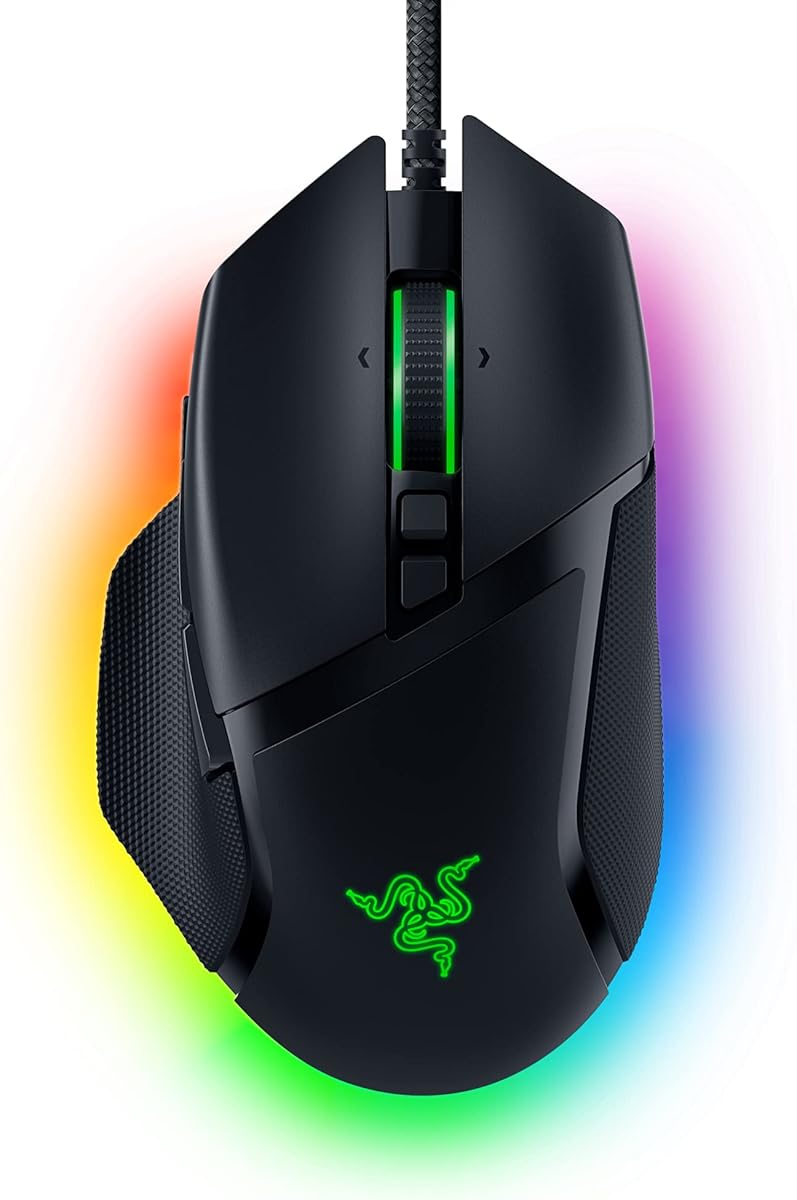
When a Razer Basilisk V3 lands in a budget shopping window, treat it as a high-value grab rather than a compromise. This is a fully featured ergonomic gaming mouse with a Focus+ 26K DPI sensor, eleven programmable buttons, optical switches Gen 2, multi-zone Chroma lighting, and the HyperScroll tilt wheel that still feels special years after launch. In a guide focused on gaming mice under a firm spend limit, it is the option that most closely mirrors a midrange flagship experience.
The iconic thumb rest and right-handed sculpting are built for endurance. If your evenings look like ARPGs, survival games, strategy titles, or anything with frequent ability bars, having comfortably placed buttons under the thumb reduces hand stretch. Eleven binds sound like MMO excess until you map push-to-talk, ping, grenade, melee, and DPI shift without leaving the mouse. For creators, those same binds become brush shortcuts and timeline markers.
Optical mouse switches Gen 2 advertise crisp 0.2 ms actuation and a long lifecycle with fewer unintended double-click failures than aging mechanical designs. In practice, primary clicks feel immediate and consistent. Competitive players who hate debounce weirdness will appreciate that. Combined with Focus+ tracking that claims zero smoothing, the Basilisk V3 is overqualified for nearly every genre at this budget tier.
HyperScroll is the personality feature. Free-spin mode blazes through long documents, loot filters, and web pages; tactile mode restores precise notch control for weapon cycling. The tilt functions add another layer of horizontal navigation. Few mice in this price conversation offer that dual personality, and once you use it for both gaming and work, going back to a basic wheel feels limiting.
Chroma with eleven lighting zones is pure spectacle and optional immersion. Synapse can sync reactive effects with supported games, which is fun if your setup already includes Razer keyboards or pads. The cost of that ecosystem is software: you will want Synapse installed to unlock the mouse completely, and some users prefer lighter utilities. Also disable Windows enhance pointer precision as Razer recommends for cleaner aiming.
Choose Basilisk V3 when you want the richest wired feature set in this pack and a thumb-rest ergonomic that encourages long sessions. Choose G502 if weight tuning matters more. Choose Cobra or M617 if you are optimizing purely for low mass and flick speed.
MMO, MOBA, survival, and hybrid work-game desks are the sweet spot. The thumb rest and button count reward players who live in menus and hotbars as much as crosshairs.
Pure aim-trainer minimalists may find the shell larger than necessary and should sample the Cobra or Redragon M617.
Create a tactile-scroll competitive profile and a free-spin productivity profile. Map a sniper DPI button if you play tactical shooters, and park rarely used macros on the farthest thumb keys so accidental presses are less likely.
Spend time in Synapse calibrating surface calibration if you use unusual mousepad materials.
Both score 4.6 and both offer eleven buttons. Prefer Basilisk for HyperScroll, optical switches, and Razer ecosystem lighting. Prefer G502 for adjustable weights and Logitech G HUB workflows.
We may earn a commission at no additional cost to you.
Wireless used to be the feature that kicked gaming mice out of the lowest budget bracket. The AULA SC580 shows how much that has changed. Tri-mode connectivity with 2.4G, dual Bluetooth channels, and USB-C wired use means one mouse can serve a gaming PC, a work laptop, a tablet, and a travel bag without collecting dongles for days. For buyers hunting the best gaming mouse under a strict cap who refuse to be tethered, this is the standout value.
Performance basics are credible for casual and intermediate competitive play. Six DPI stages from 800 through 12,000 let you match aim trainers, MOBAs, and spreadsheet days. A 1000 Hz polling rate in the low-latency modes keeps cursor updates responsive. You will not get the same sensor pedigree marketing as HERO or Focus+, but for most titles below pro esports scrutiny, the SC580 feels responsive and stable when paired with a decent pad.
Battery life claims of roughly ten to fourteen days with a few hours of daily use are realistic for mixed RGB-off or moderate use patterns. The 500 mAh cell recharges over USB-C, and a low-battery indicator reduces surprise shutdowns mid-raid. Deep sleep timers adjustable in software help stretch idle time. If you forget to charge, wired USB-C mode keeps you in the game while topping up.
Six programmable buttons and Windows driver support unlock macros in 2.4G and wired modes. That caveat matters: Bluetooth is for convenience pairing, not full gamer customization. Plan your competitive profile around the dongle or cable, and reserve Bluetooth for lectures, couch browsing, or secondary machines. Multi-device memory with quick bottom switching is genuinely useful for students and hybrid workers.
Ergonomics target right-handed users at about 82 grams. That sits between classic heavy shells and true ultralights. Anti-slip side treatments help grip during warmer sessions. The shape will not clone a DeathAdder or Basilisk, so if possible, compare photos carefully against your current mouse. Still, for the feature mix at this budget level, comfort is more than acceptable for multi-hour evenings.
We badge the SC580 as best wireless value because it removes the cable without stripping gaming essentials. If you need brand software maturity and optical switches, stay wired with Razer or Logitech. If desk freedom and multi-device life are the priority, start here.
Keep 2.4G paired to your main gaming PC, Bluetooth channel one on a work laptop, and Bluetooth channel two on a tablet. Use the bottom switch when you move between stations instead of re-pairing constantly.
Remember that macros and advanced DPI tooling expect Windows plus 2.4G or USB-C.
For ranked tactical shooters, prefer 2.4G or wired mode. Bluetooth is fine for strategy games, indie titles, and office work, but it is not the mode we recommend for millisecond-sensitive aim duels.
We may earn a commission at no additional cost to you.
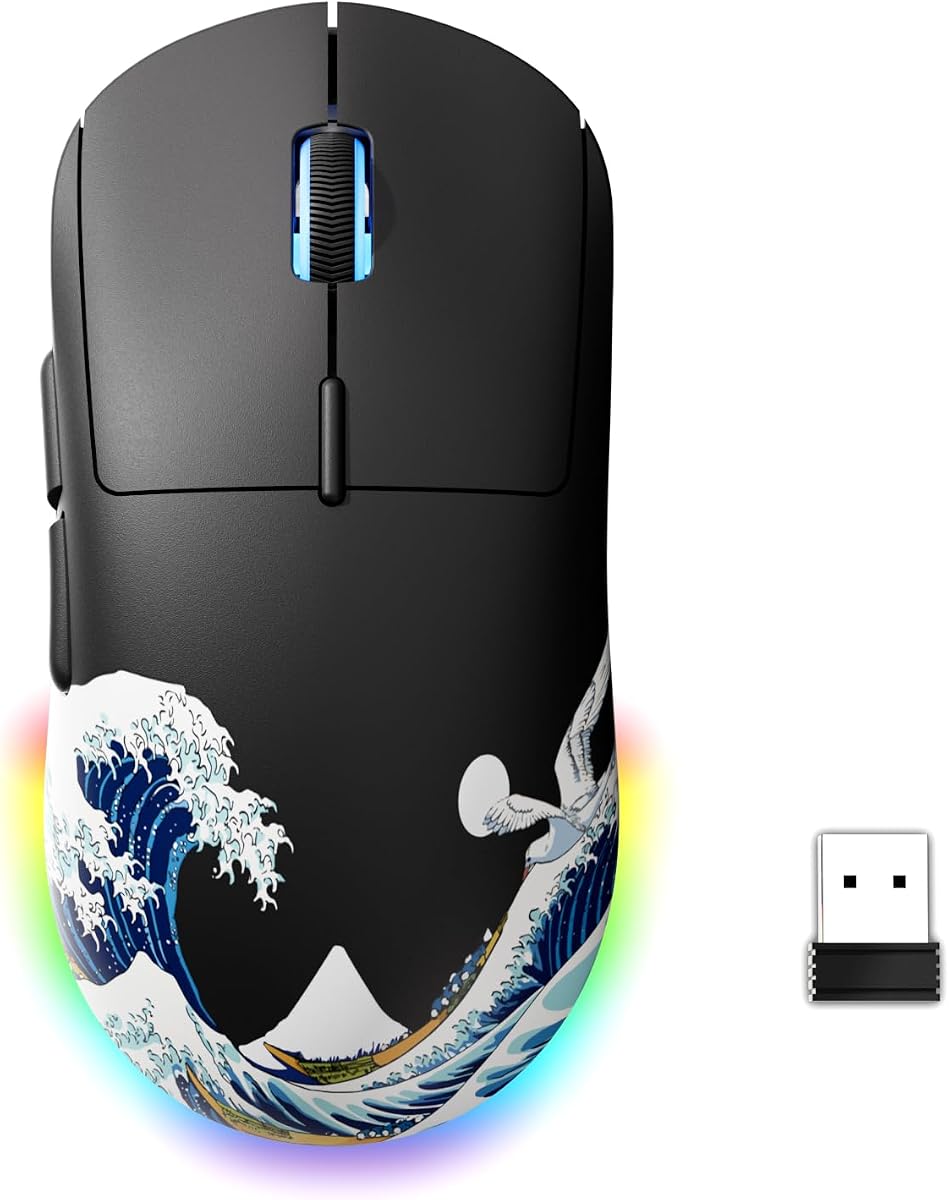
The G57 Wireless Gaming Mouse aims at the same tri-mode convenience as the AULA SC580 with a slightly different balance: five programmable buttons, an 800 to 8000 DPI range, and an approximately 80-gram shell that feels approachable for everyday gaming rather than hyper-specialized esports. If you want wireless flexibility without committing to a bulkier multi-button brick, the G57 is a pragmatic shortlist candidate.
Tri-mode switching between 2.4G, Bluetooth, and wired USB-C covers the modern reality of shared desks. Wired mode advertises 1000 Hz polling for the most responsive play, while wireless modes keep laptops tidy. Dual Bluetooth channels are handy when you bounce between a campus machine and a personal Mac. Pairing is intentionally simple: long-press into Bluetooth, connect, and move on with your day.
Six DPI levels with unique color indicators sound gimmicky until you actually use them in a dark room. Instant visual confirmation that you dropped into a lower aim step beats guessing after an accidental DPI tap. For creators and students, that same clarity helps when switching from design apps to browser research. The 8000 DPI ceiling is enough for high-sensitivity tastes and large 4K desktops even if it trails the 12K–26K marketing numbers elsewhere.
Power management is thoughtfully tuned for forgetful users. Light sleep after brief inactivity and deeper sleep after longer idle periods protect the battery, while a click or movement wakes the mouse quickly. Real-time battery awareness through software plus red-to-green charge cues reduces anxiety on long study-and-queue nights. USB-C charging is table stakes now, and it is appreciated here.
Cross-platform compatibility with older Windows versions and macOS makes the G57 a safe gift or dorm-room default. You will not get eleven-button MMO excess or honeycomb 41-gram extremes. What you get is a balanced wireless tool that plays nicely across devices. Against the AULA SC580, choose G57 if you prefer a simpler button count and clear DPI lighting; choose AULA for higher DPI ceiling and six-button macro focus.
We place it as best compact wireless for mixed-use buyers who value straightforward controls. Competitive purists chasing optical switches and PTFE-obsessed glide should still look at the wired Cobra or Falcon, but for cable-free practicality, the G57 earns its spot.
Pick G57 if you want simpler controls, strong sleep behavior, and obvious DPI color cues. Pick AULA SC580 if macros, six buttons, and a higher DPI ceiling matter more.
Plug in during lunch breaks or while watching VODs so you rarely hit empty mid-match. Wired play during charging means downtime never truly blocks a session.
We may earn a commission at no additional cost to you.

The Logitech G203 is the compact counterweight to the G502 Hero in Logitech's budget-friendly wired lineup. Where the G502 sprawls with weights and eleven buttons, the G203 keeps a six-button ambidextrous-leaning gaming shape that disappears under smaller hands and aggressive claw grips. If the Hero felt like holding a satellite, the G203 often feels like the mouse you can finally flick with confidently.
An 8,000 DPI optical sensor with zero filtering and smoothing is plenty for competitive titles when Windows acceleration is disabled and your cm/360 is dialed in. Most aim-focused players will never need the absurd peaks advertised on flagship boxes; they need consistent tracking and a shell that matches their grip. The G203 delivers that combination without forcing you into a heavy ergonomic hump.
LIGHTSYNC RGB customization through G HUB is a genuine perk even at this tier. You can run reactive lighting, sync with other Logitech gear, or turn effects down for less distraction. Onboard memory stores sensitivity steps and button assignments, which is ideal for school labs and friend-house gaming nights. Six buttons cover left, right, wheel, DPI cycle, and two side inputs—the essential competitive vocabulary.
Mechanical primary buttons with metal spring tensioning give the clicks a defined break that feels more expensive than the category suggests. The 2.1-meter USB-A cable is long enough for tidy routing behind a monitor stand. There is cable drag compared with paracord ultralights, so a mouse bungee helps if you are sensitive to tug during wide swipes.
Who should skip it? Anyone who needs a dozen macros, wireless commuting, or a sculpted thumb rest for immersion RPGs. Those buyers should look at Basilisk V3, G502, or the AULA wireless options. Who should buy it? FPS players, students with smaller hands, and anyone building a clean Logitech-matched desk on a budget.
We call the G203 the best compact wired mouse in this roundup because it nails the fundamentals without pretending to be a Swiss army knife. It is also one of the safest recommendations when you are buying a gift and do not know the recipient's grip style in detail.
Fingertip and claw users usually settle fastest. Palm grip players with large hands may prefer DeathAdder Essential or Basilisk V3.
Use the DPI cycle button for a desktop speed and a lower aim speed, then lock your muscle memory for a week before tweaking again.
G203 wins on compactness and simplicity. G502 wins on button count, weight tuning, and sensor ceiling. Both share strong Logitech software support and crisp click tuning.
We may earn a commission at no additional cost to you.
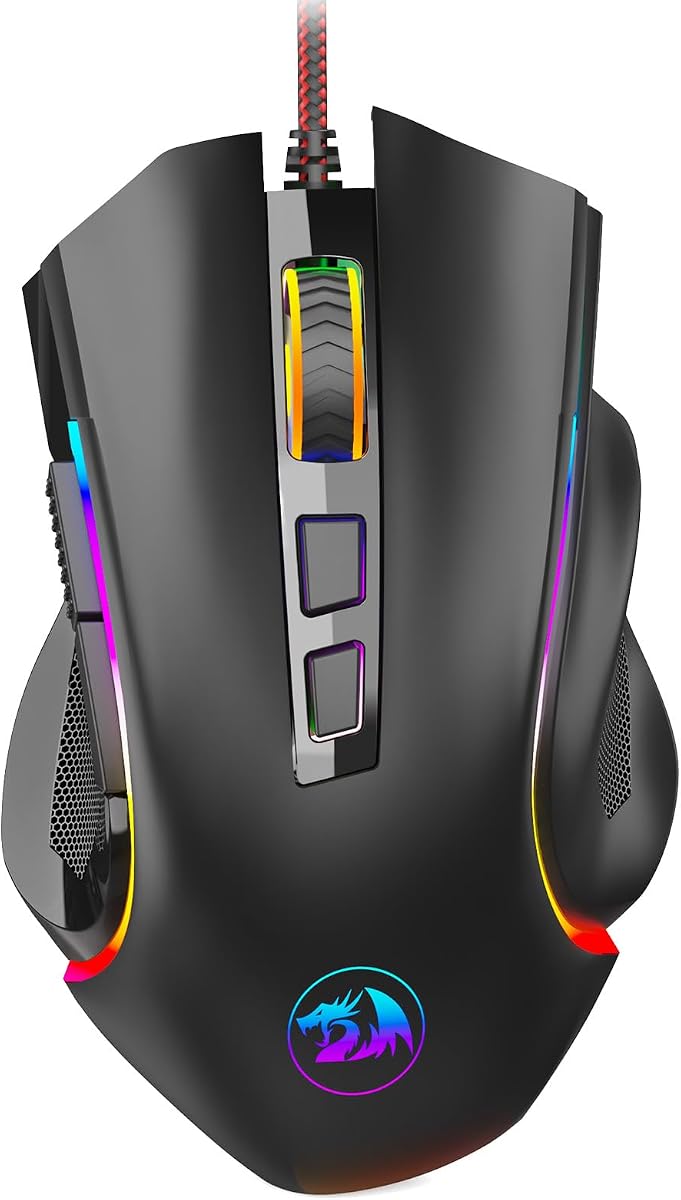
The Redragon M602 has been in the wild long enough to earn a reputation as a durable budget workhorse, and that longevity is part of why it still belongs in a 2026 under-budget roundup. Nine programmable buttons, adjustable DPI up to 7,200, ergonomic shaping, and RGB lighting give newer players more customization than the typical five-button office-looking gaming mouse. If you want macros without stretching into Basilisk or G502 complexity of brand ecosystems, Redragon remains a practical path.
Button count is the M602's clearest advantage over compact mice like the G203 or G57. Side keys and extra inputs can hold potions, voice chat, push-to-talk, ability rotations, or editing shortcuts. For MOBAs and MMOs on a budget, that mapping space matters more than another ten thousand DPI you will never use. Software from Redragon lets you remap, macro, and tune lighting once you download from the official site.
The ergonomic shell aims at comfort across gaming and office use. It is not a 41-gram honeycomb rocket, and that is okay. Many players still prefer a planted feel for strategy games, survival crafting, and general productivity. If your hand aches on skinny ambidextrous sticks, the M602's fuller shape can be a relief. Dedicated finger positioning helps new gamers avoid awkward claw tension.
RGB with multiple modes scratches the aesthetic itch for RGB-first desks without requiring a full branded ecosystem. You can run a single color, cycle effects, or turn lights off for battery-free wired stealth. Because the mouse is wired, lighting does not tax a battery, so you can leave effects on without range anxiety.
Tradeoffs are honest: tracking and switch refinement sit behind HERO, Focus+, and Razer optical Gen-3 implementations. Competitive players chasing the lightest swipe may prefer M617, Cobra, or Falcon. Wireless seekers should look at AULA or G57. The M602's lane is feature access and comfort per dollar of budget, not esports minimalism.
Recommend it to students building a first PC, MMO newcomers, and anyone who wants nine buttons before investing in a heavier ecosystem commitment. It is a proven shape with enough software hooks to feel like a real gaming peripheral rather than a dressed-up office mouse.
Map frequently used inventory keys and communication binds first. Avoid packing every button with complex multi-step macros until you confirm the game allows them and your fingers can hit the keys without misclicks.
M602 is the heavier, button-richer ergonomic classic. M617 is the ultralight honeycomb evolution for speed-focused play. Pick based on whether binds or mass matter more to your main genre.
We may earn a commission at no additional cost to you.
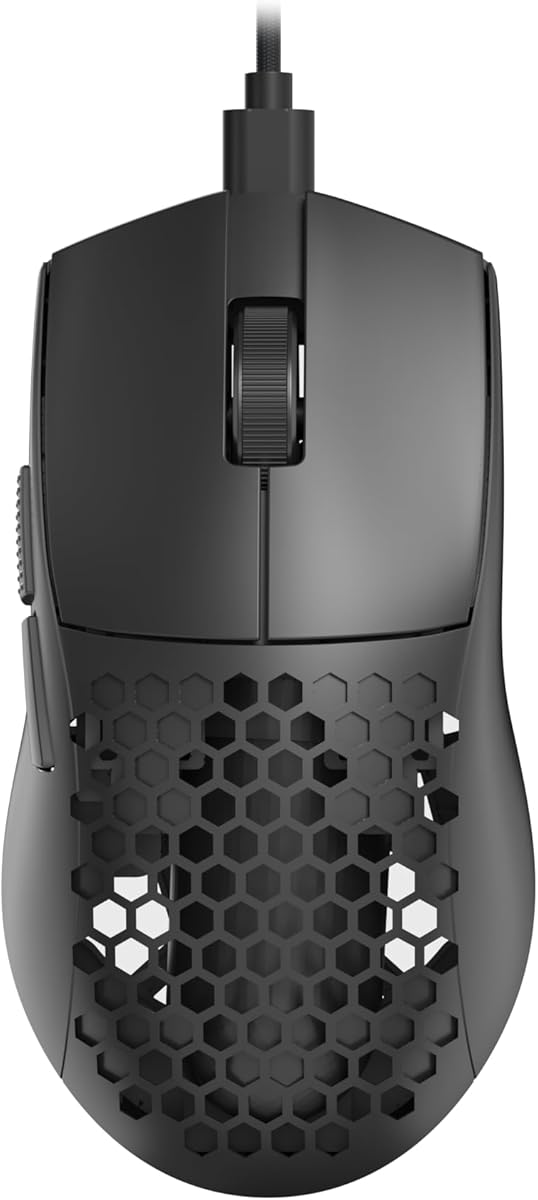
If your budget shortlist is secretly an ultralight shortlist, the Redragon M617 deserves the top lightweight wired badge. At roughly 41 grams with a honeycomb shell and a flexible paracord-like cable, it targets the modern competitive preference for mice that almost disappear during wide swipes. Type-C connectivity on a wired gamer mouse also feels current, especially for desks that standardize on USB-C peripherals.
Weight changes everything in aim trainers and tactical shooters. Lighter mice let you use lower sensitivities with less shoulder strain, or higher sensitivities with quicker direction changes. The M617's medium size suits many hands without the bulk of classic RPG shells. Symmetrical styling favors claw and fingertip grips, though pure palm resters who want a thumb shelf should stay with Basilisk or DeathAdder designs.
Sensor flexibility through five DPI stages up to 10,000 DPI covers mainstream competitive settings. As always, pick a sensitivity and learn it rather than constantly spinning through max DPI for marketing satisfaction. Redragon software can customize buttons, macros, and DPI steps so the six-button layout punches above a bare two-side-button mouse in practical use.
The cable is a major part of the experience. Soft, flexible wiring approximates wireless glide if managed well, especially with a bungee. Honeycomb construction is polarizing: fans love the airflow and mass reduction; critics dislike the look or worry about debris. If you eat at your desk, an occasional compressed-air clean keeps the shell feeling fresh.
Compared with the Razer Cobra, the M617 competes hard on weight and often on pure value when shopping filters are strict. The Cobra answers with Gen-3 optical switches, PTFE feet pedigree, and Chroma underglow. Compared with the TMKB Falcon M1SE, the M617 is substantially lighter, while the Falcon offers a brighter RGB strip identity and a different honeycomb tuning around 75 grams.
Buy the M617 when competitive wired speed is the brief and you are willing to live with honeycomb aesthetics. Skip it if you need wireless, maximum macros, or a soft rubberized ergonomic for immersion gaming marathons.
Pair with a quality cloth pad. Hard pads also work, but honeycomb holes show dust faster on light desks. A quick air blast every few weeks keeps tracking and aesthetics clean.
Disable enhance pointer precision, set a single game DPI, turn off distracting RGB if you want focus, and consider a cheap bungee so the paracord stays neutral during 180-degree turns.
Cobra for polished Razer switches and feet, Falcon M1SE for a white honeycomb RGB statement, G203 if you want compact non-honeycomb simplicity.
We may earn a commission at no additional cost to you.

The Razer Cobra is what happens when lightweight design language meets mainstream Razer refinement at a price that sometimes dips into budget shortlists. At about 58 grams, it is not the absolute lightest mouse here—the M617 undercuts it—but it often feels more finished thanks to Gen-3 optical switches, 100 percent PTFE feet, a Speedflex cable, and Chroma lighting with underglow. If you want a competitive wired mouse that still feels premium in the hand, start your comparison here.
Optical switches Gen-3 with a long click lifecycle and 0.2 ms actuation target the failure mode that ruined countless older mice: the dreaded double click. For players who keep mice for years, that reliability story matters as much as raw DPI. Clicks register cleanly, which builds trust in spray control and timed abilities alike.
Sensor tuning in 50 DPI increments through Synapse is more meaningful than chasing an astronomical maximum. An 8500 DPI optical sensor with fine steps lets you match an exact cm/360. PTFE feet on the front, rear, and sensor ring help the Cobra break in quickly on cloth pads so micro-corrections feel smooth rather than scratchy. Speedflex cabling reduces the constant reminder that you are wired.
Shape-wise, the Cobra aims to fit most grip styles rather than extremists only. It is more forgiving than tiny fingertip sticks and less massive than Basilisk or G502 ergonomics. That middle path makes it a strong recommendation when you are unsure which niche shape to commit to. RGB underglow satisfies aesthetic setups without turning the shell into a Christmas ornament mandatory look—effects can be toned down.
Against DeathAdder Essential, the Cobra is faster and more modern in switch and weight philosophy. Against Basilisk V3, it surrenders thumb-rest macros and HyperScroll versatility for agility. Against Redragon M617, you trade some grams for Razer switch confidence, feet quality, and ecosystem polish. Against wireless options, you keep maximum consistency with zero battery planning.
We badge it best lightweight premium feel because the materials and switches punch above typical bargain bin expectations. Grab it when you see it inside your budget filter and you want a mouse that still feels current two seasons from now.
Disable Windows enhance pointer precision, install Synapse, set DPI in small increments, and confirm lift-off distance feels right on your pad. Small setup hygiene unlocks the hardware you paid for.
FPS and multiplayer players who want lightweight speed with brand-trusted optical switches. Macro-centric MMO players should still prefer Basilisk V3 or G502.
We may earn a commission at no additional cost to you.

Most budget gaming mice default to black plastic invisibility. The TMKB Falcon M1SE White Gaming Mouse takes the opposite approach with a white honeycomb shell, ribbon RGB, and esports-inspired tuning that still fits a constrained shopping budget. At about 75 grams it is lightweight without chasing the extreme 40-gram club, which some players actually prefer for a bit more stability during spray control.
The optical sensor's adjustable range from 200 to 12,800 DPI plus polling rate options from 125 to 1000 Hz give you room to experiment. Lower polling can reduce system overhead on older machines; 1000 Hz is the competitive default on modern PCs. Precision tracking and the lightweight cable-plus-skates combination create a wireless-like glide narrative that honeycomb brands love to promise—and here it is credible when paired with a good cloth pad.
Six height-customizable programmable buttons with multiple configuration layers are more ambitious than the button count suggests. Layers effectively multiply your binds for different games if you are willing to learn the workflow in TMKB's software. Rapid fire and macro recording features help in genres that allow them; always respect game terms of service when automating inputs.
RGB ribbon lighting with a huge color range is the flair centerpiece, including reactive styles that can pulse with audio. On a white shell, lighting reads vividly, so this is a strong pick for creators filming desk setups or players who want the mouse to be a visible design object. PTFE skates and drag-free paracord keep the performance side from becoming purely cosmetic.
Compared with the Redragon M617, the Falcon is heavier but often more visually distinctive, especially in white. Compared with Razer Cobra, it leans harder into honeycomb styling and value-focused feature lists while Razer leans into optical switch prestige. Wireless buyers should still look at AULA or G57; the Falcon is a wired specialist.
Choose the Falcon M1SE when you want a light, customizable honeycomb mouse that does not disappear visually on camera or on a white keycap desk. It closes this roundup as the style-forward lightweight alternative with enough sensor and software depth to compete seriously, not just decorate.
White honeycomb pairs cleanly with light pads and silver or white keyboards. If your office needs subtle hardware, consider black alternatives like Cobra or G203 instead.
Set a main competitive layer with minimal macros and a productivity layer for browser and editing shortcuts. Customize RGB once, then leave it alone so you are not fiddling mid-act.
M617 for lowest mass, Cobra for premium switches and PTFE polish, Falcon for white honeycomb aesthetics with broad DPI range and layered binds.
We may earn a commission at no additional cost to you.

The fastest way to waste a purchase is chasing a 26K DPI badge while ignoring whether your fingers can relax on the shell. Palm grip players usually want taller ergonomic humps like DeathAdder, Basilisk, or G502 shapes. Claw and fingertip players often prefer lower, shorter bodies such as G203, Cobra, or honeycomb ultralights. Measure your hand roughly from wrist crease to fingertip middle finger; larger hands forgive bigger mice, while smaller hands feel punished by oversized right-handed bricks.
If you cannot try before buying, compare product photos against a mouse you already tolerate. Match length and hump position first. Weight comes second: lighter helps wide swipes and low sensitivity, heavier can steady micro-aim for some players. Budget shopping in 2026 thankfully includes both philosophies.
Wired still wins for zero charging anxiety and maximum consistency, especially in optical-switch lightweight models. Modern soft cables and paracord-style sleeves make the old stiff rubber tug less of a dealbreaker. Wireless tri-mode mice like the AULA SC580 and G57 earn their keep when you hop between a desktop and a laptop, or when a clean desk matters as much as aim.
If you buy wireless, plan your mode: 2.4G dongle for competitive play, Bluetooth for convenience, cable for charging and failover. Confirm whether advanced software features work in every mode—some budget brands limit macros on Bluetooth.
Two side buttons are enough for many FPS players. Nine to eleven buttons change the game for MMOs, survival crafting, and productivity shortcuts. Software quality varies: Logitech G HUB and Razer Synapse are mature but heavier; Redragon, AULA, and TMKB utilities are lighter and sometimes Windows-focused. Onboard memory is a sleeper feature for anyone who carries a mouse to campus or LAN parties.
Whatever brand you choose, disable Windows enhance pointer precision for raw aiming, then set one main in-game sensitivity and stick with it long enough to build muscle memory.
You do not need maximum DPI for accuracy. You need a sensor that tracks your pad without spin-out at your real swipe speeds, plus a polling rate of 1000 Hz when your PC and game support it cleanly. Optical switches reduce double-click failures over time; good mechanical switches still feel excellent when spring-tuned well, as on several Logitech models here.
Feet and pad pairing matter more than people admit. PTFE skates on a medium cloth pad are a safe default. If your mouse feels scratchy out of the box, give skates a short break-in or inspect for manufacturing residue before blaming the sensor.
Yes for most players. Even budget gaming mice typically offer better sensors, more durable switches, usable side buttons, and shapes designed for longer sessions. An office mouse can work in a pinch, but inconsistent acceleration, mushy clicks, and poor grip textures show up quickly in shooters and MOBAs. The models in this guide are chosen because they deliver meaningful upgrades without requiring a flagship paycheck.
No. High DPI ceilings are headroom and marketing as much as necessity. Many competitive players use relatively modest DPI combined with low in-game sensitivity for control. What matters is tracking consistency, polling stability, and a comfortable shell. Buy the G502 Hero or Basilisk V3 for excellent sensors and features, not because you plan to live at maximum DPI every day.
Prioritize lighter wired options with clean sensors and minimal drag: Redragon M617, Razer Cobra, TMKB Falcon M1SE, and Logitech G203 are the strongest aim-oriented fits here. Pair any of them with a cloth pad, disable Windows pointer acceleration, and commit to one sensitivity. If you prefer a heavier anchored feel, the G502 Hero can still perform well after you remove extra weights.
Button count and comfort. Logitech G502 Hero, Razer Basilisk V3, and Redragon M602 give you more programmable inputs for abilities, camera keys, and communication binds. Thumb-rest ergonomics on the Basilisk are especially friendly during long raids or ranked drafts. Wireless is optional unless you hate cables; latency-sensitive modes still favor 2.4G or wired connections.
For normal gaming use, yes, provided you are not crushing the shell in a backpack under heavy gear. Honeycomb cutouts can collect dust and are less ideal if you want a sealed professional look. Performance benefits are real for many aim-focused players. If durability anxiety or debris bothers you, choose sealed shells like the Razer Cobra, G203, or DeathAdder Essential instead.
Tri-mode mice in this roundup are solid for casual and intermediate competitive play when you use the 2.4G dongle or wired mode. Bluetooth introduces more variability and is better for office tasks or non-aim-critical games. Keep the receiver close, use a decent USB port, and charge before long sessions. If you demand absolute consistency with zero battery planning, stay wired.
Install it if you need macros, lighting control, finer DPI steps, or onboard profile management. Logitech and Razer users especially benefit early. If you only need basic plug-and-play clicks and DPI buttons, you can wait. Always download software from the official brand site or store listing instructions, and create a restore point on sensitive work PCs if you are cautious about background tools.
Most models here are right-hand biased ergonomic designs. Truly left-handed players should look for ambidextrous shapes and may find the G203 or symmetrical honeycomb mice more tolerable than deep thumb-rest shells like Basilisk. If left-hand exclusive layouts are mandatory, this particular pack may not be ideal, and you should seek explicitly ambidextrous left-friendly alternatives.
Very. PTFE feet reduce friction so micro-adjustments feel smooth. A stiff cable can undo an otherwise excellent sensor by tugging mid-flick. Paracord-style cables on the M617 and Falcon, plus Razer's Speedflex approach on the Cobra, exist specifically to minimize that interference. A simple bungee is one of the cheapest aim upgrades you can add to any wired mouse.
If you want one default recommendation without overthinking, take the Logitech G502 Hero for all-around features or the Logitech G203 if you know you want a compact shell. Want wireless immediately? AULA SC580. Want lightweight competitive energy with premium switch confidence? Razer Cobra. Those four cover most needs represented in this pack.
The best gaming mouse under a strict 2026 budget is less about a single winner and more about matching shape, connection type, and button needs to your games. For most mixed-use buyers, the Logitech G502 Hero remains the strongest overall package with its HERO sensor, eleven buttons, and adjustable weights. When deals surface on the Razer Basilisk V3, you get flagship-style HyperScroll convenience and optical switches that feel anything but entry-level. If the cable has to go, the AULA SC580 brings tri-mode wireless practicality without abandoning gaming DPI steps and programmable inputs.
Aim specialists should shortlist the Redragon M617, Razer Cobra, TMKB Falcon M1SE, and Logitech G203. Comfort-first players land happily on the DeathAdder Essential or the button-rich Redragon M602. The G57 rounds out wireless choice for simpler compact setups. Compare the table, read the review that matches your grip, and buy the mouse you will actually keep your hand on for four-hour sessions—not the one with the flashiest DPI number on the box.
Whenever you purchase through the links in this guide, you support ReviewConsensus at no extra cost. Re-check listings for the exact model names above, set your Windows pointer options correctly, and give your new mouse a full week before judging sensitivity. Comfort and consistency beat impulse upgrades every season.