Skip to content

Best Gaming Mouse Under $100 in 2026

4.6 average · hands-on tested
By Dylan AidenUpdated June 27, 20268 picks tested

We may earn a commission from links on this page, at no extra cost to you. Learn more.

You don't need to spend $150 on a flagship to get genuinely competitive performance. The sub-$100 bracket is the sweet spot of gaming mice in 2026: flawless sensors, low-latency wireless and ultralight designs that trickled down from the halo models, at prices that leave money for the rest of your setup. After testing the best value gaming mice on the market, these are the eight best gaming mice under $100 — for FPS, MOBA, MMO and everything in between.

Quick comparison

KeyboardBest forRatingPrice
1Razer Viper V3 HyperSpeedRazerBest Overall4.7$$$Check Price
2Glorious Model O 2 WirelessGloriousBest Lightweight Wireless4.5$$$Check Price
3Razer Basilisk V3RazerBest Value Ergonomic4.7$$$Check Price
4Glorious Model D WirelessGloriousBest Ergonomic Wireless4.4$$$Check Price
5Logitech G305 LightspeedLogitechBest Budget Wireless4.6$$$Check Price
6Logitech G502 HEROLogitechBest Feature-Packed Wired4.7$$$Check Price
7Razer CobraRazerBest Lightweight Wired4.5$$$Check Price
8SteelSeries Rival 3SteelSeriesBest Cheap Pick4.4$$$Check Price

Our top 8 picks, reviewed

1Best Overall

Razer Viper V3 HyperSpeed

The Viper V3 HyperSpeed is the best gaming mouse under $100, period. It takes the flawless Focus Pro 30K sensor and beloved symmetrical shape from Razer's flagship Viper line and pairs them with rock-solid HyperSpeed wireless — for around half the price. In real play, your aim is every bit as trustworthy as it would be on a mouse costing far more. It's heavier than the ultralight elites at 82g (it runs on a single AA), but for pro-grade tracking and competitive shape at this price, nothing beats it.

Sensor
Focus Pro 30K
Weight
82g
Connection
HyperSpeed wireless
Power
1x AA

What we liked

  • Flagship Focus Pro 30K sensor
  • Reliable low-latency wireless
  • Pro-favourite symmetrical shape
  • Outstanding value

Worth noting

  • Heavier than ultralights
  • AA battery, not rechargeable
2Best Lightweight Wireless

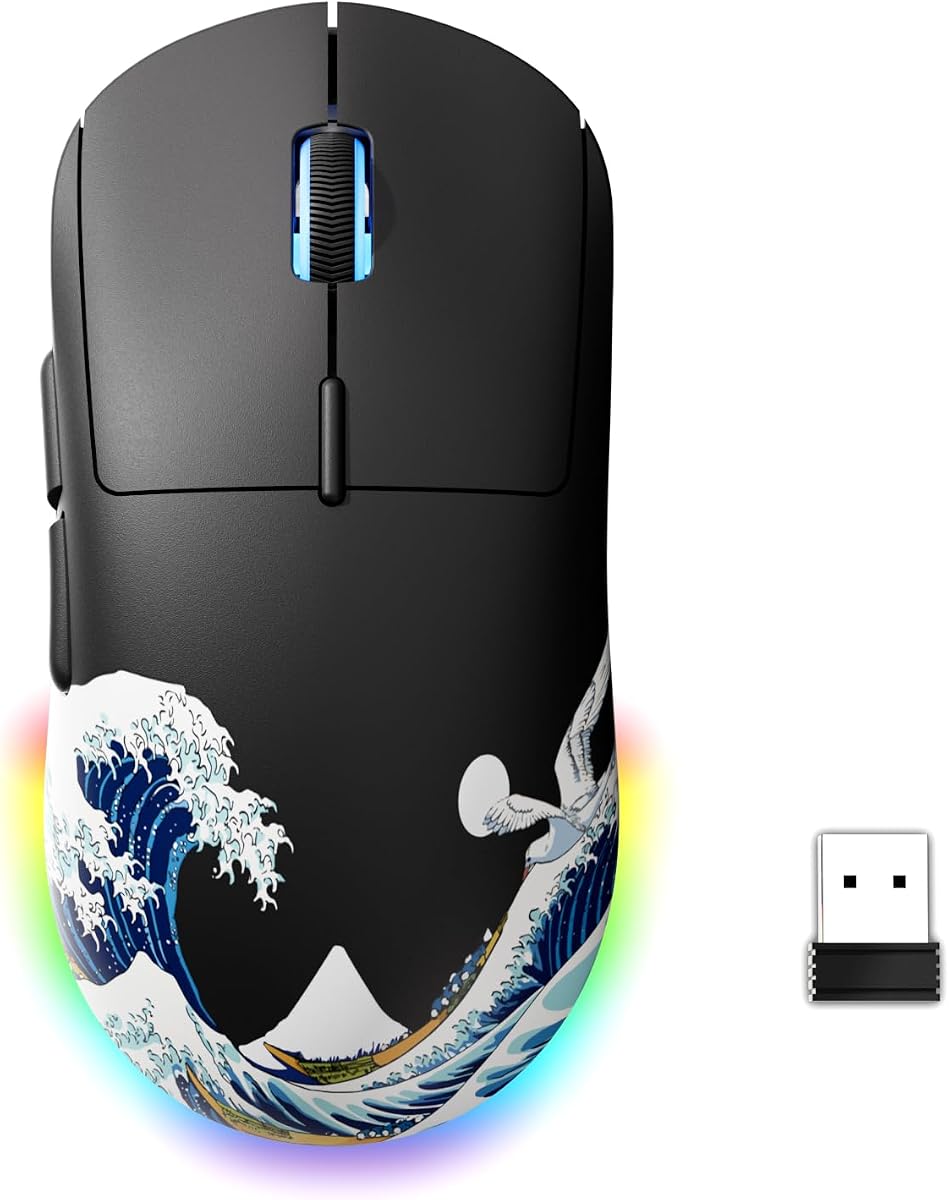
Glorious Model O 2 Wireless

If you want the featherlight feel of a modern competitive mouse without the flagship price, the Model O 2 Wireless is the pick. At just 59g with a smooth, accurate BAMF 2.0 sensor and a symmetrical ambidextrous shape, it's effortless to flick and track with, and it offers both fast 2.4GHz and Bluetooth. The sensor sits a small step below the absolute elite, but in real games the gap is marginal. For lightweight wireless performance under $100, it's superb value.

Sensor
BAMF 2.0
Weight
59g
Connection
2.4GHz + Bluetooth
Shape
Ambidextrous

What we liked

  • Featherlight 59g
  • Accurate BAMF 2.0 sensor
  • Both 2.4GHz and Bluetooth
  • Smooth glide, good value

Worth noting

  • Sensor a notch below the elite
  • Minimal extra buttons
3Best Value Ergonomic

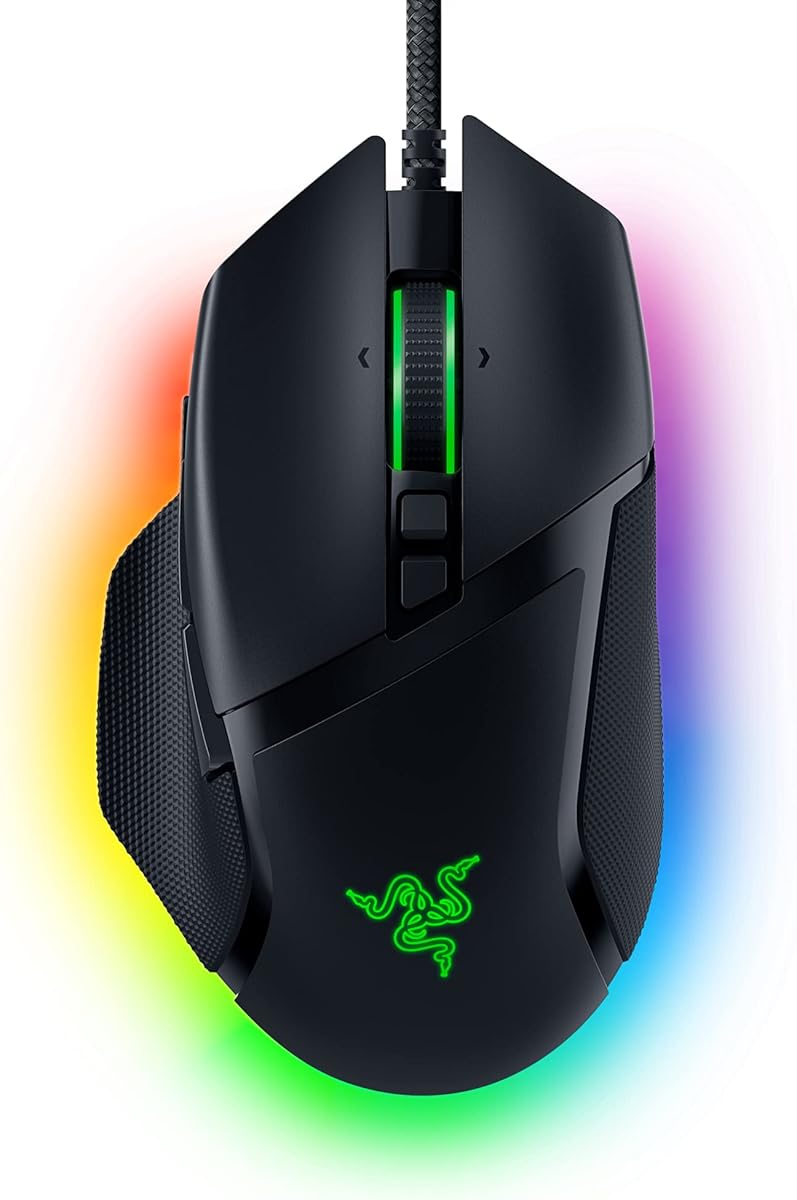
Razer Basilisk V3

The wired Basilisk V3 is one of the best value mice in all of gaming, and it slots in well under $100. It delivers a flawless Focus+ sensor, a comfortable ergonomic shape and a genuinely useful 10+1 programmable buttons, plus a brilliant free-spinning tilt scroll wheel that flies through chat logs or steps click-by-click for weapon selection. It's heavy and wired, so it's not for flick-first aimers chasing minimum weight, but for a feature-packed everyday gaming mouse on a budget, it's hard to beat.

Sensor
Focus+ 26K
Weight
101g
Buttons
10+1
Scroll
Free-spin tilt

What we liked

  • Flawless sensor, 10+1 buttons
  • Comfortable ergonomic shape
  • Free-spinning tilt scroll wheel
  • Excellent price (wired)

Worth noting

  • Heavy at 101g
  • Wired only
4Best Ergonomic Wireless

Glorious Model D Wireless

Players who want an ergonomic shape but still light weight should look at the Model D Wireless. Its contoured right-handed grip is comfortable for palm and claw holds, yet the honeycomb shell keeps it to a nimble 69g — light for an ergo mouse. The BAMF sensor and reliable wireless handle fast-paced games well, and it comes in clearly under $100. The perforated shell isn't to everyone's taste, but for comfortable, lightweight wireless gaming on a budget, it's a strong pick.

Sensor
BAMF
Weight
69g
Connection
2.4GHz
Grip
Ergonomic

What we liked

  • Light 69g for an ergonomic shape
  • Comfortable contoured grip
  • Reliable wireless
  • Honeycomb shell keeps weight down

Worth noting

  • Honeycomb shell not for everyone
  • Sensor below the elite tier
5Best Budget Wireless

Logitech G305 Lightspeed

The G305 Lightspeed remains the benchmark for affordable wireless gaming, sitting far below $100. It brings Logitech's lag-free Lightspeed wireless and an excellent HERO sensor to a price that undercuts almost everything, with class-leading battery life from a single AA. The shape is compact and simple, and it weighs a little more with the cell inside, but for reliable, true competitive-grade wireless at a budget price, it's the obvious choice and a long-time favourite.

Sensor
HERO 12K
Weight
99g
Connection
Lightspeed
Power
1x AA

What we liked

  • Lag-free Lightspeed wireless
  • Excellent HERO sensor
  • Very affordable
  • Long AA battery life

Worth noting

  • Heavier with the AA in
  • Plain, simple design
6Best Feature-Packed Wired

Logitech G502 HERO

The G502 HERO is a legend of the gaming-mouse world, and at well under $100 it's still phenomenal value. Its flawless HERO 25K sensor, 11 programmable buttons and dual-mode scroll wheel (free-spin or ratchet) make it a do-everything mouse for FPS, MOBA and productivity alike. The contoured shape suits a control palm grip and the build is rock solid. It's heavy at 121g and wired, so it's not for ultralight fans, but for sheer feature density per dollar, it's superb.

Sensor
HERO 25K
Weight
121g
Buttons
11
Scroll
Dual-mode

What we liked

  • Flawless HERO 25K sensor
  • 11 programmable buttons
  • Dual-mode scroll wheel
  • Iconic shape, great value

Worth noting

  • Heavy at 121g
  • Wired only
7Best Lightweight Wired

Razer Cobra

For players who want the modern ultralight feel but prefer a wired connection (or a lower price), the Razer Cobra is a great fit. At just 58g it's nimble for flicks and fast tracking, with quick optical main switches and a clean symmetrical shape that suits most grips. It keeps things simple with fewer buttons, but the core performance is excellent for the money. A smart, light, affordable pick comfortably under $100.

Sensor
8500 DPI optical
Weight
58g
Connection
Wired
Switches
Optical

What we liked

  • Light 58g for a wired mouse
  • Fast optical switches
  • Clean symmetrical shape
  • Very affordable

Worth noting

  • Wired only
  • Fewer buttons
8Best Cheap Pick

SteelSeries Rival 3

If you want a dependable gaming mouse for very little, the Rival 3 is the value champion of this list. Its TrueMove Core sensor is accurate and consistent, the shape is comfortable and reasonably light at 77g, and the switches are durable. It's wired with a basic feature set, but it nails the fundamentals and costs a fraction of the flagships. For a no-nonsense, reliable gaming mouse on the tightest budget, it's an easy recommendation.

Sensor
TrueMove Core
Weight
77g
Connection
Wired
Buttons
6

What we liked

  • Reliable sensor for the price
  • Comfortable, light-ish shape
  • Durable switches
  • Very low cost

Worth noting

  • Wired only
  • Basic feature set

How to choose a gaming mouse under $100 in 2026

The sub-$100 bracket is where value peaks in 2026 — you get most of a flagship's real-world performance for a lot less. Here's how to spend wisely.

You're not really sacrificing performance

The most important thing to understand is that the features that actually win games — a flawless sensor and low-latency wireless — are no longer flagship-exclusive. They've trickled all the way down to mice like the $50 Viper V3 HyperSpeed and the $40 G305. In blind testing, most players can't tell a great sub-$100 mouse from a $150 one in a match. What the extra money buys at the top is the very lowest weight, 8000Hz polling, exotic materials and a touch more refinement — nice, but not decisive. So buy in this bracket with confidence; you're getting the performance that matters.

Match the mouse to your games

Spend your budget on the right shape and weight for what you play. For aim-first FPS (Valorant, CS, Apex, Fortnite), prioritise low weight and a clean shape — the Viper V3 HyperSpeed, Model O 2 Wireless and Razer Cobra are ideal. For MOBAs, MMOs or games where you bind lots of actions, more buttons help, so the Basilisk V3 (10+1) and G502 HERO (11) are better fits. If you get hand fatigue, an ergonomic shape like the Basilisk V3 or Model D Wireless pays off over long sessions. There's no single best mouse — there's the best mouse for your games and grip.

Wired vs wireless at this price

Both are excellent under $100 now. Wireless used to mean a compromise; today the Viper V3 HyperSpeed, Glorious models and G305 are all genuinely lag-free with no perceptible latency. Wireless removes cable drag and is more pleasant day to day. Wired mice like the Basilisk V3, G502 HERO and Cobra stretch your dollar further — you get more features or lower weight for the same money, since you're not paying for the wireless hardware. Decide whether the convenience of wireless or the extra value of wired matters more to you.

Weight, shape and grip

Within your budget, weight and shape are what you'll feel every session. Lighter mice (under ~70g) are easier to flick and less tiring for fast aim; heavier feature-rich mice (100g+) suit a slower, control-oriented style and players who value buttons. Shape matters just as much: symmetrical mice (Viper, Model O 2, Cobra, Rival 3) suit a wide range of grips, while ergonomic shapes (Basilisk V3, Model D, G502) cradle the hand for palm grips. Pick the combination that feels natural — a mouse that fits your hand will always outperform one that just has better specs.

Don't overpay for polling and RGB

Two things tempt buyers into spending more than they need: ultra-high polling rates and elaborate lighting. 8000Hz polling sounds impressive but its real-world benefit over 1000Hz is subtle and not worth stretching your budget for at this tier. RGB is purely cosmetic. Put your money into the sensor (all our picks are sorted), the right shape and weight, and good switches. That's where sub-$100 mice already excel, and it's what actually affects your play.

What $100 buys in a gaming mouse

Just under $100 is a sweet spot for gaming mice, where flagship technology trickles down to sensible prices. At this level you get genuinely flawless sensors, fast and reliable wireless, lightweight shells and durable switches — most of what the priciest mice offer, for noticeably less. The picks here represent the best of this bracket, delivering pro-level performance without the halo-product premium, which is why this is the range most serious players should shop in.

The sensor is no longer a worry

Years ago, sensor quality separated good mice from bad. Today, even mice well under $100 use excellent sensors with no spin-out, smoothing or acceleration that would affect your aim. That means you can choose based on shape, weight and wireless quality rather than agonising over the sensor. Every mouse on this list tracks flawlessly, so trust your hand and your grip preference over chasing the highest DPI number, which has little real-world benefit.

Weight, shape and wireless quality

With sensors a non-issue, weight, shape and wireless performance decide the best mouse for you. Lightweight designs make flick aiming effortless, while the right shape for your grip keeps you accurate over long sessions. Fast, low-latency wireless at this price feels indistinguishable from wired for the vast majority of players. Pick the shape that fits your hand and grip, favour a lighter weight if you play fast-paced shooters, and you will have a mouse that performs at a high level.

Switches and durability

Click switches matter for a mouse you will use intensively. Optical switches resist the double-click issues that can affect mechanical switches over time, and many sub-$100 mice now use them for long-term reliability. Crisp, responsive main clicks help in fast games, and well-built side buttons hold up to heavy use. A durable mouse at this price is a multi-year investment, so reliable switches are worth prioritising alongside performance.

When it makes sense to spend more

Above $100, you are largely paying for marginal weight savings, premium materials and the latest halo features. For most players, a great sub-$100 mouse already delivers everything they need to play their best. Unless you are a competitive professional chasing the lightest possible weight or a specific feature, this bracket is the smart place to land, and the money saved is better spent on a good mouse pad or other gear.

Setting up your gaming mouse

To get the most from a sub-$100 gaming mouse, dial in the settings. Set a DPI and sensitivity that suit your game and play style, update the firmware and software, and map the side buttons to useful actions. Pair it with a quality mouse pad for consistent tracking, and keep the feet and sensor clean. With the right shape, a sensible setup and this tier's flawless performance, your mouse will never be the thing holding your aim back.

Wired, wireless or both

At this price you no longer have to choose between wired reliability and wireless freedom, because sub-$100 wireless mice now feel as responsive as wired for almost everyone. If you prefer the simplicity and lower cost of a cable, excellent wired options exist too. Decide whether the freedom of wireless is worth a small premium to you; if it is, this bracket delivers lag-free wireless that competitive players trust, and if not, a wired mouse here puts every dollar into shape, weight and switches.

Who should buy in this bracket

The sub-$100 range suits the majority of gamers, from serious ranked players to enthusiasts who want pro-grade performance without flagship prices. If you are a casual player, cheaper mice will serve you well; if you are a competitive professional chasing the absolute lightest weight, you may eye the halo models. But for the best balance of performance, build and value, this is the bracket to target, and the picks above prove how much mouse your money now buys. The bottom line: the Viper V3 HyperSpeed is the best gaming mouse under $100, delivering flagship-grade sensor and shape for half the price. Lightweight fans should look at the Model O 2 Wireless or Razer Cobra, feature lovers at the Basilisk V3 or G502 HERO, and the budget-conscious at the G305 or Rival 3. Use our ranked picks above to get flagship-level play without flagship spending.

How we picked

We tested mice priced under $100 at typical retail, judging the same things that matter on flagships: a flawless sensor with no spin-out or smoothing, low click and wireless latency, weight and shape for the intended games, build quality and switch durability. We gave extra credit to mice that deliver near-flagship performance for the money, and made sure the list covers different needs — lightweight FPS, ergonomic, feature-rich and budget wireless. Prices fluctuate, so treat the tiers as guidance and check current listings.

Frequently asked questions

What is the best gaming mouse under $100?

The Razer Viper V3 HyperSpeed is the best gaming mouse under $100 for most players. It uses the same flawless Focus Pro 30K sensor and proven symmetrical shape as Razer's flagships, paired with reliable low-latency wireless, for roughly half the price. If you want maximum lightness, the Glorious Model O 2 Wireless (59g) is the standout lightweight alternative in this bracket.

Do you lose much performance buying under $100 instead of a flagship?

Surprisingly little. The biggest gains in modern gaming mice — flawless sensors and low-latency wireless — have trickled down to the sub-$100 tier. Mice like the Viper V3 HyperSpeed and Glorious Model O 2 perform within a hair of $150 flagships in real play. What you typically give up is the very lowest weight, the highest 8000Hz polling, or premium materials — refinements most players won't notice in a match.

Should I get wired or wireless under $100?

You can get excellent versions of both in this bracket. For wireless, the Viper V3 HyperSpeed, Glorious Model O 2 and Logitech G305 are all genuinely lag-free. For wired, the Basilisk V3, G502 HERO and Razer Cobra offer more features or lower weight for the money. Wireless is more convenient and now competitively viable at this price; choose wired if you want to save more or prefer not to charge/swap batteries.

What's the best lightweight gaming mouse under $100?

The Glorious Model O 2 Wireless (59g) and Razer Cobra (58g wired) are the lightest standouts under $100. Both are nimble for flick-heavy FPS play. If you want lightweight plus an ergonomic shape, the Glorious Model D Wireless (69g) is the pick. All three deliver the modern ultralight feel without flagship pricing.

Are these mice good for FPS games like Valorant and Fortnite?

Yes. Every mouse here has a flawless or near-flawless sensor suitable for competitive FPS. For aim-focused play, the lighter picks (Viper V3 HyperSpeed, Model O 2, Cobra) are ideal. For games where you bind abilities or builds, the button-rich Basilisk V3 and G502 HERO are great. You can absolutely climb ranked with any of these under-$100 options.

How accurate are the listed prices?

Gaming-mouse prices move with sales and stock, so treat the under-$100 framing as a guide rather than a guarantee. Most picks here typically sell between $30 and $80, with the Viper V3 HyperSpeed and Glorious models near the top of the range and the G305, G502 HERO, Cobra and Rival 3 lower. Always check the current listing before buying.