Expert Review & Guide

Best Gaming Laptops Under 500 in 2026: Honest Picks

Searching for the best gaming laptops under 500 in 2026 means learning a hard truth early: most machines in this band are integrated-graphics notebooks wearing gaming labels, not portable replacements for a midrange desktop RTX tower. That does not make the search pointless. It means you should shop for playable esports settings, older favorites, and thoughtfully lowered presets—then treat rare discrete GPU listings as opportunistic wins rather than the everyday baseline.

This ReviewConsensus roundup sticks to products from our curated pack and ranks them by how well they match honest entry-level gaming. We favor named graphics such as Radeon 660M-class and Ryzen HS chips over vague Core processor marketing, call out weak UHD and Twin Lake options that will frustrate Steam libraries, and keep two RTX 5060 laptops in view for shoppers who can catch a legitimate deal without pretending those configs always live in this budget lane.

You will find top picks, a full comparison table, in-depth reviews, a buying guide focused on iGPU versus discrete reality, a practical checklist, and FAQs that answer the questions budget gamers actually ask before they click buy.

Our Top Picks for Budget Gaming Laptops

Best Overall

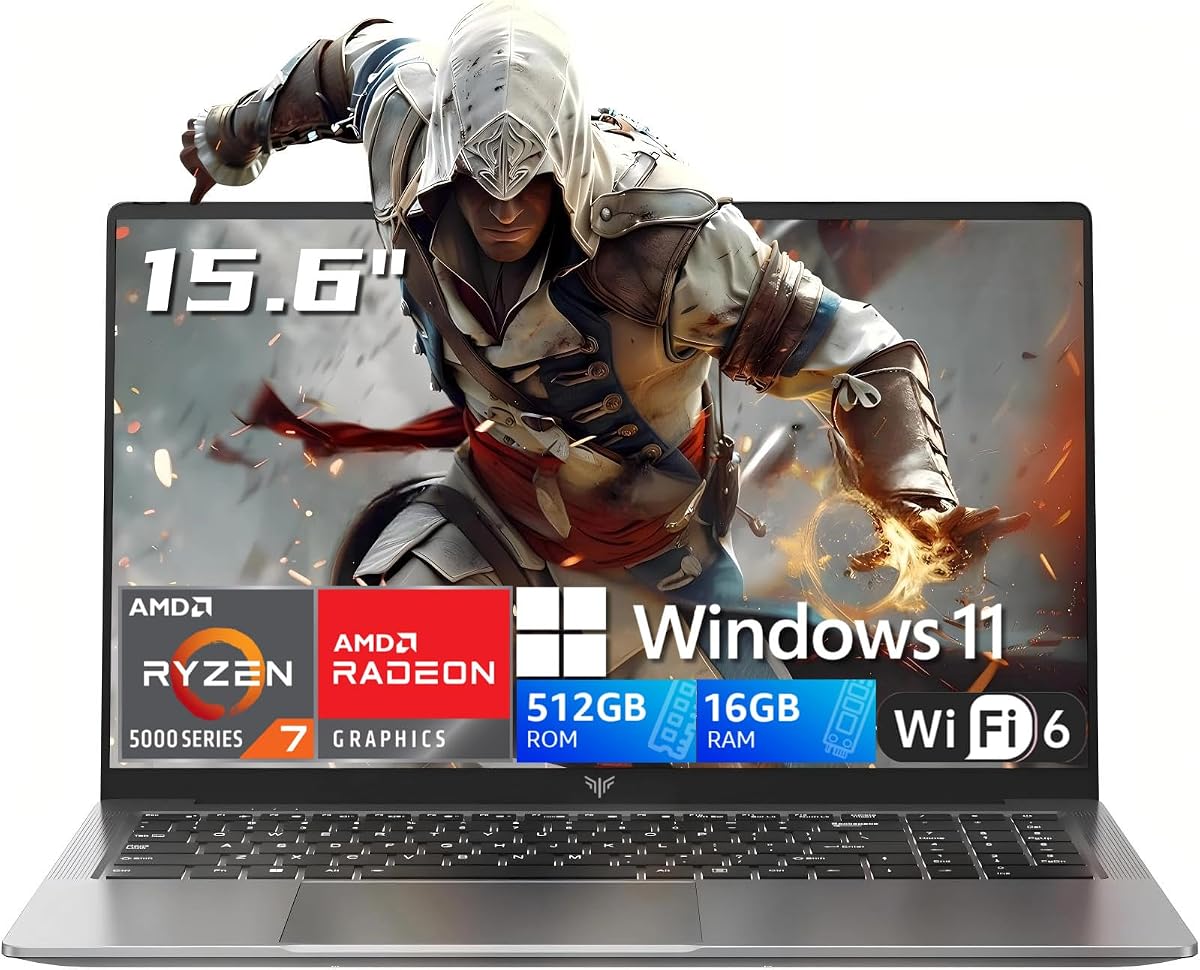
NIMO Gaming Laptop 15.6"

★★★★☆8.6/10
NIMO Gaming Laptop 15.6"
  • Ryzen 7 7735HS delivers the strongest realistic iGPU gaming ceiling in this budget-focused pack
  • DDR5 memory, PCIe 4.0 storage, and dual full-function USB-C support longer ownership
  • Best match for esports, indie games, and honest low-to-medium presets—not fake AAA ultra promises
Check Price →
Best Balanced Pick

NIMO 15.6" IPS FHD-Light Gaming-Laptop

★★★★☆8.6/10
NIMO 15.6" IPS FHD-Light Gaming-Laptop
  • Named Radeon 660M graphics beat vague UHD chips for light and competitive play
  • Upgradable RAM and SSD design helps you grow past the tight 256GB stock drive
  • Fingerprint security and 100W Type-C charging fit school-plus-gaming lifestyles
Check Price →
Best Discrete GPU

Acer Nitro V 16S AI Gaming Laptop

★★★★☆8.8/10
Acer Nitro V 16S AI Gaming Laptop
  • RTX 5060 class performance changes the conversation from entry-level to real modern gaming
  • 32GB DDR5, 1TB SSD, and a 180Hz WUXGA panel arrive ready for big libraries
  • Treat as a deal-watch target when a legitimate listing overlaps a tight budget
Check Price →

As an Amazon Associate we earn from qualifying purchases. We may earn a commission at no additional cost to you.

Budget Gaming Laptop Comparison

Use this table to compare processors, graphics reality, memory, and storage across every laptop in the pack. Specs focus on playability factors—not sticker theater—so you can see why an H-series Radeon machine outranks a gaming-branded office chip.

#ProductSpecificationsScore
1
  • AMD Ryzen 7 7735HS (8C/16T, up to 4.75GHz)
  • 16GB DDR5 + 512GB PCIe 4.0 SSD (upgradable)
  • AMD Radeon graphics suited to light/esports titles
8.6
2
  • AMD Ryzen 5 6600H up to 4.5GHz
  • 16GB DDR5 RAM, 256GB SSD (upgradable)
  • AMD Radeon 660M integrated graphics
8.6
3
  • AMD Ryzen 7 260 + GeForce RTX 5060 Laptop GPU
  • 32GB DDR5 and 1TB Gen 4 SSD
  • 16" WUXGA IPS 180Hz display
8.8
4
  • Intel Core i7 14650HX + RTX 5060 Laptop GPU
  • 16GB DDR5-5600 and 1TB Gen 4 SSD
  • 16" FHD+ 165Hz display with ROG cooling
9
5
  • AMD Ryzen 7 5825U (8C/16T, up to 4.5GHz)
  • 16GB LPDDR4 and 1TB NVMe SSD
  • 15.6" FHD with Radeon graphics, Wi-Fi 6
9.2
6
  • AMD Ryzen 7 5700U (8C/16T, up to 4.3GHz)
  • 16GB DDR4 (upgradable claims) + 512GB NVMe
  • 15.6" display with Radeon graphics, Wi-Fi 6
8.6
7
  • AMD Ryzen 5 with Radeon Vega 8 graphics
  • 16GB RAM and 512GB SSD
  • 15.6" FHD IPS, numpad, webcam shutter
9.2
8
  • Core processor up to 3.4GHz with UHD Graphics 615
  • 16GB RAM and 512GB SATA SSD
  • 15.6" FHD, Win 11 Pro, privacy camera slider
9
9
  • Intel Twin Lake N150 up to 3.6GHz
  • 16GB RAM and 512GB SSD
  • 15.6" IPS 1080P, backlit keyboard, Win 11 Pro
8
10
  • Core processor up to 3.40GHz
  • 16GB RAM and 512GB SSD
  • 15.6" FHD anti-glare display
7

1. NIMO Gaming Laptop 15.6" - Best Overall

NIMO Gaming Laptop 15.6"

NIMO Gaming Laptop 15.6"

8.6/10★★★★☆

If you want the most honest best-gaming-laptop-under-500 recommendation for people who will actually launch games, start with the NIMO Ryzen 7 7735HS model. This is not a marketing miracle. It is a Rembrandt-family HS processor with a meaningfully stronger integrated GPU than the older U-series chips that dominate bargain listings. That difference matters more than RGB stickers or the word gaming printed on a product title.

  • AMD Ryzen 7 7735HS (8C/16T, up to 4.75GHz)
  • 16GB DDR5 + 512GB PCIe 4.0 SSD (upgradable)
  • AMD Radeon graphics suited to light/esports titles
Check Price →
✓ Pros
  • Strongest realistic integrated-graphics gaming option in this pack for esports and older titles
  • DDR5 memory and PCIe 4.0 SSD leave real upgrade runway
  • Dual full-function USB-C with 100W PD charging fits modern desks
  • Fingerprint login and backlit keyboard improve daily usability
  • Honest light-gaming positioning matches what the hardware can deliver
✕ Cons
  • Still not a substitute for a discrete RTX laptop in modern AAA titles
  • Stock 512GB fills quickly once Steam libraries grow
  • Thermals and fan noise under sustained loads will remind you this is a thin gaming-adjacent chassis

Detailed review

Under a tight budget, most machines in this category rely on office-class silicon and then hope buyers never open a AAA launcher. The 7735HS is different. Eight cores and sixteen threads give you headroom for Discord, a browser with twenty tabs, OBS for light recording, and a competitive title at once. The Radeon graphics paired with this chip are the reason we put NIMO first: League of Legends, Valorant, CS2, Rocket League, Fortnite on reduced settings, Minecraft with sensible packs, and many indie or older Steam favorites are the realistic target zone.

What you should not expect is native 1080p ultra Cyberpunk, ray-traced open-world shooters, or console-like settings in brand-new releases. Entry-level gaming in 2026 still means turning down shadows, capping frame rates, and sometimes dropping resolution scale. If that tradeoff feels fair for the money you can spend, this laptop earns its place. If you need maxed modern AAA, you need a discrete GPU machine and you must watch listings carefully because those configurations rarely live permanently in this budget band.

Memory and storage are configured for growth. Sixteen gigabytes of DDR5 is the right baseline for Windows 11 gaming multitasking, and dual SO-DIMM design means you can expand later instead of throwing the machine away. The 512GB PCIe 4.0 SSD is fast enough that load times will not feel like 2015 hard-drive pain, but a growing library will push you toward an upgrade or external drive sooner than the 1TB machines elsewhere in this roundup.

Connectivity is one of NIMO’s quiet strengths. Two full-function USB-C ports that handle data, display output, and 100W Power Delivery make one-cable docking realistic. HDMI and the usual USB-A ports cover older monitors and controllers. The 15.6-inch FHD panel with wide viewing angles is fine for esports and streaming; it is not a high-refresh ROG or Nitro panel, so competitive players who care about 165Hz and above should look at the discrete GPU options when they briefly dip into range.

Daily living features are better than many no-name chassis. The fingerprint reader removes password friction. The backlit keyboard helps night sessions. The 2.0MP camera is sharper than the grainy 720p sensors that still ship on too many budget notebooks. None of that raises frame rates, but it does make the machine feel like a primary laptop rather than a disposable toy.

Buy this if your definition of gaming is competitive online titles, creative light work, and school or office apps on the same device. Skip it only if you already know you need RTX features, DLSS frame generation as a crutch for heavy games, or a high-refresh dedicated gaming display out of the box.

Who this NIMO is for

Students and first-job buyers who want one laptop for classes, Netflix, and evening ranked matches will feel the value here. Creators doing 1080p edits and photo work also benefit from the stronger HS-class CPU. Pure AAA max-settings gamers should keep reading for the discrete GPU options and treat those as opportunistic buys.

Setup tips for better frame rates

Plug in for play sessions, set Windows power mode to Best performance, update AMD chipset and graphics drivers from a clean source, close Chrome hardware hogs, and use in-game low or medium presets with a frame-rate cap. Cap FPS near your comfort zone so the fans do not scream while delivering uneven spikes.

How it compares in this under-500 group

Versus the NIMO 6600H, you gain CPU headroom and a stronger graphics ceiling for the same general form factor. Versus MALLRACE U-series machines, you trade some storage capacity for graphics that matter more in games. Versus Acer Nitro and ROG Strix, you accept integrated graphics in exchange for a configuration that is far more likely to remain an honest entry-level purchase.

Check Price on Amazon →

We may earn a commission at no additional cost to you.

2. NIMO 15.6" IPS FHD-Light Gaming-Laptop - Best Balanced Pick

NIMO 15.6" IPS FHD-Light Gaming-Laptop

NIMO 15.6" IPS FHD-Light Gaming-Laptop

8.6/10★★★★☆

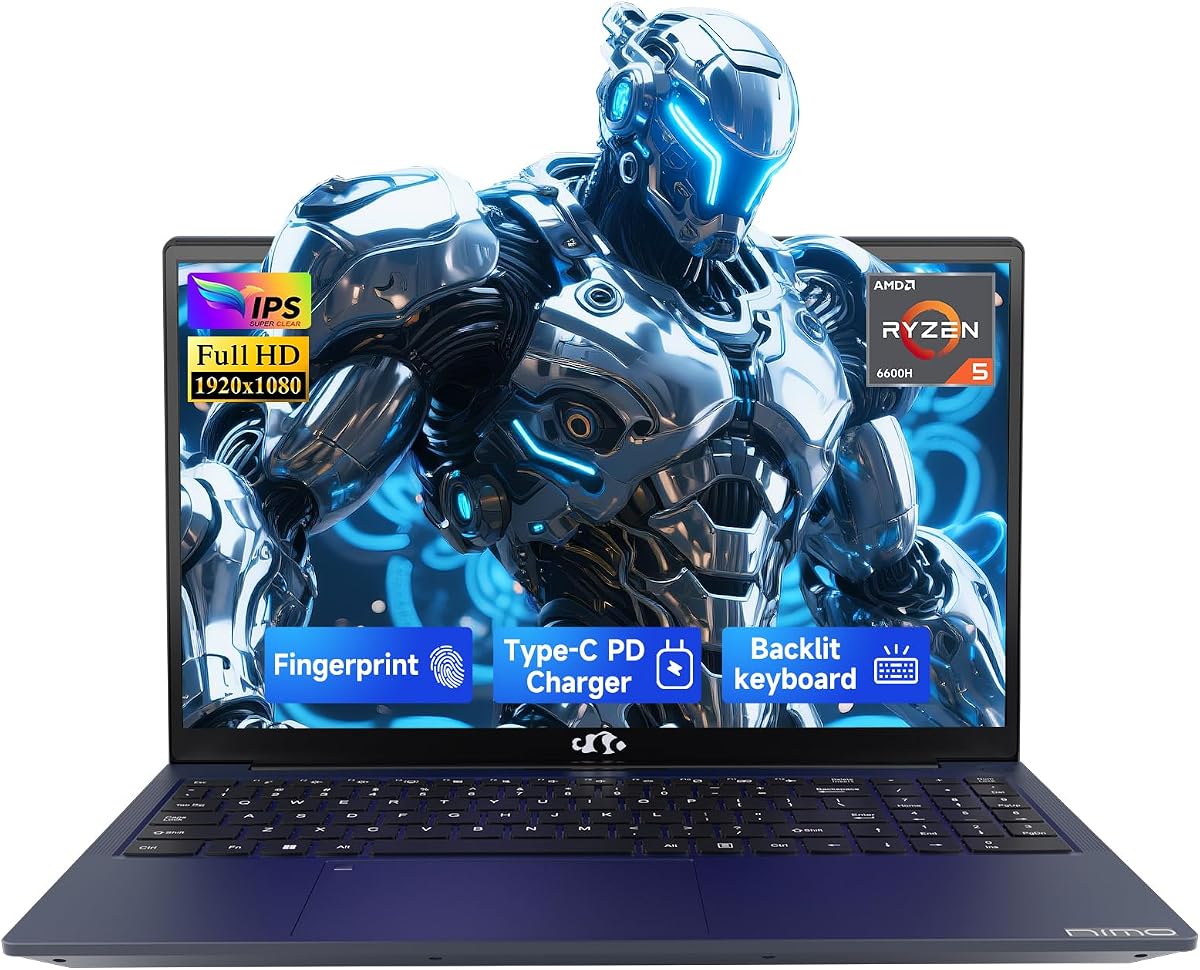
The NIMO Ryzen 5 6600H with Radeon 660M is our best balanced pick because it pairs a true H-series chip with a named iGPU that has a track record in budget gaming conversations. Where vague Core processor listings hide weak graphics, this model tells you what you are buying: six cores, DDR5 memory, and Radeon 660M for playable esports and lighter 3D work.

  • AMD Ryzen 5 6600H up to 4.5GHz
  • 16GB DDR5 RAM, 256GB SSD (upgradable)
  • AMD Radeon 660M integrated graphics
Check Price →
✓ Pros
  • Radeon 660M is a clear step above older Vega and UHD iGPUs for light gaming
  • H-series CPU stays responsive under multitasking and creative apps
  • Fingerprint sensor and privacy-minded webcam design
  • 100W Type-C charging and dual full-function USB-C ports
  • Explicitly upgradable RAM and SSD for longer ownership
✕ Cons
  • 256GB stock storage is tight for modern game installs
  • Still integrated graphics, so new AAA titles need heavy compromises
  • Not the highest refresh or brightest panel in the pack

Detailed review

Expect honest results. Titles like League of Legends, CS2, Valorant, GTA V with tuned settings, and many indie games are the sweet spot. Newer open-world releases may run, but you will lower resolution, disable fancy lighting, and accept that cinematic presets are not for this class of hardware. That is entry-level gaming in plain language, not a failure of the product.

The weakest stock choice is storage. Two hundred fifty-six gigabytes disappears after Windows updates, a browser profile, and two or three modern titles. Because NIMO emphasizes expandability, plan an SSD upgrade early if games are the point. Memory starts at a healthy 16GB DDR5 and can grow, which is the right priority order: RAM first for multitasking smoothness, then SSD capacity for libraries.

For school and hybrid work, this chassis is more persuasive than the ultra-cheap Core and N150 machines. Fingerprint login, a hidden webcam approach for privacy, HDMI 2.0, and dual USB-C ports with Power Delivery mean you can use it as a real daily driver. The 15.6-inch FHD IPS panel is sharp enough for splitscreen notes and streaming, though competitive players chasing high-refresh panels should still eye the Acer and ASUS options when availability aligns with a tight budget.

Thermally, H-series chips want airflow. Keep vents clear, use a flat hard surface, and do not expect silent fans during ranked nights. That is normal. What matters is sustained clocks that stay usable rather than a bursty U-series chip that throttles the moment Discord and a game share the silicon.

Warranty messaging around a two-year manufacturer warranty and ninety-day returns is a confidence boost in a category flooded with opaque house brands. Still verify the seller and keep documentation. Budget gaming shopping is as much about support as it is about FPS screenshots.

Choose the 6600H NIMO when you want a clear graphics identity, upgrade paths, and a machine that can handle both homework and evening queues. Choose the 7735HS NIMO instead if you want more CPU threads and a higher iGPU ceiling without jumping to discrete GPUs.

Ideal buyer profile

High-school and college gamers, junior developers learning locally, and anyone replacing a dead office laptop who still wants Fortnite nights without lying to themselves about ultra settings.

Storage reality check

Install a larger NVMe drive before your Steam folder explodes. External SSDs help, but internal upgrades feel better for load times and portability. Keep the OS clean and move recordings or media off the boot drive.

Check Price on Amazon →

We may earn a commission at no additional cost to you.

3. Acer Nitro V 16S AI Gaming - Best Discrete GPU

Acer Nitro V 16S AI Gaming Laptop

Acer Nitro V 16S AI Gaming Laptop

8.8/10★★★★☆

The Acer Nitro V 16S is the clearest example of what under-500 shoppers dream about and what the market rarely gives them every day: a current-generation GeForce RTX 5060 laptop GPU, a Ryzen 7 260 CPU, 32GB of DDR5, a 1TB Gen 4 SSD, and a 16-inch 180Hz WUXGA panel. On paper it belongs in a different league than the integrated Radeon machines that fill most of this roundup.

  • AMD Ryzen 7 260 + GeForce RTX 5060 Laptop GPU
  • 32GB DDR5 and 1TB Gen 4 SSD
  • 16" WUXGA IPS 180Hz display
Check Price →
✓ Pros
  • True discrete RTX 5060 gaming performance when you can secure a listing in range
  • 32GB DDR5 and 1TB SSD ready for big libraries out of the box
  • 180Hz WUXGA panel is a major step up from 60Hz FHD budget screens
  • DLSS and modern NVIDIA features help newer titles stay playable
  • Strong creator and AI-assisted workload headroom
✕ Cons
  • Often sits above strict under-500 shopping; treat as a deal-watch target
  • Heavier, louder, and more power-hungry than integrated-graphics notebooks
  • Memory max noted at 32GB may limit some upgrade fantasies

Detailed review

Honesty first. Discrete RTX 50-series gaming laptops are not the everyday permanent residents of the strictest entry-level budget. Include this Acer because the pack lists it and because deep promotions, open-box luck, or temporary listing swings sometimes pull serious hardware closer to bargain hunters. If you catch one legitimately, it transforms the recommendation from light gaming to actual modern gaming.

With an RTX 5060 class GPU, expectations change. You can target 1080p high settings in many current titles, lean on DLSS for demanding releases, and explore ray tracing selectively. The 180Hz display finally matches competitive play instead of capping the experience at a dull office panel. Thirty-two gigabytes of memory means Chrome, Discord, launcher overlays, and the game can coexist without immediate paging thrash.

The tradeoffs are physical. Dedicated GPUs need thicker chassis, stronger cooling, and louder fans under load. Battery life while gaming will not resemble the thin Ryzen U notebooks. Carry weight rises. That is the tax for frames. If you mostly write papers and only launch League twice a week, the quieter NIMO integrated options remain smarter.

Acer’s Nitro branding is mainstream gaming rather than boutique ROG theater, which is fine. You get the features that matter: fast storage, a high-refresh IPS-class panel with broad color coverage claims, Wi-Fi 6, and a configuration that does not force an immediate SSD transplant. Creators streaming or editing benefit from the same GPU acceleration gamers want.

When comparing Nitro V 16S to the ASUS ROG Strix G16 in this same pack, both chase discrete RTX 5060 performance. Acer leans into memory capacity and a 180Hz 16:10-style productivity-friendly canvas. ROG leans into cooling theater, RGB identity, and a 165Hz FHD+ panel with aggressive thermal marketing. Either can be the right opportunistic buy; neither should be assumed always available inside the tightest budget.

Shop carefully. Confirm the exact GPU model, memory amount, and seller condition. Avoid vague listings that reuse gaming photos for weaker hardware. If the Nitro is out of reach today, keep the NIMO 7735HS as your realistic daily pick and set an alert for Nitro dips.

When to wait for this Acer

Wait if you primarily play modern AAA, want high refresh, and can be patient for a legitimate deal. Do not wait forever if you need a laptop this month for school; buy a strong iGPU machine and upgrade later.

Entry-level vs true gaming

This is the line where our roundup stops talking about low presets as destiny. RTX 5060 hardware is real gaming capability. Everything ranked below it in the integrated group is entry-level by comparison, and that distinction should guide your expectations more than any badge.

Versus ROG Strix in this list

Pick Nitro for the 32GB memory loadout and 180Hz screen if those matter more. Pick ROG if you want the vapor-chamber cooling story, Wi-Fi 7, and the Strix aesthetic. Both beat every integrated option for heavy games when available.

Check Price on Amazon →

We may earn a commission at no additional cost to you.

4. ASUS ROG Strix G16 (2025) Gaming - Best Premium Specs

ASUS ROG Strix G16 (2025) Gaming Laptop

ASUS ROG Strix G16 (2025) Gaming Laptop

9/10★★★★★

The ASUS ROG Strix G16 is the enthusiast answer in a budget roundup: Intel Core i7 14650HX, GeForce RTX 5060, 16GB DDR5, 1TB Gen 4 SSD, and a 165Hz FHD+ display wrapped in ROG cooling and lighting. It is here because shoppers searching best gaming laptops under 500 deserve to see what a real gaming chassis looks like when a listing briefly overlaps their budget.

  • Intel Core i7 14650HX + RTX 5060 Laptop GPU
  • 16GB DDR5-5600 and 1TB Gen 4 SSD
  • 16" FHD+ 165Hz display with ROG cooling
Check Price →
✓ Pros
  • Flagship-leaning HX CPU paired with RTX 5060 for serious play
  • 1TB Gen 4 SSD handles large libraries without immediate expansion
  • 165Hz FHD+ panel suited to fast multiplayer
  • Advanced ROG cooling with vapor chamber and liquid metal claims
  • Wi-Fi 7 and full surround RGB for a proper gaming aesthetic
✕ Cons
  • Likely to sit above everyday under-500 availability; deal-dependent
  • 16GB memory may want an upgrade for heavy multitasking creators
  • RGB and performance modes are overkill if you only need browser and Zoom

Detailed review

Performance expectations are night-and-day versus UHD 615 or Twin Lake N150 machines. You can pursue modern titles with higher presets, use DLSS 4 features associated with Blackwell-generation GPUs, and keep competitive games ultra smooth on the 165Hz panel. The HX-class CPU also helps streaming and heavier creative export times.

ROG’s thermal stack is a selling point rather than a footnote. End-to-end vapor chamber talk, tri-fan design, and Conductonaut Extreme liquid metal are aimed at sustaining clocks instead of melting into silent thermal throttling. You will hear fans. You will also keep more performance than thin ultraportables pretending to be gaming PCs.

The display uses a 16:10-friendly FHD+ canvas with ACR film messaging for contrast and glare control. It is a better gaming surface than the generic 60Hz panels on most bargain 15.6-inch notebooks. Color enthusiasts may still calibrate, but motion clarity is the headline for this screen.

Sixteen gigabytes of DDR5 is workable for gaming, yet creators who edit while chatting and browsing may feel the ceiling faster than on the Acer Nitro’s 32GB configuration. Storage at 1TB is excellent for this comparison set. Wi-Fi 7 is a future-facing nicety if your router supports it.

RGB lightbar customization is pure ROG personality. Stealth Mode exists for classrooms and offices where rainbow edges are socially expensive. That dual personality helps if this becomes your only computer rather than a bedroom-only rig.

Treat Strix like Nitro: validate the configuration, buy from reputable sellers, and do not confuse a photo of an RTX laptop with a weaker substitute listing. If it is not realistically obtainable under your budget today, admire the specs and purchase one of the stronger integrated NIMO machines without shame.

Who should chase the Strix

Players who care about sustained FPS, brand cooling, and a high-refresh panel—and who can act quickly when a qualified deal appears.

Practical ownership notes

Use Armoury Crate performance modes thoughtfully, keep intake clear, undervolt or cap FPS if you want quieter nights, and budget time for GPU driver updates after unboxing.

Check Price on Amazon →

We may earn a commission at no additional cost to you.

5. MALLRACE Gaming Laptop - Best Storage Value

MALLRACE Gaming Laptop

MALLRACE Gaming Laptop

9.2/10★★★★★

MALLRACE’s Ryzen 7 5825U configuration wins Best Storage Value because a 1TB NVMe drive changes how usable a budget gaming laptop feels on day one. You can install Windows, a creative suite, and several mid-size games without immediately shopping for another SSD. In a category where 256GB configs are common, that alone reduces friction.

  • AMD Ryzen 7 5825U (8C/16T, up to 4.5GHz)
  • 16GB LPDDR4 and 1TB NVMe SSD
  • 15.6" FHD with Radeon graphics, Wi-Fi 6
Check Price →
✓ Pros
  • 1TB SSD is rare generosity in entry-level gaming searches
  • Eight-core Ryzen 7 5825U handles everyday multitasking well
  • Wi-Fi 6, numeric keyboard, and full-function Type-C ports
  • Strong customer rating relative to vague bargain clones
  • Upgrade messaging around memory and SSD is useful long-term
✕ Cons
  • Integrated Radeon graphics trail newer 660M/680M-class iGPUs
  • Better for light esports and older titles than modern AAA
  • U-series power envelope means quieter fans but lower gaming ceiling

Detailed review

The Ryzen 7 5825U is an eight-core, sixteen-thread Zen 3 U-series chip that still makes sense for schoolwork, browsing, light editing, and casual play. AMD Radeon graphics here are integrated and modest. Think League, Minecraft, older multiplayer favorites, and indie games at FHD with lowered settings—not a substitute for the NIMO H-series picks when FPS is the priority.

Memory is listed as 16GB LPDDR4 with dual-channel upgrade talk up to higher capacities depending on the internal design. Always confirm whether your specific unit uses soldered memory or sockets before assuming a RAM upgrade path. Storage upgrade claims up to 2TB are more universally useful if the chassis allows access.

Port selection is practical: USB 3.2, HDMI, full-function Type-C, TF card, audio jack, and a Type-C DC jack. Wi-Fi 6 is the right wireless generation for crowded dorm networks. The backlit keyboard helps evening sessions. The 54.72Wh battery class is more about mobility for classes than marathon gaming unplugged.

Why does this beat weaker Core and N150 machines for gamers? Core counts and Radeon graphics still outperform UHD 615-class solutions in most light 3D scenarios, and the larger SSD keeps your library local. Why does it rank below the NIMO 6600H and 7735HS? Those H-series designs were built closer to performance laptops, while 5825U is an efficient all-rounder wearing a gaming label.

Build and support expectations should stay grounded. House-brand laptops vary unit to unit. Check recent reviews for keyboard feel, screen brightness, and thermal complaints. Keep the machine elevated, update chipset drivers, and avoid covering vents on beds or couches.

Buy MALLRACE 5825U if storage capacity and a competent Ryzen 7 daily driver matter more than squeezing every esports frame. If gaming is the primary job of the laptop, spend attention on the NIMO H-series models first.

Light gaming expectations

Target 1080p low to medium in esports titles, use FSR or resolution scale when available, and accept that newer AAA releases may be slideshows unless heavily compromised.

Who should buy it

Students who need disk space for media projects and still want casual games, or anyone replacing a spinning-disk relic with a roomy SSD and modern ports.

Check Price on Amazon →

We may earn a commission at no additional cost to you.

6. 2026 AMD Gaming Laptop Ryzen 7 - Best Everyday Light

2026 AMD Gaming Laptop Ryzen 7 5700U

2026 AMD Gaming Laptop Ryzen 7 5700U

8.6/10★★★★☆

This 2026-branded AMD gaming laptop with Ryzen 7 5700U is a close cousin to the MALLRACE 5825U machine: Zen 2-era eight-core efficiency, integrated Radeon graphics, and a feature set aimed at home entertainment plus light gaming. The product copy even names CSGO-class, PUBG-class, DOTA 2, and League-style play, which is the right honesty level for this silicon.

  • AMD Ryzen 7 5700U (8C/16T, up to 4.3GHz)
  • 16GB DDR4 (upgradable claims) + 512GB NVMe
  • 15.6" display with Radeon graphics, Wi-Fi 6
Check Price →
✓ Pros
  • Eight-core Ryzen 7 remains strong for everyday productivity
  • Explicit light-gaming examples match honest use cases
  • 512GB NVMe with upgrade headroom to larger drives
  • Webcam privacy slide and useful I/O including TF slot
  • Same general LX15PRO family practicality as the higher-storage MALLRACE
✕ Cons
  • Older U-series graphics trail Radeon 660M/680M machines
  • Half the stock storage of the 1TB MALLRACE sibling
  • Not ideal if your library is mostly new AAA releases

Detailed review

Compared with Twin Lake N150 and vague Core up-to-3.4GHz notebooks, the 5700U still feels like a real computer when you multitask. Compared with NIMO’s 6600H and 7735HS, it is the calmer, cooler, less game-forward choice. Frames will be lower in the same titles, especially as games get newer and heavier.

Sixteen gigabytes of DDR4 and a 512GB NVMe SSD form a sensible starter kit. Upgrade claims toward 64GB RAM and 2TB SSD matter if the internals are accessible—verify before purchase if upgradability is your reason to buy. For many people, an external drive covers media while the internal SSD stays snappy for apps and a few games.

Ports cover USB 3.2, full-function Type-C, headphone jack, TF slot, and DC charging. Wi-Fi 6 helps on congested campus networks. The privacy webcam slide is a small physical feature that students in shared housing actually use. Battery capacity in the mid-50Wh class supports mixed workdays better than it supports unplugged gaming marathons.

Display quality on bargain 15.6-inch panels varies. Expect FHD clarity without assuming high refresh or vivid factory color. If competitive motion matters, the Acer and ASUS high-refresh screens elsewhere in this guide are in another world—again, when those deals exist.

We rank it as Best Everyday Light Gaming because it matches the marketing to reality better than many gaming-labeled Celeron-class devices. You get a Ryzen 7 for Zoom and documents, and enough graphics for casual sessions if you keep settings humble.

Pick the 1TB MALLRACE 5825U instead if storage is the bottleneck. Pick a NIMO H-series model if you want the best integrated FPS in this pack. Pick this 5700U when you find a strong total package and mostly need a dependable Windows 11 laptop that can also play lighter games.

Good games for this class

MOBA and older competitive multiplayer, 2D and indie favorites, emulation within reason, and story games from prior console generations with lowered settings.

Versus the 5825U MALLRACE

Both are U-series Radeon machines. Prefer 5825U when you want the larger 1TB drive and slightly newer Zen 3 efficiency narrative; prefer 5700U when the overall listing, keyboard, or seller terms are better for your situation.

Check Price on Amazon →

We may earn a commission at no additional cost to you.

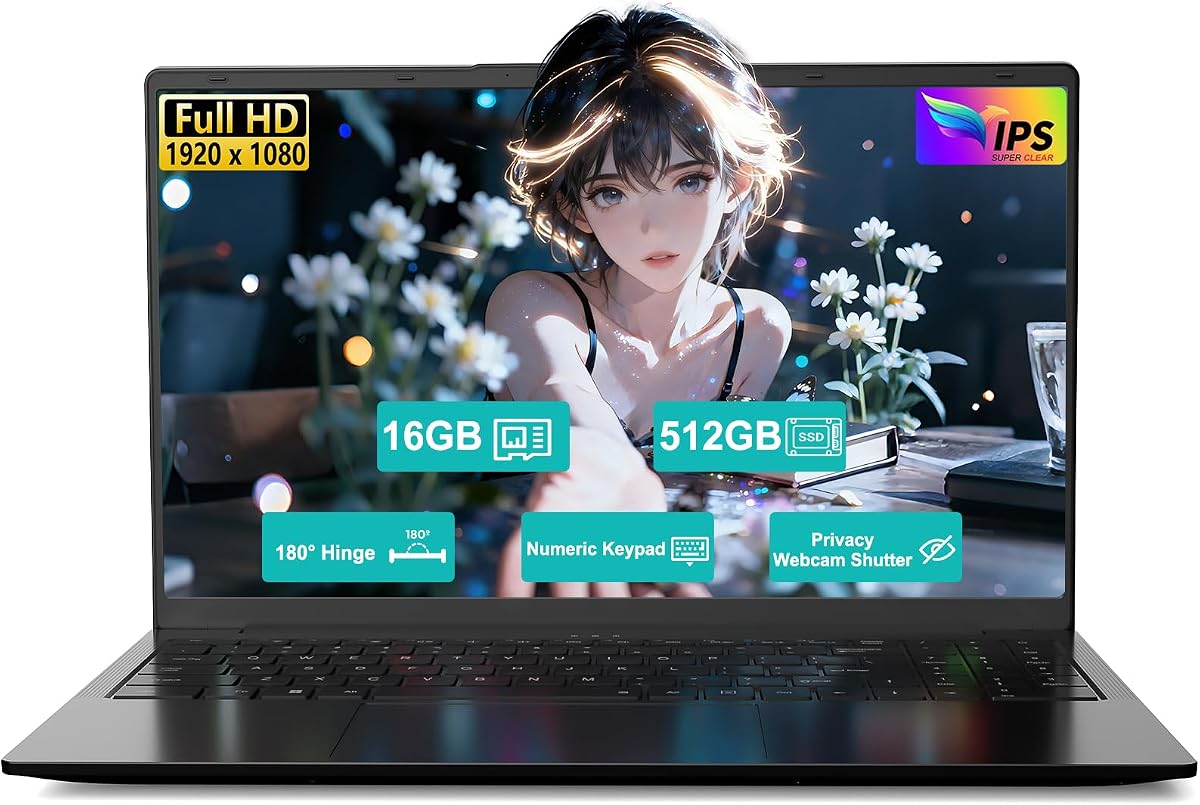
7. 15.6" IPS FHD Ryzen 5 Vega - Best Student Hybrid

15.6" IPS FHD Ryzen 5 Vega 8 Laptop

15.6" IPS FHD Ryzen 5 Vega 8 Laptop

9.2/10★★★★★

The Florinix-style 15.6-inch Ryzen 5 laptop with Radeon Vega 8 is our Best Student Hybrid because it admits what it is: a portable notebook for classes, streaming, and light gaming rather than a fake RTX killer. In under-500 shopping, that honesty is refreshing.

  • AMD Ryzen 5 with Radeon Vega 8 graphics
  • 16GB RAM and 512GB SSD
  • 15.6" FHD IPS, numpad, webcam shutter
Check Price →
✓ Pros
  • High rating with a clear student and commute focus
  • Vega 8 can handle light gaming and media better than UHD 615-class chips
  • Long battery messaging and 65W fast charge for campus life
  • Privacy shutter, numpad, and 180-degree hinge help real schoolwork
  • Slimmer carry story than bulky discrete gaming rigs
✕ Cons
  • Vega 8 is older tech than Radeon 660M/680M for games
  • Wi-Fi 5 rather than Wi-Fi 6 on many units in this tier
  • Not a high-refresh or discrete-GPU gaming experience

Detailed review

Vega 8 graphics sit above the weakest Intel UHD solutions for casual 3D, yet below the newer AMD iGPUs on the NIMO H-series machines. You can play lighter titles and enjoy HD media. You should not promise yourself ultra settings in brand-new AAA launches. Lower presets, maybe 720p internal resolution scaling, and patience during big downloads are part of ownership.

Where this model shines is the school day. Claims around long battery life, 65W fast charging, a slim backpack-friendly body, a numeric keypad for spreadsheets, and a 180-degree hinge for sharing a screen with classmates are the features that matter between gaming sessions. The webcam shutter is a practical privacy win in dorms.

Sixteen gigabytes of RAM and a 512GB SSD are the right capacity class for documents, browsers, and a couple of installed games. If you collect large Unreal Engine projects or 4K footage, you will still want cloud or external storage. For most students, this configuration is enough to avoid constant juggling.

Compared with Tunhail and the generic Core 3.4GHz machines, Vega 8 plus a Ryzen 5-class CPU is the better entertainment path. Compared with NIMO 6600H, you give up modern RDNA2-class iGPU strength and H-series sustained performance for a lighter productivity-first experience.

Fan noise and screen brightness vary by unit in this brand tier. Read the newest owner comments about keyboards and hinges. Keep expectations aligned with a thin student notebook, not a desktop-replacement gamer.

Buy it when portability and homework come first, with weekend Minecraft or League as a bonus. If ranked competitive performance is the main purchase reason, step up to the NIMO gaming-focused models.

Campus carrying tips

Use a sleeve, avoid crushing vents with textbooks, charge during lunch with the 65W brick, and enable battery care modes if you keep it plugged in at a dorm desk all evening.

Light creative work

Photo edits and 1080p timelines are plausible. Heavy 4K multi-stream projects belong on stronger H-series or discrete GPU machines.

Check Price on Amazon →

We may earn a commission at no additional cost to you.

8. Tunhail 15.6 inch Laptop - Best Win 11 Pro

Tunhail 15.6 inch Laptop

Tunhail 15.6 inch Laptop

9/10★★★★★

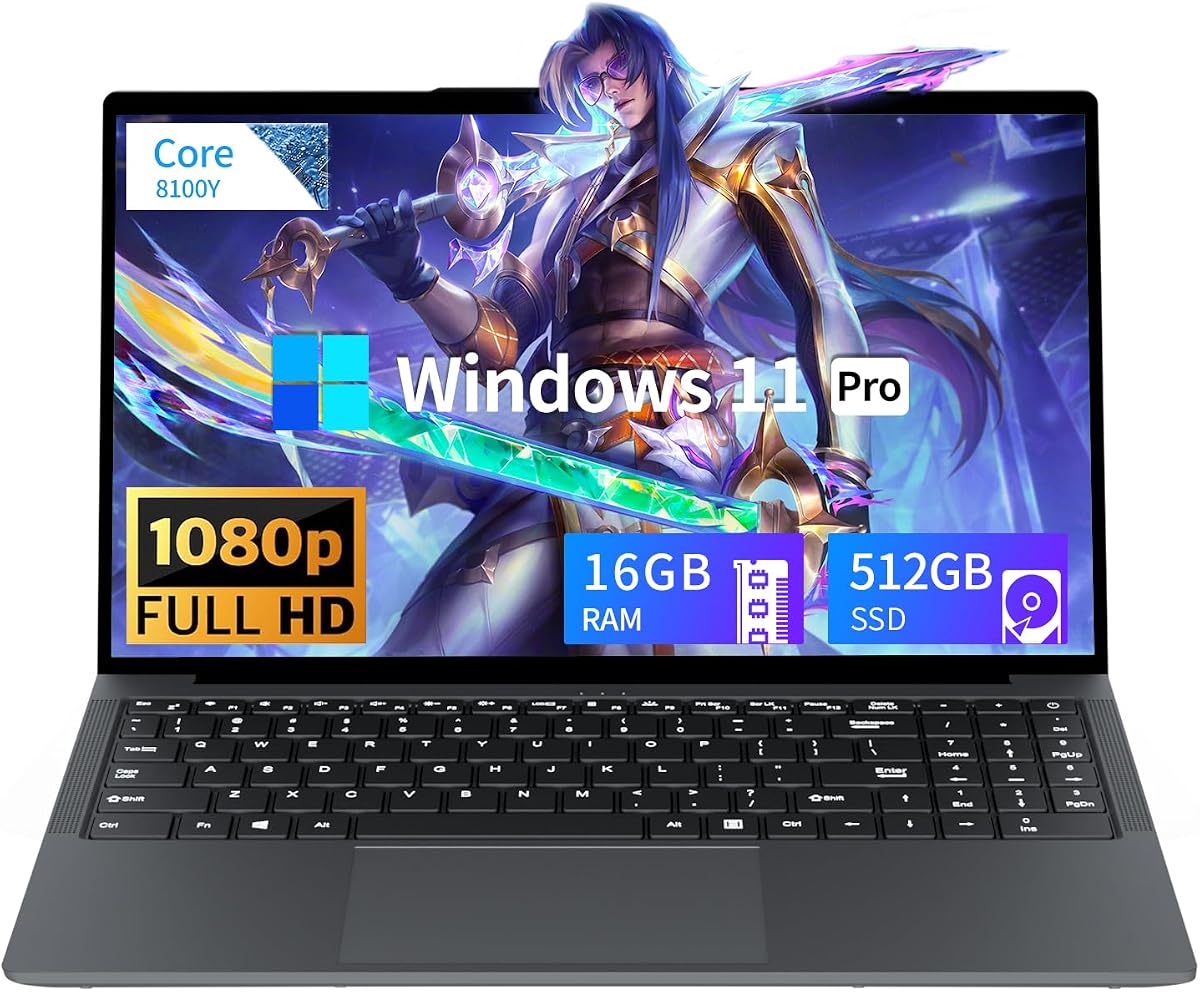
Tunhail’s 15.6-inch laptop is a reminder that gaming in a product title does not create gaming hardware. Inside you get a Core processor peaking around 3.4GHz with Intel UHD Graphics 615—an older, efficiency-minded graphics solution that struggles with contemporary 3D workloads. We still include it because shoppers see these listings constantly and need a clear verdict.

  • Core processor up to 3.4GHz with UHD Graphics 615
  • 16GB RAM and 512GB SATA SSD
  • 15.6" FHD, Win 11 Pro, privacy camera slider
Check Price →
✓ Pros
  • Windows 11 Pro is uncommon value for business-leaning buyers
  • 16GB RAM helps everyday multitasking despite weak graphics
  • Privacy camera slider and full HD panel for classes and calls
  • Straightforward port selection including HDMI and multiple USB-A
  • Fine for documents, streaming, and very light casual games
✕ Cons
  • UHD Graphics 615 is a poor match for modern 3D gaming expectations
  • SATA SSD is slower than the NVMe drives on stronger picks
  • Gaming label oversells what the silicon can deliver

Detailed review

What it can do well: Windows 11 Pro productivity, browser research, streaming video, Zoom with the privacy slider closed when idle, and extremely light or older 2D-leaning games. What it cannot do well: modern multiplayer shooters at enjoyable settings, creatives relying on GPU effects, or anything that assumes a Radeon 660M or RTX GPU.

Sixteen gigabytes of memory is the saving grace for general use. It keeps Word, Excel, Teams, and a pile of tabs alive. The 512GB SATA SSD is adequate storage but will not feel as snappy as the PCIe Gen 4 drives on NIMO, Acer, or ASUS machines. Boot and copy times are the giveaway.

The 15.6-inch FHD panel and Win 11 Pro software stack make sense for a cheap business-tinged student machine. Ports include HDMI, three USB-A, Type-C, headphone, and a DC jack, plus Wi-Fi and Bluetooth for peripherals. None of that changes the GPU ceiling.

Battery capacity around 38Wh means you should plan for outlets during long days. That is common in this price class. Do not buy Tunhail expecting LAN-party stamina or desktop-class frames.

We rate it Best Win 11 Pro Basics because that Pro softwaresurface can matter for remote desktop and policy features some students or small-business users want. As a gaming recommendation, it sits near the bottom of machines we would actually suggest for play.

Only buy Tunhail if your real needs are office apps and media, and the listing is simply the cheapest acceptable Windows 11 Pro device you trust. If the word gaming in your search is sincere, redirect budget attention to NIMO’s H-series options or wait for discrete GPU deals.

Reality check before checkout

Search the GPU name, not the marketing adjective. UHD 615 tells the truth that gaming stickers hide.

Acceptable play list

Browser games, older indie titles, light emulation, and very low settings in select esports games if you are extremely patient—and even then the NIMO machines are happier homes.

Check Price on Amazon →

We may earn a commission at no additional cost to you.

9. N150 Twin Lake Gaming Laptop - Best Backlit Budget

N150 Twin Lake Gaming Laptop

N150 Twin Lake Gaming Laptop

8/10★★★★☆

This Twin Lake N150 gaming laptop shows how elastic the word gaming has become. The N150 is a modern efficiency CPU for everyday Windows tasks, and with 16GB RAM plus a 512GB SSD it can feel responsive for homework. It is still a weak choice if your primary goal is a broad Steam library at enjoyable frame rates.

  • Intel Twin Lake N150 up to 3.6GHz
  • 16GB RAM and 512GB SSD
  • 15.6" IPS 1080P, backlit keyboard, Win 11 Pro
Check Price →
✓ Pros
  • Backlit keyboard and fingerprint features feel premium for the tier
  • Win 11 Pro and 16GB RAM suit schoolwork and light multitasking
  • IPS 1080p panel is pleasant for media and documents
  • 180-degree hinge helps collaboration at tables
  • Portable chassis for commuting students
✕ Cons
  • N150 graphics are not a foundation for modern gaming libraries
  • Wi-Fi 5 and Bluetooth 4.2 are behind newer connectivity stacks
  • Mini HDMI may need adapters for some monitors and TVs

Detailed review

Integrated graphics on this class of chip can manage Minecraft at modest settings, older titles, and some lightweight multiplayer games with heavy compromises. Newer AAA releases are not a realistic target. If a listing promises immersive AAA cinematic gaming on N150 silicon alone, treat that as advertising, not a benchmark plan.

Where the machine earns its Best Backlit Budget badge is usability chrome: backlit keys for dark dorms, fingerprint login, Win 11 Pro features, and an IPS FHD panel that makes Netflix and Google Docs pleasant. The 180-degree hinge is genuinely handy for sharing a screen across a table.

Connectivity is mixed. Dual-band Wi-Fi and Bluetooth cover basics, but Wi-Fi 5 and Bluetooth 4.2 are not cutting-edge. Mini HDMI means you should inventory adapters before presentation day. USB ports and a TF slot help peripherals and camera storage.

Battery capacity around 5000mAh class supports commuting better than it supports gaming endurance. As always, plug in for any serious play session if a title even runs acceptably.

Against Tunhail’s UHD 615 setup, N150 can feel fresher for everyday snappiness depending on clocks and optimization, but neither threatens NIMO’s Radeon 660M or 7735HS graphics for play. Against the Vega 8 Ryzen 5 hybrid, many light games still prefer AMD’s older iGPU generation.

Purchase this if you need a backlit Win 11 Pro student laptop and accept gaming as occasional and casual. Do not purchase it as your esports machine for the next three seasons.

Who it fits

Middle-school and early high-school users, travelers who write more than they frag, and anyone prioritizing keyboard visibility and Pro OS features over FPS.

If you outgrow it

Keep it as a homework secondary and move gaming to a stronger NIMO or a discrete GPU laptop later. That path is healthier than forcing modern games onto N150.

Check Price on Amazon →

We may earn a commission at no additional cost to you.

10. Core Processor 15.6" Gaming Laptop - Budget Last Resort

Core Processor 15.6" Gaming Laptop

Core Processor 15.6" Gaming Laptop

7/10★★★★☆

We place this Core-processor 15.6-inch machine last as a Budget Last Resort. The specifications look familiar—16GB RAM, 512GB SSD, FHD display—but the combination of a modest Core chip peaking near 3.4GHz and a lower aggregate rating tells shoppers to slow down. In best-gaming-laptop searches, this is the profile most likely to disappoint people who believed the gaming headline.

  • Core processor up to 3.40GHz
  • 16GB RAM and 512GB SSD
  • 15.6" FHD anti-glare display
Check Price →
✓ Pros
  • Simple portable footprint for backpacks
  • 16GB RAM and 512GB SSD cover basic multitasking and files
  • Anti-glare FHD screen helps long study sessions
  • Two-year warranty and 90-day return messaging from the seller story
  • Acceptable for web, docs, and streaming if expectations stay low
✕ Cons
  • Lowest rating in this pack reflects shaky buyer confidence
  • Gaming capability is minimal despite the product naming
  • 38Wh battery class is modest for all-day unplugged work

Detailed review

Everyday tasks can be fine. Browser research, streaming, documents, and online classes do not need RTX. Light gaming is a maybe, not a plan. Without a stronger named GPU like Radeon 660M or an RTX 5060, you are buying a traditional laptop that happens to appear in gaming keyword collections.

The anti-glare 15.6-inch FHD panel is a practical study feature, cutting reflections in bright classrooms. Compact dimensions around backpack size help commuters. Those are real advantages for non-gaming use and should be weighed honestly.

Support claims around a two-year manufacturer warranty and ninety-day returns are welcome if the seller stands behind them. Given the softer rating, factor return policies into your decision more than you would with the higher-confidence NIMO or Acer options.

Battery life from a 38Wh pack will not redefine portable computing. Plug in for longer sessions. Keep thermal expectations modest; even light chips fan up in warm rooms when Chromium eats CPU.

Why include it at all? Because roundups that only show dream hardware mislead. Seeing a low-ranked option helps you recognize patterns: vague Core branding, gaming adjectives, and mid-tier memory paired with weak graphics. Once you can spot that pattern, you will naturally gravitate to the NIMO and deal-watch discrete GPU laptops.

Buy only if the laptop is primarily for schoolwork, the price after discounts is compelling relative to Tunhail or N150 options, and you accept near-zero modern gaming ambition. If playtime matters, this is the wrong aisle.

Red flags to watch

Unnamed graphics, recycled gaming photos, and review patterns mentioning slow 3D performance are signals to choose a different machine in this guide.

Better alternatives in-pack

For light games, prefer NIMO 7735HS or 6600H. For storage-heavy school use with casual play, prefer MALLRACE 5825U. For true modern gaming, watch Acer Nitro and ROG Strix listings.

Check Price on Amazon →

We may earn a commission at no additional cost to you.

Best Gaming Laptops Under 500 in 2026: Honest Picks

How to Choose a Gaming Laptop Under 500

Start with graphics, not the word gaming

The single most important filter in this category is the GPU identity. Radeon 660M, stronger Ryzen 7000-series iGPUs, and any GeForce RTX laptop GPU are meaningful. Intel UHD 615-class graphics and Twin Lake N-series solutions are productivity chips. If a listing refuses to name the GPU clearly, assume it is weak until proven otherwise.

Set FPS expectations before you fall for screenshots

Entry-level gaming in 2026 usually means 1080p low or medium in esports titles on stronger iGPUs, with resolution scale or FSR when needed. Modern AAA games often require heavier cuts or a discrete GPU. Anyone promising ultra ray tracing on a subcompact bargain chip is selling a fantasy. Decide which games you actually play, then match silicon to that list.

CPU tiers that matter in this pack

H-series Ryzen chips such as 6600H and 7735HS sustain performance better for games than older U-series parts. U-series Ryzen 7 models still beat vague low-power Core listings for multitasking and light play. Twin Lake N150 and elderly UHD solutions belong in document-first shopping carts.

Memory and storage rules of thumb

Displays, thermals, and battery honesty

A 60Hz FHD panel can still be fun for story games and casual multiplayer, but high-refresh 165Hz or 180Hz screens on Acer and ASUS machines are transformative for competitive play when available. Fans will spin on any serious session. Battery life collapses under game load—plan to plug in. Ultralight claims and all-day gaming claims rarely coexist.

Brand, warranty, and listing hygiene

House brands can be acceptable when ratings, return windows, and named components line up. Mainstream names like ASUS and Acer simplify driver support on discrete GPUs. Always match the ASIN-level configuration, beware photo mismatches, and read recent critical reviews for keyboard, screen, and failure patterns before you commit.

Frequently Asked Questions

01

Can a laptop under 500 run modern AAA games in 2026?

Sometimes, with caveats. Stronger integrated graphics such as Radeon 660M-class or Ryzen 7735HS iGPUs can run some modern titles at lowered settings, reduced resolution scale, and capped frame rates. Smooth high presets in demanding AAA games usually need a discrete GPU such as the RTX 5060 laptops in this guide, and those machines are deal-dependent in a strict under-500 search. If AAA ultra is mandatory, expand patience or budget rather than believing every gaming sticker.

02

What games are realistic on integrated-graphics budget laptops?

Esports and lighter titles are the sweet spot: League of Legends, Valorant, CS2 with tuned settings, Rocket League, Fortnite on performance-oriented presets, Minecraft, many indie games, and older multiplayer favorites. Story-driven AAA releases vary widely; always check recent iGPU gameplay for your exact CPU and GPU before buying. Cloud gaming can also extend a weak local GPU if your internet is stable, but that is a different product strategy.

03

Is the NIMO Ryzen 7 7735HS really better than Ryzen 7 U-series MALLRACE models for gaming?

For frame rates, yes in most cases. The 7735HS sits in a higher-power HS design with a stronger graphics configuration than older U-series Radeon solutions typically offer. MALLRACE’s 5825U and 5700U machines can still be excellent everyday laptops with light gaming, especially when they include larger SSDs, but they are not the FPS leaders in this pack. Choose MALLRACE for storage and efficiency; choose NIMO when playability is the priority.

04

Should I buy an RTX 5060 laptop if it only briefly overlaps my budget?

If the seller is reputable, the configuration is exact, and returns are clear, a legitimate RTX 5060 machine such as the Acer Nitro V 16S or ASUS ROG Strix G16 can leapfrog every integrated option for modern games. Do not force a sketchy listing, gray-market mystery unit, or mismatched photo just to chase the logo. A clean NIMO iGPU laptop you can trust beats a risky discrete GPU purchase you cannot return.

05

How important is RAM for budget gaming laptops?

Very. Windows 11, a browser, Discord, overlays, and a game can consume memory quickly. Sixteen gigabytes is the comfortable baseline in this roundup. Thirty-two gigabytes on the Acer Nitro configuration is excellent for creators and heavy multitaskers. Eight gigabytes, if you ever see it in the wild, is a avoid-for-gaming red flag in 2026.

06

Do I need a high-refresh display for entry-level gaming?

Need is strong; want is fair. Competitive players benefit hugely from 165Hz or 180Hz panels on the ROG and Nitro machines. Casual players can enjoy 60Hz FHD on NIMO and MALLRACE notebooks if the GPU can hold a stable frame rate near that refresh. Stability matters more than a high-refresh screen paired with a GPU that cannot feed it.

07

Are house-brand gaming laptops safe to buy?

They can be, when ratings, warranty language, named components, and return windows look solid—as with several NIMO and MALLRACE configurations here. Risk rises when specs are vague and reviews mention dead units or misrepresented graphics. Buy from sellers with clear return policies, test thoroughly in the first week, and keep evidence of the listed CPU and GPU from system screenshots.

08

Will these laptops get hot and loud?

Under game load, yes—especially H-series and discrete GPU models. That is normal physics, not necessarily a defect. Improve outcomes with a flat hard surface, clean intakes, optional cooling pad, and frame-rate caps that reduce unnecessary GPU heat. If you need library-level silence while playing Cyberpunk at high settings, no under-500 laptop is a magic answer.

09

Should students buy a gaming laptop or a student laptop that can game lightly?

Most students should prioritize battery, weight, keyboard, and a competent iGPU rather than a loud desktop-replacement chassis. The Florinix Ryzen 5 Vega 8 hybrid and MALLRACE U-series machines fit that brief. If your evenings are mostly ranked competitive play, the NIMO H-series models are better primary devices. Discrete GPU laptops are ideal when weight and battery matter less than frames.

10

What upgrades make the biggest difference after purchase?

A larger NVMe SSD is the most common win, especially on 256GB configs. Adding RAM helps when slots exist and you multitask heavily. A simple Ethernet adapter can stabilize competitive online play on congested Wi-Fi. External displays help productivity more than FPS. Undervolt utilities and refreshes of AMD or NVIDIA drivers can reclaim smoothness without spending more on hardware.

Conclusion

The best gaming laptops under 500 in 2026 are defined by honesty. Our top recommendation, the NIMO Ryzen 7 7735HS, gives the strongest integrated-graphics path for esports and lighter libraries without pretending it is an RTX desktop. The NIMO Ryzen 5 6600H with Radeon 660M follows as the balanced upgradable pick, while the Acer Nitro V 16S stands as the discrete GPU jackpot when a real listing lands in reach.

If you remember only one shopping rule, make it this: believe named GPUs and sustained build quality, not the word gaming printed in a title. Weak UHD and Twin Lake machines can still serve as school PCs, but they are poor destinations for a growing Steam folder. Match the laptop to the games you actually play, plug in for sessions, and upgrade storage early.

Use the comparison table and checklist above to avoid impulse buys, then choose the machine whose tradeoffs you can live with for the next few years of patches and sequels. Entry-level gaming can be fun—when expectations and hardware finally agree.