Best Overall Under 300
MALLRACE Gaming Laptop

- Ryzen 7 5825U eight-core CPU for multitasking and lighter esports
- 16GB RAM plus a full 1TB SSD rare at this budget
- Wi‑Fi 6, backlit keyboard, and full-function USB‑C for daily desks
Expert Review & Guide
Shopping for the best gaming laptops under 300 in 2026 means confronting an awkward truth first: this budget almost never includes a discrete GeForce or Radeon GPU. What you can find are Windows notebooks with stronger integrated graphics, enough RAM to keep launchers alive, and SSDs large enough to install a game or two. Used with lowered settings—and sometimes lowered resolution—those machines can still deliver real fun in esports titles, indie games, older AAA ports, and cloud gaming. Used with AAA ultra expectations, they deliver disappointment.
This ReviewConsensus roundup sticks strictly to the current product pack: ten Amazon-listed laptops that shoppers actually see when they search this phrase. I ranked them for honest light-gaming potential, CPU clarity, memory and storage practicality, brand support, and everyday student usability—not for RGB fantasies. The top picks emphasize the MALLRACE Ryzen 7 configuration for overall balance, the NIMO Ryzen 5 6600H with Radeon 660M for the most credible local frames, and the ASUS Vivobook Go for buyers who want a safer mainstream brand with only light play on the side.
Throughout the reviews below, I call out vague “Core processor” marketing, tiny 128GB drives, Windows 11 S Mode traps, and older Y-series chips that cannot keep up with modern 3D. If your must-play list requires high settings at native 1080p in new releases, the kindest advice is to save longer or consider a console. If you need one affordable laptop for class plus carefully tuned lighter games, the right machine in this list can still be a smart buy.

As an Amazon Associate we earn from qualifying purchases. We may earn a commission at no additional cost to you.
Use this table as a reality check before you fall for the word “gaming” in a title. Focus on named CPUs, RAM capacity, storage size, and whether graphics are a modern AMD iGPU or an older UHD solution. No prices are listed because marketplace tags move constantly—compare live listings and return windows when you are ready to buy.
If you came here hunting for a true gaming laptop under 300, start by resetting expectations. At this budget, almost every machine relies on integrated graphics. The MALLRACE LX15PRO-class configuration stands out because it pairs an AMD Ryzen 7 5825U eight-core processor with 16GB of memory and a full 1TB NVMe SSD. That combination matters more for playable esports and creative side work than a flashy RGB chassis with a weak chip and a tiny drive.
In practical terms, Ryzen 7 5825U gives you enough CPU threads to keep Discord, a browser with guides open, a launcher, and a lighter game running without the constant stutter you get from dual-core or low-power N-series machines. Titles like League of Legends, Valorant, Rocket League, older Open World games on low settings, and many indie games are the realistic target. Newer AAA releases with ray tracing, heavy upscaling demands, or ultra textures are not what this laptop was built to deliver.
Storage is where MALLRACE quietly wins the roundup. A 1TB SSD means you can install Windows, a few launchers, and multiple games without immediately hunting for an external drive. Many competing listings under 300 still ship 128GB or 256GB, which fills up after one modern title plus updates. The listing also mentions upgrade paths for memory and storage in related configurations—always confirm the exact SKU you receive, because ultra-budget listings sometimes vary by batch.
The 15.6-inch FHD panel is the right baseline for this class: sharp enough for browsing and streaming, and fine for competitive games where clarity beats cinematic HDR. Integrated Radeon Graphics will render those games, but frame rates depend heavily on resolution scaling, VSync choices, and how aggressively you lower shadows and anti-aliasing. Treat FHD as a starting point you may need to drop toward 1600x900 or 1280x720 for smoother play in heavier titles.
Connectivity is more complete than most no-name thin-and-lights in the same aisle. Dual USB 3.2 ports, HDMI, full-function Type‑C, a headphone jack, TF card support, and Wi‑Fi 6 cover dorm desks and living-room TV hookups. The numeric keypad is a small but real quality-of-life win for spreadsheets and inventory management in survival games. The ~54Wh battery class is usable for classes and commuting; for gaming, plan on AC power so the iGPU and CPU can sustain clocks.
Who should buy it: students and casual players who want one machine for schoolwork plus lighter online games, and who value storage and CPU threads over brand-store polish. Who should skip it: anyone who thinks under-300 means Cyberpunk on ultra, or buyers who need long silent battery gaming sessions. Used honestly, MALLRACE is the best overall balance of processor, memory, and drive capacity in this pack.
Install your games on the internal SSD, enable Windows Game Mode, and keep GPU-heavy overlays minimal. Cap frame rates near your refresh rate to reduce heat and fan ramp. Update AMD chipset and graphics drivers from the manufacturer or AMD rather than relying only on Windows Update for first boot.
If you need more frames, lower render scale first, then shadows and anti-aliasing. For school use, the same Ryzen 7 chip makes Chrome-heavy research and light photo edits feel less constrained than entry N-series options later in this guide.
Versus the NIMO Ryzen 5 6600H model, MALLRACE usually wins on storage capacity and raw thread count marketing, while NIMO’s Radeon 660M and DDR5 platform can feel snappier in GPU-bound light gaming. Versus Acer and ASUS brand machines, MALLRACE offers more RAM and SSD for the money but less retail support polish and a less familiar warranty experience.
We may earn a commission at no additional cost to you.
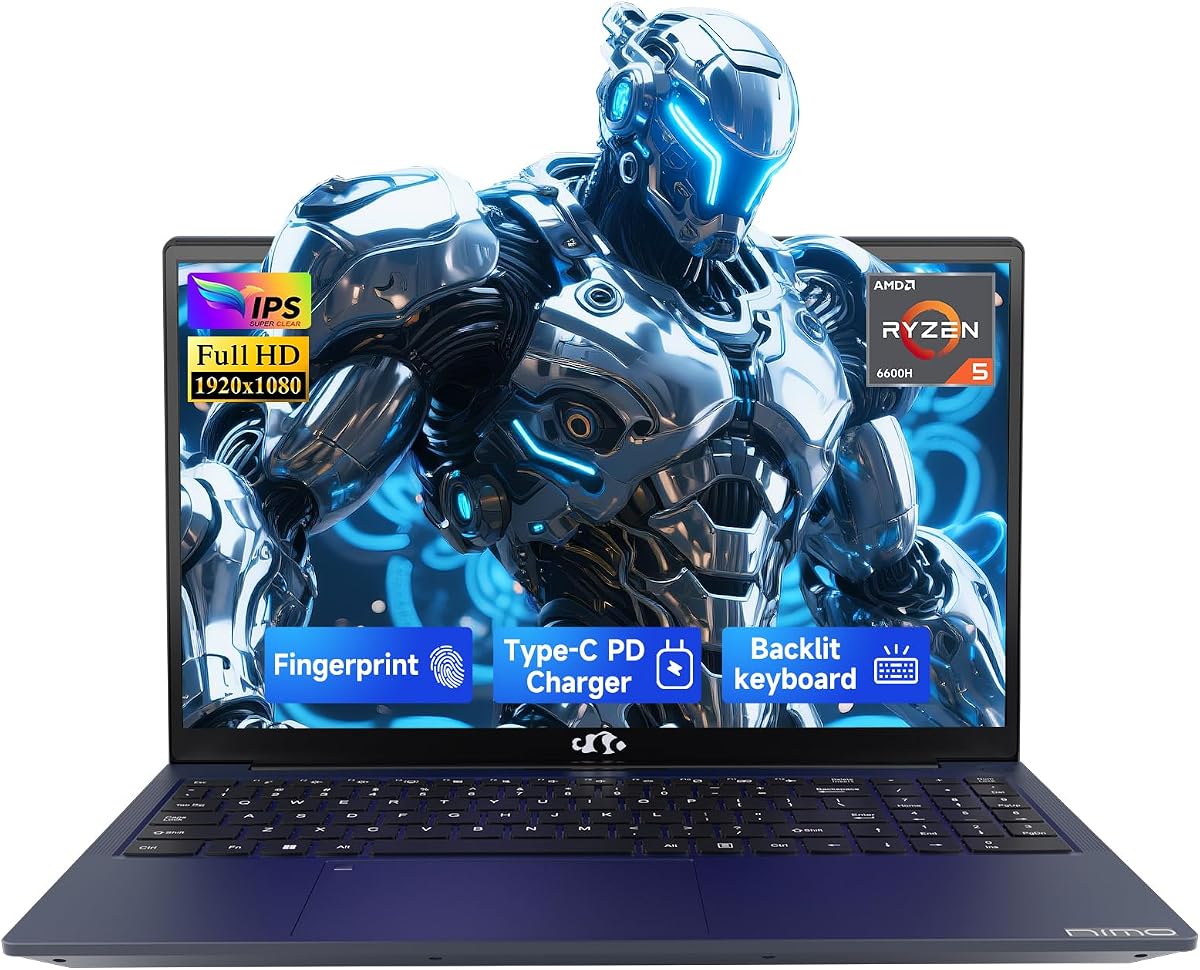
NIMO 15.6" IPS FHD Gaming Laptop
Among every laptop in this under-300 roundup, the NIMO configuration with AMD Ryzen 5 6600H and Radeon 660M is the one most worth considering if your priority is actual playable frame rates in lighter games. H-series silicon and RDNA2-class integrated graphics typically outpace older U-series iGPUs and far outpace low-power N-series chips when the bottleneck is GPU fill rate rather than web browsing.
That does not magically turn this into a midrange RTX machine. You should still expect low-to-medium presets, possible resolution compromises, and the need to manage thermals. What changes is the ceiling: competitive shooters, older AAA ports, and many popular multiplayer titles become more realistic than on dual-core or Twin Lake student notebooks that merely slap “gaming” into the title.
Sixteen gigabytes of DDR5 is the right memory class for this platform. Integrated graphics borrow system memory, so faster RAM often translates into steadier minimums. The catch is storage: 256GB is workable for Windows and one or two games, not a growing Steam library. The listing emphasizes RAM and SSD expandability—treat an early SSD upgrade as part of the ownership plan if you buy this primarily to play.
Build and everyday features are stronger than the no-name average. A fingerprint sensor, backlit keyboard, HDMI 2.0, multiple USB 3.2 ports, and dual full-function Type‑C ports (power delivery, DisplayPort, data) make it feel closer to a mainstream productivity laptop that happens to game better. The 15.6-inch FHD IPS panel is a fair match for the hardware: bright enough for indoor use, and clear enough for competitive UI text.
Power behavior is a tradeoff. The 100W Type‑C adapter story is convenient—one cable for charge and, depending on your dock, display expansion—but sustained gaming still wants a wall outlet and a hard surface for airflow. Do not expect console-like silence. Fans will spin up when the 6600H and 660M work together, and that is normal for this performance tier.
Buy NIMO if you want the most credible light-gaming performance among these options and you are willing to expand storage. Skip it if you need a huge out-of-box SSD like the MALLRACE 1TB configuration, or if you mainly need quiet classroom note-taking with only rare indie games. For honest under-300 gaming, this is the performance-first pick.
Ideal for players who already know they will stick to esports, older titles, and carefully tuned settings. Also a solid pick for students who edit short videos or run lighter creative apps and want better iGPU headroom than a basic Celeron-class machine.
Prioritize a larger NVMe SSD before buying more games. Confirm screw access and supported drive lengths in the product Q&A for your exact unit. Keep a cooling pad optional; improving intake clearance and cleaning dust often helps more than RGB accessories.
Choose NIMO for GPU-bound light gaming and modern platform features. Choose MALLRACE if you want more storage immediately and a higher thread-count U-series CPU for multitasking-heavy school days with only occasional games.
We may earn a commission at no additional cost to you.
ASUS Vivobook Go 15.6" FHD Slim Laptop
Not every buyer shopping the best gaming laptops under 300 actually needs the hottest clocks. Many people need a dependable Windows laptop from a brand they recognize, with enough graphics for Minecraft-style play, older multiplayer games, and browser-based titles—plus homework that cannot fail the night before a deadline. The ASUS Vivobook Go 15 with Ryzen 3 7320U is that safer mainstream choice.
AMD’s Ryzen 3 7320U is a quad-core, eight-thread efficiency chip with integrated Radeon graphics. It will not match the NIMO 6600H in GPU-heavy scenes, but it usually feels cleaner for Office, Zoom, streaming, and light creative work. In games, think carefully tuned esports and indie catalogs rather than new open-world releases at native FHD high settings.
The memory configuration is the main compromise: 8GB DDR5. That is acceptable for focused use, painful if you keep dozens of Chrome tabs, Discord, Spotify, and a game launcher resident. If your habits are tab-heavy, the 16GB machines elsewhere in this guide will feel less congested even when their GPUs are weaker.
ASUS’s everyday design details are why this lands in the top three. A 15.6-inch FHD panel, chiclet keyboard with number pad, 720p camera with a physical privacy shutter, Wi‑Fi 5, and claimed multi-hour battery life make it a better all-day student companion than many “gaming” generics that only look the part. MIL-STD 810H test language is marketing with substance for bag tosses and commute abuse—still not an invitation to treat it like a rugged tablet.
Sound by SonicMaster will not replace a headset for competitive play, but it is typically more listenable than tinny no-name speakers for lectures and YouTube. Fast charging messaging helps between classes. For gaming sessions, plug in anyway; battery modes often cut performance to preserve runtime.
Pick the Vivobook Go if brand support, battery-first school use, and light gaming matter more than maximum frames. Skip it if you already know you want the strongest iGPU possible in this pack—that remains the NIMO—or if you need 16GB RAM without opening the chassis later.
Prioritize competitive or stylized games with low settings and capped FPS. Cloud gaming services can stretch entertainment value if your network is strong, since the local GPU then matters less than decode and Wi‑Fi stability.
ASUS and Acer both offer polished under-300 productivity laptops with similar Ryzen 3 or Intel low-power CPUs. ASUS edges our brand pick for keyboard completeness and durability messaging; Acer’s AI Ready Aspire Go models may appeal if you want Copilot key convenience and AcerSense utilities—just plan storage upgrades either way.
We may earn a commission at no additional cost to you.

Acer’s Aspire Go 15 with Ryzen 3 7320U and Radeon 610M is a polished everyday laptop that happens to sit in gaming-under-300 search results. That distinction matters. It is a good student and commute machine with light entertainment chops, not a dedicated esports weapon. If you understand that framing, it can still be a smart buy.
The Ryzen 3 7320U and Radeon 610M combination handles classwork, streaming, and lighter games when settings are modest. Compared with older dual-core Pentium-class machines later in this list, the extra threads and newer iGPU architecture are noticeable in browser multitasking and shader compilation. Compared with the NIMO 6600H, it is clearly a step down for GPU-bound play.
Storage is the deal-breaker for many gamers: 128GB. After Windows updates and a browser, you may have little room left for even one modern title. Budget buyers who choose this Acer should plan an external drive, cloud gaming, or a careful storage diet. Memory is 8GB LPDDR5—responsive for its size, but often not user-upgradable.
Display and comfort features are strengths. The 15.6-inch FHD IPS panel with BluelightShield is easier to live with for long reading sessions than dim TN-like panels on bargain clones. Dual full-function USB‑C ports, HDMI 2.1, and Wi‑Fi 6 make docking and campus networking less frustrating.
Windows 11 Home in S Mode is a gotcha. S Mode restricts you to Microsoft Store apps until you switch out. Most PC gamers should exit S Mode on day one so Steam, Epic, and desktop launchers install normally. The process is free but easy to miss if you only skim the box marketing.
Consider this Acer when you want a recognizable brand for school first and games second. Look elsewhere in this guide when local game installs are the primary reason you are shopping under 300.
Open the Microsoft Store S Mode page, switch to regular Windows 11 Home, reboot, then install your launcher. Only after that should you download games—and only if free space remains after leaving a healthy SSD reserve.
Prefer Acer if Wi‑Fi 6, Copilot key convenience, and Acer’s utility suite matter more than ASUS’s numeric keypad and durability marketing. Prefer ASUS if you want a slightly larger default SSD (256GB vs 128GB on this Acer SKU) for the same general class of machine.
We may earn a commission at no additional cost to you.

Acer Aspire Go 15 Intel Core 3
Acer’s Aspire Go 15 with Intel Core 3 processor N355 is the Intel-flavored twin to the Ryzen Aspire Go above. It targets the same buyer: someone who needs a capable FHD Windows laptop for classes, browsing, and streaming, with only occasional light games. The N355’s eight-core efficiency design is tuned for responsive everyday work more than peak gaming clocks.
Integrated Intel Graphics will play browser games, older titles, and carefully set esports games, but you should not expect the Radeon 660M experience from the NIMO. If gaming is your primary filter, rank this below MALLRACE, NIMO, and even the stronger Ryzen U-series options. If battery life, thermals, and brand software matter more, it becomes competitive.
Like its Ryzen sibling, the storage story is thin: 128GB UFS. UFS can feel quick for OS tasks, yet capacity still runs out. Eight gigabytes of DDR5 is the multitasking ceiling. Heavy Chrome-plus-game workloads will push you toward closing apps or adding cloud gaming instead of local installs.
Acer’s nicer touches remain: narrow-bezel 1080p IPS, BluelightShield, dual USB‑C with DisplayPort and charging support, HDMI 2.1, Wi‑Fi 6, and a 720p camera with Acer’s TNR and PurifiedVoice noise reduction. Those features make Zoom-heavy semesters easier than on barebones generics with fuzzy cameras and flaky Wi‑Fi 5 adapters.
Sustainability extras—recyclable packaging and recycled plastic in the lid, plus Energy Star and EPEAT Gold claims—will not raise frame rates, but they are a legitimate differentiator if you care about the purchase beyond raw specs. Support through Acer’s channels is still a practical advantage over random Amazon brands when something fails in month ten.
Buy this when you specifically want the Intel Aspire Go configuration for school and light media. Do not buy it as your main plan for a growing Steam library on an under-300 budget without an external drive strategy.
Both share the same product philosophy. Choose based on sale pricing, exact warranty terms, and whether you prefer AMD’s iGPU personality or Intel’s efficiency messaging. Neither replaces an H-series light-gaming laptop when frames are the goal.
If local storage is hopeless, a stable campus or home connection plus a cloud gaming service can make this Acer far more entertaining than its iGPU suggests. That path depends on subscription cost and network quality, not on discrete graphics.
We may earn a commission at no additional cost to you.
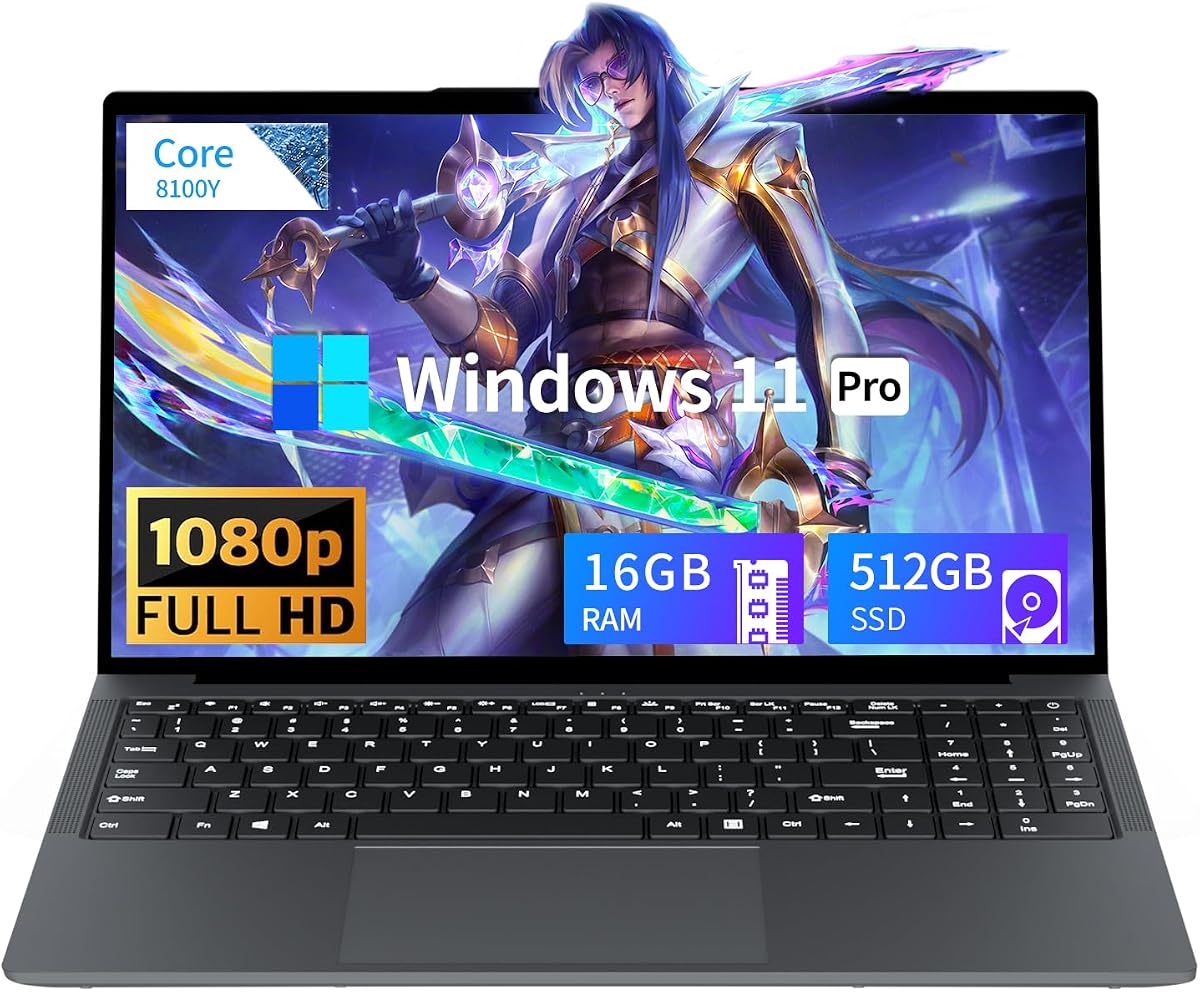
Tunhail’s 15.6-inch Windows 11 Pro laptop shows up in gaming searches because the listing says gaming—yet the hardware story is closer to a budget office notebook with extra RAM. That honesty should guide your expectations. Sixteen gigabytes of memory and a 512GB SSD are excellent for documents, media, and a few lighter games, while UHD Graphics 615-class silicon sets a low ceiling for modern 3D.
The processor is marketed as a Core chip up to 3.4GHz without the clarity you get from a full Ryzen 5 6600H or Ryzen 7 5825U model name. In this price band, that usually means an older or efficient low-power CPU that is fine for browsing and classwork. It is not the chip you pick when esports frame rates are the headline requirement.
Where Tunhail earns attention is capacity and software edition. Windows 11 Pro, 16GB RAM, and half a terabyte of SSD storage let students keep files local and use Pro features like Remote Desktop host scenarios that Home editions complicate. For a household that needs a shared homework PC with occasional Minecraft-level play, that can be enough.
The 15.6-inch FHD screen and privacy shutter camera cover daily video calls. Ports are practical: HDMI, three USB‑A, Type‑C, headphone jack, and a traditional DC jack. Wi‑Fi dual-band and Bluetooth 5.0 are baseline rather than exciting. The 5000mAh / 38Wh battery class is typical for thin budget machines—plan outlets for longer study days.
Gaming reality check: older titles, 2D games, emulators for lighter systems, and severely lowered 3D settings are the lane. If a game’s minimum requirements already list dedicated GPUs, walk away. If you want named modern AMD iGPUs, jump back to NIMO or MALLRACE.
Choose Tunhail when RAM, SSD size, and Win 11 Pro matter more than transparent CPU branding or playable modern multiplayer performance. Skip it when you need predictable gaming horsepower from a clearly specified H-series or stronger Radeon iGPU.
Read the full specification sheet and recent Q&A before buying any “Core processor” generic. If the exact CPU model is unclear, assume conservative performance and prioritize return policies.
This configuration makes more sense as a business-student laptop that can dabble in light games than as a dedicated gaming rig. Spreadsheets, browsers, and streaming are its comfort zone.
We may earn a commission at no additional cost to you.

This Twin Lake N150 “gaming laptop” is another example of keyword-driven titling. The N150 is a modern efficiency processor that makes a pleasant student notebook when paired with 16GB of RAM and a 512GB SSD. It is a weak foundation for anyone who interprets gaming laptop as high settings and unlocked frame rates.
For school, the package is attractive. Fast boots from the SSD, enough memory for many tabs and Office apps, a full 15.6-inch IPS 1080p panel, and Windows 11 Pro create a credible homework machine. The backlit keyboard helps dark dorm rooms, and fingerprint login reduces password friction around classmates.
For games, stay in the light lane: browser games, older multiplayer titles, 2D indies, and carefully tuned esports at reduced resolutions. Shader-heavy games and newer multiplayer shooters that punish weak iGPUs will disappoint. If that describes your library, spend attention on the NIMO or MALLRACE instead.
Connectivity is mixed. Dual USB 3.0, Mini HDMI, TF card slot, and a headphone jack cover basics. Mini HDMI is an awkward surprise if you expected full-size HDMI cables in a living room. Wi‑Fi 5 works on most campus networks but loses to Wi‑Fi 6 peers for congested dorms.
Portability messaging around a 5000mAh battery and lighter chassis fits commuting students. The 180-degree open display is genuinely useful for sliding a laptop across a table during group work. None of that changes the GPU math.
Buy this N150 machine for a Win 11 Pro student daily driver with occasional light games. Do not buy it as the centerpiece of a competitive gaming setup under 300 when stronger AMD iGPU options exist in the same guide.
Update Windows, exit any unnecessary trial bloat if present, install your school VPN or SSO tools, and only then add a small game or two. Keep at least 40–50GB free for updates and scratch space.
Both offer 16GB/512GB-class capacity and Win 11 Pro vibes. Prefer the N150 listing if you want a clearer modern Intel efficiency CPU name and a backlit keyboard; prefer Tunhail if the privacy shutter and full-size HDMI matter more in your desk setup.
We may earn a commission at no additional cost to you.

KUMNOSAL’s 2026-labeled laptop is a memory-and-display specialist, not a FPS specialist. Twenty-four gigabytes of RAM and a 15.3-inch 1920x1200 IPS panel are fantastic for research papers, split-screen note taking, and keeping communication apps alive. The Intel i5-8210Y, however, is a low-power Y-series processor from an older efficiency generation, and its UHD Graphics will not carry modern gaming ambitions.
That contradiction is common in under-300 catalogs: generous RAM marketed beside aging CPUs. If your “gaming” time is mostly Roblox-scale, browser games, or very old titles, the huge memory pool can still make the machine feel smooth because Windows has room to breathe. If you want Valorant at stable high frames, look at NIMO’s 660M platform instead.
The 16:10 aspect ratio is a quality-of-life upgrade for productivity. Documents, browsers, and Discord show more content per scroll than 16:9 panels of similar diagonal size. Movie letterboxing is the tradeoff. Anti-glare coating and a flat 180-degree hinge help library work and screen sharing.
Storage at 512GB is workable for mixed school files and a small game folder. The MicroSD slot is handy for cameras and drones—ironically more relevant to creators than to gamers. Ports include multiple USB‑A, HDMI, headphone jack, MicroSD, and a Type‑C port that the listing flags as data-oriented, so do not assume USB‑C charging parity with the NIMO’s 100W PD setup.
Battery life around a 5000mAh pack is adequate for light work. The Y-series chip’s low power draw can help here even if peak gaming performance is limited. Fan behavior should stay calmer than H-series machines during word processing—another clue this is a productivity chassis wearing a light-gaming label.
Purchase KUMNOSAL when vertical screen space and 24GB multitasking matter most. Pass if you need transparent modern gaming graphics performance or USB‑C power delivery as a core workflow.
Use the RAM advantage for coursework: keep reference PDFs, LMS tabs, and a notes app open simultaneously. Add games only after you confirm the title runs acceptably on UHD Graphics with lowered settings.
Bring the included barrel charger when you travel. Because Type‑C is described as data-focused on this model, a random USB‑C phone charger may not power the laptop at all.
We may earn a commission at no additional cost to you.

VIGSENUP’s 15.6-inch full HD laptop is honest when you read past the shopping keywords: it is a portable business and student computer with 16GB of RAM, a 256GB SSD, and a dual-core 6500Y processor. That CPU class can handle email, documents, video playback, and light multitasking. It cannot convincingly wear a hardcore gaming badge.
Why include it in a gaming under 300 roundup? Because many shoppers filter by that phrase and still need a carry-friendly Windows laptop that can run the occasional older or 2D game. Sixteen gigabytes of memory is the saving grace—it prevents the constant disk thrash you feel on 8GB dual-core machines when too many tabs accumulate.
The 1080p IPS display is a solid everyday screen for media and homework. A physical privacy shutter on the webcam is the right default for bathrooms-behind-you dorm calls. At roughly 21mm thin and about 1.7kg, it is genuinely easier to pack than larger “gamer” shells that add weight without adding discrete GPUs.
Connectivity covers the basics: Wi‑Fi 5, Bluetooth 5.0, dual USB 3.2, USB 2.0, HDMI 1.4, headphone jack, TF card reader, and a Kensington slot for library security cables. HDMI 1.4 is enough for 1080p external monitors, not cutting-edge high-refresh 4K gaming displays—which matches the internal GPU reality.
Battery capacity around 38Wh means you should treat all-day claims as light-use estimates. Streaming and class notes are fine; anything that spins the fans hard will drain faster. For entertainment, headphones will beat the dual speakers for immersion.
Pick VIGSENUP for portability and RAM-comfortable student life with only incidental light games. If gaming performance is why you opened this article, prioritize NIMO or MALLRACE and treat this model as a commute-first alternative.
Avoid filling the 256GB drive with giant launchers. Use cloud saves and uninstall games you are not actively playing. Keep the dual-core CPU focused on one demanding app at a time.
As a gift for a student who streams lectures and plays light games on weekends, this is plausible. As a gift for someone asking specifically for a gaming laptop to play new releases, it will feel like a mismatch within a week.
We may earn a commission at no additional cost to you.

Budget Core 15.6 Gaming Laptop
This generic Core-processor 15.6-inch laptop sits at the bottom of our ranking for a reason. On paper you still get 16GB of RAM and a 512GB SSD—numbers that look competitive. In practice, a vaguely described CPU up to 3.40GHz plus a lower aggregate review score make it a last-resort pick when better-specified machines are unavailable.
Ultra-budget gaming labels are at their most misleading here. The listing emphasizes students, commuters, and business professionals for everyday tasks, which is the correct framing. Smooth web browsing, documents, and media playback are realistic. Stable performance in modern 3D multiplayer games is not something you should count on.
The anti-glare FHD screen is a practical study feature, cutting reflections in bright classrooms. The chassis dimensions quoted for backpack carry are fine. Battery capacity around 38Wh / 5000mAh matches other thin generics: acceptable for light days, insufficient as a gaming untethered fantasy.
Support promises—two-year manufacturer warranty language and 24/7 customer service—matter more on products with softer ratings. Keep shipping boxes and document any dead pixels or coil whine quickly within the return window. Budget laptops vary unit to unit; inspection on arrival is part of ownership.
If this is the only option in stock for your needs, use it as a school PC first. Install lightweight games only after updates. Spend time reading recent reviews for thermal complaints, keyboard feel, and whether the Wi‑Fi adapter drops on campus networks.
We include it for completeness because it appears in the same shopping pack, not because it earns a recommendation over MALLRACE, NIMO, ASUS, or Acer. Climb back up this list unless price-and-availability constraints force your hand.
Prioritize return eligibility, run a burn-in of browser tabs and video playback on day one, and avoid large nonrefundable game purchases until you confirm the machine is stable.
For light gaming credibility, choose NIMO. For storage and CPU threads, choose MALLRACE. For brand safety, choose ASUS or Acer. Those three paths cover nearly every sensible under-300 shopper reading this roundup.
We may earn a commission at no additional cost to you.

Under 300, success looks like stable esports on low or medium settings, indie games, older titles, and cloud streaming—not native 1080p ultra in brand-new AAA releases. If a seller implies otherwise without naming a discrete GPU, treat the claim as marketing. Integrated graphics borrow system memory; they can be surprisingly good on modern AMD iGPUs and painfully limited on older UHD chips.
Prefer listings that clearly state models such as Ryzen 5 6600H, Ryzen 7 5825U, or Ryzen 3 7320U. Be cautious with vague “Core processor up to 3.4GHz” language. For light local gaming in this pack, Radeon 660M-class graphics are the most meaningful upgrade over basic UHD Graphics. N-series and Y-series chips can feel fine for school and still struggle in 3D.
H-series machines can game better and run louder. U-series and N-series machines stay quieter and sip battery during class, then hit GPU walls sooner. Always game on AC power when possible, use a hard flat surface, and cap FPS to reduce heat. A cheap cooling pad helps some chassis; undervolting and driver updates help more on others—only change settings you understand.
ASUS and Acer usually win on driver portals, spare-part ecosystems, and customer-service clarity. Generics sometimes win on RAM and SSD capacity for the same budget. Decide which failure mode you prefer: slightly less peak performance with easier support, or more storage with a harder warranty path. Read recent reviews for keyboard flex, screen uniformity, and Wi‑Fi dropouts.
Windows 11 Home in S Mode blocks many desktop game installers until you switch out. Do that on day one if you buy an Acer Aspire Go SKU in S Mode. Windows 11 Pro is nice for Remote Desktop and policy features but does not increase frame rates. After setup, install chipset and GPU drivers, then Steam or your launcher of choice, and keep at least tens of gigabytes free for shader caches and updates.
Sometimes, with heavy compromises—and often not at native 1080p with enjoyable frame rates. Newer AAA titles that assume discrete GPUs may be unplayable or limited to the lowest presets at reduced resolutions. Older AAA games, well-optimized multiplayer titles, and indies are far more realistic. Cloud gaming can also bridge the gap if your internet connection is strong and low-latency.
For most people who want one balanced machine, the MALLRACE Ryzen 7 configuration with 16GB of RAM and a 1TB SSD is the best overall pick. If your priority is the strongest light-gaming graphics among these ten, choose the NIMO Ryzen 5 6600H with Radeon 660M and plan a storage upgrade. If you want brand comfort for school with only occasional games, choose the ASUS Vivobook Go.
Often yes on the stronger AMD iGPU machines when you lower settings and sometimes resolution, with results varying by map complexity and background apps. Competitive players who need high, stable frame rates should still aim higher than this budget when possible. On older UHD Graphics or dual-core Y-series laptops, even these titles can feel inconsistent.
Prefer 16GB. Integrated graphics share memory with Windows and browser tabs, so 8GB configurations hit stutter sooner when Discord, Chrome, and a launcher sit in the background. If you must buy 8GB, close background apps aggressively and avoid huge multitasking sessions while playing.
Storage is expensive relative to this budget, and many buyers shop on CPU marketing first. Modern games and Windows updates can consume that space quickly. Treat a small drive as an incomplete purchase unless you will use cloud gaming or an external SSD. The MALLRACE 1TB configuration is an outlier worth prioritizing for local libraries.
They are usually better for support predictability, BIOS updates, and knowing what CPU you actually received. Generics can win on raw RAM and SSD capacity. If you are uncomfortable troubleshooting drivers yourself, lean brand. If you are comfortable upgrading an SSD and using return policies, a well-specced generic like MALLRACE or NIMO can offer more performance per dollar.
No. Pro adds business features such as more advanced remote management and Remote Desktop hosting options. Frame rates come from CPU, iGPU, RAM speed and capacity, thermals, and drivers. Choose Pro when you need those features; do not pay attention to it as a gaming performance upgrade.
Helpful, not magical. Wi‑Fi 6 can improve responsiveness on congested campus or apartment networks, which matters for online games and cloud streaming. A weak iGPU still limits local rendering. If you primarily play online, Wi‑Fi 6 plus a clear router path often matters more than minor speaker upgrades.
Prefer AC power. Many laptops reduce CPU and GPU limits on battery to stretch runtime, which tanks frame rates. Battery modes are fine for class notes and video playback. For any serious session, plug in, set the power plan to a higher performance mode you can tolerate thermally, and keep vents unobstructed.
Wait if your must-play list is new AAA at high settings, if you need high-refresh competitive play with stable highs, or if you refuse lowered resolutions. Also wait if every in-stock option uses vague CPU names and 8GB/128GB configurations. Saving for a machine with a named discrete GPU—or choosing a console for living-room gaming—can be the more honest path.
The best gaming laptops under 300 are really the best light-gaming Windows laptops you can buy without pretending discrete GPUs suddenly became free. In this pack, MALLRACE earns best overall for its Ryzen 7 CPU, 16GB of RAM, and 1TB SSD; NIMO earns the performance pick for Ryzen 5 6600H and Radeon 660M; and ASUS Vivobook Go earns the brand pick for students who need reliability first.
Everything else falls on a spectrum from capable school machines with occasional indie games to generics that overuse the gaming label. Match the machine to an honest library, lower your settings without apology, keep storage headroom, and use return windows when a unit arrives thermally broken or mis-specified.
If you treat this budget as a doorway into carefully tuned lighter games—not a shortcut to enthusiast settings—you can still have a good experience in 2026. Stay skeptical of marketing, prioritize named silicon and RAM, and you will avoid most of the regret this category is famous for.