Best Overall Sweet Spot
ASUS ROG Strix G16 (2025)

- RTX 5060 Blackwell + i7-14650HX for current mid-tier AAA and esports
- Vapor chamber tri-fan cooling sustains longer gaming sessions
- 16" FHD+ 165Hz display with 1TB SSD and Wi-Fi 7 ready
Expert Review & Guide
The best gaming laptop under 1500 is rarely the machine with the flashiest lightbox photo. It is the configuration that lands in the mid-tier sweet spot: current-enough graphics, a high-refresh screen you will notice every night, enough memory and storage to avoid buyer’s remorse by next semester, and thermals that hold up after the unboxing benchmark glow fades. In 2026 that usually means GeForce RTX 5050 or 5060 class discrete GPUs for serious AAA ambitions, or a modern high-end AMD Radeon integrated setup if portability and quieter mixed use matter more than maximum presets.
This ReviewConsensus roundup sticks to one product pack and judges every machine against that sweet-spot definition. We lead with the ASUS ROG Strix G16 (2025) for balanced RTX 5060 power and cooling, the Acer Nitro V 16S AI for a rare 32GB memory configuration in this lane, and the ASUS TUF Gaming F16 (2025) for rugged RTX 5050 practicality. Around them we map quieter ASUS V16 style, last-gen RTX 4050 value, strong Radeon 780M climbers, and honest entry options that should not be confused with true mid-tier gaming hardware.
Use the comparison table to shortlist by CPU, GPU class, memory, and display, then read the full reviews for who each laptop actually serves. No dollar figures appear below—shopping prices move—but the hierarchy is about capability, upgrade reality, and long-term fit. If you want one laptop that feels current without drifting into luxury excess, start with the top three and only step down when your games and lifestyle truly demand a lighter definition of gaming.

As an Amazon Associate we earn from qualifying purchases. We may earn a commission at no additional cost to you.
Every product below comes from the same ReviewConsensus pack. Specs focus on the three details that decide the sweet spot—processor and graphics class, memory and storage reality, and display or build traits—so you can compare discrete RTX contenders, strong integrated climbers, and budget basics without getting lost in marketing adjectives.
The mid-tier gaming laptop sweet spot is not about chasing the most expensive GPU you can find. It is about landing a configuration that still feels current two seasons from now without overspending on features you will never use. The ASUS ROG Strix G16 (2025) is the clearest expression of that idea in this roundup. Pairing an Intel Core i7-14650HX with a GeForce RTX 5060 Laptop GPU puts you on NVIDIA Blackwell architecture with DLSS 4 and Max-Q technologies, which is exactly the class of hardware mid-tier buyers should be hunting when they say they want serious gaming under a firm budget ceiling.
Where a lot of midrange machines feel like they were assembled to hit a marketing checkbox, the Strix G16 reads like a purpose-built gaming chassis. ROG’s end-to-end vapor chamber, tri-fan layout, and Conductonaut Extreme liquid metal on the chipset are not decorative talking points. They are the difference between a laptop that posts one impressive benchmark screenshot and a laptop that still feels composed after a three-hour open-world session, a Discord call, and a browser with too many tabs open. In the under-1500 conversation, sustained performance matters more than peak slides.
The 16-inch FHD+ 16:10 panel at 165Hz with a claimed 3ms response is a smart sweet-spot display choice. You get a taller desktop than classic 16:9 gaming screens, which helps HUDs, browser multitasking, and creative side work, while the refresh rate remains high enough that competitive shooters and racing games feel responsive. The ACR film ASUS highlights for contrast and glare control is a quiet quality-of-life upgrade if you game near a window or under bright room lights. You are not buying a mini-LED showcase here, but you are buying a panel that matches how people actually use mid-tier machines: games first, everything else close behind.
Memory and storage land in a practical place for this class. Sixteen gigabytes of DDR5-5600 is enough for current AAA titles, streaming overlays, and light creation work, and the 1TB Gen 4 SSD means you can keep a real library installed instead of constantly uninstalling last month’s games. We would still tell power users that more RAM is never wasted, which is why the Acer Nitro V 16S later in this guide becomes an interesting alternative. For most buyers who want one primary gaming laptop and strong brand-backed thermals, the Strix’s balance is easier to recommend without caveats.
Connectivity and lifestyle details quietly reinforce the sweet-spot pitch. Wi-Fi 7 is ahead of many rivals still shipping Wi-Fi 6 or 6E, and that matters if your router can take advantage of it for downloads and low-latency online play. The surround RGB light bar will either be a selling point or something you immediately kill in Armoury Crate; luckily Stealth Mode exists for the latter camp. Windows 11 Home is standard for this segment, and the overall package feels like a laptop you can grow into rather than a temporary bridge to a desktop build.
Honest tradeoffs still exist. This is a gaming chassis, so battery life under load will behave like a gaming chassis, and the machine is happier near an outlet than on a cross-country flight. Keyboard and trackpad quality are strong for the class, but if you want a near-silent library companion, look elsewhere in the pack toward thinner integrated-graphics options. For the actual assignment—best mid-tier gaming experience without drifting into luxury pricing—the Strix G16 is the safest all-around pick because GPU generation, cooling, storage, and display all pull in the same direction.
Choose this if you want a discrete RTX 50-series GPU, a high-refresh 16-inch panel, and brand-backed cooling in one coherent package. It especially suits players who rotate between competitive titles and heavier single-player games, and who value a machine that will not feel outdated the moment the next big engine update lands.
Skip it if you need maximum RAM out of the box, prefer a muted business-like shell, or mostly play older esports titles that do not benefit from Blackwell features. In those cases the TUF F16 or an integrated Radeon machine may fit better.
Install GPU drivers fresh from NVIDIA, set a sensible Windows power plan, and decide early whether you want Ultimate Performance or a quieter Balanced profile in ROG software. Keep intake vents clear on hard surfaces, and consider a modest stand if your desk traps heat.
With only 16GB installed, close Chromium tab farms before demanding games. The 1TB drive gives you room to leave titles installed, which is part of what makes this configuration feel like a true daily gaming PC rather than a constrained starter machine.
Against the Nitro V 16S, the Strix trades raw memory capacity for stronger cooling theater and ROG’s more aggressive gaming identity. Against the TUF F16, it steps up to RTX 5060 and a higher-tier CPU story. That middle lane—current GPU generation, credible thermals, usable storage—is precisely the under-1500 sweet spot this guide is built around.
We may earn a commission at no additional cost to you.
If the sweet spot is partly about avoiding early obsolescence, memory is one of the most underrated levers. The Acer Nitro V 16S AI Gaming Laptop ships with 32GB of DDR5-5600 and a 1TB Gen 4 SSD alongside an AMD Ryzen 7 260 processor and a GeForce RTX 5060 Laptop GPU. That combination is unusually grown-up for the mid-tier under-1500 conversation, where many competing configs still ask you to live with 16GB and hope you never open a capture overlay.
The GPU story matches the Strix’s generation: Blackwell architecture, fourth-gen RT cores, fifth-gen Tensor cores, and DLSS 4 with Multi Frame Generation. Acer leans hard into the AI TOPS narrative—572 AI TOPS on the GPU side and up to 38 AI Overall TOPS on the Ryzen 7 260 platform—which matters if you also use local AI tools, upscaling workflows, or creator apps that benefit from acceleration. Even if you never open an AI demo, those same Tensor cores pay rent every time DLSS keeps frame rates honest in demanding titles.
Display-wise, the 16-inch WUXGA 1920x1200 IPS panel at 180Hz with claimed 100% sRGB coverage is one of the better mid-tier screens in this pack. The taller 16:10 canvas is excellent for strategy games, production overlays, and general desktop work, while 180Hz gives competitive players more headroom than a 144Hz panel. Color coverage also makes this a more believable hybrid for photo touch-ups and YouTube editing than older Nitro models that treated the screen as an afterthought.
Internally, Acer lists two DDR5 slots filled to the 32GB maximum and two PCIe M.2 slots with one available. That is a practical ownership story. You may not need a RAM upgrade later, and you can still expand storage when your Steam library grows. Compared with machines that solder everything shut or ship a cramped 256GB boot drive, the Nitro V 16S feels intentionally aimed at people who will keep the laptop for years rather than flip it after one console generation.
The tradeoff is vibe and polish. Nitro remains a value-forward gaming brand: capable, sometimes plastic-feeling, and less theatrical than ROG’s light bar and vapor-chamber marketing. Thermals are competent for the class, but if you are specifically shopping for the most confident sustained cooling package, the Strix still edges it. Networking also lands on Wi-Fi 6 rather than Wi-Fi 7. None of that erases the sheer usefulness of 32GB plus RTX 5060 in one shopping cart.
For ReviewConsensus readers who multitask heavily—game, stream, edit, browser research, Discord—the Nitro V 16S is often the smarter mid-tier buy than a flashier chassis with half the memory. Sweet spot shopping is about the configuration you will actually live with. On that metric, Acer’s high-memory RTX 5060 package is hard to ignore.
The 32GB RAM pool and 100% sRGB WUXGA panel make this a credible dual-use machine. You can leave Premiere timelines, Chrome research windows, and a game launcher resident without the constant memory anxiety that 8GB and even some 16GB systems create.
If creation is your primary job and gaming is secondary, still verify that the RTX 5060 TGP and thermals meet your export expectations. For most hybrid users in this budget band, though, the Nitro V 16S is the more future-proof default.
Pick the Nitro V 16S when memory headroom and screen color coverage matter more than ROG cooling theater and Wi-Fi 7. Pick the Strix when you want the more aggressive gaming identity and are comfortable with 16GB for now. Both are legitimate sweet-spot machines; they simply optimize different halves of the mid-tier equation.
We may earn a commission at no additional cost to you.
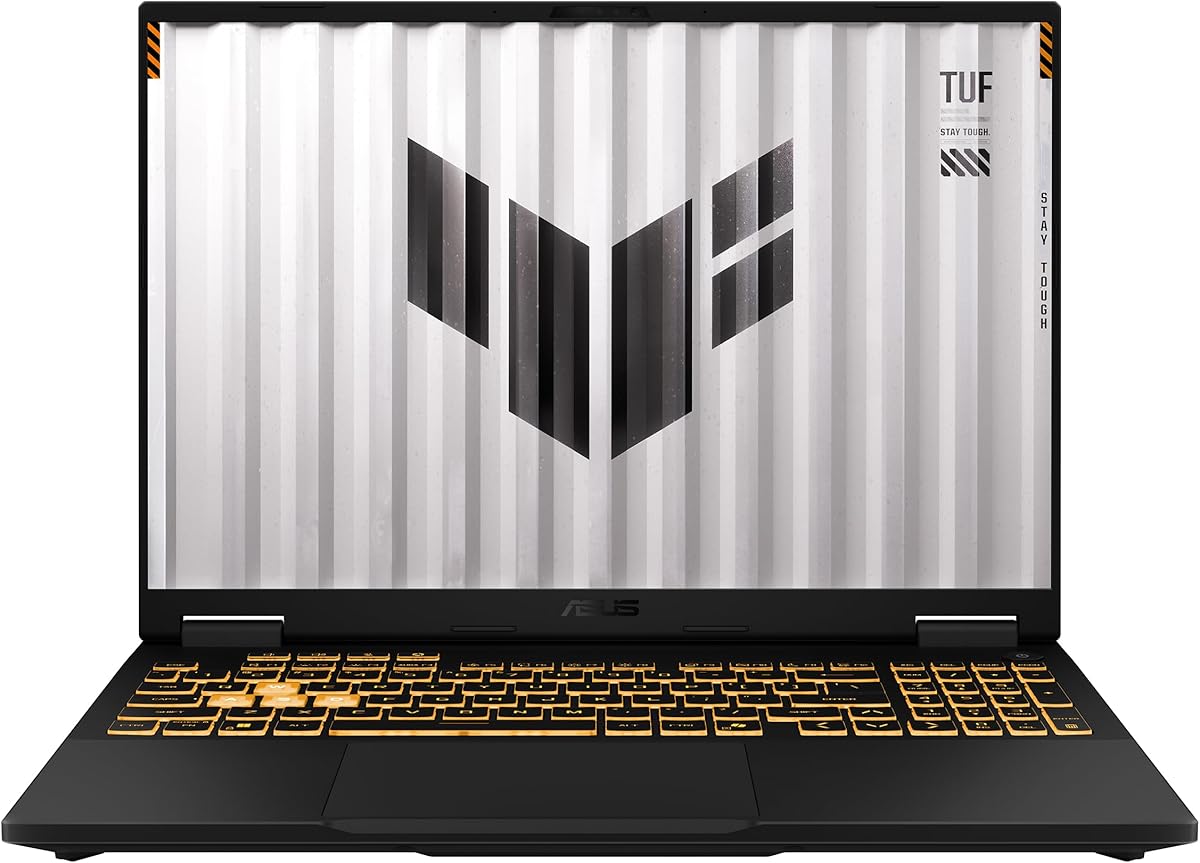
Not every mid-tier buyer wants the brightest light bar in the room. The ASUS TUF Gaming F16 (2025) aims at the practical sweet spot: discrete GeForce RTX 5050 graphics, a 16-inch high-refresh panel, and a chassis tested to MIL-STD-810H standards. If your laptop lives in a backpack between classes, LAN nights, and a crowded apartment desk, that durability story is more valuable than another RGB zone.
Performance sits one sensible step below the RTX 5060 class leaders, which is exactly why it belongs in a sweet-spot guide. The Intel Core i5-13450HX and RTX 5050 Laptop GPU with a Max TGP of 115W plus NVIDIA Advanced Optimus give you modern feature support without forcing the absolute top SKU in the band. For 1080p and FHD+ gaming with DLSS where available, that is still a very playable lane for current releases and an excellent lane for esports titles.
The display matches the mission. FHD+ at 165Hz with 100% sRGB and Adaptive-Sync is a coherent mid-tier panel package: smooth motion, better color than bargain TN memories of years past, and enough clarity for both games and coursework. Combined with the embossed TUF lid and relatively restrained design, the F16 can sit in a lecture hall without looking like a nightclub landed on the desk.
Cooling uses second-generation Arc Flow Fans, a full-width heatsink, and a full-width vent. That is less exotic language than vapor chambers and liquid metal, but TUF’s reputation is built on boring reliability rather than peak thermal theater. Noise stays in the expected gaming-laptop range under load; the important part is that the machine is designed to keep the 115W GPU story usable rather than paper-spec only.
Storage is the one place we would budget an early upgrade for heavy installers. Five hundred twelve gigabytes of PCIe Gen 4 SSD is fine for a curated library, but modern titles are enormous. Sixteen gigabytes of DDR5 is acceptable for gaming-first use, though creators should eye the Nitro V 16S instead. Wi-Fi 6E is a nice middle ground—better than plain Wi-Fi 6 on several value rivals, short of the Strix’s Wi-Fi 7.
Buy the TUF F16 when your sweet spot includes toughness, a cleaner aesthetic, and still-current discrete NVIDIA graphics. It is the recommendation we give students and travelers who want a mid-tier gaming laptop that can survive real life, not just a climate-controlled battle station.
MIL-STD-810H testing does not make a laptop indestructible, but it signals a chassis designed for drops, vibration, and temperature swings better than generic plastic shells. For buyers who move machines constantly, that is part of value—not a footnote.
Pair it with a decent sleeve anyway. Sweet-spot ownership includes protecting the investment you already optimized.
If your backlog is full of demanding single-player games at high settings with ray tracing ambitions, the Strix G16, Nitro V 16S, or ASUS V16 are better fits. If you mostly play competitive multiplayer and mid-settings AAA, the TUF’s RTX 5050 package remains an intelligent mid-tier spend.
We may earn a commission at no additional cost to you.

The ASUS V16 Gaming Laptop is what happens when the mid-tier sweet spot prioritizes discretion. Same essential GPU generation as our top RTX 5060 picks, but wrapped in a matte black shell that looks closer to a creator or student machine than a neon battle station. For a lot of buyers, that aesthetic is not a compromise—it is the feature.
Under the lid, an Intel Core 7 Processor 240H with 10 cores and 16 threads handles hybrid workloads, while the GeForce RTX 5060 with 8GB of GDDR7 does the heavy graphical lifting. ASUS calls out everything from vividly smooth gaming to 8K video processing and AI-accelerated photo editing. That is the right framing for this chassis: a daily computer that can also game hard, rather than a pure tournament prop that reluctantly opens Excel.
The 16-inch WUXGA 1920x1200 display at 144Hz with 300-nit sustained brightness is a strong productivity-leaning gaming panel. You lose a bit of refresh headroom versus 165Hz and 180Hz rivals, but you gain a comfortable 16:10 workspace and life-like color that helps editing and streaming chores. For story-driven games and mixed use, 144Hz is still a clear upgrade over old 60Hz office panels.
Sixteen gigabytes of memory and a 512GB SSD keep the V16 honest about its place in the pack. It is ready to game and work out of the box, yet power users may want a storage expansion plan sooner than on the 1TB Strix or Nitro V 16S. That is a classic mid-tier trade: better GPU generation and a refined shell, with less bundled bulk storage.
We like the V16 for offices, graduate programs, and shared apartments where a screaming RGB lid would feel socially expensive. Performance still belongs in the discrete mid-tier conversation thanks to the RTX 5060. If your sweet spot is “serious graphics, calm exterior,” this is the cleanest match in the roundup.
Choose something louder and cooler-focused if you primarily chase maximum sustained FPS in the hottest rooms. Choose the V16 if your laptop has to look acceptable in more than one context and still clear modern game settings without apology.
Hybrid workers, students in presentation-heavy programs, and anyone who games after hours but works on camera during the day. The matte design reduces the “gaming laptop stigma” without abandoning discrete NVIDIA horsepower.
Budget for a larger SSD if you install several modern AAA titles. Keep NVIDIA drivers current, and use the 16:10 screen with vertical sidebars for guides or Discord while you play. The panel shape is part of why this machine feels like a sweet-spot daily driver.
We may earn a commission at no additional cost to you.

Sweet spot shopping sometimes means recognizing when a previous GPU generation still makes sense. The Acer Nitro V with an Intel Core i5-13420H and GeForce RTX 4050 is that case—if and only if you treat the factory 8GB of DDR5 as a starting point rather than a finished configuration. At 1080p on a 15.6-inch 165Hz IPS panel, the RTX 4050 remains a capable discrete GPU for popular titles, especially with DLSS 3.5 in supported games.
Acer’s pitch emphasizes playing, recording, and streaming with high FPS while switching into editing workloads. That is realistic after a RAM upgrade. With only 8GB installed, modern Windows plus Chrome plus a game will expose stutter and background-task pain quickly. The redeeming detail is the second DDR5 slot and a maximum of 32GB, so this machine can be brought up to true mid-tier multitasking standards without replacing the whole laptop.
The display is classic Nitro: Full HD, 165Hz, 16:9, high screen-to-body ratio. It is an excellent competitive format even if it lacks the taller canvas of the 16-inch WUXGA models. Connectivity is a quiet strength—Wi-Fi 6, Killer Ethernet E2600, and Thunderbolt 4 for charging, data, and display output. That Thunderbolt port alone makes the Nitro V more dock-friendly than several louder gaming names.
Storage lands at 512GB Gen 4 SSD, which is acceptable for a curated library. Graphics sit at 194 AI TOPS on the RTX 4050, enough for meaningful DLSS upside but not the Blackwell feature set of the RTX 5060 machines. If your favorite games are already optimized for the 40-series and you primarily care about smooth 1080p, this remains a rational mid-tier on-ramp.
We would not recommend leaving it at 8GB. The sweet spot in 2026 for a discrete gaming laptop includes enough memory to keep overlays and browsers alive. Plan the RAM kit as part of the purchase decision. Once that is handled, the Nitro V becomes a sharp value discrete option for players who do not need the newest GPU badge.
Skip it if you want maximum future-proofing with DLSS 4 and Blackwell features—that is what the Strix, Nitro V 16S, and V16 are for. Choose it if you want a proven 4050 gaming experience, a fast panel, and upgrade headroom on a familiar 15.6-inch platform.
Install a matching DDR5 stick to reach at least 16GB as soon as you can. That single change does more for real-world smoothness than almost any software tweak. After that, keep an eye on SSD free space as your library grows.
First-time discrete GPU buyers, Fortnite and Valorant players who also dip into AAA at medium-high settings, and students who want Thunderbolt docking for classwork. It is a builder’s mid-tier pick more than a sealed luxury appliance.
We may earn a commission at no additional cost to you.

A modern mid-tier sweet spot is not only discrete NVIDIA versus discrete NVIDIA. Strong AMD integrated graphics have scrambled the lower half of the gaming laptop market, and this Ryzen 7 H255 machine with Radeon 780M graphics is the clearest example in the pack. Eight Zen 4 cores, boosts up to 4.9GHz, FP8 acceleration talk, and adjustable gaming power from 35 to 54W describe a CPU-GPU package meant to punch above old entry-level discrete expectations in lighter and medium titles.
The memory story is a highlight: 24GB of dual-channel LPDDR5 at 6400MT/s. That is more resident capacity than several discrete machines here ship with, and it helps frame pacing when browsers, chats, and games overlap. The tradeoff is classic onboard memory—you cannot casually slot in more later—so the factory 24GB needs to be enough for your horizon. For most mid-tier integrated gamers, it is.
The 16-inch 1920x1200 IPS panel in a 16:10 ratio gives this laptop a creator-friendly canvas and a more immersive vertical view than 15.6-inch 16:9 budget screens. The all-metal A/D chassis and 180-degree hinge push it toward premium portable territory. Combined with a 54.72Wh battery and 20V/5A Type-C charging, it is one of the more travel-plausible gaming-capable machines in this guide.
Storage starts at 512GB NVMe with dual M.2 2280 slots supporting large expansion claims. That matters because integrated gaming laptops often become media and indie-game libraries as much as AAA boxes. Wi-Fi 6, Bluetooth 5.2, HDMI 2.0, TF card support, and dual full-function Type-C ports round out a flexible I/O story that discrete-heavy plastic towers sometimes neglect.
Set expectations correctly and this machine shines. It is ideal for League, Valorant, Minecraft, older AAA, and well-optimized newer titles at thoughtful settings. It is not a substitute for the RTX 5060 class when you want high ray tracing, high textures, and future DLSS 4 headroom. Sweet spot advice means matching hardware to the games you actually launch.
We recommend it to buyers who want one slim metal laptop for school or work that can still game convincingly at night without the heat, weight, and fan drama of a full discrete chassis. If your identity is tied to maximum settings in the latest releases, step up to the NVIDIA mid-tier picks instead.
Use AMD software to keep drivers current, favor FHD or FHD+ resolutions, and lean on upscaling features where available. Close background RGB and overlay tools you do not need. Integrated gaming rewards clean systems.
Choose Radeon 780M for portability, quieter mixed use, and strong esports efficiency. Choose RTX 5050/5060 when your library is dominated by heavy single-player releases and you want headroom for the next two years of AAA settings.
We may earn a commission at no additional cost to you.

The MALLRACE LX15PRO-style Ryzen 7 5825U laptop earns a place here because sweet-spot guides should also define the floor of sensible gaming. Not every buyer under 1500 needs an RTX 5060. Some need a dependable 15.6-inch machine with a numeric keyboard, a huge 1TB SSD, and enough integrated graphics for esports, indie games, and classwork. That is a legitimate mid-tier lifestyle purchase even if it is not a discrete GPU trophy.
The AMD Ryzen 7 5825U brings eight cores and sixteen threads with boosts up to 4.5GHz. Paired with 16GB of LPDDR4 memory and a 1TB M.2 NVMe SSD, the machine feels quick in everyday Windows use: boot times, document work, streaming video, and lighter creative tasks. Game operation is smoothest in titles that respect integrated GPU limits. Treat high-fidelity ray-traced showcases as desktop or discrete-laptop territory.
MALLRACE highlights upgrade talk around dual-channel memory support up to high capacities and SSD expansion, though buyers should verify the exact serviceability of the unit they receive because onboard LPDDR configurations vary across listings. The included 1TB drive already removes the most painful storage complaint in this segment, which is a real quality-of-life win for people who keep years of files and game installs.
Port selection is practical: USB 3.2, HDMI, full-function Type-C, audio jack, TF card, and a Type-C DC jack. Wi-Fi 6 improves over older AC-only budget machines for campus and apartment networks. The backlit keyboard and numeric keypad make this more of a productivity gamer hybrid than a pure RGB showpiece, which fits dorm desks that also host accounting homework.
Battery capacity is listed around 54.72Wh with a full charge in roughly 2.5 to 3 hours. That supports the travel-and-class narrative better than many thick discrete gaming laptops. Just remember that any gaming session still drains faster than spreadsheet work; the advantage is that lighter integrated hardware generally sips less than a 115W GPU chassis.
Buy MALLRACE when your sweet spot is storage, keyboard utility, and capable everyday performance with casual gaming on the side. If your backlog is mostly new AAA releases, this will frustrate you—redirect to the RTX or high-end Radeon 780M options instead.
Think Rocket League, League of Legends, Stardew Valley, older Assassin’s Creed titles at reduced settings, and browser-based games. That library can feel excellent here. Cyberpunk at ultra is the wrong benchmark for this machine.
The numeric keypad, 1TB drive, and Wi-Fi 6 make a convincing semester machine. Use it as a do-everything laptop that can game, not as a substitute for the discrete mid-tier class leaders above.
We may earn a commission at no additional cost to you.
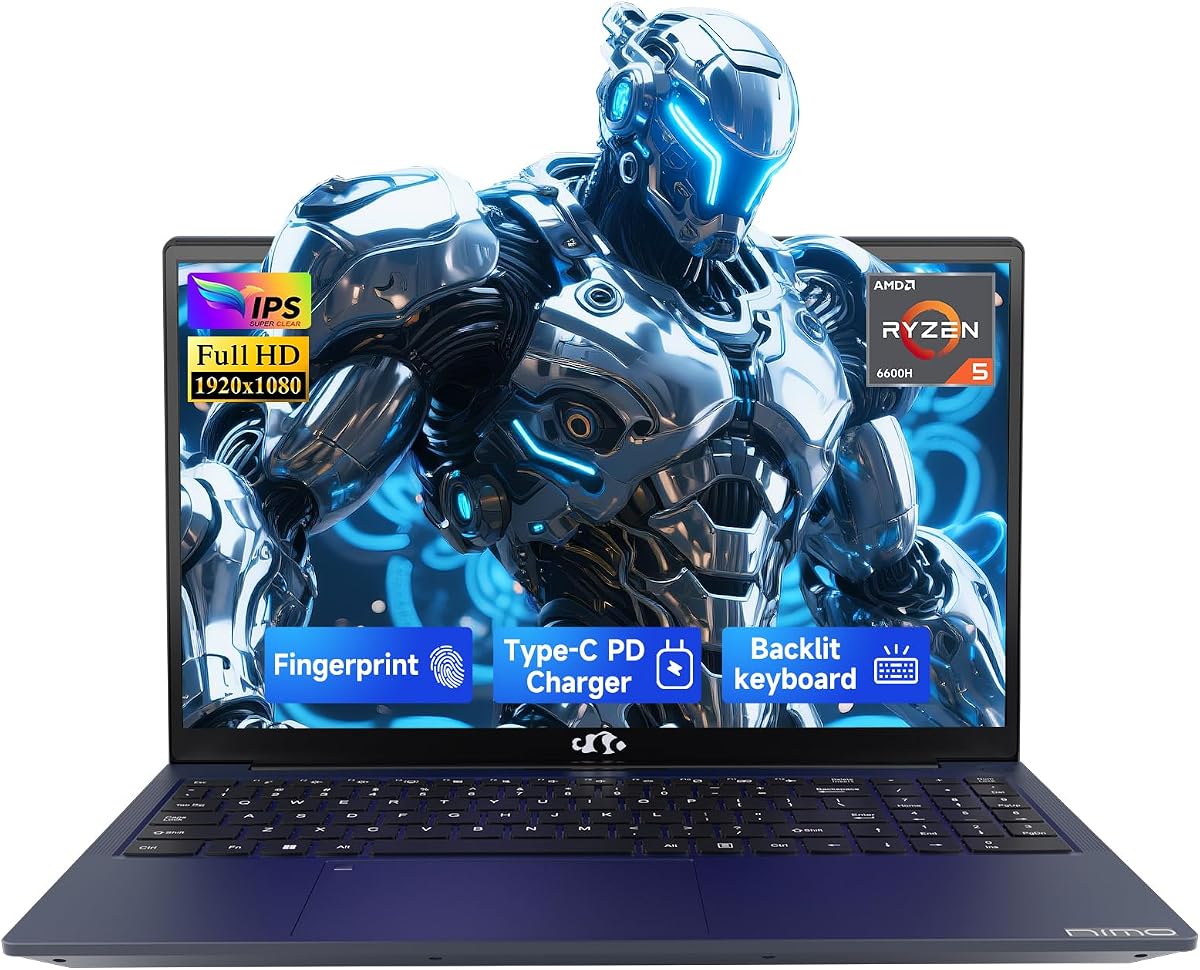
The NIMO 15.6-inch IPS FHD laptop with AMD Ryzen 5 6600H and Radeon 660M graphics occupies the portable hybrid corner of the mid-tier map. Six cores boosting up to 4.5GHz, 16GB of DDR5, and a light business-leaning design make it feel more like a commute machine that can game than a gaming machine that can commute. That distinction matters for buyers who refuse to own two computers.
Expandability is the ownership hook. NIMO emphasizes easy RAM and SSD swaps, which is exactly what a 256GB factory drive demands. Treat the included SSD as temporary boot media and plan a 1TB upgrade if games are part of the mission. The DDR5 foundation is already in a good place for multitasking once storage is sorted.
Privacy and security details are better than average for this price band: a fingerprint sensor on the touchpad and a physical hidden webcam. Students and remote workers who hop between coffee shops will appreciate that more than another unused macro key. The backlit keyboard helps late-night dorm sessions without turning the machine into a light show.
Connectivity is modern and clean: HDMI 2.0, multiple USB 3.2 ports, and dual full-function Type-C with PD, DisplayPort, and data. The 100W Type-C adapter story is especially useful for travel because one charger can often cover phone and laptop ecosystems more neatly than brick-heavy gaming power supplies. Wi-Fi and Bluetooth cover standard wireless needs for classes and co-op nights.
Graphically, Radeon 660M is competent for esports and lighter titles but sits behind the Ryzen 7 H255 / 780M machine and far behind the RTX discrete options. If your definition of mid-tier gaming includes high presets in new releases, NIMO is the wrong aisle. If your definition includes portable productivity with weekend gaming, it becomes a thoughtful sweet-spot alternative.
The two-year manufacturer warranty, 90-day returns language, and partial U.S. assembly claims are worth reading on the product page at purchase time, because support confidence is part of value when you are buying less famous brands. For the right buyer, NIMO is a lightweight hybrid done with more care than anonymous no-name boxes.
Clone or clean-install onto a larger SSD, set up Windows Hello fingerprint login, and update AMD drivers. Then benchmark a couple of your actual games at 1080p medium to learn the machine’s ceiling before you buy more titles.
Anyone whose primary reason for buying is Cyberpunk-class settings, ray tracing, or streaming heavy gameplay with overlays. Those users need the RTX mid-tier recommendations at the top of this guide.
We may earn a commission at no additional cost to you.

Lenovo’s 15-inch gaming-oriented Ryzen 5 7535HS laptop is the portable entry ticket in this under-1500 set. The brand’s pitch is refreshingly honest: game anywhere, stay cool and quiet enough for shared spaces, and lean on battery life for mixed use. That is a different sweet spot than the ROG Strix vapor-chamber experience, and it deserves its own recommendation lane.
Hardware realities are entry-level. Eight gigabytes of DDR5 and a 256GB SSD are the two constraints that define ownership. You can enjoy lighter games and solid everyday performance from the Ryzen 5 7535HS, but you should plan storage upgrades if the chassis allows and keep your multitasking diet disciplined. For some students, that is acceptable. For anyone installing multiple AAA titles, it will feel tight quickly.
The 15.3-inch Full HD+ display is a bright spot—literally and figuratively—for Netflix, coursework, and less demanding games. It is large enough for comfortable sessions without the shoulder burden of some 16-inch discrete tanks. Luna Grey styling also blends into non-gaming environments better than aggressive RGB shells.
Connectivity includes Wi-Fi 6 for online play, Bluetooth 5.3 for accessories, HDMI for TV or dorm-monitor setups, Type-C charging convenience, and a webcam for calls. Lenovo’s claim of long mixed-use battery life is central to why this machine exists in a gaming roundup: it can be the laptop you carry every day and still launch games when you are plugged in or freshly charged.
Graphically, treat it as entry-level gaming. Esports and older titles are the happy path. Newer cinematic releases belong on the RTX 4050 and newer discrete machines if settings quality matters to you. The sweet spot here is portability plus brand familiarity plus enough performance for lighter play—not maximum fidelity.
We include it because many shoppers searching best gaming laptops under 1500 are actually shopping for their first grown-up laptop that can game sometimes. If that is you, Lenovo’s portable entry option is a clearer match than forcing a thick RTX chassis into a backpack lifestyle you will hate.
Install games to an external drive when needed, keep the OS lean, and store media in the cloud. If internal expansion is supported on your exact unit, upgrading the SSD is the highest-impact improvement after purchase.
Choose Lenovo for brand ecosystem comfort and a portable everyday focus. Choose MALLRACE if the 1TB drive matters more out of the box. Choose NIMO if fingerprint security and Type-C dual-port flexibility matter more than the Lenovo nameplate.
We may earn a commission at no additional cost to you.
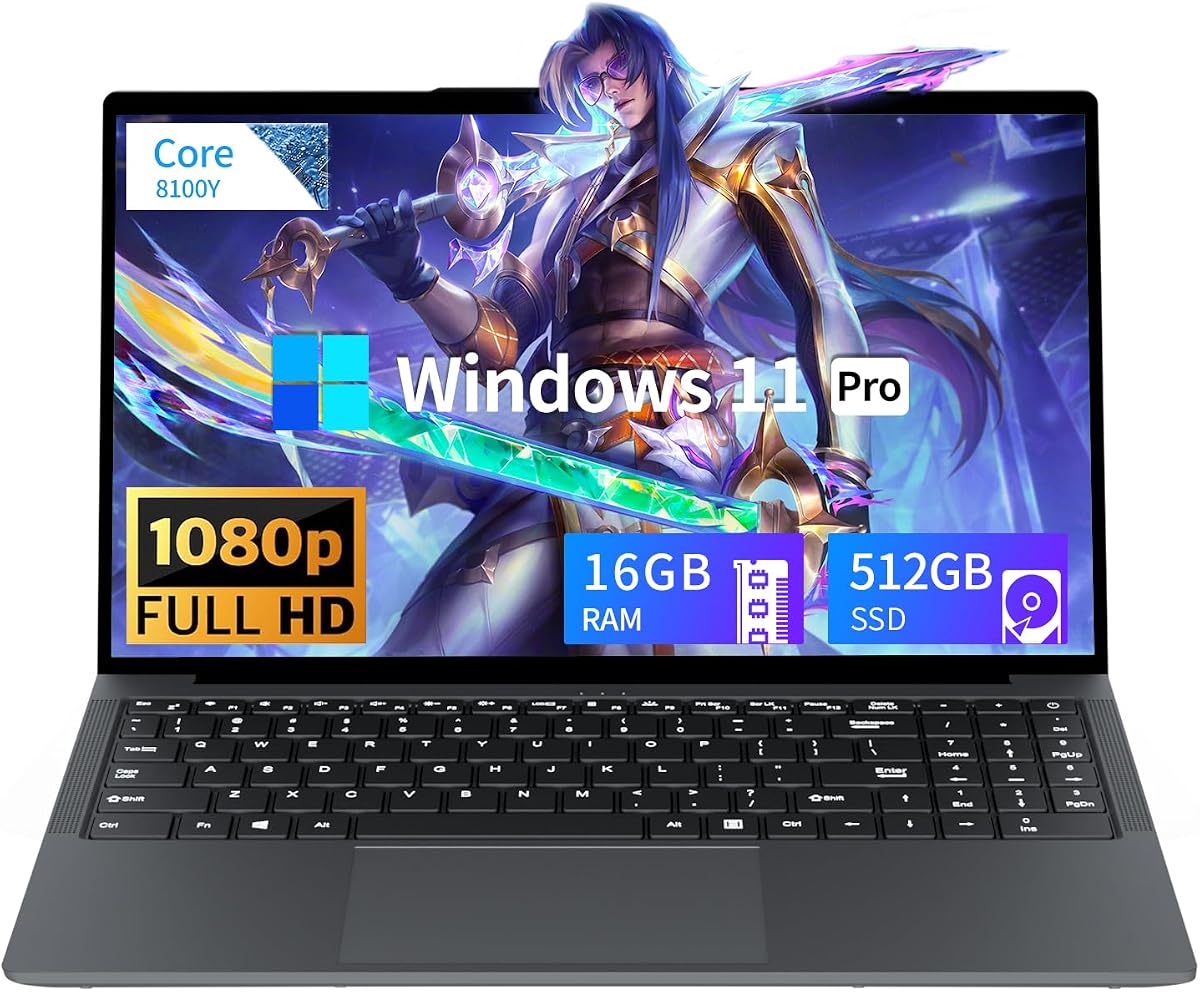
Honesty is part of a useful sweet-spot guide. The Tunhail 15.6-inch laptop is sold with gaming language, but its UHD Graphics 615 and Core processor peaking around 3.4GHz place it firmly in budget productivity territory. We are including it from the pack so shoppers can see the difference between a real mid-tier gaming configuration and a traditional laptop that happens to sit in the same shopping results.
Where Tunhail is fine is ordinary computing. Sixteen gigabytes of memory and a 512GB M.2 SATA SSD can run Windows 11 Pro, browsers, office suites, and media playback without drama. The 1920x1080 15.6-inch panel is perfectly serviceable for classes and streaming. The privacy shutter over the camera is a small human-friendly detail that more expensive machines sometimes forget.
Where it falls out of the gaming sweet spot is graphics. UHD Graphics 615 is an older integrated solution meant for desktop basics, not modern 3D workloads. You may manage older or extremely light titles at reduced settings, but this is not the machine for the RTX feature set, high-refresh competitive play, or future AAA libraries. If gaming is the reason you are reading this article, put your attention on the discrete NVIDIA and stronger Radeon options above.
Port selection is traditional and useful: HDMI, three USB-A, Type-C, headphone jack, and a DC input, plus dual-band Wi-Fi and Bluetooth 5.0. Battery capacity is listed around 5000mAh/38Wh, which is modest compared with several other machines in this guide. That reinforces the role: a light inexpensive computer for mixed tasks, not an all-day gaming brick.
We respect that some shoppers need the cheapest workable Windows laptop and will only dabble in casual games. For that narrow case, Tunhail can make sense as a basics machine with more RAM than the Lenovo’s 8GB configuration. Just do not let the word gaming in the title redefine your expectations. Mid-tier gaming in 2026 means RTX 4050-class or better discrete hardware, or at least modern high-end integrated graphics like Radeon 780M.
If you arrived here determined to game seriously under 1500, treat Tunhail as a cautionary comparison point and redirect to the Strix G16, Nitro V 16S, TUF F16, or ASUS V16. Those are the configurations that actually occupy the sweet spot this roundup exists to explain.
Homework, Zoom, Netflix, light photo editing, and older 2D or very low-demand games. That is the honest capability envelope.
Serious about gaming? Start with the ASUS ROG Strix G16 for balanced discrete power, the Acer Nitro V 16S for maximum memory, or the ASUS TUF F16 for durable mid-tier NVIDIA performance. Those three define the real under-1500 gaming lane.
We may earn a commission at no additional cost to you.

For serious modern gaming under this budget ceiling, prioritize GeForce RTX 5050 or RTX 5060 Laptop GPUs when you want high presets, DLSS upscaling, and better longevity in new releases. The RTX 4050 remains workable at 1080p if the rest of the laptop is right and you upgrade RAM when needed. Strong AMD Radeon 780M integrated graphics can cover esports and many medium settings titles with less heat and better portability, but they are a different product category than discrete mid-tier NVIDIA machines.
Ignore RGB counts until the GPU lane matches your library. Lights do not raise frame rates.
Sixteen gigabytes is the practical gaming floor in 2026; thirty-two gigabytes is the comfort zone if you stream, edit, or live in browsers. Eight-gigabyte configs in this pack can still be valid only when a second RAM slot makes an immediate upgrade realistic. On storage, 512GB fills fast with modern titles—1TB is the happier out-of-box experience, and an open M.2 slot is a gift.
One hundred sixty-five hertz and higher at FHD or WUXGA is the motion sweet spot for this price band. Sixteen-to-ten panels add desktop usefulness for guides and creative tools; sixteen-by-nine 15.6-inch screens remain excellent for pure competitive focus. Color coverage such as 100% sRGB matters more if you edit. Adaptive-Sync or similar tearing reduction is a quiet quality marker on ASUS TUF and similar panels.
Vapor chambers, Arc Flow fans, and MIL-STD language are useful signals when they accompany real TGP budgets. Still, every discrete gaming laptop is happiest plugged in. If all-day cafe battery is your primary need, an integrated Ryzen machine will beat a 115W GPU chassis every time. Match the chassis to your carrying pattern before you fall in love with a benchmark chart.
ASUS ROG, ASUS TUF, Acer Nitro, and Lenovo offer familiar support ecosystems. Lesser-known brands in the pack can win on warranty length, metal build, or memory capacity, but you should read return windows carefully. Sweet-spot buying includes the unglamorous week after delivery when drivers, thermals, and customer service become real.
It is the configuration band where you get current discrete graphics such as RTX 5050 or RTX 5060, a high-refresh FHD or WUXGA panel, at least 16GB of RAM, and enough cooling to sustain real sessions—without paying for ultra-premium mini-LED extravagance or desktop-replacement bulk you will not use. Strong Radeon 780M machines can occupy a portable sweet spot for esports-first buyers, but the core AAA sweet spot in this guide is the RTX mid-tier trio led by the ROG Strix G16, Acer Nitro V 16S, and TUF F16.
Yes, for 1080p gaming with DLSS 3.5 in supported titles, especially if the laptop has upgradeable memory and a 165Hz panel like the Acer Nitro V in this pack. You are trading away Blackwell features and some future headroom. If your backlog is full of demanding new releases and you want DLSS 4 era tools, stretch toward the RTX 5060 machines instead. If you mainly play competitive multiplayer, a well-cooled 4050 after a RAM upgrade can still feel excellent.
Sixteen gigabytes is the comfort floor for modern Windows gaming with a few background apps. Thirty-two gigabytes, as on the Acer Nitro V 16S, is ideal for streaming, content work, and heavy Chrome use. Eight-gigabyte machines can function after upgrades, but leaving them at 8GB in 2026 invites stutter and tab anxiety. Integrated gaming laptops also benefit from higher memory pools because the GPU shares system RAM.
They can replace entry-level discrete cards for many esports titles and well-optimized games at thoughtful settings, which is why the Ryzen 7 H255 machine appears in this roundup. They cannot fully replace RTX 5050 or 5060 for high-settings ray-traced AAA, creator GPU effects, or maximum future-proofing. Choose integrated when portability, quieter thermals, and everyday battery matter more than preset extravagance.
Pick 16:10 WUXGA if you use the laptop for school or work alongside gaming—the taller canvas helps documents, timelines, and side-by-side guides. Pick 15.6-inch 16:9 if you want a slightly more compact competitive layout and are used to that classic gaming shape. Refresh rate still matters either way; 144Hz to 180Hz is the motion sweet spot here.
Discrete GPU gaming laptops are plug-in performance tools first. Light browsing and video can be acceptable on many models, but serious gaming drains packs quickly. Integrated Ryzen machines such as the NIMO, MALLRACE, Lenovo, and the Radeon 780M metal chassis generally deliver more convincing mixed-use endurance. If battery is your top requirement, do not buy based on GPU peak charts alone.
Start with the Acer Nitro V 16S for 32GB of DDR5, a 100% sRGB 180Hz WUXGA panel, RTX 5060 acceleration, and storage expansion. The ASUS ROG Strix G16 is close if you prefer stronger cooling theater and can live with 16GB for now. The ASUS V16 is a strong understated alternative when you need a matte professional look with the same GPU generation.
They can be, when warranty terms, return windows, and reviews look solid—NIMO’s longer warranty claims are an example of what to verify on the product page. Still, calibrate expectations: some value brands overuse the word gaming on integrated systems that are really productivity laptops. Match the actual GPU and CPU to your needs, and keep packaging until you confirm thermals and dead pixels.
Update Windows, install current GPU drivers from NVIDIA or AMD, set a performance or balanced mode that matches your noise tolerance, and run your own games rather than relying only on synthetic scores. Clear vents, consider a stand, and if your machine shipped with 8GB or a tiny SSD, schedule those upgrades before you fill the drive with a massive library.
No. It is included as a pack product and a cautionary comparison. With UHD Graphics 615 class visuals, it belongs in budget productivity with light casual play, not in the RTX or modern Radeon mid-tier conversation. If gaming performance is why you are shopping, choose one of the discrete NVIDIA recommendations or the stronger Ryzen integrated options instead.
The under-1500 gaming laptop market rewards shoppers who define the mid-tier sweet spot clearly. For most people who want modern AAA headroom, that sweet spot is an RTX 5050 or RTX 5060 machine with a high-refresh display and at least 16GB of RAM. The ASUS ROG Strix G16 (2025) is our balanced flagship of the pack, the Acer Nitro V 16S AI is the high-memory creator-leaning alternative, and the ASUS TUF Gaming F16 (2025) is the durable daily carrier with honest RTX 5050 power.
Below that peak lane, the ASUS V16 keeps RTX 5060 performance in a calmer shell, the Acer Nitro V RTX 4050 remains viable with a RAM plan, and the Ryzen 7 H255 Radeon 780M chassis proves integrated graphics can still feel ambitious for the right library. Entry hybrids from MALLRACE, NIMO, and Lenovo serve lighter definitions of gaming, while Tunhail is best understood as a basics computer rather than a true gaming recommendation.
Pick the machine that matches the games you launch weekly, the bag you carry, and the upgrades you are willing to perform. That is how you land in the sweet spot—and stay happy there after the first week of drivers and downloads.