Best Overall Performance
ASUS ROG Strix G16 (2025) Gaming Laptop

- Intel Core i7-14650HX with GeForce RTX 5060 and DLSS 4
- 16-inch FHD+ 165Hz panel plus vapor-chamber tri-fan cooling
- 16GB DDR5, 1TB Gen 4 SSD, and Wi-Fi 7 for modern online play
Expert Review & Guide
Shopping for the best gaming laptops under $1000 in 2026 means accepting a clear truth: this budget tier rewards buyers who match hardware to honest goals. Some machines in this range now ship discrete GeForce RTX graphics with high-refresh 16-inch panels, vapor-chamber cooling, and Wi-Fi 6E or Wi-Fi 7. Others wear a gaming label while relying on integrated Radeon or entry-level processors that shine for schoolwork and lighter titles. Both can be smart purchases—if you know which lane you are in before you click buy.
ReviewConsensus built this roundup strictly from the current product pack, ranking configurations by how well they deliver under-$1000 gaming expectations rather than by brochure fantasy. We prioritize sustained frame rates at 1080p-class settings, usable RAM and storage for modern game installs, display fluidity, thermals, and upgrade reality. You will see flagship-feeling options like the ASUS ROG Strix G16 with RTX 5060 beside practical Ryzen daily drivers and a couple of lighter integrated-GPU notebooks that still belong in a budget conversation.
Read the top picks for a fast shortlist, skim the comparison table for specs at a glance, then dig into full reviews for tradeoffs. We never list product prices here because listings move constantly; focus instead on which machine matches your library, desk setup, and patience for upgrades. If you mainly play esports and older favorites, you can save capability for portability. If you want current AAA titles with DLSS and ray tracing features, insist on a discrete RTX configuration and plan to game while plugged in.

As an Amazon Associate we earn from qualifying purchases. We may earn a commission at no additional cost to you.
Use this table to separate discrete RTX gaming laptops from lighter integrated-GPU notebooks before you fall for a flashy product title. Specs emphasize CPU/GPU class, memory and storage, and display traits—the three levers that decide whether a budget-tier machine feels current or compromised.
ASUS ROG Strix G16 (2025) Gaming Laptop
If you are shopping the under-$1000 gaming laptop tier in 2026, the ASUS ROG Strix G16 (2025) is the clearest proof that budget-class shopping no longer means settling for last-decade graphics. This configuration pairs an Intel Core i7-14650HX with an NVIDIA GeForce RTX 5060 Laptop GPU based on Blackwell, which is exactly the leap shoppers should chase when they want current-generation features like DLSS 4 and stronger ray-tracing headroom. In this price band, many listings still rely on integrated graphics or older midrange chips; the Strix G16 stands out because it behaves like a dedicated gaming machine rather than a school notebook with a gaming sticker on the lid.
The 16-inch FHD+ panel at 165Hz with a 16:10 aspect ratio is a practical match for competitive shooters and open-world games alike. You get more vertical space than classic 16:9 panels for overlays, Discord, and browser guides, while the high refresh rate makes motion feel cleaner than a 60Hz office display. ASUS also calls out an ACR film aimed at contrast and glare control, which matters if you play near a window or under bright dorm lighting. Expect this class of panel to prioritize fluidity over HDR cinema perfection, and that is the right tradeoff for most budget-tier gamers who care about aiming precision and smooth camera pans.
Memory and storage are configured for real libraries: 16GB of DDR5-5600 and a 1TB Gen 4 SSD. That combination matters because modern titles install large, and Windows plus browsers will eat background RAM. You can launch a few games, keep Chrome open, and still have room to breathe without constant stutter from memory pressure. Thermals are a major reason ROG earns the top badge here. An end-to-end vapor chamber, tri-fan cooling, and Conductonaut Extreme liquid metal on the chipset help sustain boost clocks during long sessions instead of throttling into mush after twenty loud minutes of fan panic.
Connectivity and lifestyle details round out the case. Wi-Fi 7 is forward-looking for households upgrading routers, and Windows 11 Home is ready for Game Pass, Discord overlays, and NVIDIA control panel features. The 360-degree RGB light bar is polarizing: great if you want classic ROG presence, easy to mute with Stealth Mode when you take the laptop into a lecture hall. Battery life on any discrete-GPU 16-inch gaming chassis will be modest under load; treat this as a plugged-in performance machine with light unplugged browsing, not an all-day ultrabook substitute for commuting between every class.
Who should buy it? Anyone who wants the strongest mainstream gaming experience available in this budget tier without jumping into premium flagships that sit above under-$1000 expectations. If your library mixes Fortnite, Valorant, Cyberpunk-class single-player games, and creative apps that benefit from CUDA acceleration, the Strix G16 is the safest first pick in this pack. If you mainly play indie titles and need something thinner for daily campus carry, a lighter Radeon-integrated option lower on this list may fit better—but for raw gaming capability and cooling confidence, this is the benchmark we used when ranking every other recommendation.
One more practical note for first-time gaming laptop owners: leave clearance behind the rear vents, use a hard surface rather than a bed or couch cushion, and update GPU drivers before judging performance. Armoury Crate performance modes exist for a reason—quiet mode is for homework, turbo-style modes are for boss fights. With those habits, the Strix G16 delivers the kind of frame-time consistency that makes budget-tier gaming feel current rather than compromised.
Choose the ROG Strix G16 if you want discrete RTX 50-series graphics, a large high-refresh screen, and cooling that can hold performance through marathon sessions. It is ideal for players who sit at a desk with a charger nearby and care more about frame rates and visual settings than about carrying the lightest bag on campus every day.
Update NVIDIA drivers on day one, set a performance mode in Armoury Crate for heavy titles, and leave a few centimeters of clearance behind the rear vents. Start new games on a balanced preset and enable DLSS or frame generation where available before you crank native-resolution effects. Keep at least 100GB free on the SSD so Windows updates and shader caches do not choke load times during big patch weeks.
Compared with the Acer Nitro V 16S, the Strix leans harder into ROG cooling and RGB personality while the Nitro counters with a higher 180Hz panel and a fuller 32GB memory kit. Against the TUF F16 models, the Strix is the more aggressive gamer aesthetic and often the stronger GPU option in this pack. It remains our best overall pick for under-$1000 gaming expectations.
We may earn a commission at no additional cost to you.
Acer Nitro V 16S AI Gaming Laptop
Acer’s Nitro V 16S AI is the configuration we would shortlist beside the ROG Strix when someone says they want maximum usable specs inside under-$1000 gaming expectations. The AMD Ryzen 7 260 processor pairs with an NVIDIA GeForce RTX 5060 Laptop GPU, bringing Blackwell-era features—fuller ray tracing potential, DLSS 4 multi-frame generation, and high AI TOPS—into a Nitro chassis that traditionally punches above its market position. For players who stream, record, and play at once, that GPU class is the difference between hopeful settings menus and actually playable quality presets.
Where this Acer often wins the spreadsheet comparison is memory: 32GB of DDR5-5600. In a tier where many gaming laptops still ship 8GB or 16GB, doubling system memory means browsers, overlays, production apps, and games coexist with fewer stutters. Acer notes two DDR5 slots totaling a 32GB maximum on this SKU, so you are essentially buying the ceiling already filled—excellent for buyers who hate upgrades, less ideal if you dreamed of 64GB later. Storage starts at 1TB Gen 4 with a second M.2 slot available, which is the right foundation for a growing Steam library and a growing pile of recorded clips.
The 16-inch WUXGA (1920x1200) IPS panel at 180Hz with claimed 100% sRGB coverage is one of the strongest displays in this pack. Competitive players gain fluid motion; creators get more trustworthy color than the washed-out TN panels of years past. The taller 16:10 canvas helps when you alt-tab between a game and a guide. Pair Adaptive Sync-friendly behavior from the GPU ecosystem with that refresh rate and you get the “feels expensive” motion response that budget shoppers chase when they finally leave a 60Hz office panel behind.
AI messaging around the Ryzen 7 260 and RTX 50-series stack is marketing-heavy, but the practical takeaway is simple: local AI features, upscaling, and creator accelerations are becoming table stakes even in the budget tier. Acer also highlights 4K HDR streaming capability for media, which makes this a living-room-friendly machine when HDMI-connected to a TV. As with other discrete GPU 16-inch laptops, plan to game while plugged in for full performance; quieter modes help if fan noise bothers roommates during late ranked queues.
We gave the Nitro V 16S our Best High-Refresh Specs badge because the combination of RTX 5060, 32GB RAM, 1TB SSD, and 180Hz WUXGA is unusually complete. Choose ROG if you prioritize the most aggressive cooling personality and brand gaming software ecosystem; choose this Acer if you want the fuller memory kit and a slightly more competition-focused panel. Either way, verify the exact ANV16S configuration on the product page before checkout—budget-tier listings sometimes shuffle GPU or RAM options across similar model names that look identical in a quick scroll.
For creative side hustles, the Nitro’s memory headroom and RTX encode/decode blocks make light Premiere timelines and AI upscalers more realistic than on 8GB machines. You still should not expect desktop workstation silence or color-critical print accuracy from a gaming IPS panel, but for YouTube-ready 1080p exports and game highlight reels, this Acer is one of the most future-comfortable picks in the pack.
Pick the Nitro V 16S if you multitask heavily, edit while gaming, or simply hate RAM bottlenecks. The 32GB kit and 180Hz screen make it a fantastic daily driver for power users who still need a discrete GPU without stepping outside under-$1000 shopping expectations.
Calibrate expectations: 100% sRGB is strong for gaming and social content, not a replacement for a pro AdobeRGB studio monitor. Use NVIDIA Control Panel or Windows HDR toggles thoughtfully, and keep brightness moderate for long sessions to reduce eye fatigue during daytime ranked play.
You can add a second SSD in the free M.2 slot for archives or game overflow. RAM is already at the listed maximum, so spend upgrade budget on storage or a quality external monitor instead of hunting incompatible SODIMMs that this SKU cannot use.
We may earn a commission at no additional cost to you.
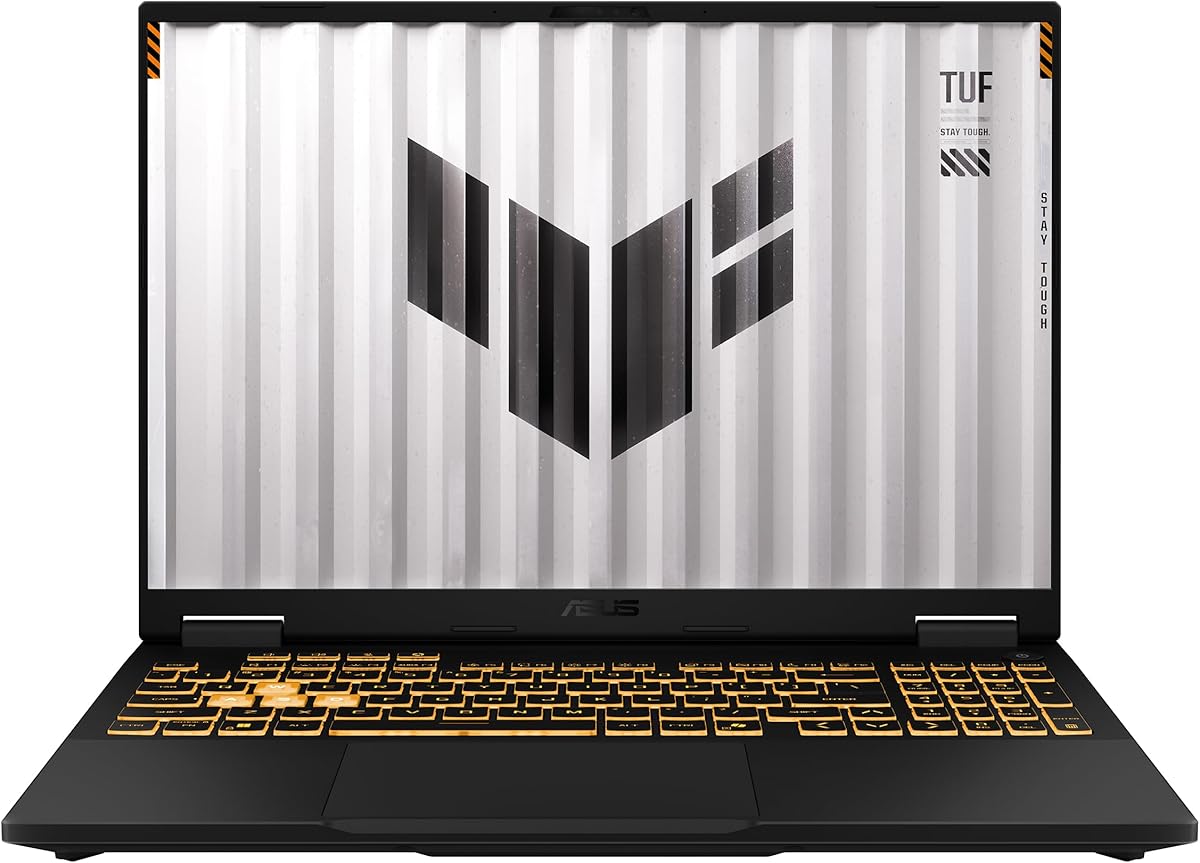
ASUS TUF Gaming F16 (2025) Gaming Laptop
The ASUS TUF Gaming F16 (2025) is the backpack-friendly personality in a pack full of glowing light bars and aggressive angles. Under the embossed TUF logo sit an Intel Core i5-13450HX and an NVIDIA GeForce RTX 5050 Laptop GPU with a Max TGP of 115W plus Advanced Optimus. That wattage detail matters in the budget tier because a higher sustained GPU power limit often separates “technically has an RTX chip” from “actually holds frame rates when the map gets busy.”
TUF’s reputation is durability first, flash second. MIL-STD-810H testing does not make a laptop indestructible, but it does signal that ASUS validated the chassis against shock, vibration, and environmental stress beyond a purely cosmetic shell. If you toss gear into a crowded locker or ride a bus with a padded sleeve that is only mostly padded, that reassurance is worth something. The design language stays relatively subtle compared with full ROG Strix RGB theater, which helps if one machine must cover lectures and late-night raids.
The FHD+ 165Hz 16:10 display with 100% sRGB and Adaptive-Sync is a strong match for the GPU. You are not buying a 4K content-creation panel; you are buying motion clarity and color that looks intentional in games and streaming apps. Sixteen gigabytes of DDR5 is the right baseline for Windows 11 gaming in 2026, while the 512GB Gen4 SSD is adequate if you rotate titles or keep a large library on an external drive. Many buyers should plan a second SSD or aggressive uninstall habits within the first year.
Cooling uses second-generation Arc Flow Fans, a full-width heatsink, and a full-width vent strategy aimed at pushing heat out without turning the keyboard deck into a space heater. TUF machines historically run a bit more utilitarian than ROG, and that is a feature when you want predictable thermals rather than RGB light shows. Wi-Fi 6E improves congested apartment networking versus older Wi-Fi 5 student machines, though it is not the Wi-Fi 7 found on the Strix G16.
We ranked this TUF as Best Rugged All-Rounder because it balances discrete RTX 50-series gaming, a high-refresh 16-inch canvas, and a tougher everyday chassis without asking you to accept integrated graphics. Choose the Strix or Nitro V 16S if you can secure a 5060 and want maximum raster/RT headroom; choose this F16 when you want ASUS build confidence, 165Hz fluidity, and a machine that looks slightly less like a neon billboard in the library. For many buyers living the commute-plus-compete lifestyle, that balance is the entire point of the TUF line.
Game settings advice mirrors other mid discrete GPUs in this tier: start on medium-high at 1080p-class resolution, enable DLSS where supported, and watch GPU temperature and wattage in a monitoring overlay for the first week. If clocks stay high and fans settle into a stable curve, you bought well. If you undervolt or use quieter profiles for story games, the F16 remains flexible without needing a desktop-replacement mindset every evening.
TUF will not always outrun the RTX 5060 Nitro or Strix in demanding titles, but it often wins the “will this still feel solid after a year of travel” question. If your backpack is rough on gear, prioritize this chassis over chasing the last few frames from a flashier shell.
With 512GB onboard, install your active rotation only. Move finished single-player campaigns to an external drive, keep shaders and Windows on the internal SSD, and consider a Gen4 upgrade if the chassis exposes an easy second slot or replaceable primary drive.
We may earn a commission at no additional cost to you.

The MALLRACE gaming laptop occupies a different lane from the RTX machines above it. Powered by an AMD Ryzen 7 5825U with eight cores and sixteen threads boosting up to 4.5GHz, it is built for smooth everyday computing first and light-to-moderate gaming second. That distinction matters in an under-$1000 roundup because many shoppers type “gaming laptop” when they really need a capable Windows notebook that can also handle League of Legends, older titles, emulators, and browser-heavy days without falling apart mid-semester.
Sixteen gigabytes of memory and a 1TB M.2 NVMe SSD are the headline practical wins. Storage this large means you can keep Windows, a creative suite, and a handful of games installed without constant uninstall juggling. MALLRACE also notes upgrade paths that matter to tinkerers: dual-channel memory support toward high capacities and SSD expansion room. Even if you never open the chassis, buying into an upgradable platform is a smarter long-term move than a soldered-only ultra-cheap machine that becomes e-waste the moment the drive fills.
Integrated AMD Radeon graphics will not deliver the ray-traced cinematic settings that RTX 4050/5050/5060 laptops chase. Set expectations correctly: competitive esports titles at sensible 1080p settings, indie games, and multimedia work are the sweet spot. Video calls, document workflows, and streaming playback should feel responsive thanks to the Ryzen 7 silicon. If AAA releases at high presets are your priority, skip ahead to the discrete GPU picks; if you want one machine for school plus occasional play, MALLRACE makes more coherent budget sense.
Port selection is thoughtfully everyday-focused: USB 3.2 ports, HDMI, full-function Type-C, audio jack, TF card slot, and a Type-C DC jack. Wi-Fi 6 improves on older Wi-Fi 5 student laptops for dorm networks. The 54.72Wh battery story and multi-hour charge window position this closer to a portable daily driver than a desk-bound gaming brick. The numeric keyboard is a quiet productivity perk for spreadsheets that many slim gaming chassis omit entirely.
We ranked this as Best Everyday Value rather than a performance champion because honesty about GPU class protects your satisfaction. Buying an integrated-GPU laptop while expecting Cyberpunk ultra settings is how buyers feel disappointed within a week. Buying MALLRACE for classes, Netflix, Discord, and lighter games—and pairing it with cloud streaming if you want heavier titles on a TV—is a coherent strategy inside under-$1000 expectations. Check seller ratings and return windows carefully with lesser-known brands, and verify the exact RAM type and upgrade instructions before you order.
If you already own a desktop for heavy games and need a second portable PC, this MALLRACE configuration is especially sensible. Use the desktop for maxed visuals and the laptop for everything else. That two-device reality is common among budget gamers, and integrated Ryzen machines still have a rightful place in a best-of list when the list claims to cover the whole under-$1000 shopping spectrum.
Students, remote workers, and casual players who want a 15.6-inch FHD Windows laptop with a big SSD will feel at home. It is less ideal for creators who rely on CUDA filters or players who insist on maxed modern AAA settings every weekend.
Treat Radeon integrated graphics as a light-gaming engine. Lower shadows, cap frame rates for thermals, and use external controllers if you prefer couch play. For competitive shooters that reward high refresh rates and low latency, a discrete RTX Nitro or TUF model is the better spend inside this same shopping budget tier.
We may earn a commission at no additional cost to you.

Acer Nitro V Gaming Laptop (RTX 4050)
The Acer Nitro V 15 with Intel Core i5-13420H and GeForce RTX 4050 remains a workhorse configuration in the under-$1000 conversation even as 50-series GPUs arrive. Ada Lovelace’s DLSS 3.5 and solid 1080p raster performance still make many 2023–2025 games enjoyable, and Acer pairs that GPU with a 15.6-inch FHD IPS panel at 165Hz—exactly the refresh target competitive players should demand. If a 50-series ROG or Nitro V 16S is out of reach in your cart at checkout time, this 4050 Nitro is the proven fallback that still feels like a real gaming laptop.
The honest caveat is memory. Eight gigabytes of DDR5 in 2026 is below the comfort line for Windows 11 plus Chrome plus a modern game. Acer’s dual-slot design with a 32GB maximum is the saving grace: plan a matched SODIMM upgrade as part of ownership, not as an optional future fantasy. Until you upgrade, close background apps aggressively and avoid heavy content-creation multitasking during ranked matches. Storage at 512GB Gen4 is workable with rotation discipline or a second drive later.
Beyond the GPU and screen, Nitro V connectivity is stronger than many no-name peers. Wi-Fi 6 covers typical apartments, Killer Ethernet E2600 helps wired dorm or desktop-adjacent setups, and Thunderbolt 4 brings high-bandwidth docks, external displays, and fast external SSDs into play. That ecosystem flexibility means the laptop can moonlight as a productivity machine with a single-cable dock during the day, then return to 165Hz gaming at night without feeling like two incompatible products.
Thermals and acoustics on Nitro V models are generally acceptable when the laptop sits on a hard desk with vents unobstructed. Use Acer’s performance modes thoughtfully: quieter profiles for story games and movies, performance profiles when you need every frame in a final circle. The backlit keyboard is standard-issue useful rather than luxurious, which fits the Nitro ethos of function over fashion. Compared with TUF, Nitro often looks a bit more aggressively “gamer,” which some buyers love and others hide with a plain sleeve.
We keep this model in the upper half of the ranking because discrete RTX gaming with a 165Hz panel still defines the meaningful split in budget-tier shopping. Integrated Radeon machines below cannot substitute for that experience. Just do not ignore the RAM footnote—buying this Nitro and leaving it at 8GB is how a good GPU gets blamed for stutter that is really a memory bottleneck. Budget a RAM kit alongside the laptop and the ANV15-52 configuration becomes a much more credible long-term companion.
Versus the TUF F16 with RTX 4050 later in this list, the Nitro V 15 is the more compact 15.6-inch take with Thunderbolt 4 as a differentiator, while the TUF counters with a 16:10 canvas and MIL-STD durability story. Versus 50-series options, accept that you are trading next-gen AI frame generation features for a mature, widely reviewed GPU generation that still has plenty of life at 1080p.
Install a second matched DDR5 stick to reach at least 16GB as soon as you can. Confirm voltage and speed compatibility from Acer’s support docs for ANV15-52. This single upgrade often improves 1% lows more than chasing a new laptop mid-year.
Choose this Nitro when the listing is clearly configured, reviews look consistent, and the 50-series alternatives in your cart are not realistically available. DLSS 3.5 and mature drivers make the 4050 a known quantity for 1080p gaming in this budget tier.
We may earn a commission at no additional cost to you.

Ryzen 7 H255 Radeon 780M Gaming Laptop
Not every under-$1000 gaming win requires a GeForce sticker. This 16-inch machine pairs an AMD Ryzen 7 H255—eight cores, sixteen threads, boosts up to 4.9GHz—with Radeon 780M graphics, a combination that has become the gold standard for “integrated but actually playable” gaming. The listing’s adjustable gaming power delivery story (roughly mid-wattage APU behavior) matters: higher sustained APU power can meaningfully lift 780M frame rates compared with severely power-limited ultraportables that share the same GPU name on paper.
Twenty-four gigabytes of dual-channel LPDDR5-class memory is a smart match for Radeon integrated graphics, which borrow system RAM as VRAM. More fast memory generally means fewer compromises when you layer Discord, a browser, and a game. The 512GB NVMe drive is the predictable bottleneck; dual M.2 2280 slots with high total expansion capacity are the long-term answer. If you game seriously on an iGPU laptop, buy a second SSD early and treat the internal bay like a Steam library shelf rather than a single tiny closet.
The 16-inch 1920x1200 IPS panel in a 16:10 ratio is excellent for mixed use. You get more vertical space for timelines and documents than 16:9 peers, and the wider view helps immersive single-player sessions even when you are not chasing 240Hz esports panels. An all-metal A/D chassis claim and 180-degree hinge make this feel closer to a premium creator laptop than a plastic RGB wedge. That design direction is why we like it for students who refuse to own two computers.
Battery life and Type-C charging are central to the appeal. A roughly mid-50Wh pack will not match thin office ultrabooks under continuous gaming load, but for lecture halls and coffee-shop writing it should outlast most discrete GPU bricks. Wi-Fi 6 and Bluetooth 5.2 cover modern peripherals and campus networks. Port density—dual full-function Type-C, HDMI 2.0, USB 3.2, TF slot, headphone jack—means fewer dongles than ultraportable fashion statements that ship with two ports and a prayer.
Where should expectations land? Esports titles, indie games, older AAA, and well-optimized newer releases at lowered settings are realistic. Enabling FSR upscaling where available is your friend. Demanding ray-traced showcases still belong on the RTX 5060 ROG or Nitro. We placed this high among non-RTX options because 780M plus 24GB plus a 16:10 screen is a coherent alternative path for buyers who value silence, thinner carry, and all-day versatility inside the same under-$1000 shopping mindset.
The perfect customer already knows they will not max Cyberpunk with path tracing on a laptop in this tier—and does not care. They want smooth Valorant-class sessions, strong CPU multitasking, and a machine that does not roar during Zoom. If that is you, prioritize this Radeon 780M configuration over weaker N-series “gaming” labels that cannot keep up creatively or in game.
Use AMD Software to set a sensible FPS cap a few frames under your refresh comfort zone, enable FSR or in-game upscalers, and prefer performance power modes while plugged in. Keep RAM-heavy Chrome profiles trimmed; integrated GPUs feel memory pressure quickly when browsers go wild.
Pick 780M when portability, battery, and quieter operation matter more than maximum settings. Pick RTX 5050/5060 when your library is dominated by new AAA releases and you are willing to carry a thicker charger-first machine.
We may earn a commission at no additional cost to you.

NIMO Gaming Laptop 15.6" (Ryzen 7 7735HS)
NIMO’s Ryzen 7 7735HS configuration is the productivity-forward sibling to lighter gaming hopes. Eight cores and sixteen threads with boosts up to 4.75GHz make it comfortable with coding environments, statistical workloads, 1080p video exports, and tab-heavy research days. Integrated AMD Radeon graphics cover light gaming—League of Legends, CS2-class titles, Minecraft, and well-optimized indies—at steady frame rates when you respect settings. That is a legitimate under-$1000 use case even if it will never replace an RTX 5060 for cinematic presets.
The platform story is upgradeability. Dual DDR5 SODIMM slots and an expandable M.2 PCIe 4.0 path mean you can grow memory and storage instead of replacing the whole laptop when a new semester’s software stack balloons. MicroSD support adds cheap overflow for media. Combined with dual full-function USB-C ports that handle data, display, and 100W power delivery, the NIMO can run a surprisingly clean dual-4K-monitor desk while charging from a single PD brick—rare flexibility in budget gaming-adjacent machines.
The 15.6-inch FHD panel with wide viewing angles and a 180-degree hinge is built for collaboration as much as immersion. Lay-flat mode helps group projects and tutoring sessions. The backlit keyboard covers late nights, and the fingerprint reader removes password friction. NIMO’s 2.0MP front camera is a quiet win for remote class and standups; many gaming laptops still ship soft 720p sensors that make you look like a haunted JPEG on Teams.
Battery and charging behavior favor hybrid lifestyles. A 100W PD charger in the kit reduces brick anxiety compared with proprietary 230W gaming blocks, though discrete-GPU rivals still need those bigger adapters for full RTX performance. Here, the lighter power story matches the lighter GPU. Keep expectations honest: this is a work-and-play APU laptop, not a portable 1% Low crusher for the latest ray-traced showcase.
We recommend the 7735HS NIMO when your week is seventy percent productivity and thirty percent lighter games, and when you value USB-C desk hygiene. If gaming is seventy percent of your identity, spend your budget-tier allocation on the ROG, Nitro, or TUF discrete options instead. The virtue of this roundup is showing both paths clearly so you do not resent your purchase two weeks later when a Steam sale tempts you into a game your GPU cannot love.
Compared with the Ryzen 5 6600H NIMO earlier in spirit, the 7735HS model offers a newer Zen-adjacent HS-class experience and a more creator-friendly CPU envelope, while the 6600H version’s Radeon 660M still targets similar light-gaming realities. Choose based on listing freshness, warranty terms, and whether fingerprint plus camera quality matter for your daily routine.
Use one full-function USB-C cable to a dock or PD monitor for charging plus display, keep a spare USB-A receiver for a mouse, and reserve HDMI for classroom projectors that still have not met USB-C. The lay-flat hinge is perfect for sharing a design critique across a table.
Cap FPS near 60–90 depending on thermals, lower shadows and volumetric effects first, and close RGB software you do not need. Integrated GPUs reward cleanliness in the background more than discrete GPUs do.
We may earn a commission at no additional cost to you.

ASUS TUF Gaming F16 (RTX 4050)
This ASUS TUF Gaming F16 configuration pairs an Intel Core 5 210H with a GeForce RTX 4050 Laptop GPU at up to 115W TGP and Advanced Optimus. In practical terms, you are buying a known 1080p gaming formula with healthier RAM than some competing 8GB Nitro listings: 16GB DDR5 and a 512GB Gen4 SSD. For shoppers who trust TUF’s military-grade testing narrative and want discrete ray-tracing capable graphics without stretching into 50-series SKUs, FX607VU-class machines remain relevant in 2026’s under-$1000 field.
The display is FHD+ at 144Hz with IPS-level positioning, 100% sRGB claims, and Adaptive-Sync. One hundred forty-four hertz is no longer the ceiling—other picks hit 165 or 180—but it is still a transformative jump from dull 60Hz panels that make camera flicks look soggy. The 16:10 aspect ratio continues to be one of our favorite productivity-and-gaming compromises because guides and inventories gain vertical space without forcing a clumsy ultrawide lifestyle on a laptop.
Cooling includes Arc Flow fans, multiple exhaust vents, dedicated heat pipes, and an anti-dust filter—TUF’s long-running answer to the lint apocalypse that kills aging gaming laptops. Combined with MIL-STD-810H validation language, the machine positions itself as a multi-year companion rather than a disposable RGB toy. That matters in a budget tier where replacing a machine every eighteen months destroys any sense of “value,” regardless of the initial deal.
CPU-wise, the Core 5 210H is competent for gaming and everyday creation but should not be confused with the higher-power HX chips in the Strix G16 or 2025 TUF 5050 model. If you encode video for hours or compile huge projects, weigh those HX options higher. If your load is game plus Discord plus browser, the 210H is typically fine. Wi-Fi 6 covers most home routers; it is not Wi-Fi 6E or 7, so dense apartment dwellers with brand-new mesh systems may prefer newer radios when all else is equal.
Rank this TUF when you want ASUS build confidence, a full 16GB memory kit, and discrete RTX 4050 gaming on a 16-inch canvas, especially if a 50-series TUF or ROG configuration is not the better cart option that day. It sits behind the 2025 RTX 5050 TUF because newer GPU features and a 165Hz panel are simply more future-comfortable, but it remains a smarter gaming purchase than integrated-only machines for anyone whose Steam library is full of modern releases.
As always with 512GB drives, practice library hygiene. DirectStorage-friendly titles and hefty shader caches appreciate free space. An external NVMe enclosure over USB or a second internal drive—if the service manual allows—keeps the TUF feeling fast longer than a packed C: drive ever will.
The 2025 RTX 5050 TUF wins on newer GPU features and a 165Hz panel. Choose this RTX 4050 TUF when the listing, availability, or overall package makes more sense for your cart and you are comfortable with excellent—rather than newest—Upscaling features.
Clean the anti-dust pathway on a schedule if you have pets, elevate the rear vents, and repaste only if you are experienced—void policies vary. Software-wise, keep Armoury Crate and NVIDIA drivers current without installing every third-party “booster” utility that slows Windows down.
We may earn a commission at no additional cost to you.
NIMO 15.6" IPS FHD-Light Gaming-Laptop
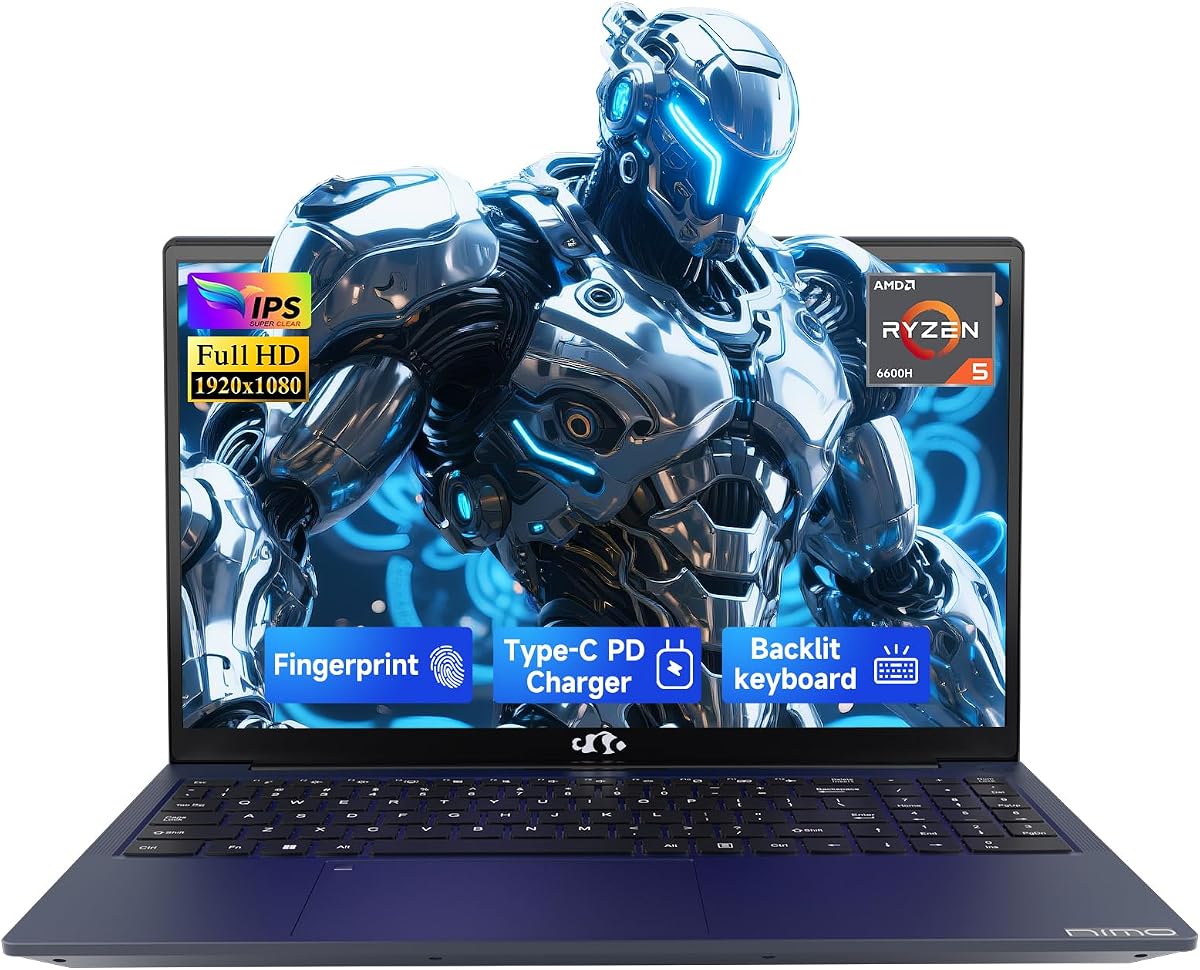
The NIMO 15.6-inch IPS model with AMD Ryzen 5 6600H and Radeon 660M graphics is what we call a light gaming laptop: honest about portable productivity, capable with integrated RDNA graphics, and expandable when you outgrow the stock drive. The 6600H’s six cores boosting toward 4.5GHz give it more creative and multitasking stamina than low-power student chips, which is why it appears in this gaming roundup even without a discrete RTX card. Under-$1000 shopping includes people who game three nights a week and live in notebooks the other four—this NIMO is for them.
Sixteen gigabytes of DDR5 is the right baseline for Windows 11 in 2026. The catch is the 256GB SSD. That capacity is fine for OS plus Office plus one or two medium games, but modern AAA installs will force an upgrade almost immediately. Fortunately, NIMO emphasizes swappable RAM and SSD paths, so budget for a larger Gen 4 drive when you order—or buy one in the same cart. Thinking ahead turns this from a short-term compromise into a longer-lived machine instead of a storage panic at finals week.
Design details lean business-casual rather than RGB warrior. A fingerprint sensor on the touchpad speeds secure logins, and a hidden webcam approach helps privacy-conscious users. Dual full-function Type-C ports with PD and DisplayPort roles mean you can charge and drive external monitors with a cleaner desk. HDMI 2.0 and USB 3.2 round out classroom and office docking. The backlit keyboard is welcome for red-eye flights and dorm nights when overhead lights are already off for a roommate’s sleep schedule.
Gaming performance should be framed around esports and older favorites at 1080p with tempered settings. Radeon 660M can be surprisingly good in that lane, especially when you cap FPS and disable heavy anti-aliasing. For newer cinematic releases, look to the RTX Acer and ASUS models instead. Where NIMO shines is the hybrid lifestyle: morning lectures, afternoon light edits, evening Minecraft or Valorant-class sessions without dragging a thick gaming brick across campus between every building.
Warranty language—two-year coverage, partial U.S. assembly notes, and a return window—should still be verified on the live listing, but it is a positive signal in a market flooded with no-name whiteboxes. If you need CUDA, DLSS, or ray tracing, this is not your machine. If you need a lighter Ryzen DDR5 notebook that can game casually and grow via upgrades, it earns a place on a shortlist behind the discrete GPU leaders and the stronger 780M APU option.
One purchase pattern we endorse: buy this NIMO plus a 1TB SSD in the same order, migrate storage during the first weekend, and keep the discrete-GPU money for a future desktop if AAA fidelity becomes a larger hobby. That staged approach often yields less regret than forcing every budget dollar into a loud 16-inch RTX chassis you hate carrying.
Plan a 1TB SSD upgrade early. Clone or clean-install Windows, keep the original drive as backup if practical, and confirm screw access guidance for this exact NIMO chassis. Do not expect miracle AAA settings from 660M after the storage upgrade—the drive only removes the capacity bottleneck.
The 100W Type-C adapter story is a real quality-of-life win versus bulky brick-only gaming power supplies. Carry a compact GaN charger that meets the laptop’s PD requirements, and still pack the OEM adapter for maximum performance sessions at home when you want every watt on tap.
We may earn a commission at no additional cost to you.

We include the Twin Lake N150 laptop because it appears in the pack and because shoppers deserve a clear warning label: this is a budget Windows notebook with gaming-adjacent marketing, not a peer to the RTX or strong Radeon APU machines above. The N150 processor boosting toward 3.6GHz can handle documents, browsers, streaming, and very light games, especially older or 2D titles. It will not deliver the under-$1000 gaming fantasy that discrete GPUs now make realistic elsewhere in this guide.
On paper, 16GB of RAM and a 512GB SSD are responsible capacities. Windows 11 Pro is actually a perk at this level, bringing BitLocker-friendly workflows and Remote Desktop features students in IT programs may appreciate. The 15.6-inch IPS 1080p panel is fine for Netflix and note-taking. Fingerprint login and a backlit keyboard are welcome usability touches. A 180-degree hinge helps collaboration. None of that transforms the CPU/GPU into a modern AAA engine.
Connectivity is where the age of the platform shows. Wi-Fi 5 and Bluetooth 4.2 trail the Wi-Fi 6/6E/7 and BT 5.x stacks on stronger picks. Mini HDMI and dual USB 3.0 ports cover basics, but creator docks and high-refresh external gaming monitors are happier on Thunderbolt or full-function USB-C machines higher in this list. Battery claims aimed at commuting are plausible precisely because the silicon is lower power—the same reason gaming headroom is limited.
Who is this for? Someone who needs an inexpensive Windows 11 Pro clamshell for classes and wants occasional Minecraft-class or browser-game sessions, and who understands they are not buying an ROG competitor. Who should skip it? Anyone reading this guide specifically for RTX gaming expectations. The presence of the word “gaming” in a title is not a specification. Always read the CPU and GPU lines first; if you only see an N-series processor with no discrete GPU and no strong Radeon 780M-class iGPU, calibrate joy accordingly.
We rank it last not as a moral judgment on budget computing—cheap reliable laptops have value—but as a match score against the keyword intent behind best gaming laptops under $1000. If your budget tier dollars can reach any of the discrete RTX or 780M options in this pack, that is the better gaming spend. If your budget is truly constrained to entry silicon, buy this for school and use cloud gaming services for heavier titles rather than expecting local AAA miracles.
Before purchasing, confirm the exact memory configuration (soldered versus slotted), return window, and seller reputation. Entry listings vary wildly in quality control. A smooth Windows experience with 16GB RAM can still be a win for non-gaming work; just do not let the category page photography convince you that ray tracing is included in the box.
Stick to indie games, older multiplayer titles with low settings, browser games, and cloud-streamed AAA. Local Cyberpunk-class fidelity is not the mission profile for Twin Lake N150 hardware.
If you can stretch within under-$1000 expectations to a Ryzen 7735HS, 780M, or any RTX 4050/5050/5060 configuration in this roundup, do that instead. The jump in playable game counts is enormous compared with the jump in shopping complexity.
We may earn a commission at no additional cost to you.

Under-$1000 gaming expectations split into three honest lanes in 2026. Lane one is discrete GeForce RTX 4050/5050/5060 laptops that can play current AAA titles at 1080p-class settings with upscaling. Lane two is strong integrated graphics such as Radeon 780M or 660M for esports and lighter libraries. Lane three is entry CPUs with gaming stickers that should be treated as school laptops first. Your happiness depends almost entirely on picking the correct lane on purpose.
In this tier, a sharp 1080p or WUXGA panel at 144Hz–180Hz usually beats a dimmer higher-resolution screen the GPU cannot drive. Look for IPS or IPS-level panels, Adaptive-Sync support, and accurate enough sRGB coverage for games and streams. Sixteen-inch 16:10 canvases add vertical space for guides; fifteen-inch 16:9 panels can be easier to carry. Avoid assuming every “FHD gaming” label includes high refresh—read the hertz number every time.
Gaming laptops in the budget tier are charger-first devices when a discrete GPU is involved. Wattage targets such as a 115W TGP on TUF models are clues about sustained performance. Vapor chambers and multi-fan designs on ROG-class machines help hold boosts longer. Elevate vents, use hard surfaces, and accept that fan noise under load is normal. Battery gaming will reduce clocks; that is physics, not a defective unit.
ASUS and Acer offer clearer driver portals, service networks, and community troubleshooting trails. Lesser-known brands can still be fine—especially when warranties look strong—but you should scrutinize seller ratings, return windows, and whether spare parts exist. A slightly quieter RGB party is not worth a brick with no RMA path. When two spec sheets look similar, prefer the vendor you can actually get help from six months later.
Yes—if it has a discrete GeForce RTX GPU such as the 4050, 5050, or 5060 configurations in this roundup. You should expect 1080p-class gaming with medium to high presets and upscaling features like DLSS rather than native 4K ultra ray tracing. Integrated Radeon machines can handle many esports and lighter titles but are not AAA max-setting devices. Always match the game’s demands to the GPU lane you buy.
RTX 4050 remains worthwhile when the overall laptop package is right: 16GB RAM, a 144Hz or 165Hz panel, and credible TGP. You miss some newer 50-series AI frame-generation features, but Ada Lovelace still plays the current 1080p catalog well. If a well-configured 5050/5060 option is available inside your under-$1000 expectations, prefer the newer GPU. If not, a strong 4050 TUF or Nitro beats an integrated-GPU compromise for modern libraries.
Sixteen gigabytes is the practical minimum for Windows 11 gaming in 2026. Eight gigabytes, as seen on one Nitro configuration here, will stutter under Chrome-plus-game loads and should be upgraded via a second SODIMM when the chassis allows. Thirty-two gigabytes, as on the Nitro V 16S, is excellent for streamers and heavy multitaskers. Integrated GPUs also benefit from abundant fast memory because they share system RAM as graphics memory.
Prioritize refresh rate and panel quality at 1080p or WUXGA before chasing higher resolutions the GPU cannot sustain. That is why several of our top picks advertise 165Hz or 180Hz panels. A smooth 1080p experience feels more premium in motion than a higher-resolution screen stuck at low frame rates with blurry upscaling. Competitive players should treat 144Hz as a floor when shopping discrete GPU models.
They can be real gaming machines for the right catalog—especially stronger APUs with Radeon 780M—but they are not equivalents to discrete RTX laptops. Marketing language blurs this line constantly. Use our lane framework: buy iGPU models for portability, quieter study sessions, and lighter games; buy RTX models for modern AAA fidelity. Both can deserve space in an under-$1000 guide when labeled honestly.
Discrete GPUs and high-power CPUs consume far more energy than thin ultraportable chips. On battery, firmware often caps wattage to protect runtime and thermals, which lowers frame rates. This is expected behavior across ROG, TUF, and Nitro machines. For serious sessions, plug in. For flights and lectures, switch to integrated graphics modes when Advanced Optimus or similar switching is available, and lower refresh rates to save power.
One terabyte is the comfort zone for mixed libraries. Five hundred twelve gigabytes works if you rotate installs or keep an external drive. Two hundred fifty-six gigabytes, as on one NIMO configuration, is too small for modern AAA habits without an immediate upgrade. Also leave free space for Windows updates, shader caches, and page files—a nearly full SSD feels slower and can hitch during downloads.
Sixteen-inch models in this pack often deliver better 16:10 productivity space and high-refresh panels, with the tradeoff of more bag bulk. Fifteen-inch machines can be easier to carry and still offer excellent 165Hz FHD screens, as on the Acer Nitro V 15. Choose based on desk versus commute reality. If the laptop will live on a desk ninety percent of the time, take the bigger, smoother screen without guilt.
No. Wi-Fi 6 or 6E is already a big upgrade over Wi-Fi 5 for congested networks, and wired Ethernet remains the gold standard when you can use it. Wi-Fi 7 on the ROG Strix G16 is a welcome future-facing bonus if your router supports it, but it should not outrank GPU, RAM, and display decisions. Fix background uploads and router placement before blaming a Wi-Fi generation for ranked lag.
Trusting the word “gaming” in the title instead of reading the GPU line. The second biggest mistake is keeping an 8GB configuration untouched. The third is filling a 512GB drive to the brim and then blaming the CPU for stutters. Avoid those three errors and even a budget-tier laptop from this pack can feel thoughtfully owned rather than instantly regretted.
For under-$1000 gaming expectations in 2026, start with the ASUS ROG Strix G16 when you want the strongest overall RTX 5060 experience, or the Acer Nitro V 16S when a 180Hz panel and 32GB of memory better match your multitasking life. The ASUS TUF Gaming F16 (2025) with RTX 5050 is the rugged middle path for students who need discrete graphics without maximum RGB drama. Each of those three respects what this shopping tier can now honestly deliver.
If your days are mostly classes and your nights are lighter games, the Ryzen-focused MALLRACE, NIMO, and Radeon 780M options remain sensible—so long as you accept integrated graphics limits. Treat entry N-series machines as productivity baselines, not ROG alternatives. Re-read the GPU, RAM, and refresh-rate lines whenever a flashy photo tempts you, and you will stay aligned with real budget-tier performance.
Build your shortlist from this pack, verify the live configuration on the product page, and plan RAM or SSD upgrades where the review calls them out. Do that, and an under-$1000 gaming laptop stops being a compromise slogan and becomes a deliberate machine for the games you actually play.