Best Gaming Laptop in 2026
We may earn a commission from links on this page, at no extra cost to you. Learn more.
A great gaming laptop balances raw GPU power with a fast display, cooling that holds performance under load, a solid keyboard, and a build you can actually carry. In 2026 the latest NVIDIA RTX 50-series and AMD/Intel CPUs have raised the bar, but the right laptop for you depends on whether you want a thin everyday machine, a high-refresh esports weapon, or a desktop-replacement powerhouse — and how much you want to spend. After researching and comparing the top models, these are the eight best gaming laptops you can buy in 2026.
Quick comparison
| Keyboard | Best for | Rating | Price | |
|---|---|---|---|---|
| 1ASUS ROG Zephyrus G14ASUS | Best Overall | 4.7 | $$$ | Check Price |
| 2Lenovo Legion Pro 5Lenovo | Best Value Powerhouse | 4.7 | $$$ | Check Price |
| 3Razer Blade 16Razer | Best Premium | 4.5 | $$$ | Check Price |
| 4Acer Predator Helios Neo 16Acer | Best High-Performance Value | 4.6 | $$$ | Check Price |
| 5ASUS ROG Strix G16ASUS | Best for Esports | 4.6 | $$$ | Check Price |
| 6HP OMEN 16HP | Best All-Rounder | 4.5 | $$$ | Check Price |
| 7ASUS TUF Gaming A15ASUS | Best Budget | 4.5 | $$$ | Check Price |
| 8Acer Nitro V 16SAcer | Best Entry-Level | 4.4 | $$$ | Check Price |
Our top 8 picks, reviewed
ASUS ROG Zephyrus G14
The ROG Zephyrus G14 is the best gaming laptop for most people because it nails the balance nobody else quite matches: serious gaming power in a thin, premium chassis you'll actually want to carry every day. The 14-inch 3K OLED display is gorgeous for both games and creative work, the build is sleek aluminium rather than gamer plastic, and battery life is excellent for a gaming machine. It's not the absolute fastest — bigger laptops push more frames — but as an all-rounder that games hard and doubles as a beautiful everyday laptop, nothing is more complete.
- Display
- 14" 3K OLED 120Hz
- GPU
- RTX 50-series
- CPU
- AMD Ryzen AI 9
- Build
- Thin alloy chassis
What we liked
- Stunning 3K OLED display
- Thin, premium, genuinely portable
- Strong performance for the size
- Great battery for a gaming laptop
Worth noting
- Premium price
- Smaller 14" screen for some
Lenovo Legion Pro 5
The Legion Pro 5 is the best value gaming laptop, delivering near-flagship frame rates for noticeably less than the premium models. Lenovo's standout cooling keeps the powerful CPU and GPU running at high clocks during long sessions, so you get the performance you paid for, and the bright, fast 16-inch display and excellent keyboard make it a joy to game on. It's heavier and more utilitarian-looking than the thin-and-lights, but if you want the most frames per dollar without compromising on cooling or screen, this is the smart buy.
- Display
- 16" WQXGA 165Hz+
- GPU
- RTX 50-series
- CPU
- Intel Core Ultra 7 255HX
- RAM
- 32GB
What we liked
- Outstanding performance per dollar
- Excellent cooling holds clocks
- Bright, fast 16" display
- Superb keyboard
Worth noting
- Heavier and thicker
- Plain design
Razer Blade 16
The Razer Blade 16 is the best premium gaming laptop, combining flagship GPU power with the finest build quality in the category — a CNC-aluminium chassis that feels like a MacBook but games like a beast. The OLED display is stunning, performance is near the top of the class, and it stays remarkably slim and portable for what's inside. It's very expensive and runs warm when fully loaded, as all thin powerhouses do, but for buyers who want the best-built, best-looking high-performance gaming laptop and will pay for it, the Blade 16 is the aspirational pick.
- Display
- 16" OLED high-refresh
- GPU
- RTX 4090 / 50-series
- CPU
- Intel Core i9 / Ultra 9
- Build
- CNC aluminium
What we liked
- Best build quality in gaming
- Top-tier GPU performance
- Gorgeous OLED display
- Surprisingly portable for the power
Worth noting
- Very expensive
- Runs warm under full load
Acer Predator Helios Neo 16
The Predator Helios Neo 16 is the pick for gamers who want maximum performance per dollar in a desktop-replacement form factor. Acer packs serious GPU and CPU power behind a robust cooling system that sustains high frame rates, and pairs it with a sharp, fast 16-inch QHD display ideal for both competitive and AAA gaming. It's bulky, heavy and short on battery life — this is a plug-in machine — but if you mostly game at a desk and want the most horsepower without paying flagship prices, the Helios Neo delivers tremendous value.
- Display
- 16" 2560x1600 high-refresh
- GPU
- RTX 50-series
- CPU
- Intel Core Ultra
- Cooling
- Robust dual-fan
What we liked
- Lots of GPU power for the price
- Strong cooling system
- Sharp, fast 16" QHD display
- Good port selection
Worth noting
- Bulky and heavy
- Mediocre battery life
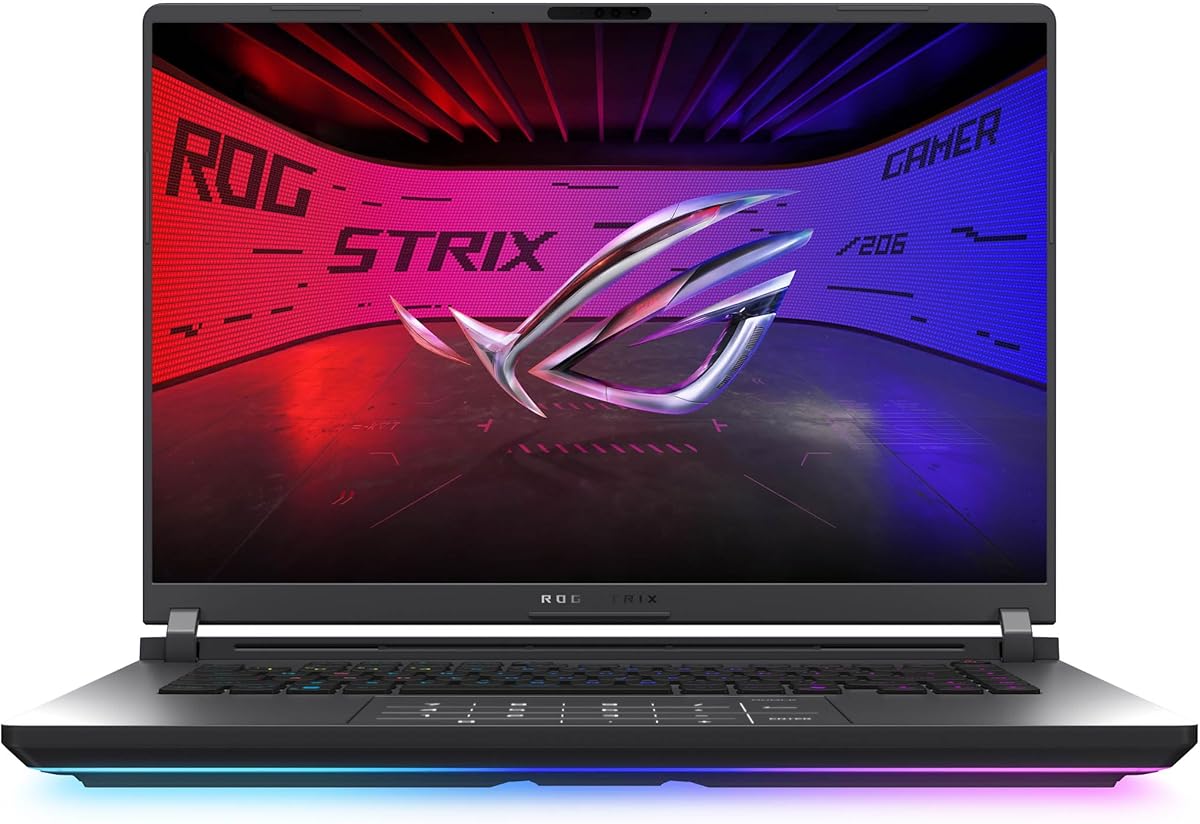
ASUS ROG Strix G16
The ROG Strix G16 is the best gaming laptop for esports and competitive players, built around a fast 165Hz display and well-cooled performance that keeps frame rates high and consistent in titles like Valorant, CS and Apex. The keyboard is excellent for fast inputs, and ASUS's cooling lets the CPU and GPU sustain their clocks through long ranked sessions. Battery life is short and it's heavier than a thin-and-light, but for players who prioritise smooth, high-refresh competitive gaming and a great keyboard, the Strix G16 is purpose-built and excellent.
- Display
- 16" FHD+ 165Hz
- GPU
- RTX 50-series
- CPU
- Intel Core Ultra
- Keyboard
- RGB, fast
What we liked
- High-refresh display for competitive play
- Strong, well-cooled performance
- Great keyboard for gaming
- Aggressive but solid design
Worth noting
- Battery life is short
- Heavier than thin-and-lights
HP OMEN 16
The HP OMEN 16 is the best all-rounder, a powerful gaming laptop with an understated design that doesn't scream 'gamer' — making it equally at home in a lecture hall, office or living room. Performance is strong and well-balanced, the 16-inch high-refresh display and keyboard are very good, and the cooling is solid. It's not the cheapest option and battery life is average, but if you want a capable gaming machine that also looks the part for work and study, the OMEN 16 strikes a mature, versatile balance.
- Display
- 16" high-refresh
- GPU
- RTX 50-series
- CPU
- Intel Core Ultra 9 285H
- Design
- Understated
What we liked
- Strong, balanced performance
- Understated, work-friendly design
- Good display and keyboard
- Solid cooling
Worth noting
- Not the cheapest
- Average battery life
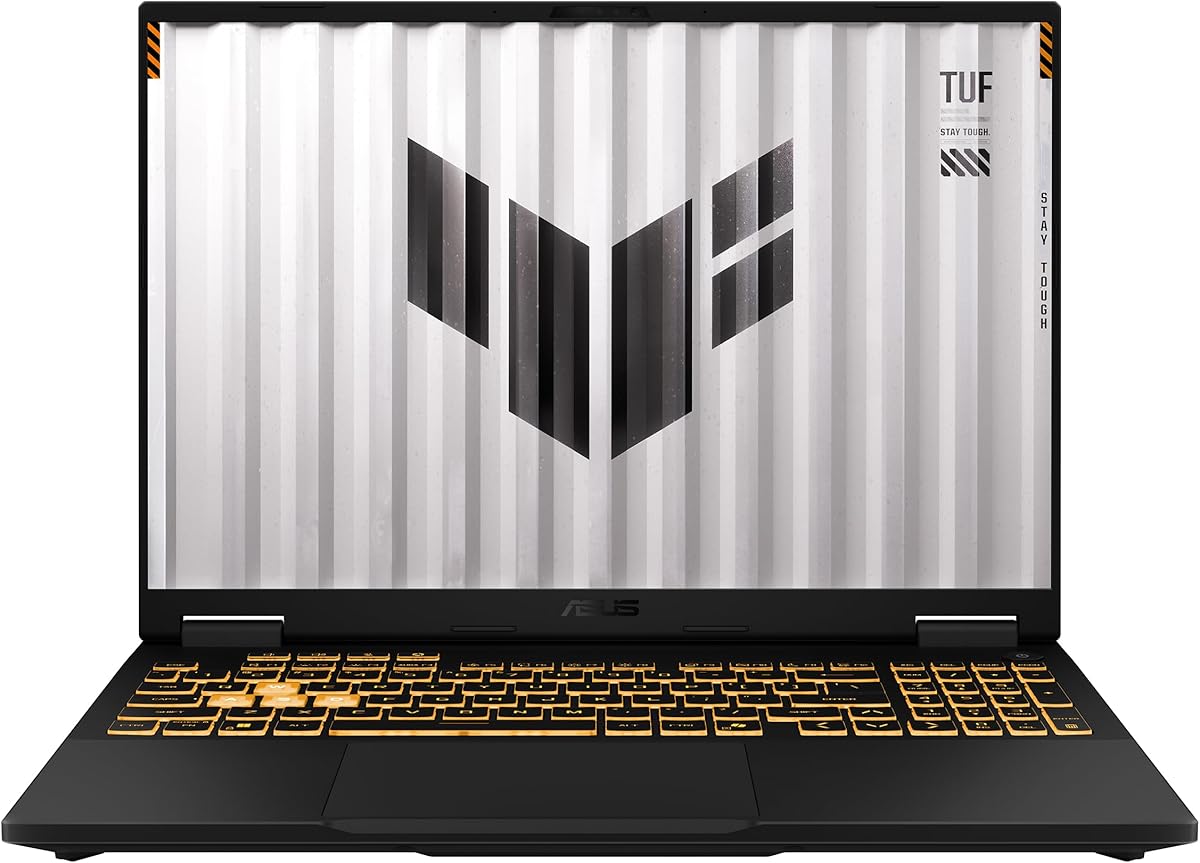
ASUS TUF Gaming A15
The ASUS TUF Gaming A15 is the best budget gaming laptop, offering genuine RTX gaming power and a 144Hz display at a price that undercuts the premium models. The military-grade durable build is reassuringly tough, the AMD Ryzen CPU is strong, and it handles modern games well at 1080p. The display is dimmer and the chassis plainer and heavier than the flagships, but for gamers who want real, dependable performance without overspending, the TUF A15 has long been a value benchmark and remains an easy recommendation.
- Display
- 15.6" FHD 144Hz
- GPU
- RTX 40-series
- CPU
- AMD Ryzen 9 7940HS
- Build
- Military-grade durable
What we liked
- Great performance for the price
- Durable, military-grade build
- 144Hz display
- Good value RTX gaming
Worth noting
- Heavier, plainer
- Dimmer display than premium
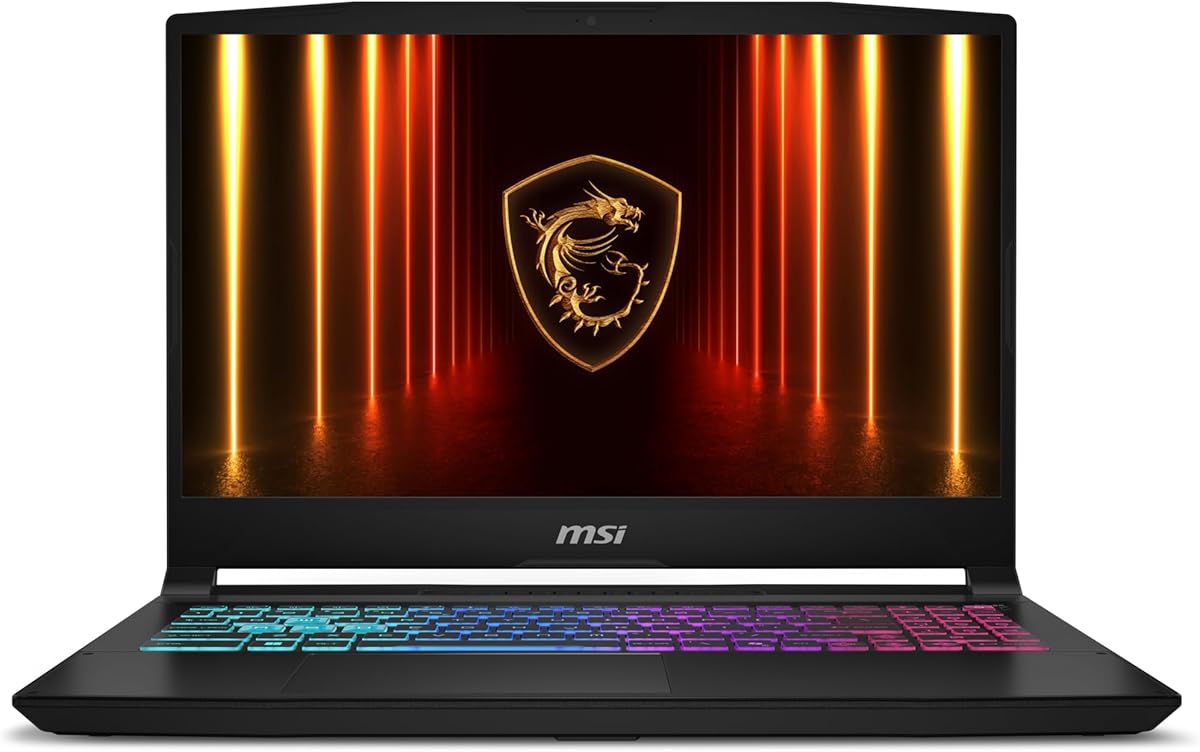
Acer Nitro V 16S
The Acer Nitro V 16S is the best entry-level gaming laptop, the most affordable way onto the RTX gaming ladder while still offering a bigger 16-inch high-refresh screen. The AMD Ryzen CPU and entry RTX GPU handle popular and competitive games well at 1080p, the cooling is decent for the class, and it's perfectly capable as an everyday laptop too. The GPU is entry-tier and the build feels budget, so it won't max out the latest AAA titles, but for first-time gaming laptop buyers on a tight budget, it's a sensible, capable starting point.
- Display
- 16" high-refresh
- GPU
- RTX 40-series
- CPU
- AMD Ryzen 7 260
- Value
- Entry price
What we liked
- Affordable entry into RTX gaming
- Bigger 16" screen
- Decent cooling for the class
- Good everyday performance
Worth noting
- Entry-tier GPU
- Build feels budget
How to choose a gaming laptop in 2026
A gaming laptop is a bigger, longer-term investment than most peripherals, so it pays to match the machine to how and where you'll actually play. Here's what matters most.
Start with the GPU and your target resolution
The graphics card is the single biggest factor in gaming performance, so choose it around the resolution you'll play at. If you game at 1080p — the most common laptop resolution — an entry-to-mid RTX GPU like those in the Acer Nitro V or ASUS TUF A15 is plenty and saves you money. If you want 1440p/QHD at high settings, step up to a mid-range RTX in the Legion Pro 5 or Predator Helios Neo, which hit the sweet spot of price and power. Only chase a top-end GPU (in the Razer Blade or premium configs) if you want maximum settings, ray tracing and years of headroom. Crucially, match the GPU to the display: a flagship card wasted on a 1080p panel is money poorly spent, and a weak card struggling at QHD is frustrating.
Don't overlook cooling and sustained performance
Two laptops with the same GPU on paper can perform very differently, because cooling determines whether that GPU can hold its clocks during a long session or throttles down to protect itself. This is where the chunkier machines earn their bulk: the Legion Pro 5 and Predator Helios Neo have robust cooling that sustains high frame rates for hours, while thin-and-lights like the Zephyrus G14 and Razer Blade 16 trade some sustained performance for portability and run warmer under full load. If you play long sessions of demanding games, prioritise a well-cooled laptop; the real-world performance gap from good cooling often exceeds the gap between GPU tiers.
The display makes or breaks the experience
You'll stare at the screen the entire time, so don't treat it as an afterthought. Two things matter most: refresh rate and panel quality. A high refresh rate (144Hz and up) makes everything feel smoother and benefits competitive players especially — the ROG Strix G16 is built around this. Panel type and resolution affect how games and everyday content look: a 3K OLED like the Zephyrus G14's is breathtaking for AAA games and creative work, while a fast IPS panel is great for esports. Also check brightness (premium panels are brighter) and resolution relative to your GPU. The best displays combine high refresh and high quality, which is part of what you pay for in the premium tier.
Weigh portability against power
Gaming laptops range from genuinely portable 14-inch machines to 16-inch desktop replacements that are a chore to carry. Be honest about how you'll use it. If it'll travel to class, the office or friends' houses daily, a thin, well-built, longer-lasting laptop like the Zephyrus G14 or Razer Blade 16 is worth the premium and the slight performance trade-off. If it mostly lives on a desk and you want the most frames per dollar, a heavier machine like the Helios Neo or Legion Pro 5 makes far more sense. There's no universally right answer — only the right answer for your lifestyle.
Remember the everyday essentials
Because a gaming laptop is often someone's main computer, the non-gaming details matter for daily happiness. A good keyboard and trackpad make work and browsing pleasant — Lenovo and Razer excel here. Port selection (USB-C/Thunderbolt, USB-A, HDMI, an SD reader) affects how easily you connect peripherals and displays. Build quality determines how well it survives being carried around, with premium aluminium chassis (Blade 16, Zephyrus G14) far ahead of budget plastic. And consider design: understated models like the HP OMEN 16 blend into professional settings, while aggressive RGB machines stand out. These factors won't show up in a frame-rate chart, but you'll feel them every single day.
Match the spend to the player you are
Finally, buy for the gamer you actually are, not the one in the marketing. A competitive esports player benefits most from a high-refresh display and good cooling, which you can get affordably. A AAA enthusiast wants a strong GPU and a beautiful screen. A student or traveller values portability and battery. And a budget-conscious newcomer is far better served by a dependable entry machine like the TUF A15 or Nitro V than by stretching to a flagship. The best gaming laptop is the one whose strengths line up with how you play and where you play.
Don't ignore the CPU, RAM and storage
While the GPU gets the headlines, the rest of the spec sheet shapes how the laptop feels day to day and how long it stays capable. A strong modern CPU — like the Intel Core Ultra and AMD Ryzen chips in these picks — keeps frame rates high in CPU-heavy games and makes everyday multitasking and creative work snappy. For RAM, 16GB is the practical minimum for modern gaming and 32GB (standard on the Legion Pro 5) gives real headroom for streaming, multitasking and future titles. Storage matters too: aim for at least a 1TB NVMe SSD, because modern games are enormous and a 512GB drive fills up fast — and ideally choose a laptop with a spare M.2 slot so you can add more later. These specs are easy to overlook next to a flashy GPU, but a well-balanced machine with ample RAM and storage will feel faster and last longer than one that pours everything into the graphics card and skimps elsewhere.
Plan for upgrades and longevity
A gaming laptop is a multi-year investment, so think about how well it will age. Unlike desktops, you usually can't upgrade the GPU, which makes your initial graphics choice the biggest factor in longevity — buying a slightly stronger GPU than you need today can add a year or two of relevance. RAM and storage, however, are often upgradeable on machines like the Legion Pro 5 and Predator Helios Neo, so you can start with a sensible config and expand later as prices fall. Also weigh build quality and cooling, since a well-built, well-cooled laptop holds up better over years of thermal cycling. Finally, factor in the warranty and the brand's support reputation. Spending a little more on a durable, upgradeable, well-supported machine often works out cheaper than replacing a cheaper one sooner.
The bottom line: the ASUS ROG Zephyrus G14 is the best gaming laptop overall, blending power, a stunning display and real portability. Choose the Lenovo Legion Pro 5 for the best value, the Razer Blade 16 for premium build, the ROG Strix G16 for esports, and the ASUS TUF Gaming A15 or Acer Nitro V on a budget. Use our ranked picks above to match a machine to your games, your desk and your wallet.
How we picked
We compared gaming laptops on the factors that decide real-world performance and ownership: GPU and CPU power for your target games and resolution, display quality (refresh rate, resolution, panel type and response), cooling and sustained performance under load, keyboard and trackpad quality, build and portability, battery life, port selection, and overall value. We weighted balanced, dependable machines over spec-sheet bragging, and made sure the list spans thin-and-light, mainstream and flagship needs across a wide range of budgets.
Frequently asked questions
What is the best gaming laptop in 2026?
The ASUS ROG Zephyrus G14 is the best gaming laptop for most people, balancing strong performance with a stunning OLED display, premium thin build and great battery life. For the best value, the Lenovo Legion Pro 5; for the best premium build, the Razer Blade 16; and for budget gamers, the ASUS TUF Gaming A15. The right pick depends on whether you prioritise portability, raw power or price.
How much should I spend on a gaming laptop?
It depends on your target games and resolution. Entry RTX laptops like the Acer Nitro V start around $800–1000 and handle 1080p gaming well. Mainstream powerhouses like the Legion Pro 5 ($1400–1800) max out modern games at high settings. Premium thin-and-lights and flagships (Zephyrus G14, Razer Blade 16) run $2000+ for the best displays, builds and portability. Spend based on the performance and form factor you actually need, not the highest spec available.
What GPU do I need in a gaming laptop?
For 1080p gaming, an entry RTX (like a 4050/5050-class) is fine. For 1440p/QHD high settings, a mid-range RTX (5060/5070-class) is the sweet spot, found in the Legion Pro 5 and Helios Neo. For maximum settings, ray tracing and future-proofing, a high-end RTX (5080/5090-class) in the Razer Blade or top configs is best. Match the GPU to your display resolution — there's no point in a top GPU driving only a 1080p screen.
Are thin gaming laptops worth it over bulky ones?
It's a trade-off. Thin laptops like the Zephyrus G14 and Razer Blade 16 are far more portable and better-built, and double as everyday machines, but they run warmer and cost more for a given performance level. Bulky desktop-replacements like the Helios Neo and Legion Pro deliver more sustained performance and better value, but are heavy and tied to a desk. Choose thin if you'll carry it daily, bulky if it mostly stays put and you want maximum frames per dollar.
How important is the display refresh rate?
Very, for gaming. A high-refresh display (144Hz, 165Hz or more) makes motion noticeably smoother and gives competitive players an edge in fast titles. Every laptop here has at least a 120–144Hz panel. For competitive esports, prioritise refresh rate (the ROG Strix G16 excels); for single-player AAA games and creative work, a high-resolution OLED like the Zephyrus G14's is more rewarding. Ideally you want both, which the premium models offer.
Do gaming laptops have good battery life?
Generally no — powerful GPUs and high-refresh displays drain batteries fast, and most gaming laptops last only a few hours off the charger, especially while gaming (which usually requires being plugged in anyway). The exceptions are efficient thin-and-lights like the ASUS ROG Zephyrus G14, which lasts notably longer for everyday tasks. If battery life matters because you'll use it as a daily laptop too, prioritise an efficient model like the G14.