Best Gaming Keyboards Under $100
We may earn a commission from links on this page, at no extra cost to you. Learn more.
You no longer have to spend $150+ for a gaming keyboard that feels great and lasts. In 2026, the sub-$100 bracket is packed with hot-swappable switches, gasket mounts, wireless and PBT keycaps. After weeks of daily gaming and typing, these are the five we'd actually buy.
Quick comparison
| Keyboard | Best for | Rating | Price | |
|---|---|---|---|---|
| 1Keychron V3Keychron | Best Overall | 4.7 | $$$ | Check Price |
| 2Royal Kludge RK84Royal Kludge | Best Wireless | 4.4 | $$$ | Check Price |
| 3AULA F75 ProAULA | Best Premium Feel | 4.5 | $$$ | Check Price |
| 4Keychron C3 ProKeychron | Best Value Mechanical | 4.3 | $$$ | Check Price |
| 5Redragon K552 KumaraRedragon | Best Budget Pick | 4.1 | $$$ | Check Price |
Our top 5 picks, reviewed
Keychron V3
The Keychron V3 is the easiest recommendation in this whole list. For around eighty dollars you get a hot-swappable, QMK/VIA-programmable TKL board that types and sounds like keyboards costing twice as much. The pre-installed switches are smooth, the stabilizers are decent, and the build is reassuringly solid. If you want one keyboard that just gets everything right at this price, this is it.
- Layout
- TKL (87-key)
- Switches
- Hot-swap K Pro
- Connection
- USB-C wired
- Software
- QMK / VIA
What we liked
- Hot-swappable PCB — change switches with no soldering
- Fully programmable with QMK/VIA
- Dense, satisfying typing feel out of the box
- Durable doubleshot keycaps
Worth noting
- Wired only
- Heavier than most budget boards
Royal Kludge RK84
If you want to ditch the cable without blowing the budget, the RK84 is the pick. The 2.4GHz dongle delivers low-latency wireless that's perfectly good for everything short of top-tier competitive play, and you still get Bluetooth for your laptop and tablet. Hot-swap sockets mean you can tinker later, and the 75% layout frees up desk space for big mouse sweeps. It's an absurd amount of keyboard for the money.
- Layout
- 75% (84-key)
- Connection
- BT 5.0 / 2.4GHz / USB-C
- Switches
- Hot-swap
- Battery
- Up to 200h
What we liked
- Triple-mode: Bluetooth, 2.4GHz and wired
- Hot-swap sockets at a low price
- Compact 75% layout keeps arrows
- Strong battery life with backlight off
Worth noting
- Stabilizers benefit from a quick tune
- Companion software is basic
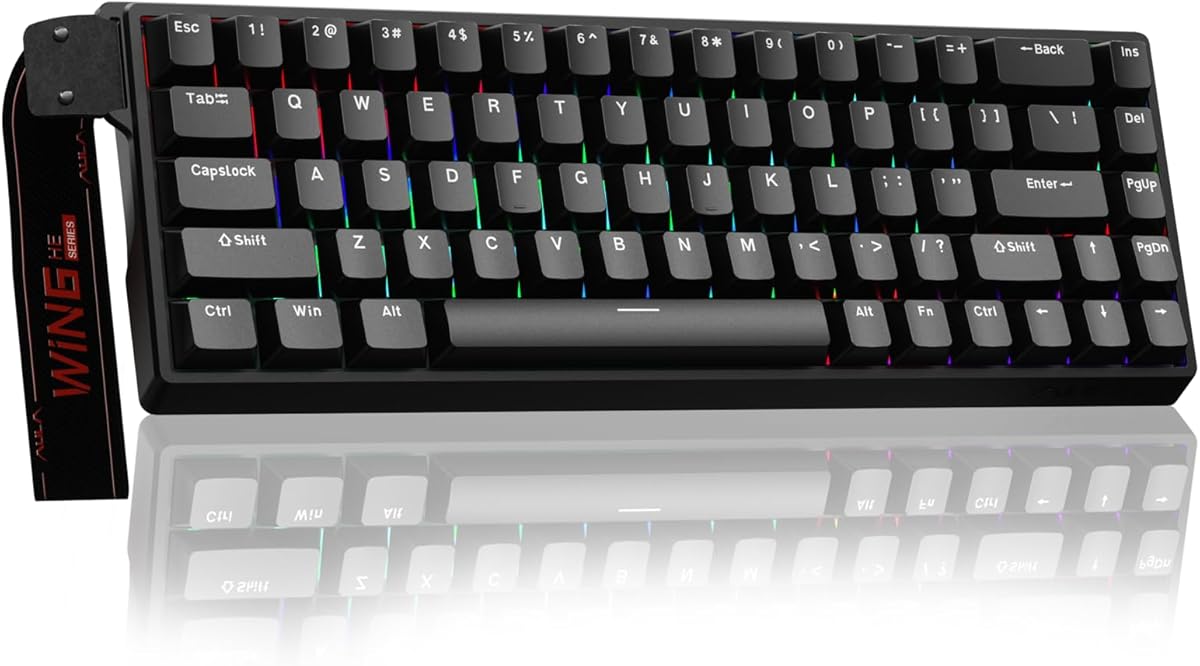
AULA F75 Pro
The AULA F75 Pro punches way above its price on feel. Out of the box it has that deep, 'thocky', pre-lubed sound that enthusiasts chase, thanks to a gasket mount and multiple layers of foam. Add a volume knob, hot-swap sockets, PBT keycaps and triple-mode wireless and you have a board that feels boutique for budget money. The trade-off is a lesser-known brand, but the hardware itself is genuinely impressive.
- Layout
- 75% (81-key)
- Mount
- Gasket
- Switches
- Pre-lubed hot-swap
- Extras
- Volume knob
What we liked
- Creamy, pre-lubed typing sound and feel
- Gasket mount plus a handy control knob
- Triple-mode wireless connectivity
- Side-printed PBT keycaps resist shine
Worth noting
- Brand support and warranty are limited
- RGB software is rough around the edges
Keychron C3 Pro
When every dollar counts but you still want real enthusiast features, the C3 Pro delivers. It's rare to find QMK/VIA support and a gasket mount near the forty-dollar mark, and the included foam makes it sound far better than its price suggests. The base version skips hot-swap and RGB, but if you just want a great-feeling, fully programmable wired board for gaming and typing, it's outstanding value.
- Layout
- TKL (87-key)
- Mount
- Gasket
- Switches
- Keychron mechanical
- Software
- QMK / VIA
What we liked
- QMK/VIA programmability for around $45
- Gasket mount with sound-dampening foam
- Mac and Windows keycaps included
- Clean, no-nonsense TKL design
Worth noting
- Base model isn't hot-swappable
- Red-only backlight on the standard version
- Wired only
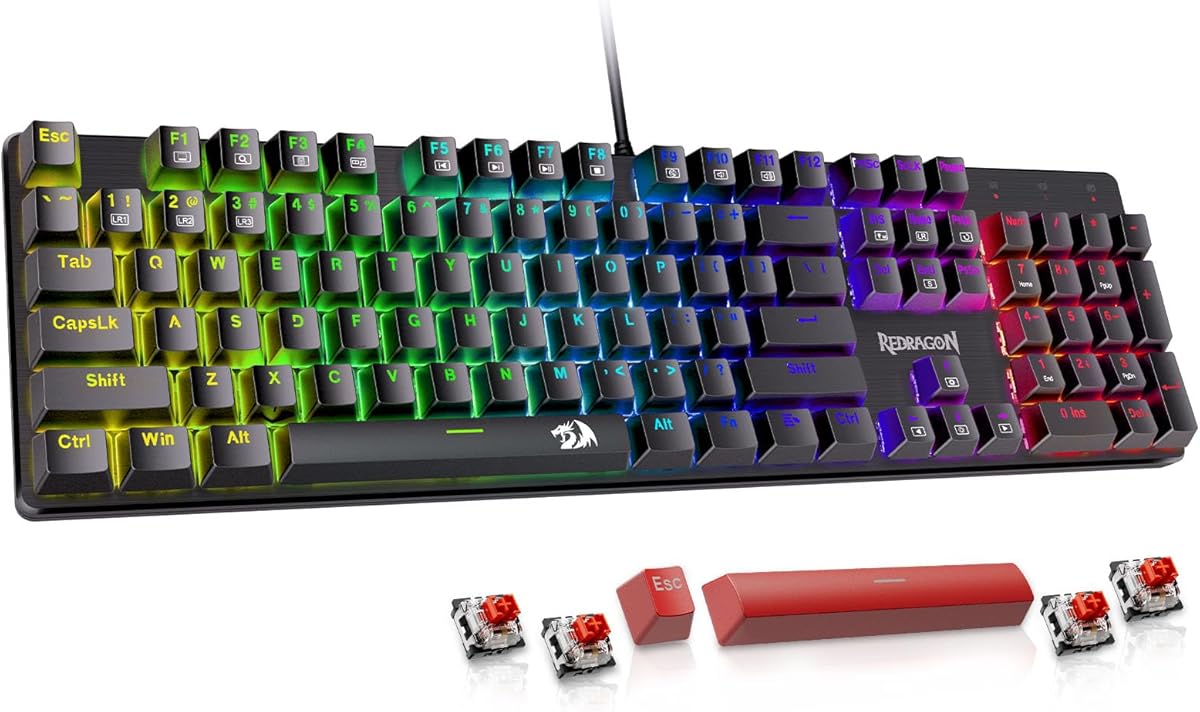
Redragon K552 Kumara
The K552 is the keyboard that introduced a generation of gamers to mechanical switches, and it's still the value champion at the very bottom of the price range. You won't get hot-swap or wireless, but you do get genuine mechanical switches, a tank-like metal frame and the kind of reliability that keeps these boards working for years. For a first mechanical keyboard or a no-fuss backup, nothing beats it on price.
- Layout
- TKL (87-key)
- Switches
- Outemu Red
- Frame
- Metal
- Connection
- USB wired
What we liked
- One of the cheapest real mechanical boards
- Sturdy metal top frame
- Proven reliability over many years
- Great first mechanical keyboard
Worth noting
- No hot-swap sockets
- Basic stabilizers
- Switches are on the louder side
How to choose a gaming keyboard under $100
Buying in this price range is mostly about deciding which upgrades matter most to you, because you can't have every premium feature at once. Here's what to weigh before you buy.
Switch type. Linear switches (usually "red") are smooth top to bottom and popular for fast-paced games. Tactile ("brown") switches add a gentle bump for feedback, which many typists prefer. Clicky ("blue") switches are loud and satisfying but distracting on calls. Switch feel is personal, so try a few if you can.
Layout and size. Tenkeyless (TKL) and 75% boards drop the number pad, freeing up desk space and letting low-sensitivity players swing the mouse further. Choose full-size only if you regularly crunch numbers.
Hot-swap sockets. A hot-swappable PCB lets you change switches by hand with no soldering. It's the single best future-proofing feature under $100, so favor it if you think you'll ever want to tinker.
Keycaps and build. PBT keycaps resist the greasy shine that cheap ABS develops over time, while a metal plate or gasket mount feels far more solid. Foam dampening is what gives the best budget boards their pleasant, deep sound.
Connectivity. Wired is the simplest option and has zero latency. For a cleaner desk, look for 2.4GHz wireless — its latency is low enough for almost everyone — rather than relying on Bluetooth, which is best kept for casual use.
Software. Open standards like QMK/VIA let you remap keys and program macros without a cloud account, a real plus for tinkerers and Mac users.
Set your budget, pick the one or two features you care about most, and let our ranked picks above point you to the right board. Every option here punches well above its price.
What $100 actually buys in 2026
The sub-$100 keyboard market has improved dramatically over the past three years. Features that once required a $150+ spend — gasket mounts, hot-swap PCBs, PBT doubleshot keycaps, 2.4GHz wireless — now appear regularly in the $60–90 range. The value at this price point is genuinely excellent.
What you're still unlikely to find under $100: Hall-effect switches with adjustable actuation and rapid trigger (these start around $120–150), CNC aluminum cases (plastic and aluminum-plate-on-plastic are the norm), and the most refined typing acoustics of premium gasket-mount boards.
For competitive gaming where rapid trigger would make a real difference, the $100–200 range is where to look. For everyone else — casual gamers, daily typists who also game, players of single-player games — the sub-$100 category covers everything you actually need.
Gasket mount at this price: what to expect
Gasket mount keyboards under $100 do exist, and they're genuinely good. The Keychron V3 and several AULA models offer gasket-mount construction at prices well below what the feature used to command.
However, gasket mount at $70 uses softer gasket materials than gasket mount at $180. The flex and sound dampening are present but less pronounced. You'll notice the difference compared to a tray-mount board in the same price range — the typing sound is deeper and the keystroke softer — but you won't match the feel of a Keychron Q1 or Mode SixtyFive.
That said, a budget gasket-mount board combined with simple foam mods (which cost $5–10 and take 20 minutes) can come surprisingly close to mid-range gasket performance.
Hot-swap at this price: why it matters more than any other feature
Under $100, hot-swap is the feature that makes the most difference to long-term satisfaction. Here's why.
Most people who buy their first mechanical keyboard pick the wrong switches. They choose Cherry MX Red based on a recommendation, find it too light and prone to accidental keypresses, and feel stuck with it. On a soldered board, fixing this requires either living with the frustration or buying a new keyboard.
On a hot-swap board, you spend $25–40 on a set of heavier switches and swap them in 20 minutes. The board is transformed. You keep the case, PCB, keycaps, and everything else you liked about the original purchase.
Every keyboard on this list with hot-swap support is a better long-term investment than a non-hot-swap board at the same price, even if the non-hot-swap board has slightly better stock switches.
Gaming performance at under $100: real vs marketing
Keyboard manufacturers at this price point love to advertise polling rates, RGB presets, and "ultra-fast" response times. Most of these specs don't meaningfully affect gaming performance for typical users.
Polling rate: 1000Hz (standard) is adequate for virtually all gaming. 4000Hz or 8000Hz polling offers theoretical latency reductions below 1ms — imperceptible to human reflexes and not worth paying a significant premium for at this price.
Anti-ghosting / N-key rollover: Any gaming keyboard worth recommending in 2026 handles N-key rollover (pressing unlimited keys simultaneously without dropped inputs). This spec stopped being a differentiator years ago. Don't let it be the deciding factor.
Switch "speed": Speed switches actuate at 1.2mm instead of 2.0mm. In most games, this makes no perceptible difference — game engine input polling runs at 64Hz (15ms intervals) in many titles, making sub-1ms actuation advantages mathematically invisible. Spend the money on hot-swap instead.
Focus on switch feel, layout, and build quality. These affect your daily experience directly. The spec-sheet numbers in marketing materials rarely do.
The best upgrade path from under $100
If you start with a hot-swap board under $100 and later want to improve it, here's the sequence that delivers the best results per dollar spent:
- Lube the switches ($10–15 in supplies, 2–3 hours): Transforms scratchy factory linears into smooth, satisfying keystrokes.
- Lube and clip the stabilizers (same session): Eliminates spacebar rattle, which is often the most annoying part of a budget keyboard.
- Add case foam ($5–10): Deepens the sound and reduces hollowness.
- Swap switches ($25–40): If the original switch type turns out to not suit you, replacing them on a hot-swap board is straightforward.
These four steps bring a $70 hot-swap board to a level of performance and feel that would have cost $200+ two or three years ago.
Budget keyboard brands worth trusting in 2026
The sub-$100 market has many brands, but consistency and quality control vary significantly. These brands have established reliable reputations for delivering value without cutting corners on the features that matter.
Keychron sits at the top of the budget-to-mid-range bracket. The V-series and C-series offer QMK/VIA, hot-swap, and solid build quality at $35–75. Keychron has strong customer support and consistent quality across production batches — important for buyers who can't test before purchasing.
Royal Kludge (RK) delivers the best wireless value under $60. The RK84 and RK61 regularly appear on best-budget lists because they include triple-mode wireless and hot-swap at prices that undercut the competition. Build consistency is slightly lower than Keychron, but the feature-to-price ratio is exceptional.
AULA has emerged as a standout value brand for gasket-mount wireless boards. The F75 series packs a 4000mAh battery, gasket mount, foam dampening, and pre-lubed switches at a price that would have seemed impossible three years ago.
Redragon fills the entry-level mechanical market below $50. Build quality is variable — some boards feel solid, others flex — but Redragon consistently delivers hot-swap sockets and real mechanical switches at the lowest price points in the category.
Avoid brands with no verifiable review history. Unknown brands selling "mechanical keyboards" for $20–25 on marketplaces often use non-standard switches or fragile housings that don't deliver the durability mechanical keyboards are known for.
Signs you've outgrown your under-$100 keyboard
Budget keyboards serve most users well for years. But certain experiences signal that upgrading to the $100–200 range would meaningfully improve your daily use.
You've swapped switches twice and still aren't satisfied. Hot-swap is the feature that extends the life of a budget board, but if you've tried several switch types and the underlying keyboard — its sound, its mount, its case flex — remains unsatisfying, the issue is the board construction rather than the switches.
You play competitive FPS at a high rank and notice latency. Budget 2.4GHz wireless adds a few milliseconds over wired. At casual to intermediate competitive levels, this difference is imperceptible. At higher ranks where reaction time differences become meaningful, upgrading to a wired board or a premium wireless option like Logitech Lightspeed is the next logical step.
You type for 6+ hours daily and your hands feel tired. Build quality affects typing feel across long sessions. A premium gasket-mount board with well-lubed switches has a noticeably softer bottom-out that reduces cumulative hand fatigue. If typing feels like work by the afternoon, the keyboard may be contributing.
The stabilizers rattle despite lubing. Budget stabilizers occasionally have quality issues that persist even after lubing. A board with premium screw-in stabilizers (like those on the Keychron Q-series) eliminates this frustration permanently.
The sweet spot for gaming keyboards
Under $100 is where gaming keyboards get genuinely good, blending real features with sensible prices. At this level you find quality switches, sturdier builds, capable software for macros and lighting, and increasingly hot-swap sockets or even magnetic switches on some models. You capture most of what premium boards offer while skipping the halo-product premium, which is why this bracket suits so many players. The picks here represent the best of the range, delivering performance and feel that punch well above their price.
Features worth prioritising at this price
A few features make the biggest difference in this bracket. Hot-swap sockets let you change switches later without soldering, future-proofing the board and letting you tune the feel. A solid case with foam dampening improves both sound and typing feel. Good software unlocks per-game profiles and macros. Some boards now bring magnetic switches with adjustable actuation and rapid trigger to this price, which competitive players value. Decide which of these matter to you, then choose a board that leads where you care most rather than one with the longest feature list.
Build, sound and comfort
At this price you can expect a board that feels solid rather than hollow, with better stabilisers and dampening than budget models. That translates to crisper keys, a more pleasant sound and less fatigue over long sessions. Layout matters too: a TKL or compact board frees desk space and keeps your mouse closer for more comfortable aiming, while a full-size board keeps the numpad. Pick the size that suits your desk and games, and pair the board with a wrist rest for marathon sessions.
Getting the most from your keyboard
To get the best from a sub-$100 gaming keyboard, set it up properly. Use the software to create per-game profiles and macros, tune actuation or rapid trigger if your board supports magnetic switches, and keep the firmware current. If the stabilisers rattle, a quick lube improves the feel. Keep the board clean so every key stays crisp, and disable distracting lighting during competitive play. Configured well, a board in this bracket delivers a premium gaming experience for a fraction of flagship prices.
How we picked
We bought and used each keyboard for at least a week across competitive shooters, RPGs and a full work day of typing. We scored switch feel and consistency, stabilizer rattle, build quality, latency (wired and wireless), keycap material, software, and — above all — value for money. Marketing specs never earn a spot on this list; real-world feel does. Every price was verified to sit under $100 at the time of writing.
Frequently asked questions
Do you really need to spend close to $100 for a good gaming keyboard?
No. Our budget pick, the Redragon K552, costs around $40 and is a perfectly good mechanical keyboard. Spending more gets you extras like hot-swap sockets, wireless connectivity and a nicer typing feel, but even the cheapest board on this list will serve a gamer well.
Are mechanical keyboards better for gaming than membrane ones?
For most gamers, yes. Mechanical switches offer more consistent actuation, better durability and a more satisfying feel. They also tend to handle simultaneous key presses (n-key rollover) more reliably, which matters in fast games.
Is wireless fast enough for competitive gaming?
Modern 2.4GHz wireless, like the dongle on the Royal Kludge RK84, has latency low enough that the vast majority of players will never notice a difference versus wired. Bluetooth is fine for everyday use but not ideal for competitive play. Only top-tier esports players benefit from going wired.
What does 'hot-swappable' mean and do I need it?
A hot-swappable keyboard lets you pull out and replace switches by hand, with no soldering. You don't need it, but it's a great future-proofing feature: you can change how your keyboard feels and sounds later without buying a new one.
TKL, 75%, full-size — which layout should I get for gaming?
TKL (tenkeyless) and 75% layouts drop the number pad, giving you more room to swing your mouse — a real advantage for low-sensitivity FPS players. Choose full-size only if you regularly need the number pad. Four of our five picks are TKL or 75% for exactly this reason.