Expert Review & Guide

Best FPS Gaming Mouse 2026: Lightweight Aim & Sensor Picks

Finding the best FPS gaming mouse in 2026 is less about chasing the highest DPI number on the box and more about how weight, shape, sensor consistency, and click feel work together when you are tracking a target across a 240Hz or 360Hz monitor. Competitive shooters reward mice that stay predictable under fast flicks, keep lift-off distance tight when you reset on a low-sens pad, and avoid the mushy debounce or wireless dropouts that turn a clean headshot into a missed spray. Ultralight shells under 60 grams have become the esports default, but heavier ergonomic mice with programmable side buttons still win for players who want palm support, adjustable balance, or a hybrid work-and-play setup.

This roundup sticks to our curated pack of ten Logitech, Razer, and Corsair models spanning wired workhorses like the G502 HERO and Basilisk V3, wireless icons like the G PRO X SUPERLIGHT 2 and Viper V3 Pro, and specialized options from battery-powered HyperSpeed designs to magnetic rapid-trigger clicks on the PRO X2 SUPERSTRIKE. We weigh sensor class, polling options up to 8 kHz, battery strategy, switch technology, and whether the shape favors claw, fingertip, or full palm grips common in titles like Counter-Strike, Valorant, Apex Legends, and Call of Duty.

Start with the three top picks if you want a short shortlist for pure aim, then use the comparison table and full reviews to match battery life, button count, and software ecosystem to your desk. There is no single mouse that fits every hand size and sensitivity—only the best match for your grip, whether you prioritize sub-40g agility, long AA-battery endurance, or a feature-rich shell with weights and RGB.

Our Top FPS Gaming Mouse Picks for 2026

Best Overall

Logitech G PRO X SUPERLIGHT 2

★★★★★9.2/10
Logitech G PRO X SUPERLIGHT 2
  • 60g symmetrical shell tuned with pros for claw and fingertip FPS aim
  • HERO 2 sensor up to 44K DPI with zero smoothing plus up to 8 kHz polling
  • LIGHTFORCE hybrid switches, USB-C charging, and POWERPLAY support
Check Price →
Best Ultra-Light Esports

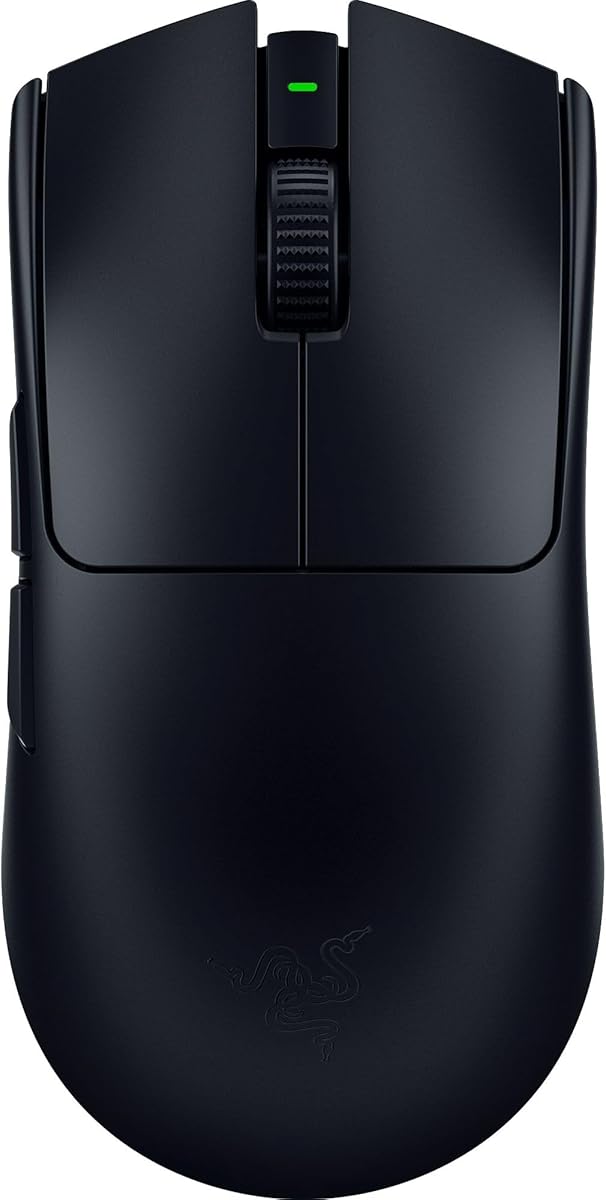
Razer Viper V3 Pro

★★★★★9.2/10
Razer Viper V3 Pro
  • 54g balanced wireless design built with world-class esports collaborators
  • Focus Pro 35K Gen-2 sensor with 1-DPI steps and glass-surface tracking
  • Up to 8000 Hz HyperPolling with Gen-3 optical switches and ~95-hour battery
Check Price →
Best Click Customization

Logitech G PRO X2 SUPERSTRIKE

★★★★★9.4/10
Logitech G PRO X2 SUPERSTRIKE
  • Magnetic analog switches with 10 actuation levels and rapid-trigger reset
  • HERO 2 tracking over 888 IPS, up to 44K DPI, and lag-free 8 kHz LIGHTSPEED
  • 61g thin-wall shell with haptic inductive feedback and POWERPLAY 2 support
Check Price →

As an Amazon Associate we earn from qualifying purchases. We may earn a commission at no additional cost to you.

FPS Gaming Mouse Spec Comparison

Compare weight class, sensor ceiling, wireless vs wired links, and button layouts before you obsess over RGB. Ratings reflect aggregated buyer feedback at research time—pair them with grip fit and whether you need AA endurance, rechargeable packs, or a simple cable that never dies mid-scrim.

#ProductSpecificationsScore
1
  • HERO sensor up to 25,600 DPI, zero smoothing
  • 11 programmable buttons, adjustable weights
  • Wired connection with dual-mode hyper-fast scroll
9.2
2
  • HERO 25K sensor, LIGHTSPEED wireless
  • LIGHTFORCE hybrid optical-mechanical switches
  • 13 buttons, RGB, POWERPLAY charging capable
9
3
  • HERO 2 sensor up to 44,000 DPI, 8 kHz polling
  • Magnetic analog switches with rapid trigger
  • 61g lightweight wireless, haptic HITS feedback
9.4
4
  • 82g mass-centralized wireless shell
  • Focus Pro 30K optical sensor, HyperSpeed 2.4 GHz
  • Up to 280 hours on a single AA battery
9
5
  • Focus+ 26K DPI optical sensor
  • 11 programmable buttons, HyperScroll tilt wheel
  • Optical switches Gen-2, Chroma RGB, wired
9.2
6
  • 54g ultralight esports wireless design
  • Focus Pro 35K Gen-2 sensor, 8000 Hz polling
  • Optical switches Gen-3, up to ~95-hour battery
9.2
7
  • 60g symmetrical pro shape, LIGHTSPEED wireless
  • HERO 2 up to 44K DPI, up to 8 kHz polling
  • LIGHTFORCE switches, USB-C, POWERPLAY ready
9.2
8
  • 19 programmable buttons, HyperScroll wheel
  • Focus Pro 30K sensor, HyperSpeed + Bluetooth
  • Up to 250–400 hours depending on wireless mode
8.2
9
  • MARKSMAN 26,000 DPI sensor, aluminum frame
  • AXON up to 8,000 Hz polling, optical switches
  • Tunable weight system with Sensor Fusion control
8.4
10
  • 36g ultralight wireless FPS design
  • MARKSMAN S 33,000 DPI, 8,000 Hz hyper-polling
  • Mechanical switches, up to ~70-hour battery
8.8

1. Logitech G502 HERO - Best Wired Value Workhorse

Logitech G502 HERO

Logitech G502 HERO

9.2/10★★★★★

The Logitech G502 HERO is still the mouse many FPS players recommend when someone wants one peripheral that can aim, scroll through loadouts, and survive years of daily use without wireless charging docks or AA batteries. Its right-handed ergonomic shell with a pronounced thumb rest favors medium-to-large hands that palm or relaxed-claw the mouse. Compared with the sub-60g tournament shells elsewhere in this list, the G502 feels planted—which helps some players stabilize micro-corrections in tactical shooters even if it slows the snappiest 180-degree turns.

  • HERO sensor up to 25,600 DPI with zero smoothing
  • 11 programmable buttons and dual-mode scroll wheel
  • Adjustable weights up to five 3.6 g modules
Check Price →
✓ Pros
  • Proven HERO sensor remains accurate enough for modern FPS aim training
  • Adjustable weights let you tune balance without buying a new shell
  • Eleven buttons and on-board memory suit hybrid FPS plus productivity macros
  • Metal spring tensioning delivers a crisp primary click for spam fire
  • Wired link eliminates battery anxiety during ranked grind sessions
✕ Cons
  • Heavier ergonomic shape is not ideal for pure fingertip ultralight meta play
  • Cable can snag if you do not use a bungee on low-sens wide swipes
  • RGB and weight system add bulk some claw players prefer to avoid

Detailed review

At the core is Logitech’s HERO sensor, advertised up to 25,600 DPI with zero smoothing, filtering, or acceleration. For FPS use you will almost always run a few hundred to a couple thousand DPI paired with in-game sensitivity, but the important part is clean tracking at high IPS when you flick across a large mousepad. Sub-micron detection marketing matters less than consistent counts on cloth pads, and HERO has earned that reputation across multiple G502 generations.

Customization is where this model still punches above budget wired mice. Eleven programmable buttons cover sniper DPI clutch, push-to-talk, grenade binds, and browser-back habits between matches. The dual-mode hyper-fast scroll wheel is excellent for weapon wheels in battle royales and for desktop scrolling when you are watching VODs. LIGHTSYNC RGB is optional flavor—turn it down if you want fewer distractions in a dark setup.

The adjustable weight tray is a genuine FPS differentiator. Arranging up to five 3.6 g weights changes both total mass and balance point, so you can bias the mouse toward a heavier rear for tracking or a lighter front for aggressive flicks. Mechanical switch button tensioning with metal spring systems and pivot hinges aims for crisp primary clicks with rapid feedback, which matters when you are counter-strafing and clicking heads in rapid succession.

Software via Logitech G HUB (or legacy LGS depending on your install) stores profiles on-board, so tournament PCs can pick up your binds without a cloud login. PC and Mac support covers most dual-boot creators who game and edit on the same desk. Just remember this is a cable-first tool: latency is excellent when the cable is managed, but a sticky braid will fight every wide swipe.

Who should buy it? Players who want a durable, highly rated wired FPS mouse with more buttons than a five-button esports shell, who do not mind a heavier feel, and who value tunable weight over chasing the lightest gram count on the market.

Who it is for

Choose the G502 HERO if you palm or hybrid-grip a medium-large mouse, want sniper button and DPI shifts under the thumb, and prefer a cable that never needs charging. It is also a strong pick for desks that mix competitive shooters with productivity macros.

Skip it if you are fully committed to the modern ultralight symmetrical meta or if you hate the G502’s tall right-side hump—those players should look at SUPERLIGHT 2, Viper V3 Pro, or Sabre v2 PRO instead.

FPS setup notes

Disable Windows enhance pointer precision, set a stable DPI stage you can muscle-memory, and map the sniper button only if you actually use lower DPI for scoped weapons. Use a mouse bungee so the cable never lifts the rear of the shell during wide flicks.

Start with fewer weights than you think you need; many FPS players empty most of the tray after a week of aim trainers once they realize lighter flicks feel more consistent on a large cloth pad.

Check Price on Amazon →

We may earn a commission at no additional cost to you.

2. Logitech G502 X PLUS - Best Feature-Rich Wireless

Logitech G502 X PLUS

Logitech G502 X PLUS

9/10★★★★★

The G502 X PLUS takes the most popular Logitech gaming shape and brings it into the wireless era with LIGHTFORCE hybrid switches, HERO 25K sensing, and LIGHTSPEED connectivity that Logitech claims is markedly faster than the previous generation’s protocol. For FPS players who loved the wired G502 but refused to deal with a cable again, this is the natural upgrade path—especially if you still want a thumb rest, sniper-style DPI control, and a scroll wheel that can free-spin or ratchet.

  • LIGHTFORCE hybrid optical-mechanical switches
  • HERO 25K sensor with LIGHTSPEED wireless
  • 13 buttons, RGB, POWERPLAY charging capable
Check Price →
✓ Pros
  • Familiar G502 shape updated with modern LIGHTFORCE switches
  • LIGHTSPEED wireless feels tournament-ready for most FPS desks
  • Long battery life with USB-C and optional POWERPLAY charging
  • Reversible DPI-shift button adapts better to different grips
  • Dual-mode scroll plus tilt axes expand control without extra software layers
✕ Cons
  • Still heavier and larger than dedicated ultralight esports mice
  • RGB and thirteen-button layout can feel busy for minimalists
  • POWERPLAY pad is sold separately if you want continuous wireless charge

Detailed review

LIGHTFORCE switches combine optical speed with mechanical feel, targeting crisp actuation without the double-click aging that plagued older mechanical-only designs. In spray-control games and pistol rounds where you click rapidly, that hybrid response is one of the clearest upgrades over the classic G502 HERO. The dual-mode scroll remains a standout for inventory cycling, and tilt left/right adds two more personalizable controls for utility or voice binds.

Wireless life is a major selling point: Logitech advertises under-130-hour class endurance depending on lighting and polling, USB-C recharging, and POWERPLAY compatibility so the mouse can charge at rest and in play on the optional mat. That matters for players who leave RGB on and still expect a week of ranked without babysitting a cable. LIGHTSYNC’s eight-LED lighting can sync to games or dim for battery optimization through active play detection.

The HERO 25K sensor keeps the same FPS-friendly philosophy as other Logitech flagships: high ceiling DPI with zero smoothing marketing, so you can run low in-game sens with confidence. The redesigned DPI-shift button is reversible and removable, which is a quiet but important quality-of-life tweak for players whose thumb lands differently than the classic G502 layout assumed.

Shape-wise you are still in ergonomic G502 territory—not a flat ambidextrous shell. That is a feature if your hand likes support and a limitation if you chase the lightest possible flick mouse. Thirteen buttons also mean more surfaces to misclick under stress until your binds are intentional. Software in G HUB remains the place to tune DPI stages, lighting, and onboard profiles for PC or MacOS.

Buy the G502 X PLUS when you want wireless freedom without abandoning the G502 control layout. It is less of a pure esports scalpel than SUPERLIGHT 2 and more of a daily-driver FPS mouse with desktop power-user DNA.

Who it is for

Ideal for former G502 wired users moving to wireless, hybrid aimers who use many side binds, and anyone who wants RGB flair without giving up HERO-class tracking.

Look elsewhere if your only metric is grams-on-scale for Valorant or CS—Viper V3 Pro and Sabre v2 PRO are purpose-built for that race.

Versus the wired G502 HERO

Choose X PLUS for LIGHTSPEED, LIGHTFORCE switches, refined DPI button, and charging flexibility. Choose the wired HERO if you want the classic adjustable weight tray experience at a simpler cable-first setup and do not need wireless.

Both share the same general hand feel; muscle memory transfers well if you already aim on a G502 shell.

Check Price on Amazon →

We may earn a commission at no additional cost to you.

3. Logitech G PRO X2 SUPERSTRIKE - Best Click Customization

Logitech G PRO X2 SUPERSTRIKE

Logitech G PRO X2 SUPERSTRIKE

9.4/10★★★★★

The G PRO X2 SUPERSTRIKE is Logitech’s statement that click feel—not just weight and sensor—can still move the FPS mouse conversation forward. Designed with esports athletes, it pairs a roughly 61g thin-wall shell with customizable rapid-trigger magnetic analog switches, adjustable click haptics, and the HERO 2 sensor stack already proven in SUPERLIGHT 2. If you have ever wished mouse primary clicks behaved more like adjustable magnetic keyboard switches, this is the pack’s clearest answer.

  • Magnetic analog switches with 10-level actuation
  • HERO 2 sensor, 8 kHz LIGHTSPEED, ~61g shell
  • Haptic HITS feedback with POWERPLAY 2 support
Check Price →
✓ Pros
  • Rapid-trigger style magnetic switches are a genuine new lever for FPS clicking
  • HERO 2 and 8 kHz polling match modern pro wireless expectations
  • Lightweight thin-wall shell with large UHMWPE feet glides cleanly
  • Haptic inductive feedback can reinforce timing for some play styles
  • Strong aggregated rating reflects enthusiasm for the customization angle
✕ Cons
  • Advanced features lean on G HUB; casual users may ignore half the depth
  • Haptics and analog tuning add complexity some traditional clickers will not want
  • POWERPLAY 2 pad is separate if you want uninterrupted wireless charge

Detailed review

Logitech highlights roughly 30 ms faster clicks for peak performance contexts, with deep customization across ten actuation point levels and five-level rapid trigger reset. That matters in tap-firing and counter-strafe scenarios where reset speed and actuation height change how quickly you can re-click without bottoming out the same way every time. It is a different skill curve than a fixed optical switch: you will spend time in G HUB finding a stage that matches your finger strength and game.

The Haptic Inductive Trigger System (HITS) adds real-time feedback meant to feel immersive across scenarios and play styles. Some competitive players will disable or minimize haptics to keep the signal path pure; others will use it as a timing cue similar to controller rumble done with more intent. Either way, it is optional texture on top of an already serious sensor and wireless foundation.

HERO 2 tracking claims over 888 IPS, 88 g-force, and up to 44,000 DPI—numbers that mainly reassure high-sens flickers and low-sens wide swipers that the sensor will not smear. LIGHTSPEED wireless with lag-free 8 kHz polling (performance notes reference testing on Logitech pads) keeps the mouse in the same latency conversation as other 2026 flagships. Battery guidance of roughly 60–90 hours covers most weekly ranked schedules when you charge via the included USB-A to USB-C cable.

Build details reinforce the pro brief: 0.7 mm thin-wall case thinking, extra-large UHMWPE feet for effortless glides, and POWERPLAY 2 enablement for endless wireless play when you own the matching mat. PC and Mac compatibility keeps it usable beyond a Windows-only esports bootcamp PC.

This is the pick when you want to experiment with actuation the way keyboard enthusiasts experiment with rapid trigger. If you just want a dead-simple five-button light mouse, SUPERLIGHT 2 or Viper V3 Pro will feel less like a science project and more like an immediate aim upgrade.

Who it is for

Enthusiasts and competitors who enjoy tuning actuation depth, players curious about haptic click cues, and anyone already invested in Logitech LIGHTSPEED / POWERPLAY ecosystems.

Avoid it if software depth intimidates you or if you prefer a fixed optical click with zero analog configuration—Razer’s Gen-3 optical switches on the Viper V3 Pro are simpler.

Tuning tips for shooters

Start with a middle actuation level, then adjust only after a week of aim trainers so you are not chasing placebo every session. Map haptics conservatively at first; strong feedback can distract during clutch rounds.

Confirm your polling rate and USB port quality—8 kHz benefits from clean host ports and can depend on system overhead, just like other hyper-polling mice.

Versus SUPERLIGHT 2

SUPERLIGHT 2 is the refined classic: LIGHTFORCE hybrids, familiar pro shape, fewer experimental systems. SUPERSTRIKE is the customization lab with magnetic analog switches and haptics on a similar lightweight wireless platform.

Pick SUPERLIGHT 2 for proven simplicity; pick SUPERSTRIKE when click personalization is the feature you were waiting for.

Check Price on Amazon →

We may earn a commission at no additional cost to you.

4. Razer Viper V3 HyperSpeed - Best Long-Battery Wireless

Razer Viper V3 HyperSpeed

Razer Viper V3 HyperSpeed

9/10★★★★★

The Razer Viper V3 HyperSpeed is built for players who want wireless FPS performance without living on a charging cable. At 82 grams with a mass-centralized layout, it sits between classic midweight mice and the extreme ultralight class. Razer’s pitch is consistency: seamless swipes without the uneven balance some AA mice suffer when the cell sits poorly in the shell.

  • 82g mass-centralized wireless design
  • Focus Pro 30K sensor with forward placement
  • Up to 280 hours on a single AA battery
Check Price →
✓ Pros
  • AA power means months of play for many users between swaps
  • Focus Pro 30K tracks well across varied surfaces including glass claims
  • HyperSpeed wireless stays stable in noisy 2.4 GHz environments
  • On-mouse DPI control is handy without opening software mid-session
  • Included AA battery gets you gaming immediately out of the box
✕ Cons
  • 82g is heavier than the lightest rechargeable esports shells
  • Swappable battery balance differs from internal-pack ultralights
  • Only six programmable buttons versus feature mice with a dozen controls

Detailed review

Focus Pro 30K optical sensing with forward sensor placement and intelligent functions targets finer accuracy and broader surface compatibility, including glass. Forward placement can change how the mouse “feels” relative to your fingertip pivot compared with rear-biased sensors—worth a day of aim trainers if you are coming from a SUPERLIGHT or older Viper. Disable Windows enhance pointer precision and tune stages in Synapse for clean raw input behavior.

Battery life is the headline: up to 280 hours of high-performance gaming on a single AA cell. For tournament schedules, bootcamp travel, or LAN bags where USB-C bricks get forgotten, that endurance is a strategic advantage. HyperSpeed wireless emphasizes low latency even in crowded RF environments and adds multi-device support for streamlined setups where one dongle logic matters.

Mechanical Mouse Switches Gen-2 are rated around a 60-million click lifespan with gold-plated contacts for wear resistance. They are not optical Gen-3 units like the Viper V3 Pro, so the click character is different—more traditional mechanical feel, still crisp when healthy. Six programmable buttons keep the top shell uncluttered for pure aim, with a top DPI button to cycle five stages or remap to a clutch command.

Shape-wise the Viper family remains a favorite for claw and fingertip FPS players who want a relatively low, agile shell without a heavy thumb wing. At 82g you will notice more mass than a 54g Viper V3 Pro during frantic wide swipes, but many players find the extra grams stabilize tracking sprays in tactical shooters.

Pick HyperSpeed when battery logistics matter as much as peak lightness. It is an excellent “set and forget” wireless FPS mouse for ranked grinders who hate charging rituals.

Who it is for

Traveling competitors, LAN players, and anyone tired of charging cables mid-week. Also strong if you like Viper geometry but want AA convenience over internal packs.

Skip it if you demand sub-55g weight or 8 kHz polling as non-negotiables—the Viper V3 Pro owns that lane in this pack.

Battery and RF tips

Keep a spare lithium or alkaline AA in your bag; hot-swapping is faster than finding a free USB port at a venue. Place the HyperSpeed dongle on a short extension toward the mousepad edge to reduce body-blocking in dense wireless rooms.

If you play on glass or hard pads, verify tracking in Synapse and adjust lift-off related options so resets stay predictable.

Check Price on Amazon →

We may earn a commission at no additional cost to you.

5. Razer Basilisk V3 - Best Ergonomic Wired FPS

Razer Basilisk V3

Razer Basilisk V3

9.2/10★★★★★

The Razer Basilisk V3 is the pack’s clearest “comfort first, still competitive” wired FPS mouse. Its iconic ergonomic design with a dedicated thumb rest supports the hand so buttons sit where your thumb naturally rests, which is why millions of players favor Basilisk geometry for marathon sessions. If your aim dies when your hand cramps after three hours, shape may matter more than shaving ten grams.

  • Focus+ 26K DPI optical sensor
  • 11 programmable buttons with thumb rest support
  • Optical switches Gen-2 and HyperScroll tilt wheel
Check Price →
✓ Pros
  • Thumb-rest ergonomics reduce strain in long ranked blocks
  • Optical Gen-2 switches prioritize fast, clean actuation
  • HyperScroll free-spin and tactile modes suit both menus and weapon swaps
  • Eleven buttons enable utility-heavy FPS and hybrid MMO-lite binds
  • Chroma zones deliver deep RGB customization if that matters on your desk
✕ Cons
  • Wired-only in this listing—no LIGHTSPEED or HyperSpeed freedom
  • Ergonomic wing is polarizing for fingertip-only aim styles
  • Heavier feature shell versus ultralight tournament mice

Detailed review

Focus+ 26K DPI optical sensing with intelligent functions aims for zero-smoothing tracking and pixel-precise response. Pair that with Optical Mouse Switches Gen-2—Razer cites roughly 0.2 ms actuation and up to 70 million clicks with resistance to unintended misclicks—and you get a wired click story built for spam and micro-corrections. For many FPS players, optical switches removed the fear of double-click failures mid-season.

Eleven programmable buttons let you offload grenades, melee, push-to-talk, and DPI sniper moments without stretching to the keyboard. The HyperScroll tilt wheel free-spins for fast content browsing between matches or locks into tactile mode for precise weapon cycling—genuinely useful in shooters with large inventories. Eleven Chroma RGB zones are pure personality; disable effects in Synapse if you want a darker competitive look.

As a wired mouse, latency and “battery” are non-issues, but cable management still matters. A soft bungee keeps the Basilisk’s weight feeling consistent through wide low-sens swipes. Synapse remains required for deeper remaps and lighting, and Razer wisely reminds buyers to disable enhance pointer precision in Windows for cleaner aim.

Compared with the G502 HERO, Basilisk V3 pushes optical switches and HyperScroll personality while sharing the same general mission: feature-rich right-handed support rather than ambidextrous minimalism. Neither will feel like a 36g Sabre in the hand, and that is fine—different tools for different grips.

Buy Basilisk V3 when comfort, button count, and optical click speed beat wireless weight wars. It is especially strong for palm grippers who play FPS plus the occasional live-service grind.

Who it is for

Palm and relaxed-claw players with medium-to-large hands, utility-heavy FPS fans, and RGB enthusiasts who still want serious Focus+ tracking.

Not ideal for left-handers or ultralight fingertip meta adherents—look at symmetrical Vipers or SUPERLIGHT instead.

Versus G502 HERO

Both are wired ergonomic multi-button mice. Basilisk leans optical switches and HyperScroll/Chroma flair; G502 HERO leans adjustable weights and Logitech’s HERO/G HUB ecosystem.

Choose based on which software and thumb layout already feel like home.

Check Price on Amazon →

We may earn a commission at no additional cost to you.

6. Razer Viper V3 Pro - Best Ultra-Light Esports

Razer Viper V3 Pro

Razer Viper V3 Pro

9.2/10★★★★★

The Razer Viper V3 Pro is what many 2026 FPS players picture when they say “esports mouse”: about 54 grams, symmetrical lean, Focus Pro 35K Gen-2 sensing, Gen-3 optical switches, and HyperPolling up to 8000 Hz over HyperSpeed wireless. Designed with world-class pros, it prioritizes swift, precise flicks that match intention—exactly the brief for Counter-Strike, Valorant, Overwatch-style tracking, and arena shooters.

  • 54g ultralight balanced wireless shell
  • Focus Pro 35K Gen-2 sensor, up to 8000 Hz
  • Optical switches Gen-3, up to ~95-hour battery
Check Price →
✓ Pros
  • 54g weight enables fast, low-fatigue flicks for high-rank aim routines
  • Focus Pro 35K Gen-2 with 1-DPI steps suits meticulous sens fine-tuning
  • True up to 8000 Hz HyperPolling with HyperSpeed wireless focus
  • Gen-3 optical switches target zero double-click issues and fast actuation
  • Roughly 95-hour battery covers long scrim weeks between charges
✕ Cons
  • Minimalist control count will frustrate macro-heavy hybrid gamers
  • Smaller or flatter shells may not suit large full-palm hands
  • HyperPolling at the top end can depend on clean USB topology and CPU headroom

Detailed review

Weight distribution is as important as the number on the scale. Razer emphasizes a perfectly balanced ultralight design so the mouse does not feel nose-heavy during micro-adjustments. That balance helps when you are tracing strafe patterns or resetting after a wide peek. Eight programmable controls keep the shell clean; you get what you need for DPI and side binds without a keypad under your thumb.

Focus Pro 35K Optical Sensor Gen-2 claims pro-grade tracking on a wider variety of surfaces including glass, plus intelligent functions and 1-DPI step adjustments. Granular DPI is useful when you are matching an exact eDPI across PCs or splitting stages for hipfire versus scoped play. Combine that with raw input in-game and disabled Windows acceleration for a consistent pipeline.

Optical Mouse Switches Gen-3 push a longer lifecycle narrative—around 90 million clicks—with blistering 0.2 ms actuation and no debounce delay marketing. The practical FPS outcome is confident spam clicking and less anxiety about double-click failures in a long competitive season. HyperSpeed’s optimized dongle design targets reliability in noisy tournament RF, which matters more than lab charts when twenty wireless devices share a stage.

Battery life up to roughly 95 hours of high-performance competitive play means you can charge on a schedule instead of mid-scrim. PC and Mac support covers mixed creative setups. Synapse remains the optimization hub; do the usual Windows pointer hygiene before you blame the sensor for floaty aim.

If your priority list reads light, fast, optical, wireless—this is the pack’s sharpest Razer answer and a co-favorite with SUPERLIGHT 2 depending on which shape your hand prefers.

Who it is for

Claw and fingertip FPS specialists, ranked grinders chasing minimal weight, and players who want 8 kHz-class wireless without a thirteen-button chassis.

Palm grippers with large hands or players who need many macros should try Basilisk, G502, or Naga instead.

Versus SUPERLIGHT 2

Viper V3 Pro is typically lighter (54g vs 60g) with Razer’s Focus Pro / Synapse ecosystem and Gen-3 optical clicks. SUPERLIGHT 2 brings HERO 2, LIGHTFORCE hybrids, and Logitech’s POWERPLAY path.

Shape preference usually decides the winner more than the spec sheet—demo both philosophies if you can.

Polling reality check

Running 8000 Hz can improve motion clarity on high-refresh monitors when the system keeps up, but not every USB hub or laptop port behaves equally. Test 1000, 2000, 4000, and 8000 Hz in your titles and keep the stable step.

Prioritize a direct motherboard USB connection for the dongle during serious sessions.

Check Price on Amazon →

We may earn a commission at no additional cost to you.

7. Logitech G PRO X SUPERLIGHT 2 - Best Overall

Logitech G PRO X SUPERLIGHT 2

Logitech G PRO X SUPERLIGHT 2

9.2/10★★★★★

The Logitech G PRO X SUPERLIGHT 2 remains our Best Overall FPS gaming mouse because it balances the attributes ranked players actually keep for seasons: a ~60g symmetrical shell, HERO 2 sensing up to 44K DPI, LIGHTFORCE hybrid switches, up to 8 kHz polling, USB-C charging, and POWERPLAY wireless charging support. It is the evolution of a championship-winning wireless design rather than a radical experiment, which is exactly why it still anchors so many pro and high-elo desks.

  • 60g symmetrical pro shape with LIGHTSPEED wireless
  • HERO 2 sensor up to 44K DPI, up to 8 kHz polling
  • LIGHTFORCE switches, USB-C, POWERPLAY compatible
Check Price →
✓ Pros
  • Championship-proven shape refined with faster polling and HERO 2
  • 60g weight hits a sweet spot between control and agility for many hands
  • LIGHTFORCE hybrid switches feel precise for tap-fire FPS styles
  • POWERPLAY support enables charge-at-play convenience
  • Zero-additive PTFE feet deliver a smooth, consistent glide
✕ Cons
  • Only five buttons—no sniper paddle or 12-button thumb grid
  • Symmetrical low shell may feel small for very large palm grips
  • Flagship positioning means you are paying for pro-tier refinement

Detailed review

HERO 2 tracking over 888+ IPS with precise calibration and zero smoothing, acceleration, or filtering is the sensor story Logitech wants you to trust during chaotic retakes. In practice, pair a stable DPI with raw input and a cloth pad you know; the sensor’s job is to disappear. Zero-additive PTFE feet help the mouse break static friction cleanly so micro-corrections do not feel sticky after a sweaty hand session.

LIGHTFORCE hybrid switches aim for pro-level precision and reliability with a tactile click that many players prefer over pure optical silence. Five buttons keep the top clean—left, right, wheel, and dual side buttons—matching the classical esports control count. If you need eleven macros, this is the wrong family; if you need uncompromised aim geometry, it is the right one.

Wireless life around the mid-90-hour class (as marketed for this generation) plus POWERPLAY compatibility means you can treat the mouse like a wired tool if you own the charging mat, or top up with USB-C between scrims if you do not. LIGHTSPEED remains Logitech’s low-latency backbone; keep the receiver clear of dense USB 3 interference when possible.

The symmetrical shape suits claw and fingertip grips especially well and can work for lighter palm grips depending on hand size. Left-handed players also benefit from the ambidextrous layout compared with Basilisk or G502 ergonomics. Designed with leading esports pros, the SUPERLIGHT 2’s updates focus on polling, sensor, switches, and charging rather than reinventing the silhouette that already won titles.

We call it Best Overall because it is the safest high-level recommendation across CS-style tactical shooters, hero shooters, and battle royales when you want wireless ultralight performance without niche battery systems or experimental click tech. It is the mouse you buy when you want the meta to stay out of your way.

Who it is for

Most FPS players who want a proven wireless light mouse, fans of the original SUPERLIGHT shape, and anyone standardized on Logitech G HUB / POWERPLAY.

Bypass it if you need dense side buttons, AA endurance, or magnetic rapid-trigger experimentation—Naga, Viper V3 HyperSpeed, and SUPERSTRIKE cover those niches.

Aim routine advice

Spend a week in aim trainers before changing DPI again; SUPERLIGHT 2 rewards consistency more than constant tinkering. Match your in-game sens across titles using eDPI math so muscle memory transfers.

If you upgrade from a heavier G502, expect a short adaptation period where flicks overshoot—shorten your swipe length slightly until tracking settles.

Check Price on Amazon →

We may earn a commission at no additional cost to you.

8. Razer Naga V2 HyperSpeed - Best Many-Button Hybrid

Razer Naga V2 HyperSpeed

Razer Naga V2 HyperSpeed

8.2/10★★★★☆

The Razer Naga V2 HyperSpeed is not a classic five-button aim scalpel, and that is the point. With nineteen programmable buttons ergonomically placed for fingertip commands, it serves FPS players who also live in MMOs, hero shooters with huge ability kits, extraction looters, or streamers who bind scenes and push-to-talk into the thumb grid. Focus Pro 30K sensing keeps the mouse honest when you do play a ranked shooter between raids.

  • 19 programmable buttons for macros and utilities
  • Focus Pro 30K sensor with HyperSpeed and Bluetooth
  • Up to 250–400 hours depending on wireless mode
Check Price →
✓ Pros
  • Nineteen buttons unlock ability bars, utility wheels, and complex macros
  • Focus Pro 30K keeps tracking credible even on a button-dense shell
  • HyperSpeed and Bluetooth modes balance latency versus endurance
  • HyperScroll helps rapid command repeats or free-spin navigation
  • Extremely long battery life reduces charge anxiety for long sessions
✕ Cons
  • Bulk and thumb grid are far from pure ultralight FPS meta shapes
  • Lower aggregated rating than flagship five-button esports mice
  • Easy to misclick side keys under stress until binds are disciplined

Detailed review

HyperSpeed 2.4 GHz wireless targets low-latency play Razer describes as faster than typical wireless alternatives, while Bluetooth extends longevity when you are on a laptop couch reviewing VODs. Battery claims reach roughly 250 hours on HyperSpeed and up to about 400 hours on Bluetooth—endurance numbers that redefine “I forgot to charge.” Mechanical Switches Gen-2 with gold-plated contacts aim for up to 60 million clicks of crisp execution on the primaries.

HyperScroll technology lets you repeat commands rapidly in free-spin or switch to tactile mode for precise steps—handy for weapon or ability cycling. The tradeoff is physical size and cognitive load: a dense thumb cluster can win fights in ability games and lose them in pure aim duels if your grip shifts onto a bind. Discipline your layouts; unused buttons should be unbound rather than left on accidental defaults.

Compared with Basilisk V3, Naga pushes button count and dual wireless modes further while staying in Razer’s ergonomic right-handed universe. Versus Viper V3 Pro, you are choosing utility density over gram-count agility. Honest advice for pure Valorant or CS specialists: this is usually the wrong primary mouse. For hybrid gamers who refuse to own two mice, it can be the right compromise.

Synapse configuration is mandatory to unlock the Naga’s value. Build an FPS profile that quietens the thumb grid to essentials—grenades, melee, DPI clutch—and a separate MMO profile with full macros. Disable Windows pointer acceleration as with every serious Razer mouse in this guide.

Consider Naga V2 HyperSpeed when your library is broader than tactical shooters and you want wireless endurance with a command arsenal under one thumb.

Who it is for

MMO-plus-FPS hybrid players, controller-to-MKB converts who want many binds, and creators who map stream actions to hardware buttons.

Pure aim demons chasing 36–54g shells should stay with Sabre, Viper V3 Pro, or SUPERLIGHT 2.

FPS binding strategy

Map only four to six thumb keys for shooters and ignore the rest in that profile. Place the most critical utility on the easiest natural thumb positions to reduce panic misclicks.

Use Bluetooth for travel productivity and HyperSpeed exclusively for competitive matches.

Check Price on Amazon →

We may earn a commission at no additional cost to you.

9. Corsair M65 RGB ULTRA - Best Tunable Aluminum FPS

Corsair M65 RGB ULTRA

Corsair M65 RGB ULTRA

8.4/10★★★★☆

The Corsair M65 RGB ULTRA carries one of the most recognizable FPS mouse silhouettes into a modern sensor and polling era. Its anodized aluminum frame prioritizes lasting durability and a familiar angular shape that M65 fans expect, complete with the kind of tunable weight system competitive players used for years before hollow plastic ultralights took over stages.

  • MARKSMAN 26K DPI sensor with aluminum frame
  • AXON processing up to 8,000 Hz polling
  • Tunable weights plus Sensor Fusion lift-off control
Check Price →
✓ Pros
  • Anodized aluminum frame feels durable and premium in hand
  • MARKSMAN sensor offers high native DPI and strong IPS tracking
  • AXON hyper-processing targets up to 8x conventional polling speeds
  • Tunable weights let FPS players bias mass for control or speed
  • Sensor Fusion aims for ultra-low lift-off when repositioning
✕ Cons
  • Heavier metal construction fights the ultralight esports trend
  • Aggregated rating trails the Logitech and Razer flagship shells
  • Shape is iconic but polarizing if you dislike sniper-button layouts

Detailed review

CORSAIR MARKSMAN sensing at 26,000 native DPI with about 650 IPS tracking is built to capture fast flicks without losing the plot. Optical switches on the primaries deliver hyper-fast responses and long-term durability versus aging mechanical contacts. For FPS tap-firing, optical actuation also reduces certain categories of click inconsistency when the switches are healthy.

AXON Hyper-Processing Technology is Corsair’s pitch for registering and transmitting movements and clicks up to eight times faster than conventional gaming mice via native 8,000 Hz polling. As with other hyper-polling devices, real-world gains depend on your USB layout and CPU—test steps rather than assuming maximum is always best. Sensor Fusion Control combines a six-axis gyro and accelerometer to enable ultra-low lift-off distance for more accurate tracking when you reposition, a subtle but meaningful feature for low-sens players who lift often.

The tunable weight system remains the M65’s personality. Adding or removing mass changes how the mouse settles after a flick, which some aim coaches still prefer over mandatory featherweight shells. You will not match a 36g Sabre’s agility, but you may prefer the planted tracking of a tuned M65 for spray transfer scenarios.

RGB lighting and Corsair software ecosystems (iCUE familiarity for many PC builders) tie the mouse into broader setups. The aggregated rating is a bit more mixed than SUPERLIGHT or Viper flagships, often reflecting shape love/hate and weight expectations in a market obsessed with grams. Try to handle an M65 if you can; photos do not communicate the aluminum density.

Buy M65 RGB ULTRA when you want a durable, tunable, explicitly FPS-branded wired/performance mouse with aluminum presence and advanced lift-off tech—not when you are chasing the lightest wireless meta.

Who it is for

M65 loyalists, players who like heavier controlled aim, and Corsair-ecosystem builders who want AXON polling and Sensor Fusion features.

Ultralight wireless seekers should jump to Sabre v2 PRO or the Logitech/Razer pro shells instead.

Weight tuning ideas

Begin near the lighter end of the adjustable range, then add mass only if your tracking feels unstable. Sudden heavy configurations can fatigue wrists during long aim routines.

Re-evaluate lift-off behavior after weight changes; Sensor Fusion helps, but pad height and grip pressure still matter.

Check Price on Amazon →

We may earn a commission at no additional cost to you.

10. Corsair Sabre v2 PRO - Best Featherweight Wireless

Corsair Sabre v2 PRO

Corsair Sabre v2 PRO

8.8/10★★★★☆

The Corsair Sabre v2 PRO is the pack’s ultralight specialist: a roughly 36g wireless FPS mouse built from the ground up for elite aim agility. When rapid flicks, sweeping 180s, and high-precision corrections define your rank climb, shaving mass can reduce fatigue and make micro-adjustments feel more immediate—provided your mousepad and sensitivity are dialed so the featherweight shell does not overshoot every peek.

  • 36g ultralight wireless FPS design
  • MARKSMAN S 33K DPI with 8,000 Hz polling
  • Mechanical switches, up to ~70-hour battery
Check Price →
✓ Pros
  • 36g class weight is among the most aggressive agility options in this pack
  • MARKSMAN S sensor targets high DPI, IPS, and acceleration ceilings
  • 8,000 Hz hyper-polling available wired or wireless for low latency
  • Custom-tuned mechanical switches rated for very high click lifespans
  • Around 70-hour wireless battery covers long tournament weekends
✕ Cons
  • Extreme lightness can feel twitchy until your sens and pad adapt
  • iCUE support noted as coming soon—web hub workflow may differ from full suites
  • Fewer comfort features than ergonomic G502 or Basilisk shells

Detailed review

CORSAIR’s MARKSMAN S sensor advertises true 33,000 DPI tracking, about 750 IPS speed, and 50G acceleration. Those ceilings exist so fast, high-pressure scenarios do not outrun the sensor. Most players will still use modest DPI; what you want is clean counts when your hand finally does move at sports speed during a retake.

Hyper-polling at 8,000 Hz aims for latency-defying input delivery up to eight times faster than standard 1,000 Hz polling, whether wired or wireless. Corsair notes that reaching 8,000 Hz depends on CPU specifications—validate stability in your titles rather than forcing maximum on an underpowered laptop USB tree. Custom-tuned tactile mechanical switches provide satisfying feedback and a reliability rating up to around 100 million clicks for scrims-to-stage longevity.

Battery life up to roughly 70 hours on a charge is competitive for an ultralight wireless, enough for extended scrims or tournaments between top-ups. The product notes that iCUE support is coming soon, with web hub configuration in the interim—factor that into your ecosystem expectations if you want deep desktop suite integration on day one.

Shape-wise Sabre lines typically favor claw and fingertip FPS postures more than full palm rests. At 36g, the mouse can feel “nervous” for players migrating from 80g+ ergonomic shells; give yourself a deliberate adaptation week in aim trainers before judging the hardware. Pair it with a quality cloth pad; glass can feel especially lively under such low mass.

Choose Sabre v2 PRO when minimum weight and hyper-polling headline your wishlist and you are comfortable with Corsair’s evolving software path. It is the aggressive alternative to 54–60g pro standards from Razer and Logitech.

Who it is for

High-rank fingertip and claw players chasing maximum agility, and Corsair fans who want MARKSMAN S sensing without a heavy aluminum frame.

If you need palm support, many buttons, or mature full-suite software today, Basilisk, G502, or SUPERLIGHT 2 may frustrate you less.

Adapting to 36 grams

Slightly lower your cm/360 at first if you overshoot, then return to your target sens once control returns. Keep wrist tension low; ultralights punish death-grips.

Confirm polling steps on your actual match PC, not only on a clean test bench, before a tournament weekend.

Check Price on Amazon →

We may earn a commission at no additional cost to you.

Best FPS Gaming Mouse 2026: Lightweight Aim & Sensor Picks

How to Choose the Best FPS Gaming Mouse

Prioritize shape and grip over DPI theater

DPI ceilings above 25K look impressive on packaging, but competitive FPS aim is dominated by shape fit, weight, and consistent sensor behavior at the DPI you actually use. Claw and fingertip players usually prefer lower symmetrical shells like SUPERLIGHT 2, Viper V3 Pro, or Sabre v2 PRO. Palm grippers often aim better on G502 or Basilisk ergonomics even if the scale reads higher.

Measure your hand roughly and be honest about grip. A perfect sensor in the wrong shell will lose to a “worse on paper” mouse that disappears in your hand during a pistol round.

Weight classes and what they change

Think in bands: featherweight under ~40g (Sabre v2 PRO), modern esports ~50–60g (Viper V3 Pro, SUPERLIGHT 2, SUPERSTRIKE), midweight wireless around ~80g (Viper V3 HyperSpeed), and feature ergonomic shells that run heavier (G502 line, Basilisk, M65 with weights).

Lighter mice reduce fatigue and can speed flicks; heavier or tunable mice can stabilize tracking. Neither is universally better—match the band to your sens and pad size.

Wireless, polling, and batteries

Modern LIGHTSPEED and HyperSpeed links are suitable for serious FPS play when dongles are placed well. Hyper-polling up to 8 kHz can feel clearer on high-refresh monitors but needs clean USB paths and sufficient system overhead.

Decide your battery philosophy early: rechargeable internal packs (SUPERLIGHT 2, Viper V3 Pro, SUPERSTRIKE, Sabre, G502 X PLUS), optional POWERPLAY mats for Logitech flagships, or AA endurance (Viper V3 HyperSpeed, Naga V2 HyperSpeed). Wired remains valid—G502 HERO, Basilisk V3, and M65 never die mid-map from a flat cell.

Switches and click feel

Optical switches (Razer Gen-2/Gen-3, Corsair optical primaries on M65) emphasize speed and double-click resistance. Hybrid LIGHTFORCE (Logitech) mixes optical speed with mechanical tactile cues. Magnetic analog switches on SUPERSTRIKE add actuation tuning and rapid-trigger style reset behavior.

Click preference is personal. If you hate learning new actuation, stay with fixed optical or hybrid switches. If you love tuning keyboards, SUPERSTRIKE’s magnetic system may be worth the learning curve.

Buttons, software, and ecosystems

Pure aim mice keep five to eight controls. Utility and hybrid mice offer eleven to nineteen. More buttons help ability shooters and MMO crossovers; they hurt if you misclick under pressure.

Budget time for G HUB, Synapse, or Corsair web/iCUE workflows. On-board memory matters for LAN PCs. Disable Windows enhance pointer precision on every serious FPS seat before you evaluate hardware.

Frequently Asked Questions

01

What DPI should I use on an FPS gaming mouse in 2026?

Most competitive players still land between roughly 400 and 1600 DPI paired with in-game sensitivity to reach a comfortable cm/360, not the maximum DPI printed on the box. Higher sensor ceilings on HERO 2, Focus Pro, and MARKSMAN units exist so tracking stays clean when you flick hard—not so you must run 20,000 DPI. Pick a DPI, learn it for weeks, and only change it when your pad size or arm style changes. Always disable Windows enhance pointer precision so the sensor’s raw counts are what the game sees.

02

Is a wireless mouse OK for competitive FPS, or should I stay wired?

Quality LIGHTSPEED and HyperSpeed mice in this roundup are absolutely viable for competitive FPS when the receiver is placed well and batteries are healthy. Pros widely use wireless ultralights. Wired options like the G502 HERO, Basilisk V3, and M65 RGB ULTRA remain excellent if you want zero charging logistics and consistently low latency with a managed cable. Choose wireless for desk freedom and modern esports shapes; choose wired for simplicity and feature-heavy shells without packs.

03

Does 8000 Hz polling make a big difference?

Hyper-polling can improve motion clarity and reduce perceived delay on high-refresh monitors, especially in tracking-heavy scenarios, but gains shrink if your USB topology, CPU, or game engine cannot sustain the rate cleanly. Mice like the Viper V3 Pro, SUPERLIGHT 2, SUPERSTRIKE, M65 RGB ULTRA, and Sabre v2 PRO advertise high polling—test 1000 through 8000 Hz on your match PC and keep the highest stable step. A rock-solid 1000–2000 Hz setup beats a stuttering 8000 Hz setup every time.

04

How light should an FPS mouse be?

There is no universal ideal. Many modern esports players prefer roughly 50–60 grams (Viper V3 Pro, SUPERLIGHT 2, SUPERSTRIKE), while aggressive fingertip players chase the mid-30g class (Sabre v2 PRO). Others aim better with ~80g AA wireless or heavier ergonomic shells because the extra mass calms their micro-corrections. Prioritize the lightest mouse you can control for a full scrim block without death-gripping. Adaptation takes days; do not judge a 36g mouse after one deathmatch.

05

Should I buy a symmetrical or ergonomic mouse for shooters?

Symmetrical shells (SUPERLIGHT 2, Viper line, Sabre) favor claw/fingertip aim and left-handed flexibility. Ergonomic right-handed shells (G502 family, Basilisk, Naga, M65) favor palm support and more side buttons. If your hand goes numb or your wrist aches on flat ambidextrous mice, ergonomic is not “worse for FPS”—it may be what lets you practice longer. Shape beat specs when the alternative is pain.

06

Are adjustable weights still worth it?

Yes for players who like dialing balance, which is why the G502 HERO and Corsair M65 RGB ULTRA still matter in a featherweight world. Weights will not make those mice ultralight champions, but they can fine-tune how the shell settles after flicks. If you already know you want a fixed 54–60g pro mouse, skip the weight tray and spend attention on pad and sens instead.

07

What is special about magnetic rapid-trigger mouse switches?

On the Logitech G PRO X2 SUPERSTRIKE, magnetic analog switches let you tune actuation points and rapid-trigger style reset behavior instead of living with a single fixed click height. That can speed certain tap-fire patterns once configured, similar in spirit to magnetic keyboards. It also adds setup complexity. If you want plugs-and-plays optical or hybrid clicks, Viper V3 Pro or SUPERLIGHT 2 are simpler paths.

08

Is the Razer Naga a bad idea for FPS?

It is a weak primary for pure tactical aim meta because of size and thumb-grid risk, but it can be a smart hybrid if you bounce between MMOs and shooters and refuse to swap mice. Use a stripped FPS profile with only essential binds. If ranked aim is your only goal, choose Viper V3 Pro, SUPERLIGHT 2, Sabre v2 PRO, or SUPERSTRIKE instead.

09

Do I need glass-compatible sensors?

Only if you actually play on glass or very hard glossy pads. Focus Pro sensors in several Razer models advertise wider surface compatibility including glass. Most cloth-pad players will never notice. Buy for shape and wireless quality first; treat glass tracking as a bonus if your desk setup requires it.

10

Which mouse in this list is the best all-round starting point?

Logitech G PRO X SUPERLIGHT 2 is our Best Overall starting point for most FPS players: proven shape, HERO 2, LIGHTFORCE switches, 8 kHz-class polling, and POWERPLAY support. If you know you want maximum lightness and prefer Razer’s ecosystem, take the Viper V3 Pro. If you love G502 ergonomics, step to the G502 X PLUS wireless or stay wired on the G502 HERO.

Conclusion

The best FPS gaming mouse in 2026 is the one that keeps your aim pipeline boring in the best way: predictable weight, trustworthy sensor counts, a click you can spam without second-guessing, and a wireless or wired link that never becomes the story of the match. From our pack, the Logitech G PRO X SUPERLIGHT 2 is the safest overall recommendation, the Razer Viper V3 Pro is the ultralight esports spearhead, and the Logitech G PRO X2 SUPERSTRIKE is the customization lab for players who want magnetic rapid-trigger clicks and haptics.

Feature seekers should look at G502 HERO, G502 X PLUS, and Basilisk V3; endurance travelers can lean on Viper V3 HyperSpeed or Naga V2 HyperSpeed; Corsair fans can choose aluminum-tuned control on the M65 RGB ULTRA or extreme agility on the Sabre v2 PRO. Match grip and battery philosophy before you chase DPI or RGB.

Lock Windows pointer settings, give your shortlist a real aim-trainer week, and only then decide. When the mouse disappears and the crosshair goes where you meant, you have found the right tool—not merely the lightest listing on the page.