Best Curved Monitors in 2026
We may earn a commission from links on this page, at no extra cost to you. Learn more.
A curved monitor wraps the edges of the screen gently toward you, filling more of your peripheral vision and pulling you deeper into whatever is on it. The effect is genuinely immersive for gaming and films, and easier on the eyes for long work days, since every part of the panel sits a similar distance from your gaze. But curvature is only half the story: refresh rate, resolution, panel size and the aggressiveness of the curve itself all shape the experience. This guide ranks nine of the best curved monitors you can buy in 2026, spanning affordable Full HD screens, sharp QHD panels and sweeping ultrawide displays, so there is a right pick whether you want an immersive productivity setup, a smooth gaming screen or the widest possible canvas.
Top 9 Best Curved Monitors
Our top 9 picks, reviewed
Samsung 27in Essential S3 (S36GD)
The Samsung Essential S3 is the best all-round curved monitor, blending a comfortable 1800R curve, a smooth 100Hz refresh and TÜV-certified eye-comfort tech into an affordable 27-inch package from a brand you can trust. Full HD keeps it sharp at this size without demanding a powerful graphics card, and Game Mode adds a competitive edge. It is the curved screen we would recommend to most buyers for everyday work and casual gaming alike.
- Size
- 27in
- Resolution
- FHD
- Refresh Rate
- 100Hz
- Curve
- 1800R
What we liked
- Great value from a trusted brand
- Gentle 1800R curve suits work and play
- 100Hz keeps motion smooth
- TÜV-certified eye comfort tech
Worth noting
- Full HD, not QHD
- Basic HDMI and D-sub ports only
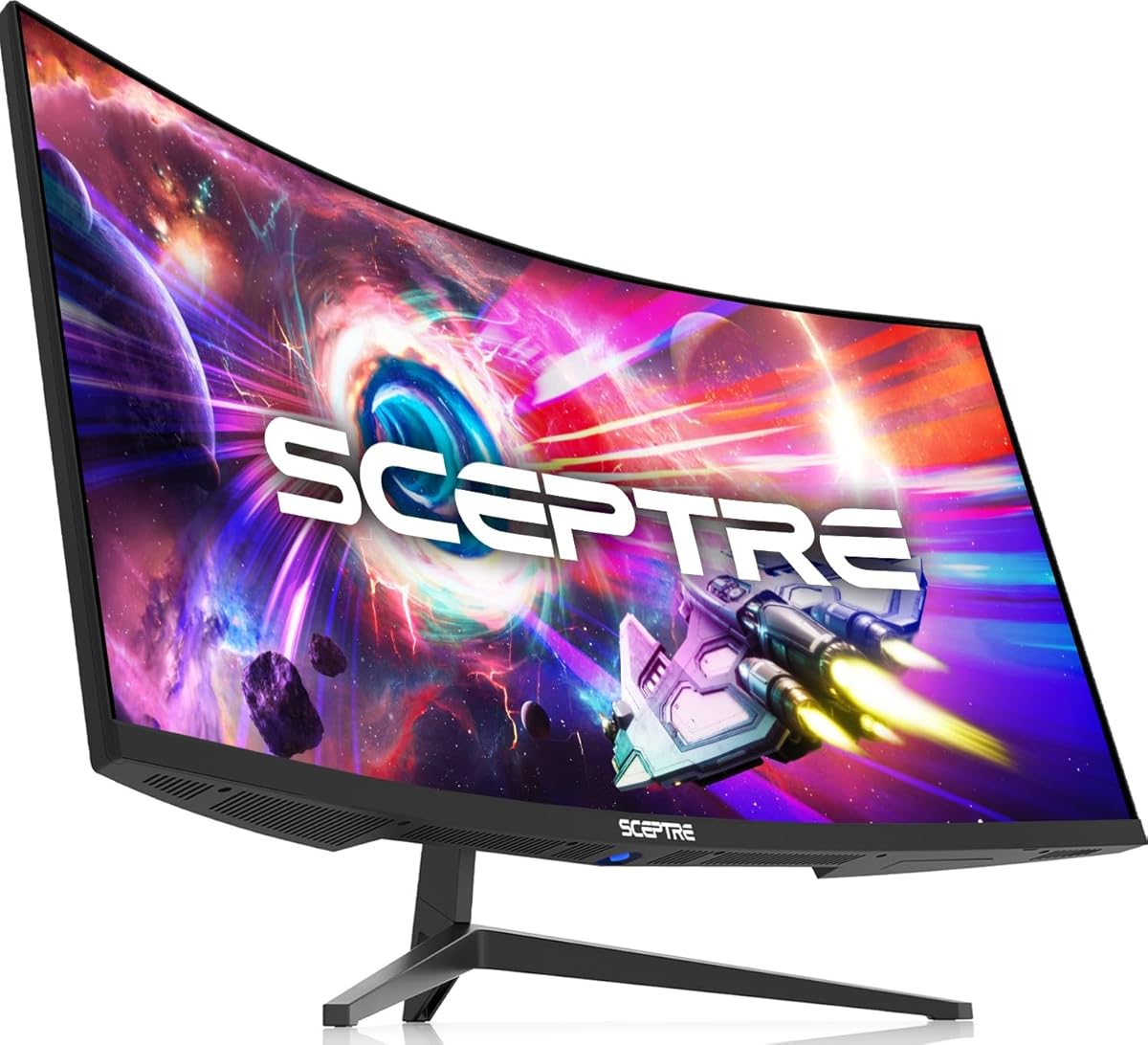
Sceptre Curved 27in Prime Monitor
The Sceptre Curved 27-inch Prime is the value floor of this list, delivering a steeper 1500R curve, a 100Hz refresh with Adaptive Sync and 99% sRGB colour for the least money here. Built-in speakers and two HDMI ports plus VGA make it easy to connect, and the immersive curve belies the low price. It is 1080p rather than QHD, but for a first curved monitor on a tight budget it punches well above its cost.
- Size
- 27in
- Resolution
- 1080p
- Refresh Rate
- 100Hz
- Curve
- 1500R
What we liked
- Lowest price on the list
- 99% sRGB colour coverage
- 100Hz with Adaptive Sync
- Built-in speakers and dual HDMI
Worth noting
- 1080p resolution only
- Includes an older VGA port
Samsung 32in Odyssey G55C
The Samsung Odyssey G55C is the gaming standout among curved monitors here, pairing a rapid 165Hz refresh with a sharp QHD resolution and an aggressive 1000R curve that fills your peripheral vision. HDR10 adds punch and AMD FreeSync keeps the picture tear-free, while the big 32-inch panel makes games and films properly immersive. For a dedicated gaming curve at a fair price, this Odyssey is the one to beat.
- Size
- 32in
- Resolution
- QHD
- Refresh Rate
- 165Hz
- Curve
- 1000R
What we liked
- Fast 165Hz refresh rate
- Sharp QHD resolution
- Aggressive 1000R immersive curve
- HDR10 and FreeSync support
Worth noting
- 1ms is MPRT, not GtG
- No height adjustment noted
LG 27GS60QC-B UltraGear
The LG UltraGear 27GS60QC is the sharper-response gaming pick, running QHD at 180Hz with a genuine 1ms GtG response and a steep 1000R curve for immersion. HDR10, a virtually borderless design and both HDMI and DisplayPort inputs round out a focused gaming package. The stand only tilts and 27 inches is smaller than some rivals here, but for crisp, fast QHD gameplay it is an excellent value UltraGear.
- Size
- 27in
- Resolution
- QHD 2560x1440
- Refresh Rate
- 180Hz
- Curve
- 1000R
What we liked
- Fast 180Hz refresh rate
- 1ms GtG response time
- Sharp QHD with HDR10
- Dual HDMI and DisplayPort
Worth noting
- Tilt-only stand
- 27in smaller than 32in rivals
ASUS TUF Gaming 34in (VG34VQ3B)
The ASUS TUF Gaming VG34VQ3B is the ultrawide immersion pick, stretching a 34-inch 21:9 QHD panel across your view with a 1500R curve and a fast 180Hz refresh. ASUS ELMB Sync tackles motion blur, 90% DCI-P3 gives rich colour and HDR adds contrast, all backed by a three-year warranty. It costs more and wants a capable graphics card, but for wraparound gaming and multitasking it is superb.
- Size
- 34in
- Resolution
- QHD 3440x1440
- Refresh Rate
- 180Hz
- Curve
- 1500R
What we liked
- Immersive 21:9 ultrawide format
- Fast 180Hz refresh rate
- 90% DCI-P3 wide colour
- ELMB Sync cuts motion blur
Worth noting
- Higher price point
- Ultrawide needs a strong GPU
LG 32GS60QC-B UltraGear
The LG 32GS60QC UltraGear scales the sharp-response formula up to a big 32-inch panel, keeping the 180Hz refresh, 1ms GtG response and steep 1000R curve of its 27-inch sibling. QHD resolution and HDR10 look great on the larger screen, and both HDMI and DisplayPort are on hand. Pixel density drops a touch at this size and the stand only tilts, but for immersive big-screen QHD gaming it delivers plenty.
- Size
- 32in
- Resolution
- QHD 2560x1440
- Refresh Rate
- 180Hz
- Curve
- 1000R
What we liked
- Large 32in QHD panel
- Fast 180Hz and 1ms GtG
- Steep 1000R curve for immersion
- HDMI and DisplayPort inputs
Worth noting
- Tilt-only adjustment
- QHD at 32in is less dense
Sceptre 34in Curved Ultrawide (C345B-QUT168)
The Sceptre 34-inch Curved Ultrawide is the affordable way into the 21:9 world, offering a 3440x1440 WQHD panel, up to 180Hz refresh and a 1ms response for far less than most ultrawides. A 1500R curve, 99% sRGB colour, built-in speakers and RGB backlighting make it feel more premium than its price. There is no USB hub and it is a VA panel, but for immersive, roomy ultrawide value it is a smart buy.
- Size
- 34in
- Resolution
- WQHD 3440x1440
- Refresh Rate
- 180Hz
- Curve
- 1500R
What we liked
- Affordable 21:9 ultrawide
- Up to 180Hz refresh rate
- 99% sRGB and 1ms response
- Built-in speakers
Worth noting
- VA panel over IPS
- No USB hub
Samsung 34in Odyssey G5
The Samsung Odyssey G5 34-inch pairs an ultrawide WQHD panel with an unusually aggressive 1000R curve that matches the human field of view for deep immersion. A 165Hz refresh, FreeSync Premium and HDR10 keep gaming smooth and vivid, while the 21:9 format doubles as a productivity workspace. Response is quoted as MPRT and it sits at a premium price, but for wraparound immersion this Odyssey is genuinely enveloping.
- Size
- 34in
- Resolution
- WQHD 3440x1440
- Refresh Rate
- 165Hz
- Curve
- 1000R
What we liked
- Steep 1000R curve for deep immersion
- Roomy 21:9 WQHD panel
- 165Hz with FreeSync Premium
- HDR10 and eye-comfort features
Worth noting
- MPRT rather than GtG response
- Premium price
Samsung 32in S3 (S39GD)
The Samsung S3 32-inch is the simple big-screen pick, offering a large curved Full HD panel with built-in speakers and a 100Hz refresh for smooth everyday content. TÜV-certified eye-comfort tech eases long sessions and Game Mode sharpens visibility in dark scenes. Full HD looks softer stretched across 32 inches and there is a single HDMI port, but for an easy, immersive screen for work and streaming it does the job well.
- Size
- 32in
- Resolution
- FHD
- Refresh Rate
- 100Hz
- Curve
- Curved
What we liked
- Large 32in curved screen
- Built-in speakers save desk space
- 100Hz smooth refresh
- TÜV eye-comfort certification
Worth noting
- Full HD stretched over 32in
- Single HDMI input
How We Chose the Best Curved Monitors

Picking a curved monitor means weighing immersion against practicality. A tighter curve and a bigger, sharper, faster panel is more enveloping, but it costs more, demands a stronger graphics card and takes more desk space. So instead of chasing a single spec winner, we looked for the monitor whose combination of curve, resolution, refresh rate and price best suits a particular buyer, then repeated that across budgets and use cases so there is a clear right answer for each.
We began with the curve itself, since that is the whole point of the category. We noted whether each screen used a gentle 1800R or 1500R curve, comfortable for mixed work and play, or an aggressive 1000R that wraps tightly for maximum gaming immersion. Resolution and screen size came next, because a QHD panel like those on the LG UltraGear models looks far crisper than Full HD at 32 inches. We then weighed refresh rate and response time for gaming smoothness, adaptive sync and HDR support, connectivity and built-in speakers, and the reassurance of a known brand with warranty backing. The result spans affordable Full HD screens, sharp QHD gaming panels and sweeping ultrawides, with a best pick at every point.
What a Curved Monitor Actually Buys You
The honest appeal of a curved monitor is immersion and comfort. Because the panel bends toward you, more of it falls within your peripheral vision and every point sits a similar distance from your eyes, which makes games and films more enveloping and long work sessions easier on the eyes. Expect a 27 to 34-inch panel, a curve somewhere between a gentle 1800R and an aggressive 1000R, a refresh rate from 100Hz up to 180Hz, and resolutions ranging from Full HD to QHD or ultrawide WQHD. Prices span from the budget Sceptre Prime to premium ultrawides like the Samsung Odyssey G5.
What you are really choosing between is where the design leans. The Samsung Essential S3 and Sceptre Prime keep things affordable with 100Hz Full HD panels and gentle curves for work and casual play. The Samsung Odyssey G55C and LG UltraGear pour money into fast QHD gaming. The ASUS TUF, Sceptre 34-inch and Samsung Odyssey G5 buy you sweeping ultrawide immersion. Understanding that trade-off is the key to buying well: decide whether budget, gaming speed, screen sharpness or ultrawide width matters most, accept a modest compromise elsewhere, and you will be happy with the result.
Matching the Monitor to Your Needs
For Everyday Work and Casual Play
If you want an immersive screen for browsing, documents and the occasional game without a demanding graphics card, a gentle curve and a 100Hz Full HD panel is ideal, and the Samsung Essential S3 is our pick for its trusted brand, comfortable 1800R curve and eye-comfort tech. The Sceptre Curved 27-inch Prime is the budget alternative with speakers and Adaptive Sync.
For Serious Gaming
If frames matter, step up to a fast QHD panel. The Samsung Odyssey G55C runs at 165Hz with an immersive 1000R curve, while the LG UltraGear 27GS60QC and its 32-inch sibling push to 180Hz with a genuine 1ms GtG response for the crispest fast motion here.
For Immersive Ultrawide Setups
If you want a cinematic, multitasking-friendly canvas, a 21:9 ultrawide is the answer. The ASUS TUF VG34VQ3B offers 180Hz and wide colour, the Sceptre 34-inch delivers ultrawide value with speakers, and the Samsung Odyssey G5 wraps its WQHD panel in a deep 1000R curve for the most enveloping view.
For a Simple Big Screen
If you just want a large, immersive display for work and streaming, the Samsung S3 32-inch keeps things easy with a curved Full HD panel, built-in speakers and a smooth 100Hz refresh, no graphics-card worries required.
Specifications That Matter Most
Two specifications shape the curved-monitor experience above all: the curve radius and the resolution-to-size ratio. The curve determines how immersive the screen feels, so match it to your use. A gentle 1800R like the Essential S3 or a 1500R like the ASUS TUF is comfortable for mixed work and play, while an aggressive 1000R like the Odyssey G55C wraps tightly for gaming immersion but can feel intense at a work desk. There is no wrong answer, only a preference, so choose the curve that suits how close you sit and how you use the screen.
Resolution relative to size is the other key factor. Full HD looks crisp on a 27-inch panel like the Sceptre Prime but softens noticeably when stretched across a 32-inch screen, which is why the QHD panels on the LG UltraGear models look so much sharper at that size. For gaming, refresh rate and response time matter too: 100Hz is smooth for everyday use, while 165Hz to 180Hz panels deliver clearer fast motion, and a true GtG response like the LG models' beats a quoted MPRT figure for reducing blur. Finally, check for adaptive sync such as FreeSync to keep the picture tear-free, and note whether speakers are built in if you want to save desk space.
A Closer Look at the Top Picks
The Samsung Essential S3 earns the top spot because it balances immersion, comfort and value better than anything else here. A gentle 1800R curve suits both work and play, the 100Hz refresh keeps motion smooth, TÜV-certified eye-comfort tech eases long days, and it all comes from a trusted brand at an affordable price. It is the curved monitor we would recommend to most people without hesitation.
Behind it, the Sceptre Prime is the budget hero with speakers and Adaptive Sync, while the Samsung Odyssey G55C is the gaming favourite thanks to its 165Hz QHD panel and deep 1000R curve. The LG UltraGear pair, at 27 and 32 inches, deliver the crispest 180Hz QHD response, and the ASUS TUF, Sceptre 34-inch and Samsung Odyssey G5 cover ultrawide immersion at different price points. The Samsung S3 32-inch rounds things out for anyone who just wants a large, simple curved screen for work and streaming.
Tips for Getting the Most From a Curved Monitor
A little setup care makes a curved monitor far more enjoyable. Sit centred and at roughly the right distance so the curve wraps evenly around your view; too far back and you lose the immersion, too close and the edges can feel distorted. For gaming, connect over DisplayPort where available, since it often unlocks the full refresh rate more reliably than HDMI, and enable FreeSync or the equivalent adaptive-sync setting to banish tearing. Turn on any eye-comfort or low-blue-light mode, like the TÜV-certified setting on the Samsung panels, for longer sessions at the desk.
Think about ergonomics too. Several gaming picks here, including the LG UltraGear models, ship with tilt-only stands, so if you need height adjustment consider a VESA monitor arm to get the screen to a comfortable level. Position the panel so its centre sits roughly at eye level and the curve wraps evenly, which keeps text sharp across the whole screen and stops the edges feeling distorted. Match your graphics card to the panel: an ultrawide like the ASUS TUF or a fast QHD screen rewards a capable GPU, while the Full HD Samsung and Sceptre models run happily on more modest hardware.
Give the picture settings some attention as well. Most of these monitors ship in a fairly neutral default mode, so a few minutes calibrating brightness, contrast and colour temperature to your room makes a real difference, and the Samsung panels' Game Mode can lift visibility in dark scenes. On ultrawide models, check that your favourite games support the 21:9 aspect ratio; most modern titles do, but a few older ones letterbox the image. Finally, buy from listings with clear return protection so you can judge the curve in person, since immersion is a personal preference and a generous return window costs nothing to use.
Final Recommendation
For most buyers, the Samsung Essential S3 is the best curved monitor in 2026, combining a comfortable curve, smooth 100Hz refresh and eye-comfort tech into an affordable, trusted-brand package. On the tightest budget, the Sceptre Curved 27-inch Prime delivers immersion and speakers for less. Gamers should look to the Samsung Odyssey G55C or the fast-response LG UltraGear models, while anyone wanting a sweeping ultrawide has the ASUS TUF, Sceptre 34-inch and Samsung Odyssey G5 to choose from. For a simple large screen, the Samsung S3 32-inch fits the bill. Whichever you pick, match the curve, resolution and refresh rate to how you work and play, and a curved monitor will make everything on screen feel more immersive.
How we picked
We judged each curved monitor on curvature and immersion, resolution and screen size, refresh rate and response time, connectivity and features like speakers or adaptive sync, and the value it offers at its price. Because curved panels serve both gamers and desk workers, we weighted real-world comfort and smoothness over spec sheets, and mixed budget FHD screens with fast QHD and ultrawide options to cover every buyer.
Frequently asked questions
Are curved monitors better than flat ones?
For immersion and comfort, often yes. A curved monitor like the Samsung Essential S3 wraps the edges toward you so every part of the panel sits a similar distance from your eyes, which reduces strain over long sessions and pulls you into games and films. For precise design work needing perfectly straight lines, a flat panel can be preferable, but for gaming and general use curved feels more engaging.
What does the curve rating like 1000R or 1800R mean?
The number is the curve radius in millimetres, and a lower number means a more aggressive curve. A 1000R panel like the Samsung Odyssey G55C wraps more tightly for maximum immersion, while an 1800R screen like the Essential S3 curves more gently, which many find comfortable for mixed work and play. The tighter the curve, the more enveloping the picture feels.
Is an ultrawide curved monitor worth it?
If you multitask or want cinematic immersion, yes. A 21:9 ultrawide like the ASUS TUF VG34VQ3B or Sceptre 34-inch gives roughly 30 percent more horizontal space than a standard screen, so you can keep game overlays or several windows in view at once. They cost more and games need a stronger graphics card to drive the extra pixels, but the extra room is genuinely useful.
What refresh rate do I need on a curved monitor?
For everyday work and streaming, the 100Hz panels here like the Samsung S3 are smooth and comfortable. For gaming, faster is better: the Odyssey G55C runs at 165Hz and the LG UltraGear and Sceptre ultrawide reach 180Hz, giving clearer fast motion. Pair a high refresh rate with a graphics card that can push those frames to feel the full benefit.
Do curved monitors come with speakers?
Some do. The Sceptre Curved 27-inch Prime, Sceptre 34-inch ultrawide and Samsung S3 32-inch all include built-in speakers, which free up desk space for casual listening. Others, such as the LG UltraGear models, expect you to use headphones or external speakers, so check the listing if built-in audio matters to your setup.