Detailed review
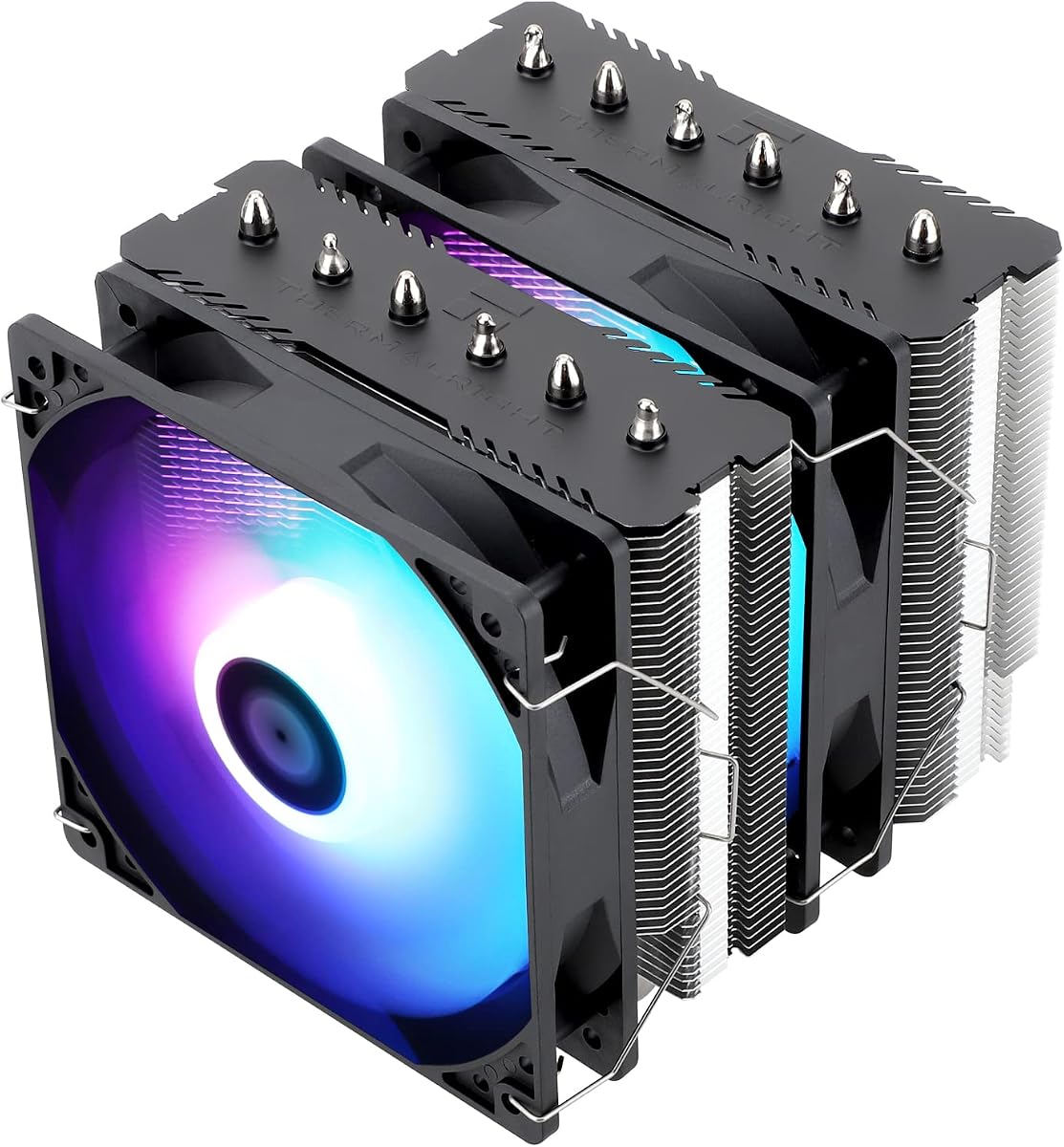
Two TL-C12C 120 mm PWM fans sit in a push configuration that prioritizes airflow through dense fins. Manufacturer ratings cite about 1550 RPM, up to roughly 66 CFM, and noise at or below 25.6 dB(A) under their test conditions. In a real gaming PC, what you hear depends on case panels, GPU fans, and your curve—but the Peerless Assassin’s reputation is that it can stay composed at moderate PWM duties while still having headroom when a CPU-heavy game or compile spikes package power.
AGHP heat-pipe tuning helps the cooler behave more consistently whether the tower is oriented for a typical vertical motherboard layout or other orientations that can challenge ordinary heat pipes. That is useful for gamers who move systems between desks, deskside stands, or LAN setups where the case is not always sitting in the same orientation relative to gravity. The electroplated reflow construction and copper contact surface aim for reliable heat transfer once paste spread and mount pressure are correct.
Socket support covers the platforms gamers actually buy: AMD AM4 and AM5, plus Intel 115x, 1200, 1700, and 1851 families with the appropriate metal fasteners. Read the AMD note carefully—installation uses the motherboard’s stock backplate rather than a Thermalright-supplied AMD plate. That is normal for many air coolers, but it means you should not discard the board’s backplate during a previous cooler swap if you plan to move to the Peerless Assassin later.
Compared with the Assassin X120 Refined SE in this pack, the Peerless Assassin is the clear pick for higher-wattage gaming CPUs and for anyone who streams, records, or runs Discord overlays plus browser tabs while playing. Compared with the ARGB and Vision MAX siblings, the plain SE trades lighting and screens for a simpler, often quieter visual and electrical footprint. Compared with 360 mm AIOs, it avoids pump noise, tubing routing, and long-term liquid anxiety while still delivering competitive gaming thermals in a well-ventilated case.
Memory clearance is better than many older dual towers, but you should still measure tall RGB DIMMs and any chunky VRM or M.2 heatsinks near the socket. The dual fans leave intentional room for memory chips, yet extreme RGB fortresses can still force you to move the front fan higher or temporarily remove a fan during RAM installs. Plan cable routing so PWM leads do not rub the heatsink or block the GPU’s top edge.
Buy the Peerless Assassin 120 SE if you want the best default gaming cooler in this pack for most AM5 and LGA 1700/1851 builds. Skip it only if your case cannot take 155 mm of height, you need an LCD showpiece, or you specifically want be quiet!’s acoustic tuning and mode switch on the Dark Rock Pro 5.
Ideal gaming builds for the Peerless Assassin 120 SE
1440p and 1080p gaming PCs with Ryzen 5/7 or Intel mid-to-high chips, creators who occasionally encode, and anyone replacing a failing stock cooler in a standard mid-tower will see the biggest jump. It is also a strong recommendation for LAN-ready PCs that need reliability without AIO tubing snags during travel.
Noise and fan-curve advice for competitive play
Start with a PWM curve that holds low RPM until your CPU package temperature approaches the point where boost behavior changes, then ramp smoothly. Many gamers prefer a slightly warmer but quieter curve during ranked sessions, then a more aggressive profile for offline benchmarks or long renders. Avoid 100 percent fan speed unless you are stress-testing.
Air cooler vs 360 mm AIO for the same CPU
If your case has excellent front or top 360 mm radiator support and you want lower CPU temps under extreme sustained loads plus cleaner tower aesthetics, consider the CORSAIR Nautilus or Titan. If you want fewer failure points and easier long-term ownership, the Peerless Assassin remains the smarter everyday gaming choice.