Best CPU Coolers for 7800X3D in 2026
We may earn a commission from links on this page, at no extra cost to you. Learn more.
The Ryzen 7 7800X3D is the gaming darling of the AM5 platform, but its 3D V-Cache changes how you cool it. The stacked cache sits between the cores and the heatspreader, so heat has a longer path to escape and the chip is sensitive to temperature, which is exactly why a good cooler matters. The good news is that the 7800X3D draws modest power for its gaming punch, so you do not need a monster, just a cooler with a solid AM5 mount, a flat copper base and quiet fans. This guide ranks seven of the best CPU coolers for the 7800X3D in 2026, from a bundled Wraith to display-topped towers.
Top 7 Best CPU Coolers for 7800X3D
Our top 7 picks, reviewed
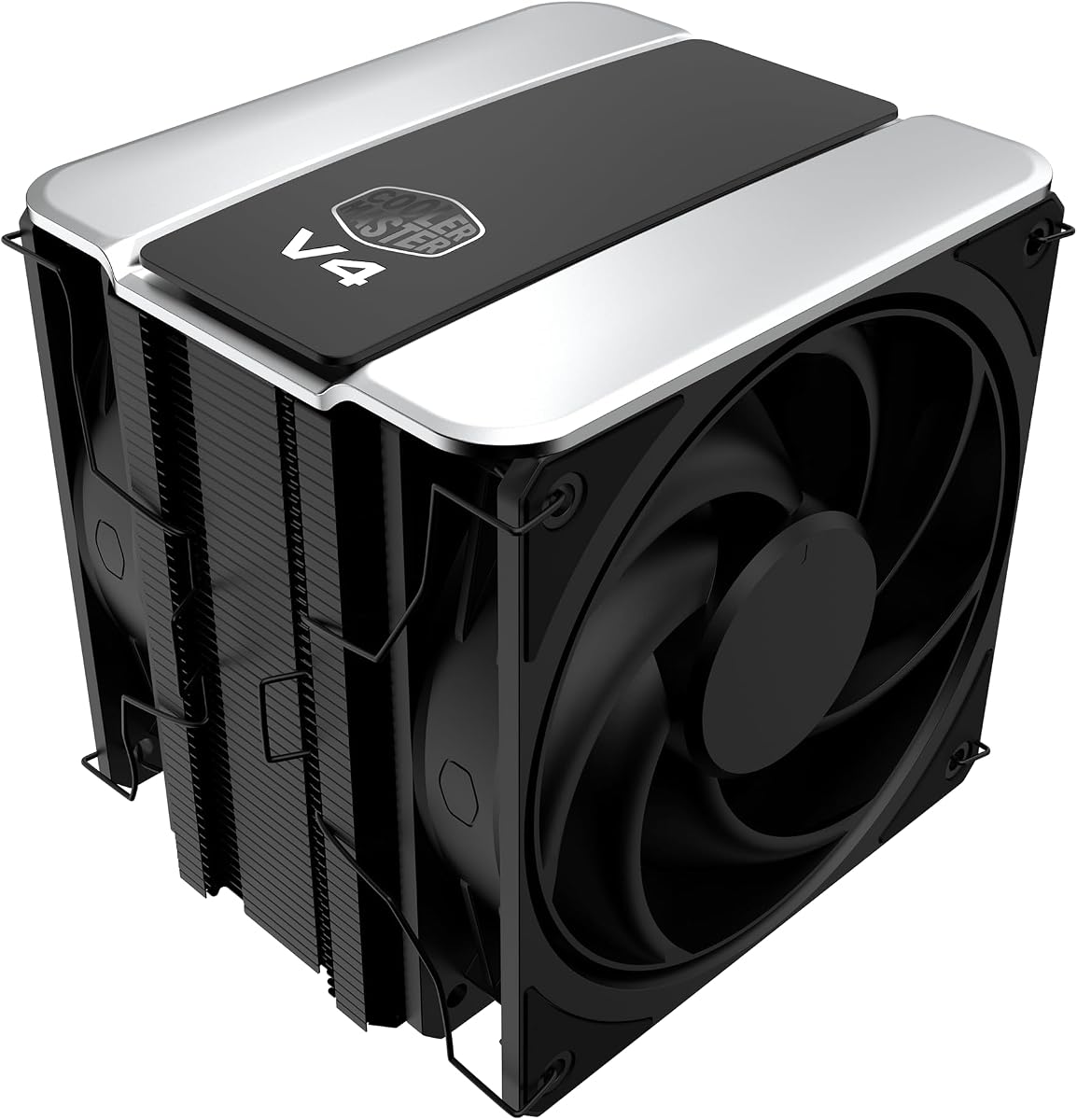
Cooler Master V4 Alpha 3DHP
The Cooler Master V4 Alpha 3DHP is the best all-round match for the 7800X3D. Its patented 3D heat pipes move heat efficiently off the cache-topped die, keeping temperatures low and letting the chip hold its boost longer, while twin Mobius fans stay quiet during long gaming sessions. The AM5 mount is easy and CryoFuze paste is included. It has more capacity than the 7800X3D strictly needs, which simply means effortless, silent cooling.
- Type
- Dual-tower air
- Heat Pipes
- 3DHP patented
- Fans
- Dual Mobius 120mm PWM
- Sockets
- AM5/AM4, LGA 1851/1700
What we liked
- Patented 3DHP pipes cool the cache-heavy die well
- More than enough headroom for the 7800X3D
- Twin Mobius fans stay quiet during gaming
- CryoFuze paste and easy AM5 mounting
Worth noting
- Overkill wattage for a modest-power chip
- Dual-tower size needs case clearance
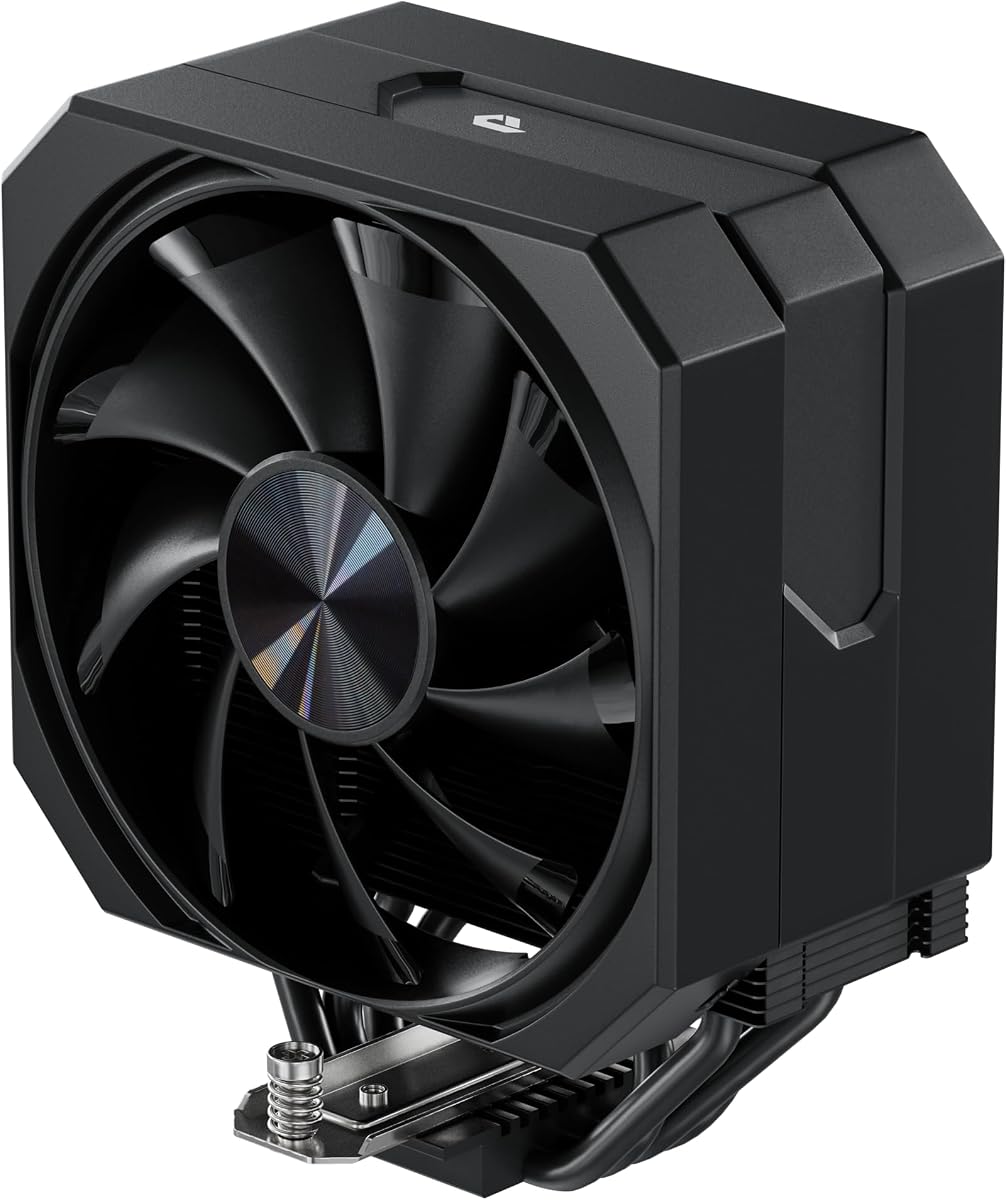
PCCOOLER RT720 Dual-Tower Air Cooler
The PCCOOLER RT720 is a superb quiet pick for the 7800X3D. Seven gravity-optimised heat pipes and a copper reflow base pull heat off the cache-topped die with ease, its wavy fin stack and hydraulic fan push 73.32 CFM without getting loud, and the anti-deformation bracket adds welcome peace of mind on AM5. For a chip that thrives on staying cool and quiet, this dual tower is a value standout.
- Type
- Dual-tower air
- Heat Pipes
- 7x 6mm
- Fan
- 120mm hydraulic PWM
- Sockets
- AM5, LGA 1851/1700
What we liked
- Seven heat pipes for strong, quiet cooling
- Anti-deformation bracket protects the AM5 socket
- Copper reflow base grips the heatspreader well
- High 73.32 CFM airflow at low noise
Worth noting
- Dual-tower size needs a clearance check
- Single fan out of the box
Thermalright Peerless Assassin 120 Vision MAX ARGB White
The Vision MAX suits 7800X3D owners who like to watch their thermals. Its 5-inch IPS screen shows live temperature, which is handy for a cache-sensitive chip, while six copper pipes and a nickel-plated base keep it cool and let it hold boost. The white finish shines in a showcase build. You will need a spare USB header and the TRCC software, and the 164mm height wants a full-size case, but it is a striking, capable cooler.
- Type
- Dual-tower air
- Display
- 5in 480x854 IPS
- Fans
- Dual 120mm 2150RPM
- Sockets
- AM4/AM5, LGA 1851/1700
What we liked
- 5-inch IPS screen shows live 7800X3D temps
- Strong six-pipe dual-tower cooling
- Nickel-plated copper base grips the die
- Clean white finish for showcase builds
Worth noting
- Needs a 9-pin USB header and software
- 164mm height demands a roomy case
PCCOOLER CPS RT500 Digital Tower Cooler
The PCCOOLER RT500 brings a temperature display to the 7800X3D at a friendly price. Its integrated screen reports live CPU temperatures, useful for keeping an eye on the cache-topped die, and its dense heat-pipe stack keeps the chip comfortably cool during gaming. You can pick the ARGB or clean non-RGB version to suit your build. As a single tower it trails the dual-tower coolers slightly, but for the money it is a smart, informative choice.
- Type
- Single-tower air
- Heat Pipes
- 4/5/6 digital
- Display
- Real-time temp screen
- Sockets
- AM4/AM5, LGA 115X-1851
What we liked
- Digital screen shows real-time CPU temps
- Multi-pipe design cools the 7800X3D well
- ARGB and non-RGB versions available
- Quiet, durable fan for long sessions
Worth noting
- Single tower trails the dual-tower picks
- Software needed for the display
4x6mm Heat Pipe 120mm Air Cooler
This unbranded single tower is the budget way to cool a 7800X3D properly. Four 6mm heat pipes and a 120mm 1650RPM fan easily handle the chip's modest power draw, its non-disassembly mount lets you fit it without pulling RAM, and it clears tall memory modules. The no-name origin means buying with return protection in mind, but because the 7800X3D is not power-hungry, this cheap cooler keeps it cool and quiet without drama.
- Type
- Single-tower air
- Heat Pipes
- 4x 6mm
- Fan
- 120mm 1650RPM
- Sockets
- AM5/AM4, LGA 1700/1851
What we liked
- Ample cooling for the modest-power 7800X3D
- Non-disassembly install keeps RAM in place
- RAM clearance for tall memory modules
- Very low price for a real tower cooler
Worth noting
- Unbranded, so lean on return protection
- Four pipes cap high-wattage headroom
PCCOOLER CPS RT400 Digital ARGB Cooler
The PCCOOLER RT400 is the cheapest way to add a temperature display to a 7800X3D build. Four direct-contact copper pipes and a 120mm ARGB fan keep the chip within its comfortable range, the digital screen reports live temps at a glance, and its 180W rating leaves plenty of margin for a CPU that draws far less. The owner rating trails the pricier picks, but as a budget informative cooler it does the job.
- Type
- Single-tower air
- Heat Pipes
- 4x 6mm
- Display
- Real-time temp screen
- TDP
- 180W
What we liked
- Digital temperature display at a low price
- Direct-contact copper pipes cool the die
- ARGB fan syncs to motherboard software
- 180W TDP rating covers the 7800X3D
Worth noting
- Single tower with only four pipes
- Lower owner rating than the others here
Wraith Prism RGB CPU Cooler
The Wraith Prism is the compact, stock-style option for a 7800X3D in a small or budget build. Its copper-core direct-contact base and RGB-lit fan give a tidy, familiar look, and it will keep a 7800X3D running in a pinch. It is the least capable cooler here, running warmer and louder than a proper tower under sustained gaming load, so treat it as a stopgap or a small-case choice rather than a long-term cooling solution.
- Type
- Low-profile air
- Base
- Copper core
- Lighting
- RGB LED
- Sockets
- AM4/AM5
What we liked
- Compact stock-style size for small builds
- Direct-contact copper core heat pipes
- RGB lighting for a bit of flair
- Cheapest cooler on the list
Worth noting
- Limited headroom for sustained heavy loads
- Louder and warmer than a proper tower
How We Chose the Best CPU Coolers for the 7800X3D

The Ryzen 7 7800X3D is an unusual chip to cool, and understanding why shaped this whole list. Its headline feature, 3D V-Cache, stacks extra cache on top of the cores, which is fantastic for gaming but adds a physical layer between the hot silicon and the heatspreader. That layer slows heat's escape and makes the chip more temperature-sensitive than a normal Ryzen 7, so it dislikes running hot even though it does not draw a huge amount of power. The upshot is that raw cooler wattage matters less here than a flat, well-finished copper base and steady, quiet airflow that keeps the die comfortably cool.
With that in mind, we did not simply rank the biggest coolers highest. Instead we looked for coolers that make good contact with the AM5 heatspreader, mount securely, and stay quiet during the long gaming sessions the 7800X3D is built for. We weighed AM5 mounting quality, clearance for tall RAM and mid-tower cases, noise under load, and value. Because the chip's modest power means even affordable coolers can keep it happy, we deliberately spanned the range, from a compact stock-style Wraith and a bargain tower up to display-topped dual-tower coolers, so there is a right answer whatever your build and budget.
What Makes the 7800X3D Different to Cool
The 7800X3D's cooling behaviour comes down to that stacked cache. In a normal CPU, heat travels a short, direct path from the cores through the heatspreader to your cooler. On the 7800X3D, the extra cache layer lengthens that path slightly, so for a given amount of heat the die sits a little warmer than a cache-free chip would. AMD accounts for this with a conservative thermal limit, which is why the 7800X3D can appear to reach its ceiling readily even though the actual wattage is low. What the chip rewards is keeping that die as cool as you can, because a cooler die holds its boost clocks longer and delivers more consistent gaming performance.
Crucially, this does not mean you need an enormous cooler. The 7800X3D draws far less power under load than a Ryzen 9 or a K-series Intel i9, so a mid-range air cooler has ample capacity. What it needs is quality contact and steady airflow rather than brute force. A cooler with a flat copper base like the PCCOOLER RT720, or the nickel-plated base on the Thermalright Vision MAX, extracts every degree of headroom, while a compact stock-style unit like the Wraith Prism will run the chip but leave it warmer and noisier. For most 7800X3D owners, a good dual-tower air cooler is the ideal balance of temperature, quiet and cost.
Matching the Cooler to Your Build
For the Best Temperatures
If you want the coolest, quietest 7800X3D, a dual-tower air cooler is the sweet spot. The Cooler Master V4 Alpha 3DHP leads with its patented 3D heat pipes and quiet Mobius fans, and the PCCOOLER RT720 runs it close with seven pipes, a copper reflow base and an anti-deformation bracket that protects the AM5 socket. Either keeps the cache-topped die comfortably cool through the longest gaming sessions.
For Live Thermal Monitoring
Because the 7800X3D is temperature-sensitive, some owners like to watch it. The Thermalright Vision MAX puts a 5-inch IPS screen on top of a strong dual tower, while the PCCOOLER RT500 and budget RT400 add compact digital temperature displays at lower prices. All three let you confirm at a glance that the chip is staying cool.
For a Tight Budget
The 7800X3D's low power means you can cool it well without spending much. The unbranded 4x6mm heat-pipe tower keeps it comfortably cool for pocket change and even installs without removing your RAM, making it the value pick for a gaming build that put its money into the GPU.
For a Small or Simple Build
If you are working in a compact case or want a familiar stock-style look, the Wraith Prism fits the bill with its copper core and RGB lighting. It is the least capable cooler here and best treated as a small-case or stopgap choice, but it keeps a 7800X3D running with a tidy footprint.
Air Coolers Versus AIO Liquid for the 7800X3D
For the 7800X3D specifically, air cooling is not a compromise, it is usually the better choice. The chip's moderate power draw sits well within the capacity of any decent tower, so a dual-tower unit like the PCCOOLER RT720 or Cooler Master V4 Alpha 3DHP keeps it cool and quiet without the cost, complexity or pump-failure risk of a liquid loop. Because the 7800X3D is a gaming chip that spends its life under steady rather than extreme all-core loads, a good air cooler runs it at low, stable temperatures with fans barely spinning up.
An AIO is not wrong for the 7800X3D, but it is more cooler than the chip needs. A 240mm or 360mm liquid unit will hold the die a touch cooler and free up space around the socket for tall memory, which can suit a clean, radiator-focused showcase build. For most people, though, the extra spend buys little real benefit over a quality tower, and it adds a pump that a fanless air cooler simply does not have to worry about. Unless you specifically want the look of liquid or are building a very compact case where a radiator fits better than a tall tower, air is the smarter route for this chip.
Mounting and Clearance Tips for the 7800X3D
Since the 7800X3D lives on AM5, the same mounting good practice applies, with an extra emphasis on even contact because the chip is temperature-sensitive. Fit your cooler with the motherboard laid flat so pressure spreads evenly across the heatspreader, and tighten the fasteners gradually in a cross pattern until they stop, rather than cranking one corner first. This gives the flat copper base full contact with the die, which is exactly what a cache-topped chip needs. Coolers like the PCCOOLER RT720 add an anti-deformation bracket that spreads this force and guards the AM5 socket.
Clearance is worth a quick check before you buy. Note your case's maximum cooler height: the Thermalright Vision MAX stands 164mm tall and wants a full-size case, while single-tower and stock-style coolers fit far more chassis. Tall RGB memory can foul a dual tower, so favour a cooler with RAM clearance, several here including the budget 4x6mm pipe cooler are designed for it, or use the compact Wraith Prism to sidestep the issue. If you opt for a display cooler like the Vision MAX or RT500, make sure you have a spare USB header for the screen.
A Closer Look at the Top Picks
The Cooler Master V4 Alpha 3DHP earns the top spot because its patented 3D heat pipes move heat off the 7800X3D's cache-topped die so effectively, keeping the chip cool enough to hold its boost longer while its Mobius fans stay quiet during marathon gaming sessions. The AM5 mount is easy and paste is included, making it a fit-and-forget match for this gaming CPU.
Right behind it, the PCCOOLER RT720 is the quiet value champion, with seven pipes, a copper reflow base and a socket-protecting bracket. The Thermalright Vision MAX and PCCOOLER RT500 add live temperature displays for owners who like to watch a temperature-sensitive chip, and the budget RT400 does the same for less. The unbranded 4x6mm tower is the bargain that cools the 7800X3D properly on a shoestring, while the compact Wraith Prism covers small or simple builds where a full tower will not fit.
Getting the Best Temperatures From Your 7800X3D
Because the 7800X3D rewards a cooler die, a good setup pays real dividends. Apply a pea-sized dot of thermal paste and let the mounting pressure spread it evenly across the heatspreader for full contact. Give your case clear airflow, since even a strong tower runs warmer in a chassis starved of intake, and set a sensible fan curve in the BIOS so the cooler ramps smoothly during gaming rather than surging. With a quality cooler from this list mounted flat, the 7800X3D will sit at low, stable temperatures and hold its clocks through long sessions.
You can also tune the chip to run even cooler. The 7800X3D responds very well to Curve Optimizer undervolting in the BIOS, which lowers voltage and temperature while often nudging performance up slightly, a rare win-win that suits this cache-sensitive chip perfectly. Enabling PBO with a negative curve, paired with the right cooler, can shave several degrees off gaming temperatures with no downside. Combine that with good case airflow and a flat, well-mounted cooler, and your 7800X3D will run cool, quiet and consistently, exactly as this gaming favourite is meant to.
Final Recommendation
For most 7800X3D builds in 2026, the Cooler Master V4 Alpha 3DHP is the best cooler you can fit, moving heat off the cache-topped die efficiently while staying quiet through long gaming sessions. If value matters most, the PCCOOLER RT720 delivers strong, quiet cooling and a socket-protecting bracket for less, and the unbranded 4x6mm tower cools the chip properly on the tightest budget. Choose the Thermalright Vision MAX or PCCOOLER RT500 if you want a live temperature display for this heat-sensitive chip, and the compact Wraith Prism only for a small case or a stopgap. Because the 7800X3D draws modest power but dislikes heat, focus on good contact and quiet airflow, and this gaming chip stays cool and consistent.
How we picked
We judged each cooler for the Ryzen 7 7800X3D on its ability to hold that cache-sensitive chip at a comfortable temperature, the security of its AM5 mounting hardware, clearance for tall RAM and mid-tower cases, noise during long gaming sessions, and value at its price. Because the 7800X3D runs at moderate power but dislikes heat, we favoured coolers with flat copper bases and quiet fans over raw wattage ratings, mixing budget, mid-range and premium designs.
Frequently asked questions
Why does the 7800X3D need careful cooling if it uses little power?
The Ryzen 7 7800X3D draws modest power, but its 3D V-Cache sits between the cores and the heatspreader, adding a layer that slows heat's escape and makes the chip temperature-sensitive. So while you do not need a high-wattage cooler, you do want one with a flat copper base and steady airflow, like the Cooler Master V4 Alpha 3DHP or PCCOOLER RT720, to keep it cool and holding boost.
Do I need an AIO for the 7800X3D?
No. The 7800X3D's moderate power means a good air cooler handles it easily and often more quietly than an AIO. A dual-tower like the PCCOOLER RT720 or Cooler Master V4 Alpha 3DHP keeps it cool with no pump to fail. An AIO works fine too, but it is more cooler than this gaming chip needs, so air is the smarter, cheaper default.
Can the Wraith Prism cool a 7800X3D?
It can keep a 7800X3D running, but not ideally. The Wraith Prism is a compact stock-style cooler that runs warmer and louder under sustained gaming load than a proper tower. It is fine for a small case or as a temporary solution, but for the best temperatures and quiet operation, step up to a tower like the PCCOOLER RT720 or the budget 4x6mm pipe cooler.
Does a display cooler help with the 7800X3D?
It can be genuinely useful. Because the 7800X3D is temperature-sensitive, watching its thermals matters, and coolers like the Thermalright Vision MAX and PCCOOLER RT500 put a live temperature readout right on the cooler. It is not essential, and software monitoring does the same job, but a built-in screen makes it easy to confirm the chip is staying comfortably cool.
Will a big 7800X3D cooler block my RAM?
It can with tall memory. Dual-tower coolers like the PCCOOLER RT720 sit near the first RAM slot, though most leave room for standard modules. Several picks here, including the budget 4x6mm pipe cooler, are designed with RAM clearance in mind, and the compact Wraith Prism avoids the issue entirely, so check module height against the cooler before buying.