Best Budget Mouse in 2026
We may earn a commission from links on this page, at no extra cost to you. Learn more.
You do not need to spend much to get a mouse that tracks cleanly, feels comfortable and lasts for years. The budget end of the market has quietly become excellent, and a mouse costing less than a takeaway lunch can serve you daily without complaint. The trick is knowing where a low price is genuinely fine and where a few extra dollars buy real benefit. This guide ranks nine of the best budget mice you can buy in 2026, spanning simple wired models, reliable wireless workhorses and even affordable gaming options, so there is a smart pick whether you want the absolute cheapest reliable clicker or the most mouse for the least money.
Top 9 Best Budget Mouse
Our top 9 picks, reviewed
Amazon Basics 3-Button USB Wired Mouse
The Amazon Basics wired mouse is the safest budget buy: it is cheap, it just works, and there is nothing to charge or configure. Plug the USB-A cable in and 1000 DPI optical tracking handles clicking, scrolling and text selection cleanly on Windows or Mac. Three buttons cover the essentials without fuss. For a reliable everyday clicker at the lowest sensible price, it is hard to beat.
- Connection
- USB-A wired
- Buttons
- 3
- DPI
- 1000
- Feature
- Plug and play
What we liked
- Extremely low price
- Responsive 1000 DPI tracking
- No batteries or charging
- Works instantly on Windows and Mac
Worth noting
- Corded, less desk freedom
- Very basic feature set
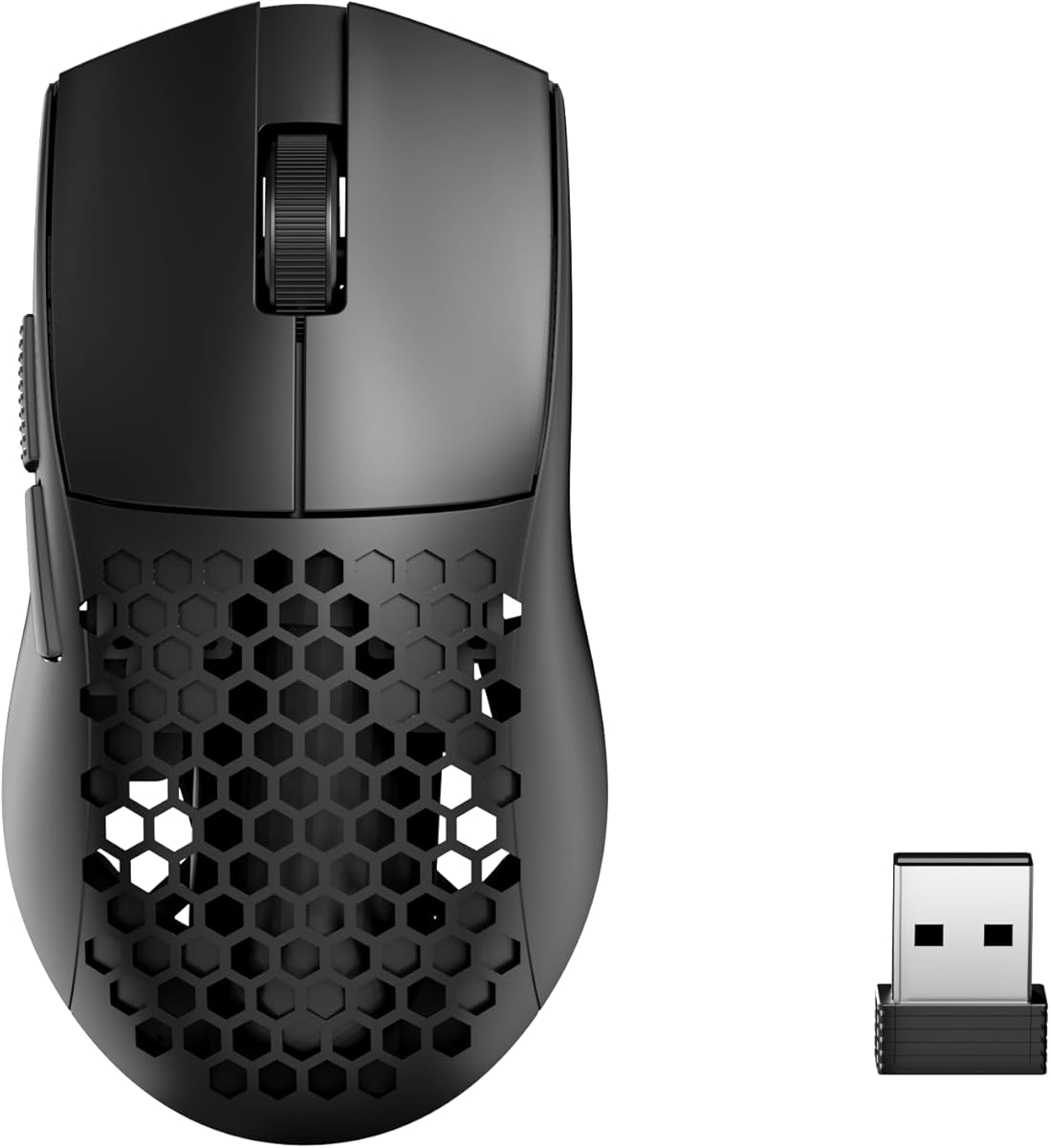
ATTACK SHARK X3 Wireless Gaming Mouse (White)
The ATTACK SHARK X3 is astonishing value, packing a flagship PixArt PAW3395 sensor and a 49g ultralight shell into a genuinely affordable package. Bluetooth, 2.4G and wired modes cover every use, a 200-hour battery keeps it going for weeks, and programmable buttons add flexibility. It is the top of this list's budget range, but for a near-premium wireless gaming mouse at a fraction of flagship prices, it is remarkable.
- Weight
- 49g
- Sensor
- PAW3395 26K DPI
- Modes
- BT/2.4G/Wired
- Battery
- 200h
What we liked
- Ultra-light 49g body
- Flagship 26K PAW3395 sensor
- Triple connection modes
- 200-hour battery life
Worth noting
- Priciest pick here
- Gaming focus may exceed casual needs
Razer Basilisk V3 Gaming Mouse
The Razer Basilisk V3 brings serious gaming credentials to a budget-friendly price, with 11 programmable buttons, a 26K optical sensor and a HyperScroll tilt wheel that free-spins through documents or clicks precisely for weapon swaps. The iconic ergonomic shape with a thumb rest is loved by millions, and Chroma RGB adds flair. For gamers and productivity users who want lots of buttons cheaply, it delivers far more than its price suggests.
- Sensor
- 26K DPI optical
- Buttons
- 11 programmable
- Wheel
- HyperScroll Tilt
- Lighting
- Chroma RGB
What we liked
- 11 programmable buttons
- Fast HyperScroll tilt wheel
- Iconic comfortable ergonomic shape
- 26K optical sensor
Worth noting
- Wired only
- RGB software adds overhead
BENGOO Wired Gaming Mouse (Black)
The BENGOO wired mouse crams gaming-style features into an ultra-cheap package, with RGB backlighting, six programmable buttons and four DPI stages up to 3600. Plug it in and it works with no drivers, switching sensitivity on the fly for browsing or gaming. The build is plainly budget-grade plastic, but for a first gaming mouse or a spare that looks the part, it costs next to nothing and delivers the basics.
- Connection
- USB wired
- DPI
- 1200-3600
- Buttons
- 6 programmable
- Lighting
- RGB backlit
What we liked
- Rock-bottom price
- Four-stage DPI up to 3600
- RGB backlighting included
- Six programmable buttons
Worth noting
- Plastic build feels basic
- Wired only
TECKNET Rechargeable Wireless Mouse (Grey)
For cheap wireless flexibility, the TECKNET grey mouse pairs Bluetooth 5.0/3.0 with a 2.4G dongle so you can switch between two devices in an instant. Clicks stay quiet, six DPI levels reach up to 4800, and a quick recharge lasts around three months of daily use. The compact shell suits small and medium hands best. It is a lot of modern convenience for a modest outlay.
- Connection
- BT5.0/3.0 & 2.4G
- DPI
- up to 4800
- Buttons
- 6
- Battery
- Rechargeable
What we liked
- Bluetooth and 2.4G dual-mode
- Silent, quiet operation
- Six DPI levels up to 4800
- Rechargeable, ~3-month life
Worth noting
- Best for small-to-medium hands
- Side buttons not macOS compatible
Logitech G203 Wired Gaming Mouse (Black)
The Logitech G203 is a proven budget gaming mouse from a trusted brand, offering an 8000 DPI sensor with no smoothing for precise control. Six programmable buttons, LIGHTSYNC RGB and on-board memory let you tune and carry your setup, while metal-spring primary buttons give crisp, reliable clicks. Its compact shape favours smaller hands, but for accurate, dependable performance at a low price, it remains a classic pick.
- Connection
- Wired
- DPI
- 8000
- Buttons
- 6 programmable
- Lighting
- LIGHTSYNC RGB
What we liked
- Accurate 8000 DPI sensor
- Six programmable buttons
- Durable metal-spring clicks
- On-board memory for settings
Worth noting
- Wired only
- Compact size suits smaller grips
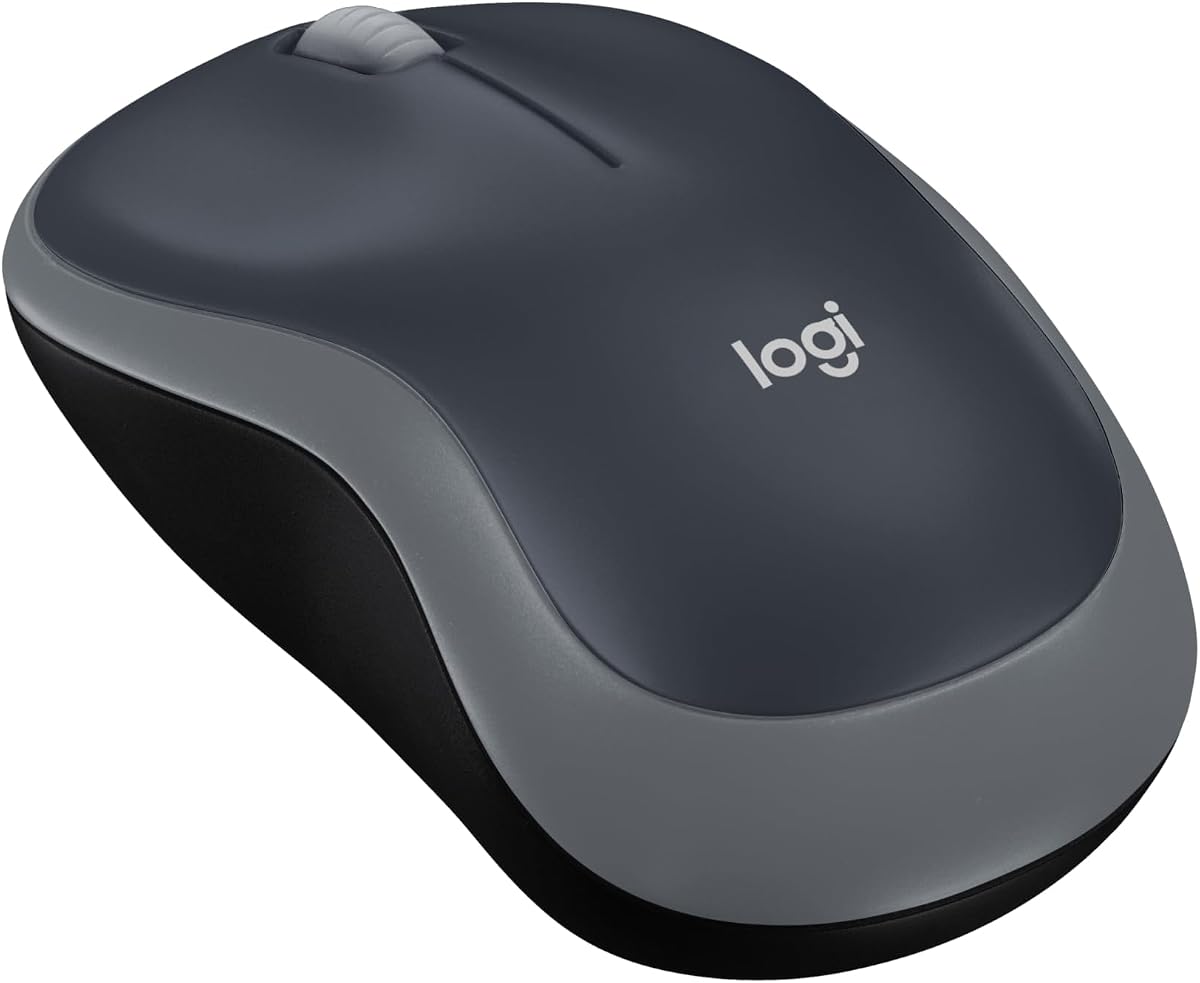
Logitech M185 Wireless Mouse (Swift Grey)
The Logitech M185 is the dependable wireless workhorse, a mouse millions trust for simple, no-drama everyday use. Its ambidextrous contoured shape suits either hand, the 2.4G nano receiver just works, and a 12-month battery keeps replacements rare. There is no DPI switch or Bluetooth, but as a reliable, comfortable upgrade over a laptop touchpad at a fair price, it is a proven, sensible budget choice.
- Connection
- 2.4G USB
- DPI
- 1000
- Battery
- 12 months
- Design
- Ambidextrous
What we liked
- Trusted Logitech reliability
- 12-month battery, AA included
- Ambidextrous contoured shape
- Plug-and-play nano receiver
Worth noting
- Basic 1000 DPI, no adjustment
- No Bluetooth option
Razer DeathAdder Essential Gaming Mouse
The Razer DeathAdder Essential brings the comfort of a beloved ergonomic shape to a budget price, pairing a 6400 DPI optical sensor with mechanical switches rated for 10 million clicks. Five programmable buttons and rubber side grips make it as useful for daily productivity as for gaming, and a two-year warranty adds reassurance. It is a comfortable, durable everyday mouse that happens to game well too.
- Sensor
- 6400 DPI optical
- Buttons
- 5 programmable
- Switches
- Mechanical 10M
- Grips
- Rubber side
What we liked
- Comfortable classic ergonomic shape
- Durable 10-million-click switches
- 5 programmable buttons
- Two-year warranty
Worth noting
- Wired only
- No RGB or wireless
M21 Wireless Mouse with USB-C Adapter
The M21 is a clever budget pick that bundles both a USB-A nano receiver and a USB-C adapter, so it connects to modern laptops, tablets and OTG phones alike. Quiet clicks cut noise by up to 90 percent, three DPI stages cover everyday work, and the compact shell slips into a bag. The right-hand-only shape suits small and medium hands, and a two-year warranty sweetens the low price.
- Connection
- 2.4G + USB-C adapter
- DPI
- 800/1200/1600
- Buttons
- 6
- Feature
- Quiet clicks
What we liked
- Cheap with USB-C adapter included
- Quiet 90%-reduced clicks
- Compact, travel-friendly
- Two-year extended warranty
Worth noting
- Right-hand shape only
- Suits small-to-medium hands
How We Chose the Best Budget Mice

Shopping for a cheap mouse is easy to get wrong, because the market is flooded with listings that look identical and vary wildly in quality. Our job was to separate the bargains that genuinely deliver from the ones that feel flimsy after a month. We started with the fundamentals that a mouse cannot fake: does it track cleanly, do the clicks feel crisp rather than mushy, and does the shell feel solid in the hand. Every pick here, from the humble Amazon Basics wired mouse to the feature-packed Razer Basilisk V3, clears that bar.
From there we weighed value in the round. Tracking reliability and click quality came first, since a mouse that skips or misclicks is useless at any price. We then looked at comfort over long sessions, because a cheap mouse you use for hours still needs a shape that does not tire your hand. Battery life and connection type mattered next, along with the reassurance of a warranty or a known brand like Logitech, Razer or Amazon. Finally, we kept the list deliberately varied, spanning simple wired clickers, reliable wireless models and affordable gaming mice, so there is a smart pick whatever you plan to do with it.
What a Budget Mouse Gets You Today
The honest picture at the budget end is more encouraging than it used to be. A few dollars now buys a mouse with clean 1000 DPI optical tracking, three or more buttons and a comfortable shape, as the Amazon Basics wired mouse proves. Spend a little more and you unlock wireless freedom, adjustable DPI, extra programmable buttons and even gaming-grade sensors. The ceiling has risen so far that the ATTACK SHARK X3 offers a flagship PAW3395 sensor and a 49-gram ultralight body while still qualifying as budget.
What you are really choosing between is where the money goes. The cheapest mice put every cent into reliable basics and skip wireless, RGB and adjustability. Mid-priced picks like the Logitech M185 add a wireless receiver and a trusted name. At the top of the budget range, gaming mice like the Logitech G203 and Razer Basilisk V3 spend on sensors, switches and programmable buttons. Understanding that trade-off is the key to buying well: decide whether you want the absolute cheapest reliable clicker, tidy wireless convenience or gaming features, and pick the mouse that spends its budget where it matters to you.
Wired Versus Wireless on a Budget
The wired-versus-wireless question is sharper at the budget end, because every dollar counts. Wired mice give you the most reliability per dollar, since there is no battery, receiver or Bluetooth chip to pay for. The Amazon Basics wired mouse and the wired gaming trio, the BENGOO, Logitech G203 and Razer options, all plug in and simply work, with no charging, no latency worries and no connection drops. For a desktop that never moves, wired is often the smartest budget choice, and it is why our top overall pick is a cabled mouse.
Wireless costs a little more but buys a tidier desk and portability. The Logitech M185 runs a full year on its included AA battery and connects through a tiny nano receiver, while the M21 cleverly bundles both a USB-A dongle and a USB-C adapter for modern laptops and phones. The dual-mode TECKNET grey mouse even adds Bluetooth so you can switch between two devices. The trade-offs are the small ongoing cost of batteries or charging and the receiver to keep track of. If a cable annoys you or you travel with a laptop, the modest premium for wireless is easy to justify; if you never move your mouse, wired keeps more money in your pocket.
Budget Gaming Mice That Punch Above Their Price
Gaming used to demand a premium, but the budget category now includes mice that genuinely compete. The star is the ATTACK SHARK X3, which pairs a flagship PixArt PAW3395 26K sensor with a 49-gram ultralight shell, triple connectivity and a 200-hour battery, specs that would have cost three times as much a few years ago. For fast-paced play on a tight budget, it is remarkable value.
The Razer Basilisk V3 takes a different angle, offering 11 programmable buttons, a HyperScroll tilt wheel and Chroma RGB in a supremely comfortable ergonomic body, making it as handy for spreadsheets as for shooters. The Logitech G203 keeps things focused with a precise 8000 DPI sensor, durable metal-spring clicks and on-board memory, a proven pick for smaller hands. Even the rock-bottom BENGOO throws in RGB, six buttons and four DPI stages for pocket change, ideal as a first gaming mouse. The lesson is clear: you no longer need to overspend to get real gaming performance, though the pricier picks add polish, better switches and software the cheapest cannot match.
Comfort and Ergonomics on a Budget
A cheap mouse still lives under your hand all day, so shape matters as much as price. Ergonomic, right-handed designs like the Razer DeathAdder Essential and Basilisk V3 sculpt the shell to support the palm and place a thumb rest naturally, which reduces fatigue over long sessions. If you are left-handed or share a mouse, an ambidextrous shape is safer, and the Logitech M185 guides either hand into a comfortable position.
Size is the detail people most often overlook. Compact mice such as the TECKNET grey model and the M21 are excellent for travel and smaller hands, but larger palms can find them cramped after hours, so match the footprint to your grip. Weight plays a role too: the 49-gram ATTACK SHARK X3 flicks effortlessly for gaming, while heavier office mice feel more planted for precise cursor work. Little touches like rubber side grips, a smooth scroll wheel and a textured surface, all present on the better picks here, separate a mouse you merely tolerate from one you forget you are holding, and none of them require spending more.
A Closer Look at the Top Picks
The Amazon Basics wired mouse takes the top spot precisely because it does the simple things right for almost no money. Clean 1000 DPI tracking, three reliable buttons and instant plug-and-play use on Windows or Mac make it the mouse we would hand to anyone who just needs a dependable clicker without spending or thinking much. There is nothing to charge, configure or troubleshoot.
Behind it, the ATTACK SHARK X3 is the value standout, delivering near-premium wireless gaming performance for a budget price, while the Razer Basilisk V3 piles on buttons and features for productivity and play alike. The BENGOO is the ultra-cheap gaming novelty, the TECKNET grey mouse the flexible wireless pick, and the Logitech G203 the precision option for smaller hands. For dependable wireless, the Logitech M185 is a proven workhorse, the Razer DeathAdder Essential a comfortable everyday all-rounder, and the M21 a clever compact traveller with a USB-C adapter in the box.
Tips for Getting the Most From a Budget Mouse
A little care makes a cheap mouse last far longer than its price suggests. Keep the optical sensor window clean, since dust and lint are the most common cause of skipping or erratic tracking on inexpensive mice, and a quick wipe often fixes what looks like a hardware fault. If your mouse struggles on a shiny or glass desk, a cheap mouse pad or even a sheet of paper gives the sensor the texture it needs, and it costs almost nothing.
Get the software free extras too. Gaming picks like the Logitech G203 and Razer Basilisk V3 come with configuration apps that let you remap buttons, save DPI profiles and store them on-board, turning a budget mouse into a genuinely tailored tool at no extra cost. For wireless models, switch the mouse off when travelling to stretch battery life, and keep a spare AA in a drawer for the Logitech M185 so a flat battery never stops your day. Finally, buy from listings with clear return protection, especially for the no-name picks; it is your safety net if a cheap unit arrives faulty.
Final Recommendation
For most buyers, the Amazon Basics wired mouse is the best budget pick in 2026, delivering reliable everyday tracking for almost nothing with no batteries to worry about. If you want wireless freedom on a budget, the Logitech M185 is the dependable choice, and the TECKNET grey mouse adds Bluetooth flexibility. Gamers should look at the outstanding-value ATTACK SHARK X3, the feature-rich Razer Basilisk V3 or the precise Logitech G203, while comfort seekers will appreciate the Razer DeathAdder Essential. Whatever you choose, the budget mouse category has never been stronger, and matching a cheap mouse's strengths to how you actually work stretches a small spend a very long way.
How we picked
We judged each budget mouse on tracking reliability, click and build quality, comfort over long use, battery life or cabled convenience, and the value it delivers for the price. Because bargains can hide nasty compromises, we prioritised mice that feel solid rather than flimsy, and we mixed wired, wireless and gaming designs so the list reflects the different ways to spend little and still get a genuinely good mouse.
Frequently asked questions
How cheap can a good mouse be?
Very cheap. The Amazon Basics wired mouse and BENGOO wired gaming mouse both cost only a few dollars and track reliably for everyday use. Below that, quality can get inconsistent, but in the sub-ten-dollar range you can still find dependable clickers. Spending a little more mainly buys wireless freedom, better ergonomics or a warranty rather than dramatically better tracking.
Is a wired or wireless mouse better value on a budget?
Wired mice like the Amazon Basics offer the most reliability per dollar, since there is no battery or receiver to pay for. Wireless picks such as the Logitech M185 and TECKNET grey mouse cost a little more but free your desk from a cable. If you value tidy desks or travel often, the small premium for wireless is usually worth it.
Can a budget mouse handle gaming?
Absolutely. The Logitech G203, Razer DeathAdder Essential and ATTACK SHARK X3 all deliver accurate sensors and durable switches at budget prices. The X3 even uses a flagship PAW3395 sensor. You give up some premium materials and software polish compared with high-end mice, but the core gaming performance at this price is genuinely competitive.
How much DPI do I actually need?
For everyday browsing and office work, 1000 to 1600 DPI, as on the Amazon Basics and Logitech M185, is plenty. Higher figures like the G203's 8000 or the X3's 26,000 matter mostly for gaming or high-resolution monitors. A DPI switch, found on the TECKNET and BENGOO mice, lets you change on the fly, which is more useful than a big headline number.
Do budget mice last, or wear out quickly?
Quality budget mice last for years. Switch durability is the key spec: the Razer DeathAdder Essential is rated for 10 million clicks and the ATTACK SHARK X3 for 80 million. Trusted brands like Logitech and Amazon Basics also back their mice with warranties. Avoid the flimsiest no-name listings, and a cheap mouse can easily outlast the computer it is plugged into.