Best Budget Gaming Monitors in 2026
We may earn a commission from links on this page, at no extra cost to you. Learn more.
Gaming monitors have never been better value. In 2026 a budget gaming monitor can deliver sharp QHD resolution, a fast 144Hz-plus refresh rate, low input lag and adaptive sync — the things that actually make games feel smooth and responsive — for a fraction of what flagships cost. The trick is choosing a model that spends its budget on speed and sharpness rather than gimmicks. After researching and comparing the top affordable options, these are the eight best budget gaming monitors you can buy right now.
Quick comparison
| Keyboard | Best for | Rating | Price | |
|---|---|---|---|---|
| 1ASUS TUF Gaming VG27AQ3A (27" QHD)ASUS | Best Overall | 4.5 | $$$ | Check Price |
| 2Gigabyte M27Q2 (27" QHD)Gigabyte | Best Value QHD | 4.5 | $$$ | Check Price |
| 3AOC 27 QHD 240HzAOC | Best High-Refresh QHD | 4.4 | $$$ | Check Price |
| 4KOORUI 27 QHD 144HzKOORUI | Best Ultra-Budget QHD | 4.4 | $$$ | Check Price |
| 5ASUS TUF Gaming VG27AQM5A (27" QHD)ASUS | Best for Esports | 4.5 | $$$ | Check Price |
| 6AOC 27 Curved FHD 280HzAOC | Best 1080p High-Refresh | 4.3 | $$$ | Check Price |
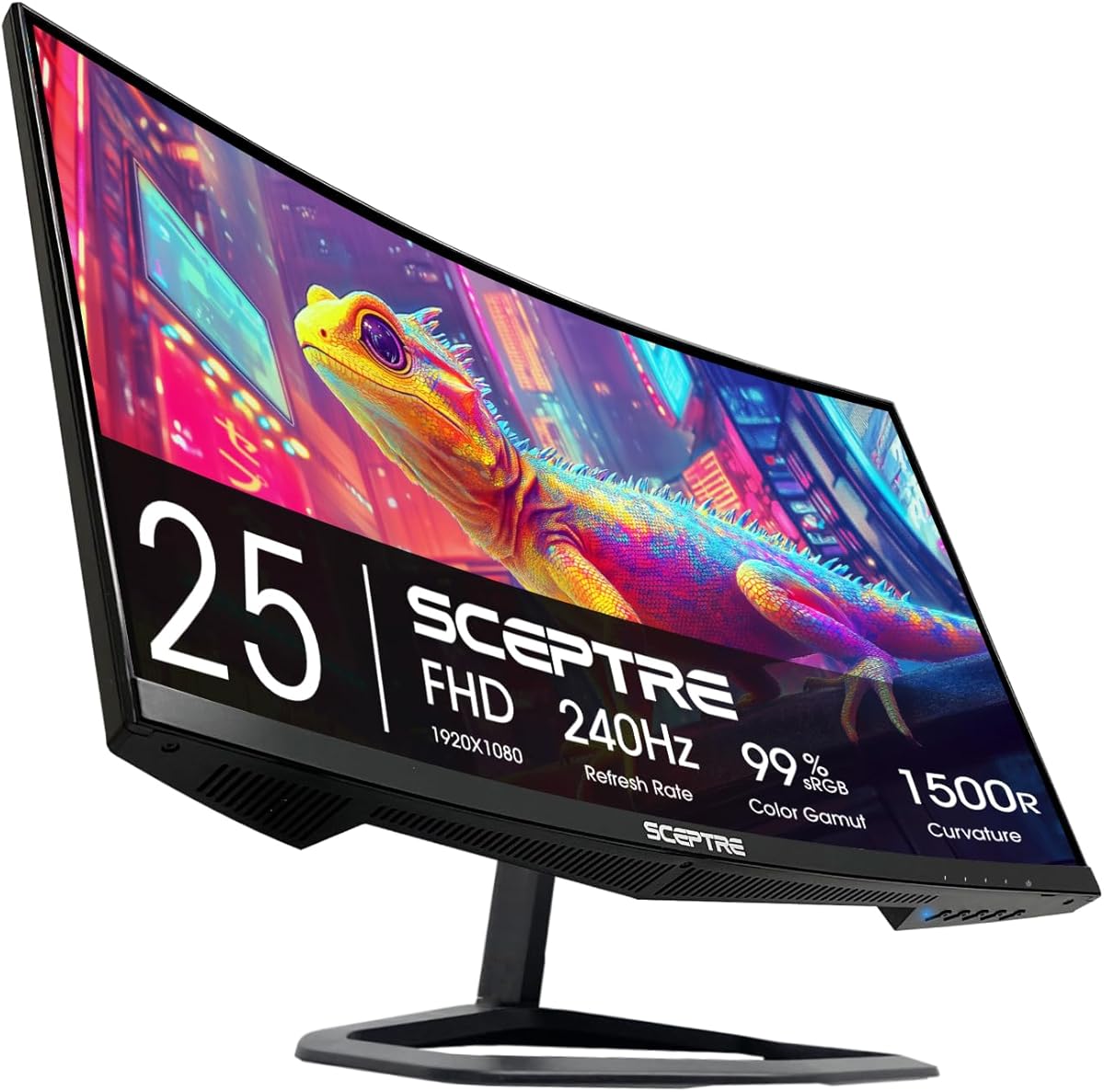
| 7Sceptre 27 Curved FHD 240HzSceptre | Best Cheapest | 4.3 | $$$ | Check Price |
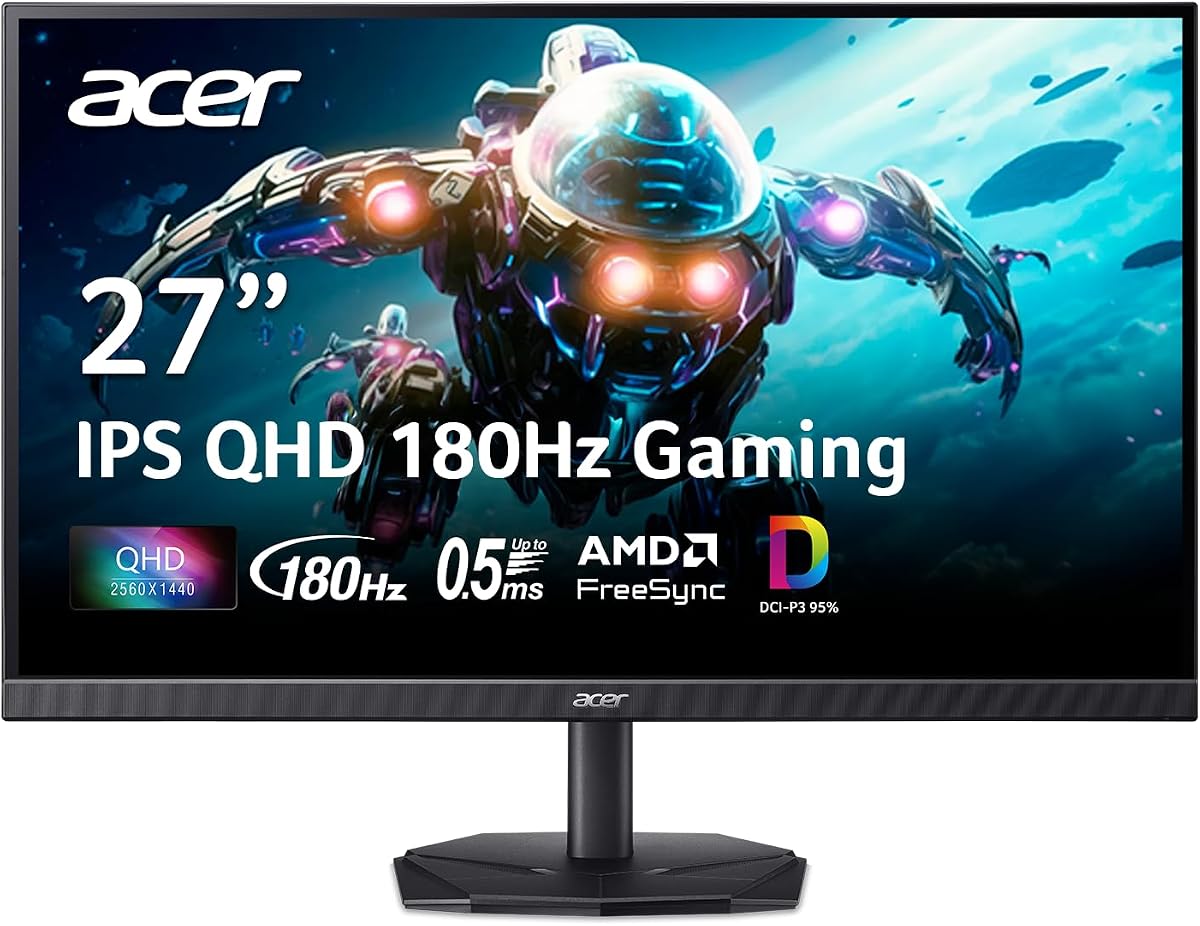
| 8Acer Nitro QHD (27")Acer | Best Budget IPS | 4.4 | $$$ | Check Price |
Our top 8 picks, reviewed
ASUS TUF Gaming VG27AQ3A (27" QHD)
The ASUS TUF Gaming VG27AQ3A is the best budget gaming monitor overall, hitting the value sweet spot from a trusted gaming brand. Its 27-inch fast IPS panel pairs sharp QHD resolution with a smooth 180Hz refresh and G-Sync compatibility, delivering crisp, responsive, tear-free gaming that punches well above its price — and it's equally sharp for everyday work. ASUS's reliability and tuning put it a clear step above no-name budget panels. The HDR is basic and it sits just above the cheapest options, but for a dependable, genuinely fast and sharp QHD gaming monitor that won't break the bank, it's the standout.
- Panel
- 27" Fast IPS
- Resolution
- QHD 1440p
- Refresh
- 180Hz
- Sync
- G-Sync compatible
What we liked
- Sharp QHD with fast 180Hz
- Reliable ASUS gaming brand
- Good IPS colour and angles
- Great all-round gaming value
Worth noting
- Basic HDR
- Slightly above ultra-budget
Gigabyte M27Q2 (27" QHD)
The Gigabyte M27Q2 is the best value QHD gaming monitor, offering fast, sharp 1440p gaming plus genuinely useful extras at a keen price. Its 27-inch IPS panel is crisp and smooth for gaming and work alike, and Gigabyte adds a KVM switch (to control two computers with one keyboard and mouse) and a USB hub — features rarely seen at this price that add real everyday value. The stand and HDR are basic, but the core gaming experience and the bonus productivity features make it exceptional value. For gamers who want sharp QHD speed plus practical extras without overspending, it's a top pick.
- Panel
- 27" QHD IPS
- Refresh
- High-refresh
- Extras
- KVM, USB hub
- Sync
- FreeSync/G-Sync
What we liked
- Sharp, fast QHD gaming
- KVM switch and USB hub
- Great value features
- Reliable all-rounder
Worth noting
- Basic stand
- Basic HDR
AOC 27 QHD 240Hz
The AOC 27 QHD 240Hz is the best high-refresh budget gaming monitor, bringing a blazing 240Hz refresh and sharp QHD resolution to a price the big brands can't match. The fast IPS panel delivers the crisp, fluid motion that competitive players crave, and QHD keeps games and text sharp — an unusual amount of speed and sharpness for the money. You'll want a capable GPU to actually push 240fps in demanding titles (it scales down fine for less), and the extras are basic, but for budget-minded competitive gamers who want maximum refresh and resolution per dollar, the AOC is a standout.
- Panel
- 27" Fast IPS
- Resolution
- QHD 1440p
- Refresh
- 240Hz
- Sync
- FreeSync
What we liked
- 240Hz QHD at a budget price
- Fast IPS for competitive play
- Sharp and smooth
- Great speed for the money
Worth noting
- Needs a strong GPU for 240fps
- Basic extras
KOORUI 27 QHD 144Hz
The KOORUI 27 QHD 144Hz is the best ultra-budget QHD gaming monitor, delivering sharp 1440p resolution and a smooth 144Hz refresh for a remarkably low price. The VA panel brings strong contrast for atmospheric games and movies, and the combination of QHD sharpness and 144Hz smoothness used to cost far more — making this exceptional value for gamers on a tight budget. VA viewing angles aren't as wide as IPS and the stand is basic, but the core gaming experience is genuinely good. For the cheapest route to sharp, smooth QHD gaming from a reliable budget brand, it's the value champion.
- Panel
- 27" VA
- Resolution
- QHD 1440p
- Refresh
- 144Hz
- Sync
- FreeSync
What we liked
- QHD and 144Hz for very little
- Good VA contrast
- Smooth gaming
- Outstanding value
Worth noting
- VA viewing angles below IPS
- Basic stand
ASUS TUF Gaming VG27AQM5A (27" QHD)
The ASUS TUF Gaming VG27AQM5A is the best budget monitor for esports, pairing a very high refresh rate (260Hz and up) with sharp QHD resolution on a fast IPS panel. That blistering refresh gives competitive players the smoothest, lowest-blur motion for fast titles like Valorant, CS and Apex, and ASUS's reliable tuning ensures crisp, responsive performance — a lot of competitive capability for the price. You'll need a strong GPU to push the highest frame rates, and the HDR is basic, but for budget-conscious competitive gamers who want maximum refresh and QHD sharpness from a trusted brand, it's the esports value pick.
- Panel
- 27" Fast IPS
- Resolution
- QHD 1440p
- Refresh
- Up to 260Hz+
- Sync
- G-Sync compatible
What we liked
- Very high refresh for competitive play
- Sharp QHD fast IPS
- Reliable ASUS tuning
- Great for esports on a budget
Worth noting
- Needs a strong GPU for max fps
- Basic HDR
AOC 27 Curved FHD 280Hz
The AOC 27 Curved FHD 280Hz is the best budget 1080p high-refresh monitor, ideal for competitive players who want maximum frame rates that even modest GPUs can achieve. At 1080p, a mid-range graphics card can push the high frame rates needed to exploit the blazing 280Hz refresh, delivering ultra-smooth, responsive competitive gaming, while the curve and VA panel add immersion and contrast. The 1080p resolution isn't as sharp as QHD at 27 inches and VA angles are narrower, but for budget players prioritising the highest possible frame rates and smoothness on accessible hardware, it's a fast, affordable choice.
- Panel
- 27" Curved VA
- Resolution
- 1080p
- Refresh
- 280Hz
- Sync
- FreeSync
What we liked
- Blazing 280Hz refresh
- Easy for GPUs to drive at 1080p
- Immersive curve and VA contrast
- Very affordable
Worth noting
- 1080p at 27" less sharp
- VA angles
Sceptre 27 Curved FHD 240Hz
The Sceptre 27 Curved 240Hz is the best cheapest gaming monitor, delivering genuinely fast 240Hz gaming for about as little as you can spend. The high refresh makes fast-paced games feel smooth and responsive, the gentle curve adds immersion, and the VA panel brings good contrast for dark scenes — all at a rock-bottom price that's perfect for a first gaming monitor or a tight budget. The 1080p resolution is soft at 27 inches and the build and viewing angles are basic, but for the cheapest route to fast, fluid, immersive gaming from a recognised brand, the Sceptre delivers remarkable speed for the cost.
- Panel
- 27" Curved VA
- Resolution
- 1080p
- Refresh
- 240Hz
- Sync
- FreeSync
What we liked
- Fast 240Hz at a rock-bottom price
- Immersive curve, VA contrast
- Smooth gaming
- Cheapest fast option
Worth noting
- 1080p at 27"
- Basic build and angles
Acer Nitro QHD (27")
The Acer Nitro QHD is the best budget IPS gaming monitor, ideal for players who want IPS image quality — accurate colour and wide viewing angles — without paying more. Its 27-inch IPS panel pairs sharp QHD resolution with a smooth high refresh rate and FreeSync for responsive, tear-free gaming, and the IPS technology means a consistent image from any angle, unlike cheaper VA screens. The stand and HDR are basic, but the colour and sharpness are genuinely good for the price. For budget gamers who prioritise IPS quality and QHD sharpness in an affordable, reliable package, it's a well-rounded value pick.
- Panel
- 27" IPS
- Resolution
- QHD 1440p
- Refresh
- High-refresh
- Sync
- FreeSync
What we liked
- Sharp QHD IPS for the price
- Wide IPS viewing angles
- Smooth, responsive gaming
- Good colour
Worth noting
- Basic stand and HDR
- Plain design
How to choose a budget gaming monitor in 2026
Budget gaming monitors deliver most of what makes gaming feel great for a fraction of flagship prices. Here's how to choose the right one.
Prioritise refresh rate and response
What makes a gaming monitor feel fast is its refresh rate and response time, and the great news is these have become affordable. A high refresh rate (144Hz and up) makes motion dramatically smoother than a standard 60Hz screen — the single most noticeable upgrade for gaming — and fast response keeps that motion sharp and blur-free. Every pick here offers at least 144Hz with a fast panel. For most gamers, 144Hz at QHD is the sweet spot of smoothness and value; competitive players can chase 180Hz, 240Hz or more, available cheaply especially at 1080p. Make refresh rate and a fast panel your priority, since they define the gaming feel that a budget monitor can deliver brilliantly.
Match resolution to your GPU
Resolution is a balance between sharpness and how easily your GPU can drive it. QHD (1440p) is sharper and more immersive at 27 inches and is the better all-round resolution if your graphics card can handle it — affordable QHD options like the KOORUI and ASUS TUF make this accessible. 1080p is less sharp at 27 inches but much easier to run at very high frame rates, making it ideal for competitive players with mid-range GPUs who want maximum smoothness (the AOC and Sceptre curved). Be honest about your GPU's capability: a budget QHD 144Hz monitor suits most gamers, while fast 1080p is the smart choice if your card is modest and you prize high frame rates.
Choose IPS or VA for your games
Budget gaming monitors use IPS or VA panels, each with strengths. IPS panels (ASUS TUF, Acer Nitro, AOC) deliver accurate colour and wide viewing angles that stay consistent from any position — the better all-round choice for competitive gaming, varied games and doubling as a work monitor. VA panels (KOORUI, Sceptre curved) offer superior contrast with deeper blacks, excellent for atmospheric single-player games and movies, but narrower viewing angles that can shift colour off-centre. Both are far better than old TN panels. For most gamers wanting a versatile screen, fast IPS is the safe pick; if you favour dark, immersive games and want maximum contrast (often on curved models) for the lowest price, a good VA panel is a fine choice.
Make sure you have adaptive sync
Adaptive sync — FreeSync or G-Sync compatibility — syncs the monitor's refresh to your GPU's frame rate, eliminating the screen tearing and stutter that otherwise occur when frame rates fluctuate. It noticeably smooths out gameplay, and the good news is it's now standard even on budget gaming monitors, including every pick here. Many support both AMD and NVIDIA GPUs regardless of branding, but it's worth confirming compatibility with your specific graphics card. Since it costs nothing extra on modern budget displays and genuinely improves the experience, treat adaptive sync as a must-have feature and simply verify it works with your GPU.
Don't be fooled by gimmicks
On a budget, it's important to spend on the things that actually improve gaming rather than marketing gimmicks. Sky-high contrast claims, token "HDR" badges that don't meaningfully brighten the image, and aggressive RGB lighting add little to how games play or look on cheap monitors. What genuinely matters is refresh rate, response time, resolution, panel quality and adaptive sync — the specs that make games smooth, sharp and responsive. Budget monitors that pour money into a flashy feature often skimp on these fundamentals. Focus your budget on real gaming performance, stick to the core specs that count, and ignore the gimmicks that look good on a box but don't show up in actual gameplay.
Stick to reputable brands and check reviews
At the budget end, brand reputation and real-world reviews are your best protection against poor quality. The cheap monitor market includes unreliable no-name panels with weak quality control, backlight bleed or inaccurate specs. Choosing established brands — ASUS, Gigabyte, AOC, Acer, KOORUI, Sceptre, all represented here — gets you dependable panels, real warranties and consistent quality. Read recent reviews to gauge reliability and check that the panel lives up to its spec claims. The small saving from an unknown brand isn't worth a monitor that arrives with dead pixels or underperforms. A trusted brand plus solid reviews is the surest way to get a budget gaming monitor that's genuinely fast, sharp and reliable.
Match the monitor to your GPU and games
The smartest budget gaming buy is the one balanced with the rest of your setup, so match the monitor to your graphics card and the games you play. If you have a mid-range GPU and play competitive shooters, a fast 1080p high-refresh monitor (the AOC or Sceptre curved) lets your card hit the high frame rates that exploit the refresh rate, giving the smoothest competitive feel for the money. If you have a more capable GPU or play visually rich single-player games, a QHD 144Hz panel (the KOORUI, ASUS TUF or Acer Nitro) rewards you with sharper detail your card can still drive well. There's little benefit in pairing a 240Hz monitor with a GPU that manages 90fps, or a sharp QHD screen with a card that then struggles — so buy the monitor whose resolution and refresh your system can actually deliver, and your whole budget setup will feel fast and look great together.
The bottom line: the ASUS TUF Gaming VG27AQ3A is the best budget gaming monitor overall, with sharp QHD and a fast 180Hz refresh. Choose the Gigabyte M27Q2 for value features, the AOC 27 QHD 240Hz for high-refresh QHD, the KOORUI 27 144Hz for the cheapest QHD, and the AOC or Sceptre curved 1080p panels for maximum frame rates on modest hardware. Use our ranked picks above to get fast, sharp gaming without overspending.
How we picked
We compared budget gaming monitors (broadly under $250, most far cheaper) on the factors that matter for gaming value: refresh rate and response time for smooth motion, resolution (QHD vs 1080p) matched to realistic GPUs, panel quality (fast IPS vs VA), adaptive sync (FreeSync/G-Sync compatible), input lag, build and price. We prioritised models that deliver genuinely fast, sharp, responsive gaming for the money over flashy extras, and stuck to reputable brands to avoid unreliable budget panels, covering QHD and 1080p options across a range of prices.
Frequently asked questions
What is the best budget gaming monitor in 2026?
The ASUS TUF Gaming VG27AQ3A is the best budget gaming monitor overall, with sharp QHD resolution, a fast 180Hz refresh and G-Sync compatibility from a trusted brand. For value features, the Gigabyte M27Q2; for the highest refresh, the AOC 27 QHD 240Hz; and for the cheapest QHD, the KOORUI 27 144Hz. The right pick depends on whether you prioritise resolution, refresh rate, panel quality or the absolute lowest price.
How much do you need to spend for a good gaming monitor?
Less than ever. Around $130–160 buys a fast QHD 144Hz monitor (KOORUI) or a high-refresh 1080p curved display (Sceptre, AOC). Around $180–250 gets premium-feeling QHD with higher refresh rates and better tuning (ASUS TUF, AOC 240Hz, Gigabyte M27Q2). Most gamers get an excellent budget gaming monitor in the $150–250 range — fast, sharp and responsive. You only need to spend more for 4K, OLED, or very high refresh rates with premium build and HDR.
Is 1080p or QHD better for budget gaming?
It depends on your GPU. QHD (1440p) is sharper and more immersive at 27 inches, and is the better all-round choice if your GPU can drive it (the KOORUI, Acer Nitro and ASUS TUF offer affordable QHD). 1080p is less sharp at 27 inches but far easier to run at very high frame rates, so it's ideal for competitive players with mid-range GPUs who want maximum smoothness (the AOC and Sceptre curved 240Hz+). For most gamers, budget QHD at 144Hz is the sweet spot; for esports on modest hardware, fast 1080p makes sense.
What refresh rate do I need for budget gaming?
144Hz is the budget gaming sweet spot — a big, noticeable upgrade over 60Hz that makes games much smoother and more responsive, and it's affordable in QHD (KOORUI, Acer Nitro). For competitive play, higher refresh rates (180Hz, 240Hz, even 280Hz) add further smoothness, available cheaply especially at 1080p (AOC, Sceptre). Remember you need a GPU capable of pushing those frame rates to benefit — there's no point in 240Hz if your games run at 100fps. Match the refresh rate to your GPU; for most, 144Hz is plenty and great value.
IPS or VA for a budget gaming monitor?
Both are good budget choices with different strengths. IPS panels (ASUS TUF, Acer Nitro, AOC) offer accurate colour and wide viewing angles, staying consistent from any angle — the better all-round choice for mixed gaming and work. VA panels (KOORUI, Sceptre curved) have superior contrast with deeper blacks, great for atmospheric games and movies, but narrower viewing angles. For competitive gaming and general use, fast IPS is ideal; for contrast and immersion (especially on curved models) at the lowest prices, VA is a fine pick. Both far outclass old TN panels.
Do budget gaming monitors have adaptive sync?
Yes — adaptive sync is effectively standard now, even on budget models. All the picks here support FreeSync and/or are G-Sync compatible, which syncs the monitor's refresh to your GPU's frame rate to eliminate screen tearing and stutter for smoother gameplay. Many work with both AMD and NVIDIA GPUs regardless of branding, but confirm compatibility with your specific card. It's a genuinely valuable feature for smooth gaming, and the fact that it comes standard on affordable monitors is a big reason budget gaming displays are such good value today.