Best Overall Thermals
ASUS ROG Strix G16 (2025)

- RTX 5060 Laptop GPU with DLSS 4 for high-setting 1080p/FHD+ play
- End-to-end vapor chamber and tri-fan cooling for sustained loads
- 16GB DDR5 and 1TB Gen 4 SSD ready for large game libraries
Expert Review & Guide
Budget gaming laptops are not one product class. They are a stack of GPU tiers that deliver very different 1080p outcomes, from esports-friendly integrated graphics to Blackwell RTX chips that can hold high settings with DLSS. If you shop by “gaming laptop” alone, you will mix machines that struggle in Fortnite with ones that run Cyberpunk with ray tracing—and you will misread fan noise, battery life, and upgrade paths along the way.
This guide ranks ten Amazon-listed options using a performance ladder: dedicated RTX 50-series, RTX 40-series, stronger RDNA2 integrated graphics, and entry UHD/Radeon chips. We care about sustained thermals as much as peak FPS, because a laptop that hits 90 fps for five minutes then throttles to 55 fps is not a 1080p gaming machine—it is a short demo. Ratings reflect shopper feedback; our picks emphasize which GPUs match which expectations.
You will see clear tradeoffs: vapor-chamber ROG cooling versus lighter Nitro chassis, 8GB DDR5 configs that need an upgrade before AAA titles feel comfortable, and slim “light gaming” notebooks that belong in the casual tier. No dollar prices appear here—focus on silicon, heat, and what 1080p actually looks like on each machine.

As an Amazon Associate we earn from qualifying purchases. We may earn a commission at no additional cost to you.
Read the table as a ladder, not a popularity contest. RTX 5060 and 5050 models sit in the dedicated high tier for modern 1080p. RTX 4050 machines form the classic budget dedicated tier. Radeon 660M and Ryzen 5825U systems are light-gaming / esports machines. UHD Graphics and thin Ryzen 3 notebooks are productivity-first with only casual titles in mind. Specs below skip price and focus on the three signals that matter most for this niche: graphics class, memory/storage posture, and display cadence.

The Acer Nitro V with an RTX 4050 is the clearest answer to “I want a real budget gaming laptop, not an iGPU machine with gaming in the title.” At 1080p, the 4050 Laptop GPU still sits in the productive dedicated tier: expect high or medium-high settings in most current releases when you lean on DLSS 3.5, and solid esports frame rates with headroom for recording or Discord overlays. That is a different class of expectation than Radeon 660M or UHD Graphics notebooks in this same roundup.
Thermals define whether that GPU tier feels honest. Nitro V cooling is tuned for intermittent high load rather than silent all-day rendering. Under sustained AAA sessions, fan noise rises into a noticeable but typical gaming-laptop band. Surface temperatures on the keyboard deck stay usable if you keep vents clear and use a hard surface; lap use during GPU-heavy titles is warmer than a thin ultraportable and should be treated as a desk machine first. If your room is already hot, undervolt-friendly power profiles or Acer’s performance modes help keep clocks from bouncing.
The stock 8GB DDR5 configuration is the one decision that can undermine the GPU. Modern Windows plus a launcher, overlay, and browser tabs eat dual-channel assumptions quickly. Because this model advertises two DDR5 slots and a 32GB ceiling, plan a matched upgrade early if you buy it for AAA. The 512GB Gen 4 SSD is fast enough that storage feels snappy; capacity, not throughput, is the limit. Wi-Fi 6 and Killer Ethernet keep online play responsive whether you are on campus Wi-Fi or a wired tournament setup.
Display-wise, the 15.6-inch FHD IPS 165Hz panel is correctly matched to this GPU tier. You are not buying a 4K canvas the 4050 cannot drive; you are buying a refresh rate that rewards aim training and makes 100–140 fps feel smooth. Colors are good enough for entertainment and light editing, though creators chasing wide-gamut grading should look at the Nitro V 16S or TUF FHD+ 100% sRGB models instead.
Who should pick this Nitro V? Shoppers who understand RTX 4050 as the classic dedicated budget floor in 2026 and are willing to add RAM. Who should skip it? Anyone expecting RTX 5060-class ray-tracing headroom, or buyers who refuse upgrades and need 16GB or 32GB from day one. Measured against MALLRACE or Tunhail machines marketed as gaming laptops, this Acer is in a higher GPU tier with correspondingly higher thermal noise—and that trade is the point.
Treat medium–high as the default target, high with DLSS in demanding titles, and ultra only when a game is lighter or well optimized. Competitive titles can push toward the 165Hz ceiling with settings tuned for clarity over shadows. Ray tracing is a selective luxury: enable it where DLSS Frame Generation or Super Resolution keeps the floor above roughly 60 fps, and disable it when the image looks soft from aggressive upscaling.
Elevate the rear slightly, clean intake dust every few months, and avoid soft bedding that blocks the bottom intake. If frame times spike after thirty minutes, check Windows power mode and Acer’s performance slider before assuming the GPU is “weak”—sustained thermal limiters are usually the culprit on mid-chassis Nitro designs.
We may earn a commission at no additional cost to you.

MALLRACE’s Ryzen 7 5825U machine sits in the integrated graphics tier, and that classification matters more than the high star rating. The 5825U is a strong U-series CPU for multitasking: eight cores and sixteen threads keep browsers, editors, and voice chat responsive. Integrated Radeon Graphics can deliver playable esports and older titles at 1080p on low or carefully tuned medium presets, but it does not belong on the same rung as RTX 4050 or 5050 systems. If your definition of budget gaming includes Valorant, League, Roblox, indie games, and occasional older AAA on low, this tier fits. If your definition includes Cyberpunk with RT, look elsewhere in this list.
Thermals are the quiet advantage of this class. Without a discrete GPU dumping heat into a compact chassis, fans stay milder during classwork and video calls. Under CPU-heavy compiles or long browser sessions, the machine still warms, but you avoid the dual-heat-source roar of thin RTX laptops. That makes MALLRACE more pleasant for shared living spaces—so long as you accept the FPS ceiling that comes with the cooler experience.
Memory and storage look friendlier than many true gaming configs: 16GB and a 1TB SSD reduce the early upgrade tax you see on 8GB/512GB RTX models. The listing also discusses dual-channel DDR4 upgrade paths and larger SSD installs, which is useful if you treat this as a long-lived school machine that occasionally games. Battery claims around a mid-50Wh pack position it as more portable than chunky RTX chassis, though gaming on battery will still throttle for longevity.
Build and branding need honest framing. Lesser-known OEM gaming labels vary in keyboard feel, hinge stiffness, and BIOS update cadence. Read recent owner comments for QC patterns, and keep expectations aligned with the silicon: a fast U-series Ryzen with iGPU is a productivity laptop that can game casually, not a thermal design built around sustained 80W GPU loads.
Choose MALLRACE when you want core count, storage, and quieter fans for mixed school or office days with light 1080p play. Skip it when the word gaming in your search means dedicated NVIDIA frames. Compared with the NIMO 660M models nearby, the 5825U trades newer RDNA2 iGPU efficiency for more CPU threads—pick based on whether your bottleneck is cores or graphics architecture.
Esports players who prioritize low settings and high clarity, students who game after homework, and households that need one laptop for Zoom plus Stardew Valley. It is not for creators who need CUDA/NVENC or for players chasing ray-traced showcases.
Start every new title on low, cap fps near your comfort floor, and raise one preset step only after a thirty-minute stability check. If a game demands DirectX features that hammer the iGPU, cloud gaming or an external GPU desktop is a more honest path than forcing ultra presets here.
We may earn a commission at no additional cost to you.
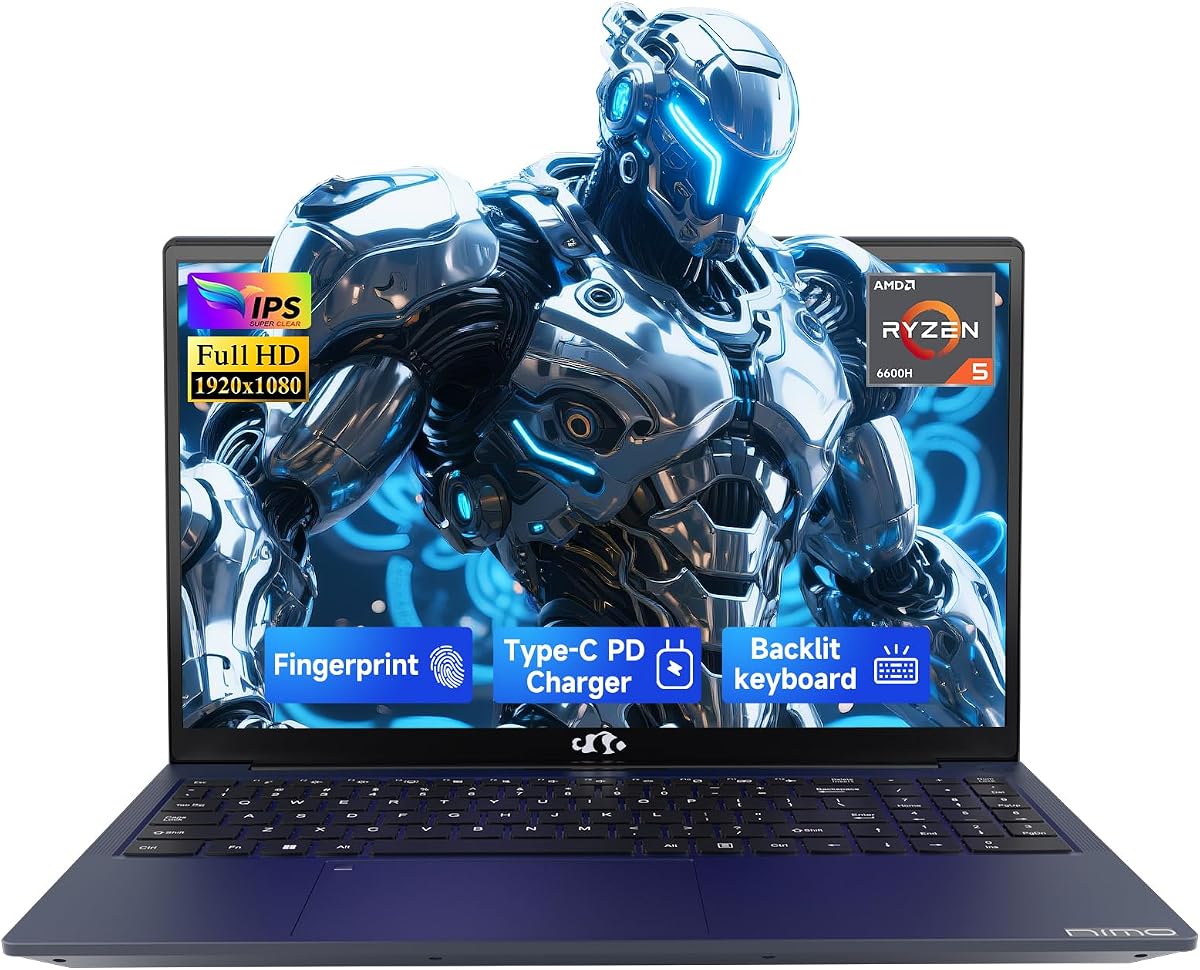
NIMO 15.6" IPS FHD-Light Gaming-Laptop
NIMO’s Ryzen 5 6600H / Radeon 660M configuration is one of the more honest light-gaming builds in the pack. Rembrandt’s RDNA2 iGPU can run League, CS2-style competitive titles, and many indie or older AAA games at 1080p with thoughtful presets. Frame rates will not match RTX 4050 machines, but the graphics architecture is newer and more efficient than classic Vega-style U chips, which shows up as smoother lows in lighter engines.
Thermals sit between ultraportable silence and discrete gaming roar. The 6600H can draw meaningful power when both CPU and iGPU are busy, so fans will spin during longer sessions, yet the heat envelope is easier to manage than a 100W+ RTX laptop. Use a hard desk, keep the 100W USB-C charger nearby for performance modes, and expect battery gaming to downclock. For dorm desks where noise matters as much as FPS, this middle path is the appeal.
The 16GB DDR5 allotment is correctly prioritized; the 256GB SSD is the weak link. Plan an immediate larger NVMe if you install more than a couple of modern titles. NIMO emphasizes expandability for RAM and SSD, which is the right story for a budget chassis meant to grow. Dual full-function Type-C ports with PD and DisplayPort-style workflows help turn the N153 into a clean two-monitor study setup when you are not gaming.
Fingerprint login and a privacy-minded camera approach signal that NIMO is marketing this as much to students and remote workers as to gamers. That dual identity is useful: you get a machine that can handle coding, meetings, and light editing without sounding like a jet, then still boot into a playable 1080p session. Just do not let “gaming-laptop” language blur the GPU tier boundary when comparing Amazon listings side by side with RTX models.
Pick the N153 if you want RDNA2 iGPU headroom, DDR5 multitasking, and PD charging in a lighter chassis. Skip it if you already know you need DLSS, ray tracing, or stable 100+ fps in heavy modern releases. Versus the sibling NIMO AI-Creator below, this listing starts with a smaller SSD but similar core graphics story—choose based on storage needs and which warranty/support copy matches your risk tolerance.
Competitive and well-optimized titles are the sweet spot. For newer AAA, prefer low presets, FSR where available, and capped frame rates. If a trailer shows ultra RT screenshots, those are marketing for discrete GPUs—not a promise this iGPU can keep.
Update chipset and graphics drivers first, expand storage second, then create a Windows power plan that favors plugged-in performance for gaming and balanced mode for classwork. Fingerprint enrollment and webcam shutter habits should come before installing a giant game library onto 256GB.
We may earn a commission at no additional cost to you.
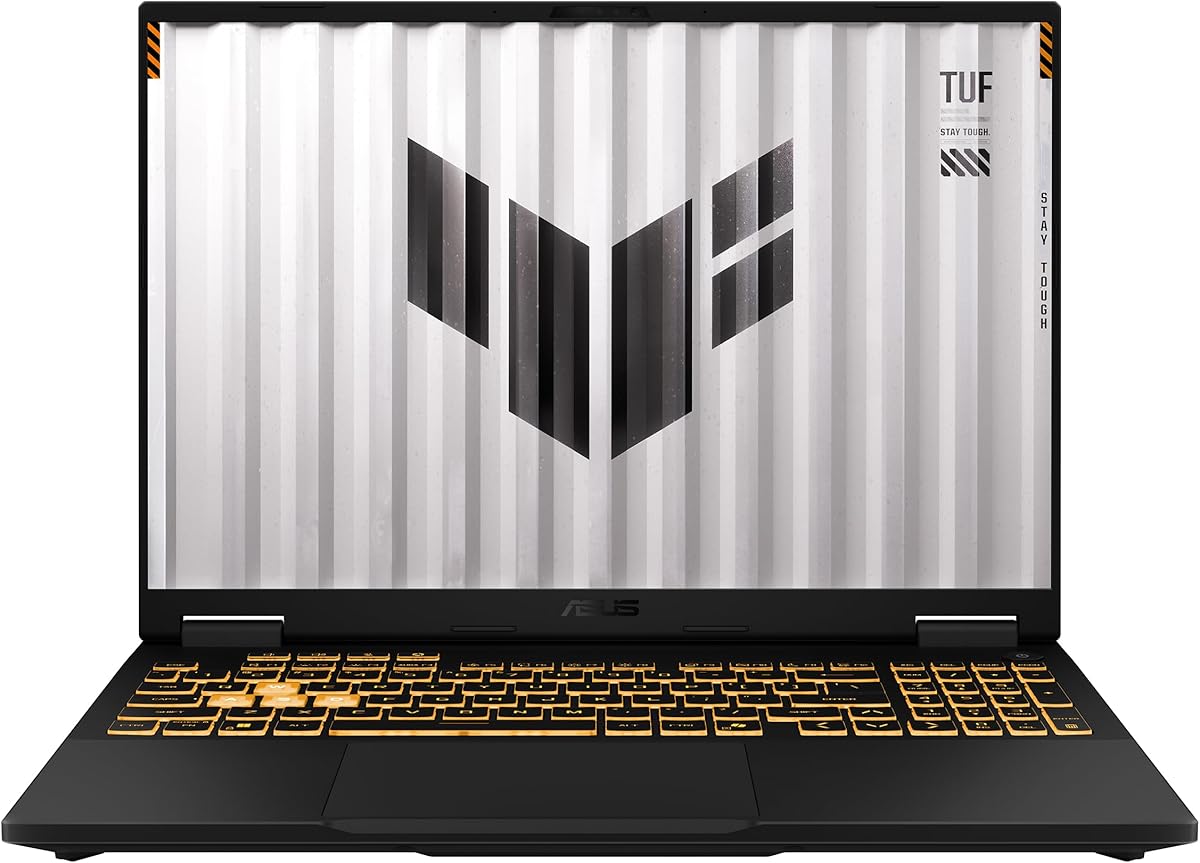
The ROG Strix G16 (2025) is the thermal and GPU-tier ceiling of this budget-focused roundup. An RTX 5060 Laptop GPU on Blackwell, paired with an Intel Core i7-14650HX, targets high settings at FHD+ with DLSS 4 available when you want frame generation and sharper reconstruction. That places it above RTX 4050 Nitro/TUF configs for ray tracing experiments, denser mods, and future titles that assume upscaling features as baseline.
Cooling is why it earns our overall thermals badge. ASUS highlights an end-to-end vapor chamber, tri-fan airflow, and Conductonaut Extreme liquid metal on the chipset path—language that maps to sustained performance rather than brief benchmark spikes. In practice, that means longer sessions at stable frame times before thermal limiters bite. Fans still become audible; they are engineering for heat rejection, not library silence. If you game for two-hour story campaigns, this architecture is the difference between a machine that stays in its boost band and one that slowly sags.
The 16-inch FHD+ 16:10 165Hz panel gives a taller workspace than classic 15.6-inch 16:9 screens, which helps HUDs and browser bars when you alt-tab. ACR film contrast claims matter less than the simple pairing: a fast panel that the 5060 can actually feed. 16GB DDR5-5600 and a 1TB Gen 4 SSD remove the two most common budget regrets—RAM starvation and constant uninstall juggling. Wi-Fi 7 keeps the networking stack ahead of campus AP upgrades.
Expect this chassis to live on a desk. Battery life under gaming loads is secondary; performance modes assume wall power. The 360° RGB light bar is fun for personal setups and can be killed in Stealth Mode for lectures or co-working spaces. Compared with the Acer Nitro V 16S also carrying an RTX 5060, the Strix leans harder into cooling theater and ROG identity, while the Nitro leans into a 32GB/180Hz value stack—choose personality and thermal priority accordingly.
Buy the Strix G16 when 1080p/FHD+ high settings, sustained thermals, and a complete storage/RAM baseline matter more than maximum thinness. Skip it if you need a featherweight backpack laptop or if integrated-GPU quiet operation is your real goal. Within this pack, it is the clearest “dedicated high tier” recommendation for players who refuse to relearn low presets every launch week.
Use native or quality DLSS modes first; add Multi Frame Generation where latency remains acceptable for your genre. Single-player RPGs can chase prettier RT presets; competitive shooters should favor clarity, low input lag, and a frame-rate floor near your refresh rate.
Dust filters and intake paths still matter. Vacuum vents carefully, avoid blocking side exhausts with wall clutter, and use Armoury Crate or equivalent profiles to match fan curves to late-night noise rules without slamming into thermal throttling.
Both are RTX 5060 class. Strix emphasizes cooling hardware and ROG features; Nitro V 16S emphasizes 32GB memory and a 180Hz WUXGA panel. If your games are RAM-hungry and you want smoother motion headroom, Nitro can feel smarter. If your sessions run long and hot, Strix cooling is the safer bet.
We may earn a commission at no additional cost to you.
Acer Nitro V 16S AI Gaming Laptop
Acer’s Nitro V 16S AI is the configuration that makes budget shoppers pause for the right reason: it pairs an RTX 5060 with 32GB of DDR5 and a 1TB Gen 4 SSD, then adds a 16-inch WUXGA 180Hz 100% sRGB panel. In a market where many “gaming” listings still ship 8GB and hope you will not notice hitching, this memory posture aligns with how Windows, Chrome, Discord, and modern titles actually behave. GPU tier stays in the dedicated high band; system balance is what elevates the value story.
At WUXGA (1920×1200), pixel count is a bit higher than classic 1080p 16:9, but the 5060 with DLSS 4 remains appropriate. Expect high presets in many titles, with RT used selectively. The 180Hz refresh rate is not marketing fluff if you play competitive games—the panel can show the frames an RTX 5050/5060 class chip can produce when settings are tuned for speed. For story-driven games, that same panel makes 80–120 fps feel fluid without demanding a 4K GPU.
Thermals follow Nitro’s practical pattern: capable dual-heat management without ROG’s vapor-chamber storytelling. Under sustained loads you will hear fans; you should still get more consistent clocks than thin creator laptops pretending to be gaming machines. Keep the laptop elevated, use performance mode on wall power, and treat battery play as a reduced-TGP scenario. Compared with the 15.6-inch Nitro V RTX 4050 earlier in this list, the 16S is a full tier up in graphics and a generation up in system RAM.
Creator-adjacent users benefit from the AI TOPS messaging more than pure esports players do. Local AI features, faster encode-adjacent workflows, and 4K HDR streaming playback sit alongside gaming. The dual M.2 layout (one slot free) means your 1TB boot drive does not have to be the forever library. Wi-Fi 6 is perfectly fine for most homes even if it is not Wi-Fi 7.
Choose the Nitro V 16S when you want Blackwell-class 1080p/WUXGA gaming without immediately ordering SODIMMs. Skip it only if you specifically need ROG’s cooling stack or a smaller 15-inch bag fit. Against the TUF F16 RTX 5050, this Acer usually wins on GPU headroom and RAM; against the Strix 5060, it wins on memory and panel Hz while trading some thermal theatrics.
Frame-time spikes are not always GPU limits—background RAM pressure causes hitching that feels like “bad thermals.” With 32GB, you can keep a browser research tab farm open while a modern title streams assets. That stability is part of perceived GPU performance even when average FPS looks similar on paper.
100% sRGB helps games and casual photo work look consistent. It is not a DCI-P3 reference display, but for a budget gaming roundup it is one of the better visual packages, especially paired with 180Hz motion clarity.
We may earn a commission at no additional cost to you.
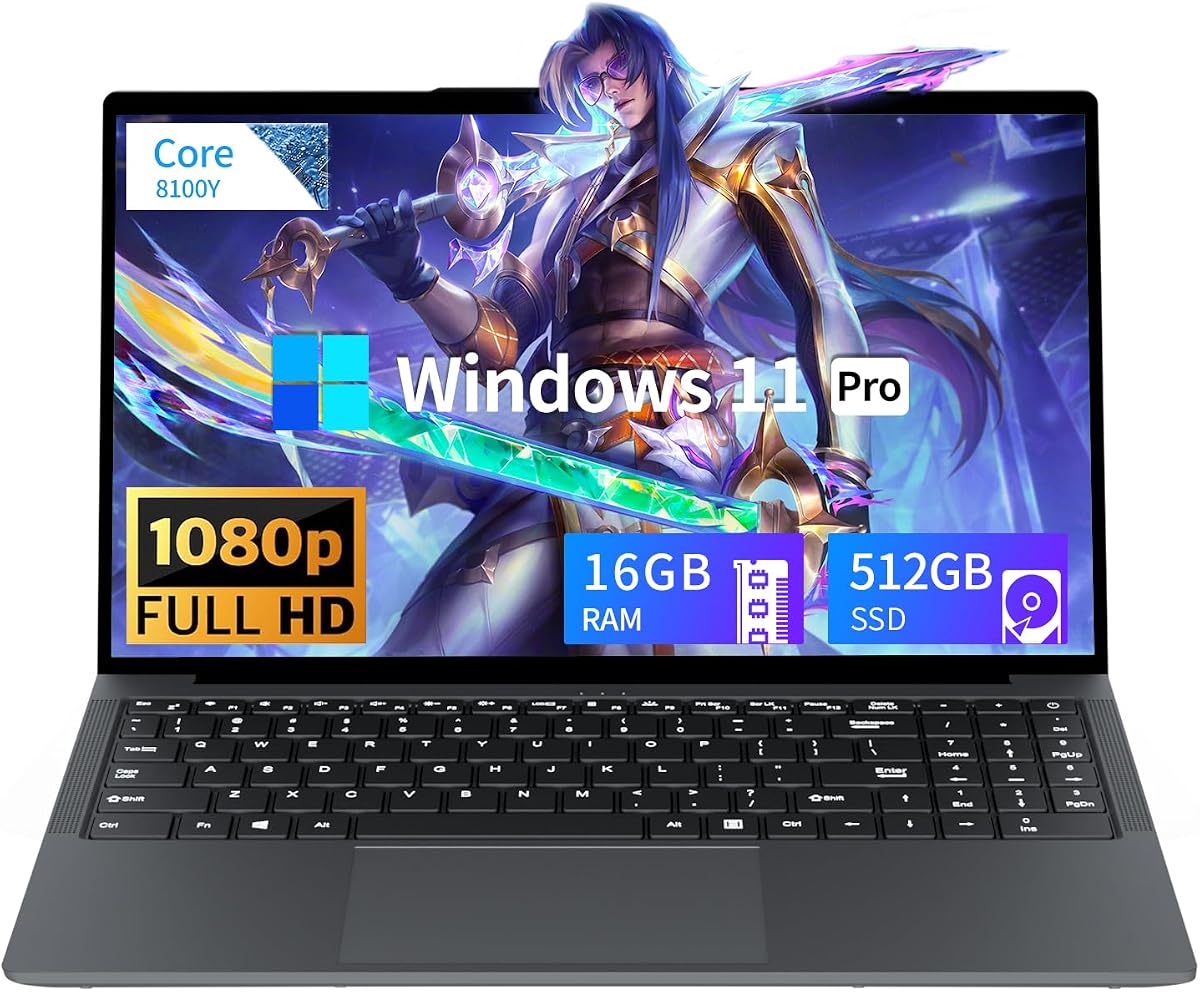
Tunhail’s 15.6-inch machine belongs at the bottom of the GPU ladder in this guide, and that placement is intentional honesty. A Core-series chip peaking near 3.4GHz with UHD Graphics 615-class visuals can handle documents, streaming video, browsers, and very light or older games. It cannot set the same 1080p expectations as Radeon 660M, and it is nowhere near RTX 4050. If Amazon’s “gaming laptop” tag drew you here, recalibrate: this is an entry productivity notebook that may run lighter titles.
Thermals are mild because the silicon envelope is mild. Fans may whisper under stress, but you will not get the sustained heat of a 115W TGP laptop—nor the frames. That can be a feature for quiet classrooms. Battery capacity around a 38Wh class pack means you should treat it as a near-outlet device for longer work blocks rather than an all-day creator rig.
Sixteen gigabytes of RAM is the redeeming system choice, reducing tab crashes that plague cheaper 8GB boxes. The 512GB SATA SSD is adequate for Office and a few lighter games, yet install times and shader cache behavior will feel slower than Gen 4 drives on the Acer and ASUS gaming models. Win 11 Pro is genuinely useful if you need BitLocker-oriented workflows or domain-friendly features without upgrading the OS SKU later.
Connectivity is straightforward: HDMI, multiple USB-A ports, Type-C, and dual-band Wi-Fi cover a basic desk. The privacy slider on the camera is a thoughtful touch for dorms. Stereo speakers and Bluetooth 5.0 round out an uncomplicated multimedia commute machine.
Buy Tunhail only when your budget gaming definition includes browser games, older indie titles, or cloud gaming clients, and your priority is Win 11 Pro productivity. Skip it for native modern AAA at 1080p. In this pack it serves as a contrast case—so you can see why GPU tier labeling matters before you trust a category title alone.
If your internet is strong and low-latency, GeForce Now–style services can deliver nicer visuals than local UHD Graphics. That path depends on subscription and network quality, not on this laptop’s iGPU suddenly becoming an RTX 5060.
If you bounce off low settings in even moderately demanding free-to-play games, step to Radeon 660M (NIMO) for light local play or to RTX 4050 (Nitro V / TUF 2024) for dedicated frames. Do not keep lowering expectations on UHD 615 hoping a driver update will invent CUDA cores.
We may earn a commission at no additional cost to you.

The Vivobook Go 15 is included so budget shoppers can see a reputable thin-and-light baseline next to true gaming chassis. Ryzen 3 7320U with integrated Radeon Graphics handles coursework, streaming, and light creative tasks. ASUS itself frames gaming as light, and that is the correct 1080p expectation: browser titles, older games, and modest esports at reduced presets—not a substitute for RTX 4050 or even Radeon 660M H-series machines.
Thermals and acoustics are the Vivobook’s lifestyle win. Without a discrete GPU, the fans stay civilized, and the 42Wh-class battery messaging aims at long unplugged days. Brightness at 250 nits and a 45% NTSC gamut are fine for indoor work but not vivid HDR showcases. If you write papers in bright courtyards, consider an external shade rather than expecting OLED-like punch.
Eight gigabytes of DDR5 is the sharp edge of this configuration. It works for careful tab discipline; it struggles when Zoom, Slack, and a dozen research tabs collide. The 256GB SSD is similarly tight. This is a carry-everywhere Windows appliance, not a Steam library host. The chiclet keyboard with number pad and the 720p camera with shutter make day-to-day ASUS quality-of-life feel a step above generic imports.
MIL-STD 810H testing on selected procedures (temperature, shock, vibration, altitude) supports backpack abuse resistance, which matters more for this product’s mission than peak FPS. Wi-Fi 5 is older than Wi-Fi 6/7 on gaming models; most home routers still behave fine, but dense dorm APs may favor the Nitro/TUF networking stacks.
Choose Vivobook Go when portability and brand reliability beat native gaming ambition. Skip it when your search for best budget gaming laptops truly means dedicated GPU frames. Use it as a secondary machine or a reality check: if a listing looks this thin and still claims hardcore gaming, read the GPU line twice.
Think browser games, older Steam indies, and carefully tuned League-style titles. If a game’s minimum requirements already list dedicated GPUs, believe them. Cloud gaming remains the escape hatch when Wi-Fi is excellent.
Disable startup bloat, use fewer extensions, and close Electron apps before launching any game. These habits matter more on 8GB Vivobooks than on 32GB Nitro systems.
We may earn a commission at no additional cost to you.
The 2025 TUF Gaming F16 occupies the sweet mid dedicated tier: NVIDIA GeForce RTX 5050 with a stated Max TGP up to 115W, fed by an Intel Core i5-13450HX and 16GB of DDR5. For 1080p/FHD+ play, that combination targets medium-high to high settings in current games, with DLSS-era tools available depending on title support. It is the logical step up from RTX 4050 budget units when you want newer architecture features without jumping all the way to a loaded 5060/32GB Nitro.
ASUS pairs the silicon with 2nd Gen Arc Flow Fans, a full-width heatsink, and a full-width vent strategy. That is TUF’s version of thermal honesty: not as theatrical as a Strix vapor chamber, but engineered to keep a 115W-class GPU from choking in a 16-inch shell. Expect audible fans under load and cooler, quieter behavior in idle or iGPU-leaning Optimus scenarios. Advanced Optimus can help hybrid graphics switching so you are not always dumping heat when browsing.
The FHD+ 165Hz 100% sRGB panel with Adaptive-Sync is well matched to this GPU tier. You get color that makes games and casual creation look consistent, and a refresh rate that rewards the frame rates a 5050 can hold when you prioritize performance. MIL-STD 810H testing supports the TUF reputation for hinges and chassis that survive travel better than bargain plastic slabs. Wi-Fi 6E is a nice networking middle ground between Wi-Fi 6 Nitros and Wi-Fi 7 Strix units.
Sixteen gigabytes of RAM is adequate for most players; the 512GB SSD is the first upgrade to plan. Compared with the 2024 TUF F16 RTX 4050 also in this list, you gain a newer GPU tier and a faster 165Hz panel story, which matters if you are buying once for the next few seasons of releases. Versus the ROG Strix 5060, you trade some graphics headroom and cooling extravagance for a more utilitarian TUF aesthetic.
Pick this TUF when you want dedicated Blackwell-generation mid-tier frames, durable build cues, and a sane 16GB baseline. Skip it if your must-have list includes 32GB memory out of the box or maximum RT headroom—those point to the Nitro V 16S or Strix G16. For budget roundups, it is one of the cleanest “real gaming laptop” definitions: discrete GPU, serious TGP, and a panel that can show the work.
Start on high, measure frame-time consistency for twenty minutes, then decide whether RT is free, costly, or off. Competitive players should build custom presets that maximize visibility and fps floor; cinematic players can spend headroom on shadows and reflections where DLSS keeps motion clean.
TUF anti-dust design helps, but backpack lint still wins eventually. Periodic vent checks preserve the thermal curve you paid for. The embossed lid styling stays subtle in classrooms compared with full light-bar ROG machines.
We may earn a commission at no additional cost to you.

The NIMO AI-Creator listing shares the Ryzen 5 6600H / Radeon 660M heart with the lighter N153 but shifts the storage and positioning toward students and remote workers who also want casual 1080p play. Sixteen gigabytes of DDR5 and a 512GB PCIe SSD form a more complete daily driver. NIMO’s own guidance calls out LoL or CS2-style 1080p play as the gaming lane—align your expectations there, not with RTX 5050 high presets.
Thermals remain in the H-series iGPU band: warmer than Vivobook Go under load, cooler and quieter than TUF/Strix when a discrete GPU is roaring. The 53.58Wh battery plus separate 100W PD charger is a practical pairing for moving between classes. Performance while plugged in will exceed battery gaming; treat wall power as the gaming mode.
Upgrade headroom is a highlight—dual SO-DIMM slots and M.2 2280 space up to high capacity targets mean this can remain useful after your game folders grow. That matters more on iGPU systems because you may keep the chassis longer as a study machine even if you later add a desktop for heavy gaming. Fingerprint-free simplicity on some units is offset by the warranty story: two years and a ninety-day return window are meaningful differentiators against disposable no-name laptops.
Creator work here means responsive timelines for light photo edits, class videos, and browser-based AI tools—not DaVinci Resolve CUDA acceleration. If your coursework needs NVIDIA encoding, step into the RTX tier. If your coursework needs reliability, PD charging, and occasional ranked matches at sensible settings, the 660M story holds.
Choose this NIMO when you want the better storage-configured 660M option with creator-leaning marketing and warranty confidence. Skip it when dedicated GPU frames are mandatory. Versus MALLRACE’s 5825U machine, you trade some CPU thread count for newer RDNA2 graphics efficiency—often the better call for light local gaming.
Use balanced mode for meetings, plug in for gaming, and keep a second browser profile free of extension bloat for play sessions. Small workflow splits prevent the “my laptop feels slow when I game after class” complaint that is often RAM and background apps, not GPU failure.
Prefer this AI-Creator configuration when 512GB storage and the warranty/PD package matter more than the N153’s fingerprint-focused feature set. Graphics expectations stay in the same Radeon 660M tier either way.
We may earn a commission at no additional cost to you.

The 2024 TUF Gaming F16 proves that last-generation dedicated GPUs still matter in a budget roundup—if the TGP is real. An RTX 4050 with up to 115W Max TGP is a different animal from low-wattage 4050 implementations that underdeliver. At 1080p/FHD+, expect medium-high to high settings in many titles with DLSS 3-era tools, similar in spirit to the Acer Nitro V 4050 but wrapped in TUF’s durability and cooling habits.
Thermal design uses Arc Flow fans, multiple heat pipes, four exhaust vents, and an anti-dust filter. That combination exists to preserve sustained clocks, which is exactly how you should evaluate budget gaming laptops: not by a one-minute fps burst, but by the forty-minute raid or story mission. Fans will be audible; dust management will decide whether year-two performance still feels like year-one.
The configuration’s soft spot is memory. Eight gigabytes of DDR5 in 2026 is a bottleneck waiting to happen once overlays and browsers join a game process. If this ASUS model is otherwise attractive, budget a RAM upgrade immediately—or prefer the 2025 TUF F16’s 16GB RTX 5050 kit / Nitro V 16S 32GB kit when possible. The 512GB Gen 4 SSD is fast but capacity-limited for big modern install sizes.
Display duty falls to a 16-inch FHD+ 144Hz IPS-level 100% sRGB panel with Adaptive-Sync. It is slightly less aggressive on refresh than 165–180Hz classmates, yet still excellent for smooth 1080p-class gaming when the GPU holds 100-plus frames. Color coverage supports both games and light creative review better than cheap low-gamut screens on generic imports.
Buy the 2024 TUF when you find a strong deal on a high-TGP 4050 and accept the RAM upgrade path. Skip it if 8GB is non-negotiable forever or if you can reach a 5050/5060 configuration without painful compromises. As a closing contrast in this list, it shows the dedicated tier’s floor: real NVIDIA frames, real fans, and real upgrade homework.
Always check wattage language. A 4050 at roughly 115W behaves closer to enthusiast budget gaming; a heavily limited 4050 can feel only modestly faster than strong iGPUs in some titles. This TUF’s Max TGP messaging is why it stays relevant beside newer 50-series machines.
RAM first, storage second, cosmetic accessories never. Until dual-channel memory is healthy, the RTX 4050 cannot show its mid-high 1080p personality consistently.
If the 2025 RTX 5050 model is within reach, its newer GPU tier and 16GB baseline reduce early ownership friction. Keep the 2024 model when value gaps are large and you are ready to install more memory the same week it arrives.
We may earn a commission at no additional cost to you.

Write down three games you actually play and the settings you consider acceptable. If those titles need ray tracing or stable ultra presets, you are in dedicated RTX territory. If they are esports titles at low/medium, a strong iGPU can work. Budget disappointment usually comes from skipping this step and trusting the word gaming on a product card.
Dedicated high tier: RTX 5060 machines (ROG Strix G16, Acer Nitro V 16S) for high settings and selective RT with DLSS 4.
Dedicated mid tier: RTX 5050 (TUF F16 2025) for medium-high to high 1080p with strong TGP.
Dedicated classic budget tier: RTX 4050 (Nitro V 15, TUF F16 2024) for medium-high 1080p with DLSS 3-era tools—watch RAM configs.
Light local tier: Radeon 660M and strong Ryzen iGPUs (NIMO, MALLRACE) for esports and older AAA on lower presets.
Casual tier: UHD Graphics and thin Ryzen 3 designs (Tunhail, Vivobook Go) for productivity first, cloud or very light play second.
A laptop GPU’s marketing name is incomplete without cooling context. Vapor-chamber ROG designs and high-TGP TUF cooling exist to hold clocks. Thinner Nitro-class chassis can still game well but may run louder or warmer. iGPU machines run quieter because they move less heat—not because they secretly match RTX frames. When reading reviews, prioritize sustained session notes over single-run averages.
Eight gigabytes is the recurring trap in otherwise good RTX 4050 laptops. Sixteen gigabytes is the practical minimum for modern multitasking; thirty-two gigabytes on the Nitro V 16S is a luxury that removes hitching variables. Storage speed (Gen 4 NVMe versus SATA) changes install and stutter behavior, while capacity decides how often you uninstall. If a config is perfect except for 8GB or 256GB, price in the upgrade before you congratulate yourself on a deal.
Pairing an RTX 5060 with a 180Hz panel makes sense. Pairing UHD Graphics with a high-Hz screen mostly wastes motion potential. Aim for 144Hz and above on dedicated GPU machines; treat 60Hz-class expectations as fine on casual iGPU ultraportables. Color coverage like 100% sRGB is a quiet quality marker on TUF and Nitro 16-inch models.
For modern AAA at medium-high or high settings, prioritize dedicated RTX 4050 (high TGP), RTX 5050, or RTX 5060 laptops in this guide. For esports and older titles, Radeon 660M or strong Ryzen iGPUs can be enough at low/medium. UHD Graphics-class chips are casual or cloud-first. Your library matters more than the marketing category name.
Discrete GPUs convert electricity into frames and heat. Compact chassis must push that heat out with high fan speeds. ROG vapor chambers and TUF Arc Flow systems are designed to sustain performance, not to mimic ultrabook silence. If near-silent operation is mandatory, you are choosing a lower GPU tier or accepting big fps cuts on battery power profiles.
Rarely comfortable in 2026. The GPU may be capable while the system hitches because Windows and overlays consume memory. The Acer Nitro V RTX 4050 and TUF F16 2024 both illustrate strong GPU tiers paired with tight 8GB configs—plan upgrades or prefer 16GB/32GB models like the 2025 TUF, Strix G16, or Nitro V 16S.
Same broad GPU tier, different system balance. The Nitro V 16S emphasizes 32GB DDR5, a 180Hz WUXGA 100% sRGB screen, and value density. The Strix G16 emphasizes vapor-chamber tri-fan cooling, ROG features, Wi-Fi 7, and sustained thermal headroom. Pick Nitro for memory/panel value; pick Strix when long, hot sessions are your norm.
Yes—when expectations match the tier. NIMO’s Radeon 660M models and MALLRACE’s Ryzen 7 iGPU machine can deliver enjoyable esports and light 1080p play with calmer thermals and better carry manners than RTX chassis. They are poor substitutes when your must-play list is RT-heavy AAA. Honesty about that split saves money and frustration.
Only if the GPU can feed it. A 165Hz panel on an RTX 4050/5050/5060 is a matched pair. On UHD Graphics or entry Ryzen 3 iGPUs, you will often stay far below the panel’s maximum, so prioritize resolution clarity, brightness, and color over Hz bragging rights.
Choose the 2024 TUF when the value gap is large and you will upgrade its 8GB RAM immediately. Choose the 2025 TUF RTX 5050 or Nitro/Strix 5060 configs when you want newer feature stacks and fewer early upgrades. High-TGP 4050 chips remain capable at 1080p; they are not obsolete, but they are no longer the future-facing pick.
Critical. Two laptops can share an RTX 4050 or 5050 name and feel a tier apart if one is heavily power-limited. In this roundup, TUF models calling out up to 115W Max TGP signal healthier sustained behavior than unknown low-watt implementations. When TGP is not listed, lean on brand thermal reputation and sustained-review data.
On discrete GPU machines, treat serious gaming as a plugged-in activity. Battery modes often cut TGP dramatically to protect runtime. Slim iGPU laptops like the Vivobook Go can work unplugged for classwork much longer. If you need both all-day battery and high 1080p settings, you are shopping for two different design goals—and may need two devices or cloud gaming on the slim machine.
If you want maximum frames and upgrade headroom, a dedicated RTX machine with a 165–180Hz panel (Nitro V, TUF, Strix) is ideal. If you want quieter thermals and still play Valorant/League-style titles, Radeon 660M NIMO configs are sensible. Avoid choosing Tunhail-class UHD Graphics if ranked play is your primary hobby—the ceiling arrives quickly.
Budget gaming in 2026 is a tier problem before it is a brand problem. RTX 5060 machines like the ROG Strix G16 and Acer Nitro V 16S set the dedicated high bar for 1080p/WUXGA play with modern DLSS features; the TUF F16 2025’s RTX 5050 is the mid-tier workhorse; RTX 4050 Nitros and TUFs remain valid when RAM is fixed and TGP is healthy. Everything below that line is light-local or casual, no matter how often the listing repeats the word gaming.
Prioritize sustained thermals, honest GPU wattage, and memory capacity as hard filters. A cool-looking chassis that throttles, or a strong GPU starved by 8GB of RAM, will feel worse than a slightly older card in a well-cooled, well-equipped system. Match the ladder to your library, then buy once with eyes open.
If you remember only one rule from this guide, make it this: decide your 1080p settings goal first, then pick the GPU tier that can hold it for a full evening—not a one-minute demo—under real thermal load.