Expert Review & Guide

Best Budget AIO Coolers 2026 for Quiet CPU Liquid Cooling

Budget all-in-one liquid coolers have become good enough that many 2026 gaming and creator desktops no longer need a premium AIO badge to stay cool and quiet. A well-chosen 240 mm or 360 mm kit can tame Ryzen and Intel mainstream chips, clear bulky dual-tower air coolers out of tall RAM lanes, and add ARGB or LCD flair without emptying the parts budget. The catch is that radiator size, case clearance, pump noise, and socket kits vary wildly, so buying the cheapest sealed loop without a fit check still ends in returns.

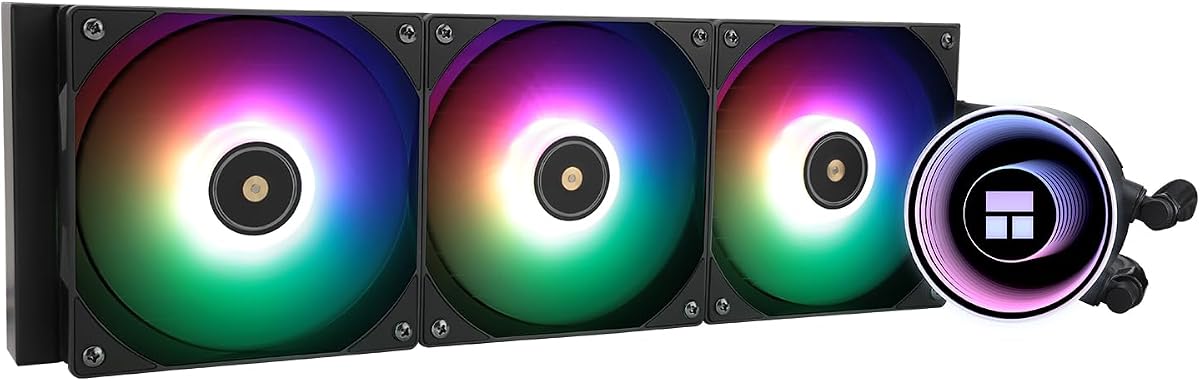
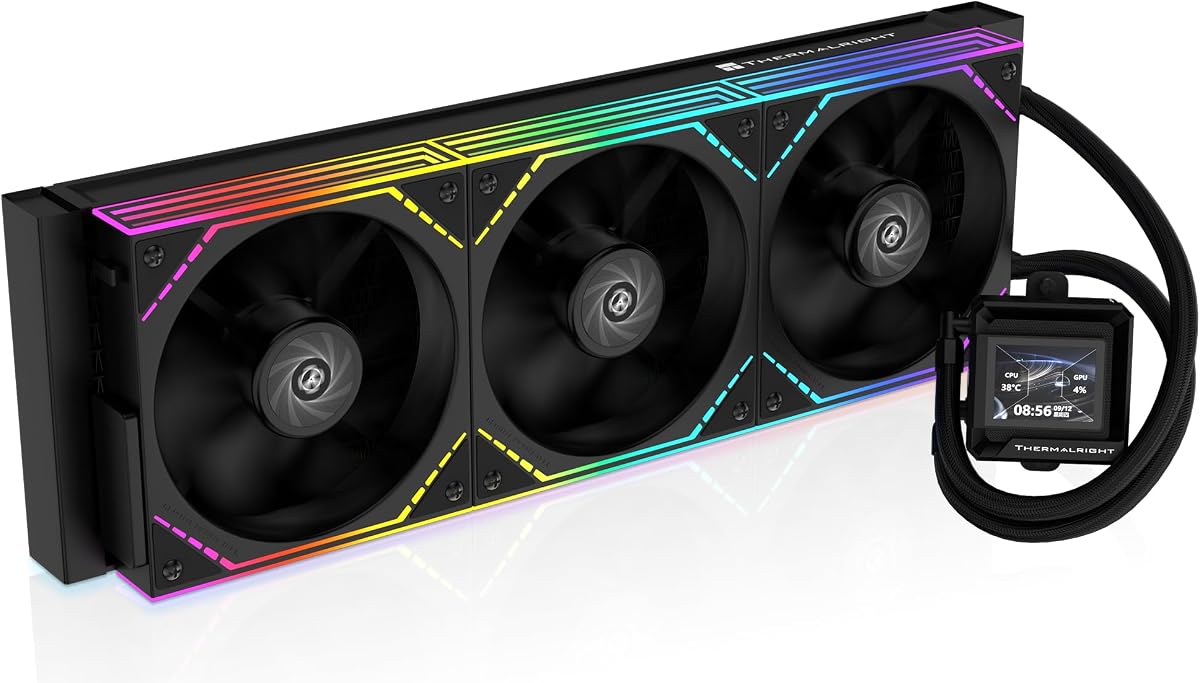
This ReviewConsensus roundup sticks to one product pack of ten real Amazon listings: Corsair Nautilus 360 RS models in black and white ARGB, Cooler Master’s infinity-mirror 240 Core II, and a deep Thermalright bench covering Aqua Elite 240 V3, Frozen Notte 120/240/360, Peerless Vision 360, and FW360 SE LCD. Ratings reflect the pack data at research time. We never print dollar prices because AIO street prices move with bundles and lightning deals; compare features, radiator size, and socket support first.

Start with the three top picks if you already know you want a white 360 mm showpiece, a value 240 mm workhorse, or a large LCD pump face. Use the comparison table to filter by radiator size and lighting, then read each review for noise behavior, install caveats such as AMD backplates, and who should actually skip liquid for air.

Top Budget AIO Cooler Picks for Thermals, Value, and Style

Best Overall Budget AIO

CORSAIR Nautilus 360 RS ARGB White

★★★★★9.4/10
CORSAIR Nautilus 360 RS ARGB White
  • White 360 mm kit with daisy-chain RS120 ARGB fans for clean snow builds
  • Low-noise pump near 20 dBA with convex cold plate and pre-applied paste
  • Intel LGA 1851/1700 and AMD AM5/AM4 brackets for current gaming boards
Check Price →
Best Value 240mm AIO

Thermalright Aqua Elite 240 V3

★★★★★9.4/10
Thermalright Aqua Elite 240 V3
  • Fourth-gen pump plus dual TL-C12B-S V2 ARGB fans under 26 dBA claimed
  • 240 mm radiator size that fits most mid-towers without 360 mm drama
  • AM4/AM5 and Intel LGA 115x through 1851 coverage for upgrades and new builds
Check Price →
Best Large LCD AIO

Thermalright Peerless Vision 360 ARGB

★★★★★9.2/10
Thermalright Peerless Vision 360 ARGB
  • 3.95-inch magnetic 480×480 IPS screen for temps, art, and short clips
  • 360 mm radiator with three wireless splicing TL-M12Q PWM fans
  • Broad AMD and Intel socket kits including LGA 1700/1851 for showcase towers
Check Price →

As an Amazon Associate we earn from qualifying purchases. We may earn a commission at no additional cost to you.

Budget AIO Cooler Comparison: Radiator Size, Fans, and Sockets

Sort first by radiator size your case can actually mount, then by lighting needs, then by socket kit. Specs omit prices so you can judge cooling hardware before you open each listing.

#ProductSpecificationsScore
1
  • 360 mm radiator with 3× RS120 PWM fans
  • Low-noise pump rated ~20 dBA; daisy-chain wiring
  • Intel LGA 1851/1700, AMD AM5/AM4; black finish
9.2
2
  • 240 mm aluminum radiator; 4th-gen pump head
  • Dual TL-C12B-S V2 ARGB fans ≤25.6 dBA
  • AM4/AM5 and Intel LGA 115x/1200/1700/1851
9.4
3
  • 360 mm AIO with 3.95-inch 480×480 IPS LCD
  • 3× TL-M12Q wireless splicing fans up to 2000 RPM
  • AM4/AM5; Intel LGA 1700/1851 and legacy sockets
9.2
4
  • 240 mm dual-chamber pump AIO for Ryzen 7 / Ultra 7
  • Infinity mirror ARGB pump; dual PWM fans 650–1750 RPM
  • AM5/AM4 and Intel LGA 1851/1700; CryoFuze paste
9.2
5
  • 240 mm copper-base AIO; pump up to 5300 RPM
  • Dual TL-E12B-S fans ≤27.7 dBA, ~72 CFM each
  • Broad Intel/AMD mounts; ARGB 5V sync
9.2
6
  • 360 mm radiator ~397×120×27 mm; 450 mm tubes
  • 3× TL-E12B-S V2 PWM ARGB fans up to 2000 RPM
  • AM4/AM5 and Intel including LGA 1851/1700
9
7
  • White 360 mm AIO with 3× RS120 ARGB fans
  • ~20 dBA pump; daisy-chain PWM + ARGB headers
  • LGA 1851/1700 and AMD AM5/AM4 support
9.4
8
  • 240 mm cold row with dual 66.17 CFM ARGB fans
  • Octagonal 4th-gen pump head up to ~2800 RPM
  • Intel LGA 115x through 1851; AMD AM4/AM5
9.2
9
  • 360 mm AIO with 2-inch LCD pump display
  • 3000 RPM pump; 3× TL-M12Q daisy-chain fans
  • AM5/AM4 and Intel LGA 1851/1700/1200/115x
9.2
10
  • 120 mm single-fan AIO for tight chassis
  • Pump ~2800 RPM; fan up to 2000 RPM ARGB
  • AM4/AM5 and Intel LGA 115x/1200/1700/1851
9

1. Nautilus 360 RS ARGB White - Best Overall Budget

CORSAIR Nautilus 360 RS ARGB White

CORSAIR Nautilus 360 RS ARGB White

9.4/10★★★★★

The CORSAIR Nautilus 360 RS ARGB in white is our best overall budget AIO pick in this pack because it blends a strong 4.7 rating, modern socket support, low-noise pump marketing, and a finish that matches the white-case boom of recent years. You still get the Nautilus fundamentals—efficient coolant circulation near a claimed 20 dBA pump note, convex cold plate, pre-applied paste, and three RS120 fans—but the ARGB fan set and white shrouds make the cooler a centerpiece instead of a stealth component.

  • White 360 mm AIO with 3× RS120 ARGB fans
  • ~20 dBA pump; daisy-chain PWM + ARGB headers
  • LGA 1851/1700 and AMD AM5/AM4 support
Check Price →
✓ Pros
  • Highest-rated Corsair option in this pack at 4.7
  • White RS120 ARGB fans match popular snow-theme cases
  • Same low-noise pump approach as the black Nautilus
  • Daisy-chain PWM and ARGB for tidy white builds
  • Convex cold plate with pre-applied paste for faster mounting
✕ Cons
  • White plastics show dust and yellowing risk over long years
  • ARGB adds a header dependency versus the black non-RGB twin
  • Still requires true 360 mm case support

Detailed review

Daisy-chaining matters even more on white builds, where every black cable is a visual scar. Corsair’s RS ARGB fans can chain so you land a single PWM lead and a single +5V ARGB lead for the trio, which keeps the routing clean along a white motherboard tray. AirGuide blade design and Magnetic Dome bearings again target radiator static pressure with controlled noise. It is a cohesive kit rather than a random white radiator with mismatched third-party fans.

Thermally you should expect 360 mm class behavior: comfortable gaming temperatures on mainstream high-power chips, room to run quieter fan curves, and better sustained load results than the 240 mm coolers when case airflow is competent. It will not out-cool a premium flagship AIO with thicker radiators and exotic pumps, and it should not be purchased under the illusion that liquid cooling removes the need for case intakes. It simply gives you more radiator area to work with.

Socket brackets cover Intel LGA 1851 and 1700 plus AMD AM5 and AM4—the same practical matrix as the black Nautilus. That keeps the white model honest as a current-gen cooler rather than a fashion accessory with outdated mounts. If you are building a white AM5 gaming PC with a tempered glass panel, this is the pack listing that looks intentional in photos without forcing an LCD workflow.

Tradeoffs are mostly aesthetic and logistical. White coolers demand occasional dust care; ARGB requires a free 5V header or a capable hub; and 360 mm fitment rules still apply. If you love the Nautilus engineering but hate lighting, the black non-RGB RS model earlier in this guide is the quieter visual choice. If you need smaller radiators, step down to Cooler Master or Thermalright 240 mm units rather than forcing a 360 into a case that cannot breathe.

We place it at the top because it best represents what shoppers mean by “best budget AIO” in 2026: enough radiator, acceptable noise, current sockets, and a finish people actually want to show. Read your case manual, plan the ARGB header, and set a calm fan curve—then the white Nautilus becomes an easy recommendation for snow-white and white-black hybrid desktops alike.

Why it is the overall pick

Rating strength, 360 mm capacity, Corsair’s low-noise pump positioning, and white ARGB relevance combine more convincingly than any single Thermalright value kit for buyers who care about both thermals and the finished look.

White-build styling tips

Use white or individually sleeved cables where possible, set ARGB to soft static colors instead of rainbow cycle for a premium feel, and keep the radiator dust filters clean so the white fan frames stay bright. Avoid trapping the radiator behind a poorly vented front plastic skin.

When to choose black instead

Pick the black Nautilus RS when the case is dark, when you want zero ARGB cables, or when you already own black Corsair RS fans elsewhere and want the cooler to disappear into the build.

Check Price on Amazon →

We may earn a commission at no additional cost to you.

2. Aqua Elite 240 V3 - Best Value 240mm AIO

Thermalright Aqua Elite 240 V3

Thermalright Aqua Elite 240 V3

9.4/10★★★★★

Thermalright’s Aqua Elite 240 V3 is the value hammer of this roundup. At a 4.7 rating it sits among the best-reviewed budget AIOs in the pack, and the hardware recipe explains why: a fourth-generation pump, a 240 mm aluminum radiator, sleeved protective tubes, and a pair of TL-C12B-S V2 ARGB fans with S-FDB bearings. You are not buying boutique silence engineering so much as a complete liquid cooler that undercuts many brand-name 240 mm kits while still looking finished in a side-panel PC.

  • 240 mm aluminum radiator; 4th-gen pump head
  • Dual TL-C12B-S V2 ARGB fans ≤25.6 dBA
  • AM4/AM5 and Intel LGA 115x/1200/1700/1851
Check Price →
✓ Pros
  • Strong Amazon rating for a genuinely affordable 240 mm kit
  • Fourth-generation pump head with long claimed service life
  • Dual ARGB fans stay relatively quiet at ≤25.6 dBA claimed
  • Broad Intel and AMD socket coverage including LGA 1851
  • ARGB sync on a 5V 3-pin header for motherboard lighting software
✕ Cons
  • 240 mm capacity trails 360 mm kits on hotter all-core workloads
  • Pump aesthetics are flashy; not ideal for no-RGB stealth PCs
  • Documentation quality varies; follow a video install for first timers

Detailed review

Cooling expectations should stay honest. A 240 mm radiator is the sweet spot for mainstream gaming CPUs that run warm but not extreme—think mid-range Ryzen and Intel chips, 65–125 W class parts under gaming, and creators who boost occasionally rather than render for hours. The dual fans claim roughly 66 CFM each with noise near 25.6 dBA at the stated operating point, which is competitive for the segment. Push a heavily overclocked high-core chip and you will want the Frozen Notte 360 or a Nautilus 360 instead.

The octagonal pump head is the visual signature. Thermalright wraps a swirling rectangle motif and an ARGB halo under the logo so the cold plate assembly doubles as a lighting centerpiece. Pump speed is listed up to about 2800 RPM with a 40,000-hour life claim—marketing numbers, yes, but they signal a unit designed for continuous desktop duty rather than a disposable gadget. Sync the pump and fans to your motherboard’s 5V ARGB header if you want one lighting ecosystem instead of a separate controller box.

Mounting hardware covers AMD AM4 and AM5 plus Intel LGA 1150 through 1156, 1200, 1700, and 1851. That breadth makes the Aqua Elite a safe recommendation when you are unsure whether a friend will keep an older 1200 board or jump to a new Ultra socket. Installation is standard AIO fare: backplate or stock AMD plate depending on platform, standoffs, cold plate, radiator screws, then fans. Give the tubes slack so they do not kink against a tall VRM heatsink or the first DIMM.

Compared with Cooler Master’s 240 Core II, the Aqua Elite usually wins on pure price-to-feature density and ARGB fan count at the budget tier, while Cooler Master counters with a dual-chamber pump story and infinity-mirror styling. Versus Thermalright’s own Frozen Notte 240, the Aqua Elite leans more toward the lighted pump presentation and the newer V3 fan set. Either Thermalright 240 will cool similarly in a well-ventilated mid-tower; pick based on which pump face and fan family you prefer.

Buy the Aqua Elite 240 V3 when you need an inexpensive, well-rated 240 mm AIO with ARGB and current socket support. Skip it if your case only fits a 120 mm radiator, if you refuse RGB entirely, or if you already know your CPU runs hotter than a dual-fan radiator can politely handle. For most budget gaming builds that can mount a 240 mm top or front radiator, this is the pack’s clearest value starting point.

Ideal builds for the Aqua Elite 240 V3

Pair it with Ryzen 5/7 or Intel mid-stack CPUs in ATX and micro-ATX cases that list 240 mm top or front AIO support. It is especially sensible when you want ARGB cohesion without stepping up to a 360 mm radiator that forces a larger case purchase.

Lighting and fan control tips

Connect PWM fans to CPU_FAN or a splitter as documented, and land the 5V ARGB cable on a header that matches your board’s pin orientation. Use motherboard software for sync, then flatten aggressive default fan curves so the cooler stays quiet during browsing and video calls.

Check Price on Amazon →

We may earn a commission at no additional cost to you.

3. Peerless Vision 360 - Best Large LCD AIO

Thermalright Peerless Vision 360 ARGB

Thermalright Peerless Vision 360 ARGB

9.2/10★★★★★

The Thermalright Peerless Vision 360 ARGB is the pack’s maximalist LCD cooler: a 360 mm liquid loop topped with a nearly four-inch magnetic IPS panel at 480×480. If your budget AIO search secretly includes “I want a little monitor on the pump,” this is the listing that delivers. Thermalright’s TRCC software is the gateway for system stats, custom stills, animations, and even screen-projection-style play, so plan on a free USB header and a few minutes of setup beyond a normal AIO install.

  • 360 mm AIO with 3.95-inch 480×480 IPS LCD
  • 3× TL-M12Q wireless splicing fans up to 2000 RPM
  • AM4/AM5; Intel LGA 1700/1851 and legacy sockets
Check Price →
✓ Pros
  • Huge 3.95-inch magnetic IPS screen for temps, art, and clips
  • Full 360 mm radiator capacity for hotter desktop CPUs
  • Wireless splicing TL-M12Q fans cut cable clutter
  • S-FDB bearings and PWM control balance noise with airflow
  • Wide socket kit spanning modern and many legacy Intel platforms
✕ Cons
  • LCD stack adds complexity, USB routing, and software dependency
  • AMD installs still rely on the motherboard’s original backplate
  • Showpiece focus may be overkill if you never open the side panel

Detailed review

Cooling hardware underneath the screen is still a serious 360 mm kit. Three TL-M12Q fans with infinity-mirror side lighting splice together wirelessly to reduce the usual nest of fan cables, each spinning up to 2000 RPM with PWM temperature control. S-FDB bearings target lower vibration when fans are mounted as a pull or push configuration on the radiator. That matters in budget builds where cheap sleeve-bearing fans often buzz against thin case panels.

Compatibility is broad: AMD AM4 and AM5, plus Intel sockets from older 115x and 2011/2066 families through 1200, 1700, and 1851. Read the fine print for AMD—Thermalright notes you reuse the motherboard’s original backplate rather than receiving a full AMD plate in the box. That is common on many AIOs, but it surprises first-time builders who already tossed their stock cooler kit. Keep the AMD plate when you unbox a new board if this cooler is on your shortlist.

The magnetic pump screen is the party trick. A narrow-bezel panel that snaps on and off makes cleaning and orientation changes less painful than screw-locked LCDs. At 60 Hz and 480×480, it is sharp enough for crisp sensor readouts and short loops without looking like a toy calculator. Just remember that every LCD AIO introduces another failure mode—USB dropout, software quirks, or a stuck image—so if absolute simplicity is your religion, a Nautilus or Frozen Notte without a display will age more quietly.

Where does it sit against the FW360 SE? The Peerless Vision wins on screen real estate; the FW360 SE counters with a smaller two-inch display, a 3000 RPM pump claim, and daisy-chain fans in a slightly more restrained package. Both are 360 mm Thermalright options aimed at builders who want data on the cold plate. Pick Vision when the screen is the centerpiece of a fishbowl case; pick FW360 when you want LCD presence without dominating the motherboard tray visually.

Recommend the Peerless Vision 360 for RGB showcase towers, streamer desks where the camera catches the pump face, and enthusiasts who enjoy tinkering with widgets. Pass if you build under a desk with the side panel closed, if you lack USB headers, or if your case cannot fit three 120 mm fans on a radiator. Used in the right chassis, it is the most theatrical budget-friendly 360 mm cooler in this set.

Who the Peerless Vision 360 is for

Enthusiasts building tempered-glass mid-towers who want temperatures and custom art on a large pump display. Also a strong gift-style upgrade for someone who already owns a plain AIO and cares about the interior aesthetic as much as thermals.

Software and USB planning

Reserve a motherboard USB 2.0 header for the display cable before you lace every other device. Install TRCC, set a simple sensor layout first, then experiment with GIFs. Keep a non-LCD fallback BIOS fan curve so cooling continues even if the display software misbehaves.

Fit and clearance checklist

Verify 360 mm radiator mounting, GPU clearance if the radiator is front-mounted, and RAM height near the tubes. Magnetic screens still need a clear line of sight; tall cable combs or reservoir-style tube routing can shadow the panel in compact layouts.

Check Price on Amazon →

We may earn a commission at no additional cost to you.

4. CORSAIR Nautilus 360 RS - Best Quiet Brand 360

CORSAIR Nautilus 360 RS Liquid CPU Cooler

CORSAIR Nautilus 360 RS Liquid CPU Cooler

9.2/10★★★★★

The CORSAIR Nautilus 360 RS in black is the sensible brand pick when you want a full 360 mm all-in-one without paying for screen gimmicks or a rainbow pump. Corsair’s pitch is straightforward: a low-noise pump, a convex cold plate with paste already patterned on, and three RS120 fans that push air through the radiator instead of just spinning loudly. For budget AIO shopping in 2026, that combination matters more than another plastic logo ring. You get a cooler that behaves like a mainstream upgrade path for Ryzen and Intel desktop chips while staying friendly to motherboard fan headers.

  • 360 mm radiator with 3× RS120 PWM fans
  • Low-noise pump rated ~20 dBA; daisy-chain wiring
  • Intel LGA 1851/1700, AMD AM5/AM4; black finish
Check Price →
✓ Pros
  • Brand-backed 360 mm kit with RS120 fans tuned for radiator static pressure
  • Whisper-quiet pump claim around 20 dBA keeps idle desktops calm
  • Convex cold plate and pre-applied paste speed first installs
  • Daisy-chain PWM wiring reduces motherboard header clutter
  • Current socket coverage includes LGA 1851 and AM5 without adapter hunting
✕ Cons
  • Black non-RGB fans look plain next to ARGB-heavy show builds
  • 360 mm radiators still need real case clearance and stiff mounts
  • No LCD or infinity-mirror pump aesthetic for RGB enthusiasts

Detailed review

Noise is the Nautilus story. The pump is marketed around a whisper-quiet 20 dBA operating level, which is the kind of number builders notice when a cheap AIO’s pump whine ruins a silent living-room PC. Pair that with Magnetic Dome bearings and AirGuide-style fan blades on the RS120s, and you have a stack aimed at high static pressure with controlled acoustics. Under gaming or compile loads the fans will still ramp—that is physics—but the idle and light desktop experience is where this cooler separates itself from bargain kits that never settle down.

Installation is intentionally simple. Pre-applied thermal paste removes one messy step, and the slightly convex cold plate is meant to improve contact against the CPU heat spreader. Socket brackets cover Intel LGA 1851 and 1700 plus AMD AM5 and AM4, so most current mid-tower builds are covered out of the box. Daisy-chaining the three RS fans to a single 4-pin PWM header is a quality-of-life win on boards that only expose one or two CPU-adjacent fan headers. Route the tubes with a gentle bend, mount the radiator as intake or exhaust based on your case’s preferred airflow, and confirm the pump header is set to full or a dedicated AIO mode in BIOS.

Thermally, a 360 mm radiator gives you headroom that a 120 mm unit simply cannot match on hotter chips. Think Ryzen 7 class gaming CPUs, Intel Core Ultra mid-high parts, and lightly overclocked mainstream silicon where sustained all-core work is common. The Nautilus will not rewrite the laws of heat transfer, and case airflow still decides half the outcome, but the radiator area is the right tool when you want lower fan RPMs for the same temperature target. If your case only fits a 240 mm top mount, skip this SKU and look at the 240 mm options later in this guide.

Who should buy the black Nautilus? Quiet-first builders who still want 360 mm capacity, Corsair ecosystem fans who prefer matching RS hardware, and anyone tired of fighting cable nests behind the motherboard tray. Who should skip it? Showpiece builders chasing LCD pump faces, white theme cases that clash with black fans, and tiny ITX chassis that cannot swallow a 360 mm radiator. Compared with Thermalright’s Frozen Notte 360, you trade some raw value for quieter pump marketing, cleaner daisy-chain wiring, and brand support that many first-time liquid coolers find reassuring.

One practical tip: treat fan curves as part of the product. A steep motherboard default curve can make any AIO sound angry. Start with a gentle PWM curve that holds fans low until the CPU climbs into the mid-sixties Celsius, then ramp. Keep GPU exhaust in mind if the radiator shares a top mount above a hot graphics card. With those basics handled, the black Nautilus 360 RS is one of the cleanest budget-to-mid 360 mm choices in this pack for noise-conscious desktops.

Who should buy the black Nautilus 360 RS

Choose this cooler if you want Corsair’s low-noise 360 mm formula without ARGB complexity. It suits matte black cases, content machines that sit near a microphone, and upgrades from loud stock coolers where the radiator can sit as a top or front mount. Confirm 360 mm clearance and tube length against your case’s official cooler compatibility list before you order.

Setup notes for daisy-chain RS fans

Chain the three RS120 fans, then land the single PWM lead on the CPU_FAN or AIO_PUMP header per Corsair’s guidance and your board’s manual. Set pump power to a constant high duty if your BIOS offers a dedicated pump mode. Recheck cold-plate seating after the first thermal cycle and wipe any paste squeeze-out that reached the socket edges.

Versus the white ARGB Nautilus twin

Performance expectations are closely aligned with the white RS ARGB model; the black unit simply drops addressable lighting for a cleaner look and slightly simpler cable count. Pick black for stealth builds, white ARGB when the case theme and side panel lighting are part of the purchase decision.

Check Price on Amazon →

We may earn a commission at no additional cost to you.

5. Frozen Notte 360 V2 - Best Budget Triple-Fan 360

Thermalright Frozen Notte 360 Black ARGB V2

Thermalright Frozen Notte 360 Black ARGB V2

9/10★★★★★

Thermalright’s Frozen Notte 360 Black ARGB V2 is the pack’s pure radiator-area value play. You get a roughly 397×120×27 mm aluminum cold row, 450 mm tubes, a high-speed pump shared in spirit with the 240 Notte, and three TL-E12B-S V2 fans. If your case can host a 360 mm radiator and you want maximum cooling per dollar without an LCD tax, this is the Thermalright to shortlist beside Corsair’s Nautilus 360 models.

  • 360 mm radiator ~397×120×27 mm; 450 mm tubes
  • 3× TL-E12B-S V2 PWM ARGB fans up to 2000 RPM
  • AM4/AM5 and Intel including LGA 1851/1700
Check Price →
✓ Pros
  • True 360 mm fin area for lower fan speeds under heavy load
  • Three TL-E12B-S V2 ARGB fans included in the kit
  • Long 450 mm tubes help awkward front or bottom mounts
  • Socket list includes LGA 1851 alongside AM5
  • Strong budget alternative to brand-name 360 mm coolers
✕ Cons
  • Slightly lower pack rating than several 240 mm and Corsair options
  • Triple-fan radiators demand careful case compatibility checks
  • More ARGB and PWM cables to manage than daisy-chain Corsair kits

Detailed review

Three fans change the acoustic math. Instead of screaming two fans at the top of their PWM range, a 360 mm stack can often hold lower RPMs while moving similar heat. Each fan still offers up to about 2000 RPM, ~72 CFM, and 2.87 mmH2O pressure, with ARGB sync across the 5V bus. Cable management is the tax you pay: PWM, ARGB for fans, pump power, and pump lighting all need homes on the motherboard. Plan splitters or hubs before the build day, not after the side panel is already on.

Compatibility mirrors the aggressive Notte family approach—Intel from older 115x and HEDT sockets through 1700 and 1851, AMD from AM4/AM5 through legacy AM/FM lists. The same >250 mm case-width guidance applies. Front-mounted 360 mm radiators can collide with long graphics cards; top-mounted 360 mm units can fight thick PSU shrouds or tall RAM. Measure twice. The long tubes help when the only viable radiator location is a bottom intake or an offset front mount.

How does it compare to the Corsair Nautilus 360 RS? Corsair generally feels more polished on pump noise messaging and daisy-chain simplicity. Frozen Notte 360 typically feels like more metal and more fans for the money, with a conventional ARGB pump rather than Corsair’s RS ecosystem. If brand warranty comfort matters most, lean Corsair. If you are maximizing radiator size on a tight budget and you already like Thermalright air coolers, the Notte 360 is the natural liquid sibling.

Versus the Peerless Vision 360 and FW360 SE, this Notte skips LCD hardware entirely. That is a feature if you want fewer cables and fewer apps. It is a drawback only when the pump face is part of your build’s identity. Many performance-first builders actually prefer the simpler Notte look once the novelty of a screen wears off.

Buy it for hot mainstream and upper-mainstream CPUs in mid-towers and full towers with proven 360 mm mounts. Skip it for ITX cubes, for cases limited to 240 mm, and for users who specifically want Corsair iCUE-adjacent fan ecosystems. As a budget 360 mm workhorse, it earns its place even with a 4.5 rating that sits a tick under some siblings in the pack.

When a 360 mm budget AIO makes sense

Choose 360 mm when your CPU package power runs high, when you dislike loud fan ramps, or when the case already has a clean 360 mm top tray. Do not buy 360 mm only because the number is bigger if your chassis airflow is poor—fix the case flow first.

Cable and header map

Map CPU_FAN or AIO_PUMP for the pump, a PWM header or hub for the three fans, and 5V ARGB for lighting. Label cables during the build. A cheap PWM hub powered from SATA or a dedicated hub header can keep older motherboards from running out of fan ports.

Check Price on Amazon →

We may earn a commission at no additional cost to you.

6. FW360 SE ARGB V2 - Best Compact LCD 360

Thermalright FW360 SE ARGB V2

Thermalright FW360 SE ARGB V2

9.2/10★★★★★

The Thermalright FW360 SE ARGB V2 occupies the middle ground between a plain Frozen Notte 360 and the giant-screen Peerless Vision. You still get a 360 mm aluminum radiator around 397×120×27 mm and a three-fan TL-M12Q daisy-chain set, but the pump carries a more modest two-inch LCD for temps, images, and GIF-style animations through Thermalright’s software. For many builders that smaller canvas is enough to show clock speeds or a logo without turning the CPU block into the entire aesthetic.

  • 360 mm AIO with 2-inch LCD pump display
  • 3000 RPM pump; 3× TL-M12Q daisy-chain fans
  • AM5/AM4 and Intel LGA 1851/1700/1200/115x
Check Price →
✓ Pros
  • 2-inch LCD adds monitoring without a near-4-inch screen bulk
  • 3000 RPM pump claim for assertive coolant flow
  • Three TL-M12Q daisy-chain fans simplify wiring
  • Practical AM5/AM4 and LGA 1851/1700 coverage
  • Five-year warranty mention strengthens long-term value
✕ Cons
  • LCD still needs software attention and a USB path
  • Black kit only in this pack listing—no white variant here
  • 360 mm fitment hurdles remain for compact cases

Detailed review

Pump speed is listed around 3000 RPM, a different point on Thermalright’s continuum versus the higher Notte pump claims or the Vision’s screen-led package. Daisy-chained TL-M12Q fans run up to 2000 RPM with roughly 68.9 CFM and 2.21 mmH2O pressure each, which is solid radiator fare. The chain approach echoes what people like about Corsair RS kits: fewer loose PWM leads snaking to the board. ARGB remains on the familiar 5V 3-pin standard.

Socket support focuses on the platforms people actually buy now—AMD AM5 and AM4, Intel LGA 1851, 1700, 1200, and 115x—so you are covered for current gaming boards without as much legacy HEDT emphasis as some Notte boxes. A practical five-year warranty note in the product story is worth attention in the budget AIO segment, where shorter coverage sometimes appears on no-name liquid coolers. Keep your proof of purchase regardless.

Choose the FW360 SE when you want LCD energy on a budget 360 but find the Peerless Vision’s 3.95-inch panel excessive. Choose Vision when the display itself is the reason to buy. Choose Frozen Notte 360 when you want zero screen software. Choose a Corsair Nautilus when daisy-chain polish and pump noise messaging matter more than on-pump pixels.

Setup discipline still applies. Mount the radiator where the case can feed it air, connect the pump to a reliable header, daisy-chain the fans, plug USB for the LCD, and configure a simple TRCC screen layout before you spend an evening hunting custom animations. If the USB cable is too short for a reverse motherboard tray layout, plan an extension rather than stressing the connector.

As a best compact LCD 360 in this pack, the FW360 SE ARGB V2 is the thoughtful compromise pick: enough radiator for serious chips, enough screen for personality, and enough wiring sanity via daisy-chain fans to keep budget builds looking intentional.

LCD versus no-LCD decision

Buy FW360 SE if you will actually configure sensor panels or badges. If you know you will leave a default logo forever, save complexity and take a Notte or Nautilus instead—the thermal difference will not justify unused software.

Creator and gamer fit

Great for gaming mid-towers and creator desktops that boost CPUs for exports. The 360 mm area helps during long encodes while the screen can show CPU package temperature at a glance without opening monitoring overlays.

Warranty mindset

Register or at least photograph the serial and order receipt. AIO warranties matter because pumps are sealed; budget shopping is smarter when coverage years are part of the comparison, not only fan RGB counts.

Check Price on Amazon →

We may earn a commission at no additional cost to you.

7. CM 240 Core II - Best Infinity Mirror 240

Cooler Master 240 Core II AIO

Cooler Master 240 Core II AIO

9.2/10★★★★★

Cooler Master’s 240 Core II AIO targets builders who want a recognizable brand, a dual-chamber pump, and infinity-mirror ARGB without jumping to a 360 mm radiator. The marketing callout is explicit: cooling aimed at Ryzen 7 and Intel Ultra 7 class chips by pushing coolant across the CPU hotspot more effectively inside the pump block. That is a smarter pitch than claiming magic CFM numbers alone, and it matches how many mid-tower gamers actually shop—need enough liquid cooling for a strong mainstream CPU, not a workstation monster.

  • 240 mm dual-chamber pump AIO for Ryzen 7 / Ultra 7
  • Infinity mirror ARGB pump; dual PWM fans 650–1750 RPM
  • AM5/AM4 and Intel LGA 1851/1700; CryoFuze paste
Check Price →
✓ Pros
  • Dual-chamber pump design focused on hotspot coolant delivery
  • Infinity mirror ARGB pump face syncs with motherboard lighting
  • PWM fans stay in a modest 650–1750 RPM band for quieter nights
  • CryoFuze paste included for a complete out-of-box install
  • Clean AM5/AM4 and LGA 1851/1700 bracket story
✕ Cons
  • Only 240 mm of radiator area versus triple-fan rivals
  • Fewer fans than Thermalright’s dual-fan ARGB kits at similar ratings
  • Infinity mirror look will not suit matte no-RGB builds

Detailed review

The infinity mirror pump cover is the visual differentiator. Instead of a flat logo sticker, you get depth-effect ARGB that motherboard software can drive. It photographs well in dark cases and pairs cleanly with other Cooler Master or generic 5V ARGB strips. If your theme is all business blackout, the effect may feel busy; in that scenario the black Corsair Nautilus or a low-light Thermalright kit is the better aesthetic match.

Fans run a Dynamic PWM range from roughly 650 to 1750 RPM. That ceiling is lower than some Thermalright fans that advertise 2000 RPM, which can be a blessing for noise and a limitation for absolute peak heat rejection. In practice, many living-room and bedroom PCs prefer the quieter envelope. Use a sensible curve and ensure the radiator receives fresh air; a choked front intake will erase the dual-chamber advantage faster than any pump brochure can recover.

Installation brackets cover AMD AM5 and AM4 plus Intel LGA 1851 and 1700—the sockets that dominate new DIY builds in 2026. CryoFuze paste is in the box with a wide temperature tolerance claim, so you do not need a separate syringe for the first mount. As always, seat the cold plate evenly, tighten in a cross pattern to the specified stop, and confirm the pump is powered from a header that will not sleep the pump at idle.

Stack this against the Aqua Elite 240 V3 and you are choosing brand presentation and dual-chamber messaging versus Thermalright’s typically sharper price and dual ARGB fan kit. Against Corsair’s 360 mm Nautilus units, the Core II asks for less case space and less visual bulk while surrendering radiator area. It is the right size for cases that officially support 240 mm top mounts but reject 360 mm trays.

Buy the 240 Core II when you want Cooler Master’s infinity-mirror style on a dual-fan radiator sized for common mid-range and upper-mid CPUs. Skip it for small-form-factor boxes that only fit 120 mm radiators, for silent builds that reject ARGB, and for high-TDP chips where a 360 mm pack option is clearly the safer thermal cushion.

Best use cases

Gaming mid-towers with Ryzen 7 or Intel Ultra 7 class CPUs, streamer PCs that show the pump on camera, and upgrades from stock air coolers where 240 mm top clearance already exists.

Versus Thermalright 240 options

Choose Cooler Master for infinity-mirror aesthetics and dual-chamber branding; choose Aqua Elite or Frozen Notte 240 when you want maximum fan airflow specs per dollar and a more conventional lighted pump. Thermals in similar cases should be close if fan curves are equalized.

Check Price on Amazon →

We may earn a commission at no additional cost to you.

8. Frozen Notte 240 V2 - Best Blackout Budget 240

Thermalright Frozen Notte 240 Black ARGB V2

Thermalright Frozen Notte 240 Black ARGB V2

9.2/10★★★★★

The Frozen Notte 240 Black ARGB V2 is Thermalright’s darker, more traditional 240 mm fighter: full copper mirror base, aluminum fin radiator, polymer-woven tube sleeves, and a pair of TL-E12B-S PWM ARGB fans. Where the Aqua Elite leans on a distinctive octagonal pump, the Notte presentation is a plated acrylic-top cold head with mirror tricks and a high listed pump speed—up to about 5300 RPM ±10%. That aggressive pump spec is about sustained flow; you still control acoustics with motherboard headers and fan curves.

  • 240 mm copper-base AIO; pump up to 5300 RPM
  • Dual TL-E12B-S fans ≤27.7 dBA, ~72 CFM each
  • Broad Intel/AMD mounts; ARGB 5V sync
Check Price →
✓ Pros
  • Copper mirror cold plate with dense 0.1 mm micro-channel spacing
  • High pump speed rating for strong coolant circulation
  • Dual TL-E12B-S fans with solid CFM and static pressure claims
  • Extensive socket support including older Intel HEDT mounts
  • Black ARGB theme fits most dark gaming cases
✕ Cons
  • Claimed pump RPM is high; poor curves can make it audible
  • Case width guidance prefers roomier chassis than ultra-slim towers
  • ARGB focus is wasted if you disable all lighting

Detailed review

Fan hardware is tuned for radiator work. Each TL-E12B-S can reach roughly 2000 RPM with about 72 CFM and 2.87 mmH2O of static pressure on the spec sheet, while noise is claimed at or under 27.7 dBA at the reference point. S-FDB bearings are called out specifically to reduce shaking when fans hang from a top-mounted radiator—an honest pain point on budget cases with flexible roofs. ARGB syncs through a 5V 3-pin motherboard header and can be chained to reduce leftover lighting ports.

Socket coverage is unusually wide for the price tier. Intel lists stretch across 115x, 1200, 1700, 2011, and 2066, while AMD covers AM4 and AM5 plus a long list of legacy AM/FM sockets. That makes the Notte 240 a pragmatic cooler for refurbishing an older workstation board or building a mixed household of old and new platforms. Thermalright recommends a chassis width greater than 250 mm, which is a polite way of saying skinny cube cases may fight the tube routing.

In thermal role terms, treat this as a peer to the Aqua Elite 240: excellent for mainstream gaming CPUs, adequate for many 8-core parts with good case airflow, and not a substitute for a 360 mm radiator when you run prolonged all-core renders. The copper base and high pump speed give it a serious cooling identity on paper; real results still depend on mounting pressure, paste spread, and whether the radiator sees cool intake air.

Choose the Frozen Notte 240 when you want a black ARGB 240 mm kit with a more classic Thermalright cold-head look and strong fan pressure numbers. If you are torn between this and the Aqua Elite V3, compare current listing photos and which pump face you prefer—cooling class is similar. If your case supports a 360 mm mount and your CPU runs hot, stepping to the Frozen Notte 360 in this same guide is the more future-proof spend.

Who should pick the Notte 240

Builders refreshing AM4 or LGA 1200 towers, dark-theme gamers who want ARGB without an LCD, and anyone whose case manual lists 240 mm but not 360 mm support.

Noise tuning advice

Because the pump can spin quickly, assign it to a header with a stable high duty cycle rather than a steep temperature curve that pulses. Let the PWM fans do the audible ramping while the pump stays smooth. A slight fan-curve delay prevents constant RPM hunting during short CPU spikes.

Notte 240 versus Notte 360

The 240 is easier to fit and usually quieter at the same temperature target on moderate chips. The 360 adds a third fan and more fin area for hotter CPUs and lower RPM operation under load. Upgrade radiator size before you chase exotic paste or aggressive voltage tweaks.

Check Price on Amazon →

We may earn a commission at no additional cost to you.

9. Aqua Elite 240 V3 Kit - Best Compact ARGB

Thermalright Aqua Elite 240 V3 (ARGB Kit)

Thermalright Aqua Elite 240 V3 (ARGB Kit)

9.2/10★★★★★

This Aqua Elite 240 V3 listing is the pack’s second storefront entry for Thermalright’s dual-fan 240 mm ARGB cooler family. Spec-wise it tracks the same story you read earlier: fourth-generation pump head, 240 mm aluminum radiator, mesh-protected tubes, and TL-C12B-S V2 fans with PWM plus 5V ARGB. If you are comparing Amazon variants, treat the two Aqua Elite cards as siblings—verify the exact photos, included fans, and socket callouts on the live listing, then buy the better current deal without assuming they are radically different coolers.

  • 240 mm cold row with dual 66.17 CFM ARGB fans
  • Octagonal 4th-gen pump head up to ~2800 RPM
  • Intel LGA 115x through 1851; AMD AM4/AM5
Check Price →
✓ Pros
  • Same 240 mm Aqua Elite V3 cooling formula in an alternate listing
  • Dual ARGB PWM fans with ~66 CFM airflow apiece
  • Fourth-gen pump head with colorful halo presentation
  • Covers Intel through LGA 1851 and AMD AM5
  • Easy mid-tower fit compared with triple-fan radiators
✕ Cons
  • Overlaps heavily with the other Aqua Elite 240 V3 pack entry
  • Not the right tool for the hottest high-TDP CPUs
  • Lighting-centric pump may clash with minimalist interiors

Detailed review

Performance positioning remains mainstream 240 mm. The fans’ 66.17 CFM claim and sub-26 dBA noise target describe a cooler meant to keep modern Intel and AMD gaming chips in a healthy band without the bulk of a 360. Creators who compile or export in bursts will appreciate liquid’s ability to soak short spikes; render farmers who pin all cores for hours should still prefer the Frozen Notte 360 or a Nautilus 360 from this guide.

The octagonal pump and ARGB halo are unchanged in spirit, so the cooler still suits glass-panel builds that want a lighted focal point above the CPU socket. Motherboard sync avoids a separate remote. If your board lacks ARGB, you can still run the cooler for thermals and leave the lighting unplugged or on a cheap external controller, though that adds clutter the kit itself does not solve.

Installation convenience is one reason Aqua Elite kits sell well. Thermalright includes the usual AMD and Intel hardware for AM4/AM5 and LGA 115x through 1700/1851. First-time AIO builders should still watch a platform-specific install video because tiny mistakes—wrong standoff height, forgotten AMD clip orientation, dry mount without noticing paste coverage—cause more “bad cooler” returns than true pump defects.

How should you choose between the two Aqua Elite pack products? Compare seller fulfillment, recent reviews on that exact ASIN, and whether the image set matches the fan model you want. Do not double-buy both expecting a meaningful thermal upgrade from one V3 to the other. Use one 240 mm Aqua Elite, or spend the difference on case airflow, a better thermal paste redo kit, or a jump to 360 mm if your chassis allows.

This listing remains a solid compact ARGB mid-tower pick when the other Aqua Elite ASIN is out of stock or priced oddly. It is not a unique third design language—it is reinforcement that Thermalright’s 240 mm V3 platform is one of the default budget AIO answers in 2026.

Shopping tip for duplicate-style listings

Open both Aqua Elite ASINs, match radiator size, fan model, and socket lists, then prioritize recent verified-purchase reviews. Identical marketing copy can still hide bundle differences such as cable kits or regional packaging.

When to step up from this 240

Move to a 360 mm Nautilus or Frozen Notte if your CPU hits thermal limits with loud fans on a 240, or if you are building in a case that already has a clean 360 mm mount and you want quieter sustained loads.

Check Price on Amazon →

We may earn a commission at no additional cost to you.

10. Frozen Notte 120 - Best Compact Case AIO

Thermalright Frozen Notte 120 ARGB

Thermalright Frozen Notte 120 ARGB

9/10★★★★★

The Thermalright Frozen Notte 120 ARGB Black exists for a specific problem: you want liquid cooling aesthetics or slightly improved routing flexibility in a case that simply will not take a 240 or 360 mm radiator. It pairs a compact radiator with a single 120 mm PWM ARGB fan spinning up to about 2000 RPM and a cold head listed around 2800 RPM. That is a constrained thermal envelope. Treat it as a compact-case specialist, not as a peer to the 360 mm coolers ranked above it.

  • 120 mm single-fan AIO for tight chassis
  • Pump ~2800 RPM; fan up to 2000 RPM ARGB
  • AM4/AM5 and Intel LGA 115x/1200/1700/1851
Check Price →
✓ Pros
  • Rare true 120 mm AIO option for compact cases
  • ARGB pump and fan sync for small show builds
  • S-FDB fan bearing helps when top-mounted in SFF
  • Supports AM4/AM5 and Intel up through LGA 1851
  • Lighter visual bulk than 240/360 kits
✕ Cons
  • Single 120 mm radiator has limited headroom on hot CPUs
  • AMD install needs the motherboard’s original backplate
  • Not a value upgrade if your case already fits 240 mm

Detailed review

Where a 120 mm AIO can still make sense is low-to-mid TDP CPUs, efficiency-focused Ryzen parts, or Intel chips that boost briefly but live most of their lives at moderate power. In a well-vented ITX or small micro-ATX chassis, the Notte 120 can look cleaner than a bulky dual-tower air cooler that collides with side panels or fat RAM. In a large mid-tower with empty 240 mm mounts, buying this cooler leaves performance on the table—use a 240 from this pack instead.

ARGB synchronization on the 5V rail lets the tiny loop match the rest of a show ITX build. The plated acrylic pump cover gives the same mirror-style Notte family face scaled to a smaller install. S-FDB bearing language returns because small cases transmit vibration easily; a rattling top panel is more annoying when the PC sits on a desk a foot away.

Compatibility includes Intel LGA 115x, 1200, 1700, and 1851 plus AMD AM4/AM5 and older AM/FM sockets, with the important AMD note that the motherboard’s original backplate is required. Do not discard stock AMD hardware until the cooler is mounted and stable. Tube routing in SFF cases is the real skill test—avoid sharp bends against GPU backplates and keep the pump oriented per Thermalright’s guidance.

Prospective buyers should also consider high-quality air coolers as alternatives; many low-profile air options beat a cramped 120 mm AIO on thermals. Choose the Notte 120 when liquid is required for clearance reasons, cable aesthetics, or personal preference in a tiny chassis. It closes the pack as the specialist pick: honest about its size, useful in the right box, and easy to misuse if you expect 360 mm results from a single-fan radiator.

Best for small form factor

ITX gamers on moderate CPUs, compact office PCs that want a cleaner interior than a tall air tower, and rebuilds where the case manual only lists 120 mm radiator support.

When to avoid the Notte 120

Avoid it for high-power gaming CPUs, for cases with free 240 mm top mounts, and for silent productivity machines that would do better with a larger radiator spinning fans more slowly.

Check Price on Amazon →

We may earn a commission at no additional cost to you.

Best Budget AIO Coolers 2026 for Quiet CPU Liquid Cooling

How to Choose a Budget AIO Cooler in 2026

Match radiator size to case and CPU heat

Radiator size is the decision that matters most. A 120 mm AIO is a compact-case tool, a 240 mm AIO is the mainstream default, and a 360 mm AIO is the quieter high-headroom choice when the chassis allows it. Buying a larger radiator than your case supports wastes money; buying a smaller radiator than your CPU needs forces fans into loud RPM ranges. Check the case manufacturer’s cooler compatibility list for top, front, and bottom mount lengths, then compare that list with your CPU’s expected package power under gaming and creation loads.

Pump noise, fan curves, and real silence

Sealed AIOs fail the living-room test when pumps whine or fans oscillate wildly. Look for kits that publish low pump noise figures or use quality fan bearings, then plan to rewrite stock motherboard fan curves. A calm curve that keeps fans low until the CPU actually gets hot will make a mid-tier cooler feel premium. Give the pump a stable header so it does not pulse with every brief boost spike.

Sockets, backplates, and paste

Confirm LGA 1851, LGA 1700, AM5, or AM4 support before you buy. Several Thermalright kits require reusing the AMD motherboard backplate—keep that hardware. Pre-applied paste is convenient on Corsair Nautilus units; other kits may expect you to apply a pea or X pattern yourself. Remount once if temperatures look uneven across cores after the first boot.

ARGB, LCD, and software overhead

Lighting is optional performance. ARGB fans and infinity mirrors need 5V headers; LCD pumps need USB and vendor software. If you never look through a side panel, spend your attention on radiator size and acoustics instead of screens. If you build a showcase PC, decide between soft ARGB, a small LCD, or a large magnetic panel before you fall in love with a product photo.

Airflow still decides half the result

An AIO only moves heat to the radiator; your case must evacuate that heat. Combine intake and exhaust thoughtfully so the radiator is not breathing GPU exhaust unless you accept warmer coolant. Dust filters need cleaning on budget loops just as much as on premium ones. If temperatures disappoint, check mount pressure and case flow before blaming the pump.

Frequently Asked Questions

01

Is a budget AIO cooler better than a dual-tower air cooler in 2026?

Not automatically. A strong dual-tower air cooler can match many budget 240 mm AIOs on thermals while needing less maintenance anxiety. Choose a budget AIO when you need clearance for tall RAM, want a cleaner look over the CPU socket, prefer radiator exhaust at the case edge, or specifically want ARGB or LCD presentation. Choose air when you want simplicity, zero pump noise risk, and maximum reliability with fewer cables.

02

Should I buy a 240 mm or 360 mm AIO on a budget?

Buy 240 mm if your case only supports that size or your CPU is a moderate gaming chip that does not sustain extreme all-core power. Buy 360 mm when the case clearly supports it and you want lower fan noise under load or you run hotter upper-mainstream CPUs. A 360 mm cooler in a choked case can still lose to a 240 mm cooler in a well-ventilated case, so fit and airflow beat the bigger number alone.

03

Are Thermalright AIOs reliable enough compared with Corsair or Cooler Master?

Thermalright has earned a large DIY following by shipping high-spec hardware at aggressive prices, and the ratings in this pack reflect strong buyer acceptance. Corsair and Cooler Master often feel more polished in documentation, ecosystem fans, and retail support expectations. For many builders the practical approach is simple: buy Thermalright when value and features per dollar dominate, and buy Corsair or Cooler Master when you want a more turnkey brand experience or specific aesthetics like white RS ARGB or infinity mirrors.

04

Do I need an LCD screen on a budget AIO?

Only if you will use it. A screen can show temperatures and personalize a glass-panel PC, but it adds USB routing, software installs, and another part that can glitch. If your case sits on the floor with the side panel closed, spend the LCD premium on radiator size or case airflow instead. The FW360 SE and Peerless Vision are excellent when the display is part of the fun; they are unnecessary for invisible under-desk machines.

05

Can a 120 mm AIO cool a modern gaming CPU?

Sometimes, with caveats. The Frozen Notte 120 can work on moderate CPUs in compact cases, especially efficiency-oriented chips. High-power gaming CPUs will push a single-fan radiator hard, raising noise and temperatures. If your small case can accept a thicker low-profile air cooler, compare that path too. Do not buy a 120 mm AIO for a hot chip just because liquid sounds more premium.

06

What sockets should a 2026 budget AIO support?

Prioritize AMD AM5 and Intel LGA 1851 plus LGA 1700 for new builds. AM4 and older Intel 1200/115x support is a bonus for upgrades. Several kits in this guide also mention legacy sockets, which helps refurb projects. Always open the live listing to confirm your exact socket because accessory kits change between revisions even when the marketing name stays similar.

07

How loud should a good budget AIO be at idle?

At idle you should mostly hear a soft pump presence at worst, not a hair-dryer fan note. Corsair’s Nautilus line markets a very low pump noise figure around 20 dBA, which is the kind of target quiet builders want. If idle noise is high, check for cable rub on fan blades, a pump header running a strange duty cycle, or a motherboard Q-Fan curve that never lets fans rest. Mounting the radiator to a solid case panel also reduces buzz.

08

Does ARGB affect cooling performance?

ARGB lighting itself does not cool the CPU. Fan blade design, bearing quality, radiator thickness, and pump flow do. Two coolers can share similar thermals while looking completely different with lights on or off. Choose ARGB because you want the look and have the headers; never assume a brighter pump face means lower temperatures.

09

What maintenance do sealed AIOs need?

Sealed all-in-ones are designed not to be refilled by the user. Your job is dust control on radiator fins and filters, occasional checks that fans still spin smoothly, and remounting with fresh paste if you remove the block. Watch for abnormal pump noise or sudden temperature jumps as signs something is wrong. Avoid clamping tubes into sharp kinks that can shorten loop life.

10

Which cooler in this guide should most people buy?

Most shoppers with a mid-tower that fits a 360 mm radiator should start with the white Corsair Nautilus 360 RS ARGB for the blend of rating, noise focus, and aesthetics, or the black Nautilus if they want the same formula without lighting. If the case is limited to 240 mm, start with the Thermalright Aqua Elite 240 V3. If you specifically want a large on-pump display, choose the Peerless Vision 360. Compact cases should look at the Frozen Notte 120 only after confirming the CPU is not a heat monster.

Conclusion

Budget AIO coolers in this pack prove you can get modern socket support, ARGB or LCD personality, and real 240 mm or 360 mm radiator capacity without stepping into flagship pricing tiers. The best results still come from matching radiator size to case clearance, giving the pump and fans intelligent header control, and being honest about how hot your CPU actually runs.

If you want one default answer, take the Corsair Nautilus 360 RS ARGB white for show-ready 360 mm builds, the Aqua Elite 240 V3 for value mid-towers, and the Peerless Vision 360 when a large LCD is the point. Everyone else can map the comparison table to their case mount and pick the Thermalright Notte, Cooler Master infinity-mirror 240, or compact Notte 120 that fits the chassis they already own.

Install carefully, set a calm fan curve, and keep dust filters clean—those habits matter as much as the brand stamped on the pump cover.